Motor Admin
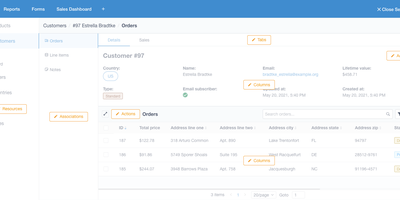
Stop building internal tools and ship your actual product - Motor Admin exists for exactly that. Point this Ruby/Vue application at a PostgreSQL, MySQL, MariaDB, or SQL Server database and it generates a complete CRUD admin panel from your schema in under a minute - search, filters, create, update, delete, all through a polished UI, with every customization done through in-app settings rather than a DSL or boilerplate code. What elevates it beyond CRUD generators is the business-intelligence half: write SQL queries (with variables) and render results as tables, numbers, line/bar/ pie charts, funnels, or markdown; organize reports into shared dashboards; and attach queries and dashboards directly to resource pages as tabs, so an order record shows its revenue history in place. Operations beyond CRUD are covered by custom actions and a WYSIWYG forms builder that posts to your existing REST or GraphQL APIs - send a refund, trigger an email, whatever your backend exposes. Email alerts deliver scheduled reports, Slack sends personalized report alerts, and intelligence search spans all resources. Governance is included: role-based permissions with row- and column-level control (CanCanCan), an audit log of admin activity, multiple database connections, and configuration sync between staging and production. Mobile-optimized, AGPL-licensed, also available as a Rails engine.
Noisedash
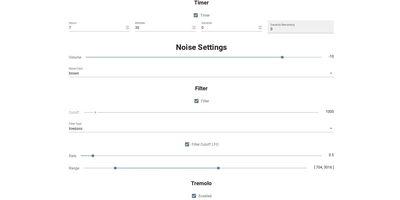
Noisedash is a self-hosted soundscape studio that generates the ambient noise you wish your surroundings made, from steady fan hums to layered rainstorms, and plays it in any browser. Start from white, pink, or brown noise and shape it with filters, LFOs, and effects until the hum in your head goes quiet. Upload your own recordings of rain, wind, thunder, or a café at noon, set loop points and fade-ins, and drop them into the mix as a continuous bed or an occasional sprinkle. Add reverb to a sample, let a thunderclap wander in every few minutes instead of looping, and balance every layer until the room feels right. Save the result as a noise profile, keep one for sleeping and another for deep work, and switch between them with a tap. Profiles travel: export one to share with a friend, import theirs, or record the generated audio to take the soundscape somewhere else entirely. An instance can host the whole household, with admin tools managing users, and the interface works as happily on a phone beside the bed as on a desktop. Running on a dedicated VPS on RepoCloud with guaranteed CPU, RAM, and SSD, full root SSH access, and a browser serial console. AGPL-3.0 licensed.
Mosparo
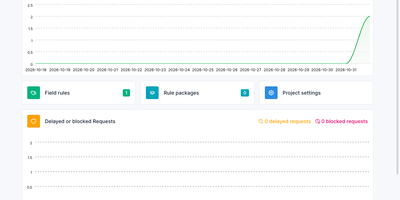
CAPTCHAs make every visitor solve a puzzle to prove they are human; Mosparo takes the opposite route and checks the submitted content itself, no challenges, no image grids, and no tracking cookies. Drop the customizable checkbox widget into any form and Mosparo inspects each field separately, scoring the entry against your rules the way an email spam filter scores a message. Build field rules for banned words, domains, email addresses, IP addresses and subnets, providers, Unicode blocks, user agents, and websites, each with its own rating weight, or subscribe to shared rule packages that refresh themselves automatically. Every submission lands in an admin inbox with its spam rating, IP address, and verification status, and dashboard charts show valid versus spam traffic plus delayed or blocked requests over time. Legitimate users notice nothing but a plain checkbox, which stays fully usable with assistive technology, while everything Mosparo stores is encrypted and automatically deleted after 14 days. Run one instance for many sites with separate projects, project groups, and member roles, and connect your forms over the documented API from any stack that can send an HTTP request. Running on a dedicated VPS on RepoCloud with guaranteed CPU, RAM, and SSD, full root SSH access, and a browser serial console. MIT licensed.
TheOneFile Verse
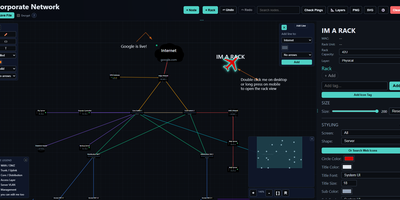
TheOneFile Verse is a self-hosted workspace where teams draw networks, smart homes, and infrastructure together on one live canvas. Each room is a shared map where nodes, racks, wires, zones, and text sync instantly between everyone connected, with live cursors, per-room chat, and an undo that only reverses your own edits. Status probes cover ICMP ping, TCP ports, HTTP, and DNS, and Network Discovery scans a subnet, names hosts through reverse DNS, mDNS, and SNMP, tags more than 70 common services with selfh.st icons, and drops the results onto the map as nodes. An Enter 3D button turns any map into a walkable, multiplayer 3D space with procedural device models, and rack views show equipment mounted by U slot. The admin dashboard manages rooms, users, roles, invite codes, OIDC providers, SMTP delivery, email templates, backups, API keys, and audit logs. Rooms can carry passwords, guest access, or an automatic self-destruct timer. Anyone can export a portable copy as one self-contained HTML file, with optional AES-256 encryption, and import it back later to keep collaborating. Running on a dedicated VPS on RepoCloud with guaranteed CPU, RAM, and SSD, full root SSH access, and a browser serial console. Unlicense licensed.
Super Productivity
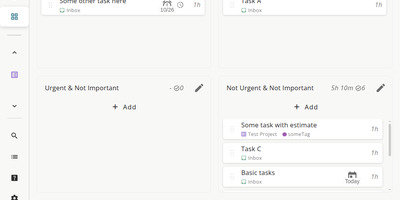
Super Productivity eliminates the context switching between issue trackers, calendars, and timer apps that fragments developer focus, pulling tasks from Jira, GitHub, GitLab, Gitea, OpenProject, Linear, ClickUp, Trello, and Azure DevOps into one local-first interface. With 21,000+ stars and availability across web, desktop, Android, and iOS, it syncs issue status, subtasks, and time logs bidirectionally so sprint planning and worklog submission happen without leaving the app. CalDAV integration pulls calendar events into your task timeline for visual timeboxing. Built-in Pomodoro and Flowmodoro timers enforce focused intervals with configurable break schedules. Data stays under your control in browser IndexedDB by default, with optional AES-encrypted sync via WebDAV, Nextcloud, Dropbox, or the SuperSync server ensuring no task data touches infrastructure you do not own. The extensible plugin system supports JavaScript-based custom panels, automations, and MCP plugins for AI workflows. A REST API on port 3876 enables external script integration for desktop automation. Time tracking generates exportable timesheets compatible with corporate reporting systems. The Docker container serves the Angular PWA through Nginx on port 80, consuming roughly 50 MB of RAM. Running on a dedicated VPS on RepoCloud with guaranteed CPU, RAM, and SSD, full root SSH access, and a browser serial console. MIT licensed.
Platypus
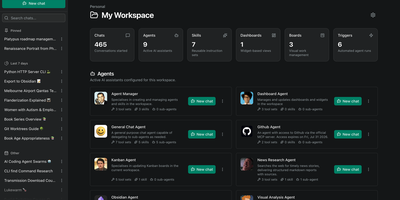
Platypus gives a whole team always-on AI agents that reason, call tools, and keep working on your own servers while everyone is offline. Build an agent once by choosing a provider and model, writing its instructions, and capping its tool-calling loop, then reuse that preset across chats and scheduled runs. Agents load reusable Skills on demand and delegate specialist work to sub-agents that appear to the parent as tools. Connect local and remote data through Model Context Protocol servers, or expose an agent to outside agents and chat platforms through A2A endpoints with a token per client. Triggers run agents on a cron schedule, as one-off jobs, or when workspace events such as a card moving on a board occur, and every run records its result. Kanban boards give agents work they can move and update themselves, while notifications and HMAC-signed webhooks push board and workspace events into your own systems with filtering and retries. Facts and preferences are extracted from conversations in the background and injected into future chats, so returning users are remembered. Sandbox backends give agents shell and filesystem access inside an isolated per-workspace environment instead of the host. Organizations and workspaces keep each team's agents and data separate, and blueprints package shared agents, skills, MCP servers, and providers so a new workspace starts pre-equipped. Running on a dedicated VPS on RepoCloud with guaranteed CPU, RAM, and SSD, full root SSH access, and a browser serial console. MIT licensed.
Pingvin Share X
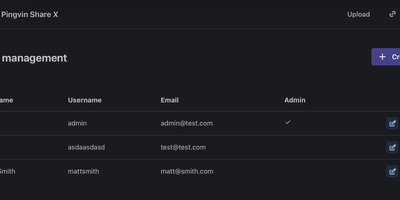
Pingvin Share X is your own WeTransfer, running on your server, with none of the transfer limits or expiring-link anxiety of the free tiers. Drop in a file of any size, get a link, and decide exactly how it behaves: an expiration date after which it vanishes, a password gate, a cap on how many visitors may open it, or all three. Email the link straight to recipients from the share dialog, and get notified when they download. Reverse shares flip the flow around: send someone a link and they upload files to you through it, which is perfect for collecting client deliverables, application documents, or the family photo archive without a single email attachment thread. Attachments can be scanned with ClamAV before anyone touches them, and storage lives on your disks or in S3-compatible buckets. Accounts connect through OIDC or LDAP single sign-on for teams, and an extensive admin panel tunes everything from password policy to upload chunk sizes. Registration rules decide whether your instance is a private family tool or an open drop point for your whole crew. Running on a dedicated VPS on RepoCloud with guaranteed CPU, RAM, and SSD, full root SSH access, and a browser serial console. BSD-2-Clause licensed.
Pyrra
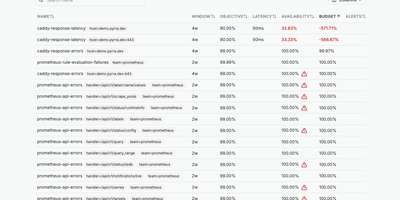
Define a service level objective in a few lines of YAML and Pyrra writes the Prometheus recording rules and multi-window burn rate alerts for it, then tracks the remaining error budget in a web interface. An objective can be an error ratio or a latency target, declared as a Kubernetes custom resource or as a plain file read from disk when running under Docker or as binaries. Grouping labels fan one definition out into an objective per route or handler. The objectives page lists each SLO with its window, target, availability, and remaining budget, sorted so the worst offenders sit on top; columns can be sorted or hidden, and a search box or a click on any label filters the list. Opening an objective highlights availability and error budget, plots the budget over time, and charts requests, errors, and duration with a time range picker and absolute or relative scales. Below the charts, a table shows the four generated alerts with their severities. Generated alerts carry a link back to the objective's page, and severities can be overridden in the spec. Queries go to Prometheus, Thanos, or Mimir, with basic auth, bearer tokens, or tenant IDs, and ready-made Grafana dashboards chart the same objectives. Running on a dedicated VPS on RepoCloud with guaranteed CPU, RAM, and SSD, full root SSH access, and a browser serial console. Apache-2.0 licensed.
Codeman
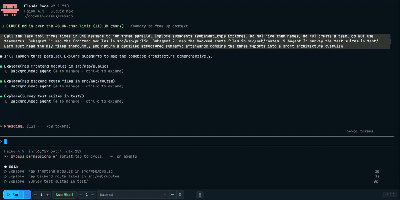
Codeman is a self-hosted mission control for AI coding agents that runs Claude Code, Codex, OpenCode, Gemini, Copilot, and five more agent CLIs in persistent sessions you can watch and steer from any browser, phone included. Sessions live in tmux, so agents survive server restarts, network drops, and laptop sleep, with full scrollback replay when you return. Run up to twenty sessions as tabs or in a six-up tile grid, each streaming its real terminal with token and cost tracking, and tabs that blink when an agent goes idle or needs an answer. Idle detection re-prompts stalled agents, and when a subscription usage limit hits, Codeman parses the reset time, waits it out, and resumes the run unattended. Subagents appear as floating live windows tethered to their parent session, with real-time transcripts, token counts, and status badges. Agents can drive Codeman too, through a bundled skill, CLI verbs, and an MCP server that let one agent start, prompt, and collect answers from workers in other CLIs. Run a project in an isolated Docker container or on another machine over SSH, preview agent-created files in the browser, and reach everything from your phone with QR login and push notifications, or over Tailscale with a real certificate. Running on a dedicated VPS on RepoCloud with guaranteed CPU, RAM, and SSD, full root SSH access, and a browser serial console. MIT licensed.
Argilla
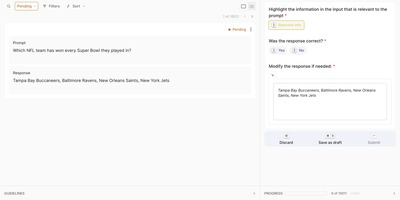
Before a language model learns from your data, someone has to label it well; Argilla gives AI engineers and domain experts a shared workspace to label, review, and refine the datasets that fine-tune language models and train NLP pipelines. You build each dataset from the Python SDK, mixing text, chat, and image fields with the exact questions your task needs: single-label classification for intent detection, span questions for named entities, ratings for response quality, rankings for preference tuning, or free text for corrections. Annotators then work through records in a focused labeling interface where model predictions already sit attached as suggestions, turning most reviews into a fast confirm-or-correct decision instead of a blank-page exercise. Full-text search, metadata filters, and status filters slice a hundred thousand records down to the ones needing attention, while vector-based semantic search finds lookalike examples, near-duplicates, and the disagreement hotspots where guidelines need sharpening. Dataset owners watch completion progress, manage who has responded to what, and split work across workspaces with owner, admin, and annotator roles for each team or client. Finished datasets export with responses, suggestions, and metadata intact, locally or straight to the Hugging Face Hub, ready for fine-tuning and evaluation runs. Running on a dedicated VPS on RepoCloud with guaranteed CPU, RAM, and SSD, full root SSH access, and a browser serial console. Apache-2.0 licensed.
Ontime
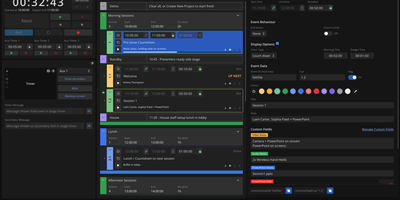
Before doors open, the rundown lives in Ontime's editor, and once the show starts every operator screen, stage timer, and cuesheet follows it live. It is built from timed events, groups for acts and panels, and milestones for operator notes, with durations typed as 10m15s. Excel and Google Sheets imports bring in an existing plan. During the show, play events by hand or switch on roll mode to follow the system clock. Added time and delays flow into downstream events, and expected start and finish times show how far the show has drifted. Custom fields hold light, sound, and camera notes, and a shared cuesheet link gives each department or client only the access it needs. Operator, cuesheet, stage timer, backstage, countdown, studio clock, and timeline views each get a URL, and presets turn long view settings into short shareable links. Remote client redirects steer wall displays nobody can touch. OSC, HTTP, and WebSocket APIs, a Bitfocus Companion module, and event-triggered automations tie the rundown to vMix, QLab, and OBS. An MCP server gives AI agents the tools to build, group, and audit a rundown from a pasted agenda, but never to start, stop, or advance a timer. Conference organizers, touring shows, broadcasters, theatres, and houses of worship use it to keep crews on one clock. Running on a dedicated VPS on RepoCloud with guaranteed CPU, RAM, and SSD, full root SSH access, and a browser serial console. GPL-3.0-or-later licensed.
Gerrit Code Review
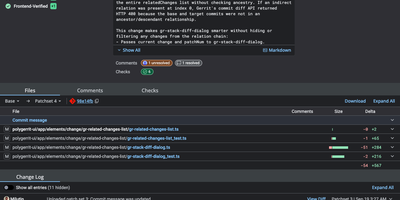
Unlike pull-request forges, Gerrit reviews every Git change as a series of patchsets, and nothing merges until the required approvals are in. Developers upload with a plain git push to a refs/for ref, adding push options for topics, hashtags, work-in-progress, or private changes. Each change gets a page listing reviewers, CCs, an attention set that flags who must act next, and submit requirements driven by labels such as Code-Review and Verified, with a quick approve button for the last missing vote. Side-by-side diffs with syntax highlighting take inline comments written in Markdown, saved as drafts and published together. A Checks tab shows CI runs reported by plugins, and integrations reach Jenkins, GitHub Actions, Zuul, and webhooks. Access rights attach to groups and branch patterns, including regular expressions, and inherit from parent projects and All-Projects. Sign-in works with LDAP, OAuth, OpenID, or HTTP single sign-on, and SAML through a plugin. A query language filters changes by status, owner, reviewer, label, file path, and reviewer count. Projects pick a submit strategy: merge if necessary, fast forward only, rebase if necessary, rebase always, merge always, or cherry pick. A REST API, SSH commands, and a plugin system extend the server, and an optional Review Agent chat panel can summarize a change once an AI provider plugin is installed. Running on a dedicated VPS on RepoCloud with guaranteed CPU, RAM, and SSD, full root SSH access, and a browser serial console. Apache-2.0 licensed.
Nhost
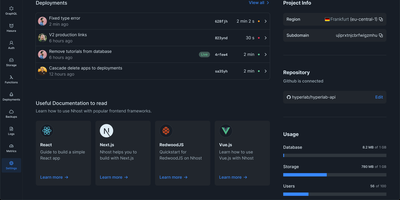
Backed by 9,200 GitHub stars and venture funding led by Nauta Capital, Nhost is the open-source Firebase alternative that replaces Google's proprietary document store with a relational PostgreSQL foundation from day one. The Hasura integration auto-generates a real-time GraphQL API with subscriptions, role-based permissions, and remote schemas from your PostgreSQL tables, while event triggers and cron triggers automate backend workflows without custom infrastructure. Authentication supports email and password, magic links, phone OTP via SMS, social OAuth providers including Google and GitHub, WebAuthn for passwordless login with Face ID, fingerprints, and YubiKeys, plus two-factor authentication. Since the Q1 2026 release, Nhost Auth also functions as a full OAuth2 and OpenID Connect provider, allowing your Nhost project to issue tokens to third-party applications the same way GitHub or Google do. The S3-compatible storage service handles file uploads with automatic image optimization, virus scanning, and presigned URLs for secure direct downloads. Node.js serverless functions deploy JavaScript and TypeScript backend logic without managing servers, while the Nhost CLI spins up the complete local stack via Docker for development with automatic database migration tracking and Hasura metadata management. The MCP server integration exposes project documentation and data schemas to AI assistants for intelligent query building. SDKs cover JavaScript, TypeScript, React, Vue, Next.js, and Dart for Flutter. Running on a dedicated VPS on RepoCloud with guaranteed CPU, RAM, and SSD, full root SSH access, and a browser serial console. MIT licensed.
Lampline
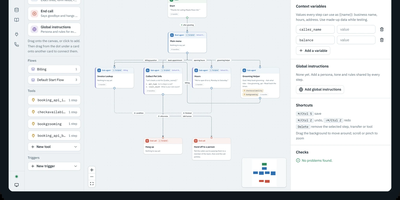
Once a voice agent is imported or built, Lampline connects it to a phone line, sends an AI caller to grade real calls, and keeps it all on your own server. Start by importing a Dialogflow CX or CX Agent Studio export along with a report of anything to check, or build fresh in a drag-and-drop builder that mixes LLM steps with scripted pages for exact lines and form fields. Next, pick one of 20 model providers, including Claude, OpenAI, Gemini, Bedrock, Groq, and DeepSeek, or run Ollama with local speech and no API keys. Test by chat or microphone while each step lights up, and let agents call HTTP and MCP tools and save records in collections of their own. Then connect callers through Twilio, Telnyx, or any SIP trunk, PBX, or session border controller via jambonz, with transfers to a person that carry the call's details as SIP headers. Finally, evals phone the agent over a real line, where an AI Test Caller brings background noise, accents, and interruptions, grades each transcript check by check, and reports typical and p95 response times as callers hear them. Each agent stays a folder of YAML and Markdown that you can review in git and lint or test with the vk CLI. Running on a dedicated VPS on RepoCloud with guaranteed CPU, RAM, and SSD, full root SSH access, and a browser serial console. Apache-2.0 licensed.
TimeTagger
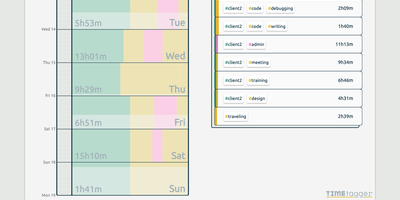
Freelancers, consultants, and solo workers get an accurate record of their hours from TimeTagger, a time tracker that logs tagged tasks on an interactive timeline and summarizes them as billable reports. Press S, type a description, and hit Enter to start the clock without the mouse, or drag across the timeline to log finished work. Hashtags in a description become autocompleting tags, with no projects to set up. Renaming a tag updates every record that uses it. Drag a record's edges to fix its times, then zoom the timeline out to a week or month with mouse, touch, or arrow keys. An overview panel totals time per tag combination for the selected range, and the Report button saves it as a client-ready PDF or a CSV with decimal hours. Daily, weekly, and monthly targets track progress toward your goals, and an optional Pomodoro timer alternates work and break periods with an alarm and a notification. Settings add a dark theme, local date notations, a Monday-to-Friday week, and a day offset for night shifts. The interface adapts from desktop to phone, installs as a progressive web app, works offline, and syncs records across devices once the connection returns. A web API and a command-line client let you query, create, and update records from scripts or the terminal. Running on a dedicated VPS on RepoCloud with guaranteed CPU, RAM, and SSD, full root SSH access, and a browser serial console. GPL-3.0 licensed.
Jellydash
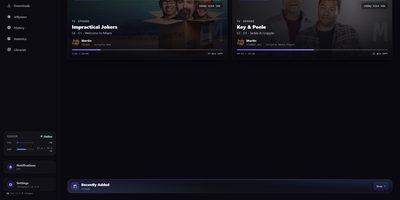
Jellydash answers the questions every Jellyfin admin asks, starting with who is watching right now and whether that stream is transcoding. Live cards show each session's artwork, user, quality, progress, and playback method, including the reason a transcode was needed, and live TV channels appear with real program progress. Behind the scenes, a background poller records every play even when nobody has the dashboard open, building a history you can search, filter by user or library, and export to CSV with poster art intact. Older Jellyfin or Emby Playback Reporting backups import in seconds, so years of viewing are not lost when you switch. Statistics turn that history into watch-time trends, top users, device and client activity, codec breakdowns, and transcode reasons, and clicking a chart opens the exact plays behind it. A monthly recap looks back at a finished month with rankings and daily activity, while trending and all-time most-watched strips show what your household actually loves. Optional pages follow Jellyseerr requests as they arrive and read the status of SABnzbd, qBittorrent, Transmission, Deluge, and NZBGet clients without ever touching their queues. Server activity, maintenance tasks, and system status stay one click away, and selected users can be excluded from monitoring entirely. When someone presses play, a notification can reach your phone through Telegram, Pushover, Discord, ntfy, Gotify, or Web Push. Running on a dedicated VPS on RepoCloud with guaranteed CPU, RAM, and SSD, full root SSH access, and a browser serial console. MIT licensed.
Ackee
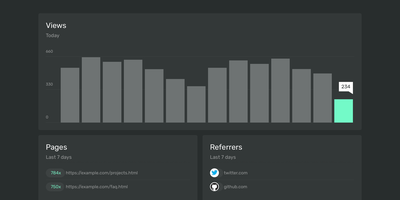
Page views, referrers, browsers, and screen sizes - Ackee delivers the analytics developers actually check, from a deliberately minimal Node.js and MongoDB stack that skips both Matomo's weight and Google Analytics' cloud dependency. Its defining constraint is anonymization: no cookies, no unique user tracking, and a multi-step anonymization process that keeps visitors unidentifiable while the aggregate numbers stay useful. In its default anonymous mode Ackee collects no personally identifiable information at all, which means GDPR and CCPA compliance out of the box and no cookie consent banner on your sites. A detailed mode adds screen size, language, and per-visit referrers - still without cookies or fingerprinting. Integration mirrors the Google Analytics pattern: create a domain in settings, drop the generated ackee-tracker snippet into your pages, and data appears in a clean single-page dashboard. One instance tracks multiple domains, and custom events capture button clicks, signups, and conversions. The distinctive engineering choice is the fully documented GraphQL API: everything the dashboard shows comes from that API, so you can query active visitors, average duration, and view statistics programmatically, feed data in from apps and services beyond websites, or build an entirely custom interface on top. If you want bare-minimum analytics with a real API and zero privacy anxiety, this is the tool.
Websoft9
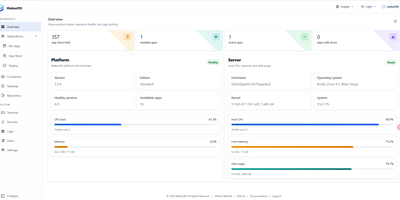
One server, three hundred applications, zero Kubernetes: Websoft9 is a self-hosted platform that turns a single VPS into your private app store, with a web console for finding, installing, and running open source software. Browse the catalog, click install, and applications arrive as containers with their databases and settings wired up, ready behind your domain. Bind domains and issue free Let's Encrypt certificates through the built-in proxy, schedule local backups for apps and databases, and open a browser terminal or file manager when you need hands-on control. The overview shows what is running and what it uses, My Apps keeps every service one click from start, stop, or rebuild, and updates roll out from the same console. Small teams use it to stand up WordPress, GitLab, Mattermost, and internal tools on one machine instead of renting a separate hosted plan for each, and everything stays on hardware you own. Running on a dedicated VPS on RepoCloud with guaranteed CPU, RAM, and SSD, full root SSH access, and a browser serial console. LGPL-3.0 licensed.