LinkWarden
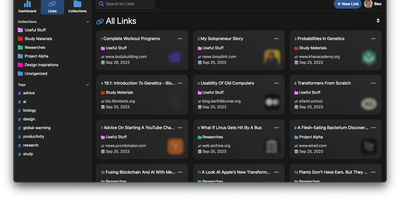
Links rot - the hard truth Linkwarden is built around, as a collaborative bookmark manager that preserves what it saves. Every page you save is fully preserved - a screenshot, a PDF, a self-contained single-file HTML archive (generated by the Monolith Rust binary), and a clean reader view - so the content survives even after the original site disappears. Think of it as a private Wayback Machine you own, with an optional one-click snapshot to archive.org on top. The reading experience matches the archival rigor: a distraction- free reader view supports text highlighting and annotation, and full-text search across everything you have saved is powered by Meilisearch. Optional AI tagging analyzes page content and auto-assigns tags - generate new ones, pick from your existing set, or constrain to predefined tags - with providers ranging from local Ollama models (fully private) to OpenAI, Anthropic, and OpenRouter. Organization is collections, sub-collections, and multiple tags per link; teams collaborate on shared collections with per-member permissions, and public collections share curated link sets (with preserved copies) to anyone. The stack is Next.js/React on TypeScript with PostgreSQL via Prisma, NextAuth supporting credentials, OAuth2, and SAML SSO, and a Playwright-driven headless Chromium worker doing the capture. Native iOS and Android apps and browser extensions feed it from anywhere.
Siftly
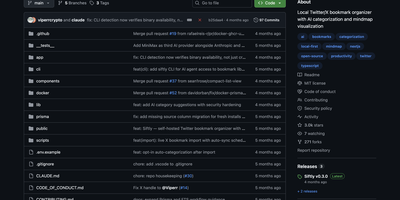
Siftly transforms your Twitter/X bookmarks from a chaotic pile of saved tweets into a searchable, AI-categorized knowledge base with an interactive visual mindmap. With over 2,700 GitHub stars since March 2026, the platform runs a four-stage enrichment pipeline on each bookmark: entity extraction mines hashtags, URLs, @mentions, and 100+ known tool domains without API calls; vision analysis generates 30-40 visual tags per image using the Anthropic SDK; semantic tagging produces 25-35 searchable descriptors; and categorization assigns one to three categories with confidence scores. Search combines SQLite FTS5 full-text indexing with Claude-based semantic reranking, narrowing candidates through keyword matching, category-intent detection, and deduplication before sending a bounded set for LLM relevance scoring, letting you find bookmarks by meaning rather than exact keywords. The interactive mindmap built on @xyflow/react renders your entire collection as a force-directed graph organized by category with expandable nodes, color-coded legends, and direct links to original tweets. Import bookmarks through a built-in bookmarklet or console script without browser extensions, then browse in grid or list view with filters for category, media type, and date range. Export as CSV, JSON, or category-grouped ZIP archives. Prisma 7 manages the local SQLite database with FTS5 built in, requiring zero external database setup. A bundled CLI provides JSON-output commands for stats, search, and category management. Running on a dedicated VPS on RepoCloud with guaranteed CPU, RAM, and SSD, full root SSH access, and a browser serial console. MIT licensed.
Trilium Notes
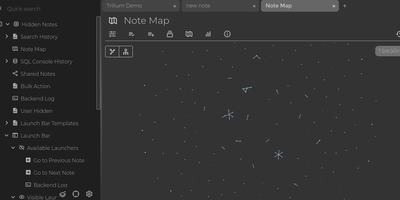
For people whose notes number in the tens of thousands, Trilium Notes is the hierarchical note-taking application built specifically for large personal knowledge bases - actively maintained as TriliumNext. Notes arrange into arbitrarily deep trees where every note is both content and container, and cloning lets a single note live in multiple places at once - bash notes belong under both Linux and Scripting, and Trilium refuses to make you choose. A WYSIWYG editor handles rich text, tables, math, and syntax-highlighted code blocks with Markdown-style shortcuts, while dedicated note types cover Excalidraw sketches, mind maps, geo maps with GPX tracks, relation maps that visualize connections between notes, and tables with typed columns. The attribute system is the power layer: labels attach queryable metadata (#year=1999, #author), relations create named links between notes, and both inherit down the tree - feeding full-text search, saved queries, and scripting. Scripting is Trilium's deepest differentiator: JavaScript code notes run on events like note changes or hourly schedules, build custom widgets, and add server-side logic, turning the knowledge base into a programmable platform. Protected notes encrypt sensitive content, note hoisting focuses on subtrees, and the self-hosted server syncs desktop clients across devices.
Glean
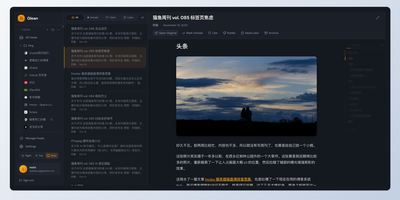
Information overload is the default state of the modern internet, and Glean exists to tame it by pulling every blog, newsletter, and news source you follow into a single, organized reading experience with an interface that prioritizes clarity over clutter. Subscribe to RSS and Atom feeds, import your existing subscriptions via OPML, and organize everything into multi-level folders with a flexible tagging system that lets you slice your reading list by topic, priority, or mood. A three-pane layout presents your feed list, article summaries, and full content side by side, with one-click actions for marking articles as read, saving them for later, bookmarking favorites, or archiving what you have already processed. Background workers fetch new articles every 15 minutes so your feeds stay current without manual refreshes. The preference learning engine (backed by Milvus vector embeddings) scores incoming articles against your reading history and surfaces a personalized Smart Feed of content you are most likely to care about, reducing the time spent scrolling past irrelevant posts. A built-in MCP server lets AI assistants like Claude Desktop search and interact with your feed library directly. The admin dashboard on a separate port provides user management, system monitoring, and configuration controls for multi-user deployments. Bookmark external URLs from any browser with the Chrome extension, or access your feeds on mobile through the Progressive Web App. Running on a dedicated VPS on RepoCloud with guaranteed CPU, RAM, and SSD, full root SSH access, and a browser serial console. AGPL-3.0 licensed.
Zero Email
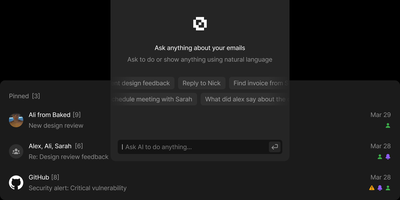
Zero unifies Gmail, Outlook, and IMAP accounts into a single AI-enhanced inbox with keyboard-driven navigation that matches premium email clients in speed. Backed by 10,000+ stars and positioned as the alternative to Superhuman, it keeps your email data in your own PostgreSQL database while LLM agents handle categorization, priority sorting, draft composition, and natural language mailbox queries. You choose whether models run locally or through cloud providers you control. The Next.js and React interface delivers customizable keyboard shortcuts for every action: reading, archiving, labeling, composing. A WorkflowEngine defines automated multi-step rules including label application, bulk archiving, and conditional routing based on sender, subject, or content analysis. Built on Drizzle ORM with Better Auth handling Google OAuth, styled with TailwindCSS and Shadcn UI components, the interface is polished without being bloated. MCP integration exposes email management tools to external AI assistants for programmatic inbox control through standardized protocols. The Nizzy CLI handles environment configuration, database synchronization, and development server orchestration. Deploys via Docker Compose with a single database initialization command. Running on a dedicated VPS on RepoCloud with guaranteed CPU, RAM, and SSD, full root SSH access, and a browser serial console. MIT licensed.
Nametag
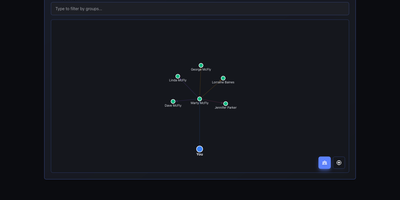
CRM mechanics applied to your actual relationships instead of a sales pipeline: Nametag is a Personal Relationship Manager (PRM). It exists to fix the things you keep forgetting: when you last talked to an old friend, their kids' names, the birthday you missed twice. Contacts are tracked with flexible attributes - names, birthdays, important dates, and free-form notes for everything else - and organized into custom groups. Where it goes beyond a contacts app is relationship mapping: you define how people connect to each other (family, friends, colleagues, or custom relationship types), and an interactive D3.js-powered graph renders your entire personal network so you can see clusters and connections at a glance. Staying in touch is automated: scheduled reminders fire for birthdays, important dates, and reach-out nudges, with optional email delivery via a Resend API key for password resets and reminder notifications. Built with Next.js, it is mobile-responsive, ships with full dark mode, and supports multiple languages including English and Spanish. Because it is self-hosted, there are no account tiers or contact limits - unlimited people and relationships, with every note about your personal life stored on your own server rather than a social-graph company's cloud. A lightweight, single-container deployment makes it one of the easiest personal tools to run.
ChatChat
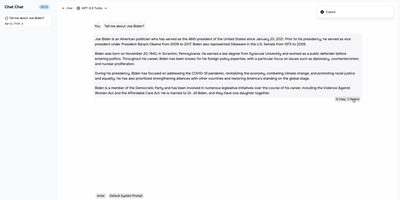
One clean interface in front of Anthropic, OpenAI, Google Gemini, Cohere, and more: Chat Chat is a Next.js front door to the major AI providers, ending the juggling of separate subscriptions, tabs, and UIs per model. Bring your own API keys, pick a provider and model per conversation, and switch between them as the task demands: Claude for long-form reasoning, GPT for code, Gemini for multimodal work - the interface stays identical. Beyond configured presets, custom providers plug in with their own API endpoints and keys, which covers OpenAI-compatible gateways and local inference servers. The design splits into two dedicated modes: a chat interface for conversational work with customizable system prompts, and a search interface that pairs AI processing with query handling for research-style questions. The stack is modern and hackable - Next.js 14, Tailwind CSS, shadcn/ui on Radix primitives, Jotai for state - with full internationalization including English, Chinese, and Japanese. Self-hosting means your conversation history and API keys live on your instance rather than a third-party wrapper service, and pay-per-token API pricing typically beats stacking multiple monthly chat subscriptions. AGPL-licensed and deliberately simple to deploy: one container, environment variables for keys, done.
Appsmith
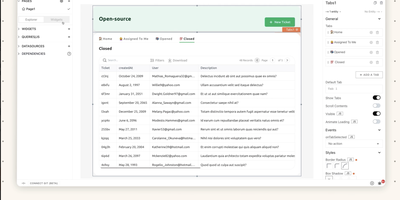
Admin panels, database GUIs, dashboards, approval flows, customer support consoles - Appsmith builds the internal tools your team keeps postponing, on an open-source low-code platform. The UI assembles from 45+ drag-and-drop widgets - tables with server-side pagination and inline editing, charts, forms, lists, buttons - which bind to data through {{ }} JavaScript expressions anywhere in the editor. Datasources cover PostgreSQL, MySQL, MongoDB, MS SQL, Redis, Snowflake, and more, plus any REST or GraphQL API, with SaaS integrations and AI query support for prompt-based steps inside apps. When the widget library falls short, custom widgets are plain JavaScript, HTML, and CSS, and external JS libraries can be imported, which keeps the platform extensible where pure no-code tools hit walls. Git-based version control enables branch-based collaboration, review, and rollback of app definitions. Queries and JS objects hold the business logic layer between datasources and UI. Self-hosted via Docker or Kubernetes, with role-based access control for published apps.
Kutt
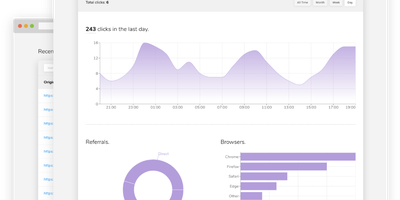
Built for self-hosting from the ground up, Kutt is a modern, MIT-licensed URL shortener: zero-configuration setup, no build step, and SQLite, PostgreSQL, or MySQL with optional Redis caching. Links carry real management features - custom slugs from a configurable alphabet (confusable characters like 0/O and l/1 omitted by default), password protection, descriptions, expiration times, and the ability to edit a destination URL without changing the short link already in circulation. Custom domains make branded short links first-class: add as many as you like and serve each under your own name instead of a third-party's. Private, per-link statistics track clicks, browsers, operating systems, and countries without logging visitor IPs or sensitive data. An admin page manages users and links instance-wide, and two environment flags (DISALLOW_REGISTRATION, DISALLOW_ANONYMOUS_LINKS) lock the instance down for private use; OpenID Connect login integrates with an existing identity provider. Automation runs through a documented REST API - create, list, delete, and pull stats - plus Chrome and Firefox extensions and ShareX compatibility for shortening from anywhere. Built with Node.js and React, deployed in one Docker container, it replaces Bitly with something you own: your domain, your analytics, and links that never die with a vendor.
Morphic
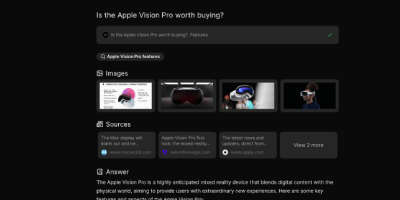
Perplexity's answer-engine experience, self-hostable and open-source: Morphic searches the web and writes cited answers. Instead of returning a list of links, it searches the web, reads the sources, and generates a complete answer with inline numbered citations. The generative UI streams rich components, source cards with thumbnails, image grids, syntax-highlighted code, and LaTeX math, rather than plain markdown. Quick mode answers fast; Adaptive mode runs deeper multi-step research. Search backends are pluggable: the Docker Compose bundle ships with a private SearXNG instance so no search API key is required, and Tavily, Brave, and Exa are supported alternatives. LLM providers include OpenAI, Anthropic, Google, Ollama, and any OpenAI-compatible endpoint, with per-mode model mapping - fast, cheap models for quick searches, stronger models for adaptive research, tuning the cost-quality trade-off per query type. An inspector panel exposes tool execution during multi-step research, and AI-suggested follow-up questions keep an investigation moving. Chat history persists in PostgreSQL, results are shareable by URL, file uploads feed context into queries, and optional Supabase authentication adds multi-user or guest access. Because the default search path is your private SearXNG instance, research topics never hit a commercial search API - and with local Ollama models the marginal cost of a query approaches zero. Built with Next.js, TypeScript, and the Vercel AI SDK under Apache 2.0.
NextChat
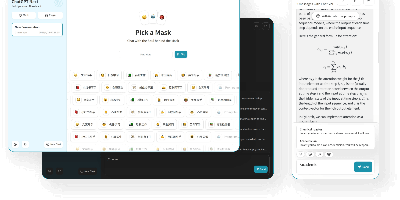
Thirteen-plus LLM providers, one unified client: NextChat (formerly ChatGPT-Next-Web) is an open-source AI chat interface built on Next.js that spans OpenAI GPT-4, Anthropic Claude, Google Gemini, DeepSeek, Groq, Azure endpoints, and self-hosted backends like Ollama, LocalAI, and RWKV-Runner. Its defining trait is minimalism - the first screen loads in about 100 KB, the desktop client is roughly 5 MB, and there is no database or user system to operate; chat history lives locally in the browser with optional WebDAV or UpStash Redis sync. The Mask system saves reusable prompt-template personas you can share and debug, long conversations auto-compress to fit context windows, and Markdown rendering covers LaTeX, Mermaid diagrams, and code highlighting with streaming responses. Plugins add web search and calculators, MCP support enables external tool calling, and Artifacts previews generated content in a separate pane. Ships as a web app, Docker image, and Tauri desktop builds for Windows, macOS, and Linux, translated into 20+ languages. MIT-licensed.
RSSMonster
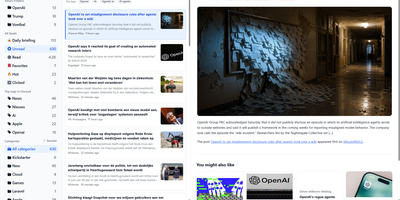
Staying on top of hundreds of RSS feeds is impossible when every reader just dumps articles in chronological order. RSSMonster takes a different approach: it evaluates, scores, and prioritizes every article so the signal rises above the noise. The three-pane reading interface automatically marks articles as read when you scroll past them, while the built-in quality scoring engine rates content by freshness, originality, trust, and attention metrics. Compose advanced search expressions using field operators like star:true, quality:>0.6, hot:true, and date filters like @today or @lastweek, then save those expressions as persistent Smart Folders for one-click access to curated views. Semantic event clustering groups related articles across sources so you see one coherent story instead of fifteen duplicates. Connect your favorite mobile client through the Fever API (supporting Reeder for iOS) or the Google Reader API (compatible with News+, FeedMe, Vienna RSS, and ReadKit). The AI chat assistant powered by the Model Context Protocol lets you ask questions about your feed content and get summarized answers. Import your existing subscriptions via OPML, switch between light and dark themes, and install the app as a Progressive Web App for offline reading. On RepoCloud, deploy RSSMonster on a dedicated VPS with root SSH access, full data ownership, and persistent storage under the MIT license.
Planka
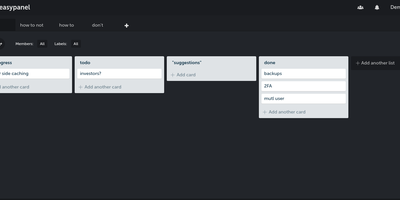
Trello's board model on your own server: Planka is an open-source Kanban project management tool. Boards organize into projects with lists, cards, labels, due dates, checklists, file attachments, and per-card stopwatch time tracking, all managed through drag-and-drop. Updates propagate over WebSockets, so a teammate moving a card or adding a comment appears instantly for everyone without a refresh - a genuine differentiator among self-hosted boards. Card descriptions use a full Markdown editor, custom fields adapt cards to your workflow, and views switch between Kanban, grid, and list layouts. Authentication supports OpenID Connect single sign-on with Google, Azure AD, Okta, or any OIDC provider - a feature Trello reserves for enterprise plans - and notifications reach 100+ channels including Slack, Discord, Telegram, and SMTP via Apprise. A REST API with 50+ webhook events supports custom integrations, and one-click board import eases migration. Built with React and Node.js on PostgreSQL, translated into 35+ languages, deployed via Docker.
NocoDB
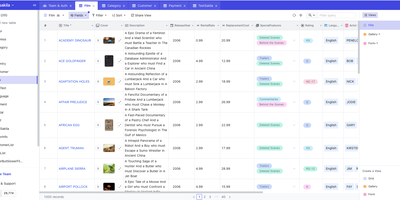
Any existing relational database becomes a collaborative, Airtable-style smart spreadsheet under NocoDB. It connects to PostgreSQL, MySQL, MariaDB, SQL Server, or SQLite, introspects the schema - tables, relationships, indexes - and renders it as interactive Grid, Gallery, Kanban, Calendar, and Form views without migrating a single row. Your business data stays in your database; NocoDB keeps only its own metadata (view configs, permissions, webhooks) in a separate store. Every connected table automatically gets REST APIs with Swagger documentation, effectively turning legacy databases into modern backends. The spreadsheet layer adds 20+ field types including formulas, lookups, rollups, links, attachments, and currency, plus sorting, filtering, grouping, and multi-field editing. Views can be locked or shared publicly with password protection, role-based access control scopes permissions per user, and webhooks plus CSV, Excel, and Airtable import round out integration. An ERD view visualizes the schema. Built with Node.js and Vue, deployed via Docker, handling millions of rows.
Miniflux
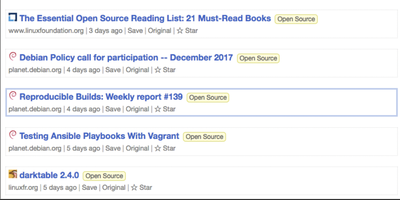
One statically-compiled Go binary over PostgreSQL, no ORM, no framework, static assets embedded in the executable: Miniflux is the minimalist, opinionated feed reader. The opinions are the feature: page layout, fonts, and colors are tuned for reading, and everything else is treated as noise. It consumes Atom, RSS, and JSON Feed formats with OPML import/export, organizes articles with categories and bookmarks, fetches original full-text content for summary-only feeds, and provides Postgres-powered full-text search. Privacy work happens automatically: pixel trackers are stripped, tracking parameters removed from URLs, a media proxy blocks third-party tracking, referrers are never forwarded, and there is zero telemetry. Navigation is keyboard-first - j/k through items, o to open, f to star - with touch gestures on mobile. Podcast, video, and music enclosures are supported, and YouTube videos play inline. Over 25 integrations save articles onward to Wallabag, Readwise Reader, Pinboard, Linkding, Instapaper, Notion, Telegram, Matrix, Ntfy, and more, plus webhooks and a REST API with Go and Python clients; the Google Reader API endpoint supports existing mobile reader apps. Authentication spans local passwords, passkeys (WebAuthn), Google OAuth2, OpenID Connect, and reverse-proxy headers. It is Apache 2.0 licensed, translated into 20 languages, and updates feeds on an internal scheduler.
Wiki.js
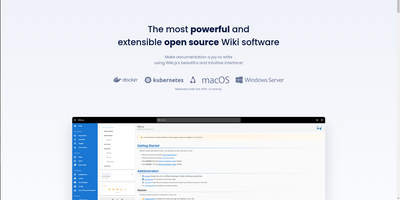
Team and product documentation on a fast Vue frontend with PostgreSQL storage: Wiki.js is a Node.js wiki engine. Its distinguishing trait is per-page editor choice: authors pick Markdown with live preview, a WYSIWYG visual builder for non-technical writers, or raw HTML, page by page. Native Git synchronization commits every page change to GitHub, GitLab, Bitbucket, Azure DevOps, or any Git remote - bi-directionally, so edits made in the repository flow back into the wiki - giving documentation version-controlled backup for free. Authentication coverage is among the broadest of any self-hosted wiki: local accounts with self-registration, social login via Google, GitHub, Discord, and Slack, and enterprise SSO through LDAP/Active Directory, SAML, CAS, Auth0, Okta, Azure AD, Keycloak, and generic OAuth2/OIDC, with optional MFA. Built-in full-text search runs on PostgreSQL with zero setup, and external engines like Algolia or Solr can substitute. Page history with visual version comparison, granular group-based permissions per path, nested navigation menus, 50+ integration modules, and full localization round it out. AGPLv3-licensed with a 28k-star community.
Tymeslot
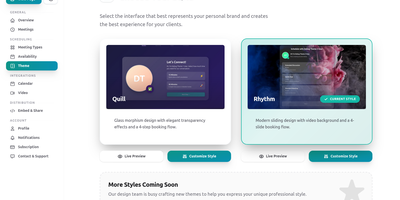
Built on Elixir's fault-tolerant OTP runtime, Tymeslot delivers the complete scheduling toolkit that Calendly charges for and Cal.com relicensed away from open source in 2026. Share one booking link and let clients pick available slots — your calendar stays synchronized and double-bookings disappear automatically through real-time availability checking against Google Calendar, Microsoft Outlook, and any CalDAV server including Nextcloud. Meeting types support configurable durations, buffer times, and availability windows that clients can book without email back-and-forth. Phoenix LiveView powers the real-time UI with WebSocket connections that update instantly as bookings arrive, without client-side JavaScript framework overhead. The platform attaches Zoom video rooms to confirmed bookings through your own Marketplace app credentials, sends confirmation and reminder emails via SMTP, Postmark, SendGrid, Mailgun, or AhaSend, and supports custom booking page themes with embed options for integration into existing websites. Circuit breakers, connection pooling, and graceful degradation maintain availability during provider outages. Authentication supports local accounts, GitHub OAuth, and reCAPTCHA protection on public booking forms. Self-hosting deploys as a single container with PostgreSQL embedded — no separate database container required. Two named volumes persist uploads and database state, while the same image powers the managed cloud at tymeslot.app so self-hosted users get identical features without a crippled community edition. Deploy via Docker, Cloudron with automatic updates, or Railway from a community template. Running on a dedicated VPS on RepoCloud with guaranteed CPU, RAM, and SSD, full root SSH access, and a browser serial console. AGPL-3.0 licensed.
Activepieces
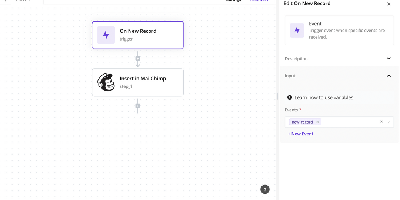
Zapier's job, on your own server: Activepieces is an open-source workflow automation platform built to be exactly that replacement. Flows are built in a visual no-code editor with triggers, actions, loops, conditional branches, auto-retries, raw HTTP steps, and code steps that run JavaScript or TypeScript with full npm package support. Integrations are "pieces" - type-safe TypeScript npm packages with hot reloading for local development - and the catalog spans 600+ services, with the large majority contributed by the community. The platform is AI-first in two directions: native AI pieces call OpenAI, Anthropic, Google, and Azure models inside flows, and every piece automatically doubles as an MCP server, so assistants like Claude Desktop and Cursor can invoke your integrations and workflows through natural language. A built-in MCP server also exposes 30 tools for building flows, managing tables, and running tests agentically. Flows are fully versioned with draft and locked states. The core is MIT-licensed and runs on TypeScript with PostgreSQL and Redis.