Arkon
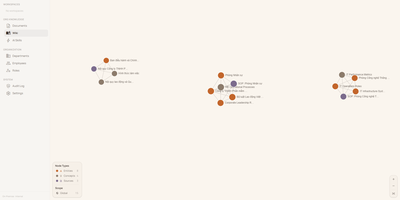
With 1,200+ GitHub stars since its April 2026 launch, Arkon provides an enterprise-grade knowledge management layer that turns scattered organizational documentation into AI-accessible structured context. The platform runs as a centralized MCP server, compiling your SOPs, policies, technical docs, and institutional knowledge into a versioned wiki with draft-approval workflows, then serving that wiki to Claude Desktop, Claude.ai, Cursor, and any MCP-compatible client through a single permission-scoped endpoint. OAuth 2.1 with PKCE authentication eliminates manual token management — employees authenticate through a browser login while the system discovers endpoints automatically via RFC 8414. The RBAC v2 system supports custom roles with granular permissions, department-scoped AI Skills, workspace isolation, and comprehensive audit logging so every query and access event is traceable. RAG retrieval powered by pgvector embeddings enables AI clients to search across all organizational documents with source attribution, while the AI Skills system lets teams define reusable instruction sets scoped to specific departments or roles. The architecture runs seven Docker containers coordinated by Compose: PostgreSQL with pgvector for embeddings and metadata, Redis for caching, MinIO for document storage, a FastAPI backend, two ARQ async workers for embedding generation and document processing, and a Next.js frontend portal accessible on port 3119. API keys are encrypted at rest with Fernet, and no telemetry leaves the deployment. Running on a dedicated VPS on RepoCloud with guaranteed CPU, RAM, and SSD, full root SSH access, and a browser serial console. PolyForm Internal Use licensed.
LinkWarden
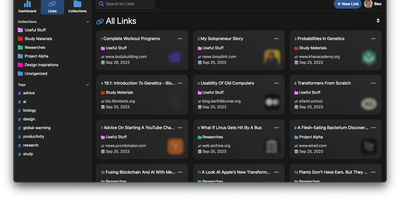
Links rot - the hard truth Linkwarden is built around, as a collaborative bookmark manager that preserves what it saves. Every page you save is fully preserved - a screenshot, a PDF, a self-contained single-file HTML archive (generated by the Monolith Rust binary), and a clean reader view - so the content survives even after the original site disappears. Think of it as a private Wayback Machine you own, with an optional one-click snapshot to archive.org on top. The reading experience matches the archival rigor: a distraction- free reader view supports text highlighting and annotation, and full-text search across everything you have saved is powered by Meilisearch. Optional AI tagging analyzes page content and auto-assigns tags - generate new ones, pick from your existing set, or constrain to predefined tags - with providers ranging from local Ollama models (fully private) to OpenAI, Anthropic, and OpenRouter. Organization is collections, sub-collections, and multiple tags per link; teams collaborate on shared collections with per-member permissions, and public collections share curated link sets (with preserved copies) to anyone. The stack is Next.js/React on TypeScript with PostgreSQL via Prisma, NextAuth supporting credentials, OAuth2, and SAML SSO, and a Playwright-driven headless Chromium worker doing the capture. Native iOS and Android apps and browser extensions feed it from anywhere.
Trilium Notes
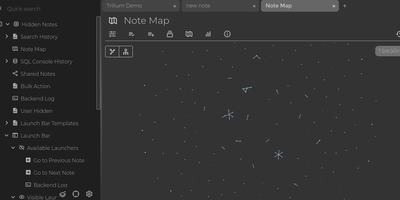
For people whose notes number in the tens of thousands, Trilium Notes is the hierarchical note-taking application built specifically for large personal knowledge bases - actively maintained as TriliumNext. Notes arrange into arbitrarily deep trees where every note is both content and container, and cloning lets a single note live in multiple places at once - bash notes belong under both Linux and Scripting, and Trilium refuses to make you choose. A WYSIWYG editor handles rich text, tables, math, and syntax-highlighted code blocks with Markdown-style shortcuts, while dedicated note types cover Excalidraw sketches, mind maps, geo maps with GPX tracks, relation maps that visualize connections between notes, and tables with typed columns. The attribute system is the power layer: labels attach queryable metadata (#year=1999, #author), relations create named links between notes, and both inherit down the tree - feeding full-text search, saved queries, and scripting. Scripting is Trilium's deepest differentiator: JavaScript code notes run on events like note changes or hourly schedules, build custom widgets, and add server-side logic, turning the knowledge base into a programmable platform. Protected notes encrypt sensitive content, note hoisting focuses on subtrees, and the self-hosted server syncs desktop clients across devices.
Affine Pro
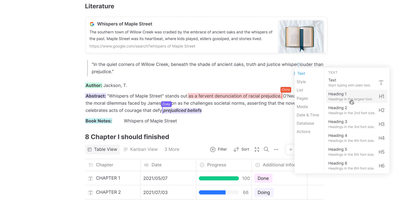
Gaining over 71,000 GitHub stars as one of the fastest-rising knowledge management platforms, AFFiNE merges the document editing capabilities of Notion, the infinite canvas of Miro, and the structured data of Airtable into a single cohesive workspace. The block-based editor built on the custom BlockSuite framework supports rich text, code blocks, embeds, tables, kanban boards, and database views with drag-and-drop composition. The whiteboard mode provides an infinite canvas where users can freely mix documents, sticky notes, shapes, connectors, and hand-drawn elements, enabling visual thinking alongside structured note-taking. Real-time collaboration allows multiple users to edit documents and whiteboards simultaneously with cursor presence, comment threads, and version history. The local-first architecture stores all data on your device by default using CRDT-based synchronization, ensuring offline access and data sovereignty, with optional cloud sync for cross-device availability. Workspaces organize content into hierarchical page trees with full-text search, favorites, tags, and trash management. The platform supports Markdown import and export, PDF export, and HTML export for interoperability. AI features powered by configurable LLM providers enable writing assistance, summarization, translation, and content generation directly within documents. The theming system supports light and dark modes with customizable accent colors. Running on a dedicated VPS on RepoCloud with guaranteed CPU, RAM, and SSD, full root SSH access, and a browser serial console. Licensed under MIT with an open-source self-hosted edition.
AgentDesk
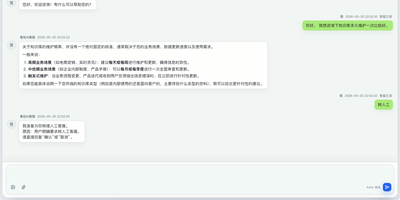
Most AI chat integrations bolt an LLM onto a text box and call it customer support; AgentDesk builds the entire helpdesk around AI agents that handle first responses, escalate to humans when they cannot answer, and track follow-up work through integrated ticket workflows. Each AI agent binds to a specific LLM configuration, one or more knowledge bases, a set of callable Skills, and MCP tool integrations, creating specialized support personas for different product lines or departments. When a customer message arrives, the agent retrieves relevant FAQ entries and document chunks through RAG-powered vector search (Qdrant), then passes retrieved context through an Answerability Gate that determines whether the knowledge base can support a reliable answer; if not, it triggers a fallback response and recommends human handoff instead of hallucinating. Human agents pick up escalated conversations in a dedicated workspace that preserves the full AI conversation history, customer profile, conversation tags, and linked tickets, so they never start from scratch. The ticket system converts conversations into tracked work items with category assignment, status flows, progress notes, and team routing. An admin dashboard provides user management, role-based access control, team scheduling, and automatic conversation assignment rules. Model configuration supports any OpenAI-compatible provider, letting you wire in LLMs, embedding models, and reranking models with per-model context limits, timeout settings, and rate controls. Running on a dedicated VPS on RepoCloud with guaranteed CPU, RAM, and SSD, full root SSH access, and a browser serial console. Apache 2.0 licensed.
Joplin
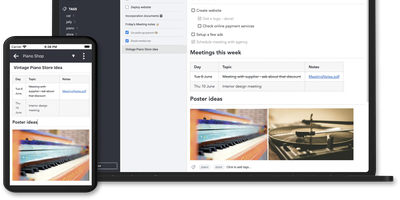
Notes on Windows, macOS, Linux, Android, iOS, and the terminal, synced through your own server: Joplin pairs its open-source clients with Joplin Server, the official self-hosted backend that replaces Dropbox, OneDrive, or Nextcloud as the synchronization target. Notes are Markdown with inline attachments (images, PDFs, audio), organized into hierarchical notebooks and sub-notebooks with cross-cutting tags, alongside to-do lists with reminders and alarms. End-to-end encryption is the headline feature: enabled in the clients, it encrypts sync payloads on-device before upload, so the server stores blobs it cannot read - genuine protection even if the host is compromised. The desktop app offers both Rich Text and Markdown editors, extended by a plugin ecosystem, custom themes, and an Extension API for writing your own scripts; a Web Clipper for Chrome and Firefox captures full pages or screenshots straight into notebooks. Joplin Server ships as a Docker image with SQLite for evaluation and PostgreSQL for production, offers a filesystem storage driver for large content, and includes multi-user support and note sharing - all free under AGPL-3.0 when self-hosted. Notes stay in an open format, so the exit path always exists.
PipesHub
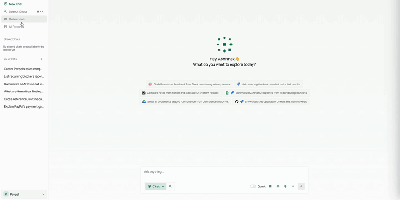
Unify fragmented corporate knowledge across chat channels, documents, and cloud drives with PipesHub, an open-source workplace context platform providing permission-aware search and verifiable answers for teams and autonomous agents. Employees can query enterprise knowledge bases through a conversational interface that retrieves relevant information across Google Workspace, Microsoft 365, Slack, Confluence, Jira, and GitHub while strictly respecting individual user access permissions. Knowledge workers can verify every answer through clickable citation blocks that trace claims directly back to source documents, spreadsheet rows, or chat messages. Teams can assemble custom AI agents visually using a drag-and-drop builder, combining retrieval collections with interactive toolsets to automate multi-step operations like drafting customer responses or creating issue tickets. Autonomous agents connect via Model Context Protocol to inspect shared company knowledge and perform external actions across connected SaaS tools. Organizations can index scanned PDFs, slide decks, markdown pages, and spreadsheets with OCR and document parsing, maintaining synchronized records through automated schedules. Administrators can inspect synchronized records, monitor query history, and manage connector credentials across all integrated business applications. Running on a dedicated VPS on RepoCloud with guaranteed CPU, RAM, and SSD, full root SSH access, and a browser serial console. Apache License 2.0 licensed.
Docmost
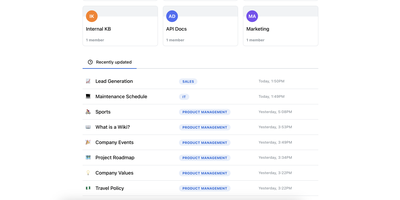
Confluence and Notion both want your team's documentation in their cloud; Docmost, an open-source collaborative wiki platform, keeps it on your server. The centerpiece is a Notion-style block editor with CRDT-based real-time collaboration: multiple people edit the same page simultaneously and changes merge without conflicts or overwrites. Content lives in spaces - per team, project, or department - with nested page trees, role-based permissions, groups, inline comments, page history with restore, and full-text search across everything. The editor covers tables, code blocks, callouts, KaTeX math, and file attachments, and diagramming is built in rather than bolted on: Mermaid, Draw.io, and Excalidraw all render inside pages, alongside embeds for Airtable, Loom, Miro, and more. Migration paths include Notion, Markdown, HTML, and ZIP archive imports (Confluence, PDF, and DOCX importers ship in the Enterprise edition, along with SSO via SAML/OIDC/LDAP and MFA). The stack is TypeScript with PostgreSQL and Redis, deploys via Docker Compose, runs in air-gapped environments with no external dependencies, and is translated into 10+ languages. The AGPL-3.0 community edition carries no per-seat fees; the project has passed 20,000 GitHub stars since its 2024 launch.
Discourse
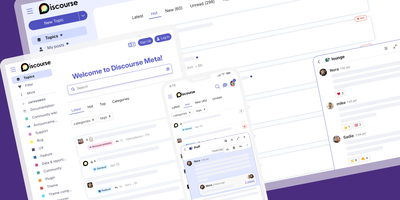
Created by Jeff Atwood, co-founder of Stack Overflow, and battle-tested for over a decade with 47,600+ GitHub stars, Discourse powers community forums for GitHub, Docker, Rust, Netlify, and thousands of organizations worldwide. The platform combines long-form threaded discussion with built-in real-time chat, enabling communities to move fluidly between asynchronous conversations and live interaction. Five automated trust levels progressively unlock permissions — posting links, editing wiki posts, flagging content, and moderating — based on reading time, post count, and community engagement, reducing spam and abuse without manual intervention. The Discourse AI plugin integrates with OpenAI, Anthropic, and self-hosted HuggingFace endpoints for automated topic summarization, sentiment analysis, semantic search, and AI-assisted content triage. Over 200 official and community plugins extend functionality with features like the Data Explorer for ad-hoc SQL queries against the forum database, polls, solved-topic marking, voting, calendar events, and custom user fields. SSO and OAuth support connects Google, Facebook, Apple, GitHub, and SAML identity providers, while reply-by-email and mailing list mode let users participate entirely through their inbox. The Ember.js single-page frontend delivers responsive performance across all devices with PWA support and web push notifications. Deployment uses Docker via the official discourse_docker launcher with automatic Let's Encrypt HTTPS, resource scaling based on server hardware, and support for single-container or multi-container configurations. Running on a dedicated VPS on RepoCloud with guaranteed CPU, RAM, and SSD, full root SSH access, and a browser serial console. GPL v2.0 licensed.
Utopia
The first open-source substrate for enterprise knowledge engineering that learns passively and governs itself. The Rust-built backend paired with PostgreSQL and pgvector delivers a bitemporal knowledge graph where every fact carries two timelines: when it held in the real world and when the system came to believe it — enabling full audit trail replay of how understanding evolved. Document ingestion handles PDF, DOCX, PPTX, XLSX, CSV, Markdown, HTML, and plain text with legacy encoding detection, while scheduled syncing pulls from web pages, RSS feeds, GitHub, Jira, Notion, WebDAV, and S3-compatible buckets. Search fuses Tantivy full-text indexing with pgvector semantic vectors using Reciprocal Rank Fusion, streaming answers with inline citations that link directly to source passages. The built-in agent harness drives agentic RAG through conversation — searching documents, walking the knowledge graph at any historical date, and querying mounted databases via Ontology2SQL which achieves state-of-the-art results on BIRD Mini-Dev benchmarks. Five ontology packs ship inside the binary (schema.org, W3C Org, PROV-O, FOAF, IOF Core) with forward-chaining reasoning for transitivity, symmetry, inverses, and relation hierarchy. Entity resolution operates in three stages: exact name matching, embedding similarity, then model-based judgment with every merge reversible. Any OpenAI-compatible endpoint works including DeepSeek, Qwen, Ollama, and vLLM for fully air-gapped deployment. Running on a dedicated VPS on RepoCloud with guaranteed CPU, RAM, and SSD, full root SSH access, and a browser serial console. Apache-2.0 licensed.
TencentDB Agent Memory
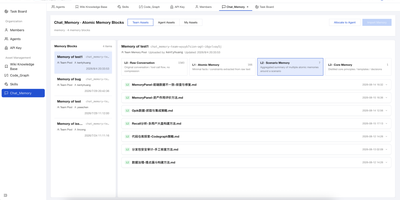
TencentDB Agent Memory provides a team-level memory hub that transforms AI agent conversations, documents, and codebases into four governed, shareable memory assets: Chat Memory for conversation history, Skills extracted from completed tasks, LLM-Wiki built from document ingestion, and Code-Graph generated from codebase analysis. The four-tier semantic pyramid structures long-term memory from L0 raw conversation capture through L1 episodic extraction and L2 scenario aggregation to L3 persona synthesis, enabling hierarchical drill-down via node and result references instead of flat vector recall. The Node.js Gateway sidecar handles capture, extraction, storage, recall, and pipeline scheduling through RESTful HTTP v2 endpoints on port 8420, while the Memory Proxy intercepts Anthropic-format API calls to inject team memory context into Claude Code, CodeBuddy, and other coding agents transparently. Local SQLite with the sqlite-vec extension provides the default storage backend with hybrid BM25 keyword plus vector embedding plus reciprocal rank fusion retrieval requiring zero external API dependencies. Teams manage ownership, versions, status, visibility, usage counts, and agent bindings through the Memory Hub dashboard with role-based access control separating System Admin and team-level Admin and Member permissions. Official TypeScript and Python SDKs provide programmatic access for custom framework integration beyond the built-in OpenClaw plugin and Hermes Agent adapter. Running on a dedicated VPS on RepoCloud with guaranteed CPU, RAM, and SSD, full root SSH access, and a browser serial console. MIT licensed.
Khoj
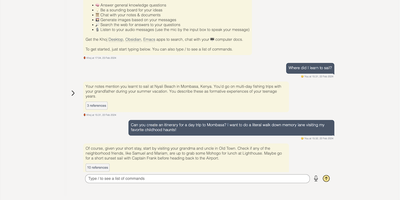
A self-hosted "second brain": Khoj indexes your own files and answers questions from them, parsing Markdown (whole Obsidian vaults included), org-mode, PDF, Word, plain text, Notion pages, GitHub repositories, and images described by a vision model, then embedding everything with sentence-transformers into a vector index for semantic search and RAG with cited sources. Any LLM backend works: local models like Llama, Qwen, or Mistral via Ollama, or cloud models like GPT, Claude, and Gemini. You can build custom agents, each with its own persona, scoped knowledge base, chat model, and tools such as web search and code execution. Scheduled automations run recurring research and deliver newsletters or notifications to your inbox, and research mode performs multi-hop web searches with inline citations. Access it from a browser, the Obsidian plugin, Emacs, desktop, or WhatsApp - all clients connect to the same self-hosted instance, making Khoj one of the few AI assistants Emacs users can point at decades of org files. Semantic search means recall works without exact keywords: "that paper about forecasting with transformers" surfaces the right PDF even when you cannot remember its title. Switching LLM backends never requires re-indexing your documents, and with a local model via Ollama, even inference stays on hardware you control - journals, research, and private notes are never sent anywhere. Python/FastAPI stack, AGPL-licensed, with PostgreSQL storage.
ZenNotes
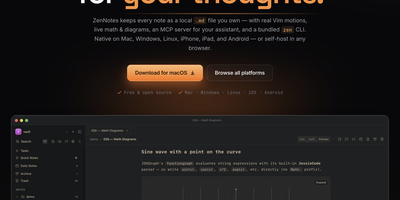
With over 2,200 GitHub stars and a philosophy that your notes should be files you own rather than rows in a database, ZenNotes is the keyboard-first Markdown editor that runs as a self-hosted web app backed by a Go server accessible from any browser on your network. Every note is a plain .md file in a vault directory you mount, with zero proprietary lock-in. Modal editing with real Vim motions, leader-key flows, and a command palette keeps your hands on the keyboard through edit, split, and preview modes. The rendering engine handles KaTeX math, Mermaid diagrams, TikZ graphics, and JSXGraph plots directly from Markdown syntax alongside wiki links and callout blocks. A first-party MCP server ships in the box with one-click integration for Claude Desktop and Cursor, letting AI assistants read and write the same Markdown files on disk without sync layers or duplicate copies. The bundled zen CLI provides note creation, search, tagging, task toggling, and piped capture with JSON output for shell scripting. Board views render plain CSV files as Kanban columns. Daily notes, quick capture, archive, and trash round out the vault workflow. The Go backend serves the browser frontend on port 7878 with token-based authentication, configurable browse roots, TLS proxy support, and file permission hardening at 0600/0700 defaults. Deploy via the multi-arch Docker image for linux/amd64 and linux/arm64. Running on a dedicated VPS on RepoCloud with guaranteed CPU, RAM, and SSD, full root SSH access, and a browser serial console. MIT licensed.
Faved
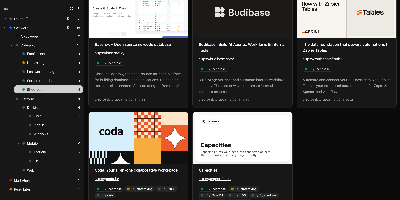
Large link collections stay fast and organized in Faved, a private, self-hosted bookmark manager built for exactly that job. Its core is a nested tagging system that outgrows flat folders: place Go and Python under Programming Languages, color-code tags, add descriptions, pin frequent ones to the top of the sidebar, and optionally roll up child-tag items into parent views. Saving is frictionless - a lightweight bookmarklet works in any desktop or mobile browser without extensions, and Apple devices can send links through the native Share menu. Faved fetches titles, descriptions, and preview images automatically, keeps that metadata fresh over time, and flags duplicates as you save. Instant as-you-type search, flexible sorting, and bulk actions (retag, delete, refetch) keep collections of any size manageable, while customizable layouts - card, list, or table - plus a system-synced dark mode adapt the interface to your workflow. Migration is first-class: import from Chrome, Safari, Firefox, or Edge with folder structure preserved, or move from Pocket and Raindrop.io keeping tags and collections. The stack is deliberately light - PHP 8 with SQLite behind a React/Tailwind frontend - deploying via Docker with no external dependencies. All data stays local: no ads, no tracking, and no risk of your library vanishing with a discontinued service.

Karakeep
Previously known as Hoarder and now holding 28,000+ GitHub stars, Karakeep is the most popular open-source bookmark-everything application — combining AI-powered automatic tagging with full-text search, page archival, and cross-platform access for digital content hoarders who refuse to let valuable links disappear. The Next.js frontend with tRPC communication delivers a responsive interface for saving links, notes, images, and PDFs, while Puppeteer crawls bookmarked pages to fetch titles, descriptions, and images automatically. LLM-based auto-tagging supports OpenAI, Anthropic, or local models via Ollama for privacy-first deployments that never send data to external services. Meilisearch powers full-text and semantic search across all stored content including OCR-extracted text from images. A rule-based automation engine triggers custom actions based on bookmark properties — automatically sorting, tagging, or archiving content matching defined conditions. Full page archival via Monolith preserves complete page snapshots against link rot, while yt-dlp integration archives videos from YouTube and other platforms. RSS feed ingestion automatically captures new articles from subscribed sources. Collaborative lists enable teams to build shared bookmark collections, with per-list permissions and real-time sync. Native iOS and Android apps, Chrome and Firefox extensions, and browser bookmark sync via Floccus ensure capture from any device. Importers migrate data from Chrome, Pocket, Linkwarden, Omnivore, and Tab Session Manager. Running on a dedicated VPS on RepoCloud with guaranteed CPU, RAM, and SSD, full root SSH access, and a browser serial console. AGPL-3.0 licensed.
TriliumNext
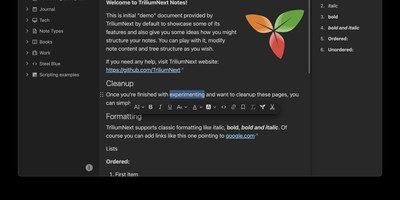
TriliumNext organizes notes in an infinitely deep tree where any single note can be cloned into multiple branches without duplication, building personal knowledge bases that mirror how ideas actually connect rather than forcing a single rigid folder hierarchy. Carrying forward the original Trilium project under active community stewardship with nearly 37,000 GitHub stars, the application is built on TypeScript with a CKEditor 5 WYSIWYG editor supporting rich text, tables, images, KaTeX math expressions, Mermaid diagrams, Excalidraw canvases, mind maps, spreadsheets with XLSX and CSV import/export, and code blocks with full syntax highlighting. A built-in JavaScript scripting engine runs on both frontend and backend, enabling custom widgets, automated workflows, scheduled tasks, and direct interaction with external REST services through a typed Script API. Full-text and fuzzy search with attribute-based queries locates any note instantly across databases tested at over 100,000 notes without performance degradation. The v0.104 release introduced importers for OneNote, Notion, Google Keep, Anytype, and Obsidian alongside 16 dedicated security fixes. Per-note AES encryption, OpenID Connect authentication, and TOTP two-factor protection safeguard sensitive content. The sync server keeps desktop clients, the progressive web app, and mobile devices in lockstep with zero third-party cloud dependency. Web Clipper captures content directly from browsers. Running on a dedicated VPS on RepoCloud with guaranteed CPU, RAM, and SSD, full root SSH access, and a browser serial console. AGPL-3.0 licensed.
Gollum
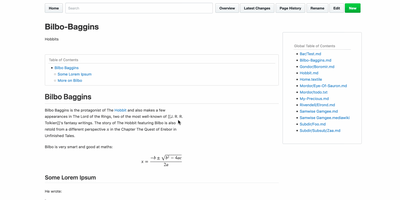
Every wiki page lives as a plain-text file in a standard Git repository, giving you full version history, branching, merging, and the freedom to edit with any text editor or IDE alongside the web interface. Originally built by GitHub's founders as the engine behind GitHub's own wiki feature, Gollum supports Markdown, AsciiDoc, reStructuredText, Org-mode, Textile, MediaWiki, Creole, and Pod markup formats with live preview rendering as you type. PlantUML and Mermaid diagrams render inline for architecture documentation, MathJax handles mathematical notation, and BibTeX integration via Pandoc provides academic citation management. YAML frontmatter controls per-page sidebars, headers, footers, and table of contents generation. CriticMarkup annotations enable editorial review workflows with tracked insertions, deletions, substitutions, and comments. Macros extend pages with dynamic content injection, file includes, and navigation helpers. The wiki maintains compatibility with GitHub and GitLab wiki repositories, so teams can clone existing platform wikis for local editing and offline access. The official Docker image at gollumwiki/gollum exposes port 4567 with volume-mounted repositories, requiring roughly 170 MB of container storage and minimal RAM. Authentication integrates via OmniAuth supporting GitHub, GitLab, Google, and other OAuth providers. Over 14,300 stars on GitHub since 2009. MIT licensed.
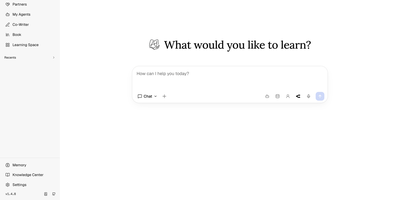
DeepTutor
With 34,000+ GitHub stars and a v1.5 release driven by 36 merged community pull requests, DeepTutor from Hong Kong University's Data Science Lab delivers a full agent-native learning workspace that goes far beyond chatbot wrappers. Eight integrated surfaces — Chat, Deep Solve, Quiz Generation, Deep Research, Math Animator, Co-Writer, Book generation, and Mastery Practice — share a unified context so the objective follows the learner, not the tool. The platform's three-layer memory architecture (L1 working, L2 session, L3 long-term) makes personalization inspectable rather than opaque, letting users see exactly what the system remembers and why. Knowledge retrieval operates across five pluggable engines — LlamaIndex with FAISS vectors, PageIndex for page-level citations, GraphRAG for knowledge-graph traversal, LightRAG for local or server-offloaded retrieval, and linked Obsidian vaults — with document parsing via MinerU, Docling, markitdown, or PyMuPDF4LLM. Partners extend the tutoring brain to 15+ messaging platforms including Slack, Discord, Telegram, Matrix with E2EE, and Mattermost, each carrying private memory with branch, resume, and replay capabilities. Subagent integration brings Claude Code, Codex, Gemini, and Kimi directly into learning sessions. The system supports 30+ LLM providers from OpenAI and Anthropic to Ollama for fully local operation, with multi-user isolation, admin controls, and a full CLI interface. Running on a dedicated VPS on RepoCloud with guaranteed CPU, RAM, and SSD, full root SSH access, and a browser serial console. Apache 2.0 licensed.