Mydia
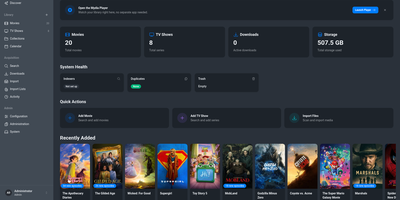
Mydia turns a folder full of movies and TV shows into a polished library that finds, ranks, and upgrades releases on its own. Poster grids, series pages with season and episode lists, and a release calendar keep every title organized with metadata from TMDB and TVDB. Monitored searches send requests to Prowlarr, Jackett, or the built-in indexer engine, then pass the best release to qBittorrent, Transmission, SABnzbd, NZBGet, or a debrid provider. A transparent ranking system explains why one release beat another, and quality profiles with custom formats decide when a better file should replace the old one. Guests can request titles through an approval workflow, and sign-in works with local accounts or OpenID Connect. Import lists pull from TMDB watchlists, popular, and trending charts, and a dashboard shows library size, downloads, duplicates, and storage at a glance. The built-in player streams the library from a browser at the /player path, with apps for desktop and phones that connect through an encrypted peer-to-peer link. Light, dark, and several color themes fit any screen. Running on a dedicated VPS on RepoCloud with guaranteed CPU, RAM, and SSD, full root SSH access, and a browser serial console. AGPL-3.0 licensed.
VodMax
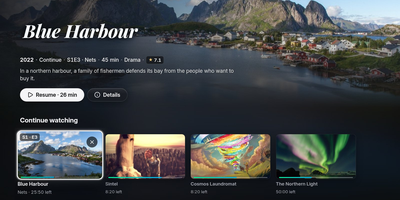
Live TV, movies, and series usually live in separate apps; VodMax gathers them in one home server with a set-top-box feel. Zap channels by number, browse a program guide grid, pause and rewind a live show, or start it from the beginning. Record from the guide or with rules, and even type a sentence like "record tonight's film" to the optional assistant. Playlists from M3U or Xtream Codes sit beside local folders of movies and series, and posters, plots, cast, continue watching, next episode, and skip intro work across all of them. Each person gets a profile with their own progress, favorites, and a kids mode, and TVs and phones pair with a short code or a home sign-in. Plex, Jellyfin, and Emby can see the server as a tuner, and TiviMate, Kodi, and VLC read its playlist and guide. A catalog filter keeps only your countries, years, and categories, and an optional built-in WireGuard tunnel keeps playlist traffic private. Encrypted backups, downloads for offline viewing, and an interface in six languages round it out. Running on a dedicated VPS on RepoCloud with guaranteed CPU, RAM, and SSD, full root SSH access, and a browser serial console. AGPL-3.0 licensed.
Cairn
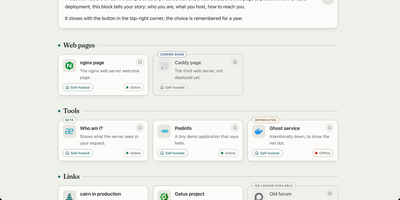
Cairn gives the people you host services for one calm directory page that explains each service in plain language and shows whether it works right now. Your family does not want another dashboard; they want to know what this thing is and what to click. Group tools by need, write a welcome note in your own words, and give each service a Learn more page that explains whom to ask for an account. Status comes from the monitor you already run, Gatus, Uptime Kuma, Cachet, or a hosted status page, polled by your server so a visitor's browser never has to call anything. Labels say honestly where a service stands: coming soon, beta, new, deprecated, or retired, with dead links removed for the last two. Search finds the one service by name from anywhere on the page, eight shipped languages plus your own inline translations cover the relatives abroad, and legal notice and privacy pages are served by Cairn itself, because self-hosters never have anywhere to put those. The whole directory is one YAML file and a five-megabyte image. Running on a dedicated VPS on RepoCloud with guaranteed CPU, RAM, and SSD, full root SSH access, and a browser serial console. GPL-3.0 licensed.
Rackpad
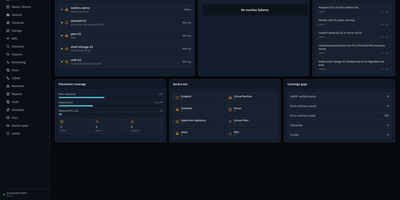
Every cable, switch port, VLAN, and rack unit in a homelab or small server room gets a documented place in Rackpad, a self-hosted inventory and operations workspace. Rack elevations show mounted gear, including paired half-width appliances. Switch-panel port maps and aggregate ports show what is patched where. Cables carry type, length, and color, editable in bulk. VLANs, subnets, DHCP scopes, reservations, and zones sit in one Networks workspace, with gateway and DNS protection and a mismatch review for IP assignments. Storage topology follows drives, bays, and pools that span several devices. Wi-Fi controllers, access points, hypervisor hosts, and virtual machines have pages of their own, and Proxmox and Hyper-V hosts can be imported after review. Discovery scans a subnet or any CIDR and stages every finding in an inbox. Per-device checks over ICMP, TCP, HTTP, HTTPS, and SNMP raise alerts by email, Discord, or Telegram. Everything feeds a movable topology map. Markdown runbooks attach to devices, and an audit log records every change. Admin, editor, and viewer roles control access, and OpenID Connect login is optional. Running on a dedicated VPS on RepoCloud with guaranteed CPU, RAM, and SSD, full root SSH access, and a browser serial console. MIT licensed.
MediaServer
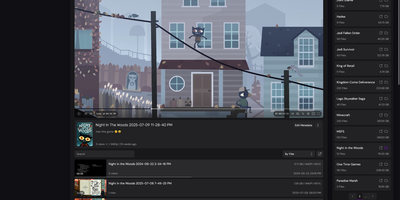
Your folders are the library with MediaServer, a self-hosted player that scans the directories you already keep and serves their video and audio through a tidy web interface. Browsing feels like a personal YouTube: folders open as shelves of content, and the custom player keeps the video going as you explore what to watch next. Keyboard shortcuts drive playback, speed controls and player statistics sit a click away, and an ambient background glows behind the video. Every view is remembered: full watch history with timestamps, re-watch counts, per-user totals, and playback heatmaps replace the single watched tick other servers stop at. Metadata belongs to you: edit titles, thumbnails, tags, seasons, and release dates for videos, folders, and albums, and the edits survive files being moved or renamed. Music gets its own treatment with embedded cover art, a lyrics viewer and editor fed by LrcLib, and auto-scrolling lines that follow the song. Subtitles extract themselves from embedded and external files, folders and single videos share as readable links, and each share renders a rich preview card for Discord or chat. Behind the scenes, a dashboard manages libraries, scanning jobs, users, and server performance. Running on a dedicated VPS on RepoCloud with guaranteed CPU, RAM, and SSD, full root SSH access, and a browser serial console. AGPL-3.0 licensed.
LocalCA
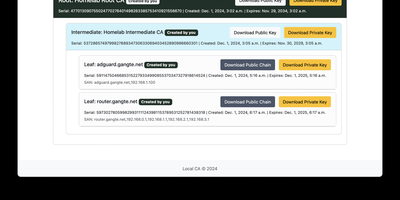
Your internal services deserve padlocks that browsers actually trust, and LocalCA is a small certificate authority you run yourself to issue them. From the web interface you create a self-signed root, install it once on your browsers and client devices, and then mint intermediate and leaf certificates underneath it for each service you host. Proxmox, Pi-hole, Jellyfin, Grafana, and the rest of a homelab stop showing insecure warnings and start presenting certificates your devices accept. The root can carry your own name, so the trust store shows your branding rather than a generic authority. Issued certificates also serve mutual TLS setups, where clients present certificates of their own before a service lets them in. Deployment stays deliberately small: a Docker Compose file brings the application up, ARM images cover Raspberry Pi class hardware, and a configurable time zone keeps expiry timestamps readable for your region. A reverse proxy path prefix is supported for placing the interface behind Traefik or Nginx at an address like /localca. Treat the instance as internal infrastructure, because issued private keys live in its database: keep it on a private network, change the default administrator password immediately, and restrict access to the host. Running on a dedicated VPS on RepoCloud with guaranteed CPU, RAM, and SSD, full root SSH access, and a browser serial console. AGPL-3.0 licensed.
Meridian
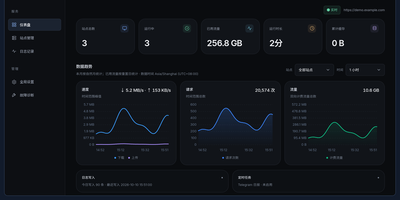
Meridian puts all of your Emby reverse proxy sites, playback routes, and day to day operations into one clean management panel instead of a pile of hand-written proxy configs. Each Emby site gets its own entry through a path, a dedicated port, or a subdomain, with primary and backup routes that switch automatically when one goes down. Three playback modes let video stream directly to clients while logins, posters, and API calls continue through the proxy, so bandwidth lands where it should. Accounts for each site are stored with passwords and expiry dates, renewal reminders arrive ahead of time, and account details can be imported or exported as JSON and CSV. Traffic trends, per-site quotas, rate limits, and static resource caching keep busy sites under control, while log filtering and connection diagnostics show exactly where a request went wrong. Certificates are handled through Cloudflare wildcard issuance and renewal, or by uploading your own, and encrypted backups protect the whole configuration. Routine administration can even happen from Telegram, checking daily reports, adding or pausing sites, and renewing accounts from chat. The whole panel runs as one small program with a built-in database and works comfortably from a phone. Running on a dedicated VPS on RepoCloud with guaranteed CPU, RAM, and SSD, full root SSH access, and a browser serial console. MIT licensed.
Homelab Atlas
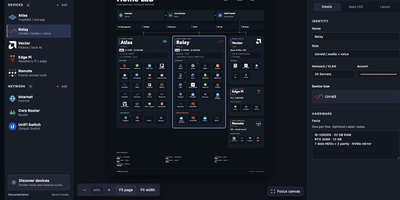
Every homelab eventually earns the question "so what is actually running on all those boxes," and Homelab Atlas turns the answer into a diagram worth posting. Add your servers, the services grouped on each one, and the network gear between them, and the canvas lays everything out automatically with real application logos instead of gray rectangles. Searchable logo pickers work offline, uploads accept your own PNG, JPG, WebP, or SVG marks, and Arrange mode lets you drag and resize cards when the automatic composition is not the story you want to tell. Discovery spares you the typing: point it at Docker or import a saved scan, then review every found device and app, all starting unchecked, before anything joins the diagram as one undoable change. Connections express logical relationships and VLANs, hardware details ride on each card, and your project autosaves in the browser with a downloadable JSON file as the durable copy. When it is time to share, export previews render PNG or SVG with addresses, URLs, and emails hidden by default, plus literal terms you name yourself. Running on a dedicated VPS on RepoCloud with guaranteed CPU, RAM, and SSD, full root SSH access, and a browser serial console. MIT licensed.
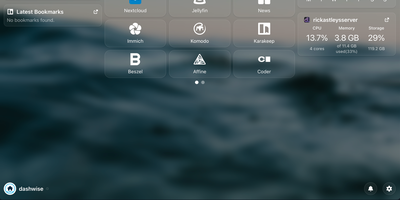
Dashwise
Your homelab grew one service at a time until opening the right one became a memory test, and Dashwise is the dashboard that puts them all in one place. Arrange movable widgets and one-line glanceables around the clock, group links into groups and folders, and build separate pages for the views you actually use. Every piece is configured through the interface itself, so shaping your dashboard never means editing config files by hand. Hit Ctrl+K and the spotlight search jumps you to any link or integration, or fires a search engine bang when the answer lives outside the lab. Subscribe to RSS feeds on the news page to keep up without leaving the dashboard. Other services can push notifications straight into Dashwise, so alerts from your stack land beside the links that fix them. Integrations defined as simple files add widgets, glanceables, and shortcuts for your favorite self-hosted apps, and new ones can be created without touching the core. Accounts are built in, with OIDC single sign-on for households or teams who already run an identity provider. Running on a dedicated VPS on RepoCloud with guaranteed CPU, RAM, and SSD, full root SSH access, and a browser serial console. GPL-3.0 licensed.
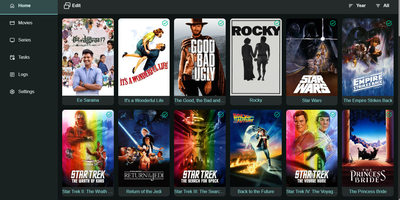
Trailarr
Trailarr fills the gaps in your media library by finding, downloading, and organizing trailers for the movies and shows you already own, so browsing your collection feels like browsing a cinema lobby instead of a folder of silent posters. Connect multiple Radarr, Sonarr, and Plex instances and it watches what arrives, fetches matching trailers automatically, and saves them right next to your media using Plex naming conventions that also suit Emby and Jellyfin. Existing trailers are detected before anything downloads, so duplicates never pile up, and Plex Pass trailers that already meet your minimum resolution are left untouched. Custom profiles put you in charge of quality, format, and processing, including how long to wait between downloads and whether conversion happens at all. From the web interface you can search and filter the whole library, open any title to check its trailer status, swap in a different YouTube trailer ID, or trim unwanted seconds from the start or end of a clip. Path mappings translate between the paths your downloaders report and the paths your server actually uses, a classic source of broken media setups. Hardware acceleration through VAAPI on Intel and AMD keeps conversion light, Discord notifications flag important events, and an event history shows what happened and when. Running on a dedicated VPS on RepoCloud with guaranteed CPU, RAM, and SSD, full root SSH access, and a browser serial console. GPL-3.0 licensed.
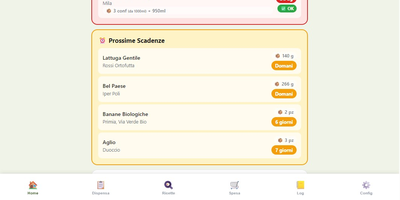
EverShelf
That yogurt hiding behind the ketchup expired three weeks ago, and the flour you bought "just in case" has been sitting in the pantry since last winter. EverShelf replaces mental guesswork with a structured inventory system that tracks every item across pantry, fridge, freezer, and custom locations with precise quantities, expiry dates, and consumption patterns. Scan barcodes with your phone camera to add products instantly, or let the Gemini AI identify items from a photo and estimate shelf life based on storage location. The dashboard surfaces expired items and upcoming expirations with color-coded urgency badges, while anomaly detection flags suspicious quantities and consumption predictions that deviate from your history. Opened products get reduced shelf-life calculations; vacuum-sealed items get extended dates automatically. The recipe engine generates context-aware meal suggestions from your current inventory, prioritizing ingredients approaching expiry so nothing goes to waste; each recipe includes step-by-step cooking mode with text-to-speech narration and timer integration. A smart shopping list auto-populates when stock hits zero and syncs bidirectionally with the Bring! app, with AI-estimated prices per item and consumption forecasts showing when you will need to restock. For Home Assistant users, a native HACS integration provides 22 sensors, expiry calendars, bidirectional todo-list sync, and voice assistant support for adding items hands-free. A dedicated Kiosk mode optimizes the interface for wall-mounted tablets with BLE scale integration. Running on a dedicated VPS on RepoCloud with guaranteed CPU, RAM, and SSD, full root SSH access, and a browser serial console. MIT licensed.

BrainrotGuard
BrainRotGuard puts a parent between YouTube's recommendation engine and your kid: children search freely, but nothing plays until you tap Approve in Telegram. The request that lands on your phone carries the thumbnail, title, channel, and duration, and one tap either starts the video on the child's tablet instantly or denies it for good. Channels you trust can be allowlisted as educational or entertainment so their new uploads arrive pre-approved, while blocked channels and title word filters stop repeat offenders automatically. Each child gets a profile with its own PIN, watch history, and time budgets, and educational and entertainment content can draw from separate daily limits. Scheduled windows keep the app closed during school hours or after bedtime, with different rules per weekday and bonus minutes grantable for today only. Approved videos stay in a library the child can rewatch without asking again, a dedicated Shorts row can be shown or switched off entirely, and a search-off mode limits younger kids to channels and videos you already approved. You see all of it from the parent side: pending queues, search history, and an activity log of what was watched and for how long. Running on a dedicated VPS on RepoCloud with guaranteed CPU, RAM, and SSD, full root SSH access, and a browser serial console. MIT licensed.
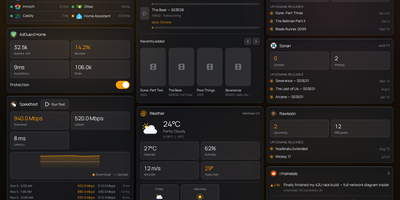
Labby
Labby gathers a whole homelab onto one live dashboard you host yourself, covering services, containers, downloads, and media servers. Widgets watch your service monitor, Docker containers, qBittorrent or Transmission queues, SABnzbd, AdGuard Home, Jellyfin, Emby, Plex, Beszel, Radarr, Sonarr, plus weather, calendar, speedtest, bookmarks, Reddit, and Hacker News, and the server pushes every change to your browser over server-sent events so nothing waits on a refresh timer. The dashboard is not a read-only poster: start and stop containers, pause and resume torrents, and toggle AdGuard protection straight from its widgets. Everything configures from the in-app Manage Services page, where service URLs, API keys, poll intervals, and multiple instances of the same integration (two Radarr servers, say) live in a small SQLite database instead of scattered environment files. Named color schemes restyle the board and save with the config, and icon sources span dashboard-icons, selfh.st, Lucide, or your own URLs. Login is off by default for trusted home networks, with a clear warning to keep it behind a LAN, VPN, or forward-auth proxy, and optional OIDC sign-in through Authentik, Authelia, Keycloak, or Pocket ID when you want a real front door. One container, one volume, and your lab finally explains itself at a glance. Running on a dedicated VPS on RepoCloud with guaranteed CPU, RAM, and SSD, full root SSH access, and a browser serial console. MIT licensed.
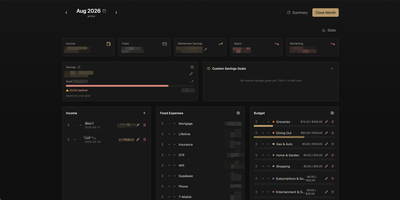
PayMe
PayMe is a privacy-first personal finance dashboard that runs entirely on your own hardware with zero third-party service dependencies. The Rust backend compiled to a single binary serves a React 19 frontend built with Vite, TypeScript, and Tailwind CSS 4, storing all financial data in a local SQLite database that auto-migrates on startup. Monthly dashboards track income entries, fixed expenses like mortgage and utilities, and budget categories with real-time progress bars showing spending against configurable limits. The savings module includes goal tracking with percentage-based progress indicators, custom savings goals for targeted objectives, retirement savings projections with breakdown analysis, and projected savings calculations. Variance analysis compares actual spending against budgets across categories. Drag-and-drop reordering powered by dnd-kit lets you arrange income sources, expenses, and budget items to match your workflow. The interactive charts rendered by Recharts visualize spending trends, income patterns, and savings trajectories. Month-by-month navigation tracks financial history over time, while the Summary and Stats views aggregate data across periods. JWT-based authentication secures access, and the full OpenAPI Swagger documentation at the /swagger-ui endpoint exposes every API route for automation and integration. Docker Compose deployment creates a minimal image with the compiled Rust binary and static frontend assets, running on port 3001 behind nginx, Caddy, or Traefik reverse proxy with HTTPS. On RepoCloud, deploy PayMe on a dedicated VPS with persistent SQLite storage, root SSH access, and complete privacy over your household financial data, all under the MIT license.
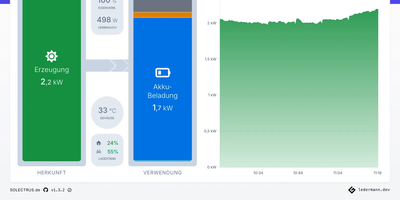
Solectrus
The inverter app tells you the sun shone; SOLECTRUS tells you what that sunshine was worth. It is a dashboard for your whole photovoltaic system that balances every watt: what the panels produced, what the house consumed, what the battery stored, and what crossed the grid meter in either direction, for any period you care to name. Up to five generators, from the main roof array to a balcony power plant, appear individually or summed, and up to twenty custom consumers, wallbox included, get their own accounting. The Power-Splitter shows how much green electricity actually landed in the car, the heat pump, or the washing machine, and what each load truly cost once lost feed-in revenue counts. Enter your electricity prices and feed-in tariff, including their changes over the years, and it computes savings, self-consumption costs, return, and the day the system has paid for itself from measured data rather than the sales brochure. Forecasts from pvnode, Solcast, or Forecast.Solar look up to seven days ahead using your location, orientation, tilt, and peak capacity. Heat pump owners see generated heat and coefficient of performance beside the power draw. Everything lands in InfluxDB and stays there, with daily aggregation keeping multi-year views fast, trends against last month or last year, and a Top-10 of your best and worst days. Running on a dedicated VPS on RepoCloud with guaranteed CPU, RAM, and SSD, full root SSH access, and a browser serial console. AGPL-3.0 licensed.
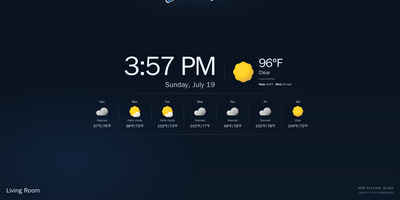
RelayTV
Your couch becomes the control room with RelayTV, a self-hosted media hub that runs on the Linux box plugged into your TV. Connect Plex, Jellyfin, or Emby once, then search films, open a series, pick an episode, resume where you stopped, or drop the pick into the shared queue. Paste a web video link to play it on the big screen, or queue an entire YouTube playlist of up to a thousand videos in order without pausing tonight's movie. The TV idles on a dashboard with a QR code, and anyone in the room scans it to join the same remote, browse, and add picks to the queue. Add M3U playlists to build a My Channels lineup, pin favorites to the top, rewind inside the buffered window when you miss a line, and jump straight back to live. Playback, queue advancement, history, and overlays all run on the box itself, so the TV keeps playing after your phone leaves the page. Every screen appears in Home Assistant as a media player, and the local HTTP API takes play, queue, overlay, and snapshot calls from scripts and dashboards. A second RelayTV in the bedroom can receive the active queue from the living room, and the optional API token locks control down on shared networks. Running on a dedicated VPS on RepoCloud with guaranteed CPU, RAM, and SSD, full root SSH access, and a browser serial console. GPL-3.0 licensed.
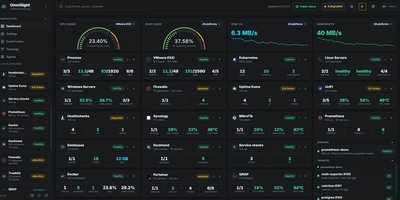
OmniSight
OmniSight ends the homelab ritual of a dozen admin panels open in a dozen tabs, each with its own login and its own idea of what healthy looks like. It folds all of them into one page that answers the only question you actually have: is everything fine? Watch Proxmox nodes with their VMs, containers, backup status, and Ceph health next to VMware hosts and datastores, Linux and Windows servers, and Kubernetes pods with live log viewing. Add Docker hosts and see container status, ports, resource use, and image updates, check OPNsense firewalls, TrueNAS and QNAP storage, and PostgreSQL, MySQL, and MongoDB databases without leaving the dashboard. A small push agent installs with one copied command and self-registers within seconds, needing no inbound firewall rules, so machines behind NAT report in on their own. Follow relationships on the topology map, restart a service from the detail view, export a full backup, and publish a read-only public status page for anyone who asks how things are running. Running on a dedicated VPS on RepoCloud with guaranteed CPU, RAM, and SSD, full root SSH access, and a browser serial console. GPL-2.0 licensed.
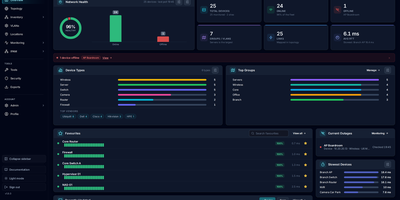
NetMap
NetMap answers the four questions every homelab owner asks in four different tools: what is on my network, what address did it get, is it still up, and why is the firewall shouting about it. Devices you add appear automatically on a visual canvas where you can drag them into place, draw the links between them, and group them into VLANs or separate sites, and the layout is still there when you come back. Behind the map, every device is watched continuously: ping times graphed over history, service checks on the ports you care about, a heartbeat strip that betrays intermittent dropouts, and an uptime percentage that settles arguments. Address management stops being a spreadsheet: define subnets, import the leases your router already handed out, see used and free addresses as a grid, and get warned before a duplicate assignment causes a mysterious outage. Firewall logs stream in live and each entry links to the device it concerns, ready to search by address, port, or protocol. When something new appears, a network scan discovers hosts with their names, hardware addresses, and open ports for review before they join the inventory. Running on a dedicated VPS on RepoCloud with guaranteed CPU, RAM, and SSD, full root SSH access, and a browser serial console. GPL-3.0 licensed.