Dockge
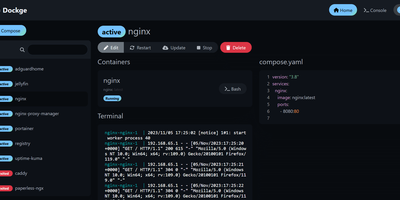
Created by the developer behind Uptime Kuma and carrying over 23,000 GitHub stars, Dockge brings the same clean, reactive design philosophy to Docker Compose stack management with a web interface that makes Portainer's compose handling feel like editing YAML in a terminal over SSH. The interactive editor provides syntax highlighting, inline validation, and a live preview of your compose.yaml files while keeping every stack stored as a standard file on disk in /opt/stacks by default, meaning you can seamlessly switch between the web UI and the docker compose CLI without lock-in or proprietary database formats. Real-time WebSocket updates stream pull progress, container start/stop transitions, and build output directly to the browser with no polling delays. The built-in web terminal opens a shell session inside any running container for quick debugging, while the docker-run-to-compose converter transforms single-container run commands into proper compose.yaml definitions with one click. Multi-agent support introduced in version 1.4.0 connects multiple Docker hosts to a single Dockge dashboard, enabling centralized management of stacks distributed across different servers. Image update detection shows which stacks have newer versions available, and one-click updates pull the latest images and recreate containers without manual intervention. The stack is a single Docker container running on Node.js with Socket.IO for reactivity and stores no external database. Running on a dedicated VPS on RepoCloud with guaranteed CPU, RAM, and SSD, full root SSH access, and a browser serial console. MIT licensed.
Neko
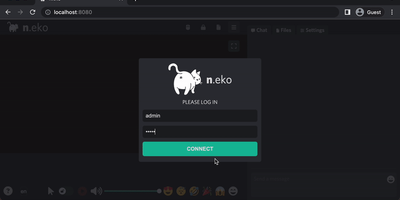
With over 21,000 GitHub stars and six years of steady development through version 3.1.0, Neko transforms any Docker container into a fully interactive browser or desktop environment streamed to web browsers via WebRTC with sub-300-millisecond glass-to-glass latency. The Go backend captures X server display frames using the Pion WebRTC library while the Vue.js frontend renders the remote session with native audio synchronization, delivering a significantly smoother experience than Apache Guacamole or noVNC which rely on image-over-WebSocket approaches. Multiple users simultaneously view and collaboratively control the same session with real-time input synchronization and host-managed control passing between participants. Pre-built Docker images cover Firefox, Chromium, Google Chrome, Tor Browser, Brave, Vivaldi, and Microsoft Edge alongside full desktop environments including XFCE and KDE for running any Linux application. Neko Rooms provides multi-tenant deployment with a REST API for programmatic room provisioning, while Neko Apps extends the platform with additional containerized applications beyond browsers. Sessions persist on the server independently of client connections — close your laptop, reconnect from your phone, and resume exactly where you left off. Optional VPN and Tor integration routes traffic through encrypted tunnels for privacy-sensitive browsing. RTMP broadcasting streams sessions to external platforms. The embeddable client supports iframe integration for custom portals and applications. Running on a dedicated VPS on RepoCloud with guaranteed CPU, RAM, and SSD, full root SSH access, and a browser serial console. Apache-2.0 licensed.
ServerKit
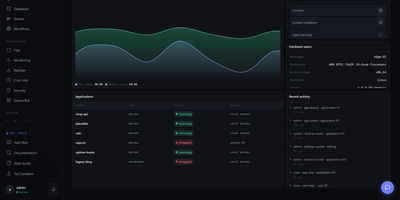
ServerKit delivers a server control panel that fits on a small VPS while managing everything from Docker containers to mail servers. The Python/Flask backend exposes 1,519 REST endpoints across 107 blueprints with full OpenAPI documentation at /api/v1/docs, while the React frontend spans 65 screens in a 1.75MB gzipped bundle served entirely from your own infrastructure. Docker management includes full container lifecycle control, Docker Compose project orchestration, real-time log streaming, and terminal access. Database panels cover MySQL/MariaDB and PostgreSQL with user management, browser-based query consoles, and automated backups to S3, Backblaze B2, or local storage. Nginx virtual host management automates Let's Encrypt certificate provisioning with hardened TLS 1.2+ configurations and Cloudflare-aware setups. The Go-based cross-platform agent enables multi-server fleet management with HMAC-SHA256 authentication over a WebSocket gateway, supporting Linux, Windows, and macOS across amd64 and ARM64 architectures. Fleet monitoring provides cross-server heatmaps, metric comparison charts, alert thresholds, anomaly detection, and capacity forecasting. A built-in marketplace distributes 106 one-click application templates using a declarative YAML schema with Docker Compose stacks. The extension system allows community plugins for Kubernetes management, Redis browsers, and WordPress site orchestration. Running on a dedicated VPS on RepoCloud with guaranteed CPU, RAM, and SSD, full root SSH access, and a browser serial console. MIT licensed.
Runtipi
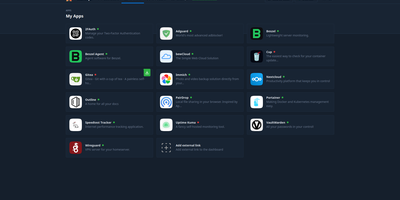
Runtipi makes any Linux server a personal app platform where installing services like Plex, Nextcloud, or Home Assistant takes a single click from a curated store of 265+ applications. With 9,500+ GitHub stars and 50 contributors, the React frontend backed by NestJS orchestrates Docker Compose projects for each installed app, automatically generating environment files, compose configurations, and Traefik reverse proxy labels for domain routing and SSL certificate provisioning via Let's Encrypt. The integrated Traefik reverse proxy handles all incoming traffic routing, HTTPS termination, and forward-auth protection for securing applications behind Runtipi's authentication layer without manual configuration. One-click updates notify administrators of new app versions and apply container image upgrades with automatic pre-update backup creation, while the restore feature rolls back application data to any saved snapshot. Custom app stores extend the ecosystem through Git repositories following the Runtipi app definition format, enabling organizations and communities to maintain private catalogs alongside the official store. The Docker Compose override system preserves user customizations across updates, allowing advanced modifications without losing changes. Architecture-aware filtering detects ARM64 or x86 platforms and displays only compatible applications. All apps deploy as standard Docker containers, and compose files can be exported for independent operation without lock-in. Running on a dedicated VPS on RepoCloud with guaranteed CPU, RAM, and SSD, full root SSH access, and a browser serial console. GPL-3.0 licensed.
Sencho
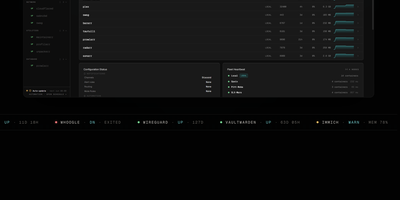
With over 430 GitHub stars and designed for DevOps engineers, platform teams, and homelab operators, Sencho is the self-hosted Docker Compose control plane that gives you a real operational cockpit without abandoning file-on-disk compose workflows. The web dashboard provides live CPU, memory, and disk sparklines per container, one-click start/stop/restart controls, and a Monaco-powered YAML editor with syntax highlighting, inline diff, and one-click rollback. Compose files remain the source of truth on the host filesystem. Multi-node management connects remote Sencho instances via authenticated HTTP and WebSocket proxy using long-lived API tokens, with no SSH access or exposed Docker sockets required. The Pilot Agent establishes an outbound-only WebSocket tunnel for nodes behind NAT, CGNAT, or strict firewalls. Blueprints define compose intent once and deploy it across label-targeted nodes, with drift detection keeping the fleet aligned. Fleet Federation provides cordon and pin controls for maintenance windows, while Fleet Actions execute bulk deploy, stop, and restart operations by stack label across the entire infrastructure. The security suite includes Trivy vulnerability scanning, deploy enforcement policies, SARIF and SBOM export, and Fleet Sync to replicate scan policies across replicas. Additional capabilities include 199+ one-click app templates, Git source integration, atomic deploys with auto-rollback, auto-heal, scheduled operations, webhooks, and custom S3 off-site backups to MinIO, R2, B2, or AWS. Running on a dedicated VPS on RepoCloud with guaranteed CPU, RAM, and SSD, full root SSH access, and a browser serial console. AGPL-3.0 licensed.
Mailu
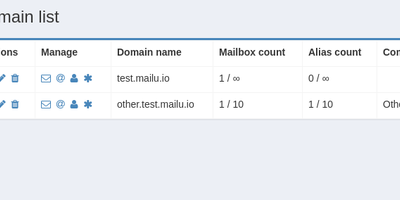
With over 7,100 GitHub stars and 200 contributors since 2016, Mailu has become one of the most popular self-hosted email solutions, delivering a complete production-ready mail server stack as pre-configured Docker containers that eliminate weeks of manual setup. The platform bundles Postfix for SMTP and Submission with auto-configuration profiles for Thunderbird, Outlook, and mobile clients, Dovecot for IMAP and POP3 with full-text search across email attachments, Rspamd for intelligent spam filtering with auto-learn Bayesian classification, greylisting, SPF and DMARC validation, and ClamAV for antivirus scanning of attachments with configurable malicious file blocking. The web administration interface provides global admin controls, per-domain delegation, user quota management, domain aliases, custom routing rules, and announcement capabilities. Users access self-service features including aliases, auto-reply, auto-forward, fetched accounts from external mailboxes via fetchmail, and Sieve filter management through ManageSieve. Security features include enforced TLS on all connections, automatic Let's Encrypt certificate provisioning, outgoing DKIM signing, DANE and MTA-STS support for transport security, and Snuffleupagus PHP hardening for the web interface. The setup wizard at setup.mailu.io generates complete Docker Compose configurations tailored to specific deployment requirements. All components are free and open-source software with zero proprietary dependencies and no tracking. Running on a dedicated VPS on RepoCloud with guaranteed CPU, RAM, and SSD, full root SSH access, and a browser serial console. MIT licensed.
Nexus Repository
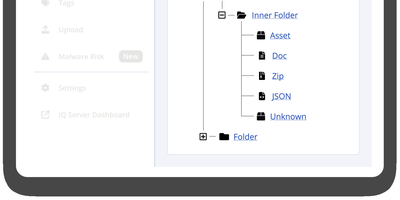
Trusted by millions of developers and integrated into CI/CD pipelines at organizations worldwide, Sonatype Nexus Repository is the industry-standard binary artifact repository manager that stores, organizes, and distributes software components across every major package ecosystem. Community Edition supports over 20 formats including Maven for Java builds, npm for JavaScript packages, Docker for container images, PyPI for Python libraries, NuGet for .NET assemblies, Helm for Kubernetes charts, Go modules, RubyGems, Cargo for Rust crates, Conda for data science environments, APT for Debian packages, Yum for RPM distributions, and Hugging Face for AI/ML models. Three repository types serve different needs: hosted repositories store internally-produced artifacts, proxy repositories cache remote registries like Maven Central, npmjs.org, and Docker Hub reducing bandwidth and improving build reliability, and group repositories aggregate multiple hosted and proxy repositories behind a single URL endpoint. The web UI provides component browsing and search, repository configuration, blob store management with configurable cleanup policies, and direct artifact upload via drag-and-drop. Role-based access control enforces fine-grained permissions per repository with configurable security realms, while the comprehensive REST API enables automated repository provisioning, component management, and integration with Jenkins, GitHub Actions, GitLab CI, and Azure DevOps. External PostgreSQL database support enables Kubernetes deployments with improved backup, restore, and horizontal scaling capabilities. Running on a dedicated VPS on RepoCloud with guaranteed CPU, RAM, and SSD, full root SSH access, and a browser serial console. Eclipse Public License 1.0 licensed.
HolyClaude
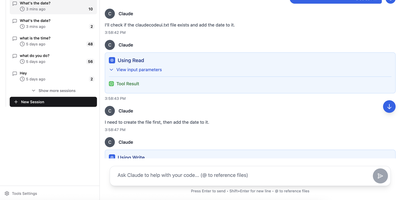
With 2,400+ GitHub stars, HolyClaude replaces a two-hour manual setup process with a single docker compose up command that launches a fully configured AI coding workstation. The container ships with Claude Code pre-installed alongside seven additional AI CLIs — Gemini CLI, OpenAI Codex, Cursor, TaskMaster AI, Junie, OpenCode with OpenRouter multi-provider support, and Pi Coding Agent — all accessible through the CloudCLI browser-based web interface on port 3001. A headless Chromium browser running on Xvfb display :99 comes pre-configured with Playwright 1.61 for automated screenshots, testing, and web scraping without additional setup. The development toolchain includes Node.js 26, Python 3, TypeScript, git, GitHub CLI, database clients for PostgreSQL, SQLite, and Redis, plus deployment CLIs for Vercel, Wrangler, Netlify, and Azure. Process management uses s6-overlay for automatic restarts and graceful shutdown, while bind mounts to ./data/claude and ./workspace ensure credentials, configuration, and project files persist across container rebuilds. The full image supports AMD64 and ARM64 architectures, running on Linux, macOS with Docker Desktop, Windows with WSL2, and Synology or QNAP NAS hardware. A slim tag at roughly 2GB omits the browser stack for environments that do not need it, while the full image at 4GB includes everything. Users authenticate with their existing Anthropic account directly through Claude Code with no credential relay or proxy involved. Running on a dedicated VPS on RepoCloud with guaranteed CPU, RAM, and SSD, full root SSH access, and a browser serial console. MIT licensed.
dyrector.io
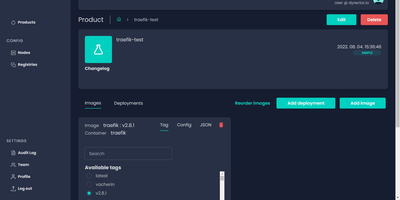
dyrector.io gives teams a visual web interface for deploying and managing containerized applications across Docker, Kubernetes, and Podman environments, replacing repetitive CLI commands and YAML editing with point-and-click configuration. Lightweight Go agents installed on target infrastructure communicate with the central TypeScript platform, enabling deployments to AWS, GCP, Azure, and on-premises servers without requiring infrastructure migration. Unified configuration screens eliminate redundant YAML editing across environments with support for all three container runtimes. Version management lets teams configure OCI-compatible container images once and deploy them as versioned releases with auto-generated changelogs and release notes. Multi-instance deployment enables simultaneous rollouts to multiple nodes with environment-specific configuration overrides, secret management, and instant test environment provisioning from any branch. The fine-grained RBAC system controls user access at project and environment levels, while audit logging tracks every deployment action. Registry integrations support Docker Hub, GitLab, GitHub, Google, and Azure container registries for image sourcing. ChatOps notifications integrate with Slack, Discord, and Microsoft Teams for deployment status alerts. Scheduled releases and workflow support enable automated deployment pipelines triggered by CI events via the REST API with JWT authentication. Running on a dedicated VPS on RepoCloud with guaranteed CPU, RAM, and SSD, full root SSH access, and a browser serial console. Apache 2.0 licensed.
Codel
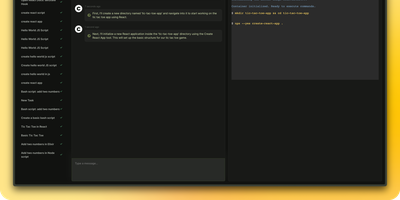
Meet your new digital sidekick, the Fully Autonomous AI Agent! This isn't just any AI; it's like having a superhero in your terminal, browser, and editor. Ready to tackle complex tasks and projects with a single command, this AI Agent is your go-to for making tech magic happen. And with RepoCloud, you're not just saving on costs, you're also joining a league of extraordinary users harnessing the power of open-source collaboration. Get ready to elevate your productivity to legendary levels!
Usulnet
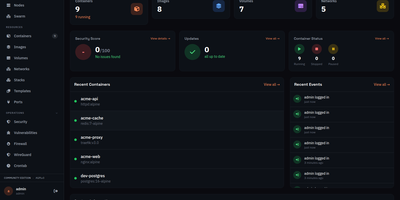
Usulnet packs container management, Trivy security scanning, Nginx reverse proxy, scheduled backups, WireGuard VPN, firewall rules, and multi-node orchestration into a single 70MB Go binary with zero external runtime dependencies. Every module ships in one download with no paid tiers, no telemetry, and no edition gating. Container lifecycle management covers creation, start, stop, restart, pause, kill, and removal with bulk operations, real-time resource statistics, filesystem browsing, and settings editing. Trivy integration scans images and running containers for CVEs with severity scoring, generates SBOMs, and validates CIS benchmarks. The multi-node architecture supports standalone, master, or agent modes where agents connect over NATS JetStream with mTLS encryption, enabling remote Docker host management from a central dashboard. Reverse proxy configuration handles Nginx with automatic Let's Encrypt certificates, TCP/UDP stream proxying, access lists, and dead host detection. Backup operations capture container volumes and Compose stacks on configurable schedules with retention policies and full restore capabilities. A built-in application catalog provides 60+ one-click templates for common services. JWT license validation uses an RSA-4096 public key embedded in the binary, requiring no call-home and working entirely offline. For teams tired of maintaining separate tools for each infrastructure concern, Usulnet collapses the entire stack into a single point of management with Docker Compose deployment alongside PostgreSQL, Redis, and NATS.
LLemonStack
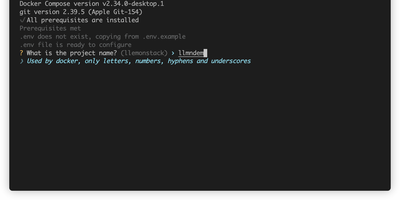
One CLI command deploys a complete AI development environment: n8n, Flowise, Supabase, Ollama, Qdrant, LiteLLM, Langfuse, Open WebUI, LightRAG, Browser-Use, Firecrawl, Crawl4AI, and more, all pre-wired with networking, credentials, and database connections. LLemonStack eliminates the hours of Docker Compose configuration that typically precede any local AI agent project. The llmn CLI initializes isolated project environments with auto-generated secure credentials, starts services in dependency order (databases first, then middleware, then apps), and displays a dashboard showing every service URL and access token. n8n brings 400+ workflow integrations, Flowise provides visual agent building, Ollama runs local LLMs like Llama and Mistral, Qdrant stores vectors at high performance, Open WebUI offers ChatGPT-style model interaction, and LiteLLM proxies requests to any provider with cost tracking. Langfuse automatically logs traces for every LiteLLM query, providing full observability. Each project maintains isolated Postgres schemas preventing data collision across parallel stacks. Firecrawl and Crawl4AI extract web content into LLM-ready formats for RAG pipelines feeding LightRAG or Qdrant. Dozzle streams live container logs for debugging. Import/export tooling migrates workflows between projects with automatic credential reconfiguration. Running on a dedicated VPS on RepoCloud with guaranteed CPU, RAM, and SSD, full root SSH access, and a browser serial console. AGPL-3.0 licensed.