Elasticvue
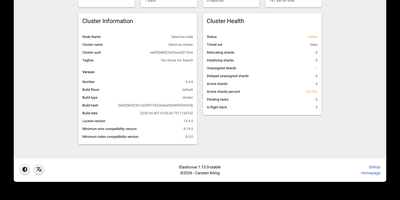
Elasticvue is a graphical interface for Elasticsearch where you can inspect cluster health, browse indices, search and edit documents, and send REST queries. Start on the Home tab, which summarizes status, nodes, shards, indices, document counts, and disk usage. Nodes shows load, CPU, RAM, heap, and disk for each member, and Shards lays out every primary and replica in a grid with a switch for shard allocation. Indices handles creation, aliases, templates, and bulk actions. Search runs query string searches across an index pattern, opens any hit in a JSON editor for updates or deletion, and downloads results as JSON. Rest sends any request from tabbed editors with history, saved queries, and examples, while Snapshots manages repositories and backups. Version 1.16 adds user and role management for Elasticsearch clusters. Secured clusters connect with basic authentication, API keys, or AWS IAM credentials, and the Docker image preloads cluster definitions from an environment variable or a mounted JSON file. Elasticvue supports every Elasticsearch version, even end-of-life releases, and speaks English, Chinese, French, Russian, Japanese, and Italian. Running on a dedicated VPS on RepoCloud with guaranteed CPU, RAM, and SSD, full root SSH access, and a browser serial console. MIT licensed.
pgweb
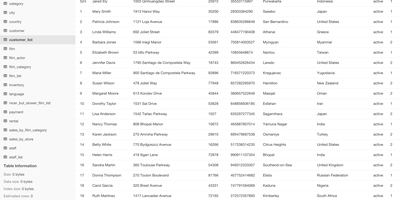
Inspect a PostgreSQL database right now, without installing pgAdmin or exposing Postgres to the internet - pgweb answers that recurring need. It's a Go application from Dan Sosedoff, a decade in development, shipped as a single statically-linked binary with zero dependencies - the Docker image is essentially just the executable - that puts a clean browser UI in front of any PostgreSQL 9.1+ server. Connect via URL string or host/port credentials, and browse tables, views, and sequences from the sidebar; selecting a table shows its rows immediately alongside tabs for structure, indexes, and constraints. The Query tab executes arbitrary SQL with query history, and the Explain Query button renders the query plan - estimated cost, row counts, execution strategy - which makes pgweb a quick performance-triage tool, not just a browser. Results and entire tables export to CSV, JSON, or XML in a click. Connectivity is more flexible than its size suggests: native SSH tunneling (password or key) reaches databases behind firewalls, server bookmarks make switching instances instant, and an optional multi-session mode handles several databases concurrently. For a RepoCloud stack full of Postgres-backed apps, one pgweb instance is the universal inspection hatch. MIT-licensed, actively maintained.
Dockge
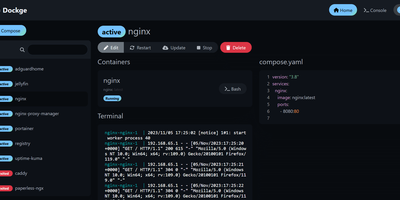
Created by the developer behind Uptime Kuma and carrying over 23,000 GitHub stars, Dockge brings the same clean, reactive design philosophy to Docker Compose stack management with a web interface that makes Portainer's compose handling feel like editing YAML in a terminal over SSH. The interactive editor provides syntax highlighting, inline validation, and a live preview of your compose.yaml files while keeping every stack stored as a standard file on disk in /opt/stacks by default, meaning you can seamlessly switch between the web UI and the docker compose CLI without lock-in or proprietary database formats. Real-time WebSocket updates stream pull progress, container start/stop transitions, and build output directly to the browser with no polling delays. The built-in web terminal opens a shell session inside any running container for quick debugging, while the docker-run-to-compose converter transforms single-container run commands into proper compose.yaml definitions with one click. Multi-agent support introduced in version 1.4.0 connects multiple Docker hosts to a single Dockge dashboard, enabling centralized management of stacks distributed across different servers. Image update detection shows which stacks have newer versions available, and one-click updates pull the latest images and recreate containers without manual intervention. The stack is a single Docker container running on Node.js with Socket.IO for reactivity and stores no external database. Running on a dedicated VPS on RepoCloud with guaranteed CPU, RAM, and SSD, full root SSH access, and a browser serial console. MIT licensed.
Open Connector
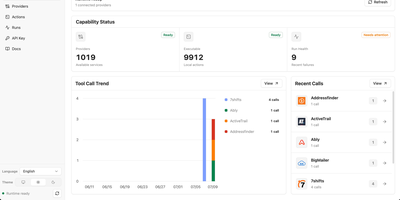
With over 5,000 GitHub stars since its June 2026 launch, OOMOL OpenConnector bridges the gap between AI agents and the real world by handling the authentication nightmare that stops LLMs from calling external APIs safely. The runtime connects to more than 1,000 SaaS providers — GitHub, Gmail, Notion, Slack, Microsoft, HubSpot, Google Workspace, and hundreds more — through 10,000+ prebuilt typed Actions that agents can discover and execute without ever touching raw credentials. OAuth2 flows, API key rotation, custom credentials, and no-auth providers are all managed centrally with AES-encrypted storage, scoped runtime tokens, and configurable action allowlists and blocklists that enforce least-privilege access. Agents interact through five access surfaces: the Model Context Protocol endpoint at /mcp for Claude and other MCP-capable hosts, a full REST API at /v1 for programmatic control, an auto-generated OpenAPI specification for code generation, a TypeScript SDK for application integration, and the oo CLI for local agent relay. The built-in Web Console provides browser-based administration for configuring OAuth apps, managing connections, inspecting action schemas, and reviewing execution logs with redacted inputs. Deploy via Docker Compose with SQLite for single-server setups, run from source on Node.js 22+, or push to Cloudflare Workers with D1 and R2 for edge deployment. Running on a dedicated VPS on RepoCloud with guaranteed CPU, RAM, and SSD, full root SSH access, and a browser serial console. Apache 2.0 licensed.
Arkon
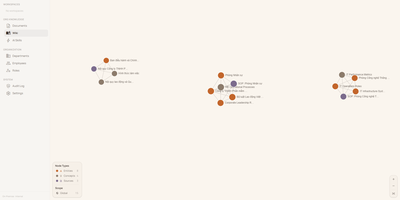
With 1,200+ GitHub stars since its April 2026 launch, Arkon provides an enterprise-grade knowledge management layer that turns scattered organizational documentation into AI-accessible structured context. The platform runs as a centralized MCP server, compiling your SOPs, policies, technical docs, and institutional knowledge into a versioned wiki with draft-approval workflows, then serving that wiki to Claude Desktop, Claude.ai, Cursor, and any MCP-compatible client through a single permission-scoped endpoint. OAuth 2.1 with PKCE authentication eliminates manual token management — employees authenticate through a browser login while the system discovers endpoints automatically via RFC 8414. The RBAC v2 system supports custom roles with granular permissions, department-scoped AI Skills, workspace isolation, and comprehensive audit logging so every query and access event is traceable. RAG retrieval powered by pgvector embeddings enables AI clients to search across all organizational documents with source attribution, while the AI Skills system lets teams define reusable instruction sets scoped to specific departments or roles. The architecture runs seven Docker containers coordinated by Compose: PostgreSQL with pgvector for embeddings and metadata, Redis for caching, MinIO for document storage, a FastAPI backend, two ARQ async workers for embedding generation and document processing, and a Next.js frontend portal accessible on port 3119. API keys are encrypted at rest with Fernet, and no telemetry leaves the deployment. Running on a dedicated VPS on RepoCloud with guaranteed CPU, RAM, and SSD, full root SSH access, and a browser serial console. PolyForm Internal Use licensed.

Open-Meteo
High-resolution weather forecasts became a free commodity because of Open-Meteo - and this deployment puts the whole open-source engine on your own infrastructure. The public open-meteo.com service aggregates national weather models (NOAA GFS, DWD ICON, ECMWF, Meteo-France, and others) into one consistent JSON interface; self-hosting gives you that same API without rate limits, third-party dependency, or usage metering. The architecture is two cooperating services: the API server exposes forecast endpoints fully compatible with Open-Meteo query parameters - latitude, longitude, hourly and daily variables like temperature, precipitation, wind, and radiation - while a background sync worker downloads fresh weather model data on a configurable interval into a shared persistent volume at /app/data, so forecasts stay current and survive restarts without re-downloading. You control which weather models to mirror, which variables to store, how much historical depth to keep, and how often to refresh - meaning a lean deployment can sync only the model and region you actually query. Responses are plain HTTP/JSON, so integration with dashboards, Home Assistant-style automations, agricultural monitoring, IoT fleets, or any application takes minutes. For anyone making thousands of forecast calls a day, replacing a metered weather API with your own instance turns a recurring bill into a flat infrastructure cost.
Super Productivity
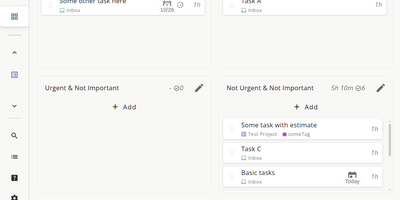
Super Productivity eliminates the context switching between issue trackers, calendars, and timer apps that fragments developer focus, pulling tasks from Jira, GitHub, GitLab, Gitea, OpenProject, Linear, ClickUp, Trello, and Azure DevOps into one local-first interface. With 21,000+ stars and availability across web, desktop, Android, and iOS, it syncs issue status, subtasks, and time logs bidirectionally so sprint planning and worklog submission happen without leaving the app. CalDAV integration pulls calendar events into your task timeline for visual timeboxing. Built-in Pomodoro and Flowmodoro timers enforce focused intervals with configurable break schedules. Data stays under your control in browser IndexedDB by default, with optional AES-encrypted sync via WebDAV, Nextcloud, Dropbox, or the SuperSync server ensuring no task data touches infrastructure you do not own. The extensible plugin system supports JavaScript-based custom panels, automations, and MCP plugins for AI workflows. A REST API on port 3876 enables external script integration for desktop automation. Time tracking generates exportable timesheets compatible with corporate reporting systems. The Docker container serves the Angular PWA through Nginx on port 80, consuming roughly 50 MB of RAM. Running on a dedicated VPS on RepoCloud with guaranteed CPU, RAM, and SSD, full root SSH access, and a browser serial console. MIT licensed.
Verdaccio
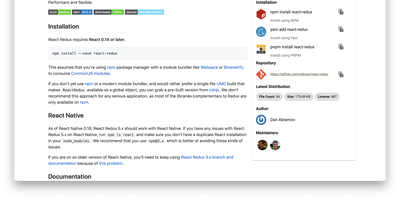
Private npm packages without shipping code to the public registry or paying for npm Enterprise: Verdaccio is the standard lightweight, zero-config private registry and caching proxy. It runs as a single Node.js process with its own tiny embedded database; no external database is required to start. Point npm, yarn, or pnpm at it and everything behaves as expected: install, publish, unpublish, dist-tags, and deprecation all work against the standard npm endpoints. The uplink system is where it earns its keep: packages not found locally are fetched from configured upstreams (npmjs.org, yarn, JFrog, Nexus, or another Verdaccio), cached as tarballs, and served locally thereafter - cutting CI latency and surviving registry outages. Multiple uplinks chain for failover, and per-package glob patterns in config.yaml route scopes to specific upstreams while controlling access, publish, and unpublish rights per group. You can even override a public package by publishing a patched version under the same name locally. A plugin architecture swaps in auth backends (htpasswd default, LDAP and others available), storage drivers (S3, Google Cloud Storage), middleware routes, and metadata filters. With official Docker images and a Kubernetes Helm chart, it slots into any pipeline in minutes.
Flowise
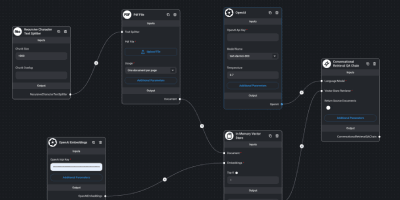
Drag nodes onto a canvas and ship an LLM app: Flowise is an open-source visual builder for AI agents and LLM applications, written in Node.js on LangChain.js and licensed Apache-2.0. You assemble flows by dragging nodes onto a canvas: models, prompts, memory, vector stores, retrievers, and tools, then wire them together and test in the built-in chat panel. Three builder types cover increasing complexity: Assistant for simple RAG chat over uploaded files, Chatflow for single-agent systems with techniques like rerankers and Graph RAG, and Agentflow for multi-agent orchestration with branching, looping, shared flow state, and human-in-the-loop checkpoints. Over 100 integrations connect data sources, vector databases, and both proprietary and open-source models, plus MCP client and server nodes for standard tool interop. Finished flows are exposed as REST APIs, embedded chat widgets, or via JS and Python SDKs - each flow gets an endpoint the moment it is saved, removing the deployment gap between a working prototype and something your application can call. Execution logs, visual step debugging, and external log streaming trace behavior, while input moderation and rate limiting act as guardrails; RBAC, SSO, and workspaces cover team deployments. Self-hosting keeps prompts, encrypted credentials, and conversation data on your own instance, which matters when flows handle internal documents or customer data - and wiring a model, prompt, memory, and vector store on the canvas replaces the boilerplate a hand-coded LangChain project would need.
Plunk
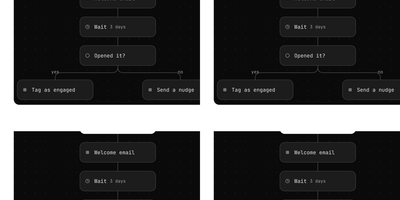
Plunk consolidates transactional emails, marketing campaigns, and drip automation into one platform riding AWS SES at roughly one-tenth of a cent per message, with zero per-contact charges regardless of list size. The Turborepo monorepo architecture separates the Express.js API server (handling REST requests with Prisma ORM against PostgreSQL) from a dedicated BullMQ worker process that consumes email, campaign, and workflow jobs independently for fault isolation and horizontal scaling. Transactional emails support HTML bodies, template variable substitution via React Email components, attachments, and custom headers with dedicated SMTP relay on ports 465 and 587 for integration with existing frameworks. The campaign system sends newsletters and product updates to full contact lists or dynamically segmented audiences based on contact properties and behavioral events, with scheduling, A/B testing, and performance tracking for opens, clicks, and bounces. The workflow automation builder creates event-triggered sequences with delays, conditional branches, and webhook steps for lifecycle campaigns like onboarding drip sequences and re-engagement flows. Contact management stores unlimited contacts with custom data fields, CSV import, full activity history, and dynamic segmentation. Custom domain verification with DKIM and SPF ensures deliverability, while inbound email processing handles incoming messages with custom routing rules. Docker Compose deployment runs five containers including PostgreSQL, Redis, MinIO for S3-compatible storage, and ntfy for notifications. Running on a dedicated VPS on RepoCloud with guaranteed CPU, RAM, and SSD, full root SSH access, and a browser serial console. AGPL-3.0 licensed.
Kandev
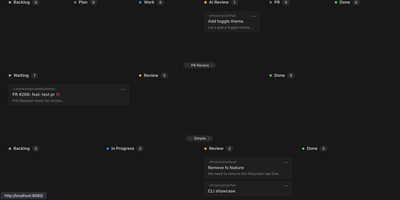
Kandev provides a command center for orchestrating AI coding agents across parallel workstreams. The Go backend paired with a Next.js frontend delivers kanban boards with drag-and-drop columns, pipeline workflow definitions with per-step agent handoffs, and an IDE-like review workspace combining file editor, file tree, terminal, browser preview, and unified git diffs. Multi-provider support connects Claude Code, GitHub Copilot, Codex, Qoder, Grok, and custom agents through configurable profiles with per-agent prompts, runtimes, and review gates. Tasks execute in isolated git worktrees with multi-repository support, letting agents work on separate branches simultaneously while changes surface in a consolidated review interface. Native integrations with GitHub, GitLab, Jira, Linear, Sentry, and Slack pull external issues into the kanban and link tasks to pull requests. Kandev exposes streamable HTTP and SSE MCP endpoints, enabling external clients — Cursor, Claude Desktop, Augment — to create tasks and read workspace context programmatically. Workflow definitions export as portable YAML for sharing across installations. Agentic workflows chain multi-step pipelines mixing different models per step — Opus for architecture, Sonnet for implementation, with human review gates between stages. Running on a dedicated VPS on RepoCloud with guaranteed CPU, RAM, and SSD, full root SSH access, and a browser serial console. AGPL-3.0 licensed.
WhoDB
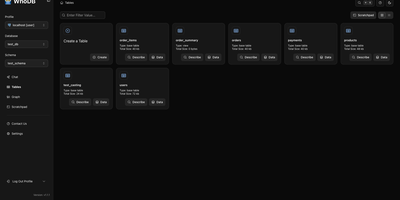
With nearly 5,000 GitHub stars earned in under two years, WhoDB has rapidly emerged as the lightweight alternative to heavyweight database clients like DBeaver and DataGrip by delivering a sub-50MB binary that starts in under a second and connects to 18+ database systems from a single interface. The Go backend serves the React and TypeScript frontend with table virtualization for efficient rendering of large result sets, lazy loading, and query result streaming that keeps the interface responsive even when browsing tables with millions of rows. The Community Edition connects to PostgreSQL, CockroachDB, YugabyteDB, MySQL, MariaDB, TiDB, SQLite, DuckDB, MongoDB, FerretDB, Redis, Valkey, Dragonfly, Elasticsearch, OpenSearch, ClickHouse, QuestDB, and Memcached through a unified credential selector that switches between databases with minimal configuration. Interactive schema diagrams render entity-relationship graphs showing table structures, foreign keys, and column types for visual database exploration. The Jupyter-style query scratchpad provides SQL autocomplete, syntax highlighting, and multi-statement execution with paginated results. AI integration optionally connects to Ollama, OpenAI, Anthropic, LM Studio, or any OpenAI-compatible provider for natural language database queries — ask questions in plain English and receive generated SQL. Data management includes inline row editing, CSV export, and filtered data views. Docker deployment runs a single container exposing port 8080. Running on a dedicated VPS on RepoCloud with guaranteed CPU, RAM, and SSD, full root SSH access, and a browser serial console. Apache-2.0 licensed.
DbGate
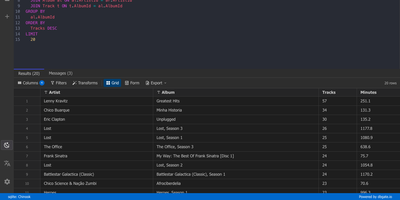
One browser tab can hold every database you manage, from MySQL and PostgreSQL to MongoDB and Redis, so there is no separate client to install for each engine. Connections are unlimited, and each can use its own SSH tunnel or SSL certificates. Tables open in an Excel-like grid where you edit cells inline, filter rows with expressions, and sort by any column. The SQL editor offers schema-aware code completion, a formatter, a join helper that builds clauses from foreign keys, query parameters, and a history of past runs, while result sets appear in separate tabs that you can filter, sort, and export. ER diagrams chart tables and their relations. The table editor creates columns, keys, and indexes and previews the SQL before anything is applied. Import and export move data between databases and files as SQL, CSV, JSON, XML, NDJSON, Excel, DBF, or YAML. Administrators can preconfigure connections through environment variables, mark them read-only, and protect the interface with logins that carry per-user permissions. Light and dark themes, customizable keyboard shortcuts, and translations into many languages keep daily work comfortable. Running on a dedicated VPS on RepoCloud with guaranteed CPU, RAM, and SSD, full root SSH access, and a browser serial console. GPL-3.0 licensed.
Hermes Workspace
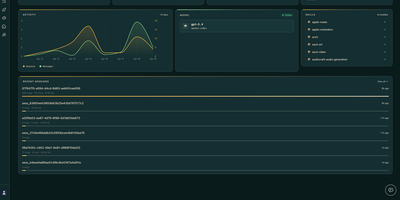
Hermes Workspace serves as a dedicated command center for orchestrating autonomous AI agents, combining multi-model conversational flows with direct system execution in a unified web environment. Operators can execute multi-turn agent missions while observing live reasoning paths, tool dispatches, and file system mutations as they occur in real time. The built-in memory browser lets users inspect episodic recollections, search indexed agent knowledge bases, and edit persistent recall records directly from the interface. A comprehensive skill catalog provides instant activation and parameter tuning for over one hundred modular tool capabilities, ranging from web scraping to programmatic code generation. The embedded browser terminal delivers pseudoterminal sessions alongside running agents, enabling human operators to execute diagnostic commands and inspect project workspaces without switching windows. Conductor and Swarm management panels coordinate parallel sub-agent workers to break down complex research directives into asynchronous subtasks with automated status tracking. Integrated model switching allows teams to route individual execution steps dynamically between Anthropic Claude, OpenAI, OpenRouter, and self-hosted Ollama instances. Running on a dedicated VPS on RepoCloud with guaranteed CPU, RAM, and SSD, full root SSH access, and a browser serial console. MIT licensed.
HolyClaude
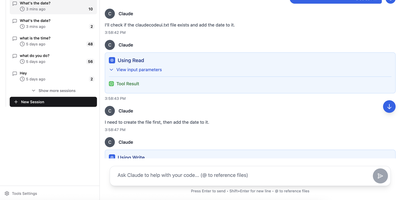
With 2,400+ GitHub stars, HolyClaude replaces a two-hour manual setup process with a single docker compose up command that launches a fully configured AI coding workstation. The container ships with Claude Code pre-installed alongside seven additional AI CLIs — Gemini CLI, OpenAI Codex, Cursor, TaskMaster AI, Junie, OpenCode with OpenRouter multi-provider support, and Pi Coding Agent — all accessible through the CloudCLI browser-based web interface on port 3001. A headless Chromium browser running on Xvfb display :99 comes pre-configured with Playwright 1.61 for automated screenshots, testing, and web scraping without additional setup. The development toolchain includes Node.js 26, Python 3, TypeScript, git, GitHub CLI, database clients for PostgreSQL, SQLite, and Redis, plus deployment CLIs for Vercel, Wrangler, Netlify, and Azure. Process management uses s6-overlay for automatic restarts and graceful shutdown, while bind mounts to ./data/claude and ./workspace ensure credentials, configuration, and project files persist across container rebuilds. The full image supports AMD64 and ARM64 architectures, running on Linux, macOS with Docker Desktop, Windows with WSL2, and Synology or QNAP NAS hardware. A slim tag at roughly 2GB omits the browser stack for environments that do not need it, while the full image at 4GB includes everything. Users authenticate with their existing Anthropic account directly through Claude Code with no credential relay or proxy involved. Running on a dedicated VPS on RepoCloud with guaranteed CPU, RAM, and SSD, full root SSH access, and a browser serial console. MIT licensed.
Strapi
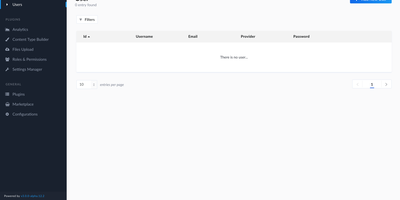
The leading open-source headless CMS with over 72,800 GitHub stars and more than 20 million npm downloads, Strapi has powered content APIs for thousands of organizations since its creation in 2015, providing a complete backend for websites, mobile applications, IoT devices, and any frontend framework through auto-generated REST and GraphQL endpoints. The visual Content-Type Builder lets editors define collections, single types, components, dynamic zones, and relations without code, while Strapi AI introduced in 2026 generates complete content schemas from natural language descriptions, Figma file uploads, or existing JavaScript application code analysis. Version 5 rewrote the platform with a TypeScript-first architecture, replacing the Entity Service with the Document Service API, switching admin panel builds from Webpack to Vite, and integrating internationalization directly into core with unlimited locale support. Database flexibility spans PostgreSQL, MySQL, MariaDB, and SQLite with automatic migration handling. The media library manages uploads to local storage, Amazon S3, or Cloudinary with image optimization and responsive formats. Granular role-based access control defines permissions per content type, field, and locale. The plugin marketplace extends functionality with GraphQL, SEO, email, custom fields, and community contributions, while lifecycle hooks, custom controllers, and middleware enable arbitrary backend logic. Draft and publish workflows, webhooks for external system integration, API token authentication, data import and export, and CRON job scheduling round out a platform that handles content operations from prototype to production. Running on a dedicated VPS on RepoCloud with guaranteed CPU, RAM, and SSD, full root SSH access, and a browser serial console. MIT licensed.
AnythingMCP
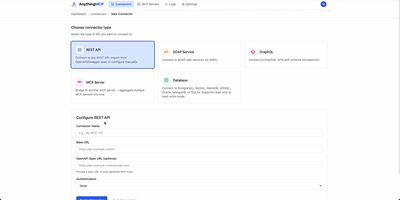
Connecting autonomous AI assistants to internal enterprise databases and legacy systems is streamlined by AnythingMCP, a visual Model Context Protocol gateway with automated knowledge graph generation and granular access controls. Engineers can import OpenAPI specifications, Postman collections, SOAP WSDL files, or raw database credentials to generate standardized Model Context Protocol tools in minutes without writing custom code. The built-in knowledge graph automatically maps entity relationships across disparate databases and software platforms, teaching agents how to correlate customer records in CRM tools with live order histories in enterprise resource planning software. System administrators can enforce fine-grained access policies by restricting tool execution permissions to specific roles and scoping database operations to read-only queries with strict row limits. An interactive web console provides real-time tool inspection, payload testing, request tracing, and comprehensive audit logs that capture every upstream invocation with full parameter visibility. Enterprise teams can integrate identity providers through OAuth2, SAML single sign-on, and SCIM automated user provisioning while protecting sensitive credentials using AES-256-GCM encryption at rest. Running on a dedicated VPS on RepoCloud with guaranteed CPU, RAM, and SSD, full root SSH access, and a browser serial console. GNU AGPLv3 licensed.
AutoGen Studio
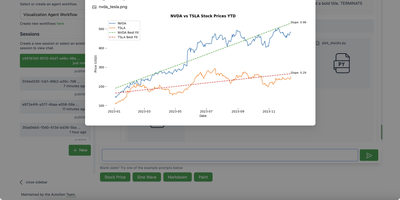
Prototype multi-agent AI systems without writing orchestration code: AutoGen Studio is Microsoft's low-code interface over the AutoGen AgentChat framework. You compose teams of LLM-powered agents in a visual Team Builder, either by drag-and-drop from a component library or by editing the declarative JSON specification directly. Each agent gets a model, a prompt, tools (Python functions), and the team gets termination conditions and an orchestration pattern, sequential or LLM-driven. The Playground runs teams interactively with live message streaming between agents, a visual control-transition graph, tool-call and code-execution tracking, and pause/stop controls, which makes it a practical debugger for agent behavior. Finished teams export as JSON for use in any Python application via the TeamManager class, or serve as an API endpoint. Any OpenAI-compatible model endpoint works, including local servers like Ollama or vLLM. Microsoft labels it a research prototype: use it for prototyping and evaluation, and build production systems on the underlying AutoGen framework.