Omni
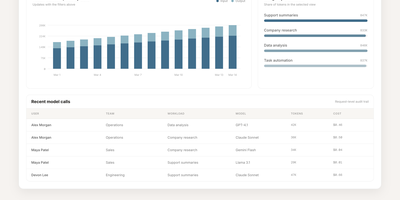
Omni is an open-source workplace AI agent and enterprise search platform that unites your company's scattered tools into a single context-aware workspace where team members can find answers and automate cross-application workflows. Employees can query connected knowledge sources including Google Drive, Gmail, Slack, Jira, GitHub, Confluence, and HubSpot to locate project specifications, customer records, and operational documents without jumping across tabs. The integrated AI assistant answers complex multi-step inquiries, summarizes lengthy email threads, and cites exact source passages so workers can verify factual accuracy before making business decisions. Granular permission inheritance mirrors existing access controls across every connected service, guaranteeing that sensitive personnel files, financial statements, and confidential repositories remain hidden from unauthorized staff. Engineers can construct bespoke data connectors and define automated agent skills through the extensible Python and TypeScript software development kits, triggering multi-service actions directly from interactive chat dialogues. Administrators can monitor background synchronization jobs, inspect audit trails, manage single sign-on access, and configure custom extraction pipelines using centralized operational dashboards. Running on a dedicated VPS on RepoCloud with guaranteed CPU, RAM, and SSD, full root SSH access, and a browser serial console. Apache 2.0 licensed.
HeadlessX
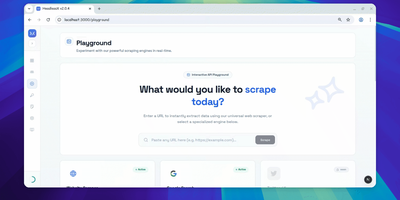
With 2,000 GitHub stars and 10 releases since its September 2025 launch, HeadlessX delivers a self-hosted browser automation platform that replaces Chromium-based scraping with Camoufox — a Firefox fork performing kernel-level fingerprint spoofing to achieve 0% detection across Cloudflare, DataDome, PerimeterX, and other anti-bot systems where Puppeteer and Playwright regularly fail. The web dashboard provides workspace-based job organization with a visual interface for configuring scrape targets, managing browser profiles, monitoring queue status, and viewing extracted results in real time. The protected REST API accepts requests with API key authentication for programmatic access, supporting HTML extraction, screenshot capture, PDF generation, and structured data parsing with configurable stealth parameters. Profile-based scraping maintains persistent browser contexts with cookie jars, localStorage, and fingerprint configurations that survive between requests — reducing cold-start latency from 25 seconds to under 2 seconds on subsequent requests. Queue-backed workflows enable batch processing of URLs with configurable concurrency, retry logic, and webhook notifications on completion. The Google AI Search integration provides AI-assisted web research workflows through dedicated endpoints. Remote MCP support exposes automation capabilities as tool endpoints for AI agent integration. Deploy via the official CLI with `headlessx init` and `headlessx start` commands, scaffolding a Docker Compose stack with Caddy reverse proxy for automatic HTTPS. Running on a dedicated VPS on RepoCloud with guaranteed CPU, RAM, and SSD, full root SSH access, and a browser serial console. MIT licensed.

OpenSERP
Search the web from your own server, with no API key and no per-query bill: OpenSERP is a self-hosted search API that returns structured results from Google, Bing, Yandex, Baidu, DuckDuckGo, and Ecosia through one interface. Every answer arrives as ranked JSON with titles, URLs, snippets, source engines, and timing, ready for an agent, a RAG pipeline, or an SEO tracker to consume. A mega search aggregates and deduplicates across engines in a single call, image search does the same for pictures, and an extract mode reads linked pages back as clean Markdown for models to cite. AI agents connect over MCP with tools for search, mega search, fast search, image search, and batch extraction, and it is a built-in web search provider in Open WebUI. Developers get Python and TypeScript SDKs, an n8n node, a full OpenAPI reference, and a CLI that runs the same searches from a terminal. Engines load in a real browser session, proxy support routes traffic through HTTP or SOCKS5, and one Docker command serves everything on port 7000. Running on a dedicated VPS on RepoCloud with guaranteed CPU, RAM, and SSD, full root SSH access, and a browser serial console. MIT licensed.
AgentRun
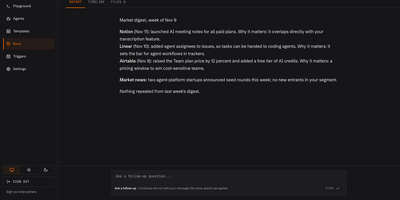
A control room for AI agents, where every run is recorded, capped, and ready to resume after a crash. Mission Control opens first with agent and run counts, tokens, success rate, and cost per day. A Templates page applies ready-made agents for code review, KYB due diligence, lead scoring, market monitoring, and release notes in a single screen. Every run gets a Report tab with the finished answer and a Timeline tab with each message, tool call, and charge. Tools are set to allow, ask, or deny. Spend caps pause a run instead of failing it. An agent can stop and ask a person a question. The Playground starts a run from a form and shows the same request as curl, so each agent doubles as an API. Triggers start capped runs on a schedule, from a signed webhook, or on a GitHub pull request. Learning mode keeps notes, skills, and workflows from each job so repeat work needs fewer tokens. Automated code review, customer research, and competitor digests are typical recurring jobs to hand it. Running on a dedicated VPS on RepoCloud with guaranteed CPU, RAM, and SSD, full root SSH access, and a browser serial console. Apache-2.0 licensed.
FounderOS
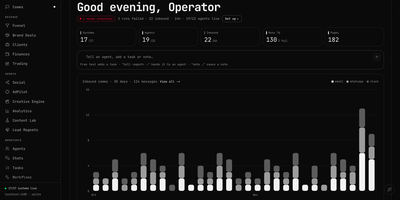
For a solo founder, FounderOS is one live dashboard where AI-assisted departments take care of the busywork of running a company. Home shows system health, agent counts, and inbound message volume, plus a free-text bar that turns a sentence into a task, a note, or an instruction for a named agent. Comms merges email, Slack, WhatsApp, and meeting threads into one inbox with unread counts, needs-reply flags, snooze, mark done, and reply starters that include a drafted answer. Funnel tracks touches, new leads, conversions, and revenue by source, with a pipeline from first touch to converted client. Agents shows a roster of AI seats and a conductor that delegates work, with runs by seat, open task lanes, and the items waiting on you. Tasks adds in-progress, overdue, and runtime stats beside a schedule. The Knowledge Visualizer maps notes, skills, agents, and accounts into a network with matrix, timeline, ranking, and findings views. Clients, Brand Deals, Finances, Social, and Content Lab sit in the same sidebar, and every integration stays optional until you connect it. A bundled demo company makes exploring easy. Creators, small agencies, and one-person businesses get a daily operating view in a single tab. Running on a dedicated VPS on RepoCloud with guaranteed CPU, RAM, and SSD, full root SSH access, and a browser serial console. MIT licensed.
Shell Online
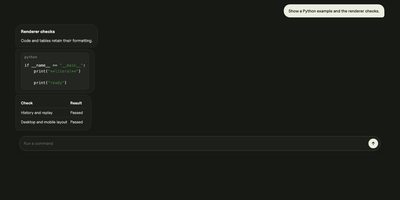
Shell Online lets a terminal session running on your own computer follow you to any browser, so your coding agent keeps working while you are away from your desk. Prefix the command you already run, such as shell claude, shell codex, or shell opencode, and your terminal prints a link, a password, and a QR code that open the same live session on a phone, tablet, or another computer. You watch output as it happens and reply to prompts from wherever you are, and closing the browser leaves the process running until it exits on its own. Inviting a teammate takes the same link: share it read-only so they can watch without typing, or let them type into the session with you. Terminal traffic is end-to-end encrypted by default, file access stays off until you deliberately expose a chosen directory, and a scoped MCP grant can let another agent inspect or steer a session for a limited time. With an account, linked machines and their sessions gather in one web app with team sharing. The relay the sessions pass through can run on your own server with the standalone Docker deployment, pointed at by the unchanged CLI. Running on a dedicated VPS on RepoCloud with guaranteed CPU, RAM, and SSD, full root SSH access, and a browser serial console. MIT licensed.
Super Agent Party
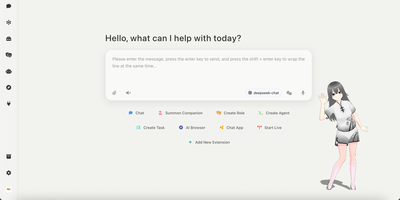
Super Agent Party gives you an AI companion with a face, a memory, and a to-do list, all running on your own server. The home screen starts a chat, summons a companion, creates a role or agent, queues a task, opens an AI browser, or adds an extension. Characters can appear as VRM 3D avatars, and character cards with long-term memory let several personas talk together in one group chat. The Task Center hands longer jobs to an agent that works in the background, calls tools through MCP and Agent Skills, and records every step in an execution timeline. A built-in browser lets agents open pages and act on them, and desktop vision tools can drive the mouse, keyboard, and terminal. One-click bot deployment connects an agent to Telegram, Discord, Slack, QQ, WeChat, Feishu, and DingTalk, and live-stream bots cover Bilibili, YouTube, and Twitch. The developer page serves an OpenAI-style endpoint, so other apps can call an agent as if it were a model. Extensions open in a sidebar or their own window. Running on a dedicated VPS on RepoCloud with guaranteed CPU, RAM, and SSD, full root SSH access, and a browser serial console. AGPL-3.0 licensed.
Open Executive
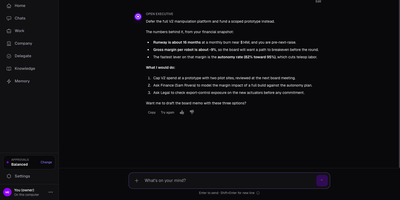
One executive voice, backed by nine specialist agents, answers business questions from your own documents instead of generic management advice. Ask if a product line should be built or deferred and the reply cites your financial snapshot, roadmap, and legal notes, then lists the numbers behind the call and the next steps. The Agent Council covers strategy, finance, people, legal, operations, marketing, product, sales, and board communications, and each agent accepts its own instructions and model. A company profile stores mission, target customer, and competitors. Departments and Goals track owners, weekly check-ins, and at-risk or off-track status. Knowledge accepts PDF, Word, Excel, CSV, Markdown, and text files, and can sync from Google Drive, OneDrive, Confluence, or Notion. Memory records decisions and what the company has learned, and a built-in scheduler surfaces follow-ups and alerts on its own. The same executive answers in Slack, Discord, Telegram, Google Chat, Gmail, Outlook, or any MCP client, with spend approval thresholds that govern how it works with people. Founders get a chief of staff, small teams a fractional advisor, and board prep a head start before the next investor update. Demo companies are bundled for a quick tour. Running on a dedicated VPS on RepoCloud with guaranteed CPU, RAM, and SSD, full root SSH access, and a browser serial console. Apache-2.0 licensed.
Aegra
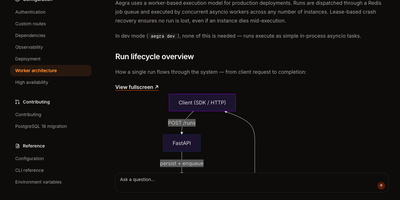
Aegra runs your LangGraph agents on your own infrastructure with the same SDK and APIs you would use on the managed platform, so moving in does not mean rewriting your agents. You deploy an agent once and clients connect through Agent Chat UI, LangGraph Studio, or CopilotKit, while threads, runs, and checkpoints persist between sessions instead of vanishing when a process restarts. Streaming answers arrive token by token over server-sent events, and if a connection drops, the stream reconnects and replays missed events rather than losing the run. Human-in-the-loop gates pause an agent at the step you choose, wait for a person to approve or edit, and then resume from exactly that state. Scheduled cron jobs trigger runs on standard or seconds-level expressions with timezone support, which turns agents into recurring workers for reports, checks, and follow-ups. When traffic grows, Redis-backed workers process runs with lease-based crash recovery, so a dead worker's job is picked up instead of disappearing. Authentication handlers plug in JWT, OAuth, or Firebase, custom endpoints sit beside the agent API, and traces fan out to the observability backend you already run. Running on a dedicated VPS on RepoCloud with guaranteed CPU, RAM, and SSD, full root SSH access, and a browser serial console. Apache-2.0 licensed.
Malloy Publisher
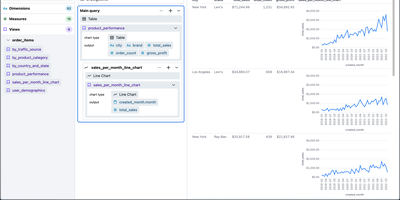
Analytics teams, and increasingly the AI agents working beside them, get one shared definition of the business from Malloy Publisher instead of a pile of SQL queries that each compute revenue slightly differently. You model what your data means once: the sources, the joins, the measures, and who may see what. Agents then compose queries against that model over MCP, so there is no wrong join, no invented column, and no fan-out that double-counts while looking plausible, and the same question returns the same numbers tomorrow. Applications and BI tools reach the same model over REST, and unattended agents use the same governed path instead of scraping raw tables. Reports declared in Malloy read top to bottom or lay out as tile grids you can build by dragging, no-build HTML data apps ship inside the package, and the built-in Console lets anyone browse environments, packages, models, and results without writing code. Access rules decide who may query and which rows they see, discovery curation decides what is even visible, and a single annotation materializes an expensive source or pre-aggregates it on a schedule. Local files work through built-in DuckDB, while BigQuery, Snowflake, Postgres, Databricks, and others connect when the data already lives there. Running on a dedicated VPS on RepoCloud with guaranteed CPU, RAM, and SSD, full root SSH access, and a browser serial console. MIT licensed.
Univer Workspace
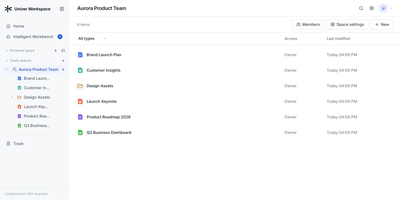
A budget model, the launch document that explains it, and the slides that present it can live side by side in one self-hosted office workspace that people and AI agents edit together. Personal and Team Spaces organize Sheets, Docs, Slides, relational Bases, and Boards, with Recent, Trash, file import, and export views keeping everyday housekeeping close at hand. Sharing follows role and node aware access control, including anonymous viewing, so a single table or document can be opened to a reader without exposing the whole space. Data and references stay connected across artifacts as the workspace changes, which keeps a figure corrected in a sheet consistent with the document that quotes it. The Workspace Agent drafts and revises content in isolated Worktrees, verifies its own changes, and hands the result to a person for review before anything reaches the trunk. Several review rounds can happen while humans keep editing in the Browser, and nothing merges until someone approves it. The Workspace CLI connects existing agents to your deployment, so automation can create content, inspect data, render screenshots and PDFs, and run layout checks before review. Sign-in accepts passwords, GitHub, Discord, or application OAuth, and files move in and out as XLSX, DOCX, PPTX, and CSV without a separate conversion project. Running on a dedicated VPS on RepoCloud with guaranteed CPU, RAM, and SSD, full root SSH access, and a browser serial console. Apache-2.0 licensed.
Steel Browser
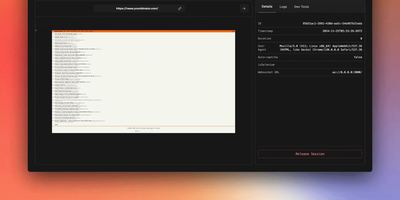
With over 7,400 GitHub stars and benchmarked at 0.89 seconds average session lifecycle — 1.7x to 9x faster than competing browser automation platforms — Steel Browser delivers production-grade headless Chrome infrastructure purpose-built for AI agents that need to interact with the modern web. The TypeScript-based server exposes a REST API providing on-demand browser sessions with full CDP (Chrome DevTools Protocol) access, allowing connections from Puppeteer, Playwright, or Selenium through standard WebSocket endpoints without framework lock-in. Each session maintains persistent state including cookies, localStorage, IndexedDB, and authentication credentials across requests, enabling stateful multi-step agent workflows that survive session restarts. Built-in anti-detection includes stealth plugins, browser fingerprint randomization, and configurable user-agent rotation, while the proxy chain manager handles IP rotation through residential, datacenter, or custom proxy pools. CAPTCHA solving integrates natively so agents encounter fewer blocking interrupts during autonomous navigation. The Session Viewer provides real-time WebRTC-streamed visual debugging of live sessions and playback of recorded sessions with full network request logging. Browser Tools APIs convert any page to clean Markdown, readability-optimized text, PDF documents, or high-resolution screenshots with a single API call. The MCP Server integration exposes Steel sessions as tools accessible to Claude, Cursor, and other Model Context Protocol-compatible AI agents. Deploy via Docker with a single container or use Docker Compose for production configurations with automatic resource cleanup and session lifecycle management. Running on a dedicated VPS on RepoCloud with guaranteed CPU, RAM, and SSD, full root SSH access, and a browser serial console. Apache 2.0 licensed.
a13n Agent Foundation
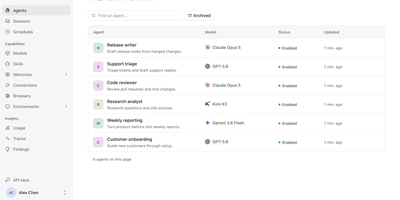
Agents that keep working after you close the tab: a13n gives a team one shared place to define them, run them, and watch what they did. In the Console, an administrator adds models from OpenAI, Anthropic, Gemini, Bedrock, Azure, OpenRouter, DeepSeek, Ollama, and others, then creates agents with instructions, skills, memories, connections, browsers, and sandbox environments. A Try agent button opens a conversation, and the Debug view lays out every run step by step, with model calls, tool calls, token counts, cache rates, and durations. Sessions and schedules keep a history of conversations and recurring jobs. The Usage page charts spend, runs, requests, and tokens by agent, model, or member across a time range. Findings analyzes traces, flags answer quality and tool failures, and lets reviewers confirm or dismiss each one with a suggested improvement. Each agent has a Connect to app screen with its ID, service URL, and API key, so applications can call it over an HTTP API or SDK. Workers lease runs from PostgreSQL and save checkpoints to object storage, so interrupted work resumes. Customer support teams, internal platform groups, and product builders use it to ship agent features without writing their own orchestration layer. Running on a dedicated VPS on RepoCloud with guaranteed CPU, RAM, and SSD, full root SSH access, and a browser serial console. Apache-2.0 licensed.
Deep Research Web UI
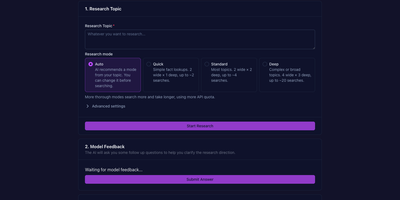
Ask a hard question and get back a cited report instead of a chat answer: Deep Research Web UI plans its own searches, reads the pages it finds, checks claims against the sources, and shows its work as it goes. The research unfolds as a live tree in your browser, each branch a search direction with streaming responses, so you watch a broad question narrow into answerable parts. When snippets are not enough, it fetches full source pages and extracts verbatim evidence, sharing one token and request budget across the run. Every claim cites its source inline, and clicking a citation opens an evidence panel with the source, retrieval time, and the excerpt behind the finding. Findings can be followed up: name what to verify and the agent searches again, updating only the passages that cite that finding while the original report stays untouched in your history. You bring the models, from OpenAI-compatible endpoints, DeepSeek, and OpenRouter to a local Ollama or LiteLLM proxy, paired with Tavily, Firecrawl, Google PSE, You.com, or Serply for the searching. Finished reports export as Markdown or PDF, search separates your question from time and source filters and retries once with a revised query when evidence is thin, and Server Mode keeps the team's API keys in environment variables behind an optional access password instead of in every visitor's browser. Running on a dedicated VPS on RepoCloud with guaranteed CPU, RAM, and SSD, full root SSH access, and a browser serial console. MIT licensed.
AgentRQ
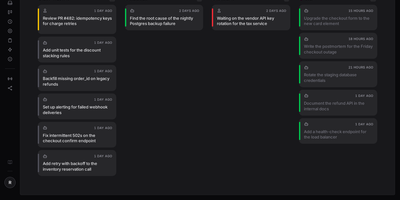
Where AI agents and people share one real-time workspace, an agent blocked on your decision never waits unnoticed until morning, and that workspace is AgentRQ, a human-in-the-loop task manager for agent fleets. In that workspace agents pull assigned tasks over MCP, report progress as they work, ask questions in the open, and pause visibly instead of going dark. Cards travel from Not Started to Ongoing to Blocked to Done on a list or Kanban board, and a Blocked card returns to work the second you answer from any device. Sensitive tool calls wait for an Allow click; flip YOLO on a task and they proceed automatically, still recorded call by call in a searchable trajectory. A timeline under every task totals how long the agent worked, waited, or stayed blocked. Scheduling spawns tasks on a cadence, completed tasks fire named events, and events hand new tasks to subscribed workspaces, chaining a release pipeline without glue code. Each project lives in an isolated workspace with its own agent, memory, skills, and Slack channel, and workspace memory carries yesterday's lessons into today's session. Voice-dictated tasks transcribe on device, 55 ACP-compatible agents connect through one gateway, and agents running on your own machines expose their terminals and resource use remotely. Running on a dedicated VPS on RepoCloud with guaranteed CPU, RAM, and SSD, full root SSH access, and a browser serial console. AGPL-3.0 licensed.
DocsMint
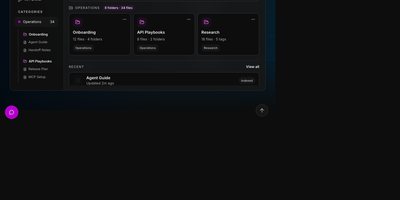
DocsMint is a self-hosted knowledge workspace where your team writes documentation once and both people and AI agents retrieve it through hybrid search and a built-in MCP server. Documents live in a rich visual editor with Markdown import and export, organized by folders, categories, and tags, with sharing and version history. Search blends exact title matches, multilingual keyword search, typo-tolerant fuzzy matching, and semantic vectors, then widens results through graph relationships between documents, so a query in one language or phrasing still finds the right page. Every edit quietly refreshes the index in the background; nothing needs manual re-embedding. Agents connect through 22 MCP tools covering search, reading, creation, updates, folders, snapshots, and export, over a local stdio bridge or the HTTP endpoint on your own installation. Category-scoped API keys hand each integration only the slice of the library it may read, edit, or write, while a global key serves trusted automation. The same operations are available through the REST API, a typed TypeScript SDK, and a terminal CLI for scripts. The web application installs as a PWA with offline reading, and AI features run on your choice of an OpenRouter key or a fully local Ollama setup. Running on a dedicated VPS on RepoCloud with guaranteed CPU, RAM, and SSD, full root SSH access, and a browser serial console. Apache-2.0 licensed.
DBHub
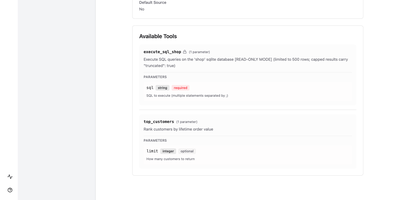
Give every AI assistant on your team safe, structured access to your databases through one small server. DBHub exposes just two tools by default, one to run SQL and one to search schemas, which costs about 1.4k tokens of context where alternatives load nearly 20k. Point Claude Code, Claude Desktop, Cursor, VS Code, or Copilot CLI at it and they can explore tables, columns, indexes, and procedures step by step, then run queries under read-only mode, row limits, and timeouts. Define several sources in one TOML file and DBHub serves PostgreSQL, MySQL, MariaDB, SQL Server, Oracle, and SQLite side by side. Write custom tools for the queries you repeat, with typed parameters and allowed values, so models call a clean function instead of improvising SQL. Opt in to query plans and connection-pool health checks when you need them. A built-in workbench in the browser runs statements, fills in custom tool forms, and lists a trace of every recent request with timing and client. SSH tunnels and SSL reach databases behind bastion hosts, and a bearer token protects the HTTP endpoint. Running on a dedicated VPS on RepoCloud with guaranteed CPU, RAM, and SSD, full root SSH access, and a browser serial console. MIT licensed.
MCPJungle
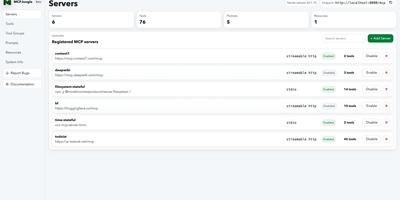
MCPJungle puts every MCP server your AI tools use behind one endpoint, so Claude, Cursor, Codex, and your own agents all connect to a single gateway instead of a tangle of per-client configurations. Register remote HTTP servers and local STDIO servers once, and their tools, prompts, and resources become discoverable through the gateway in one place. Tool groups expose curated subsets at their own endpoints, so a coding agent sees only the tools its job needs instead of hundreds of irrelevant ones competing for context. The dashboard gives you a visual registry of servers, tools, and groups for everyday management, while the CLI and REST API cover scripting and automation. Development mode runs with zero authentication for a personal setup; enterprise mode adds per-client tokens that allow-list exactly which servers each client may reach. User accounts and manual server initialization give teams a governed shared deployment, with OpenTelemetry metrics showing what clients call and how the gateway performs. Upstream servers can authenticate with bearer tokens or OAuth, so credentials stay centralized in the gateway rather than copied into every client config. Registry data persists in a local file for solo use or in PostgreSQL when the gateway becomes shared team infrastructure. Running on a dedicated VPS on RepoCloud with guaranteed CPU, RAM, and SSD, full root SSH access, and a browser serial console. MPL-2.0 licensed.