Canvix
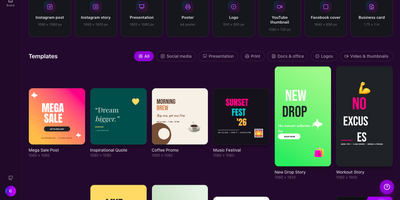
Canvix is a self-hosted design studio that lets anyone create social posts, presentations, posters, logos, and thumbnails in the browser with a drag-and-drop editor, 110 ready-made templates, and exports with no watermarks. You start from a template sized for the platform you are publishing to, then drag in shapes, lines, stickers, and your own images, moving, resizing, and rotating everything directly on the canvas. Text gets proper typography controls, with bundled fonts, styles, spacing, alignment, and curved text that arcs across the design. Layers can be reordered and locked while smart guides snap elements into alignment, and a full undo history plus autosave means a closed tab never costs you the work. Finished designs export as PNG, JPG, SVG, PDF, or video at up to three times resolution, ready to publish anywhere. Free accounts keep each person's designs private to them, while share links open a design for anyone to view or continue editing. Version snapshots let you roll a design back when an experiment goes wrong. The AI tools, magic edit, magic write, background removal, and translation, run against your own API keys, so nothing is metered. An optional MCP endpoint even lets AI assistants create and edit designs for you. Running on a dedicated VPS on RepoCloud with guaranteed CPU, RAM, and SSD, full root SSH access, and a browser serial console. MIT licensed.
Fess
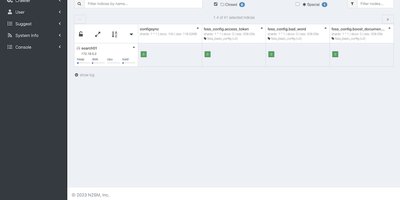
Eliminate indexing blind spots across fragmented company networks with Fess, a distributed enterprise search engine that crawls internal document repositories, corporate intranets, and cloud services to provide employees with instant, permission-aware file discovery. Organizations can schedule automated crawlers across web pages, network shares, databases, and third-party storage platforms to extract text and generate visual thumbnails from PDFs, spreadsheets, presentations, and compressed archives. Users can search indexed records using natural language queries, filtering results by file metadata, creation dates, categories, and geographic coordinates while viewing contextual snippets with highlighted keyword matches. Granular role-based permissions mirror directory security structures from Active Directory and LDAP so staff only see search results for documents they have explicit authorization to inspect. The browser-based administrative console lets operations teams define path mapping rules, manage virtual hosts, monitor active crawl jobs, inspect error logs, and configure scheduled re-indexing workflows without modifying server configuration files. Security teams can establish single sign-on across the organization using SAML or OpenID Connect authentication providers to secure administrative workflows and search portals. Running on a dedicated VPS on RepoCloud with guaranteed CPU, RAM, and SSD, full root SSH access, and a browser serial console. Apache 2.0 licensed.
Sonarr
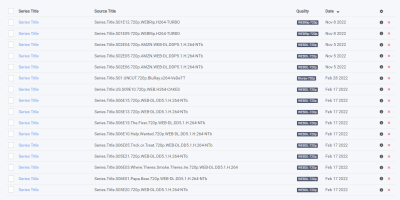
Add a series once, set a quality profile, and everything downstream is automated: Sonarr is the smart PVR for Usenet and BitTorrent users. It monitors RSS feeds from your indexers, detects new episodes the moment they release, sends matching grabs to SABnzbd, NZBGet, qBittorrent, Deluge, or another download client, then renames files with fully configurable templates, sorts them into consistent folder structures, and notifies Plex, Kodi, or Jellyfin to update the library. Quality profiles define what's acceptable (HDTV, WEB-DL, Blu-ray, up to 4K) and an upgrade cutoff - when a better release appears, Sonarr replaces the existing file automatically, stepping from HDTV to WEB-DL to Blu-ray until the cutoff is met. Custom formats add weighted scoring for finer-grained release selection, with community-maintained TRaSH Guides presets as the widely accepted defaults. Failed downloads are handled without intervention: Sonarr retries with another release, and manual search shows every candidate with the reasons any was rejected. It scans existing libraries for missing episodes, fully supports specials, multi-episode files, and daily and anime series types, and a calendar view shows upcoming episodes across every tracked show. Runs on Linux, Windows, macOS, and Raspberry Pi, and pairs naturally with Prowlarr for centralized indexer management.
BullFlow
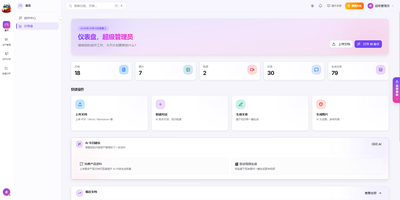
Generic AI writing sounds like nobody in particular; BullFlow writes from your own company knowledge instead. It first builds a private knowledge base from your documents, images, audio, and video plus structured records for your company, brand, products, customers, and cases. Ingestion runs entirely on local open models: OCR reads scans, semantic splitting and chunking prepare text, and hybrid vector plus full-text search retrieves passages with their sources and relevance scores shown under every answer. A creation agent then works in one conversation: it searches the knowledge base, drafts articles with images embedded in the text, generates image sets or short videos, and exports finished pieces as PDF or Word. Output adapts to where it is going, long-form articles for article platforms, multi-image posts with matching copy for image feeds. A separate distribution gateway sends one finished piece to many accounts across Chinese and international social platforms, checks account health on a schedule, and returns publish results and metrics by webhook. Around all of that sits a commercial shell: multiple tenants with isolated data, roles from super admin to finance, credit billing measured per token, image, and second, subscriptions, invoices, referral commissions, and a conversion funnel in the operations backend. Scheduled rules can generate and publish on a timetable with nobody watching, and notifications report each completion or failure. Running on a dedicated VPS on RepoCloud with guaranteed CPU, RAM, and SSD, full root SSH access, and a browser serial console. MIT licensed.
Doca
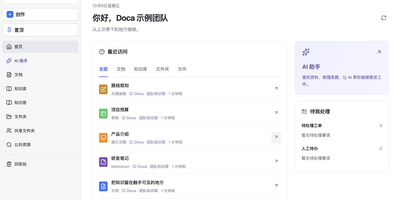
Doca puts rich text, Markdown, spreadsheets, slides, and an infinite canvas under one login and one permission model, giving individuals and small teams a self-hosted workspace for writing together. Every format supports real-time co-editing with presence, comments, saved history, and manual snapshots, and rich text and Markdown documents can be restored to an earlier version. Documents live in knowledge libraries with tree navigation, invitations, inherited permissions, share links, and trash, while personal files and shared folders sit on local disk or S3-compatible storage. Knowledge books go further: they subscribe to sources, run an editable workflow, keep source evidence, and route results through human review. A personal AI assistant, powered by whichever model you configure, searches authorized documents, reads PDF and Office attachments, edits images, and prepares browser drafts. MCP services let external AI clients such as Codex use those tools under your permissions. Sign in with a password, OIDC, Google, GitHub, WeChat, or QQ, review registrations before they go live, and send webhooks to other systems. A plugin SDK and marketplace add business modules, and a browser extension clips pages into documents. The interface ships in Chinese and English. Running on a dedicated VPS on RepoCloud with guaranteed CPU, RAM, and SSD, full root SSH access, and a browser serial console. MIT licensed.
TencentDB Agent Memory
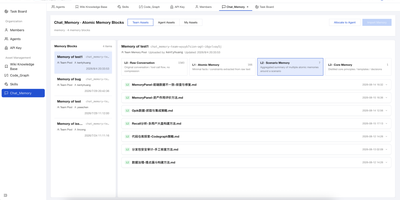
TencentDB Agent Memory provides a team-level memory hub that transforms AI agent conversations, documents, and codebases into four governed, shareable memory assets: Chat Memory for conversation history, Skills extracted from completed tasks, LLM-Wiki built from document ingestion, and Code-Graph generated from codebase analysis. The four-tier semantic pyramid structures long-term memory from L0 raw conversation capture through L1 episodic extraction and L2 scenario aggregation to L3 persona synthesis, enabling hierarchical drill-down via node and result references instead of flat vector recall. The Node.js Gateway sidecar handles capture, extraction, storage, recall, and pipeline scheduling through RESTful HTTP v2 endpoints on port 8420, while the Memory Proxy intercepts Anthropic-format API calls to inject team memory context into Claude Code, CodeBuddy, and other coding agents transparently. Local SQLite with the sqlite-vec extension provides the default storage backend with hybrid BM25 keyword plus vector embedding plus reciprocal rank fusion retrieval requiring zero external API dependencies. Teams manage ownership, versions, status, visibility, usage counts, and agent bindings through the Memory Hub dashboard with role-based access control separating System Admin and team-level Admin and Member permissions. Official TypeScript and Python SDKs provide programmatic access for custom framework integration beyond the built-in OpenClaw plugin and Hermes Agent adapter. Running on a dedicated VPS on RepoCloud with guaranteed CPU, RAM, and SSD, full root SSH access, and a browser serial console. MIT licensed.
Flame
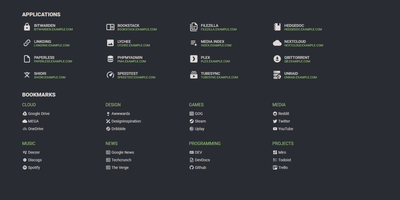
A server full of scattered services becomes one clean application hub under Flame - a self-hosted startpage where every bit of configuration happens in built-in GUI editors, never a config file. Applications and bookmarks are created, edited, and organized into categories directly in the browser, and favorites pin to the homescreen for one-click access. The integrated search bar filters your apps and bookmarks locally as you type, and prefix shortcuts (like /g for Google) route queries to any of 11 web search providers or custom ones you define, making Flame a genuine browser homepage rather than a static link wall. Docker integration is the standout for homelabs: mount the Docker socket, add flame.type, flame.name, and flame.url labels to containers, and new services appear on the dashboard automatically - Kubernetes Ingress annotations work the same way. A weather widget shows temperature, cloud coverage, and animated conditions for your coordinates, and password authentication protects settings and items. Appearance is deeply customizable with 15 built-in color themes, a custom theme builder, and full custom CSS support. The stack is Node.js with SQLite behind a React frontend - light, fast, and inspired by the minimalist SUI design.
Lemmy
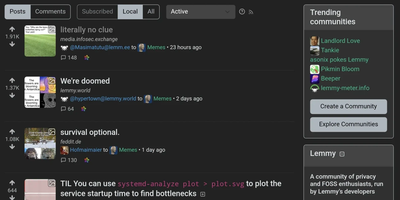
Powering over 496 instances with more than 35,000 monthly active users and 26,500 communities, Lemmy has established itself as the leading open-source, federated link aggregation platform in the Fediverse. Built entirely in Rust for memory-safe, high-performance server operation, Lemmy enables anyone to run their own Reddit-style community that automatically connects with every other Lemmy instance — and compatible ActivityPub platforms like Mastodon, PieFed, and Kbin — through standardized federation protocols. Users create and subscribe to topic-based communities, submit posts containing text, links, or images, engage through threaded comment discussions, and shape content visibility through upvote/downvote mechanisms. Instance administrators retain full control over moderation policy, federation allowlists and blocklists, site appearance, and user registration settings, while community moderators can sticky posts, lock threads, ban users, and maintain public moderation logs for transparency. The platform supports private messaging between users, email notifications, RSS and Atom feed generation for every community, comprehensive internationalization with dozens of language packs, custom emoji support, and both light and dark themes through a clean mobile-responsive interface. Deployment is straightforward with official Docker Compose configurations and Ansible playbooks, backed by a PostgreSQL database with pict-rs for image hosting. Lemmy's Rust backend consistently benchmarks among the most efficient Fediverse server implementations, enabling small VPS instances to serve thousands of users. Running on a dedicated VPS on RepoCloud with guaranteed CPU, RAM, and SSD, full root SSH access, and a browser serial console. AGPL-3.0 licensed.
PilotDeck
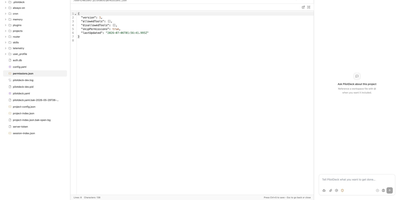
PilotDeck introduces a WorkSpace-first architecture where each project receives its own isolated file system, memory store, and skill set, preventing context bleed between parallel tasks. White-box memory makes generation, extraction, storage, and retrieval fully visible, letting users audit, edit, pin, and rollback individual entries when the agent misremembers, while Dream Mode consolidates memory fragments during idle windows. Smart Routing auto-detects task difficulty and sends complex calls to flagship models like Claude Sonnet or GPT-4o while routing simple requests to lighter models, achieving claimed 70% cost savings through on-device and cloud co-orchestration with TokenSaver tiering and sticky session binding. Always-on background execution keeps agents running after the user closes the browser, with Discovery and Cron-based scheduling for recurring workflows. The platform natively supports the Model Context Protocol for first-class MCP server integration, community skills via ClawHub on npm, lifecycle hooks intercepting PreToolUse and UserPromptSubmit events, and custom memory store providers. Multi-provider fallback automatically switches to backup providers on timeout or rate-limit errors. The WebSocket and HTTP gateway serves web, CLI, desktop, and Feishu IM channels from a single configuration. Running on a dedicated VPS on RepoCloud with guaranteed CPU, RAM, and SSD, full root SSH access, and a browser serial console. AGPL-3.0 licensed.
Infinite Canvas
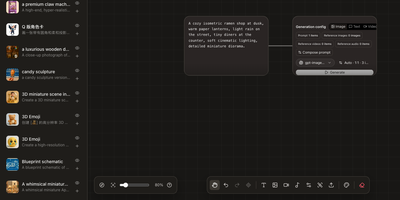
Instead of juggling a chat window, a folder of reference images, and a notebook of half-remembered prompts, Infinite Canvas puts the whole image-making process on one zoomable board. Drop in text, image, video, and generation-settings nodes, then wire them together so every result stays connected to the prompt and references behind it. Add one or several OpenAI-compatible endpoints, choose default text, image, and video models, and set image count, aspect ratio, quality, and transparent backgrounds per node. Batch results arrive as linked nodes that remember their prompt, model, and dimensions, so any of them can be retried later with the same settings. A prompt library searches seven built-in sources plus your own JSON sources and inserts the winner straight onto the board. An asset shelf keeps reusable images, clips, and audio within reach. Projects can be duplicated, exported, and synced between devices over WebDAV. Want a helper? A local Canvas Agent lets Codex read the active board and edit it through MCP, with approvals and permissions shown in a side panel. Plugins add node types, inspectors, and toolbar actions. Running on a dedicated VPS on RepoCloud with guaranteed CPU, RAM, and SSD, full root SSH access, and a browser serial console. MIT licensed.
Frappe Insights
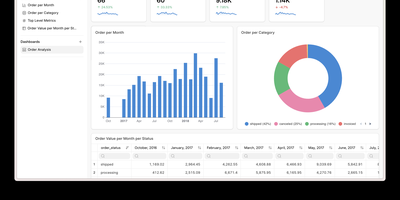
Frappe Insights delivers a self-hosted business intelligence platform where non-technical users build complex analytical queries without writing SQL. The visual query builder uses Ibis under the hood to compose optimized SQL from drag-and-drop column selections, filters, aggregations, and group-by operations — translating point-and-click interactions into performant database queries across MySQL, PostgreSQL, DuckDB, and BigQuery. The join editor provides a graphical interface for defining multi-table relationships, letting analysts connect data across schemas without understanding foreign keys or join types. The chart builder renders interactive visualizations using Apache eCharts with support for bar, line, area, pie, scatter, funnel, and pivot table chart types — each configurable with axes, colors, legends, and formatting options. Dashboards combine multiple charts into shareable views with layout customization, auto-refresh intervals, and filter propagation across widgets. Data source management handles connection pooling across multiple databases simultaneously, enabling cross-database analysis in single queries. Server scripts extend query capabilities with custom Python transformations for complex business logic that visual tools cannot express. Built on the Frappe Framework's full-stack architecture, deployment uses Docker via the official easy-install script that provisions the complete stack including MariaDB, Redis, and Nginx. Running on a dedicated VPS on RepoCloud with guaranteed CPU, RAM, and SSD, full root SSH access, and a browser serial console. AGPL-3.0 licensed.
Directus
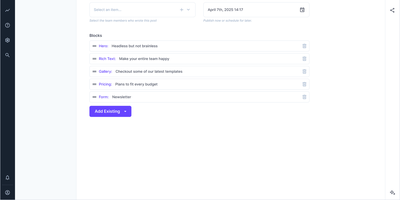
With 37,000 GitHub stars and over 45 million downloads powering 500,000+ deployed projects, Directus is the most widely adopted open-source backend platform that connects to your existing SQL database without requiring schema migrations or data duplication. Point it at PostgreSQL, MySQL, MariaDB, MS SQL, SQLite, OracleDB, or CockroachDB and it instantly generates production-ready REST and GraphQL APIs complete with filtering, sorting, pagination, field selection, and relational queries — all derived from your actual schema with zero configuration. The visual Studio provides a full no-code management interface where non-technical teammates create content, manage assets, build dashboards, and configure access policies without engineering involvement. Field-level granular permissions govern every API request and Studio action through composable policies applied to roles, users, and AI agents identically. A built-in AI Assistant writes copy, translates content across languages, creates records, and routes items for review directly within the Studio interface. The native Model Context Protocol server connects Claude Desktop, Cursor, ChatGPT, or any MCP-compatible tool to your live data governed by the same access policies. Real-time WebSocket subscriptions push collection changes instantly for collaborative editing and live dashboards. Extensibility covers custom endpoints, hooks, interfaces, displays, layouts, modules, and operations. Deploy via Docker with environment-variable configuration or use Directus Cloud for managed hosting. Running on a dedicated VPS on RepoCloud with guaranteed CPU, RAM, and SSD, full root SSH access, and a browser serial console. BSL-1.1 licensed with free self-hosting.
RankMe
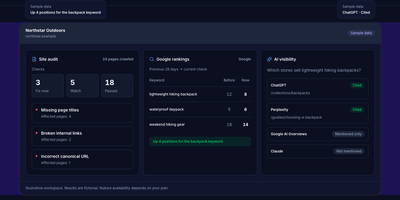
RankMe puts the whole SEO workbench on your own server: audits, rankings, keywords, backlinks, and AI visibility without a per-seat subscription deciding what you may check. Crawl a site and it runs 26 automated checks, returning a plain-language report sorted into Fix now, Watch, and Passed, where each finding names the page, explains in one sentence why it matters, and tells you how to fix it, with an optional AI summary on top. Rank tracking follows Google organic positions over time plus Bing, YouTube, and Amazon, watches SERP features, fires confirmed-drop alerts, and maps local rankings on a geogrid. Keyword research covers volume, difficulty, trends, and SERP-overlap clustering, while Search Console data feeds cannibalization reports and connects to GA4, PageSpeed Insights, and CrUX for performance context. Backlink profiles, link-gap analysis, toxic-link review, and competitor discovery show who links to rivals and which content earns it. A dedicated AI visibility module tracks prompts in AI Overviews and LLM answers and measures share of voice in a weekly digest. Agencies get PDF and CSV exports, scheduled white-label client reports, read-only share links, a REST API, and an MCP server, with alerts delivered by email, Slack, or signed webhook across seven interface languages. Running on a dedicated VPS on RepoCloud with guaranteed CPU, RAM, and SSD, full root SSH access, and a browser serial console. AGPL-3.0 licensed.
Open Mercato
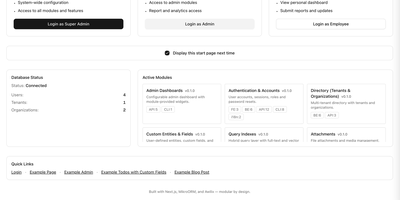
Your next business system does not need a year of scaffolding: Open Mercato hands you a running CRM, ERP, and commerce back office, and your team builds only the logic that makes your company different. Deals and pipelines live next to the product catalog, so a quote pulls real variants, price lists, and stock without swivel-chair exports. Orders flow into invoices, shipments, and payments in one motion, while warehouse lots and stock movements keep fulfillment honest about what can actually ship today. Customers and partners stop emailing your team for status: the self-service portal takes B2B orders, shows tracking, and files warranty claims directly. When a record needs a field nobody planned for, an administrator adds the custom entity from the panel, no migration deploy, and shapes its lifecycle with per-tenant workflows and business rules. Every change lands as an auditable command with an author attached, so mistakes get undone, sensitive columns get encrypted per tenant, and several companies share one install without seeing each other's data. Storefronts and mobile apps plug into generated REST APIs with OpenAPI documentation, attachments turn searchable through OCR, and AI coding agents extend the system because the architecture conventions are written down for them. Running on a dedicated VPS on RepoCloud with guaranteed CPU, RAM, and SSD, full root SSH access, and a browser serial console. MIT licensed.
Dashy
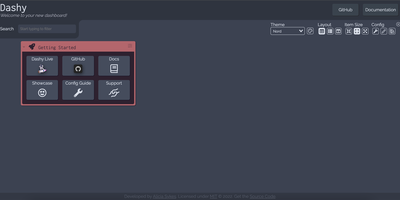
Every service you run, behind one polished start page: Dashy is the most customizable homelab dashboard, built as a Vue.js homepage. Configuration lives in a single YAML file, but you never have to hand-edit it: an integrated UI editor with real-time validation writes changes back to disk, so both config-as-code and point-and-click camps are served. Status indicators put a live health dot next to every app - HTTP checks or pings on custom intervals, with response time and status details on hover - giving you an at-a-glance uptime overview before anything breaks. Over 50 built-in widgets pull dynamic content from the services you already run: Pi-hole and AdGuard block stats, Proxmox lists, Nextcloud status, Netdata CPU/memory history, Prometheus data, plus weather, RSS, crypto prices, and generic iframe/API-response widgets for anything with an endpoint. Instant fuzzy search launches any app as you type, with customizable hotkeys and web-search fallthrough. Theming is deep: dozens of built-in themes, a UI color palette editor, and custom CSS over CSS variables. Alternate views include a fast-loading minimal startpage and a workspace view that embeds apps side-by-side without leaving the dashboard. Icons resolve from Font Awesome, homelab icon packs, emojis, or auto-fetched favicons. Built-in authentication, multi-page support, cloud backup/sync, and multi-language round out an MIT project with a massive community.

Cal.diy
With over 47,000 GitHub stars, Cal.diy is the fully open-source community fork of Cal.com that strips away every proprietary license gate and enterprise paywall to deliver a pure MIT-licensed scheduling platform you completely own. The booking engine supports individual event types including recurring events, seated events with capacity limits, and paid bookings through Stripe and PayPal, all backed by customizable availability schedules with date overrides, buffer times, minimum notice periods, and travel schedule support. Calendar synchronization is bidirectional across nine providers — Google Calendar, Outlook and Office 365, Apple Calendar, CalDAV, Lark, Feishu, Zoho, Exchange, and ICS feeds — so every booking automatically appears on your existing calendar while blocking conflicting slots. Video conferencing links generate automatically for Zoom, Google Meet, Microsoft Teams, Webex, Jitsi, Daily.co, Whereby, and Huddle01, eliminating manual link management. The automation layer connects through webhooks, Zapier, n8n, Make, and Pipedream to CRM platforms like HubSpot, Salesforce, and Close, messaging services including Discord, Telegram, and WhatsApp, and analytics tools such as Google Analytics 4, PostHog, and Fathom. The entire application is built on the T3 stack — Next.js for server-rendered pages, tRPC for end-to-end type-safe APIs, Prisma for PostgreSQL database access, and Tailwind CSS for the responsive interface. Unlike Cal.com's open-core model, Cal.diy requires no license key and includes no gated features. Running on a dedicated VPS on RepoCloud with guaranteed CPU, RAM, and SSD, full root SSH access, and a browser serial console. MIT licensed.
Oh My CPA
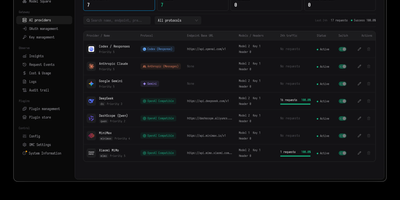
Oh My CPA gives a CLIProxyAPI gateway a proper control room, where providers, OAuth credentials, client keys, model routing, and the cost of every request are managed and watched from one self-hosted console. You add providers such as Codex, Claude, Gemini, xAI, DeepSeek, Vertex AI, and OpenAI-compatible services, each with credentials, retry and error policies, priority, weight, and an enable switch the gateway actually enforces. OAuth accounts are signed in from the console, with quota window readings, refresh schedules, and per-credential model aliases kept next to the keys they belong to. Client keys can be created, named, and revoked, and those names follow the traffic into request records and filters so you always know which key spent what. The dashboard follows request volume, token throughput, cache hit rate, and cost from the last fifteen minutes out to ninety days, with a year-long token heatmap for the long view. Insights compare keys, models, providers, and credentials against the previous period, while the live routing view shows which credential each request travelled to and whether it was rerouted. Every request stays searchable, with duration, time to first token, token breakdown, and the raw log in a detail drawer. A playground tests any routed model with text and images before your users do. Running on a dedicated VPS on RepoCloud with guaranteed CPU, RAM, and SSD, full root SSH access, and a browser serial console. MIT licensed.
Fluxer
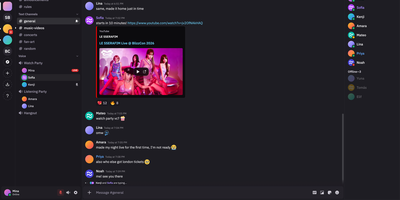
Fluxer gives friends, gaming groups, and private communities their own self-hosted instant messaging and VoIP platform that replaces Discord with private text channels, voice rooms, video calls, and screen sharing. Members can chat one-on-one in direct messages, form multi-person group conversations, or organize large community servers into categorized text and voice channels with threaded replies, reactions, and typing indicators. When a conversation moves to voice, participants can join low-latency audio and video rooms from multiple devices simultaneously, share application windows or full screens, and rely on built-in noise suppression and echo cancellation for clear calls. Rich media support allows users to share file attachments, preview embedded links, search animated GIFs through KLIPY, and upload custom community emojis and stickers. Server administrators control access through role-based permission hierarchies, member timeouts, kicks, bans, and detailed moderation audit logs that track every configuration change across the community. Integrated full-text search lets members quickly locate historical messages, code snippets, and shared files across every channel they can access. Running on a dedicated VPS on RepoCloud with guaranteed CPU, RAM, and SSD, full root SSH access, and a browser serial console. AGPL-3.0 licensed.