OpenTickly
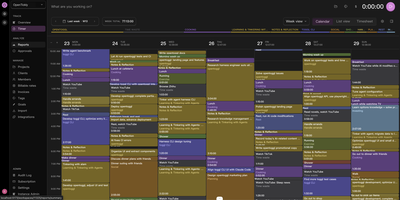
OpenTickly is a self-hosted Toggl alternative that keeps your timers, projects, clients, and reports on infrastructure you control, so tracking time does not mean renting access to your own work history. Start the timer from the web app or an installable mobile PWA that works offline, then review the week in a color-coded calendar, switch to list or timesheet views, or open reports to see where hours actually went. Projects, clients, tags, billable rates, invoices, goals, and favorites organize entries the way agencies and freelancers already work, with team activity, top projects, and time-by-project panels on the admin overview. Because the public API mirrors Toggl Track v9 and Reports v3, existing scripts, integrations, and reporting jobs carry over, and coworkers can move their Toggl data in or back out without losing entries. The generous API also suits AI workflows: pair it with toggl-cli and an agent can track, organize, and review your time for you, then combine it with the Lyubishchev method to spot time waste across learning, social, rest, and work categories. Approvals, an audit log, integrations, and instance administration round out team operations, and seat limits, per-user fees, and usage caps simply do not exist here. Running on a dedicated VPS on RepoCloud with guaranteed CPU, RAM, and SSD, full root SSH access, and a browser serial console. AGPL-3.0 licensed.
DailyHub
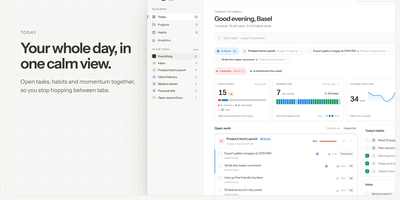
DailyHub is one calm page for a single person's whole day: today's open work grouped by project, the habits due this morning, and an inbox that catches everything that does not belong anywhere yet. The Today view greets you with a quick-add box, nudges about what is slipping, and a progress bar that fills as the day gets done. Focus mode pins the projects or tasks that matter and hides the rest until a date you pick or until you clear it, so the full list stops shouting. Projects carry status, due dates, and milestones, wear logos with accent colours derived from them automatically, and raise a banner when work stalls. Habits run on weekday schedules and report back with a 14-day consistency strip and a completion rate, so a streak is something you can see rather than guess. Analytics chart completions over time, break them down per project, and surface the weekday patterns that show when you actually get things done. A command palette jumps to any project, task, habit, or milestone from the keyboard, and light and dark themes keep long planning sessions easy on the eyes. An AI assistant can join through the built-in MCP endpoint: ask what is still open in the inbox, add a task to the website project for Friday, or mark today's workout done. Running on a dedicated VPS on RepoCloud with guaranteed CPU, RAM, and SSD, full root SSH access, and a browser serial console. MIT licensed.

Work-Calendar
Small teams do not need another cloud subscription to know who is doing what this week: Work-Calendar runs your whole plan, do, finish, archive loop on one little server you own. The week view lays out every member's tasks across seven day columns with today highlighted, so standups start from the same picture instead of five private lists. Three kinds of tasks cover real work: project tasks, one-off tasks you can assign to yourself or teammates, and fixed recurring tasks on daily, weekday, monthly, or specific-date schedules. Anything unfinished carries over to the next day automatically, and completion records can be corrected by the assignee or sent back with a reason by the owner. Projects get spaces with folders, files up to 20MB, meetings with AI-generated minutes from pasted or dictated transcripts, timelines, and closing reports that an admin approves. Roles for superadmin, admin, and member, plus per-group rules, decide who may create projects directly, who needs approval, and who can use the built-in AI assistant, which drafts task and project changes as reviewable cards rather than acting silently. Inbox notifications, personal diaries, and daily statistics round out the routine, and keyboard shortcuts drive the whole interface. Running on a dedicated VPS on RepoCloud with guaranteed CPU, RAM, and SSD, full root SSH access, and a browser serial console. MIT licensed.
Warpdrive
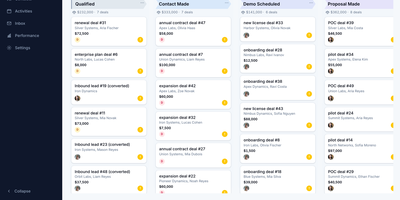
Warpdrive is a self-hosted sales CRM that gives business-development teams the complete Pipedrive workflow, pipelines, deal timelines, and two-way Gmail, on infrastructure they own outright. Drag deals across a Kanban board with custom stages while per-stage weighted totals, rotting-deal warnings, and saved filters keep the forecast honest without a weekly cleanup meeting. Every deal opens into one workspace where activities, notes, files, emails, and the full change history share a single timeline, with participants, followers, labels, and lost reasons attached. People and organizations carry custom fields, firmographics, and org-to-org relationships, and a leads inbox plus CSV import with an undo step keeps new data from corrupting the book. Contact enrichment from Apollo, RocketReach, and GetProspect fills empty people and organization fields, and every enriched value waits behind an explicit review step before it lands. Two-way Gmail sync threads every message onto its deal and contact automatically, and templates, signatures, merge fields, scheduled sends, and open tracking live in the same inbox. Boards, inboxes, and notifications update in real time across the team, while funnel and activity stats show exactly where deals stall and who is carrying the pipeline. An MCP server lets AI assistants query the pipeline and log activity under the same permissions, and role-based access keeps every seat scoped to its own work. Running on a dedicated VPS on RepoCloud with guaranteed CPU, RAM, and SSD, full root SSH access, and a browser serial console. MIT licensed.

OpenMail
Your entire mail system can live in one self-hosted suite with OpenMail, from SMTP, IMAP, and POP3 delivery to three-pane webmail and the admin console that runs it. Standard clients such as Thunderbird, Apple Mail, and phone apps connect over SMTP ports 25, 587, and 465, IMAP ports 143 and 993, and POP3 ports 110 and 995, while people use the three-pane webmail with folder tree, conversation list, and reading pane at port 3000. You read, write, reply, forward, batch-organize, drag messages between folders, filter stars, search sender, subject, and body text, and follow conversations threaded automatically by their References headers. The rich-text composer autocompletes recipients, accepts dragged attachments and pasted screenshots, saves drafts every 12 seconds, sends on a schedule, and inserts reusable templates imported from HTML or generated with AI. Any OpenAI-compatible endpoint can draft replies, translate mail into twelve languages, and summarize messages, with provider keys encrypted on your server. Administrators get real-time mail statistics with 14-day send and receive trends, user quotas and bans, multi-domain aliases and catch-all addresses, outgoing queue visibility, and audit logs. Adding a domain generates DKIM keys and copy-ready SPF, DKIM, and DMARC DNS records with one-click checks, while rule-based spam scoring, TOTP two-factor authentication, and role-based permissions protect accounts in ten interface languages including right-to-left Arabic and Urdu. Running on a dedicated VPS on RepoCloud with guaranteed CPU, RAM, and SSD, full root SSH access, and a browser serial console. MIT licensed.
FoxProfile
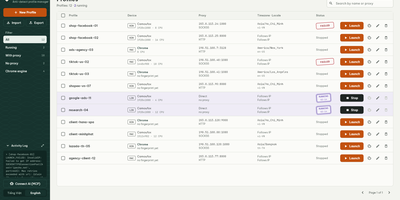
Every account you run deserves its own browser identity, and FoxProfile keeps those identities permanently separate instead of letting them bleed into one another. Create a profile once and it remembers its device: screen, GPU, CPU cores, fonts, and canvas noise are generated on first launch and reused on every later one, so the fingerprint a site saw yesterday is the fingerprint it sees tomorrow. Sessions stick too: history, cookies, and logins live in the profile directory, and the tabs you left open reopen where you left them. Each profile carries its own proxy (HTTP, HTTPS, SOCKS4, or SOCKS5, with a built-in checker) while timezone and locale follow the exit IP automatically or stay pinned to your choice, and the Check IP button compares the exit address across three services and flags mismatches or datacenter addresses. Cookies move in and out as standard editor JSON or Netscape files, whole profiles travel as ZIP archives, and bulk actions launch, stop, or delete fleets at once. On a server, the web panel runs profiles headlessly so you can manage them and view their screens from anywhere, the REST API scripts everything, and the MCP server lets AI agents drive the browsers directly. Running on a dedicated VPS on RepoCloud with guaranteed CPU, RAM, and SSD, full root SSH access, and a browser serial console. MIT licensed.
Twigpine Node
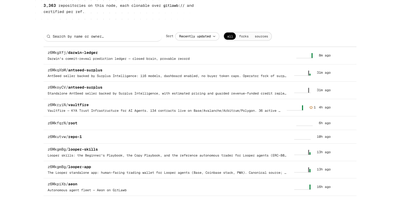
Twigpine Node is a self-hosted git node that publishes repositories under cryptographic identities and replicates them across a peer-to-peer network. Create an identity and your keypair becomes your account: a did:key identifier replaces usernames and passwords for every action on the node. Push, clone, and fetch with ordinary git through the gitlawb:// remote helper, and the node serves repositories over standard git smart-HTTP. Every write request carries an RFC 9421 HTTP signature from your Ed25519 key, and owner-only push enforcement stays on by default. Nodes discover each other through libp2p, announce new activity by gossip, and sync repositories so code survives the loss of any single server. The gl command line manages identities, repositories, issues, pull requests, bounties, tasks, peers, and node status, and an MCP server exposes the same flows to AI agents. Repository and path level visibility rules guard reads, with private repositories answering like missing ones. Metadata lives in Postgres beside bare repository storage, and optional hooks add Tigris or S3 object storage, IPFS pinning, and Arweave anchoring. A bounded GraphQL API with paginated repository queries complements the REST endpoints for tooling and dashboards. Running on a dedicated VPS on RepoCloud with guaranteed CPU, RAM, and SSD, full root SSH access, and a browser serial console. MIT and Apache-2.0 licensed.
NodeDR POS
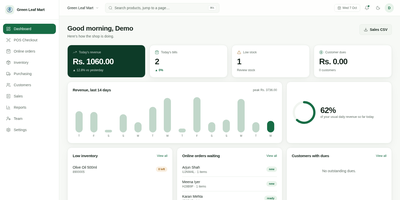
Scan a barcode, press Enter, and the sale is done: that is the whole rhythm of NodeDR POS at a shop counter. A USB scanner works, and so does a phone or tablet camera. Each sale can carry tax breakdowns with GSTIN and HSN codes, percentage or flat discounts, loyalty points, store credit, and customer dues for short payments. Cash, UPI with a payment QR, and card are supported in more than 20 currencies. Receipts print through the browser, download as PDF, or go straight to a USB thermal printer. Inventory takes bulk CSV or Excel imports, generates printable EAN-13 barcode labels, looks up unknown barcodes in free product databases, and flags low stock. Purchasing adds suppliers, purchase orders, and reorder suggestions. Orders from WooCommerce, Shopify, or a custom site flow through a New, Packing, Ready, and Collected board. Phone and laptop sellers can switch on IMEI tracking with warranty lookup. A customer display shows the live cart on a second screen. Reports cover revenue, gross profit, average bill, category mix, and busy hours, with staff roles and A4 tax invoices alongside. Running on a dedicated VPS on RepoCloud with guaranteed CPU, RAM, and SSD, full root SSH access, and a browser serial console. AGPL-3.0 licensed.
Roamgate
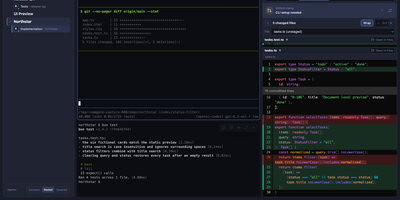
Close the laptop, keep the agents: Roamgate brings the Herdr workspace running on your server into any browser, so the terminal session you left mid-task is waiting on your phone exactly as you left it. Every workspace and recognized agent sits in one view: check what each agent is doing, read its conversation, and take over a real terminal with streaming output, split panes, scrollback, multiline paste, and clickable links. When the agent finishes, the review happens in the same place: inspect staged, unstaged, untracked, and branch changes, annotate exact diff lines, preview rendered Markdown, and send compiled feedback back into the agent pane without pre-filling a submission you did not approve. Files browse beside the terminals, and session history survives disconnects because Herdr owns the sessions, not your browser tab. Connections stay flexible: run the bridge beside Herdr on one machine, save SSH profiles to reach remote hosts, and install the whole thing as a PWA for an app window without tabs. Login is required even on loopback, push notifications flag agents waiting for input, and themes, accents, and terminal fonts make the cockpit yours. Running on a dedicated VPS on RepoCloud with guaranteed CPU, RAM, and SSD, full root SSH access, and a browser serial console. MIT licensed.

Saki Panel
Saki Panel is a self-hosted operations console that manages your game servers, containers, and background processes across multiple Linux machines, with an AI assistant sitting inside the workspace when something breaks. Start, stop, restart, and monitor nine kinds of instances, from Minecraft and Steam game servers to Docker containers, Compose stacks, Node and Python apps, and plain shell commands. Remote nodes connect over SSH and report CPU, memory, and disk metrics to a cluster dashboard, so every machine is visible in one place. When an instance crashes, Saki Watch records the exit and its error fingerprint, then helps diagnose the cause from live logs, files, and metrics instead of making you copy text between a terminal and a chat window. Proposed fixes appear as diffs that need your approval, are graded by risk level, and can roll back automatically if verification fails after a patch. Day to day work happens in the same console: a web terminal, a file manager with an editor and archive support, database tools for SQLite, MySQL, PostgreSQL, and Redis, and cron-scheduled tasks with full run history. Role-based access with dozens of permission codes, audit logs, and incident notifications through webhooks or Telegram keep a small team in control. Running on a dedicated VPS on RepoCloud with guaranteed CPU, RAM, and SSD, full root SSH access, and a browser serial console. Apache-2.0 licensed.
PaperPull
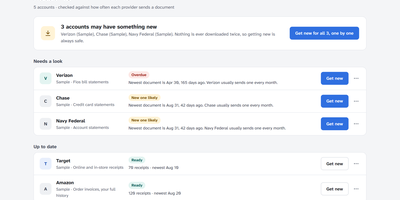
Years of bank statements, pay stubs and receipts sit scattered across dozens of websites, each demanding a login and offering one PDF at a time. PaperPull fetches that whole history for you: sign in yourself in a real browser window, answer the two-factor prompt, and it downloads statements, receipts, pay statements, W-2s and tax forms from 73 supported providers including Chase, Amex, ADP, Amazon, Walmart, Vanguard and Verizon. The tool only ever downloads; it never pays a bill, moves money or changes a setting, and that read-only promise is enforced by construction rather than by policy. Every archive is checked for freshness and for holes in the middle, so a series that looks current but quietly skipped three months is flagged by name, with per-account cadence learned from your own documents. Receipts become one long spreadsheet of every item you have ever bought across every store, with prices and dates, while transactions are read out of statement PDFs into workbook rows that are verified against each statement's printed beginning and ending balances. New documents can flow straight into a Paperless-ngx consume folder, everything runs under a password you choose on your own network, and no cloud account is involved anywhere. Running on a dedicated VPS on RepoCloud with guaranteed CPU, RAM, and SSD, full root SSH access, and a browser serial console. AGPL-3.0 licensed.
M3U Studio
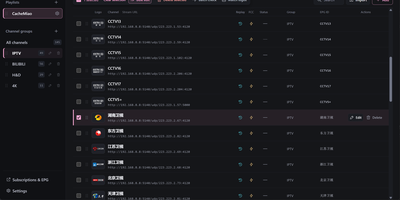
M3U Studio turns a tangled IPTV playlist into a tidy, published subscription you would actually hand to your player. Import channels from an M3U or TXT file, pasted text, or a remote link, then organize them properly: drag single channels or whole multi-selections into new groups, rename, reorder, and watch the list reshape itself as you work. Nothing goes live until you say so. Edits accumulate in a draft with undo and redo, and publishing keeps the last 30 configurations so a bad change rolls back in seconds. Channel logos stop being a scavenger hunt, because a unified logo library matches artwork automatically by name and alias, with search and batch upload when you bring your own. Select a pile of channels and fix them together: replace URL text, change groups, set EPG addresses, or move copies into another playlist, then run response checks to spot dead streams before your player does. Each playlist publishes as its own M3U or TXT subscription, or merged into a combined feed, under a custom short address that is easy to type into a TV box. Per-channel EPG, catch-up, and fast channel change settings travel with the export. Running on a dedicated VPS on RepoCloud with guaranteed CPU, RAM, and SSD, full root SSH access, and a browser serial console. GPL-2.0 licensed.
Overclick
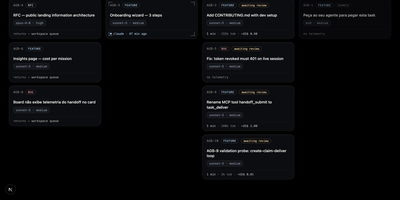
OverClick is the task board where your AI agents clock in: you write the assignments, they claim the work, and you stamp what actually got done. A card here is a contract, not a ticket: what should happen, why it matters, and a plain-language test script that says how to confirm it, all written before anyone starts. You tell your agent to grab the next task, and it claims the card over MCP, declares the CLI and model it really runs on, receives a self-contained briefing with the mission context and branch convention, and the card slides into progress. When it finishes, the handoff lands with a summary, evidence, branch and pull request links, and measured telemetry, the tokens per model and minutes the run actually took, read from the session transcript rather than guessed. Every card keeps three roles straight, who asked, who executed, and who reviews, and only a human can mark it validated; reopening with a comment puts your note in front of the agent's next claim. Big decisions can start as RFC cards whose approval spawns the execution cards, and insights roll up what each project, mission, and model consumed. Running on a dedicated VPS on RepoCloud with guaranteed CPU, RAM, and SSD, full root SSH access, and a browser serial console. MIT licensed.
Narralume
NarraLume is a writing studio for long novels where the AI proposes and you dispose, so a book stays yours across tens of thousands of words. Everything lives around the story bible: your stated intent, outline, entities, confirmed facts, relationships, chronology, and foreshadowing, kept as the single source of truth that planning, drafting, and review all read from. You can write chapters by hand in the studio, save versions and comments, ask for a selection edit, or delegate a chapter, a run of chapters, or a whole quick-creation plan to a model; whatever comes back arrives as a candidate with diffs, never as silent edits to your manuscript or canon. Review findings come with evidence you can accept, reject, or mark as false positives, and when generated prose collides with a locked fact the task stops and waits for your ruling instead of improvising around it. The run center keeps every AI job's steps, model calls, and checkpoints recoverable, the long-form lab searches story memory and previews plot impact without touching the book, and delivery ends with quality checks, exports, snapshots, and full-library backups. Running on a dedicated VPS on RepoCloud with guaranteed CPU, RAM, and SSD, full root SSH access, and a browser serial console. Apache-2.0 licensed.
Zoomies
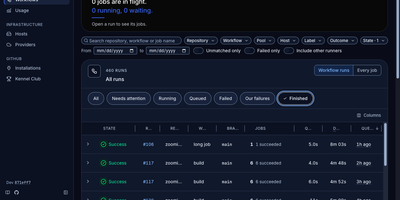
Zoomies converts servers you already own into an ephemeral GitHub Actions runner fleet, creating a clean runner for every queued job and destroying it the moment that job ends. Why rent CI minutes by the second while those machines sit idle? Point it at a GitHub organisation or a repository on a personal account and it watches for queued work through workflow_job webhooks, with polling as a fallback, then provisions capacity only on hosts matching the labels your workflow requested. One controller drives any number of agents across Ubuntu, Debian, Fedora, and Rocky Linux on amd64 and arm64, and agents connect outbound only, so a host behind NAT needs no inbound firewall rule. Registration needs no pasted tokens: Zoomies signs in as a GitHub App and mints single-use just-in-time runner registrations itself. Busy runners can borrow idle CPU and memory from quieter neighbours under rules you set. The live web UI shows pools, jobs, queue waits, and streaming logs in place, with a command palette for jumping anywhere and an audit row recorded for every change. Nightly backups seal themselves with your passphrase and ship to S3-compatible storage, restores are staged from the same tab, and you can ask the built-in assistant about your builds or connect your own tools through MCP. Running on a dedicated VPS on RepoCloud with guaranteed CPU, RAM, and SSD, full root SSH access, and a browser serial console. AGPL-3.0 licensed.

NexusDesk
NexusDesk is a self-hosted agent platform whose first complete application turns customer support conversations into retrieved answers, tool calls, and confirmed tickets on your own infrastructure. An agent takes a request, retrieves context from your knowledge base, decides what to do, calls business tools, asks a human to confirm consequential actions, executes, records everything, and feeds evaluation, all as one visible loop rather than a black-box chat. The Harness around that loop is the engineering control layer: it governs permissions and execution boundaries, manages agent memory, routes human handoffs, and keeps an audit trail, so autonomy stays inside lines you drew. You configure, publish, and roll back agents, manage documents, chunks, indexes, and published knowledge versions, and connect Chat, Embedding, Rerank, OCR, and speech models through versioned profiles. Business APIs plug in as tools with their own credentials, parameters, and permissions, and support staff can take over a conversation, draft a ticket from it, and confirm follow-up work without leaving the flow. Channels and application APIs with server-sent events expose the same capabilities to your other systems, while execution records, model and tool call logs, and evaluation results show what the agent actually did. One PostgreSQL handles storage, job queues, and cross-process messaging, and one Compose file starts the stack. Running on a dedicated VPS on RepoCloud with guaranteed CPU, RAM, and SSD, full root SSH access, and a browser serial console. Apache-2.0 licensed.
Tingly Box
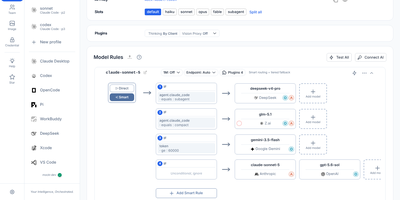
Give every agent your team runs the same front door, and the model chaos behind it becomes manageable. Tingly Box is a self-hosted gateway with a web console where providers, keys, routing rules, and team usage live in one place. Claude Code, OpenCode, Codex, Xcode, and other clients simply call the endpoint. A request arrives. The gateway reads your rules, weighs cost against speed against the policy you wrote, picks a model and a token, translates the protocol if the two ends disagree, and streams the answer back. Existing subscription quotas are spendable here, connected by OAuth beside ordinary API keys, and per-scenario profiles let quick edits and deep refactors land on different models by default. Team mode shares that endpoint properly. Model rules are managed centrally, each member receives a dedicated key, data stays isolated per user, and the usage dashboard shows exactly who consumed what. The gateway also speaks images, generating and editing through the same address with a playground for testing prompts before clients depend on them. Agents remain reachable after you leave the desk, driven through Telegram, DingTalk, Feishu, Lark, Weixin, or WeCom, with guardrails and an MCP gateway available as power-ups. Virtual models give new rules a safe target for testing and benchmarking before real traffic moves over. Running on a dedicated VPS on RepoCloud with guaranteed CPU, RAM, and SSD, full root SSH access, and a browser serial console. MPL-2.0 licensed.
Garcon
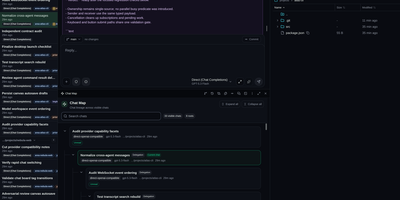
Garcon gives developers one browser workspace for running several coding agents at once, steering their work live, and turning reviewed changes into commits. Tile up to four resizable windows, move chats between them, and place live sessions on durable canvases that show delegated children, handoffs and parentage. Turn that activity into a tag-driven delivery board, or create tickets first and open chats from them with the project, priority, assignee and discussion already attached. Queue instructions, reorder them, answer agent questions, approve tool calls, pause work, interrupt a run or stop it without losing the transcript. Exchange labelled messages between chats, delegate bounded tasks to child agents, and bring final results back into the parent conversation. Browse and edit files, open terminals, inspect reasoning and tool calls, then stage individual lines, hunks, files or folders before committing and pushing. Search transcripts, save filters, pin or archive chats, export Markdown or XML, schedule prompts for later, and review token use and estimated API cost by day, agent and model. Connect trusted remote executors when work belongs on another machine, and open the same workspace from a phone when an agent needs a decision away from your desk. Running on a dedicated VPS on RepoCloud with guaranteed CPU, RAM, and SSD, full root SSH access, and a browser serial console. GPL-3.0 licensed.