Termix
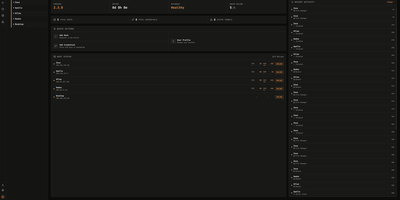
Termix delivers a unified, self-hosted infrastructure control center that consolidates SSH terminals, remote desktop streaming, and fleet automation into an intuitive browser workspace that replaces proprietary tools like Termius. Administrators connect to Linux servers and desktop environments using embedded RDP, VNC, and Telnet protocols powered by Apache Guacamole without requiring local client installations. The multi-panel terminal interface supports four-way split screens, allowing operators to broadcast keystrokes simultaneously across multiple production hosts or execute saved reusable script snippets with dynamic parameters. Real-time multiplayer session sharing lets engineers invite teammates via secure, time-limited links with configurable read-only or collaborative write permissions for troubleshooting incidents. Advanced networking layers handle SSH jump hosts, SOCKS5 proxy chains, Warpgate relays, and port knocking sequences to access segmented private networks securely. Integrated SFTP file managers provide drag-and-drop file transfers with editable path bars, inline text editing, and folder synchronization across remote machines. Background telemetry monitors CPU loads, memory utilization, disk IOPS, and container statuses, while built-in session recording captures complete terminal sessions for compliance auditing. Running on a dedicated VPS on RepoCloud with guaranteed CPU, RAM, and SSD, full root SSH access, and a browser serial console. Apache 2.0 licensed.
Calagopus
When hosting multiplayer game servers for communities or friends requires container isolation and low-overhead administration, Calagopus steps in as a modern game server management panel. Server operators use it to deploy and control Minecraft, Rust, ARK, Valheim, FiveM, and any other Linux containerized workload while reusing existing Pterodactyl and Pelican eggs without modification. From the live WebSocket console, administrators monitor real-time CPU, memory, and network graphs, autocomplete saved command snippets, inspect per-layer Docker image pull progress bars, and pop the terminal out into a secondary window. Managing configuration files and modpacks happens directly in the browser through a split-pane tabbed editor featuring real-time collaborative editing, side-by-side revision diffs with one-click rollback, a visual disk usage treemap, in-place archive browsing, and VS Code workspace mounting. Database workflows are equally streamlined: you can provision MySQL, PostgreSQL, MongoDB, or Redis instances, browse and edit rows or SQLite files in a built-in data explorer, and run read-only or writable SQL queries without external database clients. Automated schedules support conditional if-else branching, regex variable extraction from console output, crash-detection triggers, and eight backup storage drivers including S3, Restic, Kopia, ZFS, Btrfs, and Proxmox Backup Server. Running on a dedicated VPS on RepoCloud with guaranteed CPU, RAM, and SSD, full root SSH access, and a browser serial console. MIT licensed.
Pelican Panel
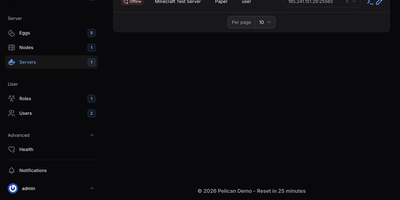
Pelican Panel is an open-source game server management platform that enables gaming communities and hosting providers to deploy, configure, and operate multiplayer servers for titles like Minecraft, Palworld, and Counter-Strike within secure, containerized environments. Administrators can provision dedicated game servers in seconds using modular configuration eggs, allocating precise CPU cores, memory thresholds, and disk quotas to prevent resource contention across noisy neighbors. Players and server operators access an interactive web console featuring live terminal output, instant power state toggles, and direct command execution over secure WebSockets. An integrated file browser enables operators to upload server modifications, edit configuration scripts with syntax highlighting, and decompress archives without opening an external terminal. Built-in scheduling pipelines automate recurring tasks such as world backups, daily server restarts, and mod updates based on custom cron expressions. Multi-tenant permission controls allow guild leaders to invite co-administrators and grant granular privileges for restarting daemons, reviewing console logs, or managing database credentials without exposing the host system. Operators can also provision external SFTP endpoints, attach secondary IP allocations, and trigger webhook alerts whenever container health anomalies occur. Running on a dedicated VPS on RepoCloud with guaranteed CPU, RAM, and SSD, full root SSH access, and a browser serial console. AGPL-3.0 licensed.
Borg UI
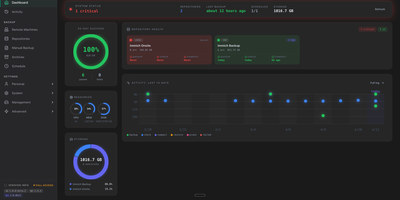
Borg UI is a self-hosted web management interface for BorgBackup that eliminates complex command-line syntax by organizing deduplicated backups, automated pruning schedules, and interactive file restorations into an intuitive graphical control center. System administrators connect local drives, remote SSH hosts, and SFTP endpoints to establish resilient storage repositories guarded by client-side encryption and cryptographic authentication. The centralized dashboard visualizes storage capacity, compression ratios, deduplication savings, and the health status of active backup jobs in real time. Configurable backup plans schedule automated cron jobs with granular retention rules, executing pre-backup database dumps and filesystem snapshots before running incremental syncs and background integrity checks. Users browse multi-version archive filesystems directly from the web browser, searching file trees and extracting individual files or entire folders without manual command line extraction. The platform orchestrates remote fleet backups by deploying SSH keys across client machines, tracking connection health, and executing non-disruptive background operations. Comprehensive alert routing dispatches real-time job status notifications, failure warnings, and storage alerts across Discord, Telegram, Slack, and email using integrated multi-channel messaging services. Running on a dedicated VPS on RepoCloud with guaranteed CPU, RAM, and SSD, full root SSH access, and a browser serial console. GNU AGPLv3 licensed.
Cronmaster
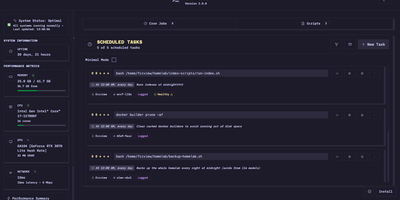
Silent background task failures and scattered crontab files across Linux hosts make routine maintenance risky, which Cronmaster solves with a visual scheduling dashboard and live execution log viewer. Five-field cron expressions translate automatically into plain English alongside one-click schedule presets. Operators can create, comment, clone, pause, or delete scheduled jobs across single or multiple Linux users in seconds. A built-in script manager lets you write, duplicate, and organize reusable Bash scripts from starter templates right inside the browser. Turning on per-job execution logging wraps commands automatically to record standard output, standard error, start and finish timestamps, duration, and exit codes. Log retention policies keep disk usage bounded automatically. Long-running tasks stream their console output live over Server-Sent Events, and any job can be triggered on demand with a single click. Across the top of the workspace, real-time hardware telemetry cards report system uptime, CPU load, memory consumption, network throughput, and GPU utilization. Administrators can protect the interface with local password authentication, OpenID Connect single sign-on with group and role rules, or Bearer API keys for the full REST API. Running on a dedicated VPS on RepoCloud with guaranteed CPU, RAM, and SSD, full root SSH access, and a browser serial console. AGPL-3.0 licensed.