Kimai
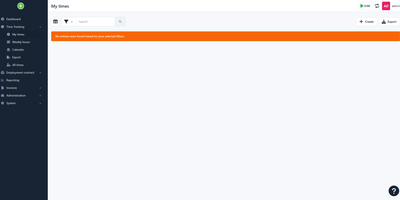
From a freelancer logging billable hours to companies with hundreds of users, Kimai scales professional-grade open-source time tracking - a Symfony/PHP application without the per-seat pricing of Harvest or Toggl. Tracking is flexible by design: run multiple concurrent timers, use punch-in/punch-out mode, or enter times manually, organized by customer, project, and activity with tags, and priced by user-, customer-, or project-specific rates. The billing pipeline is where Kimai earns "professional grade": generate invoices directly from timesheet data with configurable templates (DOCX, ODS, XLSX, PDF), entry grouping, and invoice-number generators, while an export flag locks billed records against editing and excludes them from future invoices - the audit-safety detail spreadsheet workflows never get right. E-invoicing supports EN 16931, XRechnung 3.0, and Zugferd/Factur-X. Enterprise controls come standard: SAML and LDAP login against Google Workspace, Azure AD, or Authentik, TOTP two-factor auth, customizable role permissions, and teams that scope customers and projects to departments. Money and time budgets alert before overruns, advanced reporting slices recorded time by any dimension, and an extensive JSON API plus a plugin marketplace (expenses, approvals, and more) integrate it with existing infrastructure. Over 30 translations, multi-timezone, AGPL-licensed.
TimeTagger
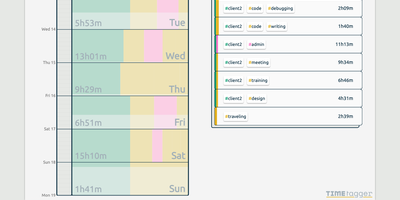
Freelancers, consultants, and solo workers get an accurate record of their hours from TimeTagger, a time tracker that logs tagged tasks on an interactive timeline and summarizes them as billable reports. Press S, type a description, and hit Enter to start the clock without the mouse, or drag across the timeline to log finished work. Hashtags in a description become autocompleting tags, with no projects to set up. Renaming a tag updates every record that uses it. Drag a record's edges to fix its times, then zoom the timeline out to a week or month with mouse, touch, or arrow keys. An overview panel totals time per tag combination for the selected range, and the Report button saves it as a client-ready PDF or a CSV with decimal hours. Daily, weekly, and monthly targets track progress toward your goals, and an optional Pomodoro timer alternates work and break periods with an alarm and a notification. Settings add a dark theme, local date notations, a Monday-to-Friday week, and a day offset for night shifts. The interface adapts from desktop to phone, installs as a progressive web app, works offline, and syncs records across devices once the connection returns. A web API and a command-line client let you query, create, and update records from scripts or the terminal. Running on a dedicated VPS on RepoCloud with guaranteed CPU, RAM, and SSD, full root SSH access, and a browser serial console. GPL-3.0 licensed.