WhoDB
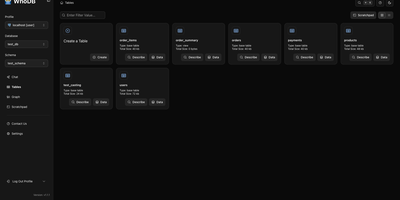
With nearly 5,000 GitHub stars earned in under two years, WhoDB has rapidly emerged as the lightweight alternative to heavyweight database clients like DBeaver and DataGrip by delivering a sub-50MB binary that starts in under a second and connects to 18+ database systems from a single interface. The Go backend serves the React and TypeScript frontend with table virtualization for efficient rendering of large result sets, lazy loading, and query result streaming that keeps the interface responsive even when browsing tables with millions of rows. The Community Edition connects to PostgreSQL, CockroachDB, YugabyteDB, MySQL, MariaDB, TiDB, SQLite, DuckDB, MongoDB, FerretDB, Redis, Valkey, Dragonfly, Elasticsearch, OpenSearch, ClickHouse, QuestDB, and Memcached through a unified credential selector that switches between databases with minimal configuration. Interactive schema diagrams render entity-relationship graphs showing table structures, foreign keys, and column types for visual database exploration. The Jupyter-style query scratchpad provides SQL autocomplete, syntax highlighting, and multi-statement execution with paginated results. AI integration optionally connects to Ollama, OpenAI, Anthropic, LM Studio, or any OpenAI-compatible provider for natural language database queries — ask questions in plain English and receive generated SQL. Data management includes inline row editing, CSV export, and filtered data views. Docker deployment runs a single container exposing port 8080. Running on a dedicated VPS on RepoCloud with guaranteed CPU, RAM, and SSD, full root SSH access, and a browser serial console. Apache-2.0 licensed.
DbGate
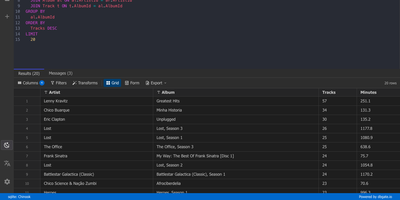
One browser tab can hold every database you manage, from MySQL and PostgreSQL to MongoDB and Redis, so there is no separate client to install for each engine. Connections are unlimited, and each can use its own SSH tunnel or SSL certificates. Tables open in an Excel-like grid where you edit cells inline, filter rows with expressions, and sort by any column. The SQL editor offers schema-aware code completion, a formatter, a join helper that builds clauses from foreign keys, query parameters, and a history of past runs, while result sets appear in separate tabs that you can filter, sort, and export. ER diagrams chart tables and their relations. The table editor creates columns, keys, and indexes and previews the SQL before anything is applied. Import and export move data between databases and files as SQL, CSV, JSON, XML, NDJSON, Excel, DBF, or YAML. Administrators can preconfigure connections through environment variables, mark them read-only, and protect the interface with logins that carry per-user permissions. Light and dark themes, customizable keyboard shortcuts, and translations into many languages keep daily work comfortable. Running on a dedicated VPS on RepoCloud with guaranteed CPU, RAM, and SSD, full root SSH access, and a browser serial console. GPL-3.0 licensed.
SQL Chat
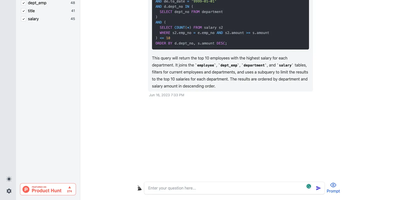
Describe what you want in plain language and get real SQL against your real schema: SQL Chat is an open-source, chat-based SQL client from the Bytebase team. Instead of writing queries in a traditional editor, you connect a database and describe what you want in plain language; the AI reads your schema automatically, generates SQL that references real table and column names, executes it, and returns tabular results in the conversation. Follow-up messages refine the query, so exploration becomes a dialogue - narrow a result set, add a join, change an aggregation - without retyping statements. It supports MySQL, PostgreSQL, SQL Server, TiDB Cloud, and OceanBase from one interface, and covers modification as well as reads: insert, update, and delete operations phrased conversationally. Built with Next.js and TypeScript, it deploys as a single stateless Docker container in single-user mode - connection profiles live in the browser, so there is nothing server-side to maintain. A custom AI endpoint setting routes inference through any OpenAI-compatible API, including self-hosted models, and an optional database-backed mode adds accounts and quotas for offering the tool to a team. MIT-licensed.
dbx
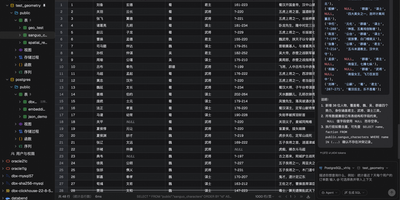
Universal database administration across modern enterprise infrastructure is simplified through dbx, a lightweight web client and SQL studio supporting over ninety database engines. Database administrators connect to MySQL, PostgreSQL, SQLite, Redis, MongoDB, ClickHouse, DuckDB, Oracle, and Microsoft SQL Server through authenticated network connections and encrypted SSH tunnels. The interactive query editor provides real-time multi-schema autocomplete, syntax linting, execution plan analysis, and natural language SQL query synthesis powered by configurable large language model backends. Teams visualize complex relational database architectures using interactive entity-relationship diagrams that map table foreign key constraints, primary indexes, and table partition layouts automatically. Operators inspect live Redis memory usage breakdowns, monitor real-time server command throughput, and manage key expirations without opening raw terminal sessions. The editable data grid supports multi-row modifications, foreign key reference lookups, CSV and JSON exports, and binary blob data inspection directly inside the browser viewport. Software developers expose connected databases directly to external AI coding assistants through native Model Context Protocol server endpoints. Running on a dedicated VPS on RepoCloud with guaranteed CPU, RAM, and SSD, full root SSH access, and a browser serial console. Apache-2.0 licensed.
pgAdmin
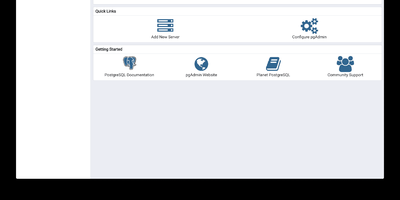
pgAdmin 4 is the reference administration GUI for PostgreSQL, bundled by virtually every Linux distribution and supporting versions 14 through 18 including EDB Advanced Server — browse schemas in a hierarchical tree, write and optimize queries with AI assistance, design entity-relationship diagrams visually, monitor live sessions, and run backup/restore operations entirely from the browser. Built on Python Flask with a ReactJS frontend, version 9.17 delivers a comprehensive web-based platform accessible from any device. The Query Tool provides syntax highlighting, auto-completion, query history, an EXPLAIN plan visualizer with graphical node representation, AI-powered SQL generation from natural language prompts, and AI Insights for execution plan analysis that identifies performance bottlenecks. The Graph Visualiser renders query results as line charts, bar charts, stacked charts, and pie charts directly in the interface. The ERD Tool auto-generates entity-relationship diagrams from existing schemas for visual database design. The Schema Browser presents databases, schemas, tables, views, functions, sequences, roles, and extensions in a navigable hierarchy. Server monitoring dashboards display real-time active sessions, locks, transaction throughput, and vacuum status. GUI-driven backup and restore wraps pg_dump and pg_restore with format and compression options. Authentication supports internal, LDAP, Kerberos, OAuth2/OIDC, and webserver modes. The Helm chart includes an HTTPRoute template for Kubernetes Gateway API deployments. Bundled pg_dump, pg_restore, and psql utilities version 18.4. Deploy via Docker with the official dpage/pgadmin4 image. Running on a dedicated VPS on RepoCloud with guaranteed CPU, RAM, and SSD, full root SSH access, and a browser serial console. PostgreSQL License.
Azimutt
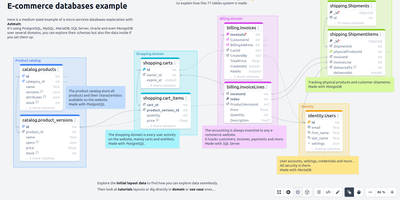
Inheriting a sprawling database with hundreds of undocumented tables usually means weeks of guesswork, unless you open it in Azimutt to visually map schemas, trace relationships, and inspect live rows in one workspace. Instead of dumping every table onto a cluttered canvas that crashes your browser, the visual explorer starts clean so you can search across entity names, column types, and SQL comments to reveal only the tables relevant to your investigation. Clicking foreign-key or primary-key indicators expands incoming and outgoing relations step by step, while the graph path-finder automatically calculates the shortest join route between any two distant entities. When debugging production issues or answering support tickets, you can query live records across PostgreSQL, MySQL, MariaDB, SQL Server, Oracle, SQLite, MongoDB, Couchbase, Snowflake, and BigQuery, then click directly through foreign keys in the result rows to follow data lineage visually. Architects and developers also design new schemas at typing speed using Azimutt Markup Language (AML), attach contextual markdown notes, tags, and memos to saved layouts for team onboarding, and run automated schema analysis that flags missing primary keys, implicit foreign keys, inconsistent column types, and oversized tables. Running on a dedicated VPS on RepoCloud with guaranteed CPU, RAM, and SSD, full root SSH access, and a browser serial console. MIT licensed.
CloudBeaver
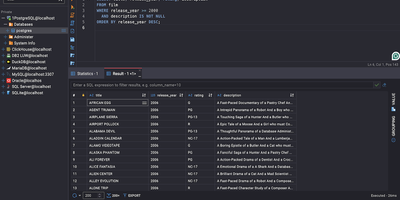
CloudBeaver puts a full-featured database management environment in your browser, connecting to PostgreSQL, MySQL, SQL Server, Oracle, ClickHouse, and over 100 additional engines through one unified interface that requires no desktop client installation. The Java server exposes a TypeScript/React frontend through a GraphQL API where teams can browse schemas, edit data, visualize relationships, and execute queries across all connected databases in a single workspace. The SQL Editor provides syntax highlighting, auto-completion with fuzzy search, AI-assisted SQL generation from natural language prompts, script management with save/download/upload capabilities, execution plan visualization, and multi-tab result display. The Data Editor enables direct cell editing, filtering, sorting, and bulk data modification with support for spatial GIS data rendering. Database administrators access a Navigator panel for browsing schemas, tables, views, foreign tables, triggers, dependencies, and stored procedures across all connected databases. ER Diagrams visualize table relationships and schema structure, while the Visual Query Builder constructs queries without hand-writing SQL. Multi-user administration provides role-based access control, connection sharing with configurable permissions, and session management. SSH tunneling secures remote database connections, and data can be exported or imported in multiple formats. Query History tracks all executed statements with timestamps and execution statistics. Running on a dedicated VPS on RepoCloud with guaranteed CPU, RAM, and SSD, full root SSH access, and a browser serial console. Apache 2.0 licensed.
pgweb
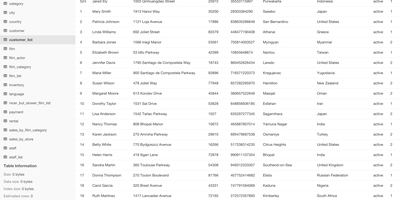
Inspect a PostgreSQL database right now, without installing pgAdmin or exposing Postgres to the internet - pgweb answers that recurring need. It's a Go application from Dan Sosedoff, a decade in development, shipped as a single statically-linked binary with zero dependencies - the Docker image is essentially just the executable - that puts a clean browser UI in front of any PostgreSQL 9.1+ server. Connect via URL string or host/port credentials, and browse tables, views, and sequences from the sidebar; selecting a table shows its rows immediately alongside tabs for structure, indexes, and constraints. The Query tab executes arbitrary SQL with query history, and the Explain Query button renders the query plan - estimated cost, row counts, execution strategy - which makes pgweb a quick performance-triage tool, not just a browser. Results and entire tables export to CSV, JSON, or XML in a click. Connectivity is more flexible than its size suggests: native SSH tunneling (password or key) reaches databases behind firewalls, server bookmarks make switching instances instant, and an optional multi-session mode handles several databases concurrently. For a RepoCloud stack full of Postgres-backed apps, one pgweb instance is the universal inspection hatch. MIT-licensed, actively maintained.