Vaultwarden
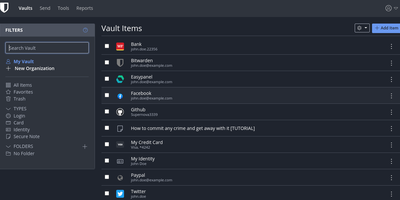
The Bitwarden server, reimplemented in Rust: Vaultwarden (formerly bitwarden_rs) is the unofficial lightweight edition. It speaks the same wire protocol as the official server, so every official Bitwarden client - browser extensions, iOS, Android, desktop, and the bw CLI - connects without modification, while the server itself runs as a single container against SQLite (or MySQL/MariaDB/PostgreSQL) instead of the official multi-container stack that wants gigabytes of RAM. Features Bitwarden gates behind paid tiers ship free: organizations with collections, groups, member roles, and policies; TOTP code storage; file attachments; Bitwarden Send; Emergency Access; event logs; and admin password reset. Two-factor options cover authenticator apps, email, FIDO2 WebAuthn, YubiKey, and Duo, and OIDC-based SSO landed natively in v1.35.0. Zero-knowledge encryption is unchanged - vault data is encrypted client-side and the master password never reaches the server. Attachments and Sends store on local disk or S3-compatible backends, an admin panel manages users and server settings, and backup is copying one data directory. Suited to individuals and teams up to roughly 50 users.
Streamystats
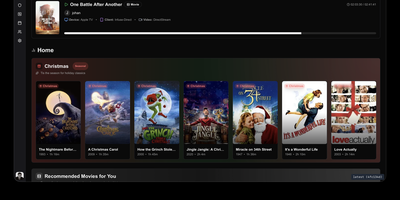
To uncover deep viewing insights and AI-powered content recommendations across your self-hosted Jellyfin media server, Streamystats delivers a comprehensive analytics and watch-history platform. Once connected to one or more Jellyfin instances using native MediaBrowser authentication, the dashboard tracks live playback sessions, per-user watch durations, device and client breakdowns, and library-wide growth metrics without requiring third-party reporting plugins. You can import existing historical logs from Jellystat or the Playback Reporting plugin so years of viewing habits carry over immediately, then explore interactive watch-time graphs, genre radar charts, actor and director leaderboards, and a yearly Wrapped summary. When you enable vector embeddings through OpenAI, OpenRouter, Google Gemini, Voyage AI, or a local Ollama model, the recommendation engine calculates cosine similarity against your watch history and explains exactly which watched movies or series inspired each suggestion. An integrated AI chat assistant equipped with thirteen specialized function-calling tools lets you search your catalog semantically, ask natural-language questions about your viewing statistics, and generate shared movie recommendations for multiple household members at once. Administrators can also mark titles as watched or unwatched with automatic watch-time inference, manage watchlists over an external API, and connect Janitorr for automated media cleanup. Running on a dedicated VPS on RepoCloud with guaranteed CPU, RAM, and SSD, full root SSH access, and a browser serial console. MIT licensed.
Bitwarden
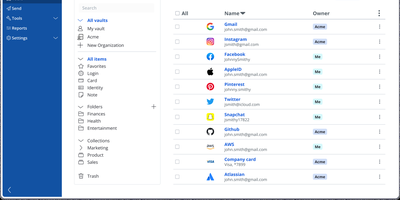
Backed by nearly 20,000 GitHub stars and ranked number one in G2's Enterprise User Satisfaction for eleven consecutive quarters, Bitwarden is the open-source password manager trusted by millions worldwide. The zero-knowledge encryption architecture ensures all vault data — passwords, passkeys, credit cards, identities, secure notes, and file attachments — is encrypted exclusively on client devices using AES-256 with PBKDF2-SHA256 or Argon2id key derivation and RSA-2048 for organization key exchange. Cross-platform clients span a web vault, browser extensions for Chrome, Firefox, Safari, Edge, Opera, Vivaldi, and Brave, native desktop apps for Windows, macOS, and Linux, mobile apps for iOS and Android, and a CLI for scripting. Bitwarden Send enables time-limited, password-protected sharing of text and files, while the built-in TOTP authenticator generates two-factor codes alongside stored credentials. Enterprise deployments integrate with identity providers through SAML 2.0 and OpenID Connect SSO, automate provisioning via SCIM or Directory Connector supporting LDAP, Active Directory, Azure AD, Okta, and OneLogin, and enforce security policies with custom roles and granular permissions. Emergency access allows designated contacts to request vault view or takeover through configurable waiting periods with cryptographic key exchange. The Secrets Manager stores API keys, tokens, and infrastructure credentials with native GitHub Actions, GitLab CI/CD, Ansible, and Terraform integrations. Running on a dedicated VPS on RepoCloud with guaranteed CPU, RAM, and SSD, full root SSH access, and a browser serial console. AGPL-3.0 licensed.
Jellystat
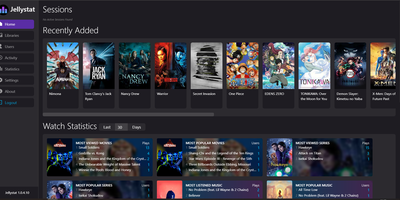
Jellystat is a self-hosted media analytics and live session monitoring dashboard for Jellyfin and Emby servers that turns raw streaming activity into detailed user, library, and playback insights. Media server administrators use the live dashboard to watch active streams in real time, inspecting transcoding status, client devices, bitrates, and playback progress as sessions happen. Every completed or partial stream is logged automatically so you can browse chronological watch histories, filter by library or stream type, and analyze peak concurrent streaming hours across the week. Dedicated library and user views break down total watch duration, play counts, and most popular movies, episodes, or music albums per account. If you already use the official Jellyfin Playback Reporting or Statistics plugins, you can import existing historical records directly into your instance without losing past data. Built-in database backup and restore tools, automatic library synchronization tasks, IP geolocation via MaxMind GeoLite, and interactive Swagger API documentation at the /swagger endpoint round out the administrative toolkit. Running on a dedicated VPS on RepoCloud with guaranteed CPU, RAM, and SSD, full root SSH access, and a browser serial console. MIT licensed.
DevDocs
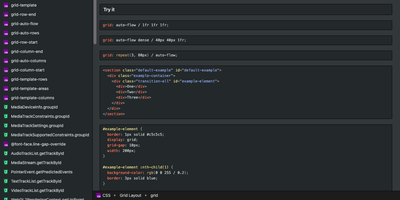
A half-remembered name like bgcp is enough for DevDocs to find background-clip in the reference documentation of hundreds of languages, frameworks, and tools. Search is fuzzy and instant. Type a project name or alias such as js or py, press Tab, and results narrow to that single reference. Share a link like #q=js date or add DevDocs to the browser address bar through OpenSearch. The catalog holds 247 documentations in 844 versions, including JavaScript, CSS, Python, PostgreSQL, Rust, Terraform, and Kubernetes. Enable only the versions your stack uses to keep the sidebar short and search results focused. The Offline page installs enabled documentation for use without a connection and lists every download's size. Export the whole set as a file and import it on another computer. Keyboard shortcuts move through the sidebar, open or copy the original page, and send a query to Google, Stack Overflow, or DuckDuckGo. Preferences offer automatic, light, and dark themes, custom fonts, fixed-width or justified layouts, and a custom CSS box. A mobile layout and installable web app keep references within reach on a phone. A shared instance gives a team or classroom one address for the same references, and the official build refreshes its documentation every month. Running on a dedicated VPS on RepoCloud with guaranteed CPU, RAM, and SSD, full root SSH access, and a browser serial console. MPL-2.0 licensed.
Valet Homelab
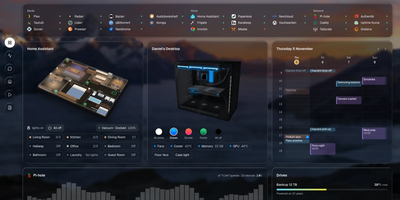
Open one page and see what is happening across every service in your homelab, then ask an AI assistant about downloads, lights, or what to watch tonight. Valet shows live status for 185 integrations, from Plex, Sonarr, and Immich to Home Assistant, Pi-hole, and Uptime Kuma, with progress bars and numbers that update without refreshing. Cards include a 3D floor plan with light controls, a PC with case and cooling controls, a calendar, backup health that flags overdue copies, and a year in review. The assistant works with a local or hosted model, switches models per chat, answers by voice, and supports slash commands, including your own. Anything it changes waits for your approval, and Valet works fine with the AI switched off. A wall mode at the /wall address turns a tablet or spare monitor into a read-from-across-the-room display with cards you pick, pages that take turns, and dimming at night. Add Valet to a phone Home Screen to install it as an app with its own notifications. API keys stay on the server, and there is no account and no telemetry. Running on a dedicated VPS on RepoCloud with guaranteed CPU, RAM, and SSD, full root SSH access, and a browser serial console. MIT licensed.
Homepage
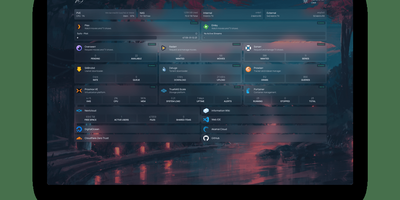
With over 31,000 GitHub stars and 430 contributors, Homepage has become the definitive self-hosted dashboard for homelab enthusiasts and server administrators who want a single, elegant landing page for all their services. The dashboard renders as a fully static site at build time for instant page loads, while a Node.js backend securely proxies all API requests to prevent exposing service credentials to the browser. Docker integration automatically discovers running containers through label-based configuration, populating the dashboard with service status indicators, health checks, and real-time statistics without manual URL entry. Over 100 native service widgets display live data from popular applications including Plex, Jellyfin, Radarr, Sonarr, Home Assistant, Pi-hole, Portainer, Proxmox, Nextcloud, Gitea, and dozens more, each showing relevant metrics like active streams, download queues, or system health directly on the dashboard. Information widgets provide weather forecasts, system resource utilization, search bars, and date/time displays. The layout system supports multiple columns, tabs, and custom CSS for pixel-perfect arrangement of service groups and bookmarks. Built-in authentication options include OIDC integration and password protection. Quick search functionality enables instant access to bookmarks and services with keyboard shortcuts. Internationalization covers 40+ languages with community-maintained translations. Configuration lives entirely in YAML files for version-controlled, reproducible dashboard setups. Deploy on a dedicated VPS on RepoCloud with guaranteed CPU, RAM, and SSD, full root SSH access, and a browser serial console for complete control. GPL-3.0 licensed with an active community and bi-weekly releases.
KeeWeb
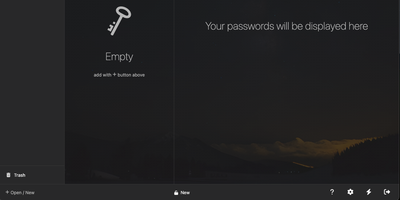
Your KeePass vaults, opened from any browser: KeeWeb reads, edits, and creates standard KDBX files, so it works with the same databases as KeePass and KeePassXC without conversion or lock-in. Self-hosting the web app gives you a password manager reachable from any modern browser, including mobile, with no client installation and no third-party cloud in the loop. All KDBX cryptography runs client-side; the server just serves the static app. Open multiple vault files simultaneously and search them all from one box, with advanced options covering specific fields, password history, and regular expressions. Vaults load from local files, your own server (WebDAV), or Dropbox, Google Drive, and OneDrive, with automatic sync - and files are cached for offline use, so a dropped connection never locks you out; changes resync once you're back online. Day-to-day niceties include a configurable password generator, protected fields that stay masked and are held in memory more defensively, entry history, tags with easy input, drag-and-drop attachments, and per-entry icons with favicon fetching. The optional KeeWeb Connect extension (Chrome, Firefox, Edge, Safari) autofills credentials using the keepassxc-protocol. MIT-licensed with matching desktop apps for macOS, Windows, and Linux.
Aurelio Finance
Your net worth is scattered across banks, brokers, a pension, and a mortgage, and no single screen shows all of it at once. Aurelio Finance gathers those pieces on your own server: record each institution's cash and holdings as dated situations, then let later transactions roll them forward so today's balance always traces back to a photograph of what you held and the events after it. Every position is priced from the market with its cost basis, gain, and dividends, while the look through view opens your ETFs and funds to show real exposure by country, sector, company, and currency, so overlapping funds stop hiding concentration. Recurring investment plans, homes and other real assets, and the loans against them sit beside income, expenses, and your savings rate, and each financial goal shows the return it needs to be reached. When you want a second opinion, Ask Aurelio reads your own records, can search the web, and proposes changes as cards you confirm or reject, never silently editing your data. Its analysis mode goes further, letting an analyst and a confidant argue over your portfolio before a synthesis tells you what to look at first, and surviving ideas land on a watchlist that your totals never count. Running on a dedicated VPS on RepoCloud with guaranteed CPU, RAM, and SSD, full root SSH access, and a browser serial console. MIT licensed.
Jellydash
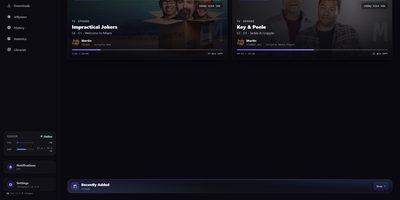
Jellydash answers the questions every Jellyfin admin asks, starting with who is watching right now and whether that stream is transcoding. Live cards show each session's artwork, user, quality, progress, and playback method, including the reason a transcode was needed, and live TV channels appear with real program progress. Behind the scenes, a background poller records every play even when nobody has the dashboard open, building a history you can search, filter by user or library, and export to CSV with poster art intact. Older Jellyfin or Emby Playback Reporting backups import in seconds, so years of viewing are not lost when you switch. Statistics turn that history into watch-time trends, top users, device and client activity, codec breakdowns, and transcode reasons, and clicking a chart opens the exact plays behind it. A monthly recap looks back at a finished month with rankings and daily activity, while trending and all-time most-watched strips show what your household actually loves. Optional pages follow Jellyseerr requests as they arrive and read the status of SABnzbd, qBittorrent, Transmission, Deluge, and NZBGet clients without ever touching their queues. Server activity, maintenance tasks, and system status stay one click away, and selected users can be excluded from monitoring entirely. When someone presses play, a notification can reach your phone through Telegram, Pushover, Discord, ntfy, Gotify, or Web Push. Running on a dedicated VPS on RepoCloud with guaranteed CPU, RAM, and SSD, full root SSH access, and a browser serial console. MIT licensed.
Headlamp
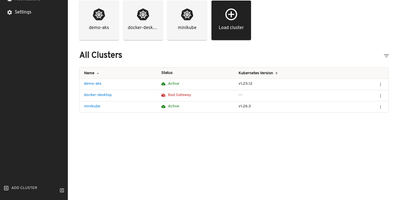
The Kubernetes project's own answer to cluster management UIs: maintained under SIG UI governance, Headlamp's roadmap tracks Kubernetes releases and its design philosophy reflects community needs rather than a vendor's product strategy. The React interface provides full read-write capabilities adapted to each user's RBAC permissions — delete, scale, edit, and restart buttons appear only when the authenticated user holds the corresponding cluster role, preventing accidental unauthorized actions. Multi-cluster support surfaces workloads across development, staging, and production from a single view without context switching. The plugin architecture drives extensibility through a curated catalog: an AI Assistant plugin answers natural-language cluster queries and performs operations via configurable LLM keys, Flux handles GitOps, Karpenter manages nodes. Integrated terminals provide browser-based exec access to running pods, live log streaming follows container output with filtering, and the YAML editor displays inline Kubernetes API documentation alongside resource definitions. Deployment creation forms let you configure containers, environment variables, volumes, and replicas without writing manifests. Side-by-side cluster comparison views surface differences in workload distribution. Works with any distribution: EKS, GKE, AKS, Minikube, Docker Desktop. Helm chart installation via the Headlamp repository with images on GitHub Container Registry. Running on a dedicated VPS on RepoCloud with guaranteed CPU, RAM, and SSD, full root SSH access, and a browser serial console. Apache-2.0 licensed.
Passbolt
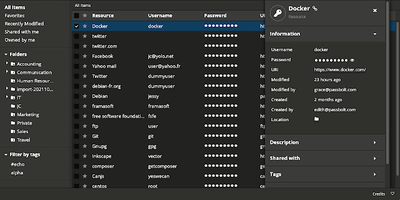
Security-conscious IT departments pick Passbolt for its cryptography: every user holds an OpenPGP key pair, and shared credentials are encrypted individually to each recipient's public key - real end-to-end encryption, not a vault password handed around. All crypto runs client-side in the mandatory browser extension (distributed and signed through the Chrome and Firefox stores, deliberately separating the crypto code from the server that stores ciphertext); private keys and passphrases never touch your instance, and the server admin cannot read a single secret. Authentication uses the challenge-based GpgAuth protocol, secrets are digitally signed to verify sender integrity, and metadata encryption extends protection to resource names and URLs. Day to day it behaves like a polished commercial manager: auto-fill and auto-save in forms, strong password generation, anti-phishing protection, TOTP storage, folder hierarchies shared per-user or per-group with fine-grained permissions and instant cryptographic revocation. Native iOS, Android, and desktop apps ship alongside a JSON API, CLI, and SDKs for CI/CD secret retrieval and rotation. The PHP server runs on MariaDB and is AGPL-licensed open source - including the paid tiers' codebase - with published security audits.
Elasticvue
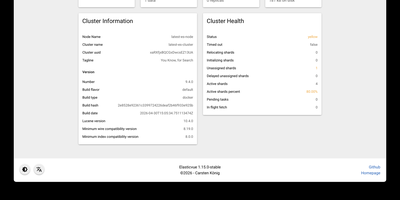
Elasticvue is a graphical interface for Elasticsearch where you can inspect cluster health, browse indices, search and edit documents, and send REST queries. Start on the Home tab, which summarizes status, nodes, shards, indices, document counts, and disk usage. Nodes shows load, CPU, RAM, heap, and disk for each member, and Shards lays out every primary and replica in a grid with a switch for shard allocation. Indices handles creation, aliases, templates, and bulk actions. Search runs query string searches across an index pattern, opens any hit in a JSON editor for updates or deletion, and downloads results as JSON. Rest sends any request from tabbed editors with history, saved queries, and examples, while Snapshots manages repositories and backups. Version 1.16 adds user and role management for Elasticsearch clusters. Secured clusters connect with basic authentication, API keys, or AWS IAM credentials, and the Docker image preloads cluster definitions from an environment variable or a mounted JSON file. Elasticvue supports every Elasticsearch version, even end-of-life releases, and speaks English, Chinese, French, Russian, Japanese, and Italian. Running on a dedicated VPS on RepoCloud with guaranteed CPU, RAM, and SSD, full root SSH access, and a browser serial console. MIT licensed.
Lab Dash
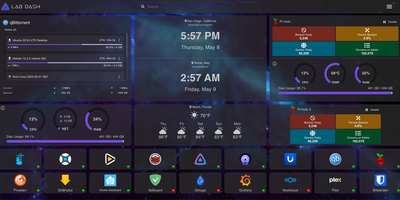
Every homelab deserves a control center that looks as good as the services it manages. Lab Dash gives you a customizable, drag-and-drop dashboard where every tile earns its spot. Add shortcut widgets linking to your Plex, Grafana, Nextcloud, or any service with automatic health check indicators showing green or red status at a glance. The system monitoring widget displays real-time CPU usage, memory consumption, network throughput, disk utilization, and temperature readings by mounting the host /sys directory as a read-only volume. Integrate Pi-hole stats, qBittorrent download progress, and media server widgets for Jellyfin, Plex, or Emby directly on your grid. Multiple pages let you organize services by category, and the search bar finds any tile instantly. Customize the background image from a local upload or URL, set a custom title and tab name, and choose your preferred search provider including self-hosted options like SearXNG. All sensitive configuration data is encrypted locally with AES-256-CBC, and only administrator accounts can modify the layout. Install Lab Dash as a Progressive Web App on desktop, phone, or tablet for a native app experience with offline capability. Configurations export as backup files for easy migration between instances. On RepoCloud, deploy Lab Dash on a dedicated VPS with root SSH access and Docker socket connectivity under the GPL-3.0 license.
Kubewall
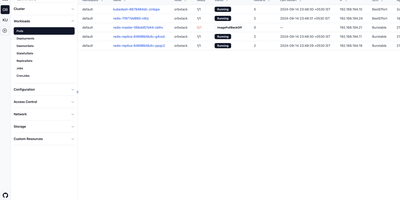
One binary is all that stands between you and every Kubernetes cluster you own: Kubewall opens a realtime web dashboard over all of them, with no agents to install and nothing phoning home. Switch between clusters from the sidebar and browse workloads, networking, storage, configuration, and access control in tables that update live as pods start, fail, and reschedule. Open any resource to inspect its overview, edit its manifest in the built-in YAML editor with validation, watch its events, or stream logs aggregated across pods and containers with search and tail controls. A command palette jumps straight to any resource type, while faceted filters and global search cut through thousands of objects by name, namespace, label, or image. Scale deployments, restart pods, trigger rollout restarts, and apply manifests with a click, or forward a cluster service to your local machine without memorising kubectl incantations. An integrated AI assistant, connected to OpenAI, Claude, Gemini, DeepSeek, OpenRouter, Ollama, or a local model, helps troubleshoot failures and review configurations right beside the resource it concerns. Running on a dedicated VPS on RepoCloud with guaranteed CPU, RAM, and SSD, full root SSH access, and a browser serial console. Apache-2.0 licensed.
Kite
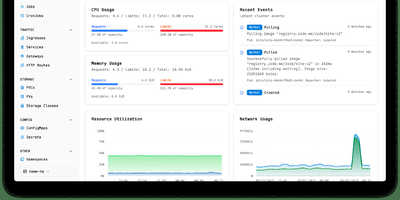
With nearly 3,000 GitHub stars and 14 releases since its June 2025 launch, Kite delivers a lightweight Kubernetes dashboard that replaces the fragmented workflow of switching between kubectl, Lens, and separate monitoring tools with a unified multi-cluster management platform. The dashboard automatically discovers clusters from kubeconfig files and supports independent Prometheus configurations per cluster, providing real-time CPU, memory, and network charts alongside live pod log streaming with filtering and search. A built-in web terminal opens shells directly into pods and nodes without kubectl port-forward, while the Monaco-based YAML editor offers syntax highlighting and validation for in-place resource editing. The integrated AI agent, powered by OpenAI or Anthropic models via native Go SDK integrations, translates natural language into precise client-go API calls — querying cluster health, analyzing pod logs, scaling deployments, patching resources, and cleaning up failed jobs — all operating strictly within the logged-in user's RBAC permissions. Enterprise governance includes OAuth 2.0 single sign-on, multi-factor authentication, FIDO2 passkeys, granular role-based access control with per-namespace permissions, and comprehensive audit logging. Helm chart management enables browsing, installing, and upgrading releases directly from the UI, while the Docker registry integration provides quick image tag selection. Deploy via a single Docker container with SQLite or use the official OCI Helm chart with PostgreSQL or MySQL for production. Running on a dedicated VPS on RepoCloud with guaranteed CPU, RAM, and SSD, full root SSH access, and a browser serial console. Apache 2.0 licensed.
Rewindarr
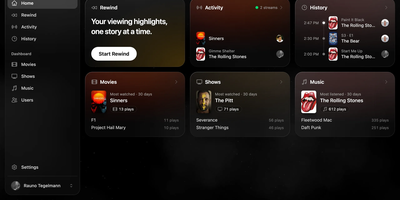
Spotify gets a Wrapped; your media server deserves one too. Rewindarr is an open-source companion for Plex and Jellyfin that turns play history into a story your users step through, card by card: total watch time, how it split across movies, shows, and music, how they rank against the average viewer, and the viewing personality their habits earn them, ending in a summary they can save as an image and share. The same deployment doubles as an everyday dashboard for the whole server, with watch time, requests, library size, and per-library leaderboards for movies, shows, music, and users across a week, a month, a year, or all time. Live activity shows what is streaming right now, and searchable history groups binges together so a weekend disappears into one tidy entry. Ratings from TMDB, IMDb, and Rotten Tomatoes sit beside every title, request buttons reconnect viewers with deleted favourites through Seerr, and anonymisation trims user details when you share the dashboard wider. Statistics flow in from Tautulli or Tracearr for Plex and from Tracearr for Jellyfin, everyone signs in with the Plex or Jellyfin account they already have, and the installable app works on the TV-side phone as happily as on a desktop. Running on a dedicated VPS on RepoCloud with guaranteed CPU, RAM, and SSD, full root SSH access, and a browser serial console. GPL-3.0 licensed.
DockFlare
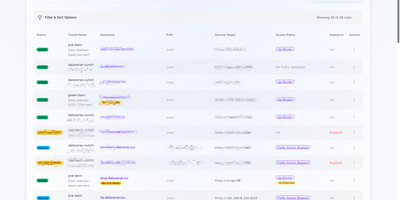
Combining Docker container labels with a live web control plane, DockFlare automates Cloudflare Tunnel ingress routing, multi-zone DNS records, and Zero Trust Access policies across self-hosted infrastructure. DevOps engineers and homelab operators can attach simple container labels to expose HTTP, HTTPS, TCP, SSH, and RDP services publicly in seconds without clicking through external cloud dashboards. For non-containerized workloads such as bare-metal hypervisors or network appliances, administrators can define manual ingress rules, path-based routes, custom TLS SNI headers, and origin certificate bypass flags directly in the web interface. Security teams use reusable Access Groups and wildcard zone policies to enforce Google, GitHub, Azure AD, or custom OIDC authentication across every subdomain from a single policy definition. Distributed deployments connect lightweight remote agents back to the primary controller using Zero Trust service tokens so multi-host clusters share one unified routing view. When containers stop or restart, configurable grace-period timers prevent accidental route churn before cleaning up stale DNS entries, while encrypted state backups protect your entire ingress configuration. Running on a dedicated VPS on RepoCloud with guaranteed CPU, RAM, and SSD, full root SSH access, and a browser serial console. GPL-3.0 licensed.