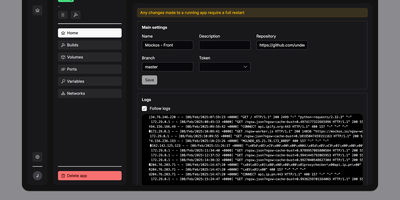
Dockerizalo
For self-hosters who want Git-driven container deployments without surrendering control of their existing reverse proxy or host networking, Dockerizalo provides a lightweight web platform that clones repositories, builds Docker images, and manages running services from a single dashboard. Point an application entry at any Git-compatible repository or public container registry image, configure custom build paths, and let the platform build and launch the container directly on your host Docker engine. A built-in template library accelerates database provisioning with pre-configured variables, networks, and persistent storage mounts. Through the web interface, operators manage environment secrets, bind-mounted volumes, custom Docker labels, and published TCP or UDP ports while coexisting peacefully alongside Caddy, Nginx, or Traefik setups. Per-application HTTP webhook triggers let teams automate continuous delivery from GitHub, GitLab, Gitea, or custom CI pipelines on every push event. Real-time paginated build and runtime container log streams prevent memory exhaustion on chatty APIs while keeping every deployment event visible. Configurable image retention policies automatically prune older tags and remove dangling images after each rollout so disk space stays clean. Multi-user account management allows homelab administrators to invite collaborators to the dashboard without sharing a single root credential. Running on a dedicated VPS on RepoCloud with guaranteed CPU, RAM, and SSD, full root SSH access, and a browser serial console. AGPL-3.0 licensed.
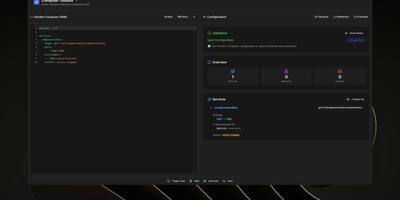
ComposeToolbox
To eliminate YAML indentation errors and cryptic container misconfigurations before running docker compose up, ComposeToolbox pairs a full-featured code editor with a live configuration analyzer in a single self-hostable web workspace. Paste or write any docker-compose.yml file in the left pane to see immediate syntax validation alongside actionable best-practice warnings, such as unpinned latest image tags, missing healthchecks, or deprecated version declarations. On the right side, an interactive Configuration Overview breaks down every defined service, exposed port mapping, persistent volume mount, environment variable, and custom network into structured tabs. Built-in Quick Insert buttons let operators drop new service blocks, volume definitions, or network stanzas into the editor with one click. By mounting the persistent /app/data directory, administrators can define custom quick-insert YAML snippets with selectable hardware and networking icons in custom-templates.yml. Teams can also customize startup-template.yml so the editor opens with their organization's standard homelab or production boilerplate every time the page loads. Keyboard shortcuts, light and dark themes, and one-click YAML formatting or file export streamline daily container authoring. Running on a dedicated VPS on RepoCloud with guaranteed CPU, RAM, and SSD, full root SSH access, and a browser serial console. MIT licensed.