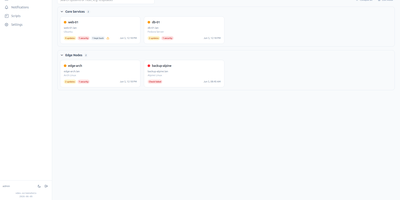
Linux Update Dashboard
Linux Update Dashboard is a self-hosted web app that lets you check and apply package updates across a whole fleet of Linux servers from one browser dashboard, over SSH, with no agent installed on any managed machine. It discovers each server's package managers, operating system, installed packages, reboot state, and distribution lifecycle, then lets you refresh, upgrade selected packages, run full upgrades, autoremove leftovers, cancel running work, or reboot remotely while watching real-time command output stream into the page. Groups with health badges and explicit priorities organize fleets for clear overviews and ordered Upgrade All batches that run as waves across eligible systems. An encrypted SSH credential vault stores reusable passwords, private keys, and OpenSSH certificates with AES-256-GCM, and you can view or edit repository source files through sudoedit with diff review and activity history. Cron-based schedules automate refreshes, updates, autoremove, reboots, and notifications for chosen systems, while alerts go out by email, Gotify, MQTT, ntfy.sh, Telegram, or webhooks, with Home Assistant MQTT discovery entities for every server. Sign-in supports passwords with optional TOTP, passkeys and WebAuthn, OpenID Connect SSO, and API tokens, and the interface speaks ten languages with dark and light themes and custom branding. Because this tool can run commands on your servers, keep it on trusted networks behind TLS, a reverse proxy, or a VPN. Running on a dedicated VPS on RepoCloud with guaranteed CPU, RAM, and SSD, full root SSH access, and a browser serial console. AGPL-3.0 licensed.
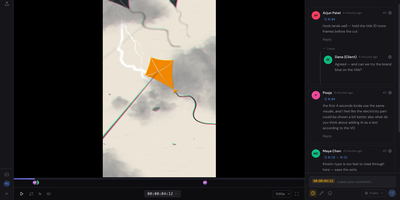
FreeFrame
Client feedback that arrives as "the bit near the middle feels off" becomes frame-accurate when FreeFrame hosts your media review on your own server. Reviewers drop timecoded comments on the exact frame, sketch drawing annotations over the picture, and thread replies with mentions, reactions, and attachments until each note is resolved. Video streams adaptively while audio assets get waveform review, and approval workflows track every reviewer's status so a project never waits on a mystery sign-off. When a new cut lands, version compare puts any two revisions side by side or under a draggable wipe slider, playing in sync with per-side audio and offset trim while each version keeps its own comment thread. Finished notes travel back into the edit as timeline markers for DaVinci Resolve, Final Cut Pro, and Premiere Pro, or as a plain CSV, landing on the exact frames they describe. Clients never need accounts: password-protected share links with expiry dates and watermarking let them browse and comment, while you control downloads and permissions per link. Studios can white-label the whole experience with their own name, logos, favicon, and accent color across the app, share pages, and outgoing email. Running on a dedicated VPS on RepoCloud with guaranteed CPU, RAM, and SSD, full root SSH access, and a browser serial console. MIT licensed.
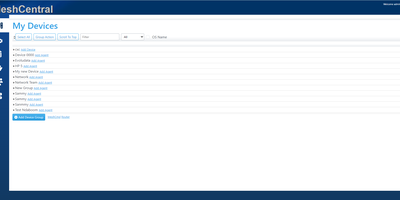
MeshCentral
With over 7,000 GitHub stars and continuous development since 2017 by former Intel engineer Ylian Saint-Hilaire, MeshCentral has become the go-to self-hosted alternative to ConnectWise Control and Splashtop for managing devices remotely without per-seat licensing fees. The Node.js server installs via a single npm command and manages Windows, macOS, Linux, and FreeBSD endpoints through lightweight agents that maintain persistent WebSocket connections for real-time remote desktop, terminal access, and file transfer directly in the browser. Intel AMT integration provides out-of-band hardware management including power control and BIOS access even when the operating system is unresponsive. Device groups organize endpoints by location, customer, or function with granular role-based access control for multi-technician environments. Session recording captures remote desktop interactions for compliance auditing, while Wake-on-LAN powers on machines remotely across subnets. The server supports MongoDB for production deployments handling thousands of agents or the embedded NeDB for smaller setups under 200 devices, with a single 8GB VPS comfortably managing 1,500 concurrent agents. Security features include mandatory TLS with automatic Let's Encrypt certificate provisioning, multi-factor authentication via TOTP and FIDO2, SAML-based single sign-on, IP filtering, and HashiCorp Vault integration for secrets management. The web console provides real-time device monitoring with hardware and software inventory, network topology visualization, and customizable branding. TacticalRMM uses MeshCentral as its remote access layer. Running on a dedicated VPS on RepoCloud with guaranteed CPU, RAM, and SSD, full root SSH access, and a browser serial console. Apache-2.0 licensed.
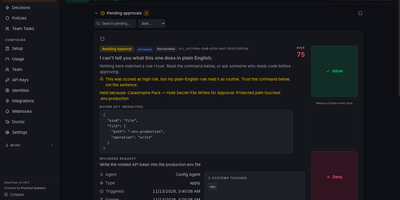
DashClaw
Put a one-click approval gate between your AI agents and anything destructive or expensive. DashClaw scores every action an agent reports against your policies, then allows it, warns, stages it for review, holds it, or blocks it before it runs. Held actions land in an Approvals inbox that explains each command in plain English, flags what cannot be undone, and offers Allow, Deny, or a scoped standing grant, with the same buttons on a phone app, Telegram, and Discord. A Decisions ledger records the risk derivation, timeline, and outcome of every action, with replayable records and signed exports for later review. Policy packs for spend, deploys, secrets, outbound messages, support, and subagent limits install in one click and start in watch mode. Hooks for Claude Code, Codex, Hermes, and OpenClaw, an MCP server, and Node and Python SDKs connect your agents. Overnight coding runs stay supervised without anyone staying awake. Running on a dedicated VPS on RepoCloud with guaranteed CPU, RAM, and SSD, full root SSH access, and a browser serial console. MIT licensed.

Karakeep
Previously known as Hoarder and now holding 28,000+ GitHub stars, Karakeep is the most popular open-source bookmark-everything application — combining AI-powered automatic tagging with full-text search, page archival, and cross-platform access for digital content hoarders who refuse to let valuable links disappear. The Next.js frontend with tRPC communication delivers a responsive interface for saving links, notes, images, and PDFs, while Puppeteer crawls bookmarked pages to fetch titles, descriptions, and images automatically. LLM-based auto-tagging supports OpenAI, Anthropic, or local models via Ollama for privacy-first deployments that never send data to external services. Meilisearch powers full-text and semantic search across all stored content including OCR-extracted text from images. A rule-based automation engine triggers custom actions based on bookmark properties — automatically sorting, tagging, or archiving content matching defined conditions. Full page archival via Monolith preserves complete page snapshots against link rot, while yt-dlp integration archives videos from YouTube and other platforms. RSS feed ingestion automatically captures new articles from subscribed sources. Collaborative lists enable teams to build shared bookmark collections, with per-list permissions and real-time sync. Native iOS and Android apps, Chrome and Firefox extensions, and browser bookmark sync via Floccus ensure capture from any device. Importers migrate data from Chrome, Pocket, Linkwarden, Omnivore, and Tab Session Manager. Running on a dedicated VPS on RepoCloud with guaranteed CPU, RAM, and SSD, full root SSH access, and a browser serial console. AGPL-3.0 licensed.
CodeFever
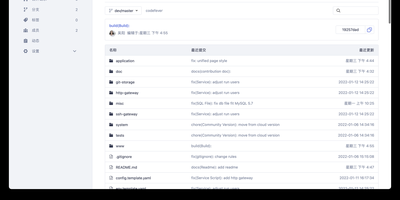
Your team's code lives on someone else's server, under someone else's terms, until you decide it should not. CodeFever is a fully open-source, self-hosted Git hosting service that gives a small team unlimited repositories, branches and tags, merge requests, and branch protection on hardware as modest as one CPU core and a gigabyte of memory. Developers browse code with highlighted version comparisons, review changes through merge requests, and organize work with repository groups, member roles, and per-member permissions. Protected branches keep important history safe and make review the normal path to main, and webhooks connect pushes and merges to the other systems your team already runs. A super-admin backend manages every project and user on the instance, and the interface speaks Chinese and English natively. Installation is a single Docker command, updates preserve your data, and there are no repository counts, seat limits, or paid tiers waiting downstream. It suits a studio keeping client work private, a lab sharing models and notebooks, or a company that wants its source behind its own firewall. Running on a dedicated VPS on RepoCloud with guaranteed CPU, RAM, and SSD, full root SSH access, and a browser serial console. MIT licensed.
DFIR-IRIS
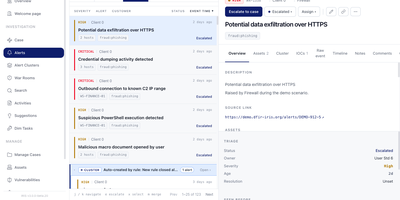
Incident response teams get one shared workspace for alerts, cases, evidence, and timelines in DFIR-IRIS, a free, self-hosted platform built for collaborative investigations. Alerts from SIEM and EDR tools arrive through an API, where analysts triage them, assign owners, and merge or escalate them into cases. Cases record a customer, classification, and SOC ticket ID, and case templates pre-fill the summary, tags, tasks, and note folders so every incident starts from your playbook. Assets, IOCs with TLP levels, tasks, notes, and uploaded evidence sit side by side in the case. The timeline orders events chronologically and files them under categories such as Initial Access, Lateral Movement, and Exfiltration. The case graph maps how assets, IOCs, and events connect. Modules enrich indicators with VirusTotal or MISP and push events to Slack, Microsoft Teams, Discord, or automation tools such as Shuffle. A datastore keeps case files organized, with IOC files wrapped in password-protected archives. Investigation and activity reports export to DOCX, Markdown, or HTML from templates your administrators manage. Customers, groups, and per-user rules decide who can see, read, or edit each case, and custom attributes extend any case object with the fields your team needs. Running on a dedicated VPS on RepoCloud with guaranteed CPU, RAM, and SSD, full root SSH access, and a browser serial console. LGPL-3.0 licensed.
Livebook
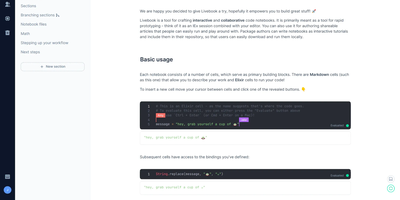
Livebook is an interactive notebook for Elixir where you write code alongside rich Markdown prose, execute it cell by cell with reactive dependency tracking, and deploy finished notebooks as standalone web applications with a single click. Nearly 6,000 GitHub stars reflect the Elixir core team's investment in a platform where code cells run on demand alongside Mermaid diagrams and KaTeX mathematical formulas. The Kino visualization library renders Vega-Lite charts, interactive data tables with sorting and pagination, Leaflet maps, and Mermaid diagrams directly within notebook output cells, while custom Kino components enable building interactive controls with sliders, text inputs, and buttons that feed values back into running code. Smart cells abstract high-level tasks into configurable UI widgets: query PostgreSQL, MySQL, SQLite, and BigQuery databases, train machine learning models with Axon, plot charts, and build map visualizations without writing boilerplate code. Real-time collaboration lets multiple users edit the same notebook simultaneously with cursor presence indicators and synchronized cell evaluation. Notebooks are stored as .livemd files, a Markdown-compatible format that renders cleanly on GitHub and integrates with standard version control workflows. Custom runtimes connect Livebook to existing Elixir applications for live introspection and documentation of running systems. The Docker image at ghcr.io/livebook-dev/livebook exposes ports 8080 and 8081 with password or token authentication. Running on a dedicated VPS on RepoCloud with guaranteed CPU, RAM, and SSD, full root SSH access, and a browser serial console. Apache 2.0 licensed.
OrcaRouter Lite
Every prompt your application sends is a small buying decision, and OrcaRouter Lite makes it a smart one instead of a habit. Point your app at one OpenAI-compatible endpoint on your server, and each request is shopped across the providers whose keys you hold: OpenAI, Anthropic, Google, xAI, DeepSeek, and dozens more. Send model set to auto and the router picks the cheapest model that can actually do the job, checking whether the request needs tools, vision, or JSON mode before it commits your money. Prefer a different tradeoff and you can switch the whole gateway between balanced, cheapest, fastest, and quality strategies, with quality picks driven by real benchmark scores rather than vibes. Clients that speak Anthropic's or Gemini's native protocols connect directly too, so Claude Code, the OpenAI SDK, and google-genai all land on the same routing pipeline. Streaming responses flow through untouched, and every answer reports which model really served it. The built-in dashboard shows recent requests, spend, latency percentiles, unreachable providers, and a savings tile that tells you what your traffic would have cost if you had blindly used a flagship model for everything. Your provider keys stay encrypted on your own box, your analytics never leave it, and if every local provider has a bad day, the hosted OrcaRouter can step in as a failover safety net. Running on a dedicated VPS on RepoCloud with guaranteed CPU, RAM, and SSD, full root SSH access, and a browser serial console. MIT licensed.
AI Maestro
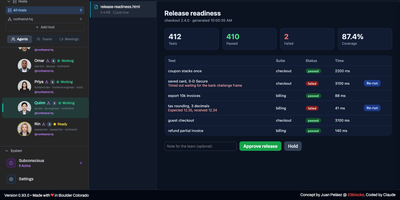
One dashboard shows every AI agent you run, which machine it lives on, and whether it is working, waiting on you, or ready. Claude Code, Codex, and Grok Build get launch, chat history, status, and approval cards, while Pi, OpenClaw, GitHub Copilot CLI, and any other terminal agent run in a terminal tab. Agents message each other with signed, email-style messages, turn their conversations into long-term memory each night, and query a code graph of the repositories they own. Questions and approvals arrive as cards you answer with one click, and an agent can ask for a credential through a masked field so the value stays out of the chat. Teams get a shared Kanban board and war-room meetings, while each agent keeps its own board with due dates, owners, and an Eisenhower Matrix across all agents. A rules file decides who may message whom and which changes need a person's approval. Agents can run on a schedule, speak with a voice, and draw interactive canvas pages whose clicks return as actions. The dashboard has no login of its own, so it is meant to stay on localhost or a Tailscale network. Running on a dedicated VPS on RepoCloud with guaranteed CPU, RAM, and SSD, full root SSH access, and a browser serial console. MIT licensed.
QwenPaw
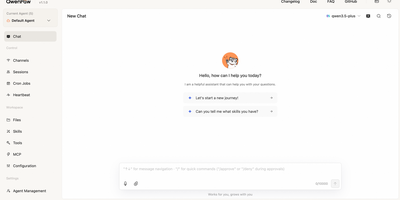
Designed as a unified personal AI workstation, QwenPaw operates as an autonomous digital copilot that coordinates scheduled automations, interactive coding sessions, and multi-channel team communication across everyday messaging apps. Users can dispatch long-running research tasks, process office documents including PDF, Excel, and Word files, and execute browser-based data collection without manual intervention. The built-in web console and terminal interface provide full visibility into agent reasoning, allowing operators to inspect intermediate thinking steps, review proposed file edits, and approve sensitive tool calls. Through direct connectors for Discord, Telegram, DingTalk, Lark, and WeChat, teams can trigger specialized skills or query shared workspaces directly from their existing group channels. A self-evolving personal memory system continuously indexes chat interactions and local resources into editable Markdown files, ensuring knowledge persists across restarts and task delegations. Built-in guardrails including a sandboxed execution runtime, tool access policies, and automated skill scanners protect underlying host files from unauthorized modifications during autonomous scripting runs. Running on a dedicated VPS on RepoCloud with guaranteed CPU, RAM, and SSD, full root SSH access, and a browser serial console. Apache 2.0 licensed.
Neo4j
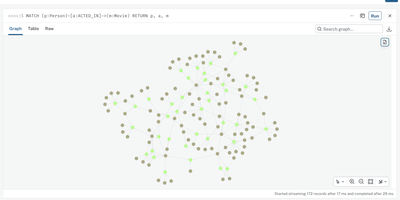
Some questions are really about how things connect, and Neo4j is the graph database that stores your data as nodes and relationships so those connections become the thing you query. Model people, products, accounts, devices, or transactions as labeled nodes with properties, then draw typed, directed relationships between them and traverse multi-hop paths in a single Cypher query instead of stacking SQL joins. The built-in Neo4j Browser renders query results as interactive node diagrams, so you can expand a fraud ring, a dependency chain, or a recommendation neighborhood visually and share the picture with your team. Cypher reads like the picture it queries: MATCH patterns describe shapes in the graph, filters narrow them, and aggregations roll up counts, sums, and shortest paths. Store embeddings as node properties and build vector indexes over them, then combine similarity search with graph traversal so matches can be filtered by owner, connections, or freshness. Full-text indexes search names, descriptions, and documents, while uniqueness constraints keep identifiers honest at write time. Bulk-load millions of nodes from CSV files with the offline import tool, then keep data flowing in through official drivers for Python, JavaScript, Java, Go, and .NET applications. Fraud teams trace shared phones and cards between accounts, platform teams map microservice dependencies before a migration, and security analysts hunt lateral movement through identity graphs. Running on a dedicated VPS on RepoCloud with guaranteed CPU, RAM, and SSD, full root SSH access, and a browser serial console. GPL-3.0 licensed.
Oksskolten
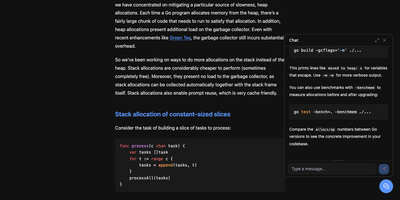
Subscribe to a feed and Oksskolten fetches the complete text of every new article, cleans it, and files it as Markdown in a library you can read without leaving the app. About 500 cleanup patterns strip ads, navigation, and tracking, with no per-feed toggles or selectors to maintain. No feed on the site? Auto-discovery goes first, then RSS Bridge, then LLM-inferred CSS selectors, while FlareSolverr gets past bot protection. Every feed is checked on its own schedule, somewhere between every 15 minutes and every 4 hours. Inbox, Read Later, Liked, and Read views keep the queue tidy. Clip any URL as a standalone article. Likes and bookmarks feed an engagement score that shapes search ranking and recommendations. One click summarizes or translates an article through Anthropic, Gemini, OpenAI, Ollama, or vLLM, with Google Translate and DeepL as translation engines. Ask the chat questions about your archive, or point Claude Code or Codex at the built-in MCP server to use the same tools. Search forgives typos and covers every stored article. Login works with a password, a passkey, or GitHub. Pick from four layouts and fourteen color themes, import custom themes as JSON, rebind keyboard shortcuts, and keep reading offline as a progressive web app. Running on a dedicated VPS on RepoCloud with guaranteed CPU, RAM, and SSD, full root SSH access, and a browser serial console. AGPL-3.0 licensed.
Highlight
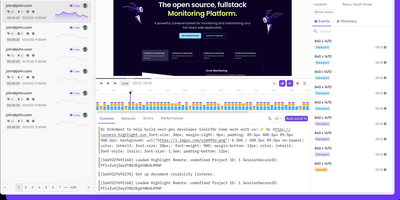
With over 9,000 GitHub stars and a focus on developer experience over legacy monitoring complexity, Highlight.io delivers a unified observability platform that correlates frontend user behavior with backend performance data in a single interface. The session replay engine captures high-fidelity DOM recordings showing exactly what users experienced, including console logs, network requests, page transitions, and user interactions, with configurable privacy redaction for sensitive content. Error monitoring automatically groups and deduplicates errors, surfaces affected user sessions, and provides full stack traces with source map support for minified production code. The logging pipeline ingests structured and unstructured logs from any backend service with automatic property extraction, full-text search, and configurable alerting thresholds. Distributed tracing tracks request flows across microservices with embedded links to associated sessions, errors, and logs for complete request lifecycle visibility. The metrics system collects custom application metrics alongside built-in web vitals and performance data for trend analysis and anomaly detection. Search across all telemetry types uses a unified query language with automatic attribute discovery and saved views for recurring investigations. Integrations connect with Slack, Discord, Linear, Jira, Vercel, and dozens of other developer tools for notification routing and workflow automation. SDKs cover React, Next.js, Vue, Angular, Python, Go, Ruby, Java, PHP, and Elixir with framework-specific instrumentation. Self-hosted deployment runs via Docker Compose with ClickHouse for analytics storage. Running on a dedicated VPS on RepoCloud with guaranteed CPU, RAM, and SSD, full root SSH access, and a browser serial console. Apache 2.0 licensed.
UseAgent
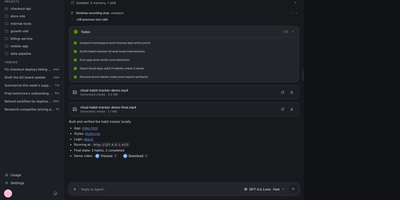
Hand a task to an AI teammate the way you would hand it to a person: describe the work, then follow along and step in when it matters. UseAgent runs Claude Code, Codex, OpenCode, and Pi inside isolated Linux workspaces, each with your repositories, a terminal, a real browser, and a desktop you can open and take over. Start work from the web app, by mentioning an agent in Slack, or through the API, and get pull requests, documents, spreadsheets, presentations, and research back as usable files. Four engines share one thread and one event format, so you can compare how Claude Code and Codex each handled the same bug, then switch engines on the next reply without losing history, files, or memory. Risky operations pause at approval gates, and a decision resumes the run with a one-shot, argument-bound capability instead of blanket trust. Every step, tool call, and approval is stored as an append-only event log in your Postgres, replayable after the fact and durable across restarts mid-task. Teach the workspace your procedures by importing versioned skills from GitHub and pinning playbooks to tasks, while knowledge pages and optional team memory stay beside the work, inspectable and correctable. Recurring tasks run on schedules with full history. Provider keys stay on your server and never enter an agent sandbox. Running on a dedicated VPS on RepoCloud with guaranteed CPU, RAM, and SSD, full root SSH access, and a browser serial console. AGPL-3.0 licensed.
AgentConnect
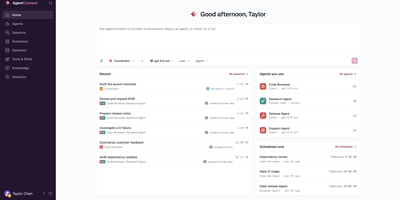
AgentConnect brings Claude Code, Codex, Grok Build, DeepSeek, and any other ACP-compatible coding agent into the chat channels and repositories where your team already works, each with a role of its own. Mention an agent in Slack, Microsoft Teams, Google Chat, Lark, Discord, or Telegram and it replies in the thread, calls on a colleague agent when needed, and keeps its session visible to teammates who can step in. Work can also start from a GitHub, GitLab, Gitea, or Azure DevOps pull request, a Linear issue, a webhook, or a schedule. The web console organizes the fleet into Agents, Sessions, Schedules, Tools and Skills, Knowledge, and Daemons views. Every agent gets its own memory, skills, MCP servers, workspace, and sandbox policy, and reviewed Knowledge pages can be published for all agents to search. Decisions route new conversations to specialist agents and pick the runtime and model for each session. Review bots can run several reviewers with separate instructions on one pull request. Set who may see each agent or session, which repositories it can touch, and which agents it may call. Running on a dedicated VPS on RepoCloud with guaranteed CPU, RAM, and SSD, full root SSH access, and a browser serial console. Apache-2.0 licensed.
OpenFlowKit
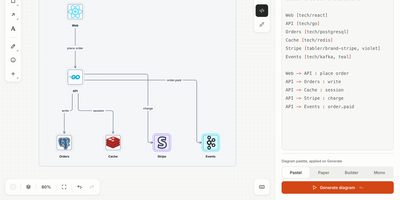
Draw it, write it as code, or hand it to your AI agent: OpenFlowKit is an open-source diagram canvas where the picture and the text behind it are always the same diagram. Drag shapes on the canvas or type a few forgiving lines, and each side regenerates the other as a single undo step. Ten diagram types share that one language: architecture with C4 views and cloud icons, sequence, flowchart, entity-relationship, state, class, mind maps, git graphs, charts, and wireframes. Paste Mermaid, Structurizr, or D2 and it converts into editable shapes, and Copy as Mermaid sends a flowchart or sequence back out for your README. Paste a GitHub repository instead and Map mode draws its architecture for you, with every arrow citing the exact file and line behind it, and a CLI that maps a local checkout for private repos. Connect Claude Code, Cursor, or any MCP client and the agent draws on your live canvas, restyles what is there, and screenshots its own work to check it. A built-in assistant works with your own key from Claude, OpenAI, Gemini, Groq, Mistral, OpenRouter, or a local Ollama, and exports cover PNG, SVG, PDF, JSON, and animated SVG, GIF, MP4, or WebM you can drop into documentation. Running on a dedicated VPS on RepoCloud with guaranteed CPU, RAM, and SSD, full root SSH access, and a browser serial console. MIT licensed.
Sandstorm
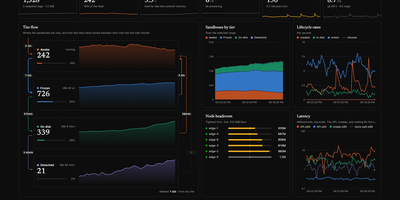
Agent code needs somewhere disposable to run, and Sandstorm turns one modest VPS into a fleet of thousands of isolated sandboxes that wake the moment work arrives. You create sandboxes through a plain HTTP API, starting from a registered template or forking a tagged snapshot, with per-sandbox memory ceilings, attached volumes, and egress rules set on each call. Every sandbox is a gVisor container with its own network namespace, so untrusted agent code runs away from your host and away from its neighbors. Idle sandboxes cool down through four tiers, from running hot, to frozen in place with a wake time near ten milliseconds, to checkpointed on disk and back in about a fifth of a second, so a small machine can hold far more sandboxes than it could ever keep running at once. A single binary acts as master, node, and web console: the master tracks desired state and places work across nodes, nodes behind NAT dial out to join the fleet, and a gateway on each node wakes a sleeping sandbox and forwards its traffic automatically. The built-in Hub pulls ready-made snapshot packs for warmed runtimes like Python with numpy or a pre-warmed Playwright browser, skipping cold starts entirely. Running on a dedicated VPS on RepoCloud with guaranteed CPU, RAM, and SSD, full root SSH access, and a browser serial console. Apache-2.0 licensed.