
Thumbor
Born at Brazilian media giant Globo.com, Thumbor answers imaging CDNs like Imgix and Cloudinary with an HTTP service where every image variant is just a URL. Ask for /300x200/smart/your-image.jpg and Thumbor fetches the original, crops and resizes on demand, and caches the result - one source file, unlimited renditions, no batch pre-generation pipeline. The "smart" in the URL is the signature feature: OpenCV-based face detection finds people in the frame and crops around them (no more thumbnails with severed heads), and when no faces exist, feature detection finds visually important corners and computes a weighted center of mass as the focal point. Beyond cropping, a chainable filter pipeline handles brightness, contrast, grayscale, blur, red-eye removal, rounded corners, rotation, watermarks, and format conversion with quality control - applied in order via URL segments. All common image formats work out of the box, and every layer is pluggable: loaders (HTTP, local, S3), storages and result storages (local, S3, Ceph, and community backends), engines, optimizers, filters, and even custom detectors, with the awesome-thumbor list cataloging the ecosystem. URL signing prevents abuse of your processing capacity. Integrations exist for Django, Rails, Node, WordPress, and most frameworks. MIT-licensed, battle- tested for over a decade.
Hatchet
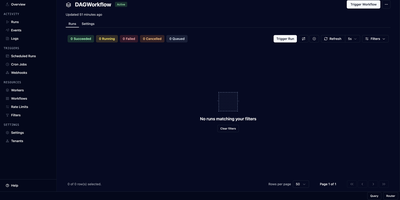
Processing over one billion tasks per month on Hatchet Cloud and holding 7,600+ GitHub stars, Hatchet is the open-source orchestration engine that replaces fragile legacy queues with durable, fault-tolerant task execution built entirely on PostgreSQL — no Redis, RabbitMQ, or Kafka required. Born from the creators' experience scaling Uber's Cadence-inspired patterns, the v1 engine achieves 10,000 tasks per second sustained throughput with 20ms average queue latency through dynamic buffer flushing and batch insert optimization. Define tasks, durable workflows, and DAG pipelines as code using native SDKs for Python, TypeScript, Go, and Ruby — every function gets automatic retries with configurable backoff, concurrency control with group round robin or cancellation policies, priority queuing, and dynamic rate limiting for third-party API protection. Durable execution persists the complete history of every task and state transition, enabling replay from failure, debugging via full event timelines, and complex pause/resume conditions using durable sleep and event waits. The real-time web dashboard provides workflow run visualization with DAG timeline rendering, worker health monitoring with slot utilization, queue depth metrics, task throughput charts, and error rate tracking — all filterable by status, workflow, or time window. OpenTelemetry integration and Prometheus metrics export enable advanced observability. Multi-tenant by default with users, roles, and namespace isolation. Self-host via Docker Compose with PostgreSQL and optional RabbitMQ, or use the single-container Hatchet Lite image for development. Running on a dedicated VPS on RepoCloud with guaranteed CPU, RAM, and SSD, full root SSH access, and a browser serial console. MIT licensed.
Onyx
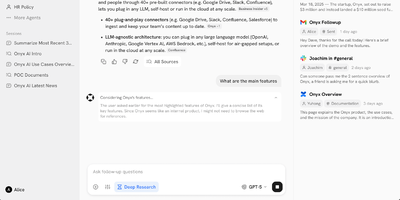
Formerly known as Danswer and now backed by over 31,000 GitHub stars with 253 releases, Onyx delivers a production-ready AI platform that turns any LLM into a context-aware enterprise assistant connected to your organization's actual knowledge. The agentic RAG pipeline combines BM-25 keyword search with prefix-aware embedding models in a hybrid index, then deploys AI agents to retrieve, verify, and synthesize answers with source citations from over 40 connected workplace tools including Google Drive, Confluence, Slack, Notion, Jira, SharePoint, GitHub, and Linear. Custom AI assistants with configurable prompts, backing knowledge sets, and document-level access control enable specialized agents for engineering, sales, support, and research workflows. The platform supports every major LLM provider — Anthropic Claude, OpenAI, Google Gemini, plus self-hosted options via Ollama, LiteLLM, and vLLM for fully air-gapped deployments. Beyond chat, Onyx provides web search with Serper, Google PSE, Brave, and SearXNG integration, an in-house web crawler, code execution, file creation, and multi-step deep research with report generation. Enterprise features include SSO via Google OAuth, OIDC, or SAML with SCIM provisioning, role-based access control, usage analytics by team and agent, query history auditing, PII removal through custom code hooks, and full whitelabeling. Deploy via Docker Compose on any infrastructure. Running on a dedicated VPS on RepoCloud with guaranteed CPU, RAM, and SSD, full root SSH access, and a browser serial console. MIT licensed (Community Edition).
Canonry
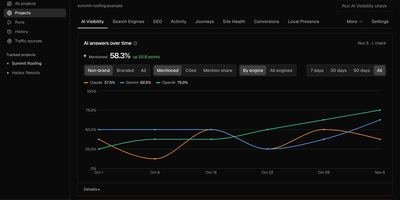
When a buyer asks ChatGPT which company to call, your brand is either inside the answer or invisible: Canonry tracks those mentions and citations across ChatGPT, Claude, Gemini, Meta Muse, and Perplexity, then joins them with the search, ads, and traffic data that explains them. You see mention share against named competitors, the exact answers and sources behind every result, and where rivals get cited while you do not. Server-side traffic analysis reads your own logs to show which pages GPTBot, ClaudeBot, and other AI crawlers visit, which pages AI assistants open for users, and who clicks through. Site Health crawls score every page for AI readiness and map the internal links between them, with each finding listing the pages it affects. Keyword volume, difficulty, rankings, and search gaps come from DataForSEO, while the content engine points at the pages to write or improve next and can draft them to WordPress for review. Your connected agent works the same evidence through the REST API, CLI, or MCP: find competitor citations, prepare a fix, publish and submit URLs to Google and Bing, then rerun checks and report what changed. Schedules rerun everything on a clock with alerts to Discord or Slack, and Aero, the built-in analyst, reads the evidence and explains what moved. Running on a dedicated VPS on RepoCloud with guaranteed CPU, RAM, and SSD, full root SSH access, and a browser serial console. MIT licensed.
TapMap
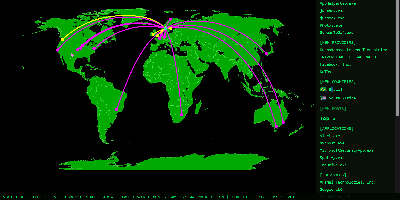
TapMap draws a computer's live network connections on an interactive world map, so you can watch which applications are talking to which services, where those services sit, and what normal looks like for that machine. A local pipeline scans active sockets, extracts the remote addresses, and enriches them with geolocation from databases stored on the machine itself. Every connection carries the owning application or process, its network operator, and the operating system's verification status for that app, and places that share a location are highlighted when connections overlap. The same view lists local open ports, both TCP listeners and bound UDP sockets, established services on your LAN, and public services whose location could not be mapped. A rolling 30-day history turns raw connections into awareness: an Insights panel surfaces new applications, providers, countries, and ports, plus the most frequent activity, while a Significant Connections log records first sightings and failed verifications. A Daily Activity Report goes further, sorting applications into seen-once, occasional, recurring, and stable patterns, analyzing provider concentration, and charting country activity with detailed timelines. New significant connections can raise a desktop notification or publish to an MQTT broker you configure. Nothing is sent anywhere by default: processing happens locally, with no telemetry. Running on a dedicated VPS on RepoCloud with guaranteed CPU, RAM, and SSD, full root SSH access, and a browser serial console. MIT licensed.
WhoDB
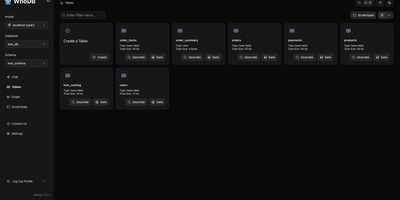
With nearly 5,000 GitHub stars earned in under two years, WhoDB has rapidly emerged as the lightweight alternative to heavyweight database clients like DBeaver and DataGrip by delivering a sub-50MB binary that starts in under a second and connects to 18+ database systems from a single interface. The Go backend serves the React and TypeScript frontend with table virtualization for efficient rendering of large result sets, lazy loading, and query result streaming that keeps the interface responsive even when browsing tables with millions of rows. The Community Edition connects to PostgreSQL, CockroachDB, YugabyteDB, MySQL, MariaDB, TiDB, SQLite, DuckDB, MongoDB, FerretDB, Redis, Valkey, Dragonfly, Elasticsearch, OpenSearch, ClickHouse, QuestDB, and Memcached through a unified credential selector that switches between databases with minimal configuration. Interactive schema diagrams render entity-relationship graphs showing table structures, foreign keys, and column types for visual database exploration. The Jupyter-style query scratchpad provides SQL autocomplete, syntax highlighting, and multi-statement execution with paginated results. AI integration optionally connects to Ollama, OpenAI, Anthropic, LM Studio, or any OpenAI-compatible provider for natural language database queries — ask questions in plain English and receive generated SQL. Data management includes inline row editing, CSV export, and filtered data views. Docker deployment runs a single container exposing port 8080. Running on a dedicated VPS on RepoCloud with guaranteed CPU, RAM, and SSD, full root SSH access, and a browser serial console. Apache-2.0 licensed.
Lalabase
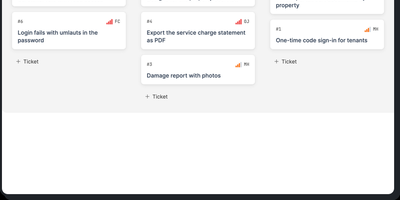
Lalabase is project management built for developers who work with clients, putting tickets, time tracking, documentation, and meetings in one workspace instead of five separate tools. Each client gets an organisation with its own projects and its own access, and roles decide exactly what clients can see. Tasks run as a list or a board with the statuses, priorities, and fields you define per project, rather than the workflow a vendor chose for you. Time tracking records several sessions per ticket, each billable on its own, with exports that go straight into the invoice. Documentation lives beside the work: notes and documents sit in the project, and a folder in your GitHub or GitLab repository becomes the project's docs automatically. Meetings keep their transcript, an AI summary, and the tasks that follow from what was actually said. When you need an answer, the AI assistant takes one question across tickets, comments, documents, hours, and meetings, and it cites the ticket, page, or conversation every answer came from. It even reads your repository's indexed code structurally, so questions about what is implemented get answered against the code. The assistant stays off until you enable it with your own provider key or a model in your own network. An MCP server and REST API let your own agents list, create, and update tickets, comment, and log time. Running on a dedicated VPS on RepoCloud with guaranteed CPU, RAM, and SSD, full root SSH access, and a browser serial console. AGPL-3.0 licensed.

Gods Eye View
God's Eye View turns your browser into a real-time spatial intelligence command center, rendering thousands of live aircraft, ships, satellites, earthquakes, traffic flows, and public cameras on a photorealistic 3D Earth powered by CesiumJS and Google Photorealistic 3D Tiles. Click any aircraft to see its transponder telemetry from OpenSky and adsb.lol, including route history, altitude, speed, and callsign; track live vessel positions worldwide through AIS beacon data from AISStream; or follow roughly 840 satellites color-coded by class using orbital elements from CelesTrak. A hands-free voice agent powered by the OpenAI Realtime API lets you ask the planet questions in natural language, and the globe annotates your answer directly in 3D space. Toggle FLIR mode for a thermal camera aesthetic, layer in NASA FIRMS wildfire data, switch between Google 3D, Bing aerial, and OpenStreetMap base layers, or tune into a geolocated world radio dial. Public CCTV cameras are projected into 3D city geometry with viewshed cones and direct-manipulation calibration. The cockpit mode provides a pilot-style briefing surface with mission-specific overlays. Entity inspection panels show detailed metadata for every tracked object, and shareable links let you send any scene configuration to a colleague. Ten of the thirteen live data layers work with zero API keys, while the required Google Maps key offers 1,000 free 3D tile sessions per month. Running on a dedicated VPS on RepoCloud with guaranteed CPU, RAM, and SSD, full root SSH access, and a browser serial console. MIT licensed.

Cal.diy
With over 47,000 GitHub stars, Cal.diy is the fully open-source community fork of Cal.com that strips away every proprietary license gate and enterprise paywall to deliver a pure MIT-licensed scheduling platform you completely own. The booking engine supports individual event types including recurring events, seated events with capacity limits, and paid bookings through Stripe and PayPal, all backed by customizable availability schedules with date overrides, buffer times, minimum notice periods, and travel schedule support. Calendar synchronization is bidirectional across nine providers — Google Calendar, Outlook and Office 365, Apple Calendar, CalDAV, Lark, Feishu, Zoho, Exchange, and ICS feeds — so every booking automatically appears on your existing calendar while blocking conflicting slots. Video conferencing links generate automatically for Zoom, Google Meet, Microsoft Teams, Webex, Jitsi, Daily.co, Whereby, and Huddle01, eliminating manual link management. The automation layer connects through webhooks, Zapier, n8n, Make, and Pipedream to CRM platforms like HubSpot, Salesforce, and Close, messaging services including Discord, Telegram, and WhatsApp, and analytics tools such as Google Analytics 4, PostHog, and Fathom. The entire application is built on the T3 stack — Next.js for server-rendered pages, tRPC for end-to-end type-safe APIs, Prisma for PostgreSQL database access, and Tailwind CSS for the responsive interface. Unlike Cal.com's open-core model, Cal.diy requires no license key and includes no gated features. Running on a dedicated VPS on RepoCloud with guaranteed CPU, RAM, and SSD, full root SSH access, and a browser serial console. MIT licensed.
Signet
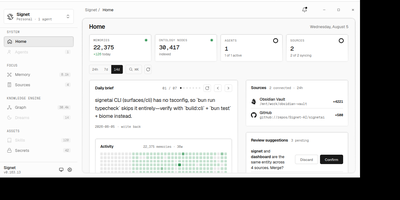
Give every AI agent you use the same memory, and a coding session stops starting from zero each time the tool changes. Signet runs as a daemon that captures transcripts, imported documents and connected sources, then builds a structured map of the people, projects, facts and relationships inside that history through a background process called dreaming. Each connection links back to its source passage, so an agent can trace a recalled fact to the exact transcript or file that produced it. Hooks, plugins and MCP integrations feed relevant memory into Claude Code, Codex, OpenCode, Gemini CLI, Kimi Code, Pi and more before the next prompt begins, and the same memory follows the work when the harness changes. Agents can also leave messages for each other through Signet, delivered at the start of the recipient's next session. The browser dashboard presents a daily brief, recent memories, a searchable memory graph, source connections and system status, plus a chat that answers questions over the memory with citations to the underlying records. Imports cover Word, PowerPoint, Excel, PDF, EPUB, CSV and web pages, with Notion databases and Discord channels syncing into the same graph. Per-agent read isolation, encrypted secrets and credential redaction keep sensitive material bounded. Running on a dedicated VPS on RepoCloud with guaranteed CPU, RAM, and SSD, full root SSH access, and a browser serial console. Apache-2.0 licensed.
GO Feature Flag
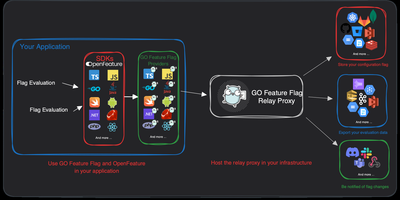
Release a feature to five percent of users today, everyone on Friday, and only beta testers in between, all by editing one file: that is the job GO Feature Flag does for your applications. Flags live in a YAML, JSON, or TOML configuration you store in Git, S3, Kubernetes, or any retriever you already trust, and a lightweight relay proxy serves evaluations to every service through the standard OpenFeature SDKs in many languages. Targeting rules aim flags at specific users, segments, or contexts, progressive rollouts raise percentages on a schedule, experimentation splits traffic for A/B tests, and scheduled changes flip flags while the team sleeps. Every evaluation can be exported to files, S3, Google Cloud Storage, or Kafka for analysis, and webhook or Slack notifiers announce the moment a flag changes. Because the data plane is your proxy and your file, any language your stack speaks, from mobile apps to backends, evaluates the same flags with identity, variation, and rollout logic decided centrally. Running on a dedicated VPS on RepoCloud with guaranteed CPU, RAM, and SSD, full root SSH access, and a browser serial console. MIT licensed.
Pi Pocket
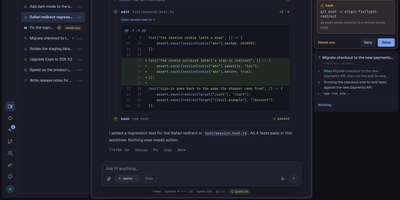
Pi Pocket puts the Pi coding agent in your phone browser, so you can start, steer, and review real coding sessions from anywhere while the work stays on your own server. Open a folder, a fresh Git worktree, or a GitHub repository, pick a model per session, and watch streamed replies with tool calls, queued follow ups, and a stop button when a run wanders. Sessions survive crashes and restarts because every model call, tool call, and subagent step is stored as it happens, and forks let you retry any reply with a different model on another branch. Invite teammates into a live session with presence, roles, and a side chat the agent never sees, or let PiP, the built in assistant, follow your other sessions and report back. GitHub watches and webhooks wake the agent when pull requests, issues, or workflows change, while scheduled messages and cron style goals keep routine work moving overnight. Spend views show cost per person and per session, and owner set limits pause new work instead of quietly burning budget. On a phone you get push notifications, dictation, share sheet intake, and a home screen app, and live reloadable extensions add routes, modules, and commands without a build step. Running on a dedicated VPS on RepoCloud with guaranteed CPU, RAM, and SSD, full root SSH access, and a browser serial console. MIT licensed.
Lago
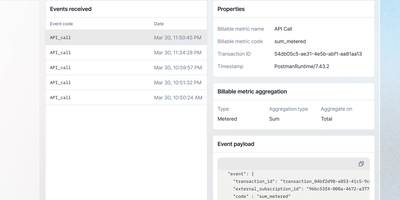
Trusted by Mistral AI, PayPal, Groq, and Synthesia with over 10,300 GitHub stars and Y Combinator backing, Lago is the open-source billing engine that handles usage-based, subscription-based, and hybrid pricing models through a single API-first platform — replacing the need to build custom billing logic or depend on opaque SaaS pricing infrastructure. Real-time event ingestion via ClickHouse processes billable events with deduplication and multiple aggregation methods including count, sum, unique count, max, and weighted sum, while graduated pricing tiers, package-based billing, and percentage-based fees model any pricing strategy from simple subscriptions to complex marketplace commission structures. Automated invoice generation calculates charges according to configurable billing cycles with grace periods, proration for mid-cycle changes, and credit note issuance for refunds and adjustments. Prepaid credits enable pay-in-advance models where customers purchase credit blocks and draw down as usage accumulates, while entitlements tie feature access directly to billing plans for automated provisioning and de-provisioning. Payment orchestration integrates natively with Stripe, Adyen, and GoCardless with automatic retry logic, dunning workflows for failed payments, and multi-gateway routing. Revenue analytics provide cross-stream visibility into MRR, usage trends, churn, and revenue drivers through dedicated API endpoints. The customer portal embeds into your application for self-service invoice access and usage monitoring. Running on a dedicated VPS on RepoCloud with guaranteed CPU, RAM, and SSD, full root SSH access, and a browser serial console. AGPL-3.0 licensed.
OpenPencil
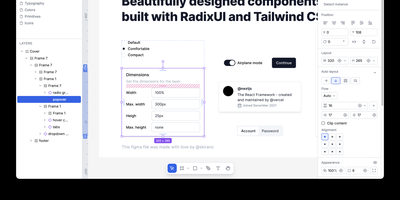
OpenPencil is the open-source design editor that reads and writes native Figma .fig files using the same Kiwi binary format — enabling bidirectional copy-paste between Figma and OpenPencil without data loss. The built-in AI assistant provides 90+ design tools through a chat interface, creating and modifying shapes, fills, strokes, auto-layout, components, variables, and boolean operations from natural language prompts, with BYOK support for Anthropic, OpenAI, Google AI, OpenRouter, Z.ai, MiniMax, and compatible endpoints. A Skia CanvasKit WASM renderer paired with Yoga WASM layout engine delivers Figma-parity rendering with flex and CSS Grid support including gap, padding, and alignment. The headless CLI inspects node trees via XPath queries, lints naming and accessibility, converts between document formats, analyzes color and typography patterns, extracts design tokens, and exports to PNG, SVG, JSX/Tailwind, and HTML. An MCP server exposes all design operations over stdio and HTTP, connecting Claude Code, Cursor, Windsurf, and Gemini CLI for AI-assisted design automation. Real-time P2P collaboration via WebRTC with Yjs CRDT synchronization requires no server and no account. The Vue SDK provides headless components for embedding the editor into custom applications. Ships as a 7 MB Tauri v2 desktop app for macOS, Windows, and Linux, or runs in any browser as a PWA. Running on a dedicated VPS on RepoCloud with guaranteed CPU, RAM, and SSD, full root SSH access, and a browser serial console. MIT licensed.
Codeman
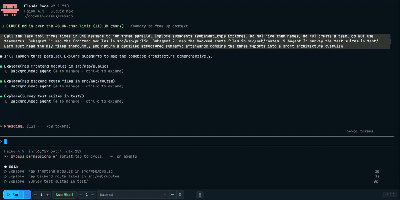
Codeman is a self-hosted mission control for AI coding agents that runs Claude Code, Codex, OpenCode, Gemini, Copilot, and five more agent CLIs in persistent sessions you can watch and steer from any browser, phone included. Sessions live in tmux, so agents survive server restarts, network drops, and laptop sleep, with full scrollback replay when you return. Run up to twenty sessions as tabs or in a six-up tile grid, each streaming its real terminal with token and cost tracking, and tabs that blink when an agent goes idle or needs an answer. Idle detection re-prompts stalled agents, and when a subscription usage limit hits, Codeman parses the reset time, waits it out, and resumes the run unattended. Subagents appear as floating live windows tethered to their parent session, with real-time transcripts, token counts, and status badges. Agents can drive Codeman too, through a bundled skill, CLI verbs, and an MCP server that let one agent start, prompt, and collect answers from workers in other CLIs. Run a project in an isolated Docker container or on another machine over SSH, preview agent-created files in the browser, and reach everything from your phone with QR login and push notifications, or over Tailscale with a real certificate. Running on a dedicated VPS on RepoCloud with guaranteed CPU, RAM, and SSD, full root SSH access, and a browser serial console. MIT licensed.
Dagger
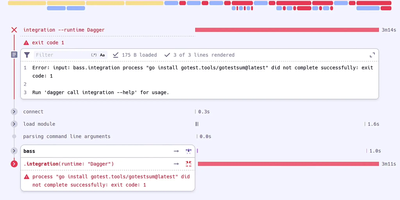
With 16,100 GitHub stars and created by Solomon Hykes (co-founder of Docker), Dagger eliminates proprietary YAML DSLs from CI/CD by letting developers write pipelines as real programs in their preferred language — then executing them identically on a laptop, in GitHub Actions, in GitLab CI, or on any machine with a container runtime. The BuildKit-based Dagger Engine runs every pipeline operation inside OCI containers, constructing a directed acyclic graph where each node is cached by default, parallelized automatically, and produces bit-for-bit reproducible outputs regardless of execution environment. Native SDKs generated from the GraphQL API schema provide Go, Python, TypeScript, PHP, Java, .NET, Elixir, and Rust developers with full type safety, IDE autocomplete, and the ability to unit-test CI pipelines using the same testing frameworks as application code. The module ecosystem enables cross-language composition where a Python team can invoke a Go team's build functions without learning Go, while filesystems, secrets, git repositories, and network tunnels are passed between functions as strongly-typed objects. Pipeline operations cache at container-layer granularity with content-addressed deduplication, and the interactive REPL enables step-by-step pipeline debugging with live container inspection. Host dependencies are explicit and strictly typed, eliminating implicit environment coupling that causes "works on my machine" failures. Running on a dedicated VPS on RepoCloud with guaranteed CPU, RAM, and SSD, full root SSH access, and a browser serial console. Apache 2.0 licensed.
SwarmClaw
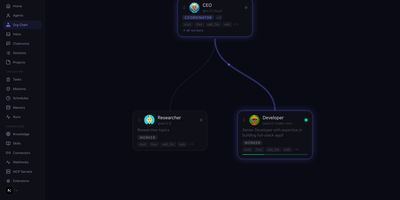
Running a single AI agent is straightforward; running a team of specialized agents that delegate tasks, share memory, and coordinate through structured workflows requires an orchestration layer, and that is exactly what SwarmClaw provides. Define a hierarchy of agents in an org chart where a Coordinator (your CEO agent) delegates research tasks to a Researcher, coding tasks to a Developer, and design tasks to a Designer, each configured with its own LLM provider, tool permissions, and skill set. The Task Board presents a Kanban view of all work items across Backlog, Queued, Running, and Completed columns, with each task card showing its assigned agent, tags, due dates, and approval gates that pause execution until a human reviews and approves. Agents execute work using built-in tools for file operations, shell commands, browser automation, and persistent memory, plus any MCP server you connect via stdio, SSE, or streamable HTTP transport. Durable structured sessions support branching logic, repeat loops, parallel branches with explicit joins, and restart-safe run state that survives crashes without losing progress. Over 23 LLM providers ship built-in: Claude Code CLI, OpenAI, Anthropic, Google Gemini, DeepSeek, Groq, Mistral, xAI Grok, Fireworks, Ollama, and more. Connectors push messages to Discord, Slack, and Telegram, while cron schedules and webhooks trigger agent runs automatically. Running on a dedicated VPS on RepoCloud with guaranteed CPU, RAM, and SSD, full root SSH access, and a browser serial console. MIT licensed.
MCPHub
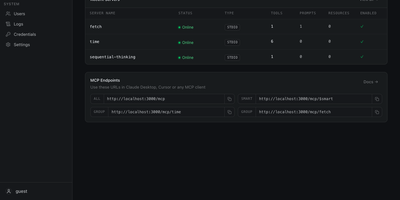
One endpoint for every MCP server you run: MCPHub gathers local and remote Model Context Protocol servers behind stable URLs, so AI clients connect once and see what you allow. Claude Code, Cursor, and Cherry Studio can use four routes: everything at /mcp, a named group at /mcp/{group}, one server at /mcp/{server}, or semantic tool search at /mcp/$smart. Smart routing runs vector search on PostgreSQL with pgvector and an OpenAI-compatible key, so the model gets a shorter tool list. Servers attach over stdio, SSE, or streamable HTTP, OpenAPI services can be wrapped as MCP tools, and changes apply without downtime. In the other direction, MCP tools can be exported as an OpenAPI 3.0.3 spec for OpenWebUI and other OpenAPI clients. Bearer keys, OAuth 2.0 (client and server modes), and GitHub or Google sign-in in database mode control access, with per-user visibility for servers and groups. Encrypted per-user credentials let one shared server use each person's own key. Logs show tool-call activity, request status, and latency, health checks track each connection, and the dashboard controls which tools, prompts, and resources each server exposes. Large text tool results can be compressed, interactive MCP Apps are proxied through MCPHub routes, and a built-in market lets you browse a server catalog. Typical uses include a team-wide gateway, per-project groups, and direct single-server routes for debugging. Running on a dedicated VPS on RepoCloud with guaranteed CPU, RAM, and SSD, full root SSH access, and a browser serial console. Apache-2.0 licensed.