TimeTagger
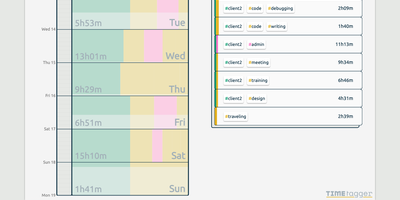
Freelancers, consultants, and solo workers get an accurate record of their hours from TimeTagger, a time tracker that logs tagged tasks on an interactive timeline and summarizes them as billable reports. Press S, type a description, and hit Enter to start the clock without the mouse, or drag across the timeline to log finished work. Hashtags in a description become autocompleting tags, with no projects to set up. Renaming a tag updates every record that uses it. Drag a record's edges to fix its times, then zoom the timeline out to a week or month with mouse, touch, or arrow keys. An overview panel totals time per tag combination for the selected range, and the Report button saves it as a client-ready PDF or a CSV with decimal hours. Daily, weekly, and monthly targets track progress toward your goals, and an optional Pomodoro timer alternates work and break periods with an alarm and a notification. Settings add a dark theme, local date notations, a Monday-to-Friday week, and a day offset for night shifts. The interface adapts from desktop to phone, installs as a progressive web app, works offline, and syncs records across devices once the connection returns. A web API and a command-line client let you query, create, and update records from scripts or the terminal. Running on a dedicated VPS on RepoCloud with guaranteed CPU, RAM, and SSD, full root SSH access, and a browser serial console. GPL-3.0 licensed.
Deploy