Nextcloud
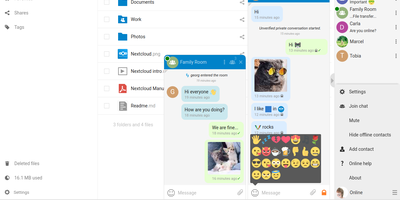
Google Workspace and Microsoft 365, replaced by a platform you actually control: Nextcloud is the self-hosted digital workspace. Files is the core: file storage and sync across desktop, mobile, and web clients, with sharing, versioning, and collaboration built in. Around it, Talk provides private text chat, audio/video conferencing with screen sharing, SIP integration, and persistent voice rooms; Groupware bundles calendar, contacts, and mail with delegation support; and Office offers two collaborative suites - the Collabora-based option with deep ODF support, and Euro-Office, whose local-processing architecture delivers strong Microsoft Office compatibility and fast browser rendering with reduced server load. The Nextcloud Assistant threads AI through the platform via a context-aware sidebar, Whiteboard covers visual collaboration, Flow handles automation, and an app ecosystem of hundreds of extensions adds everything from Kanban boards to end-to-end encryption. Hub 26 brings a lighter UI with a unified app switcher and Nextcloud Governance for organizations under strict regulatory requirements. This is the flagship of data sovereignty: your files, chats, calendars, and documents live on your server, under your jurisdiction, with GDPR compliance by architecture rather than by contract.
Elasticsearch
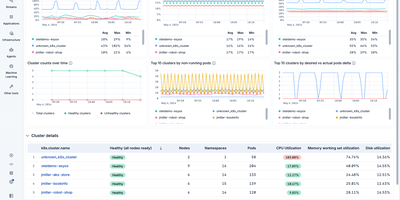
With over 70,000 GitHub stars and billions of documents indexed across enterprises like Uber, Netflix, and Wikipedia, Elasticsearch is the world's most deployed search engine, powering everything from application search to security analytics and AI-driven retrieval. Built on Apache Lucene, its inverted index architecture delivers sub-second full-text search across terabytes of data with BM25 relevance scoring, configurable analyzers for 30+ languages, and fuzzy matching for typo tolerance. The kNN vector search API uses the HNSW algorithm for approximate nearest neighbor queries on dense and sparse embeddings up to 4,096 dimensions, while reciprocal rank fusion enables hybrid search that combines lexical and semantic signals in a single query. Elasticsearch's aggregation framework supports metric, bucket, and pipeline aggregations for real-time analytics directly on indexed data without separate OLAP infrastructure. The cluster distributes data across shards with automatic rebalancing, replica allocation, and cross-cluster search for multi-datacenter deployments. Kibana provides the visualization layer with dashboards, Lens visual editor, Canvas for pixel-perfect reports, and Discover for ad-hoc log exploration. Ingest pipelines with processors like grok, dissect, GeoIP enrichment, and inference handle data transformation at index time, and ES|QL brings pipe-based query syntax with joins and columnar processing. Running on a dedicated VPS on RepoCloud with guaranteed CPU, RAM, and SSD, full root SSH access, and a browser serial console. AGPL v3 licensed.
MongoDB
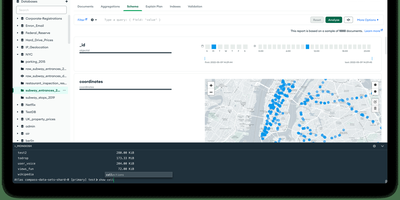
Used by over 46,800 companies including Forbes, Toyota, and Cisco, MongoDB stores data as flexible JSON-like BSON documents that eliminate rigid table schemas and support rapid application iteration. Its aggregation pipeline processes complex data transformations through composable stages including $match, $group, $lookup for joins, $unwind, and $project, operating directly within the database engine. Horizontal scaling is built in through automatic sharding, which distributes data across nodes using range-based, hashed, or zone-based shard keys, while replica sets provide automatic failover with configurable read preferences and write concerns. Multi-document ACID transactions span multiple collections and shards since version 4.0, enabling relational-style consistency guarantees within a document model. Starting with Community Edition 8.2, native full-text search and vector search are available directly in the database through $search and $vectorSearch aggregation stages, supporting RAG patterns, semantic retrieval, and hybrid search without external dependencies. Change streams provide real-time event-driven data access by tailing the oplog through the aggregation framework, enabling reactive architectures without polling. Time series collections offer optimized columnar storage for IoT sensor data and metrics with automatic bucketing and compression. Official drivers exist for Python, Node.js, Java, Go, C#, C++, Rust, Swift, and PHP, with MongoDB Compass providing a GUI for visual schema exploration and query building. Running on a dedicated VPS on RepoCloud with guaranteed CPU, RAM, and SSD, full root SSH access, and a browser serial console. SSPL v1 licensed.
MySQL
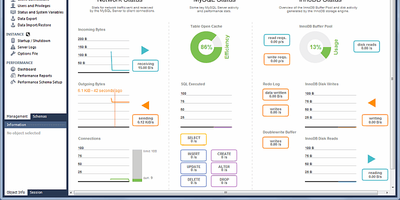
Powering Facebook, Uber, Twitter, and Booking.com, MySQL processes billions of queries daily as the world's most widely deployed open-source relational database. Its default InnoDB storage engine delivers full ACID compliance with row-level locking, crash recovery, and foreign key enforcement, making it the backbone of mission-critical e-commerce, SaaS, and financial applications. MySQL's Document Store bridges relational and NoSQL paradigms, allowing developers to work with schema-less JSON collections alongside traditional SQL tables through the X DevAPI protocol. For high availability, InnoDB Cluster combines Group Replication, MySQL Router, and MySQL Shell into an integrated solution with automatic failover, while InnoDB ClusterSet extends this across data centers for disaster recovery. The database supports multiple storage engines including MyISAM for read-heavy analytics, Memory for temporary high-speed caching, and Archive for compressed historical data. Native JSON functions like JSON_TABLE() transform document data into relational result sets, and spatial data types enable GIS applications. MySQL integrates with every major programming language through official connectors for Python, Java, Node.js, PHP, C++, and .NET, and works seamlessly with frameworks like Django, Laravel, Rails, and Spring. Replication topologies support read replicas for horizontal scaling, and the new Change Stream Applier in MySQL 26.7 enables configurable parallel transaction application with up to 1,024 workers per channel. Running on a dedicated VPS on RepoCloud with guaranteed CPU, RAM, and SSD, full root SSH access, and a browser serial console. GPLv2 licensed.
Duplicati
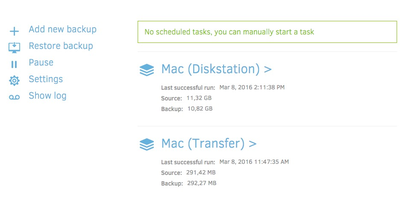
Encrypted, incremental, compressed backups on storage you already have - Amazon S3, Backblaze B2, Google Drive, Azure, OneDrive, Dropbox, MEGA, Storj, WebDAV, SFTP, FTP, SMB, or a plain local disk - is what the MIT-licensed Duplicati has quietly done for years. Its security model is Trust No One: every block is encrypted with AES-256 (or a local GPG instance) before leaving the machine, and the passphrase never travels, so the storage provider holds only ciphertext. The block-based storage engine gives the best of both backup worlds: after one initial full backup, only changed data blocks upload - modify a tiny part of a huge file and only that part transfers - yet every backup version restores like a full backup in a single operation, with no incremental chains to replay. Deduplication and compression keep remote storage growth slow even across years of versions. A web interface manages everything: the built-in scheduler keeps backups current automatically, flexible filters select folders, file types, or custom patterns, retention policies prune old versions, and an integrated updater flags new releases. On compatible object-lock backends, immutable (WORM) storage protects backup data from ransomware that reaches the credentials. Runs on Windows, macOS, and Linux, free even for commercial use.
Zerobyte
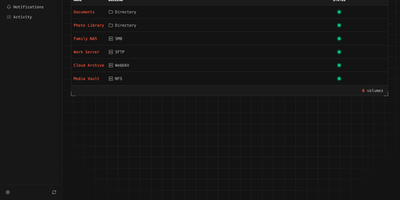
Replace fragile cron scripts and complex terminal commands with Zerobyte, a self-hosted web control center that schedules, monitors, and restores encrypted backups across any cloud or local storage infrastructure. System administrators can connect local drives, NFS shares, SMB exports, WebDAV mounts, and SFTP endpoints as backup sources with custom inclusion and exclusion rules. The visual interface lets you dispatch incremental, client-side encrypted snapshots to local directories, Amazon S3, Google Cloud Storage, Azure Blob, and forty cloud storage providers supported via rclone. You can schedule automated jobs using cron expressions, configure custom retention windows to automatically prune obsolete archives, and run repository health checks directly from the browser. Interactive file trees allow operators to inspect historical snapshot contents, download specific documents, or restore entire directory structures to their original locations in a single click. Configurable pre-backup and post-backup HTTP webhooks help pause databases before snapshots, execute dump commands, and alert teams through Discord, Slack, Telegram, or ntfy notifications. Multi-repository mirroring duplicates critical backups to secondary cloud providers for disaster recovery. Running on a dedicated VPS on RepoCloud with guaranteed CPU, RAM, and SSD, full root SSH access, and a browser serial console. AGPL-3.0 licensed.
Puter
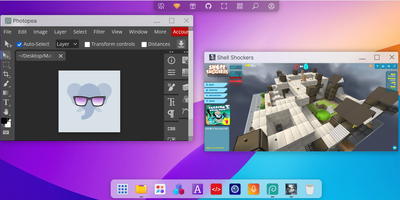
Puter delivers a complete cloud operating system that runs entirely in the browser — turning any device with internet access into a full-featured personal computer with desktop environment, file management, application hosting, and developer platform. The familiar desktop interface presents windows, taskbar, right-click menus, drag-and-drop, and multi-window management indistinguishable from native operating systems. The hierarchical filesystem supports file creation, uploads, sharing, permissions, and trash recovery with storage backends ranging from local SQLite for self-hosting to S3 and DynamoDB for production scale. Built-in AI integration provides access to GPT-4, Claude, and other models directly from the desktop for text generation, code assistance, and image creation. The developer platform offers a JavaScript SDK, REST APIs, cloud storage, key-value database, and serverless workers for building and hosting web applications without managing infrastructure. Sandboxed applications run in iframes with IPC communication and permission-based access to filesystem, AI, and system services. The app store enables publishing, discovering, and monetizing applications built on the Puter platform. Website hosting publishes static sites with custom domains directly from the file manager. Multi-user support provides individual accounts with authentication, resource isolation, and sharing capabilities. Deploy via Docker with a single command, Docker Compose for production, or npm for development — the one-line install script handles everything automatically on Linux, macOS, and Windows. Running on a dedicated VPS on RepoCloud with guaranteed CPU, RAM, and SSD, full root SSH access, and a browser serial console. AGPL-3.0 licensed.
Kopia
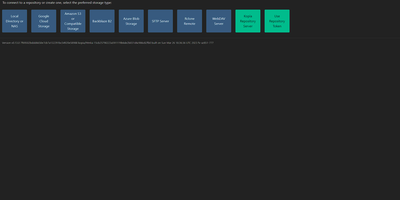
Engineers who have outgrown Duplicati or rsync scripts tend to appreciate Kopia's design: encrypted, compressed, content-deduplicated snapshots in Go, stored in a repository on any storage you control - S3, Google Cloud Storage, Azure Blob, Backblaze B2, SFTP, WebDAV, or a plain filesystem. Encryption is mandatory and end-to-end: every block is encrypted client-side with AES-256-GCM or ChaCha20-Poly1305 using keys derived from your repository password, and even file names never leave the machine in plaintext. Blocks are packed into 20-40 MB blobs with random names, so the storage provider learns nothing about content or structure. Deduplication is automatic and content-based - identical data across files, snapshots, and even multiple machines backing up to the same repository is stored once. Policies govern everything per-directory: compression choice, retention (hourly through annual), scheduling, and ignore rules. Incremental snapshots are point-in-time records you can mount and browse like a filesystem. This deployment runs the Kopia repository server with its web UI, centralizing backups from multiple client machines over an authenticated API - each client connects with the server URL and certificate fingerprint, and users only see their own snapshots. Error correction, high-latency-tolerant caching, and both CLI and GUI round it out.
PostgreSQL
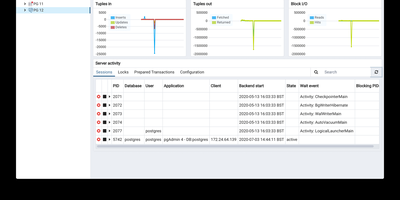
Consistently ranked the most loved and most wanted database in developer surveys, PostgreSQL powers mission-critical workloads at Apple, Instagram, Spotify, and the U.S. Federal Aviation Administration with an architecture refined over nearly four decades since its origins at UC Berkeley. Its native JSONB type stores JSON in an indexed binary format with GIN and GiST index support, enabling document-store capabilities that eliminate the need for a separate NoSQL database in many architectures. The extension ecosystem exceeds 1,000 add-ons: PostGIS provides ISO-compliant geospatial queries, pgvector enables AI embedding similarity search, TimescaleDB adds time-series hypertable compression, and Citus distributes tables across nodes for horizontal scaling. PostgreSQL supports declarative partitioning by range, list, or hash, parallel query execution across multiple CPU cores, and four transaction isolation levels including full Serializable. Streaming replication provides physical standby servers with synchronous or asynchronous modes, while logical replication enables selective table-level change data capture through the Write-Ahead Log. Stored procedures run in PL/pgSQL, PL/Python, PL/Perl, and PL/V8 JavaScript, and advanced indexing includes B-tree, GIN, GiST, SP-GiST, BRIN, and hash types. Full-text search is built in with tsvector and tsquery, and row-level security policies enforce fine-grained access control. Running on a dedicated VPS on RepoCloud with guaranteed CPU, RAM, and SSD, full root SSH access, and a browser serial console. PostgreSQL License (MIT-like permissive) licensed.
Kvrocks
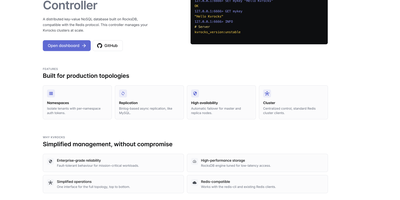
Every Redis client you already use connects to Kvrocks without a single code change, but instead of holding your entire dataset in RAM, data lives on SSD through RocksDB, turning terabytes of memory cost into pennies of disk. An Apache Software Foundation top-level project, Kvrocks supports strings, hashes, lists, sets, sorted sets, streams, bitmaps, JSON documents, TimeSeries data points, Bloom filters, Cuckoo filters, and HyperLogLog structures, all persisted to disk with in-memory caching for hot data access. Asynchronous replication using binlog similar to MySQL provides data durability across replicas, while Redis Sentinel integration enables automatic failover when master or replica nodes fail. The proxyless centralized cluster architecture distributes data across shards while remaining fully compatible with standard Redis cluster SDKs and clients. Token-based namespaces provide multi-tenant isolation with authentication per namespace, going beyond Redis SELECT's numbered database model. RocksDB's LSM-tree storage engine provides efficient compression through configurable compaction strategies, reducing disk footprint dramatically while maintaining sub-millisecond reads for cached keys. Migration tooling includes RedisShake for Redis-to-Kvrocks live migration and kvrocks2redis for reverse migration, enabling gradual adoption without service interruption. The kvrocks_exporter exposes Prometheus-compatible metrics for monitoring, and OpenTelemetry integration provides distributed tracing. Running on a dedicated VPS on RepoCloud with guaranteed CPU, RAM, and SSD, full root SSH access, and a browser serial console. Apache 2.0 licensed.
RustFS
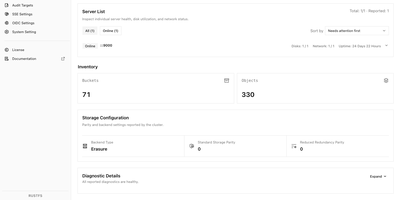
Tools and applications that already speak S3 can use RustFS as their storage backend, so backup jobs, data pipelines, and services keep working while the data stays on infrastructure you control. A built-in web console on port 9001 manages buckets, object uploads and downloads, access keys, users, groups, and IAM policies, with a status page for cluster health, capacity, and scanner activity. Versioning, Object Lock retention, bucket quotas, and server-side encryption with Vault or AWS KMS backends protect objects once they land. Lifecycle rules expire or transition data, and tiering moves cold objects to remote targets such as Amazon S3 or Wasabi. Bucket replication and site replication keep clusters in sync, and event notifications call webhooks when objects change. Single-node mode suits a lab or small server, while distributed mode adds erasure coding, bitrot protection, background healing, and pool expansion or decommissioning as capacity grows. Sign-in works with local users, OIDC single sign-on, or OpenStack Keystone, and FTPS and WebDAV are available by default, with SFTP and the Swift API as opt-in builds. A preview of S3 Tables exposes an Iceberg REST catalog for tools such as DuckDB and PyIceberg, and a documented migration path moves existing MinIO deployments across. Typical uses include backups, container registries, logs and traces, data lakes, and AI training sets. Running on a dedicated VPS on RepoCloud with guaranteed CPU, RAM, and SSD, full root SSH access, and a browser serial console. Apache-2.0 licensed.
Redis
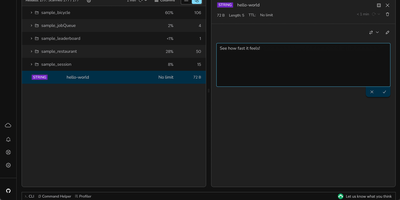
Processing billions of operations per second across companies like Twitter, GitHub, Snapchat, and Stack Overflow, Redis is the world's fastest and most widely deployed in-memory data store. Redis 8 unifies previously separate modules into a single distribution: RediSearch for full-text indexing with BM25 scoring and vector similarity search via HNSW and FLAT algorithms, RedisJSON for native JSON document storage with JSONPath queries, RedisTimeSeries for timestamped data with configurable downsampling compaction rules, and RedisBloom for probabilistic data structures including Bloom filters, cuckoo filters, count-min sketches, top-k, and t-digest. The core engine provides strings, lists, sets, sorted sets, hashes, streams, HyperLogLog, bitmaps, bitfields, geospatial indexes, and the new array data structure introduced in Redis 8.8. Pub/Sub delivers lightweight real-time messaging between publishers and subscribers, while Streams provide an append-only log with consumer groups for event sourcing and complex consumption patterns. Redis Cluster distributes data across nodes with automatic sharding using 16,384 hash slots, and Sentinel provides high availability with automatic failover monitoring. Lua scripting and Redis Functions enable server-side computation, and ACL-based security provides granular per-command, per-key access control. Official clients exist for Python, Node.js, Java, Go, .NET, Rust, and PHP. Running on a dedicated VPS on RepoCloud with guaranteed CPU, RAM, and SSD, full root SSH access, and a browser serial console. AGPLv3 licensed.
Owncloud
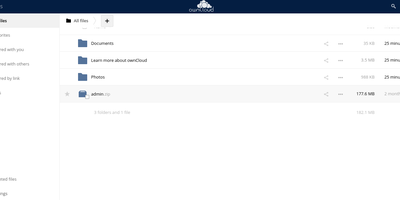
The project that proved organizations could have Dropbox-style convenience with complete data ownership: ownCloud is the original open-source file sync and share platform - the codebase Nextcloud later forked from. This deployment runs the classic ownCloud Server (PHP over PostgreSQL or MariaDB, with Redis caching), the battle-tested edition trusted across enterprises, universities, and public institutions worldwide. The core loop: store files on your server, sync them via desktop clients for Windows, macOS, and Linux plus iOS and Android apps, and access everything through the web interface or standard WebDAV. Sharing is granular - internal users and groups, external recipients via public links with passwords and expiration dates, and federated sharing that connects separate ownCloud instances into one network. Security controls include file firewall rules, multi-factor authentication, encryption, and detailed audit-friendly lifecycle management with versioning and trash-bin recovery. An app marketplace extends the platform, and Web Office integrations bring collaborative document editing through Collabora Online, OnlyOffice, or Microsoft Office Online directly into your files. LDAP and Active Directory integration slots it into existing identity infrastructure. For teams that need a proven, self-hosted alternative to Dropbox or Google Drive - where compliance demands knowing exactly which disk your data sits on - ownCloud remains a foundational choice.
Atlas
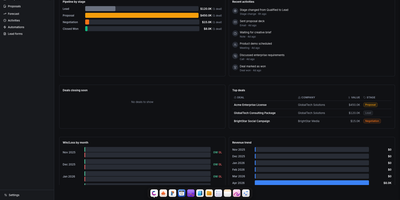
Atlas delivers a complete business operations platform in a single Docker Compose deployment, replacing the need for separate CRM, HRM, project management, invoicing, and file storage subscriptions. The CRM module provides pipeline management with Kanban views, contacts, companies, deals, leads, forecasting, saved views, and web-to-lead forms with Gmail integration for per-user email tracking inside deal timelines. HRM handles employees, departments, org charts, leave management, and attendance tracking. The invoicing system generates professional invoices with recurring billing, customizable templates, and payment tracking. Agreements provides PDF contract generation with legally-binding e-signatures, sequential signing workflows, counterparty linking, audit trails, and automated reminders. Projects integrates time tracking, billing, client management, budgets, and reporting in one view. Drive offers file storage with versioning, sharing, comments, activity logs, and password-protected links with Google Drive import and export. The calendar syncs bidirectionally with Google Calendar across month, week, day, year, and agenda views. Write provides rich text documents with cover images, comments, and templates, while Draw adds an Excalidraw-based whiteboard canvas with PDF export and presentation mode. The platform supports five languages, multi-tenant isolation, role-based permissions, and includes an Odoo importer that ingests res.partner, crm.lead, and CRM activity CSV exports for migration. Built on React, TypeScript, Vite, TanStack Query, and Zustand on the frontend with Express, Drizzle ORM, PostgreSQL, Redis, and BullMQ on the backend. Running on a dedicated VPS on RepoCloud with guaranteed CPU, RAM, and SSD, full root SSH access, and a browser serial console. AGPL-3.0 licensed.