Rybbit
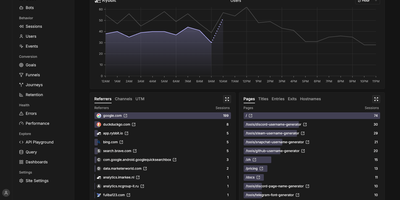
Google Analytics without the cookie banner or the maze of menus: Rybbit puts web and product analytics for every site you run on one readable dashboard, hosted on your own server. Pageviews, sessions, unique users, bounce rate, session duration, traffic sources, campaigns, devices, and countries update in real time beside a live visitor count. Session replay lets you watch the visits behind the numbers, and user profiles tie identified visitors to their sessions and events. Funnels pinpoint where conversions leak, journeys chart the paths people take through a site, retention reports show who comes back, and goals track conversions from page visits, custom events, and autocaptured clicks. Custom events carry JSON properties, filters slice every report across more than 15 dimensions, saved segments reapply them in one click, and location tracking drills from country to region to city on interactive maps, with optional 3D globe views through a Mapbox token. Error tracking connects JavaScript failures to the affected sessions, so a spike in errors leads straight to the visits that explain it. One install serves unlimited sites and organizations with role-based access, public dashboards share a site's stats through a link, and a tracking script of about 11 KB compressed collects data with no cookies and no consent banner. Running on a dedicated VPS on RepoCloud with guaranteed CPU, RAM, and SSD, full root SSH access, and a browser serial console. AGPL-3.0 licensed.
MediaWiki
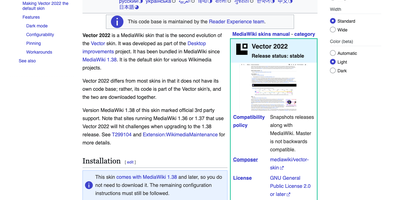
With MediaWiki, the wiki software behind Wikipedia, a team writes one shared knowledge base in plain wikitext or a visual editor while every revision stays saved for comparison and rollback. Page history names the author and edit summary of each change, and a side-by-side diff shows exactly what moved before anyone reverts. Talk pages hold threaded discussions with inline replies, notifications announce mentions and thanks, and watchlists flag the pages you follow. Namespaces, categories, redirects, and reusable templates give a large wiki its structure, and Lua modules written for Scribunto power infoboxes. Uploaded images get automatic thumbnails and a full-screen lightbox. Bundled extensions add PDF handling and math rendering for documentation that needs more than text. Group-based permissions decide who may read, edit, protect, or delete. A wiki can stay open to everyone or sit behind a login. AbuseFilter, CAPTCHAs, blocklists, and two-factor sign-in help fend off spam and account takeovers. Vector 2022 brings a sticky table of contents and an optional dark mode. The interface is localized in over 350 languages. Bots and scripts log in, read, search, and edit with the Action API. Use it for company handbooks, engineering runbooks, course notes, fandom encyclopedias, and public reference sites. Running on a dedicated VPS on RepoCloud with guaranteed CPU, RAM, and SSD, full root SSH access, and a browser serial console. GPL-2.0-or-later licensed.

Peppermint
A deliberately simple ticketing system standing in for both Zendesk and Jira: Peppermint handles internal staff requests and external customer support alike. The stack is modern full-stack TypeScript: Next.js and React over Prisma and PostgreSQL, which makes it light to run and approachable for developers extending it. Ticket creation is straightforward - a markdown editor with file uploads, assignment, status tracking, and a logical workflow that new agents grasp without a manual. Mailbox integration converts email into tickets automatically: configure SMTP/IMAP per mailbox and incoming messages become trackable tickets. Each client accumulates an interaction history, giving agents context on every past request before replying. Two touches distinguish it from bare-bones ticketing: a built-in markdown notebook with todo lists for internal documentation and knowledge sharing, and OIDC authentication so agents sign in through your existing identity provider - Keycloak, Okta, Authentik, or Azure AD. Configurable webhooks and email notifications push ticket events to third-party services. The UI is responsive from mobile to 4K, and everything works fully offline in air-gapped environments. Docker-native and scalable via Kubernetes, with an active community of 3,000+ GitHub stargazers.
Open Web Analytics
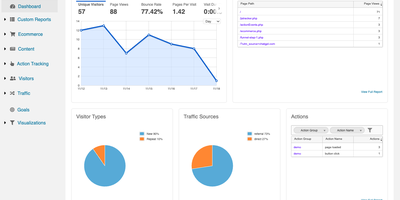
With Open Web Analytics, one server you own collects traffic, sales, and on-page behavior from every site you run and keeps visitor data away from third-party vendors. One installation tracks unlimited websites, each with its own tracking ID, and a first-party JavaScript snippet records pageviews, visits, campaigns, and custom actions. Marketers slice traffic by source, medium, referring site, search term, campaign, ad, entry and exit page, browser, operating system, and visitor country. Store owners follow transactions, revenue, products, and days to purchase. Designers read click-density heatmaps drawn over the real page and replay Domstream recordings of mouse movement. Goal events count conversions such as a thank-you page view, and funnels show where visitors drop out of a checkout path. Analysts build custom reports from any mix of metrics and dimensions and share them with colleagues, and role-based users limit who sees which site. A REST API feeds reports into scripts, a WordPress plugin and a PHP SDK add tracking to existing sites, and tracker options shorten cookie lifetimes or switch to session cookies for privacy-minded deployments. Running on a dedicated VPS on RepoCloud with guaranteed CPU, RAM, and SSD, full root SSH access, and a browser serial console. GPL-2.0 licensed.

Scira
Scira is an AI search engine that breaks complex research questions into sub-tasks, retrieves grounded answers from live sources, and cites every claim with clickable links to the original evidence. Formerly known as MiniPerplx and now backed by nearly 12,000 GitHub stars, the platform implements agentic research planning where language models decompose queries, select appropriate tools, retrieve information in parallel, and synthesize responses with inline citations. Seventeen distinct search modes cover Web, Academic, Extreme, X (Twitter), Reddit, GitHub, Stocks, Crypto, YouTube, and Prediction markets, each activating a curated subset of the 28 built-in tools. The Extreme mode deploys a deep research agent with multi-step planning, parallel source retrieval, code execution in sandboxed Daytona environments, and R2 artifact storage for generated charts. Model routing spans 50+ AI providers through a unified configuration layer supporting OpenAI, Anthropic, Google, xAI Grok, and custom models, with per-mode model assignment based on task requirements. The web search tool supports Exa, Tavily, and Firecrawl as interchangeable providers via a Strategy pattern. Lookouts schedule recurring research agents on cron schedules that monitor topics, track changes, and email summaries using Upstash QStash for reliable execution. PostgreSQL stores chat history, user preferences, and custom instructions while Redis handles caching and rate limiting. Running on a dedicated VPS on RepoCloud with guaranteed CPU, RAM, and SSD, full root SSH access, and a browser serial console. AGPL-3.0 licensed.
Docling Serve
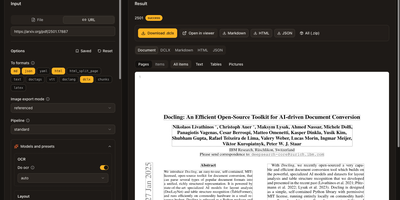
Messy PDFs, slide decks, spreadsheets, and web pages become clean, structured text for AI pipelines once Docling Serve has converted them. Open the built-in playground, paste a link or drop a file, and press Convert to see the result beside the options that produced it. A page viewer draws the detected layout over each scanned page, with filters for text, tables, and pictures. Output tabs show Markdown, HTML, and JSON, and one click downloads everything as a zip. The options panel picks OCR engines, table structure models, picture descriptions, code and formula enrichment, and chart extraction, each with its own preset. Copy the exact request as a curl command or a Python snippet and move it straight into production code. A Server tab lists the limits, supported sources and targets, installed library versions, and every model preset the instance offers. Optional API keys, S3 or Google Drive sources, and async task queues cover shared team deployments. Running on a dedicated VPS on RepoCloud with guaranteed CPU, RAM, and SSD, full root SSH access, and a browser serial console. MIT licensed.
Nacos
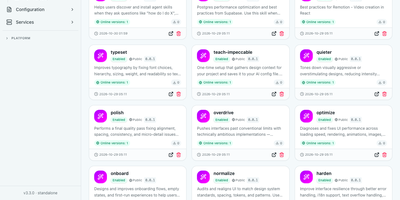
Every microservice has to find the others and learn its own settings, and Nacos is the discovery and configuration platform that answers both needs from a single server. Producers register instances with names, addresses, weights, and metadata, and consumers look services up or subscribe to changes, so a fresh instance receives traffic without hand-edited load balancer rules. Health checks drop dead instances from discovery results, while weight controls in the console shift traffic gradually during a rollout or drain a node before maintenance. Configuration lives apart from code: publish properties and YAML under a Data ID and Group, split environments with namespaces, and subscribed clients apply changes within seconds. History keeps every published version, so a typo is recoverable: rollback republishes an earlier value, and listener queries show which clients picked the change up. Gray releases push a new value to a chosen slice of instances first, so a risky flag reaches a fraction of the fleet before the rest. The registry covers AI building blocks too: MCP servers register their tools, prompts and skills carry versions and visibility, and agents publish discovery cards that gateways look up like any service. Spring Cloud, Dubbo, and Kubernetes workloads plug in through SDKs for Java, Go, Python, and other languages; run one standalone node for development or a Raft-backed cluster for production. Running on a dedicated VPS on RepoCloud with guaranteed CPU, RAM, and SSD, full root SSH access, and a browser serial console. Apache-2.0 licensed.

Piwigo
With over 3,800 GitHub stars and continuous development since 2002 spanning 24 years of active maintenance through version 16.4.0 released in May 2026, Piwigo has proven itself as one of the most battle-tested self-hosted photo gallery platforms available, trusted by professional photographers managing 150,000+ high-resolution images alongside small teams sharing event photos. The PHP backend with MySQL or MariaDB storage serves a responsive web interface that organizes photos into hierarchical albums with nested sub-albums, tag-based categorization, and smart albums generated dynamically from search criteria. Batch management tools handle bulk uploads, metadata editing, tag assignment, and album moves across thousands of images simultaneously. User permission controls define access at the album level with configurable public, private, and group-restricted visibility, while guest access allows public galleries without authentication. Image processing via ImageMagick or PHP GD generates multiple thumbnail sizes, watermarks, and responsive derivatives automatically. The plugin ecosystem with over 200 community-built extensions adds functionality from EXIF metadata display and GPS mapping to social sharing, download controls, and Lightroom synchronization for desktop workflow integration. The REST Web API with personal API key authentication enables programmatic album creation, photo uploads, and metadata queries from external applications. Mobile apps for iOS and Android provide on-the-go upload and browsing capability. Docker deployment via the official container or traditional LAMP installation on any hosting provider. Running on a dedicated VPS on RepoCloud with guaranteed CPU, RAM, and SSD, full root SSH access, and a browser serial console. GPL-2.0 licensed.
Ybkkasi
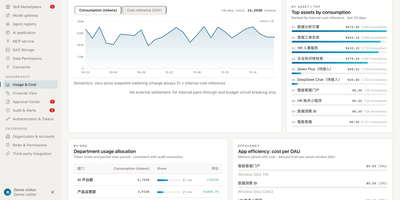
Enterprises keep buying AI tools and wondering why output does not compound, when the real gap is governance: nobody can say which agent owns what, what it may touch, or what it cost. Ybkkasi answers those three questions in one console for every MCP server, skill, agent, and AI application you run. Register each asset and move it through a lifecycle state machine from discovery to retirement, with 85 permission points deciding who can view, call, publish, or approve at every step. Work itself is organized as goals that break into projects and tasks, assigned to digital employees who each carry a home organization, a human supervisor, and a roster status. Approvals route through a dedicated center where lifecycle changes and sensitive actions wait for a human decision instead of happening silently. Every call is metered, so usage and cost reports attribute spend by department, by agent, and by skill, making showback a query rather than an argument. The audit log records who did what to which asset and when, giving compliance a trail they can actually read. Running on a dedicated VPS on RepoCloud with guaranteed CPU, RAM, and SSD, full root SSH access, and a browser serial console. MIT licensed.
Mox
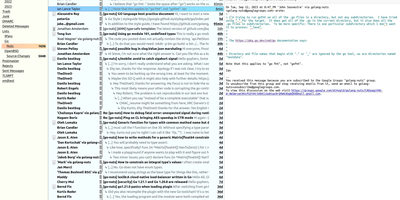
Mox offers a complete mail server stack in a single Go binary requiring no external dependencies. The quickstart command configures a working mail server with SMTP, IMAP4, webmail, and full DNS authentication in under ten minutes. SMTP handling includes a delivery server on port 25, a submission server for authenticated clients, and a queue with automatic retries and DKIM signing. IMAP4rev2 implementation provides full mailbox synchronization with CONDSTORE and QRESYNC for efficient offline clients, NOTIFY for multi-mailbox monitoring, MULTISEARCH across mailboxes, and TLS client certificate authentication via the EXTERNAL SASL mechanism. The built-in webmail provides browser-based reading and composing with message threading, attachments, and HTML rendering without requiring a separate web client. Email authentication implements SPF validation, DKIM signing and verification with automatic key rotation, DMARC policy enforcement with aggregate and failure reporting, DANE with DNSSEC-protected TLSA records, and MTA-STS for certificate verification. Junk filtering combines reputation-based sender scoring with Bayesian content analysis trained per account. The web administration interface manages domains, accounts, DNS records, TLS certificates, delivery queue, and real-time log viewing. Internationalized email addresses with EAI and IDNA support handle non-ASCII domains and mailboxes. Account autoconfiguration publishes settings for Thunderbird autoconfig and Outlook autodiscover. Running on a dedicated VPS on RepoCloud with guaranteed CPU, RAM, and SSD, full root SSH access, and a browser serial console. MIT licensed.
TeslaMate
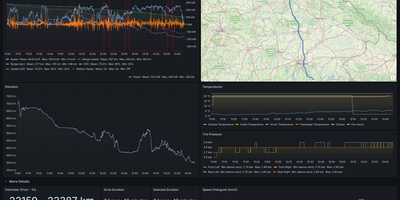
Logging every drive, charge, and idle stretch of a Tesla to a database you own, TeslaMate shows where the battery went, including degradation, vampire drain, and charging cost. Battery health comes first: the dashboard estimates usable capacity, range lost, and degradation against mileage. Idle losses come next, with Vampire Drain listing how much charge disappears during every idle period and a States view recording every online, asleep, and offline stretch. The car is left alone to fall asleep, so logging adds no extra vampire drain. Charging sessions show curves, energy added and used, efficiency, and cost, using per-location prices attached to geo-fences drawn on a map. Each drive records second-by-second speed, power, elevation, and temperature, plotted on a route map beside tire pressure and consumption charts. Trip, Drives, Efficiency, Drive Stats, Mileage, Updates, Statistics, and a lifetime driving map fill in the rest. Live vehicle data goes out over MQTT to Home Assistant, Node-RED, and Telegram, and old history imports from TeslaFi or tesla-apiscraper. Several vehicles on one Tesla account work together, addresses are looked up automatically, and the web interface offers light, dark, or system themes in 19 languages. Sign-in uses Tesla access and refresh tokens that TeslaMate encrypts with a key you set. It works best on an always-on server. Running on a dedicated VPS on RepoCloud with guaranteed CPU, RAM, and SSD, full root SSH access, and a browser serial console. AGPL-3.0 licensed.
Securo
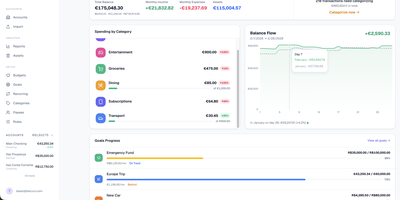
Securo is a privacy-first personal finance platform that keeps all your financial data in your own PostgreSQL instance while connecting to 2,500+ banks across three continents for automated transaction sync. The FastAPI backend with React/TypeScript frontend deploys via Docker Compose on ports 3000 and 8000, with Redis-backed Celery workers handling background synchronization. Bank connections span approximately 2,500 European PSD2 institutions through Enable Banking across 29 countries, US and international banks via SimpleFIN's open protocol, and Brazilian banks through Pluggy, all refreshing automatically every four hours. Multi-account management tracks checking, savings, credit cards, and investments with running balances. The auto-categorization rules engine applies pattern-matching across merchants and amounts. Goal tracking monitors savings targets with progress visualization, asset management handles stocks and custom instruments with configurable valuation growth rules, and reports generate Net Worth and Income vs Expenses charts with category sparklines. Optional AI Agents provide LLM chat with tool-use over your financial data through MCP, supporting OpenAI, Anthropic, Ollama, and compatible providers with per-agent RAG knowledge bases accessible via a global command palette. Multi-user support includes OIDC login, passkey authentication, TOTP two-factor, privacy mode, and multi-currency FX conversion via Open Exchange Rates. 1,500+ stars since March 2026. Running on a dedicated VPS on RepoCloud with guaranteed CPU, RAM, and SSD, full root SSH access, and a browser serial console. AGPL-3.0 licensed.
TaxHacker
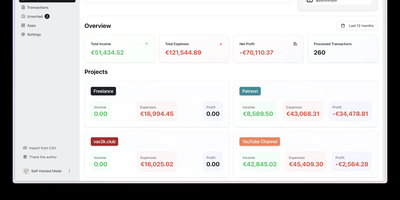
With 6,600+ GitHub stars and created by vas3k — one of the indie developer community's most recognized builders — TaxHacker is the self-hosted AI accounting application that turns receipt chaos into structured financial intelligence without surrendering a single document to third-party cloud services. Upload photos of receipts, invoices, or PDF bank statements, and the LLM pipeline automatically extracts dates, merchants, amounts, line items, tax breakdowns, and vendor information into an Excel-like structured database with custom fields you define through your own AI prompts. Currency handling covers 170+ fiat currencies and 14 cryptocurrencies (BTC, ETH, LTC, and more) with automatic conversion using historical exchange rates from the actual transaction date — critical for international freelancers filing in one reporting currency. The AI layer supports OpenAI (GPT-4o, GPT-4.1-mini), Google Gemini, Mistral, or fully local models via Ollama, LM Studio, vLLM, and LocalAI through OpenAI-compatible endpoints for complete air-gapped deployments. Features include multi-project workspace isolation, custom categories with AI-driven auto-classification, bulk document upload with batch processing, email server monitoring for automated attachment ingestion, flexible CSV export with attached documents, and comprehensive tax report generation. The tech stack runs Next.js 15+ for the frontend and tRPC API, Prisma ORM for database models and migrations, PostgreSQL 17+ for persistence, and Ghostscript plus GraphicsMagick for PDF rendering. Running on a dedicated VPS on RepoCloud with guaranteed CPU, RAM, and SSD, full root SSH access, and a browser serial console. MIT licensed.
pvecenter
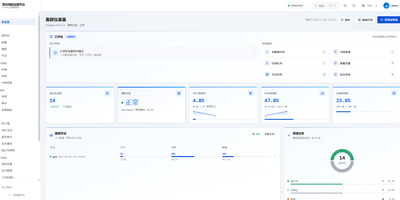
Handing a teammate the keys to a Proxmox cluster usually means handing over far too much, so pvecenter puts a narrower, self-service web panel in front of it. The dashboard shows node health, CPU, memory, storage, and recent tasks, and several Proxmox hosts can be managed from one place. Virtual machines are created through a guided wizard or in batches, then powered, cloned, migrated, resized, snapshotted, and reached through an in-browser console. LXC containers get their own pages, and a template pipeline builds cloud-init templates from cloud images. Bridges, VLANs, address pools, and the native Proxmox firewall are managed with rule templates pushed to many guests at once. Backups can run now or on a schedule, with restore, delete protection, and integrity checks. Administrators define reusable resource sizes, per-user quotas, roles, two-factor sign-in, and an audit log of every write. A security baseline scores hosts and offers guided hardening, SSH brute-force protection bans repeat offenders, and an AI inspection assistant explains findings and asks approval for every change. Alerts reach email, Feishu, and webhooks, and certificates renew automatically. The interface is Chinese-first, with a language switch and an English guide. Running on a dedicated VPS on RepoCloud with guaranteed CPU, RAM, and SSD, full root SSH access, and a browser serial console. Apache-2.0 licensed.

Ticket Monitoring
Name the route and the fare you will pay, and Ticket Monitoring keeps watch over five booking channels, alerting you the moment a real fare drops to your price. It collects actual flight details, not headline prices: flight numbers, times, transfers, cabins, aircraft, and baggage allowances from Qunar, Fliggy, Ctrip, Tongcheng, and Tuniu, with five optional app channels feeding the same tables. Every watched route carries its own rules: separate target lines for nonstop and connecting flights, airline whitelists, baggage and departure-time gates, a maximum trip duration, and pause switches that shelve a route without deleting it. Each scan writes every flight into a local price history, so the console draws candlestick trends, 14-day departure price bands, and low-fare calendars from your own collected data. When a fare crosses your line, a rich DingTalk post leads with the deal, its 7-day trend, and a buy-or-wait suggestion, and escalation layers add an @mention, an ntfy alert that rings through silent mode, or a voice call. ServerChan WeChat, Bark, and email reports with embedded charts run alongside, governed by quiet hours and a full send history. Routes, thresholds, scan intervals, channels, and notifications are all configured in the browser console, changes apply live without a restart, and all prices and credentials stay in local files on your server. Running on a dedicated VPS on RepoCloud with guaranteed CPU, RAM, and SSD, full root SSH access, and a browser serial console. Apache-2.0 licensed.
Screego
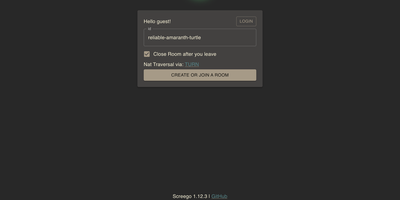
With over 10,000 GitHub stars and a reputation forged in the frustration of laggy corporate screen sharing, Screego delivers what Microsoft Teams and Zoom screen share consistently fail to provide: instant, high-resolution screen streaming that lets remote colleagues actually read your code. Built on WebRTC peer-to-peer connections, Screego transmits screen data directly between browsers without routing through centralized servers, achieving sub-second latency and native-resolution quality that makes pair programming and code reviews genuinely productive. The server component, written in Go with a TypeScript frontend, deploys as a single binary or Docker container with minimal configuration — set your external URL, generate a secret key, and you're live. An integrated TURN server handles NAT traversal automatically, eliminating the need for separate STUN/TURN infrastructure, with configurable UDP port ranges and support for external TURN servers when scaling beyond a single instance. Authentication supports three modes — requiring login for all actions, only for TURN connections, or none — with user management via simple credential files. Rooms are created instantly and support multiple simultaneous viewers, with system and tab audio sharing available for demonstrations that need sound. The architecture supports reverse proxy deployment behind Nginx, Caddy, or Apache with automatic TLS termination, and recent releases added riscv64 architecture support alongside existing amd64 and arm64 builds. Running on a dedicated VPS on RepoCloud with guaranteed CPU, RAM, and SSD, full root SSH access, and a browser serial console. GPL-3.0 licensed.

Reactive Resume
With over 38,000 GitHub stars, nearly one million registered users, and over 1.3 million resumes created, Reactive Resume delivers a professional resume creation experience that rivals commercial platforms like Resume.io and Zety without collecting user data, showing advertisements, or imposing paywall restrictions. The real-time WYSIWYG editor renders changes instantly as users type, providing immediate visual feedback across all resume sections including work experience, education, skills, certifications, projects, and custom sections with typed extensions. Over fifteen professionally designed templates with full color customization, font selection, spacing adjustment, and icon style selectors ensure each resume reflects individual style preferences. The drag-and-drop system lets users move items between sections and pages freely across multi-column and full-width layouts. PDF generation produces pixel-perfect documents using a headless Chromium rendering pipeline, ensuring consistent output across all devices and print settings. Multi-language support covers over twenty languages with RTL script handling for Arabic and Hebrew. Authentication supports passkeys and multiple OAuth providers via Better Auth, while self-hosted deployment runs via Docker Compose with PostgreSQL and Browserless for PDF rendering. The import system accepts JSON Resume format, LinkedIn data exports, and PDF/DOCX files when AI integration is configured. AI-powered content suggestions using OpenAI, Google Gemini, Anthropic Claude, or local Ollama models help improve bullet points and professional summaries. A CSS editor with autocompletion allows fine-grained styling control. Running on a dedicated VPS on RepoCloud with guaranteed CPU, RAM, and SSD, full root SSH access, and a browser serial console. MIT licensed.
Usermemos
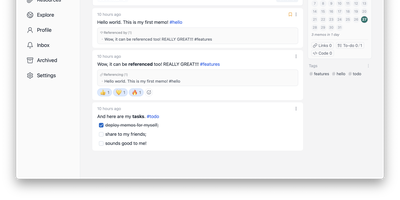
Memos, the lightweight open-source note service from the usememos project, packaged as a containerized deployment for multi-architecture Docker hosts (x86-64 and arm64): that is Usermemos. The model is frictionless capture: no folders or titles, just a chronological stream of Markdown notes with code blocks, task lists, tables, and file attachments, organized by #hashtags pulled automatically from the text. Per-memo visibility - private, protected for logged-in users, or public - lets a single instance serve as a personal journal, a shared team log, or a public microblog simultaneously. Multi-user support with authentication makes it workable for small teams, and full REST and gRPC APIs open capture and retrieval to CLIs, bots, and automation tools. The runtime is a single Go binary with a React frontend that idles around 50 MB of memory and stores content as plain Markdown in SQLite by default, with MySQL and PostgreSQL available for heavier deployments. Configuration happens through environment variables, access works over HTTP or HTTPS behind a reverse proxy, and there is no telemetry - notes stay on your server in a portable format.