Categories
Self-Hosted Analytics Home Automation Dashboards MQTT Tesla Data Logger Vehicle TelemetryStars
Forks
Watchers
Developer links
TeslaMate
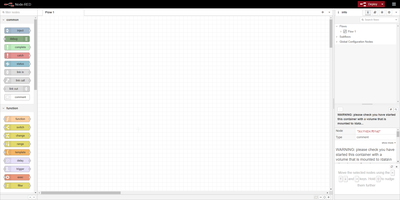
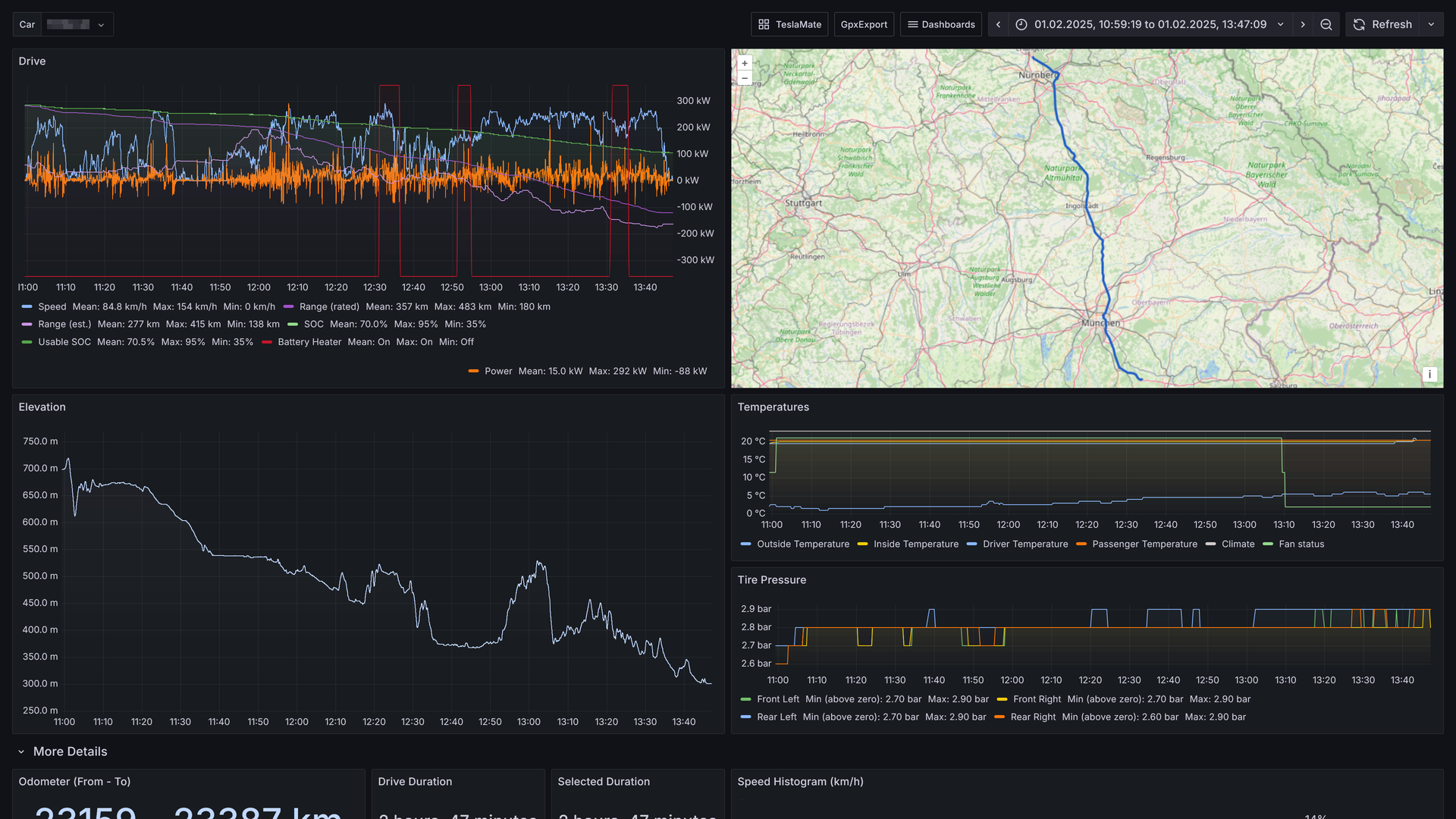
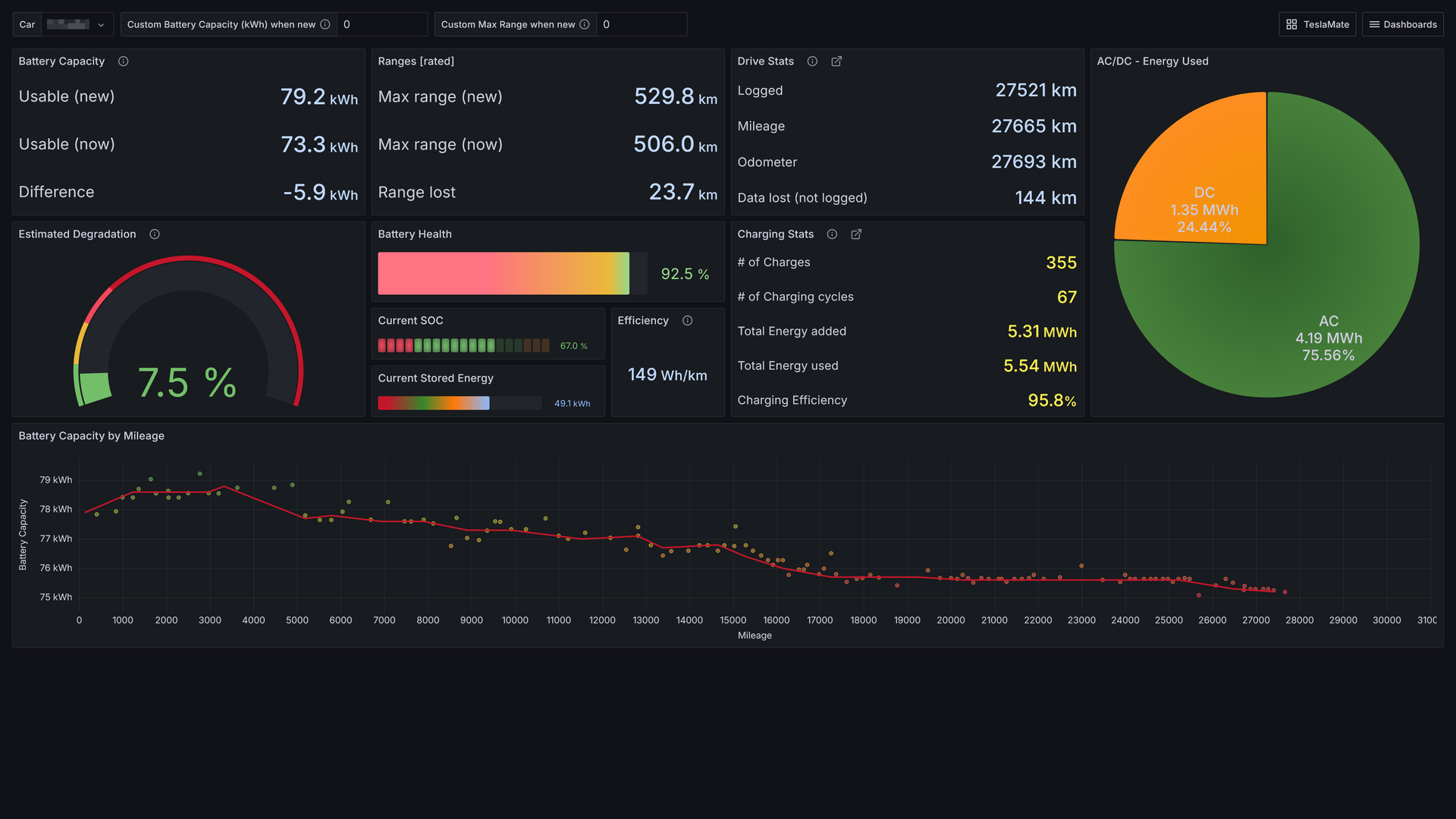
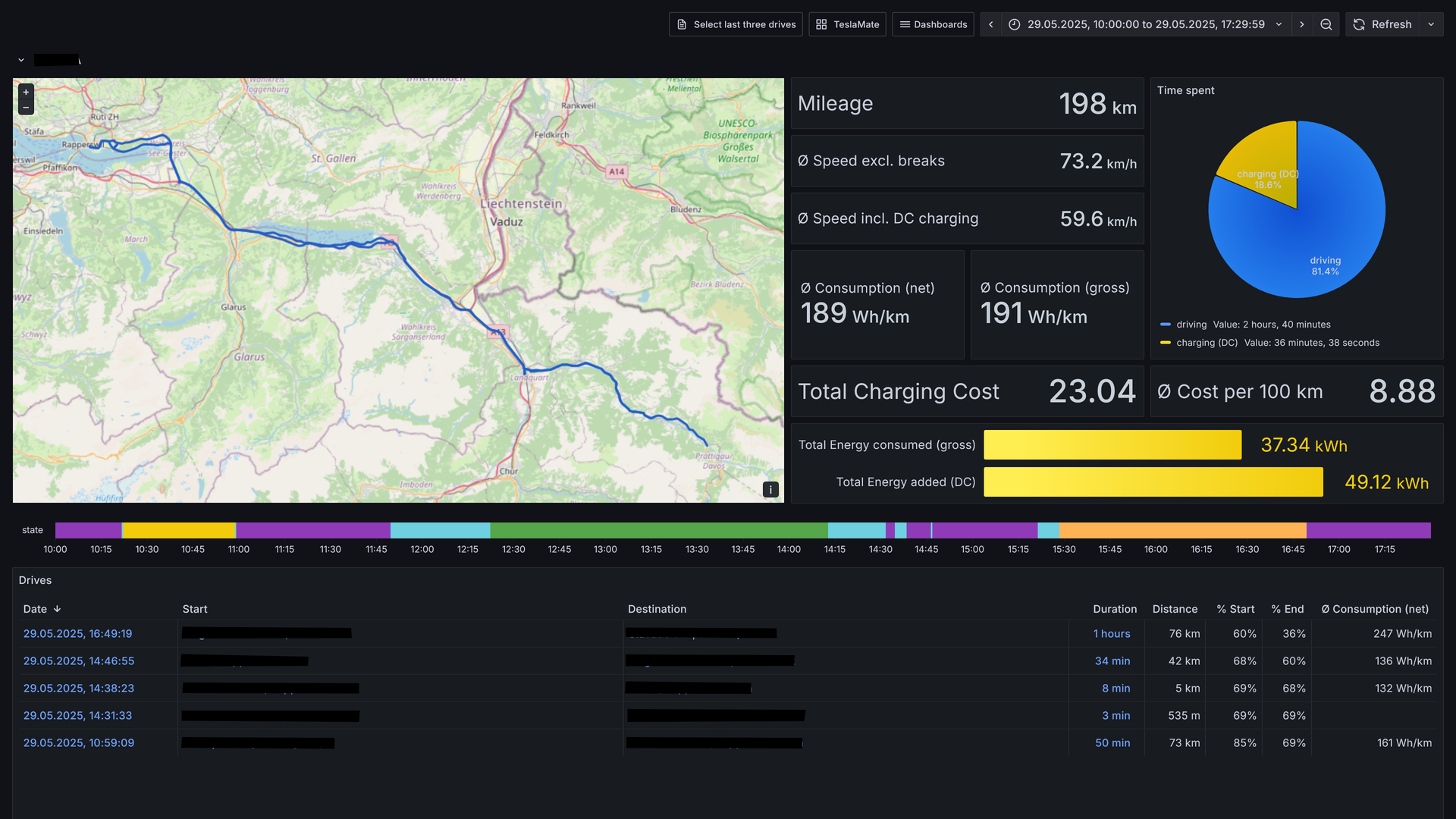
Logging every drive, charge, and idle stretch of a Tesla to a database you own, TeslaMate shows where the battery went, including degradation, vampire drain, and charging cost. Battery health comes first: the dashboard estimates usable capacity, range lost, and degradation against mileage. Idle losses come next, with Vampire Drain listing how much charge disappears during every idle period and a States view recording every online, asleep, and offline stretch. The car is left alone to fall asleep, so logging adds no extra vampire drain. Charging sessions show curves, energy added and used, efficiency, and cost, using per-location prices attached to geo-fences drawn on a map. Each drive records second-by-second speed, power, elevation, and temperature, plotted on a route map beside tire pressure and consumption charts. Trip, Drives, Efficiency, Drive Stats, Mileage, Updates, Statistics, and a lifetime driving map fill in the rest. Live vehicle data goes out over MQTT to Home Assistant, Node-RED, and Telegram, and old history imports from TeslaFi or tesla-apiscraper. Several vehicles on one Tesla account work together, addresses are looked up automatically, and the web interface offers light, dark, or system themes in 19 languages. Sign-in uses Tesla access and refresh tokens that TeslaMate encrypts with a key you set. It works best on an always-on server. Running on a dedicated VPS on RepoCloud with guaranteed CPU, RAM, and SSD, full root SSH access, and a browser serial console. AGPL-3.0 licensed.
Benefits
- Know Your Real Battery Health
- Track estimated degradation, usable capacity, and range lost against mileage, so a slow decline in battery health shows up as a trend line instead of a surprise.
- Your Car Data Stays Yours
- Every trip and charge is stored in a database on your own server, with Tesla tokens encrypted by your own key, so no extra cloud service keeps your location history.
- See Where Every Charge Went
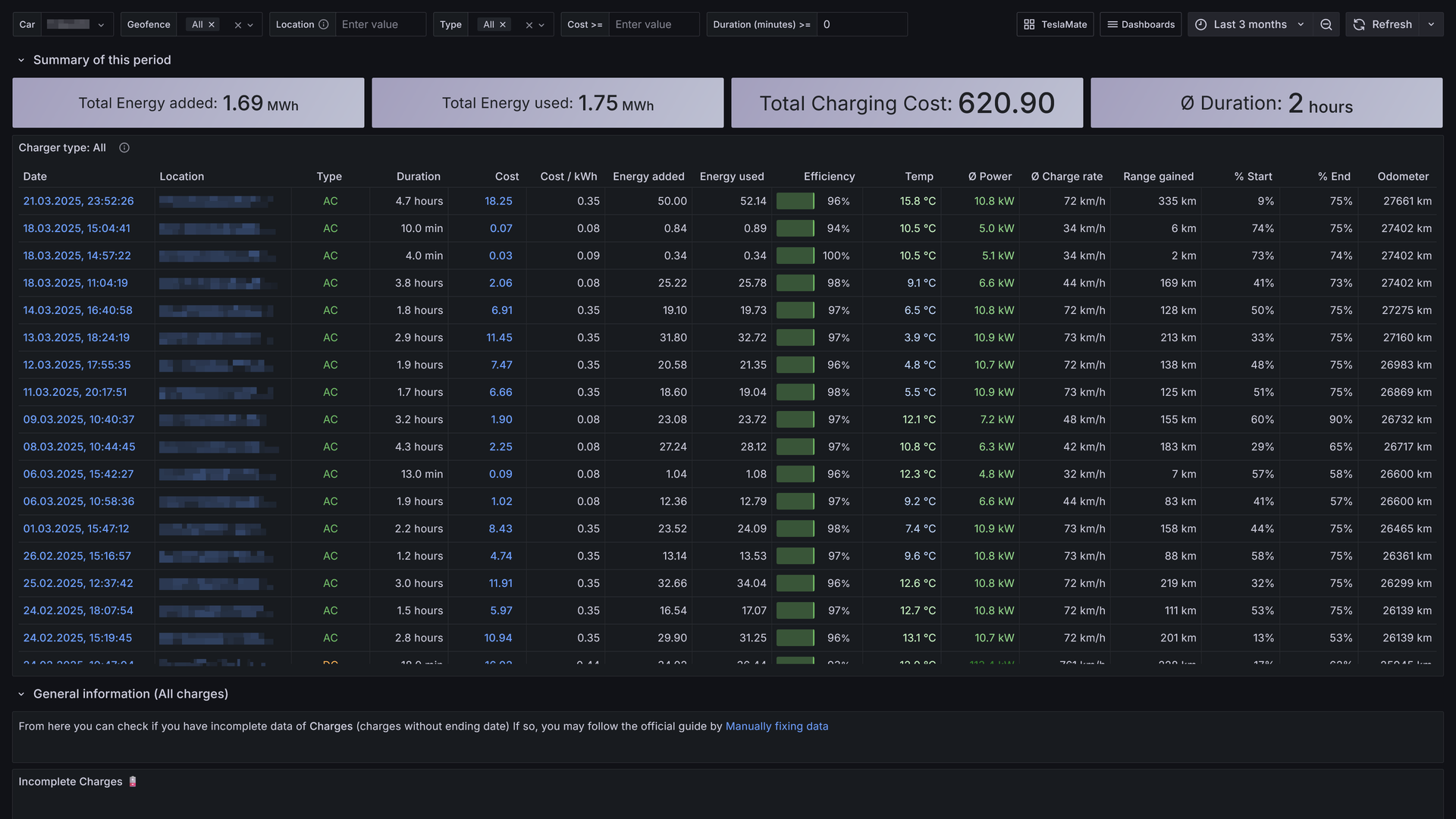
- Charging sessions record energy added and used, efficiency, and cost, with geo-fences that apply per-location prices so cost per kWh and per 100 km stay accurate.
- Automate With Home Assistant
- Live vehicle data is published to an MQTT broker, so Home Assistant, Node-RED, and Telegram automations can react to charging status, location, and state changes.
Features
- Drive Detail Dashboards
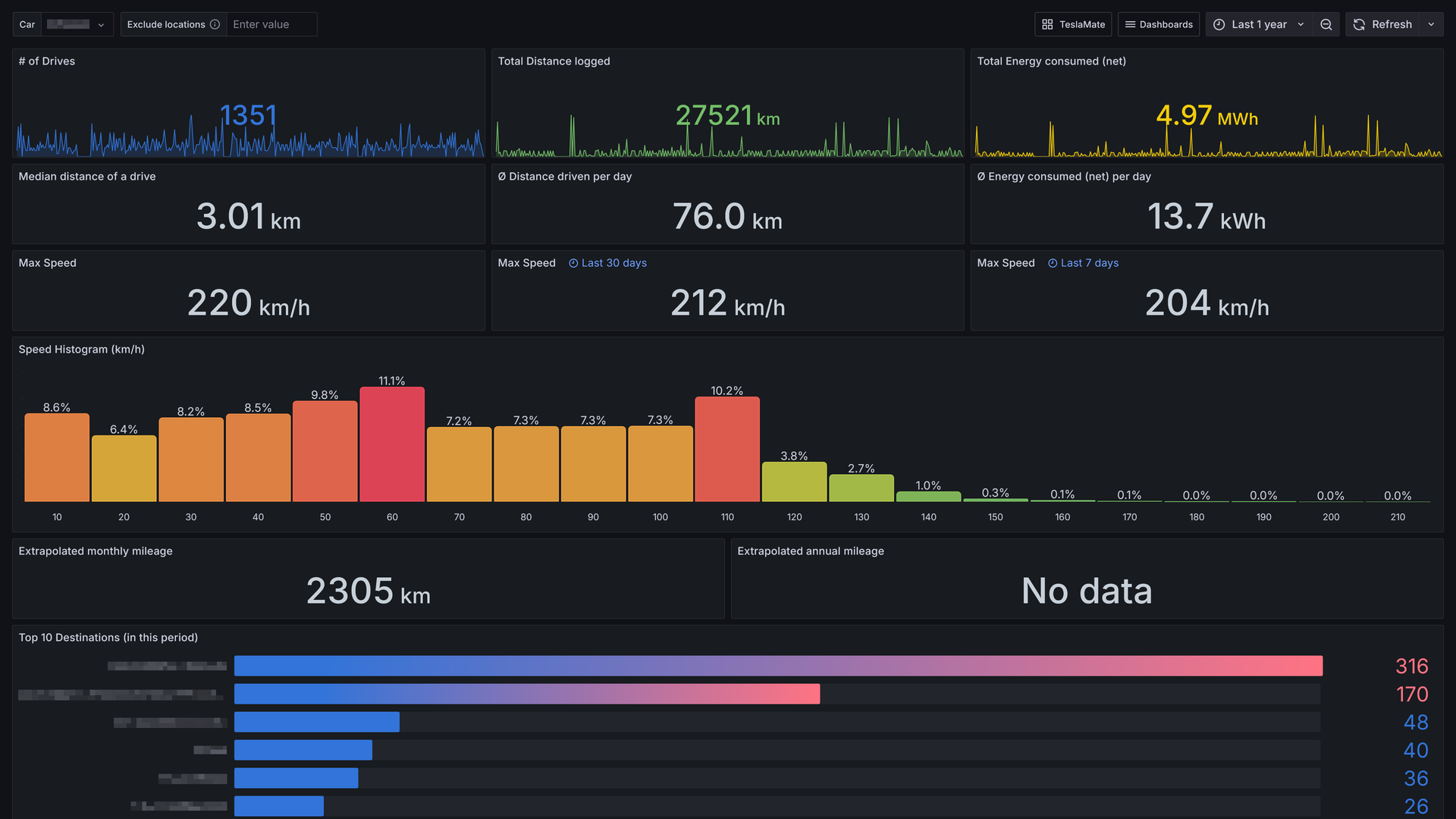
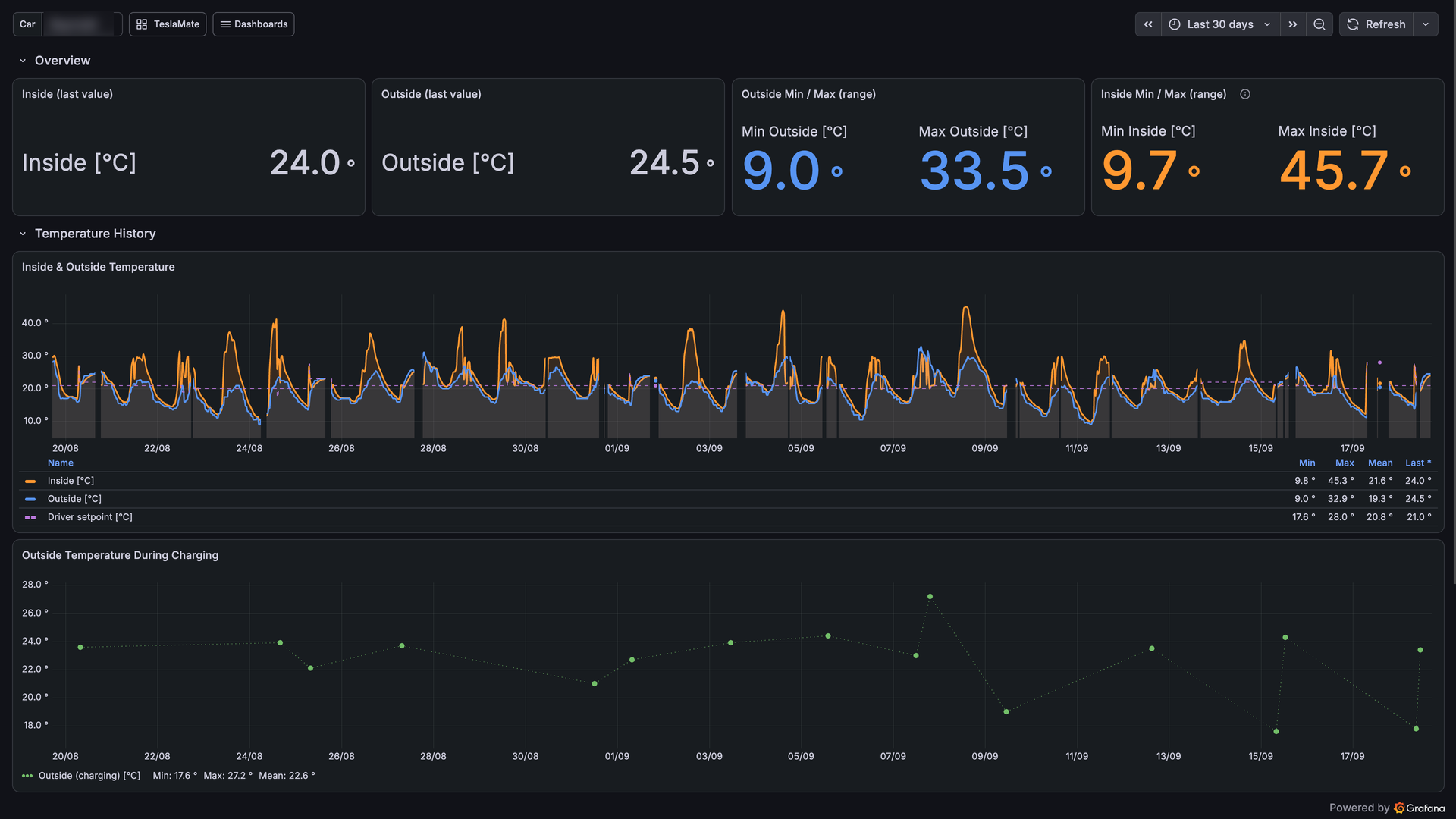
- Each drive plots speed, power, range, elevation, outside and inside temperature, and tire pressure beside a route map, with a speed histogram and consumption summary below.
- Battery and Vampire Drain
- Battery Health estimates capacity and degradation by mileage, while Vampire Drain lists standby percentage, range loss, and average power for every idle period.
- Geo-Fences and Charge Costs
- Draw named circular geo-fences on a map and attach electricity prices that feed charge cost and cost per 100 km statistics.
- MQTT and Import Support
- Vehicle data goes to an MQTT broker for Home Assistant, Node-RED, and Telegram, and past history can be imported from TeslaFi or tesla-apiscraper.
- Lifetime Maps and Trips
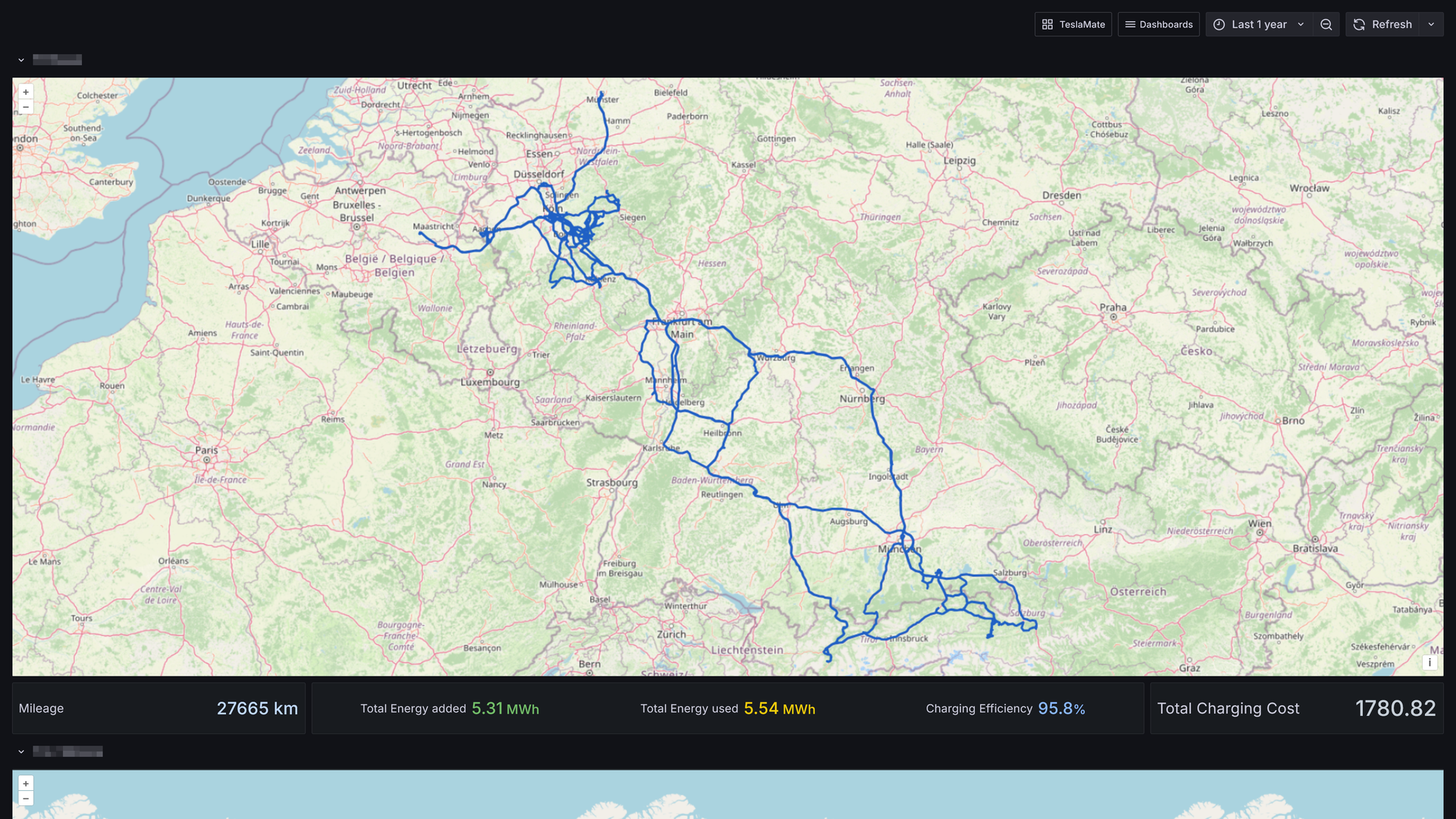
- A Visited map draws every route you have driven with mileage and charging totals, and the Trip dashboard summarizes any time window with cost and consumption.
- Multilingual Web Interface
- The web interface offers light, dark, or system themes in 19 languages, handles several vehicles per Tesla account, and looks up addresses automatically.