Coder
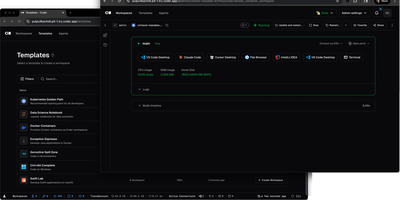
With over 14,000 GitHub stars and enterprise adoption by security-conscious organizations, Coder transforms how development teams provision, manage, and secure their coding environments. Every workspace is defined as a Terraform template, meaning infrastructure engineers can standardize development environments across EC2 instances, Kubernetes pods, Docker containers, or any combination, while developers get self-service provisioning that launches in seconds rather than days of manual setup. The WireGuard-based networking layer establishes encrypted tunnels between developer machines and remote workspaces, providing low-latency access without exposing ports or configuring VPN concentrators. Automatic idle detection shuts down unused workspaces after configurable periods, directly reducing cloud compute costs for organizations running hundreds of developer environments. The Coder Agents feature introduces native AI coding capabilities where the agent loop executes entirely within the control plane on self-hosted infrastructure, keeping LLM API credentials out of individual workspaces and eliminating credential exfiltration risks. Centralized model governance allows platform teams to approve specific AI providers and models, set per-user spend limits, and maintain complete audit logs of all prompts, tool calls, and agent activity. IDE integration supports VS Code through a dedicated extension, JetBrains IDEs via Gateway and Toolbox plugins, and browser-based code-server for web access. The template registry provides pre-built configurations for common development stacks. DevContainer support builds environments from standard devcontainer.json specifications. Deploy on a dedicated VPS on RepoCloud with guaranteed CPU, RAM, and SSD, full root SSH access, and a browser serial console. AGPL-3.0 licensed.
Grafana Loki
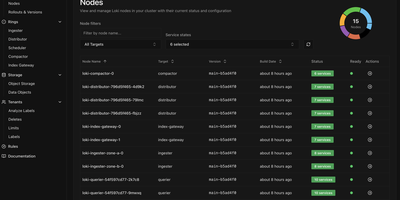
With over 28,600 GitHub stars and 450 contributors, Grafana Loki is the log aggregation system that takes the Prometheus approach to logging — indexing only metadata labels instead of full log content, making it dramatically cheaper and simpler to operate than traditional log management platforms. The label-based indexing strategy groups log streams using the same labels already applied to Prometheus metrics, enabling seamless switching between metrics and logs in Grafana dashboards without maintaining separate indexing infrastructure. Grafana Alloy, the telemetry collector replacing Promtail, scrapes and pushes logs with Prometheus-style service discovery, automatic Kubernetes Pod label extraction, and pipeline stages for parsing, filtering, and relabeling before ingestion. LogQL, the query language, combines label matchers for stream selection with regex line filters and aggregation functions, supporting rate calculations, pattern parsing, and metric generation from log data for alerting and dashboard panels. The storage architecture writes compressed log chunks and TSDB indexes to S3, GCS, Azure Blob Storage, or MinIO-compatible object stores, with configurable retention and compaction policies. Deployment modes scale from a single binary for development through monolithic high-availability mode with multiple replicas to full microservices decomposition with separate ingester, distributor, querier, query-frontend, compactor, and ruler components on Kubernetes via Helm charts. Multi-tenancy isolates data and query paths per tenant through header-based tenant ID assignment. Running on a dedicated VPS on RepoCloud with guaranteed CPU, RAM, and SSD, full root SSH access, and a browser serial console. AGPL-3.0 licensed.
Dashy
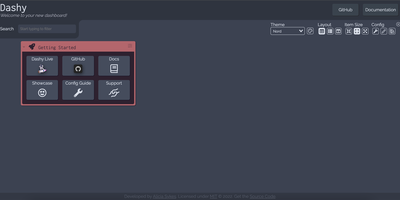
Every service you run, behind one polished start page: Dashy is the most customizable homelab dashboard, built as a Vue.js homepage. Configuration lives in a single YAML file, but you never have to hand-edit it: an integrated UI editor with real-time validation writes changes back to disk, so both config-as-code and point-and-click camps are served. Status indicators put a live health dot next to every app - HTTP checks or pings on custom intervals, with response time and status details on hover - giving you an at-a-glance uptime overview before anything breaks. Over 50 built-in widgets pull dynamic content from the services you already run: Pi-hole and AdGuard block stats, Proxmox lists, Nextcloud status, Netdata CPU/memory history, Prometheus data, plus weather, RSS, crypto prices, and generic iframe/API-response widgets for anything with an endpoint. Instant fuzzy search launches any app as you type, with customizable hotkeys and web-search fallthrough. Theming is deep: dozens of built-in themes, a UI color palette editor, and custom CSS over CSS variables. Alternate views include a fast-loading minimal startpage and a workspace view that embeds apps side-by-side without leaving the dashboard. Icons resolve from Font Awesome, homelab icon packs, emojis, or auto-fetched favicons. Built-in authentication, multi-page support, cloud backup/sync, and multi-language round out an MIT project with a massive community.
Keila
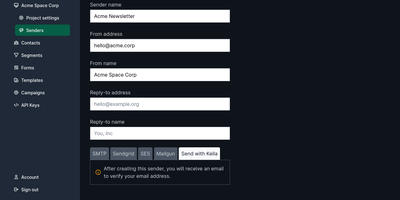
Among open-source Mailchimp alternatives, Keila has the most modern UI - built in Germany on Elixir and Phoenix (the PETAL stack), with GDPR-conscious defaults including an optional no-tracking mode, and 100% open source with no proprietary premium tier. Campaign authoring is flexible three ways: a visual block editor with multi-column layouts, Markdown with or without WYSIWYG for hybrid HTML-plus-plain- text sends, and raw MJML for hand-coded designs. The personalization system is unusually clean - every contact carries custom data as a single JSON object (populated from sign-up form fields or pushed from your CMS/CRM), and Shopify's Liquid template language renders it into fully dynamic emails. Targeting uses a visual segment editor backed by a powerful segment language for complex logic over tags, language preferences, and any custom field. Sign-up forms with custom fields grow your lists; open and click tracking measures campaigns; scheduled sending handles timing. Delivery pipes through your own SMTP or first-class integrations with AWS SES (including automated bounce handling), SendGrid, Mailgun, and Postmark. A full REST API manages contacts, campaigns, and segments, with Erlang/OTP reliability underneath. Comfortable at 100K+ subscribers. AGPL-licensed, EU-hosted project, actively developed.
Usulnet
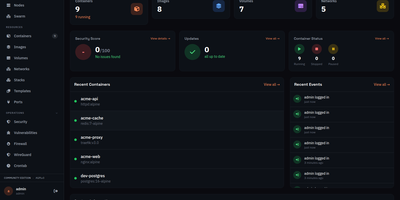
Usulnet packs container management, Trivy security scanning, Nginx reverse proxy, scheduled backups, WireGuard VPN, firewall rules, and multi-node orchestration into a single 70MB Go binary with zero external runtime dependencies. Every module ships in one download with no paid tiers, no telemetry, and no edition gating. Container lifecycle management covers creation, start, stop, restart, pause, kill, and removal with bulk operations, real-time resource statistics, filesystem browsing, and settings editing. Trivy integration scans images and running containers for CVEs with severity scoring, generates SBOMs, and validates CIS benchmarks. The multi-node architecture supports standalone, master, or agent modes where agents connect over NATS JetStream with mTLS encryption, enabling remote Docker host management from a central dashboard. Reverse proxy configuration handles Nginx with automatic Let's Encrypt certificates, TCP/UDP stream proxying, access lists, and dead host detection. Backup operations capture container volumes and Compose stacks on configurable schedules with retention policies and full restore capabilities. A built-in application catalog provides 60+ one-click templates for common services. JWT license validation uses an RSA-4096 public key embedded in the binary, requiring no call-home and working entirely offline. For teams tired of maintaining separate tools for each infrastructure concern, Usulnet collapses the entire stack into a single point of management with Docker Compose deployment alongside PostgreSQL, Redis, and NATS.
Actual Budget
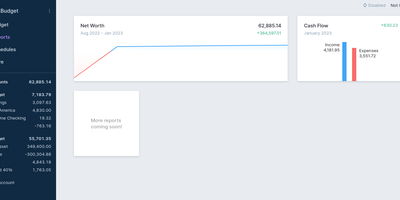
Every unit of income gets a job in Actual Budget - a local-first personal finance app built on envelope (zero-sum) budgeting, where you can only budget cash you actually have, which keeps the plan honest by construction. The data model is a SQLite file that lives on your device and works fully offline; the self-hosted Node.js sync server adds background multi-device synchronization using CRDT-based distributed-systems machinery, browser and mobile access as an installable web app, and automated backups. Optional end-to-end encryption makes the synced data unreadable even to the server hosting it. Transactions enter three ways: manual entry, file import (CSV, QIF, OFX, QFX, CAMT.053), or automatic bank syncing through GoCardless for EU/UK banks and SimpleFIN for US/Canada. Built-in YNAB4 and nYNAB importers migrate complete budget histories, and reports, schedules for recurring transactions, and rule-based transaction cleanup handle the day-to-day. A fully featured local API lets developers script custom importers and automation against their own data. 100% free, open source, and 26k stars strong.
Fireshare
The moment after ShadowPlay saves a great clip is what Fireshare was built for: your friends see it now, not after a YouTube upload, processing queue, and platform terms review. Drop videos into a watched folder and this Flask/React application generates a unique shareable URL for each one, complete with Open Graph metadata - so pasting the link into Discord, Twitter, or Slack produces a proper embed with title, description, and video thumbnail instead of a raw URL. Viewers need no account and no app. Visibility is per-file: public (browseable on your feed), private (unlisted, reachable only by direct link), or password protected. For game clips specifically, Fireshare organizes automatically - clips sort by game with cover art pulled from SteamGridDB, no manual tagging - while tags and full-library search cover everything else. Optional transcoding (CPU or GPU) creates lower-quality renditions so viewers on weak connections get automatic quality adaptation, and video cropping trims clips in place. The extras round out a genuinely finished tool: view counters, timestamped share links, a shuffle button, restrictable uploads, Discord notifications for new videos, an RSS feed of the public feed, mobile support, and LDAP for multi-user setups. No storage limits, no watermarks, no platform deciding what stays up. GPL-licensed.
Stalwart
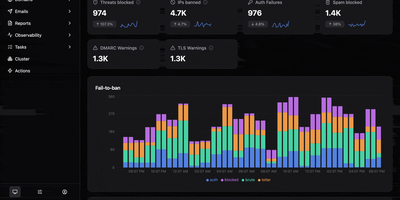
With 14,000 GitHub stars and 81 releases since March 2023, Stalwart is the most protocol-complete open-source mail server available — delivering JMAP, IMAP4rev2, IMAP4rev1, POP3, SMTP, CalDAV, CardDAV, and WebDAV from a single Rust binary that compiles to a memory-safe, zero-garbage-collection executable with predictable latency under load. The SMTP server implements DMARC, DKIMv2, DKIMv1, SPF, and ARC for complete message authentication with automatic DKIM key rotation, while transport security enforces DANE, MTA-STS, and SMTP TLS reporting to prevent downgrade attacks. Built-in spam filtering with statistical classifiers, DNS blocklists, and collaborative reputation databases eliminates the need for external Rspamd or SpamAssassin deployments. Encryption at rest protects stored messages with S/MIME or OpenPGP, and automatic TLS certificate provisioning via ACME supports TLS-ALPN-01, DNS-01, and HTTP-01 challenges without manual certificate management. The ManageSieve server enables server-side email filtering rules, while full-text search indexes message bodies and attachments for instant retrieval. Pluggable storage backends support RocksDB for embedded deployments, PostgreSQL, MySQL, and S3-compatible object storage for distributed architectures. LDAP and SQL-based authentication integrate with existing directory services, and the web administration panel manages domains, accounts, quotas, and DKIM keys. Security audited with memory safety guaranteed by Rust's ownership model. Running on a dedicated VPS on RepoCloud with guaranteed CPU, RAM, and SSD, full root SSH access, and a browser serial console. AGPL-3.0 licensed.
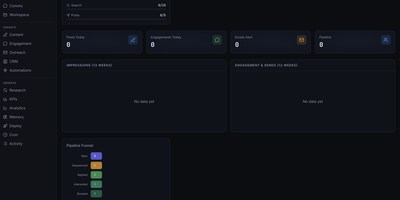
Marketing Dashboard
This is a marketing operations control center that replaces fragmented CRM, outreach, content, and analytics tools with a unified self-hosted interface designed for AI agent-assisted go-to-market teams. The CRM module manages leads through a configurable pipeline funnel with stages from New through Sequenced, Replied, Interested, and Booked, tracking source attribution, industry segments, company size, lead quality scores, and LinkedIn URLs per contact. Outreach sequencing supports email campaigns with pause controls, audit endpoints, suppression workflows, and engagement tracking. The content operations surface provides calendar views, content item management, performance metrics, and approval queues for editorial control. Analytics and KPI dashboards show impressions, engagement, and send volumes over configurable time periods, with optional connectors to Plausible, Google Analytics 4, X, and LinkedIn for cross-platform reporting. The OpenClaw-native agent runtime enables dynamic agent and squad discovery, workspace management, session monitoring, and communications surfaces. Automation scheduling uses cron job templates with OpenClaw-compatible schedule variants including cron expressions, every intervals, and at timestamps. The tech stack combines Next.js 16 App Router with React 19, Tailwind CSS 4, Recharts, and Zustand for state management. Authentication supports session cookies, API keys, and optional Google OAuth with role-based access controls. All state persists locally in SQLite via better-sqlite3 with no required external infrastructure. On RepoCloud, deploy Marketing Dashboard on a dedicated VPS with persistent SQLite storage, root SSH access, and complete control over your marketing operations data, all under the MIT license.
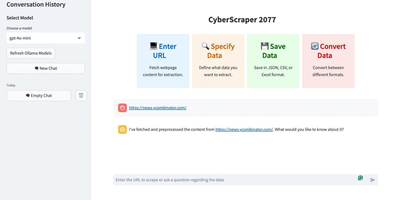
CyberScraper 2077
With 3,100+ GitHub stars, CyberScraper 2077 replaces brittle CSS selectors and XPath queries with natural language data extraction powered by Large Language Models. Users paste a URL, describe the data they want in plain English, and the AI extracts structured results from any website — no HTML parsing knowledge required. The tool supports three LLM backends: OpenAI GPT models for maximum accuracy, Google Gemini for cost-effective extraction, and local Ollama instances for fully private scraping where URLs and data never leave your server. Built on Python asyncio with Playwright browser automation, it handles concurrent page fetching with content-based and query-based LRU caching to minimize redundant API calls. The Streamlit web interface runs on port 8501 and provides one-click export to JSON, CSV, HTML, SQL, Excel, and direct Google Sheets upload. Tor network integration routes requests through onion routing for anonymous scraping of both clearnet and .onion hidden service sites with automatic circuit management and stream isolation. Stealth mode randomizes user agents, manages cookies, and controls JavaScript execution timing to bypass bot detection systems. Multi-page scraping navigates through paginated results with automatic URL pattern detection. Docker deployment packages all dependencies including Playwright browsers into a single container. Running on a dedicated VPS on RepoCloud with guaranteed CPU, RAM, and SSD, full root SSH access, and a browser serial console. MIT licensed.
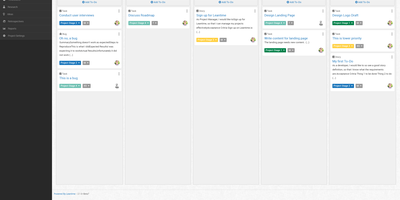
Leantime
"As simple as Trello but as feature-rich as Jira" is how the Leantime team frames its goals-focused project management system for non-project managers - built from the ground up with ADHD, autism, and dyslexia in mind, with behavioral science shaping customizable dashboards, time blocking, low-cognitive-load prioritization, and Kanban, list, table, Gantt, and calendar views so each person works the way their brain does. The PHP application (AGPL, Laravel Blade frontend) connects strategy to execution: tasks with unlimited subtasks and dependencies roll up into milestones on a timeline, sprints and retrospectives handle iteration, and strategy-level blueprint boards - Lean Canvas, SWOT, risk analysis, goal and metric tracking - keep the "why" attached to the work. Knowledge lives alongside: wikis and docs, idea boards, comments on everything, file storage on S3 or local disk, even screen and webcam recording. Time tracking with timesheets supports estimation and client billing. Admin features are serious for an OSS tool: per-project permissions, two-factor auth, LDAP and OIDC single sign-on, Slack, Mattermost, and Discord integrations, a plugin system, and an expanding API that now powers a mobile app. Recent releases added multi-collaborator task assignment and low-vision accessibility improvements. Available in 20+ languages.
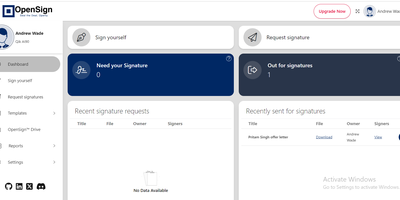
OpenSign
With 6,700 GitHub stars, 79 releases, and 40 contributors since its October 2023 launch, OpenSign delivers a fully free electronic signature platform that removes the per-envelope pricing and seat limits of commercial e-signing services. The React-based frontend provides a drag-and-drop interface for placing signature fields, initials, date stamps, text inputs, and checkboxes onto PDF documents, while the Parse Server backend built on Node.js handles document routing through configurable multi-signer workflows with sequential or parallel signing order. Guest signers authenticate via one-time-password email verification without requiring account creation, while registered users manage documents through OpenSign Drive — a centralized vault with folder organization and status tracking across draft, in-progress, completed, and declined states. Every signing action generates tamper-proof audit trails logging timestamps, IP addresses, email addresses, and phone numbers, culminating in a detailed completion certificate attached to the finished document. The REST API v1.2 exposes endpoints for document creation, template dispatch, self-signing, and real-time webhook notifications on document lifecycle events, with regional deployments available in US and EU. PDF templates with pre-placed widgets enable repeated dispatch to different signers in a single API call. Custom branding controls email invitation templates, signing page appearance, and completion certificate styling. Deploy via Docker Compose with MongoDB, Caddy reverse proxy, and automatic HTTPS provisioning. Running on a dedicated VPS on RepoCloud with guaranteed CPU, RAM, and SSD, full root SSH access, and a browser serial console. AGPL-3 licensed.

Social Analyzer
Social Analyzer scans over 1,000 social media platforms in parallel to discover and correlate user profiles from a single username query, making it the most comprehensive OSINT reconnaissance tool of its kind. Three detection modes cover different accuracy and speed tradeoffs: fast HTTP library checks for rapid sweeps, Selenium WebDriver validation for JavaScript-heavy sites, and a special mode for stubborn edge cases. String analysis generates username permutations and combinations to catch related accounts with slight naming variations. Three interfaces serve different workflows: a Node.js web application on port 9005 with a browser-based GUI, a CLI for scripted batch operations, and Python plus Node.js APIs for embedding into automated investigation pipelines. The QeeqBox OSINT library extracts profile metadata, screenshots, titles, descriptions, and activity patterns, all visualized through Ixora-based force-directed graphs that map relationships between discovered accounts. Tesseract OCR analyzes profile images for additional detection vectors. Search results narrow by country codes, website categories, Alexa ranking thresholds, and confidence levels. Optional Google API and DuckDuckGo API integration adds search engine correlation alongside direct platform queries. Docker deployment bundles Node.js, Firefox ESR, Tesseract, and all dependencies into one container. Trusted by law enforcement and security researchers for digital forensics and identity verification. 23,000+ GitHub stars. AGPL-3.0 licensed.
GitLab
Used by over 100,000 organizations and ranked first in the Gartner Magic Quadrant for DevOps Platforms, GitLab is the open-core DevSecOps platform that delivers the complete software development lifecycle — from planning and source code management through CI/CD, security scanning, and monitoring — in a single self-managed application. The built-in CI/CD engine executes pipelines defined in YAML with parallel jobs, directed acyclic graph scheduling, multi-project pipelines, and auto-scaling runners on Docker, Kubernetes, or bare metal. Merge requests provide inline code review with approval rules, code owners, merge trains for serialized merging, and five merge strategies including fast-forward and semi-linear history. The integrated container registry stores Docker images alongside code, while the package registry supports npm, Maven, NuGet, PyPI, Conan, Go, and generic packages. Issue boards with epics, milestones, and labels enable agile planning, while the built-in wiki and GitLab Pages provide documentation hosting and static site publishing. Security scanning in the Community Edition includes basic SAST, secret detection, and container scanning running as pipeline jobs. The Omnibus installer bundles Rails, Puma, Gitaly, Workhorse, Nginx, PostgreSQL, Redis, Sidekiq, and Prometheus into a single package installable in minutes, while Docker and Helm chart options support containerized and Kubernetes deployments. GitLab Duo AI assists with code suggestions, merge request summaries, and vulnerability resolution. Running on a dedicated VPS on RepoCloud with guaranteed CPU, RAM, and SSD, full root SSH access, and a browser serial console. MIT licensed.
Docspell
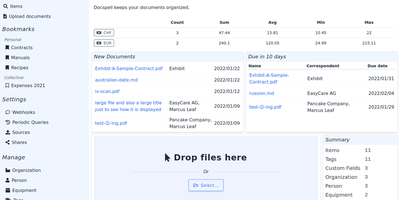
Convert paper archives, email attachments, and PDF records into an organized digital repository with Docspell, an open-source document management system that automates optical character recognition, metadata extraction, and full-text search. Users can ingest receipts and invoices through network scanners, monitored IMAP email mailboxes, mobile uploads, or drag-and-drop browser tools. The background processing pipeline executes optical character recognition via Tesseract, enhances image contrast with unpaper, and extracts text from Word documents and PDFs. Machine learning algorithms analyze document syntax to predict correspondents, suggest relevant organization tags, and identify due dates automatically. Team members can search their entire filing cabinet using complex Boolean queries and full-text indexing powered by Apache Solr or PostgreSQL. Administrators can configure multi-user collectives with isolated permissions, define custom metadata attributes, set up webhooks, and share time-limited document download links. Users can also merge multi-page scans, track processing job queues, and export curated document collections for tax filings or legal audits. Running on a dedicated VPS on RepoCloud with guaranteed CPU, RAM, and SSD, full root SSH access, and a browser serial console. GNU AGPL v3.0 licensed.
CodeX Docs
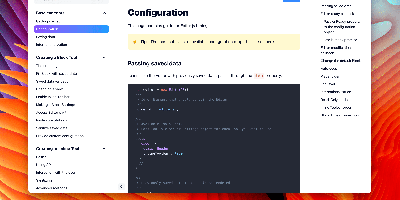
Writing docs should feel like editing a modern document, not wrangling Markdown files - CodeX Docs delivers that on Editor.js, the block-styled editor its CodeX team builds and thousands of products use. Content is composed from clean blocks (headings, lists, code, images, embeds) with a UI that reads well on both desktop and mobile, and pages render statically with human-readable, SEO-friendly URLs. Structure is free-form: pages nest to any depth, so a flat FAQ and a deep product manual coexist in one instance, and the UI tunes to fit - collapse sections, hide the sidebar. The operational footprint is deliberately tiny. No database is required: the default driver persists to a local folder, with MongoDB available when you want it, and the whole app configures through one YAML file (overridable with APP_CONFIG_ environment variables) covering title, start page, auth password, and JWT secret. Editing mode sits behind password authentication. Thoughtful extras are wired in: readers can report misprints straight to your Telegram or Slack, Hawk error tracking catches frontend and backend exceptions, and Yandex Metrica analytics is a one-line config. A ready-made Helm chart covers Kubernetes. Written in TypeScript.
InvenTree
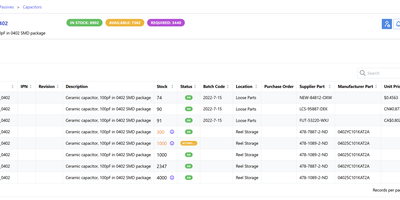
InvenTree is an inventory management system for electronics manufacturers, makerspaces, and small-to-medium businesses. The hierarchical part categorization system organizes components into unlimited nested categories, while stock items tracked across cascading locations and sub-locations provide instant visibility into current inventory levels, with optional serial number tracking for individual item traceability and acceptance testing. Intelligent BOM management calculates sub-part requirements, validates availability against current stock, supports multi-format BOM upload including KiCad integration, and generates detailed bills of materials with full database enrichment. Build orders consume BOM-allocated stock to produce assembled parts with step-by-step work order tracking, while purchase orders manage supplier relationships with pricing history, lead times, and automatic stock receipt processing. The modern React frontend built with Mantine, TanStack Query, and Zustand provides responsive data tables, tree-select navigation, a preview drawer, and a snippet editor. The extensible plugin system supports 19 mixin types including BarcodeMixin for scanner integration, LabelPrintingMixin for Zebra and Brother printers, AppMixin for custom database tables, and ScheduleMixin for periodic background tasks. Companion mobile apps on Android and iOS provide barcode scanning and stock operations in the warehouse. Docker Compose deploys with PostgreSQL, MySQL, or MariaDB backends behind any reverse proxy. Running on a dedicated VPS on RepoCloud with guaranteed CPU, RAM, and SSD, full root SSH access, and a browser serial console. MIT licensed.
Languagetool
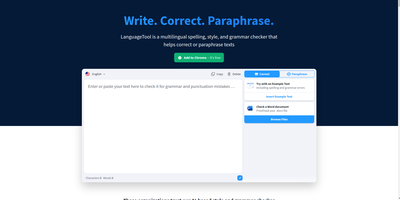
Grammar, punctuation, and style errors a dictionary lookup can't see: LanguageTool is open-source proofreading powered by a Java rule engine covering English, German, Spanish, French, Portuguese, Dutch, and 25+ other languages. Self-hosting the HTTP server is how you get Grammarly-class checking without sending every sentence you write to a third party - a real concern when the text being proofread is confidential email, legal drafts, or unreleased documentation. Your instance exposes the standard /v2/check API, so the official ecosystem plugs straight in: browser extensions for Chrome and Firefox accept a custom server URL, and integrations exist for VS Code, LibreOffice, Obsidian, Vim, Emacs, and many editors. Notably, self-hosting restores free browser-extension checking that the hosted service moved behind a premium subscription - your server, no character limits, no paywall. Detection quality is tunable: optional n-gram datasets (multi-gigabyte language models for en, de, es, fr, nl) teach the engine word-order and confusion-pair errors like there/their and brakes/breaks, and a fastText model improves automatic language identification. Everything runs offline once models are downloaded. The core is LGPL, the API is documented with Swagger, and rules are community- maintained and constantly expanding.