BookLore
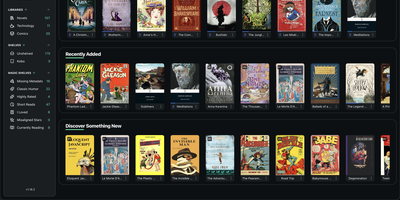
BookLore centralizes personal electronic book, audiobook, and comic collections into an organized private media server equipped with automated metadata scrapers and e-reader synchronization. Users can drop EPUB, PDF, CBZ, and MOBI files into a watched BookDrop directory to trigger automated format parsing, background cover retrieval, and staged queue imports. Integrated metadata scrapers query Google Books, Open Library, Goodreads, and Amazon to automatically fill synopsis summaries, author records, publishing dates, and review scores. Dynamic Magic Shelves categorize volumes through custom rule-based filters, author collections, and full-text search indexes across your complete literature catalog. The browser-based reader renders documents with adjustable typography, night modes, audio playback controls, text annotations, and persistent bookmarking. Hardware e-readers and mobile devices connect through native Kobo Store emulation APIs, bidirectional KOReader progress synchronization, and OPDS catalog feeds. Multi-tenant permissions provide each household member with private reading statistics, personalized shelves, email book delivery, and direct send-to-Kindle dispatch. Running on a dedicated VPS on RepoCloud with guaranteed CPU, RAM, and SSD, full root SSH access, and a browser serial console. GNU AGPLv3 licensed.
Nowen Reader
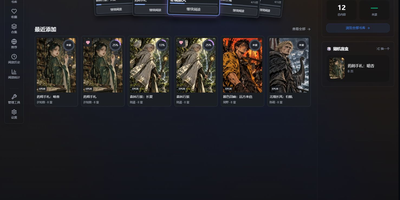
Nowen Reader turns a NAS folder of manga and novels into a private library you can browse, organize, and read from anywhere, without handing your collection to a cloud service. Drop comic archives and ebook files into watched folders and automatic scanning brings them into the library, detecting duplicates and cleaning up invalid entries along the way. Metadata arrives from AniList, Bangumi, MangaDex, MangaUpdates, and Kitsu, so covers, authors, and series information fill themselves in instead of being typed by hand. Read comics in single page, double page, or vertical webtoon modes with image filters and bookmarks, and pick up novels chapter by chapter where you left off. Reading status follows each user, with want to read, currently reading, and finished shelves plus personal ratings, favorites, and progress statistics. OPDS feeds stream pages directly to KOReader, Moon+ Reader, and other compatible apps, so your e-reader pulls from the same library. Optional AI assistance can suggest tags, summarize chapters, analyze covers, and translate pages. Libraries can be public, private, or shared with user groups, with per-library permissions for households. Running on a dedicated VPS on RepoCloud with guaranteed CPU, RAM, and SSD, full root SSH access, and a browser serial console. GPL-3.0 licensed.
BookOrbit
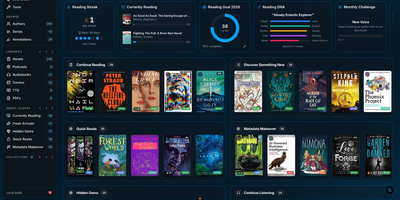
Consolidate your entire digital library into a self-hosted reading sanctuary with BookOrbit, an open-source media platform that organizes ebooks, audiobooks, comic archives, and research PDFs within a personal private cloud. Readers can enjoy multi-format media directly through responsive browser readers that support EPUB, CBZ, and M4B formats without external browser extensions. The platform synchronizes reading bookmarks, highlights, and completion statuses across web interfaces, Kobo ereaders, and KOReader devices. An automated metadata enrichment engine queries fourteen upstream bibliographic indexes, downloading cover artwork, chapter breakdowns, author biographies, and series taxonomies. The staging workspace allows librarians to inspect incoming files, review suggested metadata revisions, and embed updated tags directly into physical storage archives before shelving. Custom reading dashboards track annual book goals, calculate daily streaks, and plot reading habit radar charts. Multi-user configurations support distinct per-user collections, granular content permissions, and single sign-on authentication through OpenID Connect providers. Power users can export private OPDS feeds to external mobile reading applications or push books directly to connected Kindle hardware. Running on a dedicated VPS on RepoCloud with guaranteed CPU, RAM, and SSD, full root SSH access, and a browser serial console. GNU AGPL v3.0 licensed.
Oksskolten
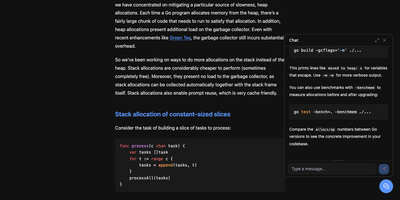
Subscribe to a feed and Oksskolten fetches the complete text of every new article, cleans it, and files it as Markdown in a library you can read without leaving the app. About 500 cleanup patterns strip ads, navigation, and tracking, with no per-feed toggles or selectors to maintain. No feed on the site? Auto-discovery goes first, then RSS Bridge, then LLM-inferred CSS selectors, while FlareSolverr gets past bot protection. Every feed is checked on its own schedule, somewhere between every 15 minutes and every 4 hours. Inbox, Read Later, Liked, and Read views keep the queue tidy. Clip any URL as a standalone article. Likes and bookmarks feed an engagement score that shapes search ranking and recommendations. One click summarizes or translates an article through Anthropic, Gemini, OpenAI, Ollama, or vLLM, with Google Translate and DeepL as translation engines. Ask the chat questions about your archive, or point Claude Code or Codex at the built-in MCP server to use the same tools. Search forgives typos and covers every stored article. Login works with a password, a passkey, or GitHub. Pick from four layouts and fourteen color themes, import custom themes as JSON, rebind keyboard shortcuts, and keep reading offline as a progressive web app. Running on a dedicated VPS on RepoCloud with guaranteed CPU, RAM, and SSD, full root SSH access, and a browser serial console. AGPL-3.0 licensed.

QMReader
QMReader is a self-hosted reading workbench that treats RSS as raw material for knowledge you keep, not a pile of unread badges waiting to be cleared. Subscribe to RSSHub routes, direct feeds, sitemaps, Hacker News, Product Hunt, GitHub Trending, and Hugging Face Papers, and new items land in the article list immediately while translation and rewriting finish in the background. English headlines gain Chinese translations automatically, and full articles can be read as the original, a Chinese translation, or a plain-language rewrite, all kept side by side on the same page. Highlight passages, attach your own commentary, and open an AI conversation scoped to the article in front of you instead of starting from a blank chat box. Work you produce becomes a public reading asset with a stable link: translations, rewrites, comments, and dialogues collect on contributor pages and flow out through asset catalogs and RSS feeds for the next reader. Split background workers keep fast feed fetching separate from slower AI processing, and search, unread, popular, favorites, and history views keep a heavy reading habit navigable. Running on a dedicated VPS on RepoCloud with guaranteed CPU, RAM, and SSD, full root SSH access, and a browser serial console. MIT licensed.
Calibre-Web Automated
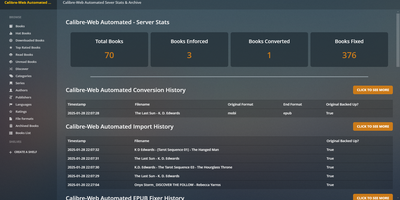
Turn any chaotic digital book archive into an autonomous, self-organizing reading portal using Calibre-Web Automated, a digital library manager featuring hands-free format conversions, metadata fetching, and e-reader synchronization. Readers can drop raw ebook files into the automated intake directory and watch the system instantly convert between twenty-eight distinct file types, repair malformed EPUB internal markup, and fetch enriched metadata from Hardcover, Kobo, and ISBN databases. The responsive web reader lets you browse collections, read directly in any desktop or mobile browser, and organize titles into dynamic rules-based Magic Shelves that update automatically. Built-in KOReader sync harmonizes reading progress and bookmarks across mobile devices and e-ink readers, while native OPDS feeds connect seamlessly to your favorite external reader applications. Administrative tools empower you to run hybrid SQL and fuzzy duplicate detection scans, perform batch metadata editing across entire series, enforce cover art changes directly into source files, and auto-dispatch newly ingested books to Kindle or Kobo devices via scheduled email delivery. Granular multi-user controls allow administrators to assign folder permissions, restrict downloads, enforce dark mode themes, and authenticate readers securely through OAuth and OpenID Connect identity providers. Running on a dedicated VPS on RepoCloud with guaranteed CPU, RAM, and SSD, full root SSH access, and a browser serial console. GNU General Public License v3.0 licensed.
FeedMe
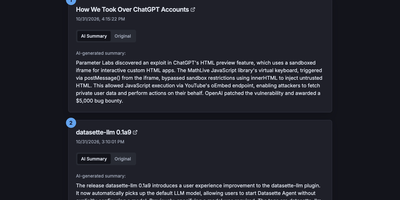
Most RSS readers hand you a pile of headlines and make you do the reading; FeedMe reads first and hands you the pile already digested. It aggregates every feed you configure into one clean, ranked stream, and for each article an LLM writes a short summary you can scan in seconds, with the full original text one tab away when a story earns a deeper look. Sources organize into categories like Tech News, Finance News, Personal Blogs, Company Blogs, Open Source, Research, and Podcasts, and a global search finds stories across all of them. The reader never sleeps on stale content: a built-in cron refreshes feeds and regenerates summaries on your schedule (every three hours by default in Docker), so the page you open in the morning already covers the night. Summaries answer to you, not a vendor: point FeedMe at any OpenAI-compatible endpoint and tune the prompt, input truncation, temperature, and token budget, with output in the languages you choose. There are no accounts, no forced logins, and no app to install; the responsive page works on phone and desktop in light or dark themes. Because the whole application is a static site, it stays fast and cheap to run, and the same build can live on GitHub Pages or Vercel if you ever want a public edition next to your private one. Running on a dedicated VPS on RepoCloud with guaranteed CPU, RAM, and SSD, full root SSH access, and a browser serial console. MIT licensed.
Issued
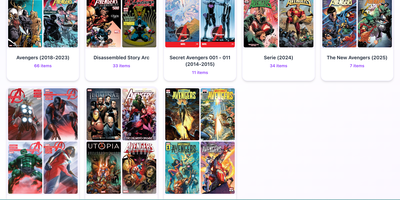
Issued is a self-hosted comic library server: point it at the folder of CBZ, CBR, CB7, and PDF comics already sitting on your server and the whole collection becomes browsable and readable from any device. Point it at your existing folders and it keeps your folder structure exactly as it is, scanning automatically when new issues appear and generating cover thumbnails so you can see what a file is before opening it. Read in the browser with the built-in web reader on desktop or mobile, with light and dark themes, or connect reader apps such as Panels, Chunky, KyBook, and Moon+ Reader through the standard OPDS catalog at /opds/. OPDS-PSE 1.2 page streaming lets compatible apps read individual pages as JPEGs without downloading whole archives, and OpenSearch discovery lets clients find library search automatically. Edit metadata in place using ComicInfo.xml data, mark series as ongoing to spot new issues, totals, and possible gaps, and use Continue Reading and Last Added views to resume the latest issue in progress or start the next unread one. An optional reader password protects browser access, and one Docker command on port 8181, with unrar included for CBR files, gets the whole library online. Running on a dedicated VPS on RepoCloud with guaranteed CPU, RAM, and SSD, full root SSH access, and a browser serial console. MIT licensed.
MuckScraper
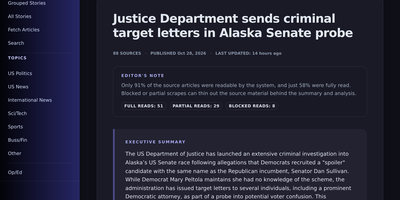
Reading the news should not mean opening twelve tabs about the same event, so MuckScraper folds every outlet's version into one story and shows you how the coverage differs. A scheduler fetches RSS feeds several times a day, with optional NewsAPI and GNews keys adding more sources, and each article is embedded and matched against recent stories so wire copies and follow-ups land together instead of flooding your feed. Every story carries a bias balance: how many left, center, and right outlets covered it, with each outlet rated from AllSides data or scored by the model where no rating exists. Local language models write the story summary and a deeper report comparing how each side frames the event, what is contested, and what nobody is mentioning, while guardrails reject cut-off summaries and figures that never appeared in the sources. Opinion columns stay in their own lane, linked to the stories they argue about and rounded up separately, never counted as news coverage. Twice a day the system publishes a balanced edition of twenty stories, and every past edition stays readable alongside full-text search across your whole archive. Reader, scraper, and admin roles decide who can simply read, who can trigger fetches, and who manages feeds, prompts, and users. Running on a dedicated VPS on RepoCloud with guaranteed CPU, RAM, and SSD, full root SSH access, and a browser serial console. MIT licensed.
KamiYomu
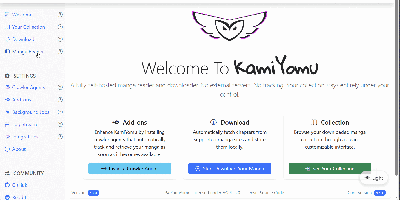
Manga readers use KamiYomu to build a private, self-hosted library: it fetches chapters from the websites they already follow, archives them locally, and serves everything back through a clean web reader on any device. The discovery flow runs on Crawler Agents, small plugins that teach KamiYomu how a particular source site lists series, chapters, and pages, so searching and fetching metadata happens inside the same interface as reading. Downloads land in a structured local archive, and reading picks up where you left off with history, filters for your library, and weekly views that surface new chapters and fresh releases. When a series is complete, export it as CBZ, PDF, or ZIP and take the files anywhere, no account or cloud library involved. Your e-reader and phone apps join through the built-in OPDS catalog, the same standard used by Moon+ Reader and KyBook, while a Swagger-documented API exposes the collection to your own scripts. Scheduled jobs keep watched series current in the background, checking sources and pulling new chapters without you babysitting tabs. Running on a dedicated VPS on RepoCloud with guaranteed CPU, RAM, and SSD, full root SSH access, and a browser serial console. AGPL-3.0 licensed.
Omnibus
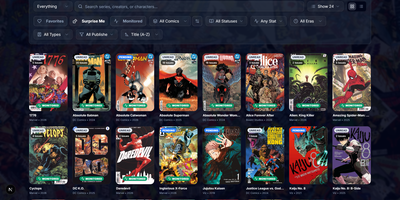
Omnibus runs your whole comic habit from one shelf: discover a series, request the missing issues, and read them in the browser when they land. Discovery starts with ComicVine or Metron metadata (high-resolution covers, synopses, and creator credits) and a release calendar that flags what you own and what is still missing across your monitored series. Requests are one click for a single issue or a whole run; Omnibus searches your indexers, hands the release to qBittorrent or SABnzbd, then imports, renames, and shelves the file with metadata embedded into the archive itself. Loose files that match nothing meet the Smart Matcher, which proposes the right series and applies every confident match in one pass. The built-in reader opens CBZ, natively read CBR and EPUB files in left-to-right, right-to-left manga, or continuous webtoon modes, with double-page spreads, brightness and contrast controls, page preloading, and preferences remembered per series; an offline button caches a full issue for the road. Reading lists assemble themselves from a pasted event ID or arrive by import from CBL files, League of Comic Geeks CSVs, AniList, or MyAnimeList, always showing how far through them you are. Everyone gets their own account, reading progress, follows, and an Updates feed, while OPDS, KOReader sync, and a Komga-compatible endpoint feed Panels, Mihon, and Paperback on the side. Running on a dedicated VPS on RepoCloud with guaranteed CPU, RAM, and SSD, full root SSH access, and a browser serial console. GPL-3.0 licensed.
Newspipe
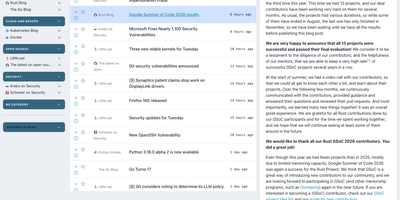
Newspipe gives a team or a household its own feed reader that nobody can shut down. Subscribe to any RSS or Atom source, sort feeds into categories, and read articles in a three-column view with the list in the middle and the full text on the right. Tabs filter unread, read, liked, and read-later items, stars mark favorites, and search finds anything already stored. Notes can be attached to any article and reviewed on a dedicated page. A history page charts how many articles arrived each year, and the inactive feed report flags sources that went quiet. Bookmarks have their own manager with a Pinboard importer and public listings. A single instance serves many users, and administrators create accounts and trigger fetches from an admin area. Feeds import and export as OPML, whole accounts move as JSON, and an API lets scripts manage subscriptions or plug in a custom crawler. The interface speaks English, French, and German, switches between light and dark themes, and can authenticate against LDAP. A scheduled command fetches new articles automatically. Running on a dedicated VPS on RepoCloud with guaranteed CPU, RAM, and SSD, full root SSH access, and a browser serial console. AGPL-3.0 licensed.
Dashwise
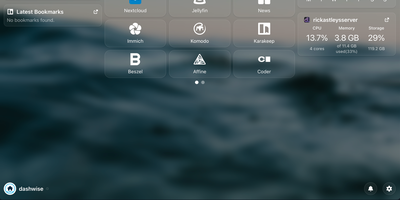
Your homelab grew one service at a time until opening the right one became a memory test, and Dashwise is the dashboard that puts them all in one place. Arrange movable widgets and one-line glanceables around the clock, group links into groups and folders, and build separate pages for the views you actually use. Every piece is configured through the interface itself, so shaping your dashboard never means editing config files by hand. Hit Ctrl+K and the spotlight search jumps you to any link or integration, or fires a search engine bang when the answer lives outside the lab. Subscribe to RSS feeds on the news page to keep up without leaving the dashboard. Other services can push notifications straight into Dashwise, so alerts from your stack land beside the links that fix them. Integrations defined as simple files add widgets, glanceables, and shortcuts for your favorite self-hosted apps, and new ones can be created without touching the core. Accounts are built in, with OIDC single sign-on for households or teams who already run an identity provider. Running on a dedicated VPS on RepoCloud with guaranteed CPU, RAM, and SSD, full root SSH access, and a browser serial console. GPL-3.0 licensed.
Flus
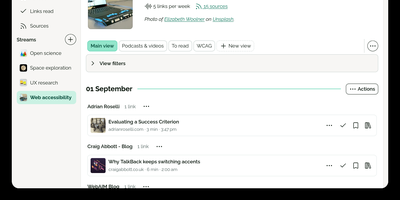
Flus is a calm feed reader, read-later app, and bookmarking space combined into one self-hosted reading home for the blogs, podcasts, video channels, and articles you follow. You follow sources through RSS, Atom, or JSON feeds and organize them into thematic streams, then let the Journal suggest what to read next from everything you follow at a pace you control. Links you want to keep move into collections where annotations and tags record why they mattered, and the to-read and already-read lists keep unfinished reading from silently disappearing. Collections, streams, and individual links can be shared publicly on your profile so others can follow them, or privately with specific collaborators, and everything interoperates through Atom feeds, Mastodon sharing, OPML import, full data export, and a developer API. A powerful search engine finds saved material later, tracking parameters are detected and stripped from URLs, and the installable web app plus browser extensions for Firefox and Chrome make saving a link a one-click habit from anywhere. Running on a dedicated VPS on RepoCloud with guaranteed CPU, RAM, and SSD, full root SSH access, and a browser serial console. AGPL-3.0 licensed.
Omnom
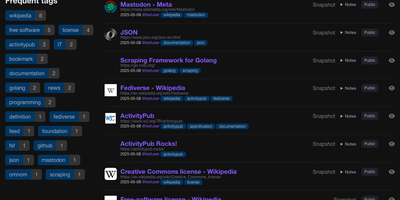
Omnom saves the pages you bookmark as full rendered snapshots, so the article, thread, or documentation page you kept is readable years later even if the original site changes or disappears. Bookmarks accumulate multiple snapshots over time, and the compare view shows two side by side or as a unified diff, revealing what an edited page used to say. Images and other media are downloaded and stored alongside each snapshot, keeping saved pages complete offline. The Firefox and Chromium extensions send pages exactly as your browser rendered them, capturing dynamic content a simple link saver would lose. A built-in reader aggregates your RSS and Atom subscriptions into one stream, where you can archive items individually or page by page and search feeds and bookmarks together. Through ActivityPub, other people can follow your public bookmarks from Mastodon or Pleroma, and you can follow Fediverse accounts in the same stream. Bookmarks can stay private or be shared publicly, organized with tags and nested collections, and filtered by date, domain, owner, or free text across saved content. Your dashboard tracks weekly, monthly, and yearly bookmark counts beside your most used tags, while a documented API and command line tools handle imports, tokens, and feed updates. Sign-in relies on one-time email tokens, OAuth, or a trusted Remote-User header from your reverse proxy, so no password is ever stored. Running on a dedicated VPS on RepoCloud with guaranteed CPU, RAM, and SSD, full root SSH access, and a browser serial console. AGPL-3.0 licensed.

ANX Calibre Manager
ANX Calibre Manager puts your Calibre library in your pocket, with a phone-friendly interface for the collection that used to require sitting down at the big machine. Browse and search the whole library from the sofa, open a book in the browser previewer, and have it read aloud when your eyes are done for the day. Any EPUB can become a proper audiobook with chapter markers, playable right in the app with your listening position saved, and ready for dedicated audiobook servers too. Your e-reader stays in the loop: reading progress and time sync back from KOReader devices, books push straight to Anx-reader folders, and sending to Kindle quietly converts to the right format first when the book you have is not the format Kindle wants. Every account gets its own WebDAV library for compatible readers, invite codes keep registration to people you actually know, and roles decide who may edit whose books. Reading statistics build themselves into a year heatmap with your current and finished lists, shareable or private as you choose, and you can even ask a book questions and get answers drawn from its pages. Running on a dedicated VPS on RepoCloud with guaranteed CPU, RAM, and SSD, full root SSH access, and a browser serial console. GPL-3.0 licensed.
Sake
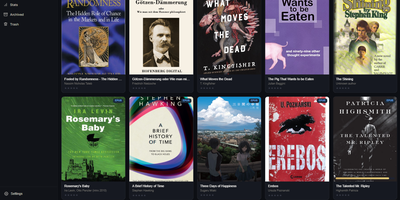
Your e-reader knows exactly where you stopped reading, and Sake makes your whole library know it too, with a self-hosted web library that syncs KOReader progress, notes, and highlights across every device you own. Browse your collection in a clean web app with covers, metadata, shelves, ratings, and reading state, and organize it with rule-based shelves that file new books automatically according to conditions you define. Pair a KOReader device once and progress uploads in the background when the reader sleeps, new books download on request, and highlights land in a searchable annotations hub where you can edit notes inline and export them as Markdown or JSON. An existing on-device library can be exported back into the web app complete with its sidecar data, so years of reading history move with you. Search providers including Open Library, Project Gutenberg, and Anna's Archive (through Libgen mirrors) put new books one query away from your shelves, and metadata lookups enrich them from Google Books, Open Library, or Hardcover. OPDS and WebDAV endpoints serve any compatible reader app with optional separate Basic-auth passwords, the built-in plugin updater keeps the KOReader plugin current without manual file copying, and reading statistics chart your habits across the library. The installable progressive web app keeps the library one tap away on phones and tablets. Running on a dedicated VPS on RepoCloud with guaranteed CPU, RAM, and SSD, full root SSH access, and a browser serial console. AGPL-3.0 licensed.
BookHeaven Server
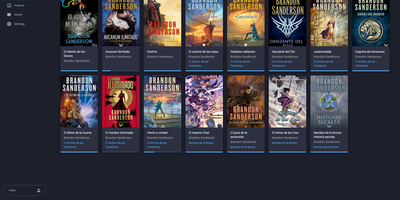
BookHeaven Server turns a scattered folder of EPUB files into a proper library you can browse, organize and read from anywhere, with your progress following you between devices. Import books by copying them into a watched folder or uploading them, and the server reads metadata straight from each file, grouping everything by author, series, collection and tag. When a title, author or cover is wrong, you fix it in the browser and the correction is written back into the EPUB itself, so edits survive even if the file moves elsewhere; missing covers can be fetched from the internet. Each person gets a profile with its own reading progress, including start date, last read date, percentage, elapsed time and finished date, and progress can also be corrected manually. Any OPDS reader app can browse and download from the built-in catalog at /opds/v1, while KOReader devices sync progress by pointing at your server and signing in with a profile name. Upload your favorite fonts once and every connected device can download them, with styles and weights mapped per file or split from a single font. The companion Android reader, built for e-ink screens, discovers the server automatically on your network and downloads books for offline reading. Running on a dedicated VPS on RepoCloud with guaranteed CPU, RAM, and SSD, full root SSH access, and a browser serial console. GPL-3.0 licensed.