Anchor
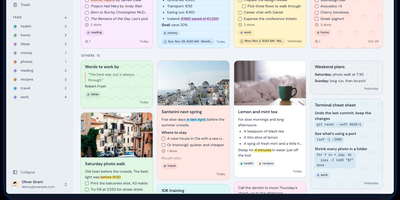
Anchor is a self-hosted note-taking app that keeps every note on your own server and on your devices, so your ideas stay searchable and editable even with no connection at all. Open the web app or the phone app and start typing; the rich text editor handles headings, checklists, highlights, and formatting from a slash menu, and everything saves locally first. When a connection comes back, changes sync automatically across your devices, so the thought you captured on a train is waiting on your desk. Organize with colored tags, pin the notes you live in, archive the ones you are done with, and set one-time or repeating reminders so a note resurfaces when it matters. Notes can carry image and audio attachments, custom backgrounds, and a full version history you can roll back. Share a note with another user as view-only or editable, search titles and body text across everything including the archive, and recover deleted notes from the trash during the recovery window. Bring an existing library with you through Markdown import, a full Anchor backup, or a Google Keep export, and take everything out again the same way. An admin panel controls registration and shows system statistics, and OpenID Connect sign-in through providers like Authelia or Keycloak can replace local passwords entirely. Running on a dedicated VPS on RepoCloud with guaranteed CPU, RAM, and SSD, full root SSH access, and a browser serial console. AGPL-3.0 licensed.
Synch
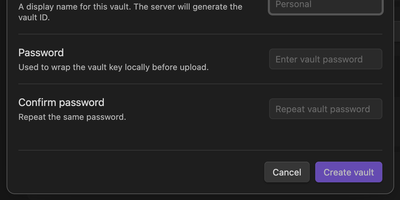
Synch keeps your Obsidian vault in step across desktop and mobile with end-to-end encryption, on a sync server you host yourself. Every note is encrypted on your device before upload, so the server stores sealed blobs and cannot read your notes, your file paths, or your vault keys. Edits travel between devices in seconds over a realtime connection, and the encrypted version history brings back earlier drafts and deleted files when a cleanup goes too far. When the same note changes on two devices, a three-way merge combines edits that do not overlap and keeps a conflict copy when they do, so work is never silently overwritten. Markdown, images, audio, video, and PDFs sync by default, and folder exclusions keep big or private corners of the vault at home. Run the server with Docker Compose or as a systemd service, point the plugin at your own API address, and allow only the email addresses you invite. Each vault gets its own database file on your disk, and blob storage can move to any S3-compatible bucket when the vault outgrows local storage. Running on a dedicated VPS on RepoCloud with guaranteed CPU, RAM, and SSD, full root SSH access, and a browser serial console. MIT licensed.