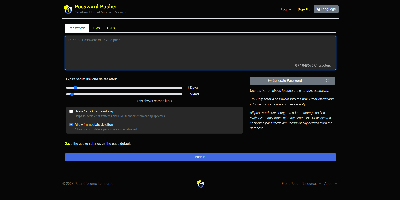
Password Pusher
Credentials sitting forever in email threads and chat scrollback - Password Pusher solves that everyday security failure. Instead of pasting a password into Slack, you push it - a password, note, file, URL, or QR code - and share a unique one-time link that expires after a set number of views, a time limit, or both. Content is encrypted at rest with AES-GCM under a configurable master key, optionally guarded by a passphrase, and permanently deleted from the database the moment it expires; a retrieval-step option keeps URL-scanning bots from consuming views. Full audit logs record when each link was created and viewed (and by whom, with logins), and TOTP two-factor authentication can be required instance-wide. The delivery page is deliberately unbranded - no logos or confusing links for recipients - and the interface ships in 31 languages with light and dark themes. Automation runs through a JSON API (v2), an official CLI for pushing and expiring secrets from the terminal, a Chrome extension, and a catalog of third-party integrations. Apache-2.0 licensed Ruby on Rails, deployable via Docker, Kubernetes, or Helm, with SQLite or PostgreSQL storage - the sysadmin staple for sending credentials that clean up after themselves.
Duplicati
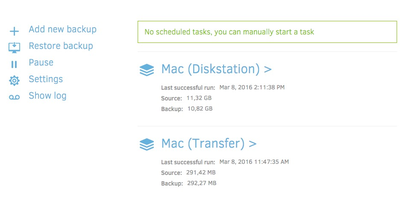
Encrypted, incremental, compressed backups on storage you already have - Amazon S3, Backblaze B2, Google Drive, Azure, OneDrive, Dropbox, MEGA, Storj, WebDAV, SFTP, FTP, SMB, or a plain local disk - is what the MIT-licensed Duplicati has quietly done for years. Its security model is Trust No One: every block is encrypted with AES-256 (or a local GPG instance) before leaving the machine, and the passphrase never travels, so the storage provider holds only ciphertext. The block-based storage engine gives the best of both backup worlds: after one initial full backup, only changed data blocks upload - modify a tiny part of a huge file and only that part transfers - yet every backup version restores like a full backup in a single operation, with no incremental chains to replay. Deduplication and compression keep remote storage growth slow even across years of versions. A web interface manages everything: the built-in scheduler keeps backups current automatically, flexible filters select folders, file types, or custom patterns, retention policies prune old versions, and an integrated updater flags new releases. On compatible object-lock backends, immutable (WORM) storage protects backup data from ransomware that reaches the credentials. Runs on Windows, macOS, and Linux, free even for commercial use.