
Macro
Macro merges email, team chat, collaborative documents, task management, CRM, and video calls into one keyboard-driven application where AI agents operate across the entire workspace with shared team memory, replacing the Slack plus Notion plus Linear plus Superhuman plus HubSpot stack with a single deployment. The email module provides a multi-account unified inbox with keyboard shortcuts, shared team inboxes, and Gmail integration. Team messaging offers channels and direct messages designed for technical discussions with threaded conversations. The task system draws from Linear with board and list views tightly integrated with channels, email threads, and AI agents. Real-time collaborative documents use CRDT synchronization via Loro for conflict-free editing with Markdown-native formatting and @mention linking. A 2D canvas board embeds @links to tasks, files, and emails for visual project planning. AI agents access unified team-level memory spanning all workspace modules, taking autonomous actions across email, chat, tasks, and documents through MCP-compatible tool interfaces. Video calls include recording, transcription, and automatic logging to team memory. The CRM module tracks customers and contacts with custom properties, email synchronization, and data enrichment. Eighty-plus Rust microservices on the Axum framework handle backend operations while a SolidJS static SPA delivers the frontend with instant search and real-time collaboration. Docker Compose deployment provisions the complete service stack with PostgreSQL, Redis, OpenSearch, and FusionAuth authentication. Running on a dedicated VPS on RepoCloud with guaranteed CPU, RAM, and SSD, full root SSH access, and a browser serial console. AGPL-3.0 licensed.
Nextcloud
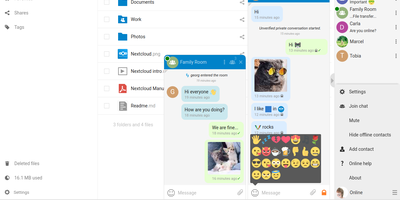
Google Workspace and Microsoft 365, replaced by a platform you actually control: Nextcloud is the self-hosted digital workspace. Files is the core: file storage and sync across desktop, mobile, and web clients, with sharing, versioning, and collaboration built in. Around it, Talk provides private text chat, audio/video conferencing with screen sharing, SIP integration, and persistent voice rooms; Groupware bundles calendar, contacts, and mail with delegation support; and Office offers two collaborative suites - the Collabora-based option with deep ODF support, and Euro-Office, whose local-processing architecture delivers strong Microsoft Office compatibility and fast browser rendering with reduced server load. The Nextcloud Assistant threads AI through the platform via a context-aware sidebar, Whiteboard covers visual collaboration, Flow handles automation, and an app ecosystem of hundreds of extensions adds everything from Kanban boards to end-to-end encryption. Hub 26 brings a lighter UI with a unified app switcher and Nextcloud Governance for organizations under strict regulatory requirements. This is the flagship of data sovereignty: your files, chats, calendars, and documents live on your server, under your jurisdiction, with GDPR compliance by architecture rather than by contract.
Bulwark Webmail
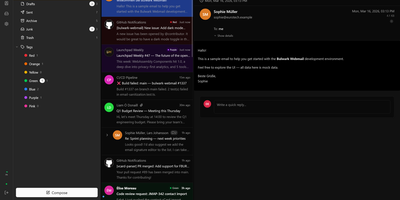
Transforming your Stalwart Mail Server into an all-in-one private communication hub, Bulwark Webmail delivers fast web-based email, collaborative calendars, shared contacts, and cloud files in a single unified interface. Users can manage multiple email accounts from an integrated inbox with conversational message threading, nested organizational tags, scheduled delivery, and instant full-text search across thousands of archived messages. The rich text composer provides markdown shortcuts, inline image embedding, reusable canned response templates, and automated draft synchronization. Team members can coordinate schedules across day, week, month, and agenda calendar views with drag-to-reschedule adjustments, interactive iMIP meeting invitations, and external CalDAV calendar subscriptions. The integrated address book organizes individual contacts into custom groups with full vCard import and export support, while the files module lets users browse server storage, preview incoming attachments, and upload documents directly through the browser. Built-in security safeguards enforce multi-factor authentication, cryptographic S/MIME signatures, client-side encryption at rest, and automated HTML luminance remapping to keep dark emails legible. Running on a dedicated VPS on RepoCloud with guaranteed CPU, RAM, and SSD, full root SSH access, and a browser serial console. AGPL v3 licensed.
Collabora Office
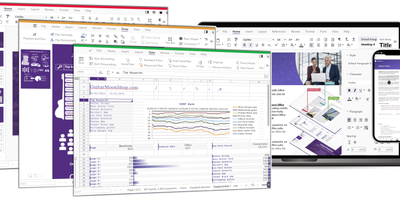
Real LibreOffice document engineering in the browser: Collabora Online is built by the company employing much of the former SUSE LibreOffice team - not a reimplementation. This deployment runs CODE (Collabora Online Development Edition), the collabora/code server that renders and edits documents entirely server-side while browsers get high-fidelity WYSIWYG output, so layout and formatting survive round-trips that break lesser converters. Four editors ship in one container: Writer for text documents (comments, track changes with comparison and restoration, form handling), Calc for spreadsheets (advanced formulas, macros, pivot tables, per-user sheet views, server-enforced cell protection), Impress for presentations, and Draw for Visio-class diagrams. Format compatibility spans DOCX, XLSX, PPTX, the ODF family, PDF, and dozens more - including Visio and Publisher import. Real-time collaborative editing supports multiple simultaneous editors with visible cursors and commenting. The architectural point: documents are processed on your server and never leave it, which is why Collabora is the engine behind Nextcloud Office and integrates with ownCloud, Seafile, and any WOPI-speaking host - or embeds in your own application via the SDK. An admin console monitors sessions and memory. For organizations that need Google Docs-style collaboration with actual data sovereignty, this is the reference open-source answer.
Focalboard
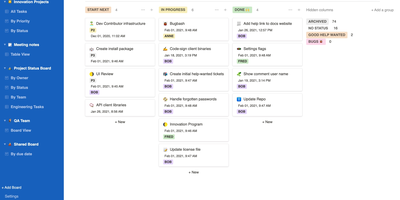
From the Mattermost team comes Focalboard, an open-source, MIT-licensed project board tool - a self-hosted alternative to Trello, Asana, and Notion databases, written in Go with a React frontend. Every board renders the same card data four ways: Kanban with drag-and-drop columns, a spreadsheet-style table, an image-forward gallery, and a calendar. Cards carry unlimited custom properties - dates, dropdowns, checkboxes, people, URLs - and boards can be grouped, filtered, and sorted by any property combination, with unlimited saved filtered views for quick access. Built-in templates cover the common workflows (meeting agendas, content calendars, project tasks, roadmaps, sprint planning), or you can build fully custom boards from scratch. Collaboration is real: card comments with @mentions, per-board permissions for teams or individuals, file attachments stored on your own infrastructure, and archiving with backup snapshots. Migration tooling imports existing boards from Trello (JSON export), Asana, and Notion, so switching does not mean starting over. It ships in 20+ languages and runs as a lightweight multi-user personal server. Worth knowing before deploying: Mattermost has shifted primary development to the integrated Mattermost Boards plugin, so the standalone edition is community-maintained - stable and functional, but evolving slowly. For teams wanting a free, private Trello without per-user fees, it remains a solid pick.
AppFlowy
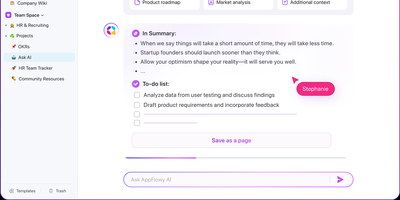
With over 75,000 GitHub stars and native apps across macOS, Windows, Linux, iOS, and Android, AppFlowy is the most widely adopted open-source alternative to Notion — delivering the same block-based workspace model with full data sovereignty. The Flutter frontend renders natively on every platform while a Rust backend powered by Actix-web and Tokio handles CRDT-based real-time collaboration, ensuring sub-second sync across devices with conflict-free concurrent editing. Relational databases support grid, board, kanban, calendar, and gallery views over the same dataset, with two-way relations, rollups, advanced filters, sorts, and formula calculations that cover the majority of Notion's database workflows. The block editor supports 40+ content types including nested pages, toggles, callouts, code blocks with syntax highlighting, embeds, and slash-command insertion. AI integration connects to OpenAI, Anthropic, or local models via Ollama for writing assistance, summarization, and translation — all without sending data off-premises when using on-prem LLMs. Team spaces with workspace-level and per-page permissions, OAuth and SSO authentication through GoTrue, and S3-compatible object storage via MinIO provide enterprise-grade access control and file management. The self-hosted stack deploys through Docker Compose with PostgreSQL for metadata, Redis for caching and pub/sub, and a dedicated background worker for imports and email notifications. Offline-first architecture ensures the desktop app functions without connectivity, syncing changes when the connection resumes. Running on a dedicated VPS on RepoCloud with guaranteed CPU, RAM, and SSD, full root SSH access, and a browser serial console. AGPL-3.0 licensed.
Grist
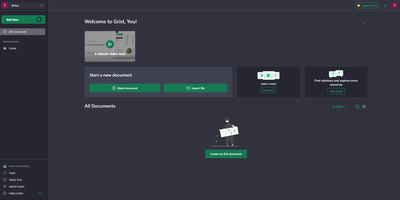
With over 11,200 GitHub stars and adoption by France's sovereign digital workspace LaSuite serving 20,000+ government users, Grist is the relational spreadsheet that ends the false choice between fragile Excel files and expensive custom database development — storing all data in portable SQLite files while providing true relational structure where VLOOKUPs become actual linked records that update instantly across entire documents. Python-powered formulas replace complex Excel syntax with clear, readable logic using the full Python standard library, while familiar Excel functions remain available for users who prefer them. Granular access rules control permissions at row, column, table, and cell levels — not just entire sheets — enabling multi-department documents where each team sees only their authorized data. The flexible layout system combines spreadsheets, card views, charts, calendars, and custom widgets on configurable dashboard pages that transform raw data into operational interfaces. Real-time collaboration lets multiple users edit simultaneously with automatic snapshot history capturing every change for full audit trails and point-in-time recovery. AI formula assistance connects to OpenAI, Llama, or any OpenAI-compatible endpoint via OpenRouter to generate formulas from natural language descriptions. The REST API and webhooks enable integration with n8n, Zapier, and custom automation, while incremental imports keep external data sources synchronized. Deployable via Docker with OIDC, SAML, and SCIM authentication support. Running on a dedicated VPS on RepoCloud with guaranteed CPU, RAM, and SSD, full root SSH access, and a browser serial console. Apache 2.0 licensed.
Bookstack
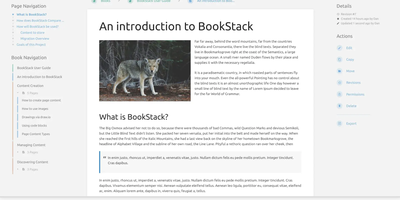
Most wikis die of flat page-and-tag sprawl; BookStack's defining decision is enforced structure - an MIT-licensed PHP/Laravel platform (over MySQL) where content lives in a hierarchy of shelves, books, chapters, and pages, the way a physical library works. A shelf maps to a department, a book to "Engineering Runbooks," a chapter to "Database Procedures," a page to the actual document. That opinionation removes the "where does this go?" friction and keeps knowledge bases tidy as they grow. Editing works both ways: a clean WYSIWYG editor for most users, a Markdown editor with live preview for those who prefer it - switchable per page. Full-text search spans all books or scopes to one, with direct links to individual paragraphs, and include tags let you embed one page's content inside another so shared blocks update everywhere at once. Every edit creates a diffable, revertible revision. Page templates standardize recurring formats, tags add cross-cutting categorization, and built-in diagrams.net integration draws architecture diagrams in place. Authentication covers email/password plus OIDC, SAML2, LDAP, and social login; a full role and permission system locks content down per shelf, book, or page. Pages and books export to PDF, HTML, plain text, and Markdown, a REST API automates content, and the whole thing runs happily on the cheapest VPS you can find.
Affine Pro
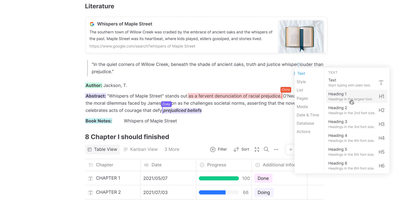
Gaining over 71,000 GitHub stars as one of the fastest-rising knowledge management platforms, AFFiNE merges the document editing capabilities of Notion, the infinite canvas of Miro, and the structured data of Airtable into a single cohesive workspace. The block-based editor built on the custom BlockSuite framework supports rich text, code blocks, embeds, tables, kanban boards, and database views with drag-and-drop composition. The whiteboard mode provides an infinite canvas where users can freely mix documents, sticky notes, shapes, connectors, and hand-drawn elements, enabling visual thinking alongside structured note-taking. Real-time collaboration allows multiple users to edit documents and whiteboards simultaneously with cursor presence, comment threads, and version history. The local-first architecture stores all data on your device by default using CRDT-based synchronization, ensuring offline access and data sovereignty, with optional cloud sync for cross-device availability. Workspaces organize content into hierarchical page trees with full-text search, favorites, tags, and trash management. The platform supports Markdown import and export, PDF export, and HTML export for interoperability. AI features powered by configurable LLM providers enable writing assistance, summarization, translation, and content generation directly within documents. The theming system supports light and dark modes with customizable accent colors. Running on a dedicated VPS on RepoCloud with guaranteed CPU, RAM, and SSD, full root SSH access, and a browser serial console. Licensed under MIT with an open-source self-hosted edition.
Etherpad
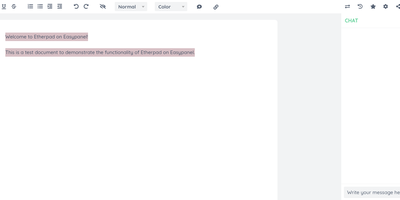
In continuous open-source development since 2009, Etherpad is the original really-real-time collaborative editor - used by Wikimedia, governments, EU public-sector institutions, and tens of thousands of self-hosters. Its core idea is visible authorship: every keystroke is attributed with author colors, every revision preserved, and the timeslider lets you scrub through a document's entire history character by character. Multiple people type into the same pad and see each other's changes instantly - it scales to thousands of simultaneous editors per pad. The base install is deliberately lightweight; capability comes from roughly 290 plugins installable from the admin web UI: comments, images, tables, drawing, video chat via WebRTC, math rendering, code highlighting, and authentication via OAuth, LDAP, or OpenID. AI is pointedly a plugin, not a default - you choose the model and infrastructure, or never turn it on. There is no telemetry. For integrators, an HTTP API (with OpenAPI definitions at /api/openapi.json) manages pads, users, and groups for embedding in your own applications, and the ueberDB abstraction layer supports PostgreSQL, MySQL, Redis, MongoDB, and SQLite backends. Full data export is built in, the format is open, it is translated into 105 languages, and it runs on anything from a Raspberry Pi to a server farm. Apache 2.0 licensed, Node.js based.
Colanode
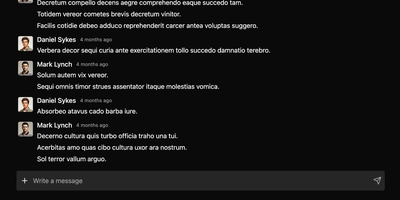
With nearly 5,000 GitHub stars and a Hacker News launch that garnered 147 points, Colanode delivers the first genuinely local-first alternative to both Slack and Notion in a single self-hosted workspace — writing every operation to a client-side SQLite database before syncing to your server, so teams work at full speed offline, on planes, or through intermittent connections without ever losing a draft. The real-time chat system provides channels and direct messages with instant delivery via WebSocket, while the rich text editor offers Notion-style block-based pages for documents, wikis, meeting notes, and knowledge bases with headings, code blocks, embeds, and nested hierarchies. Customizable databases organize structured data with custom fields and three dynamic views — table for spreadsheet-style browsing, kanban for visual workflow boards, and calendar for time-based planning. Conflict-free Replicated Data Types powered by Yjs handle concurrent editing across pages and database records: multiple users modify the same document simultaneously and the system merges changes automatically without manual conflict resolution. File management supports upload, sharing, and organization within workspaces using pluggable storage backends including local filesystem, S3-compatible services, Google Cloud Storage, and Azure Blob Storage with TUS resumable uploads for large files. The server runs Fastify with Zod validation on Node.js 20+, persists to PostgreSQL with pgvector extension, uses Redis for event broadcasting, and deploys via a single Docker image. Running on a dedicated VPS on RepoCloud with guaranteed CPU, RAM, and SSD, full root SSH access, and a browser serial console. Apache-2.0 licensed.
Weblate
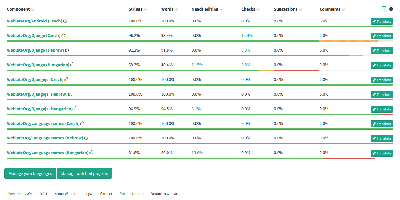
Over 2,500 open-source projects and companies in more than 165 countries localize with Weblate - the libre continuous localization platform and the standard self-hosted answer to Crowdin and Lokalise. Its defining trait is that translations live in the same version control as your code: Weblate talks directly to Git and Mercurial, pulls new source strings automatically via webhooks, and pushes finished translations back either as direct commits or as pull/merge requests on GitHub, GitLab, Gitea, Bitbucket, Azure DevOps, Gerrit, or Pagure. Every translator is properly credited in the commit history. For translators, it is a full computer-aided translation tool: translation memory, glossaries, customizable quality checks that catch placeholder and formatting mistakes, propagation of identical strings across components, and automatic suggestions from machine translation services - DeepL, Amazon Translate, LibreTranslate, and others, with per-service priorities and support for custom Python engines. It handles the format zoo (gettext PO, JSON, YAML, Android XML, iOS strings, and dozens more) and supports crowdsourced workflows with granular access control, workspaces, two-factor authentication, and reviewer approval steps. A REST API, CLI client, and add-on system automate everything else. Built on Python/Django, GPL-licensed, with no per-string or per-seat pricing when self-hosted.
Excalidraw
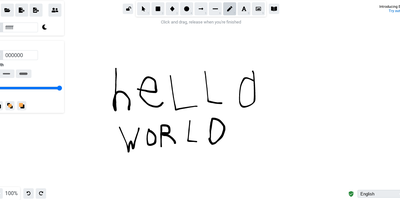
Half the architecture sketches on the internet trace back to Excalidraw - the MIT-licensed virtual whiteboard whose hand-drawn aesthetic made technical diagramming feel approachable, at roughly 85,000 GitHub stars. The infinite canvas offers rectangles, ellipses, diamonds, arrows with smart binding and labels, free-draw, text, images, and an eraser, with full undo/redo, zoom, dark mode, and keyboard-first ergonomics. Community shape libraries add thousands of pre-built elements - AWS architecture icons, flowchart stencils, UI wireframe kits - and everything exports to PNG, SVG, the clipboard, or the open .excalidraw JSON format that keeps drawings diffable and portable. Live collaboration works on a share-a-link model with live cursors and a laser pointer for presenting, and it is end-to-end encrypted by design: the room key travels in the URL hash, which never reaches the server, so the WebSocket relay only ever sees ciphertext. The architecture is remarkably light - the app is a static bundle served by Nginx, drawings persist locally in the browser, and the stateless excalidraw-room relay handles multiplayer - so a self-hosted deployment gives unlimited boards and collaborators with near-zero resource cost, replacing per-editor whiteboard subscriptions.
Element
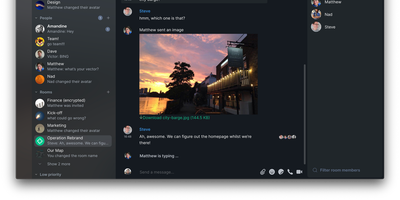
Matrix's flagship client, built by the protocol's creators: Element brings the decentralized open standard for real-time communication to web, desktop, iOS, and Android. Paired with a Matrix homeserver, it delivers Slack-quality team messaging where you own every message, file, encryption key, and byte of metadata. End-to-end encryption is on by default, built on Olm and Megolm - the Double Ratchet algorithm family Signal popularized, extended for large-room scalability and publicly audited by NCC Group. Messages encrypt per-device with cross-signed device verification, so even a compromised server yields nothing readable. Federation is the defining capability: like email, users on different homeservers converse seamlessly, and 30+ bridges connect Matrix rooms to Slack, Discord, WhatsApp, and Telegram, so moving to sovereign infrastructure doesn't sever contact with anyone. Rooms support threads, reactions, file sharing, and voice and video calls via Element Call. The result is digital sovereignty chosen by governments and enterprises across Europe: your data sits on your server in your jurisdiction, portable to any other Matrix host because the protocol is an open standard. Apache-2.0 licensed, with no per-user fees at any scale.
Apache Answer
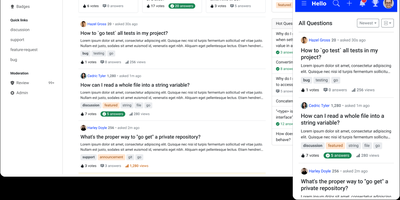
Graduated as an Apache Software Foundation Top-Level Project with over 15,500 GitHub stars and 100,000+ Docker Hub downloads, Apache Answer delivers the structured Q&A platform that Stack Overflow and Discourse popularized — fully self-hosted under Apache 2.0 with zero vendor lock-in. The Go backend with React frontend serves questions, answers, and knowledge articles with real-time Markdown preview using CommonMark syntax, inline @mentions to ping domain experts, and transparent revision history tracking every edit. Version 2.0 introduced AI workflows including an integrated AI assistant that helps draft and improve answers, a Model Context Protocol server for connecting AI agents to your knowledge base, API key management, and editor plugin support for extending the writing experience. Advanced search filters by tags, usernames, scores, and date ranges, while real-time suggestions surface relevant existing questions as users type to reduce duplicates. The reputation system rewards quality contributions with configurable privilege thresholds, and admin/moderator/user roles control access across the platform. A plugin architecture enables community-built extensions for third-party OAuth login, caching backends, search engines, and storage providers. Theming supports custom layouts, dark mode, and responsive design across devices, with content available in 15+ languages translated by the community. Bulk user import, email domain restrictions, and content access controls secure the platform for enterprise deployment. Running on a dedicated VPS on RepoCloud with guaranteed CPU, RAM, and SSD, full root SSH access, and a browser serial console. Apache 2.0 licensed.
SOGo
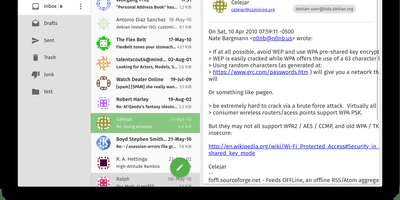
SOGo adds shared calendars, address books, and a modern webmail interface to your existing Dovecot, Postfix, or Cyrus mail setup, turning familiar infrastructure into a full Exchange competitor. Rather than replacing your IMAP and SMTP servers, SOGo layers collaboration on top of them, becoming the missing link between raw mail delivery and what users actually expect from a workplace communication platform. The ActiveSync implementation synchronizes email, contacts, calendars, and tasks natively with iPhones, Android devices, and Windows without requiring users to manually configure CalDAV endpoints. CalDAV and CardDAV compliance ensures Apple Calendar, Thunderbird (via the official SOGo Connector extension), GNOME Evolution, and Android via DAVx5 all connect without plugins or workarounds. The web interface uses AngularJS Material design with responsive layouts, offering folder management, drag-and-drop calendar scheduling, contact groups, resource booking, and delegation. Shared calendars support free-busy lookups, iMIP event invitations, and per-user ACL permissions for fine-grained access across organizational units. Built on Objective-C with the GNUstep foundation, SOGo delivers exceptional performance: hundreds of concurrent ActiveSync connections from mobile devices alongside webmail and calendar traffic with sub-second response times. With 2,095+ stars and 116 releases, the project has proven its stability in production environments supporting thousands of users. The Docker deployment runs alongside PostgreSQL and memcached.
Overleaf
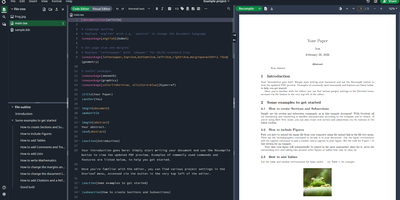
Multiple authors can edit the same LaTeX document simultaneously in the browser with live cursor tracking, conflict-free merging, and instant PDF compilation on every save. Overleaf Community Edition brings the collaborative editing experience that millions of researchers and academics rely on, with no compile time limits, storage quotas, or collaborator caps imposed by the hosted tiers. The web editor provides syntax highlighting, auto-completion, and bracket matching alongside an integrated PDF preview panel powered by a bundled TeX Live distribution supporting pdfLaTeX, XeLaTeX, and LuaLaTeX engines. The file tree panel organizes multi-file projects with separate files for chapters, figures, bibliography references, and style definitions. BibTeX and Biber handle bibliography management, and detailed compilation logs offer clickable error navigation to the exact source line causing each issue. Users upload images, PDFs, and data files directly through the browser, and a template gallery provides starting points for journal articles, conference papers, theses, presentations, and CVs. Over 17,800 GitHub stars and a decade of active development anchor the project. The application runs as containerized microservices including the Node.js web application, MongoDB for persistence, and Redis for session management. Running on a dedicated VPS on RepoCloud with guaranteed CPU, RAM, and SSD, full root SSH access, and a browser serial console. AGPL-3.0 licensed.
Hoppscotch
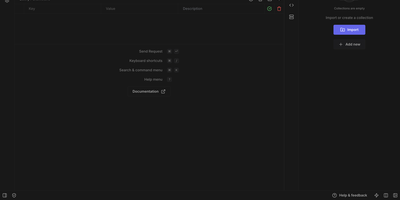
Backed by nearly 80,000 GitHub stars and recognized as one of the most popular developer tools in the open-source ecosystem, Hoppscotch delivers a complete API development platform that runs instantly in any browser with zero installation. The platform supports six protocols out of the box including REST with full HTTP method coverage, GraphQL with schema introspection and multi-column documentation, WebSocket for full-duplex communication, Socket.IO, MQTT for IoT messaging, and Server-Sent Events for real-time streaming. Request collections organize your API calls into logical groups with support for sub-folders, environment variables with scope inheritance, pre-request scripts and post-request test scripts written in JavaScript, and automatic code snippet generation in over twenty languages and frameworks. Teams can collaborate in real-time with shared workspaces, role-based access controls, and cloud synchronization across devices. Migration from Postman, Insomnia, or OpenAPI specifications happens with a single click import. The self-hosted edition deploys via Docker Compose with PostgreSQL for data persistence, supporting SSO authentication through SAML and OAuth providers, SMTP configuration with OAuth2, and admin dashboard for user management. The platform also ships as a native desktop application for macOS, Windows, and Linux with offline support, plus a CLI tool for running collections in CI/CD pipelines. A built-in proxy mode bypasses CORS restrictions during development, and an interceptor enables request debugging and response modification. Running on a dedicated VPS on RepoCloud with guaranteed CPU, RAM, and SSD, full root SSH access, and a browser serial console. MIT licensed.