StackStorm
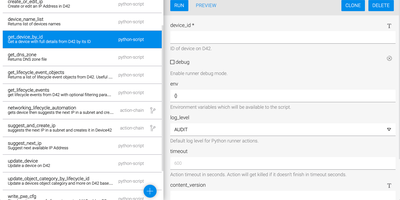
Sensors watch your infrastructure so your engineers do not have to watch it at 3 a.m. StackStorm is event-driven automation: Python sensors poll or listen to external systems (monitoring alerts, ticket updates, chat messages, webhooks, timers) and inject each event as a trigger. Rules match triggers against criteria you define and fire the response automatically, mapping the event payload straight into action parameters. Actions do the work: SSH commands, REST calls, and integrations for AWS, Docker, OpenStack, Puppet, Jira, Slack, and hundreds more from community packs, or your own scripts wrapped with a few lines of metadata. Multi-step responses become workflows that sequence actions with conditions, branching, and data passed between tasks, handling everything from disk-full remediation to full deployment pipelines. Everything bundles into packs, the shareable units that group sensors, rules, actions, and workflows per product or per automation, installable from the StackStorm Exchange or your own Git repositories. The web UI runs actions, explores workflow executions down to individual task results in real time, manages rules, and installs packs, while every execution, manual or automated, lands in an audit trail with its triggering context. ChatOps aliases even let the team trigger approved automations from chat. Running on a dedicated VPS on RepoCloud with guaranteed CPU, RAM, and SSD, full root SSH access, and a browser serial console. Apache-2.0 licensed.
Chatty
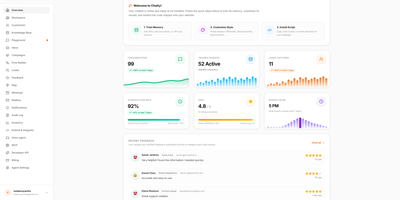
When a customer asks a question on your website, WhatsApp, Telegram, Messenger, Instagram, TikTok, SMS, or email, the Chatty AI agent answers from your own content and hands the chat to a person on request. Its knowledge base ingests PDF, DOCX, CSV, and text files plus crawled sites and sitemaps, and a WooCommerce connection looks up order status, live stock, and cart links. The agent captures leads into a CRM with CSV export and books meetings with Google Meet, Microsoft Teams, or Zoom links. A shared inbox streams conversations live, shows SLA breach warnings, and lets a human take over a thread with one click. A drag-and-drop flow builder adds rule-based paths with time-of-day conditions, webhooks, and an AI copilot that drafts the graph. Proactive campaigns fire on exit intent, time on page, or scroll depth, and a five-pillar scorecard grades conversion, deflection, accuracy, reliability, and satisfaction. An optional voice agent holds real-time spoken conversations with instant interruption and live transcripts, an 81-tool MCP server lets Claude, Cursor, or Codex run the dashboard, and each bot can use your own Gemini, OpenAI, Anthropic, Groq, or OpenRouter key. Running on a dedicated VPS on RepoCloud with guaranteed CPU, RAM, and SSD, full root SSH access, and a browser serial console. MIT licensed.
Typing Mind
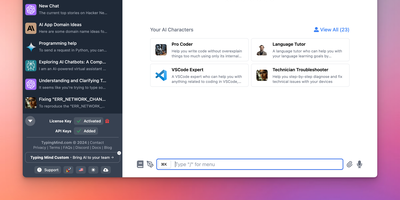
Bring your own API keys and work with OpenAI GPT models, Anthropic Claude, Google Gemini, Mistral, DeepSeek, Grok, Azure endpoints, and local models in one organized workspace: TypingMind is a unified chat frontend for large language models, replacing a browser tab per provider. Parallel chat sends the same prompt to multiple models and compares answers side by side, and models can be switched mid-conversation. A prompt library stores reusable, tagged prompts with variables, and the AI Agents system builds specialized assistants that bundle a base model, custom instructions, assigned plugins, and uploaded knowledge files for RAG. Plugins extend every connected model with web search, image generation (DALL-E, Stable Diffusion), Deep Research, URL reading via Firecrawl, and Zapier automation - plus MCP server integrations for Notion, Atlassian, and other external tools, and a JavaScript extension API for custom behavior. Chats store locally by default with optional sync. Self-hosting puts the interface on your own domain and, for teams, adds branding, member access limits, and shared prompt and agent libraries.
Nao
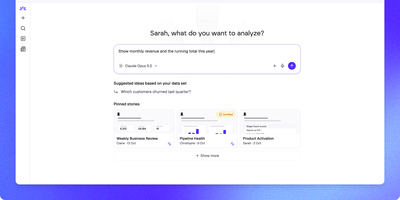
Your analysts write the context once, and everyone else just asks questions: nao turns your warehouse into an analytics agent that answers in plain English, showing the SQL and source files behind every answer. The data team builds the context layer by syncing warehouse schemas, dbt projects, documentation, and business rules into files the agent reads, then tests key questions offline against expected SQL before any change ships. Colleagues ask from the web chat, Slack, Teams, or any MCP client, and turn good answers into live dashboards, data apps, and slide stories they share with their team. Every conversation can be replayed, and when an answer earns a downvote, context recommendations turn the mistake into a fix that arrives as a pull request. You bring your own model key from any provider, sign people in with Google, GitHub, or GitLab, and keep warehouse permissions intact as queries run. Dashboards from Metabase or Tableau migrate over instead of starting blank. Running on a dedicated VPS on RepoCloud with guaranteed CPU, RAM, and SSD, full root SSH access, and a browser serial console. Apache-2.0 licensed.
Obsidian Arc
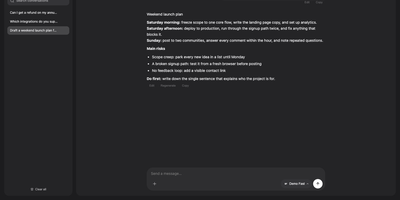
Teams and communities sign in to a private AI chat site, and one admin console routes and meters every request. Users pick a model from the menu and chat with streamed answers, visible reasoning, projects that share a system prompt, searchable history, archives, and an Image Lab for generated pictures. Administrators connect providers that speak the OpenAI or Anthropic protocols, map several models onto each, and place users in groups with their own allowances counted in requests, tokens, or credits per five hours, week, or month. A developer endpoint accepts API keys and serves chat completions, Anthropic messages, responses, images, and a model list, so coding assistants and scripts can share the same pool. The dashboard charts requests, tokens, and spend by model and by person, and Availability probes idle models and trips a circuit breaker after repeated failures. Registration can be open, invite-only, or closed, with invite codes, email rules, authenticator-app two-step sign-in, and GitHub, Google, or OpenID Connect login. Announcements, a feedback inbox, an optional leaderboard, a guest trial chat, and scheduled backups to S3-compatible storage round out the operator toolkit. A company AI portal, a classroom, a research group, or a paid community with trial codes can all run on it. Running on a dedicated VPS on RepoCloud with guaranteed CPU, RAM, and SSD, full root SSH access, and a browser serial console. MIT licensed.
LobeHub
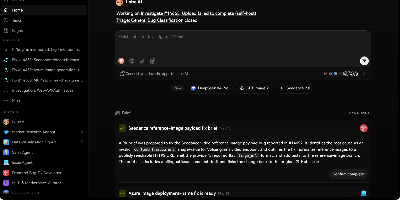
With over 82,000 GitHub stars and 700,000+ downloads, LobeHub has evolved from its origins as LobeChat into a comprehensive multi-agent AI collaboration platform where humans and autonomous agent teams co-evolve. The platform's Agent Harness architecture functions as an operating system between AI models and applications, handling prompt presets, tool orchestration, lifecycle hooks, planning, filesystem access, and sub-agent management across 25+ model providers including OpenAI, Anthropic Claude, Google Gemini, DeepSeek, Mistral, Groq, AWS Bedrock, Azure OpenAI, and local models through Ollama. Agent Groups enable sophisticated collaboration with sequential, parallel, iterative, and debate orchestration modes, allowing multiple specialized agents to tackle complex workflows simultaneously. The Agent Builder creates production-ready agents from natural language descriptions with auto-configuration, drawing from a marketplace of 505+ pre-built agents and 10,000+ MCP-compatible skills and plugins. Pages provide collaborative document editing with multi-agent co-authoring, while Schedules automate agent runs around the clock without human supervision. The knowledge base leverages PostgreSQL with pgvector for RAG-powered retrieval, and Personal Memory gives agents transparent, editable context that evolves through continual learning. The full self-hosted stack deploys via Docker Compose with PostgreSQL, Redis, RustFS for S3-compatible storage, and SearXNG for private web search, all configurable through environment variables. Running on a dedicated VPS on RepoCloud with guaranteed CPU, RAM, and SSD, full root SSH access, and a browser serial console. LobeHub Community licensed.
OpenNotebookLM
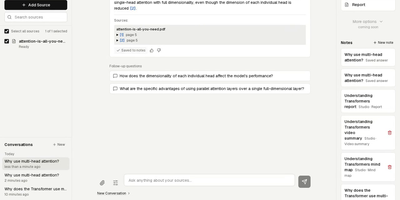
OpenNotebookLM is a self-hosted research workspace that reads your sources with you, answering questions only from the material you gave it and showing the passage behind every claim. Import papers, spreadsheets, recordings, web pages, PDF links, YouTube videos or playlists, Markdown folders, Obsidian vaults, and Git repositories, then select which sources the chat may use as evidence. Stream answers with follow-up questions, hover any numbered citation to inspect the supporting passage and page, and let the app flag citations that look unsupported before you trust them. The Studio turns the same sources into cited reports in briefing, study guide, FAQ, or timeline formats, expandable mind maps you can pan and question, two-host audio overviews in deep dive, brief, critique, or debate styles, narrated slides exportable to PowerPoint, and tables whose cells carry their own citations. Generate flashcards and timed quizzes from what you read, mark cards for review, and resume saved progress later. Save cited answers and Studio outputs as notes, convert notes back into searchable sources, and export almost anything: conversations, projects, mind maps as SVG, flashcards as Anki text, audio as MP3. Share projects with viewer or editor roles, keep conversations private per person, and bring Claude, OpenAI, any OpenAI-compatible provider, or a local Ollama model, with extraction, OCR, Whisper transcription, and Kokoro audio synthesis running on your own server. Running on a dedicated VPS on RepoCloud with guaranteed CPU, RAM, and SSD, full root SSH access, and a browser serial console. MIT licensed.
WPPConnect Server
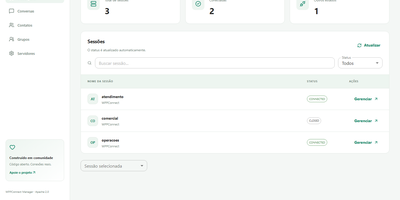
WhatsApp becomes an HTTP service your own systems can call. WPPConnect Server wraps WhatsApp Web sessions in a REST API for integrators who need to send and receive messages, manage contacts and groups, and react to events without building browser automation themselves. Each session pairs by QR code and gets its own token, and multiple sessions run side by side for different numbers, teams, or customers. Endpoints cover text and media messaging, contact and group operations, product catalog actions, and session lifecycle, all documented in a built-in Swagger UI and a Postman collection. Webhooks push incoming messages and status changes to your backend, with destination allowlists keeping callbacks pointed only where you configured. Chatwoot connects through a dedicated authenticated webhook, so support conversations can flow between the help desk and WhatsApp in both directions. The Docker image bundles WPPConnect Manager, a web workspace for session administration, QR pairing, and reading and answering chats, protected by the server secret key at the top level and per-session tokens below it. Credentials, browser data, media, and logs persist in named volumes, surviving container restarts without re-pairing. Support desks automate ticket updates, shops send order notifications, and clinics confirm appointments through numbers they already publish. Running on a dedicated VPS on RepoCloud with guaranteed CPU, RAM, and SSD, full root SSH access, and a browser serial console. Apache-2.0 licensed.
Synaplan
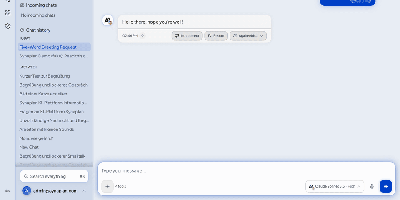
Instead of a separate chatbot for each channel, Synaplan runs one self-hosted AI assistant for your team, website visitors, WhatsApp line, and inbox, and shows what every reply cost. In the web app, connect OpenAI, Anthropic, Gemini, Groq, Mistral, xAI, Hugging Face, or local Ollama. Each kind of work gets its own model, from chat and image to video and audio, and every answer carries a Free, Low, Mid, or High cost badge. A planner splits a big request into a task graph and sends each step to the model that fits. On your website, one script tag adds a chat widget, and a human operator can take over any conversation live. On WhatsApp Business and email, the assistant replies on the channel where the question arrived. Behind every channel sits one knowledge base: upload PDFs, Word and Excel files, or images with OCR, and semantic search feeds them into answers. Saved tasks run on demand or on a schedule, approvals pause any action that writes, and watched pages mail you a diff when a URL changes. Connections reach Microsoft 365, Dropbox, Nextcloud, ownCloud, WebDAV, CalDAV, Jira, and Confluence. An MCP server and an Anthropic-compatible endpoint let Claude, Cursor, and Claude Code use your instance. Users and groups share folders and assistants, and admins see usage and health. Running on a dedicated VPS on RepoCloud with guaranteed CPU, RAM, and SSD, full root SSH access, and a browser serial console. Apache-2.0 licensed.
Coddy
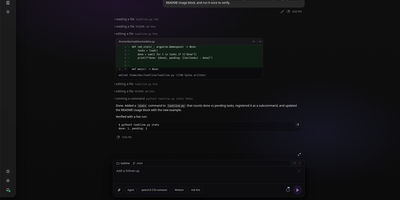
A single static binary is all it takes to put a tireless AI agent on your server, ready to read your codebase, run shell commands, edit files, and report back through a web UI, a terminal console, your editor, or a Telegram chat. Start it as a server and the embedded web interface gives you streaming chat sessions with visible tool calls, session history, plan documents, a background task board, and a visual map of connected nodes. Point any OpenAI-compatible client at its HTTP API, or drive the same sessions from Zed, VS Code, or Obsidian through the built-in ACP editor server. Delegate bounded work to subagents that run in isolated contexts with narrowed permissions, then resume them later in their own sessions if a run stops short. Teach it your project once: rules are picked up from .coddy, .cursor, .claude, and .codex folders, AGENTS.md files are honored as work proceeds, and installable skill packs turn repeatable procedures into slash commands. Schedule recurring jobs as plain Markdown files on a cron timetable, keep long-term memory across conversations, and connect external tool servers over MCP globally or per workspace. A Prometheus exporter reports provider calls, tokens, and task health for the whole fleet. Running on a dedicated VPS on RepoCloud with guaranteed CPU, RAM, and SSD, full root SSH access, and a browser serial console. MIT licensed.
DeepTutor
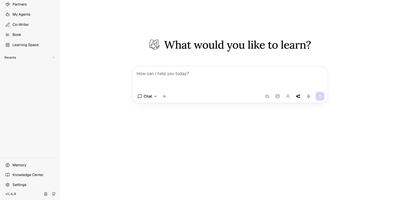
With 34,000+ GitHub stars and a v1.5 release driven by 36 merged community pull requests, DeepTutor from Hong Kong University's Data Science Lab delivers a full agent-native learning workspace that goes far beyond chatbot wrappers. Eight integrated surfaces — Chat, Deep Solve, Quiz Generation, Deep Research, Math Animator, Co-Writer, Book generation, and Mastery Practice — share a unified context so the objective follows the learner, not the tool. The platform's three-layer memory architecture (L1 working, L2 session, L3 long-term) makes personalization inspectable rather than opaque, letting users see exactly what the system remembers and why. Knowledge retrieval operates across five pluggable engines — LlamaIndex with FAISS vectors, PageIndex for page-level citations, GraphRAG for knowledge-graph traversal, LightRAG for local or server-offloaded retrieval, and linked Obsidian vaults — with document parsing via MinerU, Docling, markitdown, or PyMuPDF4LLM. Partners extend the tutoring brain to 15+ messaging platforms including Slack, Discord, Telegram, Matrix with E2EE, and Mattermost, each carrying private memory with branch, resume, and replay capabilities. Subagent integration brings Claude Code, Codex, Gemini, and Kimi directly into learning sessions. The system supports 30+ LLM providers from OpenAI and Anthropic to Ollama for fully local operation, with multi-user isolation, admin controls, and a full CLI interface. Running on a dedicated VPS on RepoCloud with guaranteed CPU, RAM, and SSD, full root SSH access, and a browser serial console. Apache 2.0 licensed.
WechRSS
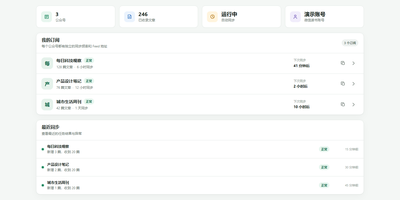
WechRSS brings WeChat Official Accounts back into your RSS reader, turning accounts that normally live inside a closed app into ordinary feeds you control. Paste any article link from an account and the tool identifies the publisher automatically, without hunting for obscure account parameters. Connect WeChat Reading by scanning a QR code in the web interface, and the session renews itself when possible so subscriptions keep flowing. Each account gets its own independent feed with its own sync schedule, item count, and on or off switch, so noisy publishers can be slowed down and favourites checked more often. A background scheduler keeps article titles, publication times, covers, and summaries up to date, with sync attempts, successes, and the latest new article all visible at a glance. Everything is stored locally, so your subscription list and credentials never sit on someone else's server. A first-time subscription wizard walks you from QR login to seeing the first article in your reader, saving progress if you get interrupted. Reader-specific links can be generated per account, letting a cloud reader fetch a feed without handing out management access. Health diagnostics flag expired logins, verification requests, and long sync gaps with concrete recovery steps. Running on a dedicated VPS on RepoCloud with guaranteed CPU, RAM, and SSD, full root SSH access, and a browser serial console. MIT licensed.
ZeroClaw
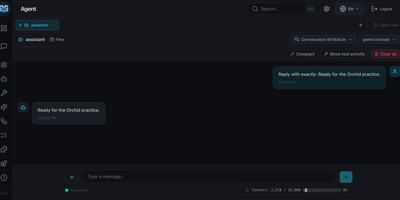
ZeroClaw puts one personal AI agent on every messaging app you already use, answering from your own server with your own model keys. A single instance binds Discord, Telegram, Matrix, Slack, WhatsApp, Signal, email, and webhooks at once, so you can start a conversation on your phone and finish it at your desk without losing context. You choose the brain behind it: Anthropic, OpenAI, a local Ollama model, or any OpenAI-compatible endpoint, with fallback chains that keep the agent answering when one provider has a bad day. The agent acts through tools that run shell commands, drive a browser, call HTTP APIs, and talk to custom MCP servers you plug in. A web dashboard gives you chat, a memory browser, a configuration editor, cron job management, and a tool inspector from any browser. Long-term memory lives in SQLite on your disk with embedding-based recall, so past conversations stay searchable and private. Supervised autonomy is the default posture: medium-risk actions pause for your approval, high-risk actions are blocked outright, and operating system sandboxes plus cryptographic receipts keep every tool call bounded and auditable. Event-driven standard operating procedures react to MQTT messages, webhooks, schedules, and hardware events, and named agents let different personalities guard different channels. Registered as a system service, it stays online around the clock. Running on a dedicated VPS on RepoCloud with guaranteed CPU, RAM, and SSD, full root SSH access, and a browser serial console. MIT or Apache-2.0 licensed.
Murmur
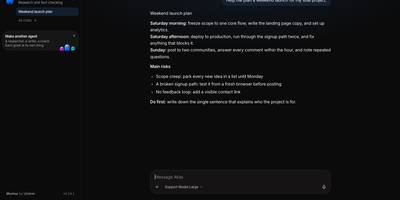
Every AI agent gets a face, a colour, and a job in Murmur, a chat app that makes running Hermes Agent as friendly as texting a colleague. Start from a template (Researcher, Writer, Planner, Coder, Coach, or Chef) or describe a new agent from scratch, then talk to one at a time or drop several into a group room and call on a single one with an at-mention. Replies stream in live, long jobs show a plan that ticks itself off, and every step appears in plain words. Connect a model with a ChatGPT plan, a local model server, or an API key from OpenRouter, OpenAI, Anthropic, and others, with the model and thinking effort chosen per agent or chat. Agents can reach Notion, Linear, Todoist, Figma, and dozens of other apps, and they ask for an Allow or Don't allow before changing anything important. Morning briefings run as routines, a memory view shows what each agent knows with controls to edit or forget it, and WhatsApp or Telegram can be linked by scanning a code. A voice call mode lets an agent answer out loud, and slash commands set long-running goals or ask quick side questions. Chats sync across browser, desktop, and phone. Solo builders, homelab fans, and small teams get a calm front door to their own agents. Running on a dedicated VPS on RepoCloud with guaranteed CPU, RAM, and SSD, full root SSH access, and a browser serial console. MIT licensed.
LibreChat
Every major model provider behind one ChatGPT-style interface: LibreChat spans OpenAI, Anthropic, Google, Azure, AWS Bedrock, Vertex AI, Groq, Mistral, OpenRouter, DeepSeek, and any OpenAI-compatible endpoint including local Ollama. You can switch models mid-conversation and compare providers without changing tools. Its Agents framework builds no-code custom assistants with tool access via Model Context Protocol servers, file search over uploaded documents through an optional pgvector-backed RAG service, and a sandboxed Code Interpreter that executes Python, JavaScript, Go, C++, Java, PHP, and Rust. Artifacts render React components, HTML, and Mermaid diagrams directly in chat, and image generation works through DALL-E and other configured providers. Multi-user support is enterprise-grade, with OAuth, SAML, LDAP, and two-factor authentication, per-user conversation history in MongoDB, and Meilisearch-powered search across all messages and files, plus reusable presets, forkable threads, and persistent memory across conversations. The economics favor teams: instead of a ChatGPT Plus seat per person, everyone shares one instance billed per API token, with access to every provider rather than one - and providers see individual API calls, not your accumulated organizational knowledge. Deployment is Docker Compose; API keys and endpoints are configured through .env and librechat.yaml.
Basjoo
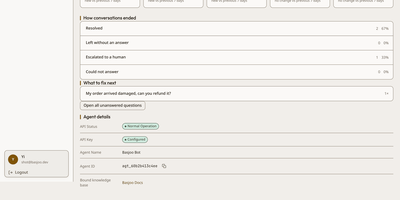
Support tickets that repeat the same twelve questions all week can answer themselves when Basjoo turns your website and documents into an embeddable AI support agent you host yourself. Knowledge bases are built independently of agents, fed by crawling a single page or an entire site, or by uploading PDF, Word, Excel, HTML, and text files that are parsed into searchable chunks. Visitors chat through a widget added with one script tag, in a floating bubble, inline frame, or iframe, and answers stream back with source citations so people can verify what the bot claimed. A curated question and answer index is matched before retrieval, which means correcting a wrong answer takes effect immediately without reindexing the whole collection, and a keyword fallback mode can answer matched questions with no model key at all. When a conversation needs a person, operators watching the live session wall can take over, reply with saved macros, release the chat back to the bot, or resolve it, with business hours deciding when the bot is off duty. Lead capture forms, an unanswered question queue that groups repeats into future answers, thumbs feedback rolled into analytics, and signed outbound webhooks for seven event types round out the operator side. Running on a dedicated VPS on RepoCloud with guaranteed CPU, RAM, and SSD, full root SSH access, and a browser serial console. MIT licensed.
AI Real Estate Assistant
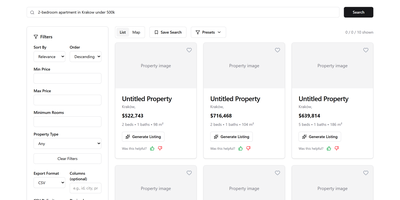
AI Real Estate Assistant puts a conversational search engine on top of your own property catalogue, so buyers type a request in plain language and receive matched listings in return. A query about a two-bedroom apartment in a named city under a price limit becomes extracted filters, semantic ranking over the catalogue, and a shortlist that matches the words instead of a rigid form. Behind the chat sits a working toolbelt: a mortgage calculator, a rent-versus-buy comparison, ROI and total-cost-of-ownership estimates, and an AI valuation that projects a property value one, three, five and ten years ahead with a confidence band. Every listing card shows an estimated monthly payment, and every property page carries an AI neighbourhood summary covering district character, nearby amenities and ease of getting around. Interactive maps cluster markers by area, a city overview page compares markets across districts, and a documents section accepts uploaded files that visitors can question in the same conversation. An agent directory presents the people behind the listings together with their stock, and the interface speaks nine languages with compliance labels on AI output. The demo mode answers with a local model and needs no paid key, and a real deployment routes each request to any of sixteen providers. Running on a dedicated VPS on RepoCloud with guaranteed CPU, RAM, and SSD, full root SSH access, and a browser serial console. MIT licensed.
Neo Chat
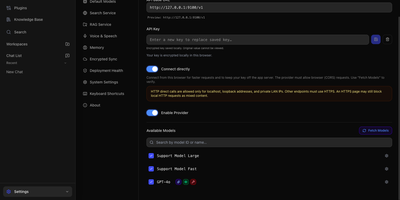
One chat window, every model you already pay for, and a history that stays in your own browser unless you decide otherwise. Neo Chat connects to Google, OpenAI, Anthropic, and any OpenAI-compatible gateway, so switching models mid-project takes one click. Agent mode runs multi-step tool workflows, and Deep Research drafts a plan for approval before producing a cited report that can be resumed if it stops. Attach files, build a knowledge base for retrieval, and let memory carry preferences between conversations. Browse a market of ready-made assistants and text skills, add OpenAPI plugins or remote MCP servers, and search the web through a configurable service. Answers render Markdown, math, diagrams, and charts, plus editable artifacts and interactive checklists, quizzes, flashcards, and calculators. Voice input and read-aloud sit beside the composer, and optional encrypted sync moves settings between devices. An access password can protect a shared deployment, and a health page checks that everything is configured. Switch models mid-conversation, keep one history, and stop juggling a tab for every provider. Running on a dedicated VPS on RepoCloud with guaranteed CPU, RAM, and SSD, full root SSH access, and a browser serial console. MIT licensed.