AI Chatbot Framework
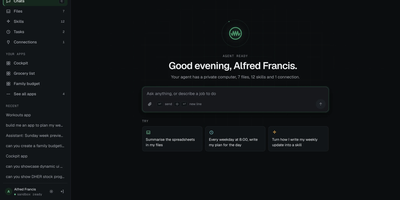
Ask for a job in plain words and an agent with its own private computer does it: it reads files, runs commands, calls connected apps, and reports back in the chat. Every user gets a persistent sandbox workspace, so one person's files and commands never touch another's. Type a new message mid-run and the agent picks it up without stopping, or press Stop at any time. For bigger jobs the agent starts sub-agents that work side by side, each on a model of its choice, and the chat shows what each one is doing. Skills teach it repeatable methods in the open Agent Skills format; upload a zip, write one by hand, or let the agent write its own, and use them from a slash menu. The Connections page links Linear, Notion, Jira, Stripe, and other apps through one-click OAuth sign-in, or any MCP server by address. Scheduled tasks run on a repeating or one-time schedule, and each run becomes a readable chat. Small personal apps like a to-do cockpit or budget view appear in the sidebar, and charts, plans, and forms can render right inside answers. A files browser, an artifacts panel, a command menu, light and dark themes, and a phone layout round out the interface. Running on a dedicated VPS on RepoCloud with guaranteed CPU, RAM, and SSD, full root SSH access, and a browser serial console. MIT licensed.
Vibe Research
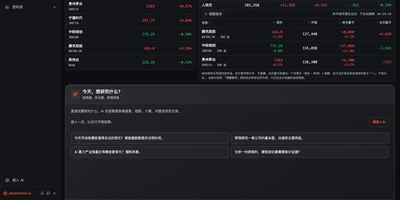
Vibe Research gives an individual investor one page that opens on indices, watchlist, and holdings P&L, then puts an AI agent to work behind every question. Prices refresh on their own through trading hours, and the Daily Review page summarizes breadth, turnover, limit-up streaks, margin balance, and sector fund flows. Pick a stock and a six-stage run walks from company profile through financials, earnings expectations, valuation, and risk, ending in a report where every figure carries an evidence or calculation ID. Describe a trading idea in chat and get a backtest against an index, with return, drawdown, monthly, and yearly charts. Twenty industry sectors come with step-by-step research prompts, a candidate pool checks index constituents against your own conditions, and an event calendar lines up earnings and ex-dividend dates. Import PDFs and Word files, then ask questions with citations that point back to the source page. Bring a Claude Code, Codex, or WorkBuddy login, or any Chat Completions compatible model API. Remote mode opens the workbench in a browser through an access-token link. Running on a dedicated VPS on RepoCloud with guaranteed CPU, RAM, and SSD, full root SSH access, and a browser serial console. MIT licensed.
Iva Agent
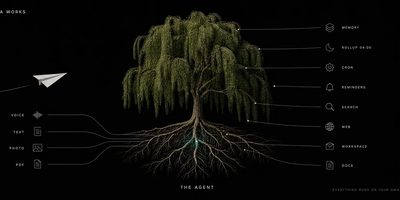
Your Telegram chats already contain your tasks, agreements, and reminders; Iva Agent turns that stream into a memory you can query months later from the same chat window. Send a voice note and it returns a task list, a draft email, or a meeting card, with the original words stored verbatim in a dated markdown log. A nightly rollup folds each day into weekly, monthly, and yearly summaries, then rewrites changing facts into typed cards for contacts, projects, decisions, and ideas. Ask what you agreed with a client and it answers from the card it wrote, complete with date and context. Photos are described by your vision model, forwarded posts pass an injection screen before the model reads them, and outgoing messages pass a secret-redaction gate. You can connect Gmail, Calendar, Drive, Sheets, Docs, and Tasks, search the web through Tavily, Exa, Parallel, or Brave, and add skills or MCP servers by dropping in a file. An optional userbot reads group chats from your own account, folds them into summaries, and flags messages that need you, guarded by server-enforced send pacing. Token accounting logs every model step, and the user allowlist fails closed when empty. Running on a dedicated VPS on RepoCloud with guaranteed CPU, RAM, and SSD, full root SSH access, and a browser serial console. MIT licensed.
NextClaw
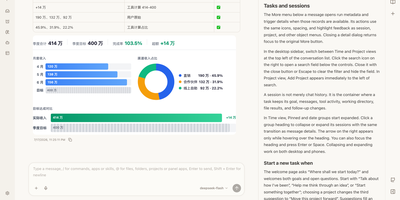
NextClaw is an AI workspace where a request for a report, a chart, or a small tool becomes organized research, files, and steps, with the result shown beside the conversation. Pick the engine for each task from Native, Claude Code, Codex, Hermes, or OpenCode, and the agent keeps its memory, skills, and workspace. A right-hand browser opens code, Markdown, HTML, Word, Excel, and PowerPoint files without losing the task that produced them. Connect providers like OpenRouter, OpenAI, Anthropic, Gemini, DeepSeek, or any OpenAI-compatible endpoint, and message the same agents from Telegram, Discord, Slack, WhatsApp, Feishu, or email. Scheduled tasks start from templates like a daily AI news brief or a competitor change tracker, and finished reports land in an AI Inbox you can read later or continue as a chat. A skill market installs new abilities, MCP servers extend tools, and Panel Apps keep the small pages an agent builds for you. Dedicated agents get their own role, home directory, and memory. Running on a dedicated VPS on RepoCloud with guaranteed CPU, RAM, and SSD, full root SSH access, and a browser serial console. MIT licensed.

Rakazo
Rakazo lets you hire AI bots the way you would onboard teammates: each gets a job, persistent memory, its own sandboxed computer, and a schedule, and it reports back in chat while you check in from any device. Start from templates such as Sales Outbound, Inbox Manager, Talent Scout, Expense Manager, Coding Agent, or Chief of Staff, then tune the instructions, tools, and limits until the bot works the way your team works. Every bot can run on a different model, so research uses one provider while coding uses another, and a local model served by Ollama or LM Studio keeps sensitive work off third-party servers. Bots work on real computers with a browser, terminal, file system, and graphical desktop you can watch or take over, choosing shared team computers or isolated private ones. When a task outgrows one bot, it delegates pieces to peer bots or short-lived subagents and folds their results back into its own thread. Voice mode lets you dictate messages and hear spoken replies, while routines run on schedules so follow-ups, reports, and inbox sweeps happen while you are away. You decide which actions need your approval before a bot takes them, and integrations via Composio, Pipedream Connect, MCP servers, and OpenAPI documents connect bots to tools you already use. Running on a dedicated VPS on RepoCloud with guaranteed CPU, RAM, and SSD, full root SSH access, and a browser serial console. Apache-2.0 licensed.
Onyx
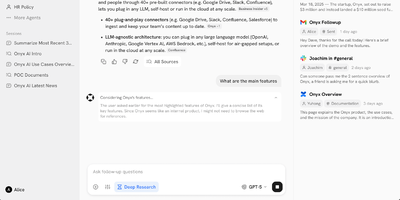
Formerly known as Danswer and now backed by over 31,000 GitHub stars with 253 releases, Onyx delivers a production-ready AI platform that turns any LLM into a context-aware enterprise assistant connected to your organization's actual knowledge. The agentic RAG pipeline combines BM-25 keyword search with prefix-aware embedding models in a hybrid index, then deploys AI agents to retrieve, verify, and synthesize answers with source citations from over 40 connected workplace tools including Google Drive, Confluence, Slack, Notion, Jira, SharePoint, GitHub, and Linear. Custom AI assistants with configurable prompts, backing knowledge sets, and document-level access control enable specialized agents for engineering, sales, support, and research workflows. The platform supports every major LLM provider — Anthropic Claude, OpenAI, Google Gemini, plus self-hosted options via Ollama, LiteLLM, and vLLM for fully air-gapped deployments. Beyond chat, Onyx provides web search with Serper, Google PSE, Brave, and SearXNG integration, an in-house web crawler, code execution, file creation, and multi-step deep research with report generation. Enterprise features include SSO via Google OAuth, OIDC, or SAML with SCIM provisioning, role-based access control, usage analytics by team and agent, query history auditing, PII removal through custom code hooks, and full whitelabeling. Deploy via Docker Compose on any infrastructure. Running on a dedicated VPS on RepoCloud with guaranteed CPU, RAM, and SSD, full root SSH access, and a browser serial console. MIT licensed (Community Edition).
Nojoin
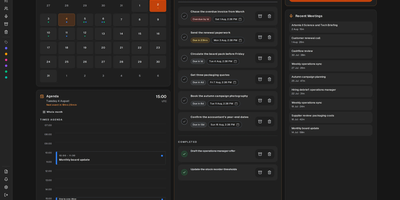
Nojoin takes notes on your Meet, Teams, and Zoom calls without sending a bot into the meeting: it records from your browser and transcribes on your own server. Nothing extra joins the call and nothing announces itself to the room; you meet as usual, press record, and the browser captures the audio. Transcription runs locally with Whisper or Parakeet, so the audio never leaves your hardware, and speaker recognition matches voiceprints across calls, so a person you name once is labelled correctly in later meetings too. AI notes can come from an API provider, your existing Claude or ChatGPT subscription, or Ollama on the same machine for fully local processing. During the call, Meeting Edge suggests questions, flags points you may have missed, and explains unfamiliar terms in real time. Afterward, analytics measured from the audio report talk-time share, turn-taking, and overlapping speech. A built-in MCP server hands Claude or ChatGPT 32 tools over your library, 19 of them writable, so an assistant can search every meeting, correct a misheard line, turn action items into tasks, and reconcile attendees with your CRM. Google and Outlook calendars sync automatically, every meeting carries its own chat, and finished notes export to PDF, Word, or plain text. Stored credentials are encrypted with a key you control, and anonymous telemetry can be switched off entirely. Running on a dedicated VPS on RepoCloud with guaranteed CPU, RAM, and SSD, full root SSH access, and a browser serial console. AGPL-3.0 licensed.
pgconsole
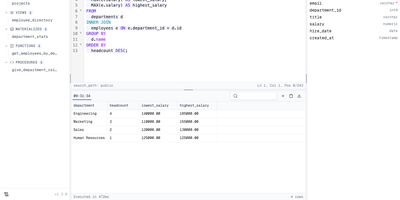
Your whole team can work in a browser-based PostgreSQL editor without a single database password changing hands. Connections live on the server, and one TOML file defines the connections, users, groups, access rules, and AI providers, so access changes get reviewed in pull requests like any other change. The editor parses PostgreSQL as you type, which powers autocomplete across tables, columns, joins, and CTEs, formatting, red error underlines, code folding, and function signature help. Results fill a virtual-scrolling grid with a row detail panel, pinned rows, and CSV, TSV, JSON, or Markdown export, while inline edits stay staged and color-coded until you preview the generated SQL and execute them. A schema browser lists tables, views, materialized views, functions, and procedures with entity diagrams, indexes, constraints, triggers, policies, and grants, and a Processes view lists active sessions. The AI assistant, using OpenAI, Anthropic, or Google keys that never reach the browser, writes SQL from plain English, explains, fixes, and rewrites queries, and rates the risk of staged changes. Coding agents such as Claude Code and Cursor connect through a built-in MCP server, where IAM rules limit each agent and every statement lands in the audit log. People sign in with email and password, Google, Okta, Keycloak, or any OIDC provider. Running on a dedicated VPS on RepoCloud with guaranteed CPU, RAM, and SSD, full root SSH access, and a browser serial console. Apache-2.0 licensed.
OhMyBuddy
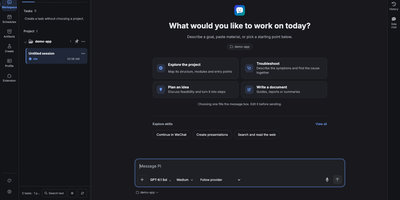
Give your AI assistant a name, a memory you can actually inspect, and a permanent seat on your own server. OhMyBuddy has two sides that share the same models and tools. The Buddy side keeps one ongoing conversation, learns your preferences, and shows a receipt under any reply that saved something, so every memory can be reviewed, edited, or undone. The Workspace side opens real project folders with threads, streaming tool calls, file diffs, side chats, and a branching history view. Add scheduled tasks, an artifacts library, and a media lab for image, video, and speech generation. Connect extensions, MCP tools, a browser, and subagents when a job needs more hands. Sessions live on the server, so a laptop, a tablet, and a phone home screen all continue the same chat, with notifications when a reply finishes. Bring Claude, GPT, Gemini, DeepSeek, or any OpenAI-compatible relay, and protect the instance with an access token. Keep a personal AI on hardware you control, reachable from every device you own. Running on a dedicated VPS on RepoCloud with guaranteed CPU, RAM, and SSD, full root SSH access, and a browser serial console. ISC licensed.
Project NOMAD
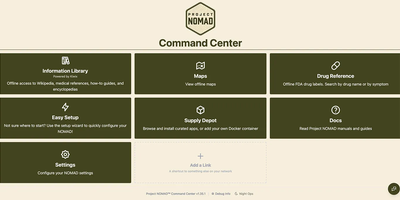
When the connection drops, Project NOMAD keeps serving offline Wikipedia, Khan Academy courses, maps, and an optional private AI assistant from a single Debian-based Linux server. The core needs only about 5 GB of disk and under 1 GB of RAM. Content is what fills the drive, and a setup wizard sorts it into Essential, Standard, and Comprehensive tiers while a storage bar tracks the running total. Wikipedia runs from a quick-reference set of the top 100,000 articles to the complete English edition with images at about 121 GB, and Kiwix also serves medical references, survival and repair guides, and Project Gutenberg ebooks. Kolibri adds Khan Academy courses with multi-user progress tracking, and any browser on the network can study. Offline maps cover the whole globe, single countries, or regions, with markers you can search, color, and navigate to by coordinate. The AI assistant is the heavy part, bringing the install to roughly 25 GB. It chats through Ollama or any OpenAI-compatible server such as LM Studio, searches uploaded documents, lists sources with dates when known, and lets vision models read attached images. CyberChef handles encoding and hashing, and FlatNotes keeps Markdown notes. The Supply Depot adds one-click apps or your own Docker containers. Opt-in auto-updates for the Command Center, installed apps, and downloaded content run inside a window you set. Running on a dedicated VPS on RepoCloud with guaranteed CPU, RAM, and SSD, full root SSH access, and a browser serial console. Apache 2.0 licensed.
QuantMind
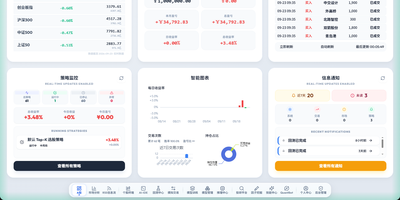
From raw market data to a simulated trade, every step of quant research happens in one web console. A home dashboard shows index levels, a paper account, strategy status, and recent fills at a glance, and a market analysis page tracks sector rotation and money flow. A stock terminal pairs candlestick charts with company profiles, financial and valuation tabs, and model score curves. Researchers describe a trading hypothesis in plain language, and the factor mining workspace drafts expressions, evolves them, and stores the winners in a factor library. The training studio offers thirteen algorithms, from boosted trees to recurrent networks, with walk-forward stability checks and local or remote GPU scheduling. The backtest center reports returns, Sharpe ratio, drawdown, and an equity curve for any date range, stock pool, and rebalance rhythm. Daily batch inference ranks the whole market, and a rolling news feed tags headlines as bullish or bearish. Paper trading replays real exchange rules, including price limits, lot sizes, fees, and slippage. A chat assistant can run these steps from a sentence, including through messaging apps. Running on a dedicated VPS on RepoCloud with guaranteed CPU, RAM, and SSD, full root SSH access, and a browser serial console. AGPL-3.0 licensed.
JadeAI
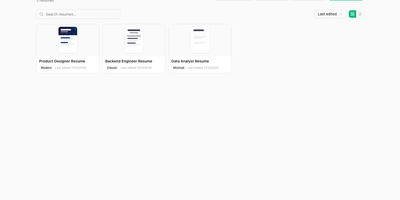
JadeAI is a self-hosted resume builder that pairs a clean drag-and-drop editor with AI help for writing, polishing, and tailoring every application. Pick from 50 templates, then adjust colors, fonts, spacing, and margins in a live preview, with undo and redo keeping every experiment reversible. Paste a job description to get a keyword match, an ATS score, and concrete suggestions, then generate a cover letter in a formal, friendly, or confident tone. A grammar check flags weak verbs and vague claims, a translation tool converts the whole resume into ten languages, and an in-editor chat assistant rewrites sections on request. Upload an existing PDF or image and the AI extracts every field for you. Practice with six preset interviewers, from HR to technical to leader, then review a scored report with a competency radar and an improvement plan. Export to PDF, one-page PDF, DOCX, HTML, TXT, or JSON, and share a link with an optional password and a view counter. Every user brings their own OpenAI, Anthropic, or compatible API key. Running on a dedicated VPS on RepoCloud with guaranteed CPU, RAM, and SSD, full root SSH access, and a browser serial console. Apache-2.0 licensed.
Open Executive
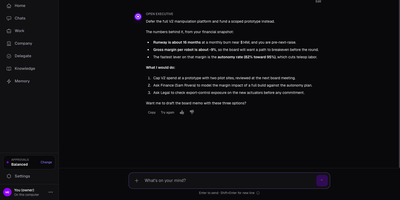
One executive voice, backed by nine specialist agents, answers business questions from your own documents instead of generic management advice. Ask if a product line should be built or deferred and the reply cites your financial snapshot, roadmap, and legal notes, then lists the numbers behind the call and the next steps. The Agent Council covers strategy, finance, people, legal, operations, marketing, product, sales, and board communications, and each agent accepts its own instructions and model. A company profile stores mission, target customer, and competitors. Departments and Goals track owners, weekly check-ins, and at-risk or off-track status. Knowledge accepts PDF, Word, Excel, CSV, Markdown, and text files, and can sync from Google Drive, OneDrive, Confluence, or Notion. Memory records decisions and what the company has learned, and a built-in scheduler surfaces follow-ups and alerts on its own. The same executive answers in Slack, Discord, Telegram, Google Chat, Gmail, Outlook, or any MCP client, with spend approval thresholds that govern how it works with people. Founders get a chief of staff, small teams a fractional advisor, and board prep a head start before the next investor update. Demo companies are bundled for a quick tour. Running on a dedicated VPS on RepoCloud with guaranteed CPU, RAM, and SSD, full root SSH access, and a browser serial console. Apache-2.0 licensed.
Taskuary
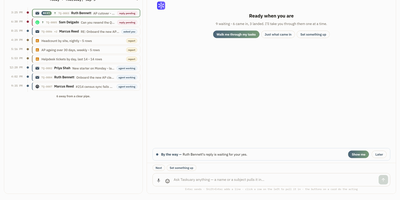
Mail, chats, tickets, alerts, and reports stop being five inboxes to check and become one sorted rail in Taskuary, your self-hosted AI work partner. A triage pass reads each arrival and gives it one verdict: nothing to do, a sentence settles it, an agent should work it, talk it through, or it is yours. The rail groups what survives into Urgent, On you, Goals, Agents working, For later, Reports, Advisor ideas, and FYI, and a morning card recaps what changed overnight, what was learned, and today's meetings. The Assistant can walk you through the pile one task at a time, presenting each card with Next, Write reply, Send to agent, and Mark done actions. Coding jobs go to the CLI you already run (Claude Code, Codex, Gemini, Cursor, Copilot, Qwen Code, OpenCode, or Kimi Code) inside your checkout; general jobs open a conversation instead. Results return as drafts attached to the task, and nothing leaves until you approve: replies, comments, invoices, and posts all wait for your click. Disagreeing with a verdict teaches the triage, and learned memory carries your preferences into the next decision. Running on a dedicated VPS on RepoCloud with guaranteed CPU, RAM, and SSD, full root SSH access, and a browser serial console. MIT licensed.
Garcon
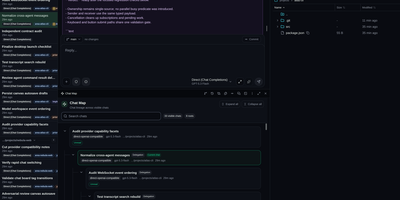
Garcon gives developers one browser workspace for running several coding agents at once, steering their work live, and turning reviewed changes into commits. Tile up to four resizable windows, move chats between them, and place live sessions on durable canvases that show delegated children, handoffs and parentage. Turn that activity into a tag-driven delivery board, or create tickets first and open chats from them with the project, priority, assignee and discussion already attached. Queue instructions, reorder them, answer agent questions, approve tool calls, pause work, interrupt a run or stop it without losing the transcript. Exchange labelled messages between chats, delegate bounded tasks to child agents, and bring final results back into the parent conversation. Browse and edit files, open terminals, inspect reasoning and tool calls, then stage individual lines, hunks, files or folders before committing and pushing. Search transcripts, save filters, pin or archive chats, export Markdown or XML, schedule prompts for later, and review token use and estimated API cost by day, agent and model. Connect trusted remote executors when work belongs on another machine, and open the same workspace from a phone when an agent needs a decision away from your desk. Running on a dedicated VPS on RepoCloud with guaranteed CPU, RAM, and SSD, full root SSH access, and a browser serial console. GPL-3.0 licensed.
Xiryn
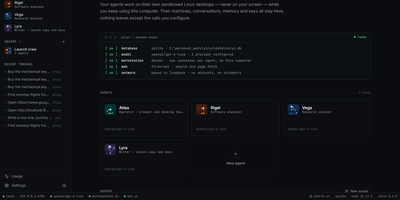
Picture a small staff of AI agents clocking in on your own server, each with a name, a specialty, its own model, and a private Linux desktop it can click around in. Every agent works inside a disposable Docker workstation with a shell, persistent files, and a Chromium browser, so it can research the web, write and run code, and finish multi-step tasks without touching your own files. You watch an agent click and type in real time, and when a login, payment, or one-time code needs a human, you take over the desktop, then hand it back with a note and let it continue. Pair a Telegram bot by scanning a QR code and you can assign work, answer questions, and receive results from your phone, with no public URL or port forwarding. Routines turn recurring requests into schedules, so a morning briefing, a price watch, or a weekly report runs by itself and reports back when it is done. Each agent can use a different model, from OpenAI, Anthropic, Google, xAI, Groq, Mistral, or DeepSeek to a local Ollama endpoint, and every reply shows its cost while a monthly budget pauses paid models automatically. Agents remember what matters about you across every thread, and logins or cards you save sit in an encrypted vault the agents themselves never see. Running on a dedicated VPS on RepoCloud with guaranteed CPU, RAM, and SSD, full root SSH access, and a browser serial console. MIT licensed.
Yep Anywhere
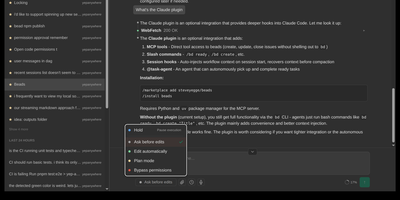
Designed for developers on the go, Yep Anywhere turns any smartphone browser into a full-featured control center for supervising, steering, and reviewing autonomous AI coding agents. Operators can monitor live execution across multiple active projects simultaneously without sitting at a desktop terminal. Real-time reasoning feeds. Instant push alerts for permission prompts. One-tap tool approvals. Developers can unblock pending tasks mid-turn, redirect active workflows, or queue sequential follow-up prompts for automatic delivery at the next safe milestone. An integrated source control viewer displays syntax-highlighted working-tree and commit diffs, allowing reviewers to attach line-level comment bundles directly back into the agent context. Mobile voice transcription lets users dictate instructions straight into running sessions, while photo library integration makes uploading bug screenshots effortless. All agent credentials, CLI configurations, and repository data remain private on the host server without requiring third-party cloud database accounts or proprietary device pairing. Running on a dedicated VPS on RepoCloud with guaranteed CPU, RAM, and SSD, full root SSH access, and a browser serial console. MIT licensed.
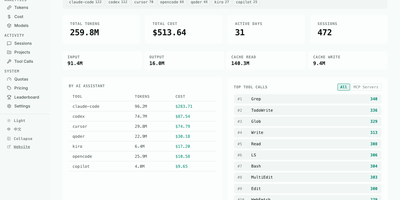
AIUsage
AIUsage shows where your AI coding spend actually went: it reads the session logs that Claude Code, Codex, Cursor, OpenCode, Copilot, Gemini CLI, and many other assistants leave behind, then turns them into one dashboard with tokens, estimated dollars, and activity. The Overview page totals tokens, cost, active days, and sessions for today, this week, this month, or all time, and filters by tool or device. Cost and Tokens pages chart daily spending and input, output, cache, and thinking usage, and Models ranks every model by share. The Sessions table lists duration, tool count, and cost per session, and a detail view walks through each API call and the tools it triggered. Tool Calls shows which built-in, MCP, and skill actions agents use most, Projects ranks directories by spend, and Quotas tracks subscription limits. Optional sync through GitHub, S3, R2, or MinIO merges several machines, and a public leaderboard accepts aggregate totals only. Running on a dedicated VPS on RepoCloud with guaranteed CPU, RAM, and SSD, full root SSH access, and a browser serial console. MIT licensed.