Pithagoras
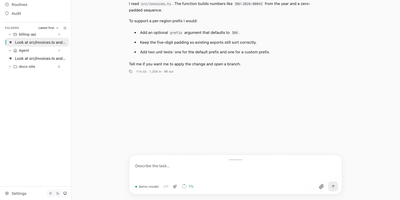
Hand a coding task to an AI agent, close the browser, and come back to find it finished. Pithagoras keeps every run on the server and records each event in a log, so a tab that reconnects days later replays everything it missed and then follows the live output. Chats work in the agent's Home folder or in projects with their own AGENTS.md instructions, and the sidebar groups sessions by folder with a status dot for running, idle, error, or interrupted. Beside the conversation you get panels for browsing and editing files, reviewing Git changes and branches, running a terminal, and watching background jobs. Add model providers from a setup assistant, including local llama.cpp or Ollama servers, OpenRouter, and Anthropic, then adjust tools, skills, MCP servers, and extensions per chat. Reach the same agent from Telegram, Slack, Discord, Signal, or a webhook, with roles, approvals, and an audit log. Scheduled routines report their results to a channel, and voice mode adds local speech in both directions. The portal installs as an app, supports light and dark themes, and speaks English and German. Running on a dedicated VPS on RepoCloud with guaranteed CPU, RAM, and SSD, full root SSH access, and a browser serial console. Apache-2.0 licensed.

Hatchdoor
Hatchdoor gives your Markdown notes two front doors at once: a fast web interface for you, and an MCP endpoint where AI agents read and edit the very same vault. Point it at any folder of Markdown files, an existing Obsidian vault included, and it indexes everything into a disposable SQLite read model that rebuilds itself from your files if deleted. In the browser you browse folders, follow wikilinks that survive renames, explore backlinks and graph views, and search by keyword or meaning across every vault you mount. The live editor shows Markdown syntax only on the line you are editing and saves automatically, while concurrency checks refuse a save when the note changed underneath you. Agents connect with their own token and start read-only; turn writes on and Claude Code, Codex, Cursor, or Hermes can create, edit, move, and link notes through the same checked operations the interface uses. Saved queries in Obsidian's Bases syntax render as live tables, attachments preview inline, and optional git integration commits and pushes every change back to your vault's repository. Running on a dedicated VPS on RepoCloud with guaranteed CPU, RAM, and SSD, full root SSH access, and a browser serial console. AGPL-3.0 licensed.

KaaS
Turn scattered meeting notes, policies, postmortems, and documents into a readable wiki that your team can question in plain language. Paste text, upload a file, or point KaaS at a web page, and an AI pipeline pulls out the concepts, decisions, and people, then writes them up as Markdown articles sorted into decision, reference, guide, and concept folders. Ask a question in chat and the answer cites the exact articles it came from, so anyone can open the source and check it. Each article shows tags, a source count, and a table of contents, and every page is stored as a plain Markdown file you can read, edit by hand, or commit to version control. Adding one new document only recompiles that document, which keeps model costs predictable as the library grows. A Builds page lists every submission with its status and attempts, and a failed worker's job is picked up again instead of lost. Derive a topic knowledge base to carve a focused collection out of the wiki for one subject, and let coding agents query the same wiki through an MCP ask tool. Team handbooks, customer onboarding, incident history, and pricing rules are the knowledge that ends up scattered across a dozen files, and this is where it comes back together. Running on a dedicated VPS on RepoCloud with guaranteed CPU, RAM, and SSD, full root SSH access, and a browser serial console. MIT licensed.
Connapse
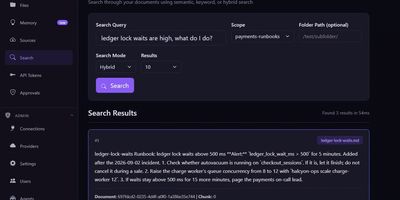
Give your AI agents a library to search and a memory that survives the session: Connapse serves both over MCP and a REST API. Upload files or whole folders, or index them where they live: SFTP servers (including folders on your own computer), Amazon S3, Azure Blob Storage, GitHub, Confluence, Jira, or a custom source server. Queries run vector and keyword search together and fuse the rankings, an optional cross-encoder reranker re-scores the top results, and each passage comes back labeled with its source file. Agents save dated facts with their sources into personal or team memory spaces, recall them later, correct them without losing history, and forget them on request, while a Memory page shows each space's timeline. Results from GitHub, Confluence, Jira and custom sources are checked against each reader's own access, and a passage is left out whenever that check cannot be made. Optional link search follows a GitHub issue to its closing pull request or a Jira issue to its epic, and code tools find definitions, callers, and what a change could affect. More than twenty named tools suit Claude Code, Cursor, and VS Code; each key gets only the tools its scopes allow, and deletes can wait for approval. Embeddings run locally by default, with OpenAI or Azure OpenAI one setting away. Running on a dedicated VPS on RepoCloud with guaranteed CPU, RAM, and SSD, full root SSH access, and a browser serial console. MIT licensed.
Coach Watts
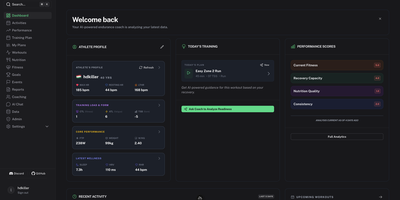
Coach Watts is a self-hosted AI endurance coach that reads your training, recovery, sleep, and nutrition data together and tells you, each day, whether to push or rest. Connect Intervals.icu, Strava, Whoop, Oura, Garmin, Withings, Wahoo, Polar, Fitbit, Hevy, Yazio, Rouvy, or Ultrahuman and every workout, HRV reading, sleep score, and meal lands in one athlete profile instead of fourteen separate apps. Each session gets a detailed breakdown with an execution score, and the performance view tracks Fitness, Fatigue, and Form alongside power curves so you can see a training block working, or quietly burying you. Daily recommendations weigh HRV and sleep before suggesting intensity, and the interactive chat answers questions against your own data when you want the reasoning behind a call. Adaptive plans generate around your schedule and goals, then adjust as life interferes. Nutrition tracking applies metabolic fueling logic that shifts between Eco, Steady, and Performance modes based on session intensity, so long rides get fed differently from recovery spins. Coaching alerts and system messages arrive in the dashboard, Telegram coaching is available for nudges on the move, and the whole platform speaks more than ten languages with timezone handling that follows traveling athletes. A Google account provides sign-in and the Gemini models behind the analysis, while your synced history stays in your own database. Running on a dedicated VPS on RepoCloud with guaranteed CPU, RAM, and SSD, full root SSH access, and a browser serial console. Apache-2.0 licensed.
OpenClaw Dashboard
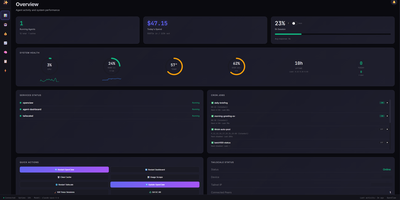
OpenClaw Dashboard is a secure real-time monitoring dashboard for OpenClaw AI agents that tracks live sessions, API costs, rate limits, and host health from one browser page. The overview refreshes every five seconds with live session activity, token totals, and lifetime spending, so you can see what every agent is doing right now. Cost views break spending down by model, session, and time period, and rate limit panels track Claude and Gemini usage against rolling windows with browser alerts before quotas run out. A live feed streams agent messages across all sessions, and a session browser adds search, status filters, timelines, and a 30 day activity heatmap. You can read agent memory files (MEMORY.md, HEARTBEAT.md, daily notes) and edit workspace files, skills, and configuration with JSON validation and automatic backups. Host panels report CPU, memory, disk, and temperature with 24 hour sparklines, plus Docker containers, cron jobs, real-time logs, and one-click service restarts. A security page shows firewall rules, open ports, fail2ban status, and SSH login history, and sign-in uses PBKDF2 hashed passwords with optional TOTP two-factor codes. Running on a dedicated VPS on RepoCloud with guaranteed CPU, RAM, and SSD, full root SSH access, and a browser serial console. MIT licensed.
FeedMe
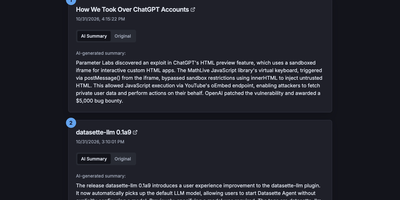
Most RSS readers hand you a pile of headlines and make you do the reading; FeedMe reads first and hands you the pile already digested. It aggregates every feed you configure into one clean, ranked stream, and for each article an LLM writes a short summary you can scan in seconds, with the full original text one tab away when a story earns a deeper look. Sources organize into categories like Tech News, Finance News, Personal Blogs, Company Blogs, Open Source, Research, and Podcasts, and a global search finds stories across all of them. The reader never sleeps on stale content: a built-in cron refreshes feeds and regenerates summaries on your schedule (every three hours by default in Docker), so the page you open in the morning already covers the night. Summaries answer to you, not a vendor: point FeedMe at any OpenAI-compatible endpoint and tune the prompt, input truncation, temperature, and token budget, with output in the languages you choose. There are no accounts, no forced logins, and no app to install; the responsive page works on phone and desktop in light or dark themes. Because the whole application is a static site, it stays fast and cheap to run, and the same build can live on GitHub Pages or Vercel if you ever want a public edition next to your private one. Running on a dedicated VPS on RepoCloud with guaranteed CPU, RAM, and SSD, full root SSH access, and a browser serial console. MIT licensed.
Aegis
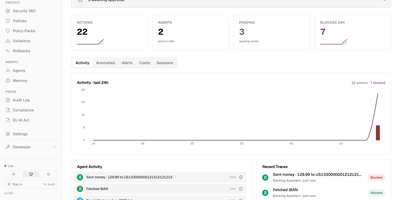
Put a checkpoint in front of every tool call your AI agents make, so a poisoned web page or file cannot quietly move money or send private data. Each call is classified and policy-checked before it executes, then allowed, blocked, or held for a person. Held calls land in an approvals queue that shows what the user asked, which passage the agent read, and the exact recipient or amount in question, with one-click block or allow. Instruction provenance flags destinations that appeared only in untrusted content, like an IBAN hidden in a file. The cockpit lists every run as a timeline of steps with verdicts, groups violations by the protection that caught them, and scores ten attack surfaces on a Security 360 page. An agent registry tracks owners, scope, and call counts. Budgets, anomaly alerts, and a kill switch cap runaway behavior. Sensitive values are redacted from traces, signed receipts prove a call was allowed, and exports produce PDF and CSV audit evidence. Python and TypeScript SDKs plug in with one line, or an LLM proxy catches calls with an environment variable. Running on a dedicated VPS on RepoCloud with guaranteed CPU, RAM, and SSD, full root SSH access, and a browser serial console. MIT licensed.

Glean
Information overload is the default state of the modern internet, and Glean exists to tame it by pulling every blog, newsletter, and news source you follow into a single, organized reading experience with an interface that prioritizes clarity over clutter. Subscribe to RSS and Atom feeds, import your existing subscriptions via OPML, and organize everything into multi-level folders with a flexible tagging system that lets you slice your reading list by topic, priority, or mood. A three-pane layout presents your feed list, article summaries, and full content side by side, with one-click actions for marking articles as read, saving them for later, bookmarking favorites, or archiving what you have already processed. Background workers fetch new articles every 15 minutes so your feeds stay current without manual refreshes. The preference learning engine (backed by Milvus vector embeddings) scores incoming articles against your reading history and surfaces a personalized Smart Feed of content you are most likely to care about, reducing the time spent scrolling past irrelevant posts. A built-in MCP server lets AI assistants like Claude Desktop search and interact with your feed library directly. The admin dashboard on a separate port provides user management, system monitoring, and configuration controls for multi-user deployments. Bookmark external URLs from any browser with the Chrome extension, or access your feeds on mobile through the Progressive Web App. Running on a dedicated VPS on RepoCloud with guaranteed CPU, RAM, and SSD, full root SSH access, and a browser serial console. AGPL-3.0 licensed.
Engraphis
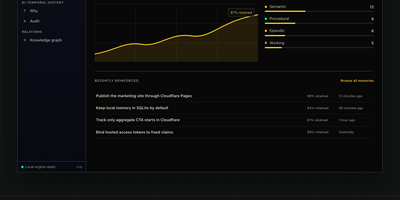
Engraphis is a durable memory layer for coding agents that answers questions like what did we decide about the auth layer three weeks ago, and why, with inspectable project memory that survives across sessions and repositories instead of evaporating when a chat ends. Store a decision once and recall it later in a new session, scoped by workspace, repository, and session so one project's facts never leak into another's context. Recall blends vector, lexical, graph, and code-aware retrieval, then packs the strongest evidence into a hard context budget your agent can actually use. Every returned fact keeps its provenance attached, and the engine cites its support or abstains when the evidence is too weak to trust. Facts are never silently overwritten: bi-temporal history preserves earlier versions, and a timeline view surfaces superseded knowledge when you need to know what used to be true. Index a repository into a code-symbol graph and ask what calls a function before you change it. Conflicting or quarantined memories wait in a review queue for a human decision. Running on a dedicated VPS on RepoCloud with guaranteed CPU, RAM, and SSD, full root SSH access, and a browser serial console. Apache 2.0 licensed.
GuideAnts
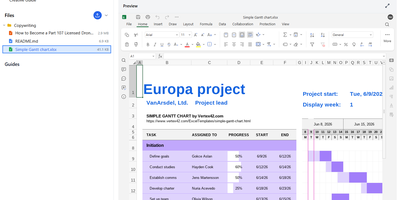
GuideAnts is an AI workspace where files, conversations, and generated documents stay together in project notebooks, so good work gets reused instead of vanishing into chat history. Projects own folders, notebooks, guides, assistants, and usage records, and each notebook keeps its conversation, file context, artifacts, and version history side by side. Word, PowerPoint, Excel, and OpenDocument files open and co-edit in place through an optional document server, Markdown has a live-preview editor, and extracted Markdown copies feed retrieval. A Guide Builder packages instructions, tools, files, starter prompts, and model choices into reusable guides and assistants, and portable SKILL.md packages can be imported or authored there. Published guides get friendly URLs, a web component for embedding in other sites, public APIs, and MCP access to their skills, with anonymous, key-protected, or webhook-validated entry plus daily and billing-period charge limits. Telemetry attributes each message, tool call, and charge to a model and assistant, so you can see which steps truly need a frontier model; the maintainers report one public workload falling from hundreds of dollars a day to about ten. Chat, embeddings, document intelligence, image generation, and speech can each route to a different cloud or local provider, with slim, CPU, NVIDIA, AMD, and Vulkan runtimes to choose from. Running on a dedicated VPS on RepoCloud with guaranteed CPU, RAM, and SSD, full root SSH access, and a browser serial console. Apache-2.0 licensed.
MuckScraper
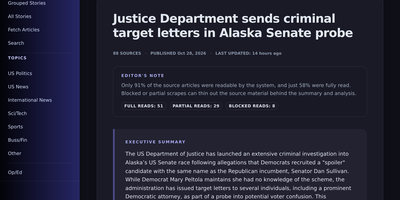
Reading the news should not mean opening twelve tabs about the same event, so MuckScraper folds every outlet's version into one story and shows you how the coverage differs. A scheduler fetches RSS feeds several times a day, with optional NewsAPI and GNews keys adding more sources, and each article is embedded and matched against recent stories so wire copies and follow-ups land together instead of flooding your feed. Every story carries a bias balance: how many left, center, and right outlets covered it, with each outlet rated from AllSides data or scored by the model where no rating exists. Local language models write the story summary and a deeper report comparing how each side frames the event, what is contested, and what nobody is mentioning, while guardrails reject cut-off summaries and figures that never appeared in the sources. Opinion columns stay in their own lane, linked to the stories they argue about and rounded up separately, never counted as news coverage. Twice a day the system publishes a balanced edition of twenty stories, and every past edition stays readable alongside full-text search across your whole archive. Reader, scraper, and admin roles decide who can simply read, who can trigger fetches, and who manages feeds, prompts, and users. Running on a dedicated VPS on RepoCloud with guaranteed CPU, RAM, and SSD, full root SSH access, and a browser serial console. MIT licensed.
Evonic
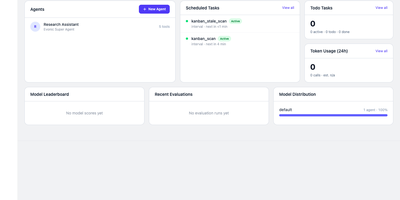
AI agents that delegate to each other, remember past conversations, and stay inside your safety rules all live in one self-hosted platform called Evonic. Every agent in Evonic has its own identity, model, tools, knowledge base, channels, and skills, and a guided first-run wizard creates the first one in minutes against OpenRouter, Together AI, Ollama, DeepSeek, llama.cpp, or any custom OpenAI-compatible endpoint. Agents message and delegate to each other, run commands in a Docker, Podman, or bubblewrap sandbox, and execute on a local folder, an SSH server, or a tunnel device that needs no public IP. A built-in Kanban board hands tasks to agents, a scheduler fires cron jobs and reminders, and Telegram, WhatsApp, and Discord channels put agents where users already chat. Markdown knowledge bases with wiki-links form an interactive graph, a memory engine recalls facts across sessions, and an organizer sub-agent extracts entities and merges duplicates. Safety layers inspect actions for mass deletion or remote code execution and escalate to a human, and an injection guard blocks prompt manipulation. Evaluation dashboards score models across domains, a token monitor tracks usage per agent and model, and bundled skills, 12 plugins, backup and restore, and themed light and dark modes round it out. Running on a dedicated VPS on RepoCloud with guaranteed CPU, RAM, and SSD, full root SSH access, and a browser serial console. AGPL-3.0 licensed.
Tingly Box
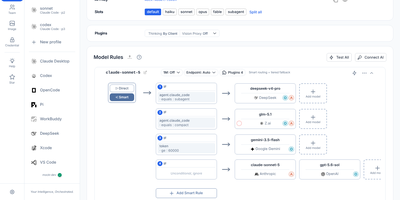
Give every agent your team runs the same front door, and the model chaos behind it becomes manageable. Tingly Box is a self-hosted gateway with a web console where providers, keys, routing rules, and team usage live in one place. Claude Code, OpenCode, Codex, Xcode, and other clients simply call the endpoint. A request arrives. The gateway reads your rules, weighs cost against speed against the policy you wrote, picks a model and a token, translates the protocol if the two ends disagree, and streams the answer back. Existing subscription quotas are spendable here, connected by OAuth beside ordinary API keys, and per-scenario profiles let quick edits and deep refactors land on different models by default. Team mode shares that endpoint properly. Model rules are managed centrally, each member receives a dedicated key, data stays isolated per user, and the usage dashboard shows exactly who consumed what. The gateway also speaks images, generating and editing through the same address with a playground for testing prompts before clients depend on them. Agents remain reachable after you leave the desk, driven through Telegram, DingTalk, Feishu, Lark, Weixin, or WeCom, with guardrails and an MCP gateway available as power-ups. Virtual models give new rules a safe target for testing and benchmarking before real traffic moves over. Running on a dedicated VPS on RepoCloud with guaranteed CPU, RAM, and SSD, full root SSH access, and a browser serial console. MPL-2.0 licensed.
AI Team OS
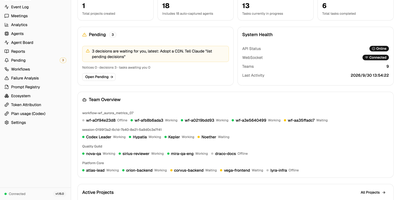
A shared project brain for Claude Code and Codex sessions: AI Team OS keeps tasks, decisions, memory, and reports in one record, so the next session can pick up where the last one stopped. Tasks sit on a live wall of pending, in-progress, and done work. Each one can carry an owner, parent and child links, dependencies, and an explicit wait on a person or an agent. Project memory holds your preferences and design decisions. One search box finds tasks, memos, reports, and workflow IDs without a model call. Agents talk through project, team, and global channels, with @mentions and acknowledgements. Eight meeting templates and four-round Advocate, Critic, Response, Judge debates end in recorded conclusions. The dashboard opens on a command center that shows every active team on one screen. Pending Decisions lists the questions agents raised for you, each with options and a recommendation. Claude Code Workflow runs get phase swim lanes with per-agent tokens, duration, and tool-call counts. Twenty-five role templates cover engineering, testing, research, and management. Guardrails flag seven dangerous patterns and two agents editing the same file. Storage, hooks, MCP tools, and the dashboard all run on your own server, so no hosted service of its own is needed. Running on a dedicated VPS on RepoCloud with guaranteed CPU, RAM, and SSD, full root SSH access, and a browser serial console. MIT licensed.
E2A
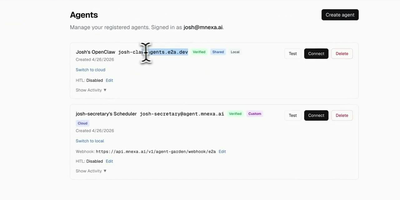
E2A is an open-source email API that lets any application send transactional email and gives AI agents real two-way inboxes of their own, so an assistant can hold a conversation over email without borrowing a person's mailbox. Register an agent and it gets a working address on a shared domain in seconds, or verify your own domain for branded addresses, then connect through the hosted MCP server, a coding-agent plugin with browser OAuth, signed webhooks, a WebSocket stream, REST polling, or the TypeScript and Python SDKs. A local agent behind a firewall needs no public URL at all: it listens over WebSocket and replies in-thread with conversation identifiers keeping multi-turn exchanges coherent across humans and other agents. Every inbound message arrives with structured SPF, DKIM, and DMARC evidence, with the DMARC alignment verdict included, so your agent can judge how far to trust a sender instead of trusting the From header. Flip on the human-in-the-loop gate per agent and outbound messages pause for a person to approve, edit, or reject from the dashboard, the SDK, MCP tools, or magic links in their own inbox, with expiry rules and recipient allowlists narrowing which sends get held. Inbound content screening flags prompt-injection payloads before the agent ever sees them. Support bots triage intake, scheduling agents coordinate meetings, and commerce agents answer order questions from one persistent address. Running on a dedicated VPS on RepoCloud with guaranteed CPU, RAM, and SSD, full root SSH access, and a browser serial console. Apache-2.0 licensed.
Routerly
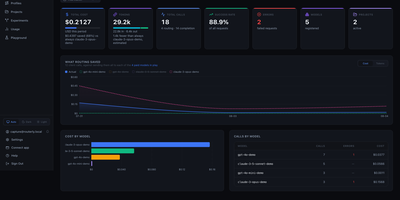
Routerly is the one front door for every AI model your apps use: point your OpenAI or Anthropic client at it, and it chooses the right model for each request, enforces your budget, and keeps the receipts. Nothing in your code changes except the base URL, and from that moment streaming chat completions and messages flow to OpenAI, Anthropic, Gemini, Mistral, Cohere, xAI or your own Ollama models behind a single token. Nine routing policies score every candidate in parallel: cheapest, fastest, healthiest, most capable, biggest context, least rate-limited, fairest, most budget left, and one that asks a small model to judge which model fits the task. When the winner errors or times out, the next candidate takes over automatically, and the recorded routing trace shows exactly why each model won or lost. Guardrails can block or log content that breaks your rules, and phone numbers, card numbers, SSNs, IBANs and emails can be scrubbed out before anything reaches a provider. Every call is logged with tokens, USD cost and latency, and hard limits per model, project and token reject overspending requests before a provider can charge for them. Projects keep separate tokens, model lists and budgets for each team or tool, role-based permissions decide who may change what, and alerts land in Slack, email, webhooks or PagerDuty when budgets or providers misbehave. Running on a dedicated VPS on RepoCloud with guaranteed CPU, RAM, and SSD, full root SSH access, and a browser serial console. AGPL-3.0 licensed.
Shep
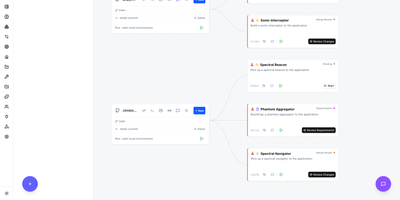
Type one sentence about a feature, and Shep spins up an AI coding agent on its own branch and worktree, then carries the work through commit, push, CI, and a draft pull request. Run three features, five, or ten at once, with Claude Code, Codex, Copilot, Cursor, Gemini, Kimi Code, Cline, or local models picked per feature. A control center draws every repository and feature as a live graph with a fleet bar that counts what is cruising, queued, waiting on you, or failed. When an agent is unsure it asks a blocking question with a recommended answer and a deadline, and you reply from the web, the CLI, chat, or the terminal console. Optional spec-driven mode writes requirements, research, and a plan as YAML for you to approve before any code exists. CI watch reads failing logs and pushes fixes, a checkpoint follows every agent step so you can diff or restore it, and nothing merges without your approval. Tool pages, skills, plugins, webhooks, project memory, and per-feature chat round out the workspace, and an app starter plans a brand new project from a prompt. State stays in a local SQLite database, and usage metrics can be switched off. Running on a dedicated VPS on RepoCloud with guaranteed CPU, RAM, and SSD, full root SSH access, and a browser serial console. MIT licensed.