Bolt.diy
Prompt, run, edit, and deploy full-stack Node.js applications from a browser tab: Bolt.diy is the official open-source version of Bolt.new's AI coding agent. Its foundation is StackBlitz's WebContainer technology - a sandboxed in-browser Node.js environment where the AI controls the whole stack: filesystem, npm, dev servers, terminal, and browser console. That means the agent does not just generate code; it installs dependencies, runs Vite or Next.js, reads errors, and fixes them. The defining difference from Bolt.new is model choice per prompt: 19+ providers including OpenAI, Anthropic, Gemini, DeepSeek, Groq, Mistral, Amazon Bedrock, and local models via Ollama or LMStudio, extensible through the Vercel AI SDK. Development ergonomics include live preview, a diff view of AI changes, codebase search, file locking to prevent generation conflicts, 15+ starter templates (React, Vue, Next.js, Astro, Svelte, Expo), and MCP support for external tools. Projects integrate with Git and Supabase, and deploy in one click to Vercel, Netlify, or GitHub Pages.
NanoClaw
NanoClaw delivers a radically simple alternative to OpenClaw — a single Node.js process and a handful of files that provide the same core functionality with true container-level security isolation. Agents execute inside Docker containers on Linux or Apple Containers on macOS, where even root access inside the sandbox cannot reach the host filesystem. The platform natively runs Claude Code via Anthropic's official Claude Agent SDK, with drop-in alternatives including OpenAI Codex, OpenRouter via OpenCode, Google, DeepSeek, and local open-weight models via Ollama — configurable per agent group. Multi-channel messaging connects WhatsApp, Telegram, Discord, Slack, Microsoft Teams, iMessage, Matrix, Google Chat, Webex, Linear, GitHub, WeChat, and email via Resend, installed on demand through skill commands. Each agent group receives its own CLAUDE.md memory file, isolated filesystem, container sandbox, and session state — a prompt injection in one group cannot exfiltrate data from another. The OneCLI Agent Vault handles credentials so agents never hold raw API keys, while approval-gated self-modification allows agents to request new packages or MCP servers that administrators must authorize. Scheduled tasks run recurring jobs inside containers with message delivery back to users. The setup script handles dependencies, authentication, and container configuration through Claude Code conversation. Deploy on any Docker-capable Linux server. Running on a dedicated VPS on RepoCloud with guaranteed CPU, RAM, and SSD, full root SSH access, and a browser serial console. MIT licensed.
OpenHands
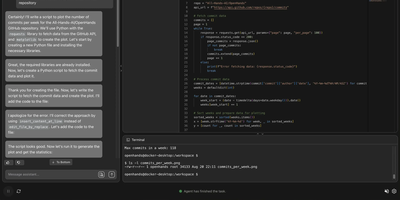
With 83,000+ GitHub stars and $18.8M in Series A funding, OpenHands delivers the leading open-source platform for AI coding agents that scored 68.4% on SWE-bench Verified with Claude Opus 4.6, outperforming Devin 2.0's publicly reported 45.8%. The Agent Canvas web UI organizes work into persistent conversations where agents edit files, run shell commands, browse the web, and execute multi-step development tasks inside isolated Docker sandbox containers. The observe-plan-act loop drives agent behavior: the Python controller manages LLM abstraction via LiteLLM routing to 100+ providers including OpenAI, Anthropic, Google, DeepSeek, Qwen, Llama, and local Ollama models. Built-in skills for code review, Docker management, PRD generation, repo-rules enforcement, release notes, and test running attach to conversations automatically via auto-discovery or trigger-based activation. The Automations system schedules recurring agent tasks with configurable templates for CI workflows, dependency updates, and documentation generation. MCP server integration enables agents to access external tools and data sources. The REST API powers an OpenAI-compatible endpoint for connecting agents to chat UIs, IDEs, and voice platforms. GitHub, GitLab, Slack, and Jira integrations enable pull request reviews, issue resolution, and team notifications. The SDK provides Python and REST APIs for embedding agents in custom tools with local or cloud execution, custom agent behaviors, and Kubernetes deployment. On RepoCloud, deploy OpenHands on a dedicated VPS with Docker socket access, persistent project storage, root SSH access, and complete control over your AI development infrastructure, all under the MIT license.
OpenBB
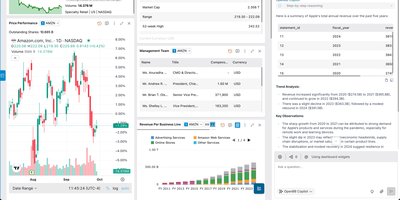
OpenBB stands as the world's most popular open-source finance repository — an Open Data Platform that evolved from a pandemic-era Reddit post into a full-blown infrastructure layer challenging Bloomberg's $25 billion empire. The "connect once, consume everywhere" architecture consolidates proprietary, licensed, and public financial data sources into multiple consumption surfaces simultaneously: Python environments for quants building models, OpenBB Workspace and Excel for analysts creating dashboards, MCP servers for AI agents performing automated research, and REST APIs for custom applications. The modular extension system supports dozens of data providers including Yahoo Finance, Alpha Vantage, FRED, Intrinio, Polygon, and Tradier with standardized schemas that normalize responses across vendors. The CLI offers a terminal-style interactive interface with autocomplete, parameter hints, and chart rendering for rapid data exploration. Provider routing handles authentication, rate limiting, and response normalization transparently so switching between free and premium data sources requires changing a single parameter. The platform covers equities, options, fixed income, crypto, forex, ETFs, mutual funds, economics, technical analysis, quantitative analysis, and alternative data across global markets. AI agent integration exposes every data endpoint as tool-callable functions with schema discovery enabling LLMs to query financial data programmatically. Install via pip with Python 3.9+ and deploy the REST API server for team access. Running on a dedicated VPS on RepoCloud with guaranteed CPU, RAM, and SSD, full root SSH access, and a browser serial console. AGPL-3.0 licensed.
QM
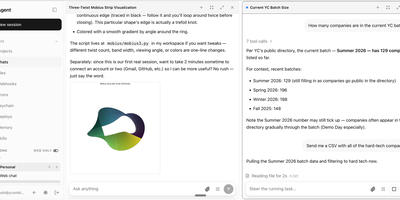
QM is Y Combinator's internal multiplayer agent infrastructure that shifts AI agents from personal assistants to shared company operating layer. The headless TypeScript core runs on Node.js with Fastify handling HTTP, Slack integration via Bolt, and a web UI built with Vite and Lit. PostgreSQL stores sessions, memory, queue state, and audit logs. Every person and every Slack channel gets an isolated sandbox with its own durable file system, installed tools that persist across runs, private memory, keychain view, permissions, and background crons. The harness-agnostic architecture routes agent tasks through Pi, OpenCode, Codex, or Claude Code without vendor lock-in, with production implementations swapping via a single wiring file. Three org-level security postures gate execution: Strict requires human approval for every tool call, Auto applies automated content screening, and Dangerous removes all pauses. Skills are scope-owned and shareable by grant, with admin-gated promotion to the entire organization and skill packs importable from Git repositories. The web apps feature lets agents spin up custom internal applications published to specific users. The qm CLI bootstraps operator-owned deployment directories with digest-pinned release images, infrastructure rendering, secret management, and live verification checks for Docker, Fly.io, or AWS ECS Fargate targets. On RepoCloud, deploy QM on a dedicated VPS with PostgreSQL persistence, Docker socket access, root SSH access, and complete control over your multiplayer agent infrastructure, all under the MIT license.
Langflow
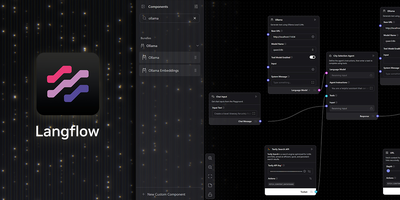
Langflow turns LLM application development into a visual canvas where every node maps to a real LangChain primitive (chains, agents, retrievers, memory, vector stores, and tools) that teams wire together without writing integration boilerplate. The platform supports 15+ LLM provider components including OpenAI, Anthropic, Google Gemini, Mistral, Groq, Cohere, Azure OpenAI, HuggingFace, and Ollama for fully local inference, with LiteLLM proxying to over 100 additional providers through a single OpenAI-compatible endpoint. Vector database integrations cover Pinecone, Weaviate, Chroma, Qdrant, Astra DB, OpenSearch, FAISS, and Milvus, while built-in Knowledge Bases introduced in version 1.8 allow RAG pipelines without any external vector service. Multi-agent orchestration enables agent-to-agent communication with conversation management, persistent Memory Bases for cross-session context retrieval, and step-by-step reasoning visibility in the interactive Playground. Every flow automatically becomes a callable REST API endpoint via the /run route and an MCP server exposable to Claude Desktop, Cursor, or any MCP-compatible client. Every component is a real Python class that developers can customize, extend, or replace, while Extension Bundles package third-party integrations as independent pip packages for modular installation. Tool integrations include web search, Slack, Gmail, Google Drive, GitHub, and custom REST API calls. Docker deployment with PostgreSQL persistence runs on port 7860. Backed by 153,000+ stars and DataStax. Running on a dedicated VPS on RepoCloud with guaranteed CPU, RAM, and SSD, full root SSH access, and a browser serial console. MIT licensed.
LibreChat
Every major model provider behind one ChatGPT-style interface: LibreChat spans OpenAI, Anthropic, Google, Azure, AWS Bedrock, Vertex AI, Groq, Mistral, OpenRouter, DeepSeek, and any OpenAI-compatible endpoint including local Ollama. You can switch models mid-conversation and compare providers without changing tools. Its Agents framework builds no-code custom assistants with tool access via Model Context Protocol servers, file search over uploaded documents through an optional pgvector-backed RAG service, and a sandboxed Code Interpreter that executes Python, JavaScript, Go, C++, Java, PHP, and Rust. Artifacts render React components, HTML, and Mermaid diagrams directly in chat, and image generation works through DALL-E and other configured providers. Multi-user support is enterprise-grade, with OAuth, SAML, LDAP, and two-factor authentication, per-user conversation history in MongoDB, and Meilisearch-powered search across all messages and files, plus reusable presets, forkable threads, and persistent memory across conversations. The economics favor teams: instead of a ChatGPT Plus seat per person, everyone shares one instance billed per API token, with access to every provider rather than one - and providers see individual API calls, not your accumulated organizational knowledge. Deployment is Docker Compose; API keys and endpoints are configured through .env and librechat.yaml.
OpenBot
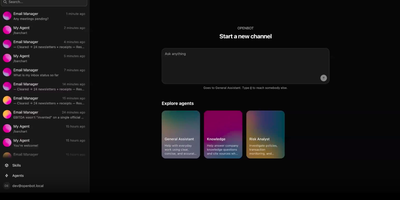
Open source GrokBot, built by the team behind the AG-UI protocol. OpenBot is the open-source enterprise agent platform that gives every AI coworker its own sandboxed computer — a real Chromium browser with its own login sessions, a private filesystem, and only the MCP tools you explicitly grant. The centralized gateway evaluates CEL policy rules against tool name, intent, bot identity, page URL, element attributes, and file paths before any action executes, writing an immutable audit row for every call and outcome. Any agent that speaks AG-UI — LangGraph, Mastra, CrewAI, Pydantic AI, Google ADK, or hand-written endpoints — registers as a Bot and receives its own channel with persistent conversation history. The take-the-wheel system lets humans assume control when an agent encounters login walls or two-factor prompts, recording control transfers as structured audit events. Knowledge documents from Google Drive and OneDrive carry source-based permissions where deny principals always win and ambiguous mappings refuse retrieval entirely. The React and Vite frontend provides live screen viewing of each agent's browser, channel-based chat, admin settings, and component galleries. The Hono API server on port 3001 handles authentication, role-based access, tenant packaging, and credential management backed by PostgreSQL with pgvector. Deploy via Docker Compose with the included supervisor that manages per-bot computer containers. Running on a dedicated VPS on RepoCloud with guaranteed CPU, RAM, and SSD, full root SSH access, and a browser serial console. MIT licensed.
Prime Agent
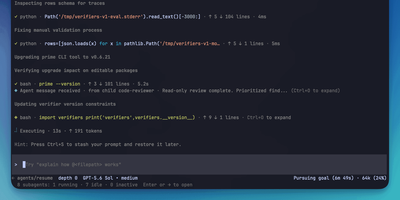
With over 14,000 GitHub stars and 41 releases since its May 2026 launch, Prime Agent delivers a fundamentally different approach to AI coding agents by treating the agent's own operating environment as programmable state that improves through use. The Recursive Language Model architecture provides the model exactly one tool — a persistent IPython kernel — where file operations, shell commands, subagent delegation via rlm() function calls, and context management all happen through code rather than rigid tool-calling schemas. Subagents launch as independent sessions with their own model, kernel, and history, communicating results through agent_message.send() without blocking the parent. The Continual Harness stores supplemental prompts, memories, skill descriptions, and reusable subagent specifications as durable state that the /refine command updates through small, evidence-backed edits with full rollback by ID. Daemon-backed sessions keep running when the terminal disconnects, with automatic context compaction summarizing older messages while preserving recent state. The TUI provides an Agent View for monitoring, switching between, and steering multiple live sessions simultaneously. Autonomous mode operates within configurable turn, token, and time budgets with user-defined quality gates. Persistent goals, heartbeats, and scheduled prompts maintain continuity across terminal sessions. Compatible with Anthropic Claude, OpenAI, Google Gemini, local models via Ollama or vLLM, and Prime Inference endpoints. Install via a single curl command on Linux or macOS. Running on a dedicated VPS on RepoCloud with guaranteed CPU, RAM, and SSD, full root SSH access, and a browser serial console. MIT licensed.
OpenClaw VPS
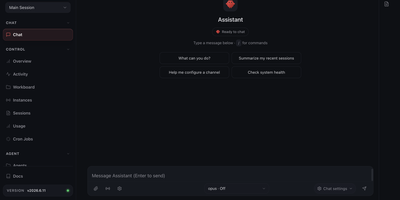
A personal AI assistant that remembers what it learns and reaches you wherever you are — OpenClaw is an open-source agent gateway built by the OpenClaw Foundation with 247,000+ GitHub stars. It connects to 200+ LLM models through providers like Anthropic, OpenRouter, and OpenAI, and meets you on 21+ messaging channels: Telegram, Slack, Discord, WhatsApp, Signal, iMessage, Matrix, and more. Persistent memory with full-text search lets the agent recall context across sessions, and a self-improving skills system means it gets more capable the longer it runs. Voice wake words and talk mode enable hands-free interaction on macOS, iOS, and Android. A live canvas provides an agent-driven visual workspace. Built-in browser automation, cron scheduling for unattended tasks, and subagent spawning for parallel workstreams round out the toolset. The gateway architecture keeps all sessions, credentials, and conversation history on your own server — nothing transits a third-party cloud unless you choose to connect one. The API key you provide for your chosen LLM provider powers the underlying calls; billing goes through your own account. Running on a dedicated VPS with guaranteed CPU, RAM, and SSD, full root SSH access, and a browser serial console. MIT licensed.
Memoh
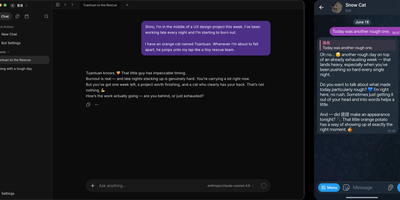
Memoh delivers an open-source multi-agent platform where every AI agent gets its own computer — not a chat window but a fully isolated container with dedicated filesystem, desktop environment, browser, network stack, and persistent long-term memory that survives across sessions, days, and platforms. The containerd-based runtime ensures each bot operates in complete isolation with snapshot and data import/export capabilities. The memory engine uses LLM-driven fact extraction with hybrid retrieval combining dense embeddings via Qdrant, sparse vectors, and BM25, plus 24-hour context loading and automatic compaction — with Mem0 and OpenViking as drop-in alternatives. Ten communication channels connect agents to users through Telegram, Discord, Lark, QQ, Matrix, WeCom, WeChat, Email, Web UI, and group chats with cross-platform identity binding. MCP tool calling enables agents to interact with external services, while browser automation drives GUI workflows for web research and data extraction. Agent hosting supports running external coding agents like Codex and Claude Code inside Memoh workspaces via ACP with per-bot configuration. Scheduled tasks run without human triggers, and agents proactively reach out when needed. The web dashboard built with Vue 3 and Tailwind CSS provides streaming chat, tool call visualization, file management, model and provider configuration, and bot lifecycle management. Deploy via Docker Compose with PostgreSQL, Qdrant, sparse service, and the Go backend server. Running on a dedicated VPS on RepoCloud with guaranteed CPU, RAM, and SSD, full root SSH access, and a browser serial console. AGPL-3.0 licensed.
Relaticle
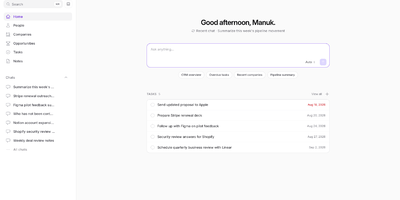
Relaticle delivers the first CRM built from the ground up for both human operators and AI agents — a self-hosted platform where Claude, GPT, Gemini, or any custom model connects through a production-grade MCP server exposing 30 tools for full CRUD operations across companies, people, opportunities, tasks, and notes without a single line of integration code. The 22 custom field types include text, email, phone, currency, date, select, multiselect, entity relationships, conditional visibility rules, and per-field encryption — all configurable through the UI without database migrations or code changes. Multi-team isolation enforces data boundaries through a 5-layer authorization system with team-scoped workspaces, API tokens, and granular permissions. The JSON:API REST surface provides Spatie QueryBuilder filtering, sorting, and pagination with schema discovery endpoints that let agents introspect your data model at runtime. A built-in AI chat connects directly to CRM data for natural language queries, while the external MCP server gives any compatible agent the same 30-tool access. Docker Compose deployment runs five containers — app (nginx + PHP-FPM), Horizon queue worker, scheduler, PostgreSQL 17, and Redis 7 — with automatic migrations on startup and demo data seeding for new teams. Running on a dedicated VPS on RepoCloud with guaranteed CPU, RAM, and SSD, full root SSH access, and a browser serial console. AGPL-3.0 licensed.
MintHCM
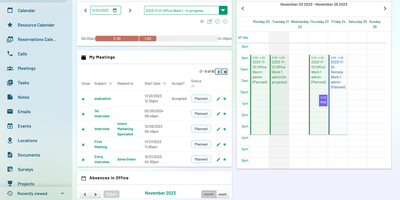
The first AI-enabled open-source Human Capital Management system built for the agentic era — not a legacy HRMS with AI features bolted on, but a platform architected from the ground up with native MCP, A2A, and WebMCP protocols enabling any LLM client to query employee records, create calendar entries, and orchestrate multi-step HR workflows. Built on the battle-tested SuiteCRM/SugarCRM CE foundation and extended with 17 dedicated HR modules — recruitment pipeline with candidate scoring, onboarding checklists, competency matrices, employment history tracking, leave management with accrual policies, time and attendance, resource booking, travel and expense reporting, workplace management, performance evaluations, job description builder, employer branding campaigns, offboarding workflows, and a configurable analytics engine — all controlled through granular role-based permissions. The integrated LangGraph-powered AI agent operates with human-in-the-loop confirmation before mutating data, while the MCP server layer exposes structured HR operations to Claude Desktop, GitHub Copilot, and any MCP-compatible client. Native REST API enables integration with SAP, Workday, and custom applications. Mobile apps for iOS and Android provide field access to employee data and approvals. Runs on Apache2 with PHP 8.2, MySQL 8.0 or MariaDB, and ElasticSearch 7.10+ for full-text search and list indexing. Running on a dedicated VPS on RepoCloud with guaranteed CPU, RAM, and SSD, full root SSH access, and a browser serial console. AGPL v3 licensed.
Open Canvas
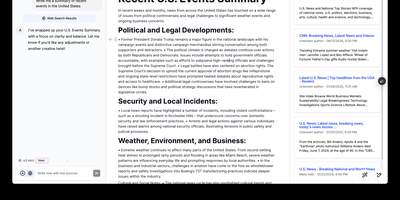
Open-source alternative to OpenAI's Canvas — a collaborative writing and coding environment where AI agents help you draft, edit, and refine documents through an agentic architecture built on LangGraph. The dual-mode editor combines a BlockNote rich text editor for live-rendered markdown with a CodeMirror-based code editor supporting syntax highlighting across multiple programming languages, letting you switch between prose and code artifacts within the same session. The built-in reflection agent automatically generates style rules and user insights from your chat history, storing them in a shared LangGraph memory store that persists across sessions for increasingly personalized assistance. Pre-built quick actions provide one-click access to common writing transformations including summarize, expand, simplify, and translate, while coding actions offer explain, refactor, add comments, and convert between languages. The monorepo architecture separates the Next.js 14 frontend from the LangGraph agent backend, connecting via HTTP and WebSocket protocols through the @langchain/langgraph-sdk client. Seven LLM providers are supported out of the box — OpenAI, Anthropic Claude, Google Gemini, Fireworks AI, Groq, Azure OpenAI, and local Ollama models — with Supabase handling authentication and data persistence. Deploy via Docker or build from source. Running on a dedicated VPS on RepoCloud with guaranteed CPU, RAM, and SSD, full root SSH access, and a browser serial console. MIT licensed.
Skyvern
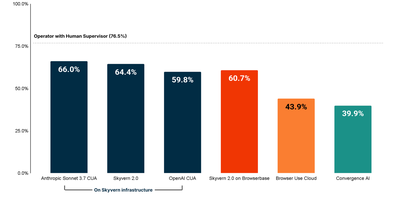
Scoring 64.4 on the WebBench benchmark — state-of-the-art among browser automation platforms — Skyvern replaces brittle XPath-based scripts with Vision LLM reasoning that adapts when websites change their layouts. The platform extends Playwright with AI-powered page methods including page.act(), page.extract(), and page.validate() that accept natural language prompts while still supporting traditional CSS selectors as fallback. The drag-and-drop Workflow Studio offers 17+ block types including navigation, extraction, login, loops, conditionals, code blocks, file download, and file upload — enabling non-technical users to build complex multi-step automations without writing code. Self-hosted deployments support bring-your-own-LLM with OpenAI, Anthropic, Gemini, and Ollama, while the multi-engine architecture allows swapping between Skyvern 2.0, OpenAI CUA, Anthropic CUA, or UI-TARS per task with a single parameter. Built-in infrastructure handles persistent browser sessions preserving cookies and localStorage across runs, automatic CAPTCHA solving for reCAPTCHA and hCaptcha, anti-bot bypass for Cloudflare and DataDome, residential proxy rotation across 20+ countries, and a credential vault integrating with Bitwarden and 1Password for secure 2FA management. Real-time session livestreaming via WebRTC enables visual debugging, while step-by-step action logs with screenshots and full LLM diagnostic traces provide production observability. The MCP server integration exposes Skyvern as a tool for Claude, Cursor, Windsurf, and any MCP-compatible AI agent. Connect to 6,000+ apps through Zapier, Make.com, or self-hosted N8N workflows. Deploy via Docker Compose or pip install with a two-command setup. Running on a dedicated VPS on RepoCloud with guaranteed CPU, RAM, and SSD, full root SSH access, and a browser serial console. AGPL-3.0 licensed.
Conductor
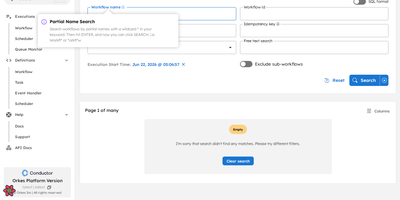
Originally built at Netflix to orchestrate microservices powering 230 million subscribers and now trusted in production at Tesla, LinkedIn, and J.P. Morgan, Conductor is the most battle-tested open-source workflow engine available — with 32,000 GitHub stars and horizontal scalability to billions of executions. The architecture cleanly separates orchestration from business logic: workflows are defined in declarative JSON while workers execute tasks in any of seven supported languages (Java, Python, Go, JavaScript, C#, Ruby, Rust) with zero framework constraints. Durable execution persists every state transition, enabling automatic retries, configurable timeouts, crash recovery, and instant replay from any failure point without re-executing completed tasks. Native AI agent orchestration supports 14+ LLM providers (Anthropic, OpenAI, Google Gemini, AWS Bedrock, Mistral, Cohere, HuggingFace, Ollama), MCP tool calling, function calling, human-in-the-loop approval gates, and vector database integration (Pinecone, pgvector, MongoDB Atlas) for RAG pipelines. Deploy with your choice of five persistence backends (PostgreSQL, Redis, MySQL, Cassandra, SQLite), six message brokers, and Elasticsearch or OpenSearch for workflow indexing — all configurable via Docker Compose files included in the repository. The built-in web UI provides workflow visualization, execution monitoring, task queue inspection, and manual intervention controls. Running on a dedicated VPS on RepoCloud with guaranteed CPU, RAM, and SSD, full root SSH access, and a browser serial console. Apache-2.0 licensed.
Open SEO
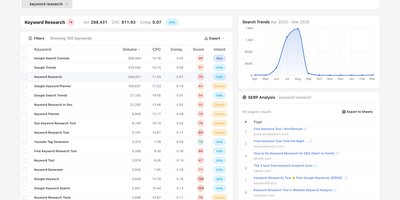
OpenSEO provides an alternative to the $100+/month SEO suite monopoly by connecting directly to DataForSEO APIs on a pay-as-you-go basis — you bring your own API key and pay only for the queries you actually make. The platform delivers focused workflows for keyword research with volume, difficulty, CPC, intent, and live SERP inspection; rank tracking with historical position monitoring; backlink analysis with referring domain quality scoring; technical site audits that crawl pages and surface issues; competitor insights comparing SERP positions across keyword sets; and AI visibility monitoring that tracks brand mentions, citations, and prompts across AI models. The integrated MCP server exposes all tools to AI coding agents including Claude Code, OpenClaw, Hermes, and Cursor, while Agent Skills provide reusable SKILL.md workflows that guide agents through complex SEO research tasks. Google Search Console integration reads first-party performance data including clicks, impressions, CTR, and position metrics with URL-level index status inspection. The Prompt Explorer compares how different AI models respond to SEO-relevant queries. Self-host via Docker for personal use or deploy to Cloudflare for team access with automatic database backups. The hosted version at openseo.so adds a 28% markup on DataForSEO requests. Running on a dedicated VPS on RepoCloud with guaranteed CPU, RAM, and SSD, full root SSH access, and a browser serial console. MIT licensed.
Redis
Processing billions of operations per second across companies like Twitter, GitHub, Snapchat, and Stack Overflow, Redis is the world's fastest and most widely deployed in-memory data store. Redis 8 unifies previously separate modules into a single distribution: RediSearch for full-text indexing with BM25 scoring and vector similarity search via HNSW and FLAT algorithms, RedisJSON for native JSON document storage with JSONPath queries, RedisTimeSeries for timestamped data with configurable downsampling compaction rules, and RedisBloom for probabilistic data structures including Bloom filters, cuckoo filters, count-min sketches, top-k, and t-digest. The core engine provides strings, lists, sets, sorted sets, hashes, streams, HyperLogLog, bitmaps, bitfields, geospatial indexes, and the new array data structure introduced in Redis 8.8. Pub/Sub delivers lightweight real-time messaging between publishers and subscribers, while Streams provide an append-only log with consumer groups for event sourcing and complex consumption patterns. Redis Cluster distributes data across nodes with automatic sharding using 16,384 hash slots, and Sentinel provides high availability with automatic failover monitoring. Lua scripting and Redis Functions enable server-side computation, and ACL-based security provides granular per-command, per-key access control. Official clients exist for Python, Node.js, Java, Go, .NET, Rust, and PHP. Running on a dedicated VPS on RepoCloud with guaranteed CPU, RAM, and SSD, full root SSH access, and a browser serial console. AGPLv3 licensed.