Focalboard
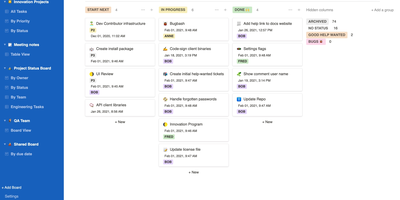
From the Mattermost team comes Focalboard, an open-source, MIT-licensed project board tool - a self-hosted alternative to Trello, Asana, and Notion databases, written in Go with a React frontend. Every board renders the same card data four ways: Kanban with drag-and-drop columns, a spreadsheet-style table, an image-forward gallery, and a calendar. Cards carry unlimited custom properties - dates, dropdowns, checkboxes, people, URLs - and boards can be grouped, filtered, and sorted by any property combination, with unlimited saved filtered views for quick access. Built-in templates cover the common workflows (meeting agendas, content calendars, project tasks, roadmaps, sprint planning), or you can build fully custom boards from scratch. Collaboration is real: card comments with @mentions, per-board permissions for teams or individuals, file attachments stored on your own infrastructure, and archiving with backup snapshots. Migration tooling imports existing boards from Trello (JSON export), Asana, and Notion, so switching does not mean starting over. It ships in 20+ languages and runs as a lightweight multi-user personal server. Worth knowing before deploying: Mattermost has shifted primary development to the integrated Mattermost Boards plugin, so the standalone edition is community-maintained - stable and functional, but evolving slowly. For teams wanting a free, private Trello without per-user fees, it remains a solid pick.
Etherpad
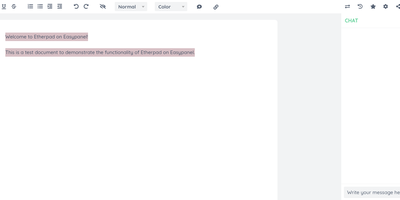
In continuous open-source development since 2009, Etherpad is the original really-real-time collaborative editor - used by Wikimedia, governments, EU public-sector institutions, and tens of thousands of self-hosters. Its core idea is visible authorship: every keystroke is attributed with author colors, every revision preserved, and the timeslider lets you scrub through a document's entire history character by character. Multiple people type into the same pad and see each other's changes instantly - it scales to thousands of simultaneous editors per pad. The base install is deliberately lightweight; capability comes from roughly 290 plugins installable from the admin web UI: comments, images, tables, drawing, video chat via WebRTC, math rendering, code highlighting, and authentication via OAuth, LDAP, or OpenID. AI is pointedly a plugin, not a default - you choose the model and infrastructure, or never turn it on. There is no telemetry. For integrators, an HTTP API (with OpenAPI definitions at /api/openapi.json) manages pads, users, and groups for embedding in your own applications, and the ueberDB abstraction layer supports PostgreSQL, MySQL, Redis, MongoDB, and SQLite backends. Full data export is built in, the format is open, it is translated into 105 languages, and it runs on anything from a Raspberry Pi to a server farm. Apache 2.0 licensed, Node.js based.
LibreTranslate
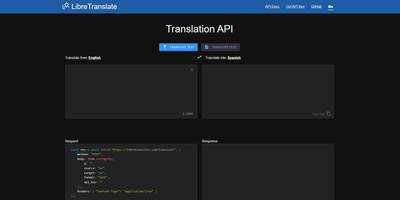
Machine translation with no Google, no Azure, no per-character billing, and no text leaving your infrastructure: LibreTranslate is a free, open-source translation API that runs entirely on your own server. The engine underneath is Argos Translate, which runs OpenNMT neural models with SentencePiece tokenization and Stanza sentence-boundary detection, all offline. Models install as portable .argosmodel packages covering dozens of languages - English, Spanish, French, German, Chinese, Japanese, Russian, Arabic, Hindi, Portuguese, and many more - and Argos handles automatic pivoting: with es-to-en and en-to-fr installed, it chains them to translate es-to-fr without a direct model. The API is a straightforward HTTP POST to /translate with source and target language codes, returning JSON - simple enough that the ecosystem has clients in every major language and integrations across tools like Weblate and Mastodon. Beyond plain text it translates HTML while preserving markup and handles whole file uploads (documents in, translated documents out), plus automatic language detection when the source is unknown. A clean bundled web UI serves interactive translation for end users, and optional API keys with rate limits control access. AGPL-licensed and trainable with custom models, it is the standard answer when translation must be private, unmetered, and self-contained - GDPR-sensitive text never touches a third party.
Flowise
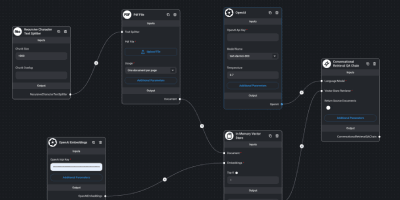
Drag nodes onto a canvas and ship an LLM app: Flowise is an open-source visual builder for AI agents and LLM applications, written in Node.js on LangChain.js and licensed Apache-2.0. You assemble flows by dragging nodes onto a canvas: models, prompts, memory, vector stores, retrievers, and tools, then wire them together and test in the built-in chat panel. Three builder types cover increasing complexity: Assistant for simple RAG chat over uploaded files, Chatflow for single-agent systems with techniques like rerankers and Graph RAG, and Agentflow for multi-agent orchestration with branching, looping, shared flow state, and human-in-the-loop checkpoints. Over 100 integrations connect data sources, vector databases, and both proprietary and open-source models, plus MCP client and server nodes for standard tool interop. Finished flows are exposed as REST APIs, embedded chat widgets, or via JS and Python SDKs - each flow gets an endpoint the moment it is saved, removing the deployment gap between a working prototype and something your application can call. Execution logs, visual step debugging, and external log streaming trace behavior, while input moderation and rate limiting act as guardrails; RBAC, SSO, and workspaces cover team deployments. Self-hosting keeps prompts, encrypted credentials, and conversation data on your own instance, which matters when flows handle internal documents or customer data - and wiring a model, prompt, memory, and vector store on the canvas replaces the boilerplate a hand-coded LangChain project would need.
Cockpit
Cockpit puts Linux server administration in a web browser, rendering storage, networking, containers, and virtual machines as visual panels you click through instead of command-line syntax you memorize. It ships in every major Linux distribution and activates through systemd socket activation, consuming zero resources until someone connects on port 9090. What makes it different from other admin panels: every change through the web interface appears instantly at the command line, and every terminal change reflects in the browser in real time. No abstraction layer sits between the UI and the operating system, which means no configuration drift. Storage management covers disk partitioning, RAID arrays, LUKS encryption, LVM volumes, and NFS shares. Network configuration handles bonds, bridges, VLANs, and firewall zones through visual editors. Native Podman integration pulls images, creates containers, manages pods, and provides terminal access into running processes. KVM/libvirt support handles VM creation, cloning, snapshots, and live migration with console access. A built-in terminal provides shell access when the web interface is not enough, and the journal viewer filters systemd logs by severity and unit. Multi-server management connects additional hosts over SSH, presenting a unified dashboard across your entire infrastructure from one browser tab. Runs on a dedicated RepoCloud VPS with full root SSH access and browser serial console. LGPL licensed.

Hammond
When Clarkson, the once-popular fuel logger, stopped receiving updates, Hammond stepped in as its logical successor - a self-hosted vehicle expense tracker. Written in Go with a Vue.js interface and SQLite storage - a single lightweight container, no external database - it tracks every cost your vehicles generate: fuel fill-ups with cost, volume, and odometer readings; maintenance and repairs; and arbitrary other expenses, each attachable with photos and documents stored against the vehicle. The multi-user, multi-vehicle design is what sets it apart from phone apps: a household or small business adds all its vehicles and all its drivers, shares vehicles across users, and every fill-up lands in one ledger no matter who was driving. The Quick Entries feature respects how expenses actually happen - snap a photo of the receipt or pump screen at the gas station, then complete the structured entry later when you have a minute. Reporting works at both the vehicle level (cost per distance, fuel economy trends) and across the whole fleet. Migration matters here: importers for Clarkson, Fuelly, and Drivvo bring years of fill-up history along, so switching does not mean starting your data over.
Freescout
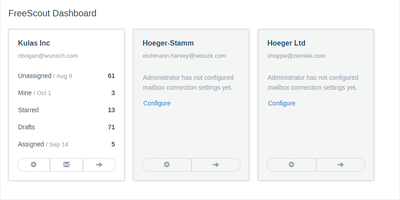
Unlimited agents, unlimited tickets, unlimited mailboxes, forever, on a $4 VPS - FreeScout's pricing inversion is why it became the most popular self-hosted Help Scout alternative, a PHP/Laravel help desk and shared inbox developed from scratch over eight years. The inbox deliberately behaves like Gmail or Outlook, so new support agents need close to zero training. The email-support core is genuinely complete: seamless IMAP/SMTP integration including modern Microsoft Exchange authentication, collision detection that warns when two agents open the same conversation, canned responses, auto-replies, internal notes, open tracking, starring, forwarding, merging, and moving conversations between mailboxes, phone-call logging, push notifications, and an auto-refreshing conversation list - plus screenshot pasting straight from the clipboard into replies. It's 100% mobile-friendly, fully screen-reader accessible, and translated into 28 languages. Beyond the core, an ecosystem of 100+ modules (mostly one-time $12-20 purchases) adds knowledge base, workflows with Gmail-filter-style automation rules, satisfaction ratings, time tracking, tags, custom fields, LDAP, Slack, WhatsApp and Telegram channels, and an API with webhooks - pay only for what your team needs. Web installer and updater included. AGPL-licensed.
Oxigen
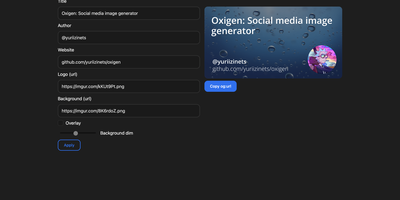
The social preview cards shown when links hit Twitter, LinkedIn, Slack, or Discord, generated on the fly: Oxigen is a small Go service for dynamic Open Graph images, no designer required per page. Instead of exporting static images per page, you compose a card once and drive it with parameters: title, author, website, logo, background image, and background dimming all arrive as URL query arguments, so your og:image meta tag simply points at the Oxigen endpoint with the page's own values substituted in. Every blog post, product page, and doc gets a branded, correctly sized preview generated on the fly. A built-in web UI covers interactive composition - tweak the text and imagery, watch the preview update, copy the resulting URL - while the same rendering path serves programmatic API use from static site generators, CMS templates, or build pipelines. Rendering is pure Go using the gg 2D graphics library, freetype fonts, and the imaging package, built on the kyoto framework by that project's author. Deployment is one stateless container on port 80 with no database and no external dependencies, so instances scale and restart freely.
Languagetool
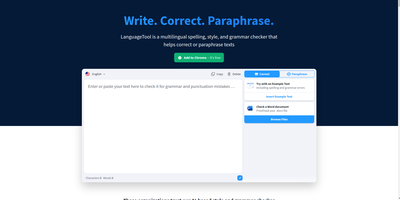
Grammar, punctuation, and style errors a dictionary lookup can't see: LanguageTool is open-source proofreading powered by a Java rule engine covering English, German, Spanish, French, Portuguese, Dutch, and 25+ other languages. Self-hosting the HTTP server is how you get Grammarly-class checking without sending every sentence you write to a third party - a real concern when the text being proofread is confidential email, legal drafts, or unreleased documentation. Your instance exposes the standard /v2/check API, so the official ecosystem plugs straight in: browser extensions for Chrome and Firefox accept a custom server URL, and integrations exist for VS Code, LibreOffice, Obsidian, Vim, Emacs, and many editors. Notably, self-hosting restores free browser-extension checking that the hosted service moved behind a premium subscription - your server, no character limits, no paywall. Detection quality is tunable: optional n-gram datasets (multi-gigabyte language models for en, de, es, fr, nl) teach the engine word-order and confusion-pair errors like there/their and brakes/breaks, and a fastText model improves automatic language identification. Everything runs offline once models are downloaded. The core is LGPL, the API is documented with Swagger, and rules are community- maintained and constantly expanding.
Gotenberg
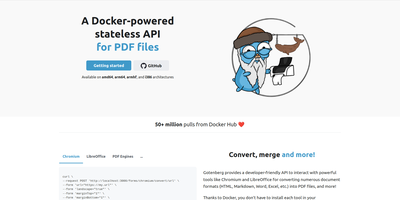
Send a document, receive a PDF: Gotenberg is a Docker-based, stateless HTTP conversion API trusted in production by thousands of companies and adopted by notable open-source projects. Send files as multipart/form-data, get a PDF back; Chromium, LibreOffice, and fonts are the container's problem, not yours. Headless Chromium handles URLs, HTML templates, and Markdown with pixel-perfect browser rendering: it executes JavaScript, loads web fonts, waits for network idle, a JS expression, or a DOM selector before rendering SPAs, and accepts injected cookies and HTTP headers for authenticated pages. LibreOffice converts 100+ office formats - .docx, .xlsx, .pptx, and legacy formats - with page-range extraction and PDF/A archival conformance. Built-in PDF engines round out the pipeline in every image variant: merge, split, rotate, flatten, encrypt, watermark, stamp, read/write metadata and bookmarks, plus Factur-X/ZUGFeRD e-invoicing and PDF/UA accessibility compliance. Screenshots of URLs and HTML come from the same endpoints. Zero-transfer pipelines stream files directly between S3, MinIO, or GCS presigned URLs and Gotenberg, bypassing your application entirely, and webhooks enable async processing. Statelessness means horizontal scaling is trivial - run as many replicas as your conversion volume demands. Three image variants (full, Chromium-only, LibreOffice-only) trim the footprint to what you actually use.
CyberChef
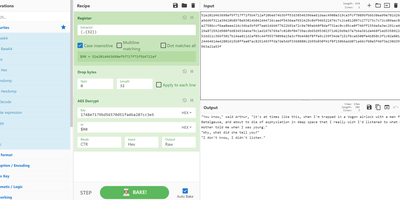
GCHQ open-sourced its "Cyber Swiss Army Knife", and CyberChef became the web app security analysts, incident responders, and CTF players reach for when data needs decoding, decrypting, or dissecting. Its interface is four panes: paste or drag input (files up to 2GB), search a categorized library of hundreds of operations, drag them into a recipe with arguments, and read the output. Operations span Base64, hex, and XOR encoding; AES, DES, and Blowfish encryption; classical ciphers from Caesar to Railfence; hashes and checksums; compression; regex and string extraction of IPs, domains, and URLs; timestamp conversion; and parsers for IPv6, X.509 certificates, and more. Recipes chain arbitrarily - convert from a hexdump then decompress, decrypt AES pulling the IV from the cipher stream, or let the Magic operation auto-detect several layers of nested encoding. Auto Bake re-runs the recipe live as input or arguments change, Step executes one operation at a time for debugging, and flow control (forks, subsections, registers) applies different operations to different parts of the data. Recipes save to files or share as URLs encoding the full pipeline. Crucially, CyberChef is entirely client-side JavaScript - nothing uploads anywhere - and self-hosting guarantees an unmodified copy inside your own network, where malware artifacts belong.
linkding
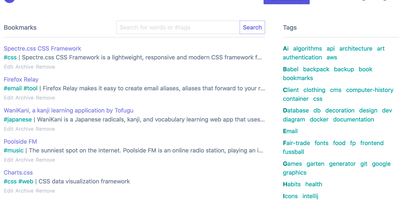
For people who found del.icio.us perfect and everything since bloated, linkding is the bookmark manager - a Django application whose entire design goal is saving and finding links with zero friction. Paste a URL and it fetches the title, description, favicon, and preview image automatically; organize with tags, search full-text across everything, mark bookmarks unread for read-it-later, attach Markdown notes, and bulk-edit whole selections at once. Its answer to link rot is archiving: bookmarked pages can be snapshotted automatically, either submitted to the Internet Archive or saved as local HTML files, and a documented SingleFile browser-extension integration uploads full self-contained page captures straight to your instance. Official Firefox and Chrome extensions (plus a bookmarklet) make saving a one-click habit, the UI installs as a Progressive Web App on mobile, and multi-user support with bookmark sharing - to users or logged-out guests - covers families and teams, with SSO via OIDC when needed. The REST API (create, search, filter by tag) has spawned a genuine ecosystem of community mobile apps and libraries. Operationally it is famously boring in the best way: one small container, SQLite by default, automated migrations, and a zero-breaking-changes policy. Import and export use standard Netscape HTML. MIT-licensed.
Wizarr
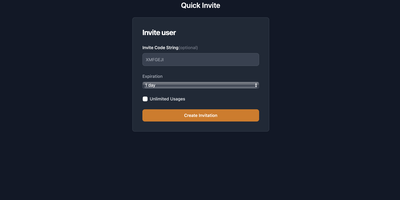
Getting non-technical friends and family onto a media server is its most tedious chore - Wizarr solves it. Instead of manually creating accounts, dictating server addresses, and explaining which app to install, you send one invite link. When the recipient clicks it, Wizarr creates their account on your server automatically - Plex, Jellyfin, Emby, Audiobookshelf, Komga, Kavita, and Romm are all supported - then walks them through a mobile-first, app-like onboarding wizard: download the right client, sign in, and learn how to request movies through your Overseerr or Ombi instance, with an optional Discord server invite along the way. Invitations are genuinely manageable: set expiration dates, usage limits, passphrases, library-scoped access tiers, and time-limited memberships that end access automatically. The wizard itself is fully customizable - Markdown-based steps managed from the admin UI, organized into pre-invite and post-invite phases (terms of service before joining, app setup after), reorderable bundles assignable to specific invitation types, and combined flows for invites spanning multiple servers. Multi-server and multi-admin support manages several backends from one dashboard, SSO support is plug-and-play, and a REST API with OpenAPI/Swagger documentation covers automation. A Flask/HTMX app in a single Docker container.
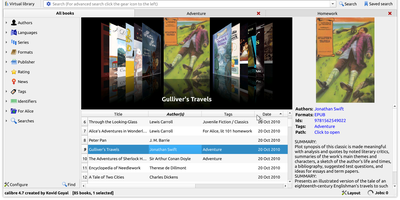
Calibre
Serious readers organize, convert, edit, and serve their e-book libraries with Calibre - the definitive open-source e-book manager. This deployment runs the full Calibre desktop application on your server, accessible from any browser, so your library lives in one authoritative place instead of scattered across devices. Its conversion engine is the best in the business, translating between every major format - EPUB, MOBI, AZW3, PDF, DOCX, and dozens more - with fine control over fonts, margins, metadata, and structure detection. Metadata management downloads covers, descriptions, series info, and identifiers from online sources, and every field is editable in bulk. Beyond cataloging, Calibre includes a full e-book editor for EPUB and AZW3 internals, a news engine that fetches newspapers and magazines from the web on schedule and converts them into e-books, book comparison tools, and device syncing that sends the right format to each connected reader. The built-in content server exposes your library over HTTP so phones, tablets, and e-readers can browse and download remotely. A deep plugin ecosystem extends everything - metadata sources, format support, store integrations. For power users, the complete CLI (calibredb, ebook-convert) enables scripted library automation. Your books, your metadata, your server - permanent and DRM-free storage under your control.
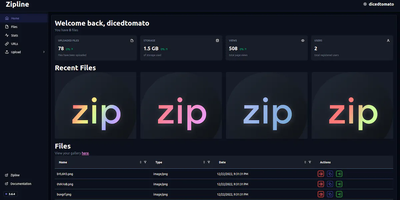
Zipline
ShareX and file uploads, next generation: Zipline is a Node.js/React/PostgreSQL server that turns screenshot sharing and file hosting into something you run yourself instead of renting from Imgur or a paid image host. The core workflow is built around ShareX: generate an .sxcu config from your account settings, import it, and every screenshot or clipboard capture uploads to your domain with a short link copied automatically. Uploads accept any file type, organized with folders and tags, with token-protected uploading, optional password protection, view-limited auto-deletion, image compression, metadata stripping, automatic video thumbnails, and chunked/partial uploads for large files. File URLs come in configurable formats - UUIDs, dates, random alphanumerics, original names, even zero-width spaces. A built-in URL shortener adds vanity slugs, passwords, view caps, and custom domains. Discord embeds are first-class: customize OG metadata titles, descriptions, and colors so links unfurl exactly how you want, and fire fully customizable Discord or HTTP webhooks on each upload. Authentication is serious: OAuth2 (Discord, GitHub, Google, OIDC), TOTP two-factor, and passkeys, with invite-based registration and per-user quotas for shared instances. Storage targets local disk or any S3-compatible backend, a full REST API automates everything, and custom themes plus a PWA round out the experience.
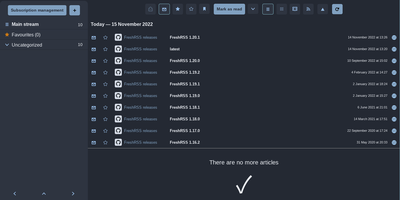
Freshrss
Where Miniflux strips reading down, FreshRSS gives you knobs - the feature-rich pole of self-hosted RSS, comfortable with thousands of feeds. It's a multi-user PHP aggregator (host family and friends on one instance, with an anonymous reading mode) with the reading workflow refined over a decade: favorites, custom tags, powerful filter and search queries, three reading views, and statistics that reveal each site's publishing frequency - useful for pruning subscriptions. Two properties make it the standard choice. First, the Google Reader-compatible API (plus a Fever API) syncs with virtually every serious RSS client - Reeder, NetNewsWire, ReadYou, FeedMe, Fluent Reader - so your phone reads from your server. Second, native WebSub support means compatible sources (WordPress, Blogger, Medium, Friendica) push new articles instantly instead of waiting for polling. A 50+ extension ecosystem adds what truncated feeds omit - full-text content fetching, reading-time estimates, trending views, auto-unsubscribe for dead feeds - alongside community themes and custom CSS. OPML import/export keeps subscriptions portable, a CLI handles administration, and article sharing posts to many services. AGPL-licensed, running on SQLite, MySQL, or PostgreSQL. Feedly Pro's feature set, minus Feedly's subscription and its algorithms.
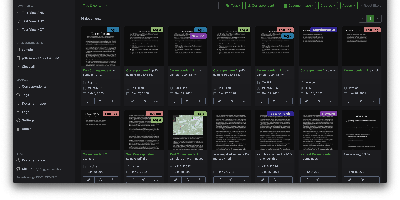
Paperless-ngx
A pile of paper becomes a searchable digital archive under Paperless-ngx, the community-maintained document management system. The pipeline is what makes it work: drop a file into the consumption folder (or let it poll an email inbox), and a worker hashes it for duplicate detection, routes it by type, runs OCRmyPDF with Tesseract (100+ languages) on anything without a text layer, and produces an archivable PDF/A with invisible selectable text embedded - so Ctrl+F works on your scans. Then the smart part: a scikit-learn classifier (TF-IDF plus multi-label prediction) trained on your own tagged documents automatically assigns tags, correspondents, and document types to new arrivals, alongside rule-based exact, keyword, and regex matching for deterministic cases. Full-text search includes relevance ranking, match highlighting, autocomplete, and "more like this" similarity search. Apache Tika integration extends consumption to Word, Excel, PowerPoint, and LibreOffice formats. The Django/Angular app adds custom fields, saved views on a customizable dashboard, bulk editing, workflow automation triggered on upload or matching, shareable public links with expiration, and a robust permissions system with per-document access control. Metadata lives in PostgreSQL with Redis-queued Celery workers processing documents in parallel. Your tax records, invoices, and contracts stay on your server - searchable in seconds, never in someone else's cloud.
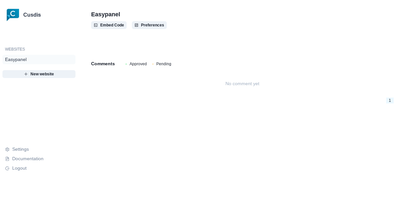
Cusdis
Comments for small sites without Disqus's baggage: Cusdis is a lightweight, privacy-first, open-source comment system for embedding under blog posts and articles. The embedded JavaScript SDK is about 5 KB gzipped (Disqus is roughly 24 KB), sets no cookies, runs no tracking, and does not require readers to create an account or sign in before commenting. Integration is two lines: a container div with your app ID and an async script tag, with ready-made adapters for common frameworks and static site generators. Moderation is approval-based - new comments stay hidden until you approve them from the dashboard, and email notifications include a Quick Approve link that approves or replies to a comment from your phone without logging in. A webhook fires on every new comment for integrations like Telegram notifications. The widget ships with built-in i18n and dark mode. The stack is TypeScript and Next.js with a Prisma data layer, deployable via Docker with PostgreSQL. Deliberately minimalist: no ads, no reader profiling, and your comment data lives in your own database.