Bolt.diy
Prompt, run, edit, and deploy full-stack Node.js applications from a browser tab: Bolt.diy is the official open-source version of Bolt.new's AI coding agent. Its foundation is StackBlitz's WebContainer technology - a sandboxed in-browser Node.js environment where the AI controls the whole stack: filesystem, npm, dev servers, terminal, and browser console. That means the agent does not just generate code; it installs dependencies, runs Vite or Next.js, reads errors, and fixes them. The defining difference from Bolt.new is model choice per prompt: 19+ providers including OpenAI, Anthropic, Gemini, DeepSeek, Groq, Mistral, Amazon Bedrock, and local models via Ollama or LMStudio, extensible through the Vercel AI SDK. Development ergonomics include live preview, a diff view of AI changes, codebase search, file locking to prevent generation conflicts, 15+ starter templates (React, Vue, Next.js, Astro, Svelte, Expo), and MCP support for external tools. Projects integrate with Git and Supabase, and deploy in one click to Vercel, Netlify, or GitHub Pages.
OpenUI
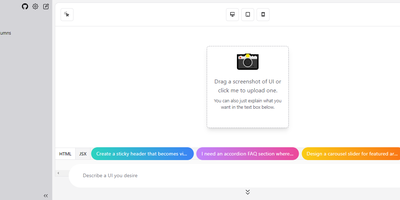
Describe a component in natural language and watch it render: OpenUI, from Weights & Biases, is an open alternative to Vercel's v0. Type a prompt like "a dark-themed dashboard with a sidebar and charts" and the LLM renders working HTML with Tailwind styling live in the browser. You then iterate conversationally, asking for changes until the design is right, and convert the result to React, Svelte, or Web Components for use in a real project. The backend is Python with LiteLLM routing, so it works with OpenAI, Anthropic, Gemini, Groq, and Mistral API keys, or fully offline against local Ollama models, including vision models like LLaVA that can generate UI from screenshot input - feed a screenshot and the model reproduces or riffs on an existing interface. Generated markup is inspectable at any point, with light and dark mode toggles, theme selection, and responsive previews across device sizes. The practical effect is compressing the mockup-review-revise loop from hours to minutes: a described layout renders in seconds and iterates through follow-up prompts, and because output converts to real framework code, prototypes feed directly into production codebases instead of staying trapped in a design tool. Self-hosting keeps unreleased product interfaces and prompts on your own server, and LiteLLM routing lets you pick the model per task - a cheap fast model for rough drafts, a stronger one for final passes, or free local models for unlimited experimentation.
Draw a UI
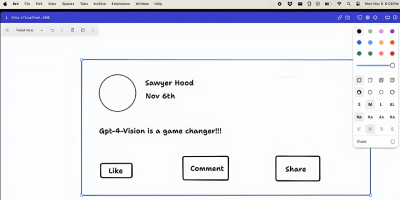
Sketch a wireframe, get working code: Draw a UI turns hand-drawn layouts into web interfaces. It pairs the open-source tldraw canvas with an OpenAI vision model: you sketch a layout - boxes, labels, buttons, arrows, whatever communicates the idea - select the drawing, and click Make Real. The app snapshots your selection as a PNG, sends it to the vision API with instructions to return a single HTML file styled with Tailwind CSS, and renders the result in an iframe directly on the canvas next to your sketch. The loop is iterative: annotate the generated prototype or redraw parts of it, select both the sketch and the previous result, and generate again - the model receives the earlier HTML as context and produces an updated version. Built by Figma engineer Sawyer Hood as one of the first viral GPT-4 Vision demos and the basis for tldraw's "Make Real", it is a Next.js app that runs against your own OpenAI API key. Self-hosting matters here: the upstream demo ships without authentication, so a private deployment keeps your API key from being drained by strangers. MIT-licensed.