pgweb
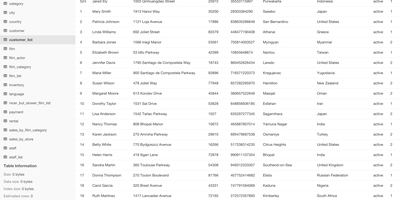
Inspect a PostgreSQL database right now, without installing pgAdmin or exposing Postgres to the internet - pgweb answers that recurring need. It's a Go application from Dan Sosedoff, a decade in development, shipped as a single statically-linked binary with zero dependencies - the Docker image is essentially just the executable - that puts a clean browser UI in front of any PostgreSQL 9.1+ server. Connect via URL string or host/port credentials, and browse tables, views, and sequences from the sidebar; selecting a table shows its rows immediately alongside tabs for structure, indexes, and constraints. The Query tab executes arbitrary SQL with query history, and the Explain Query button renders the query plan - estimated cost, row counts, execution strategy - which makes pgweb a quick performance-triage tool, not just a browser. Results and entire tables export to CSV, JSON, or XML in a click. Connectivity is more flexible than its size suggests: native SSH tunneling (password or key) reaches databases behind firewalls, server bookmarks make switching instances instant, and an optional multi-session mode handles several databases concurrently. For a RepoCloud stack full of Postgres-backed apps, one pgweb instance is the universal inspection hatch. MIT-licensed, actively maintained.
db-ui
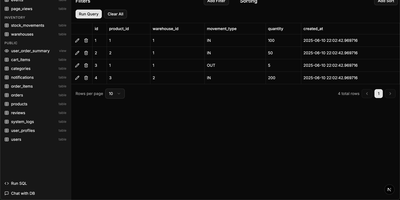
Traditional database management tools like pgAdmin and phpMyAdmin were built for DBAs, not for the rest of the team that just needs to look up a record or run a quick query. db-ui strips away the complexity and gives you a clean, modern interface that anyone can use. Browse tables in a paginated grid view with inline editing, filtering, and sorting built right into the column headers. The sidebar lists every table and view across all schemas with fuzzy search (Cmd+K to focus) that filters results as you type. Click any table to see its data, or switch to the schema introspection view to visualize columns, types, constraints, and relationships without writing a single query. The SQL editor provides syntax highlighting, result visualization in tabular format, and one-click CSV export for downstream analysis. For questions about your data model, the integrated AI chat assistant has full access to your database schema and can help you understand table relationships, write complex queries, suggest indexes, and provide optimization recommendations with streaming responses. Connect to PostgreSQL, MySQL, or Microsoft SQL Server through environment variables and deploy the whole application as a single Docker container. On RepoCloud, deploy db-ui on a dedicated VPS with root SSH access and direct connectivity to your database servers under the MIT license.