StirlingPDF
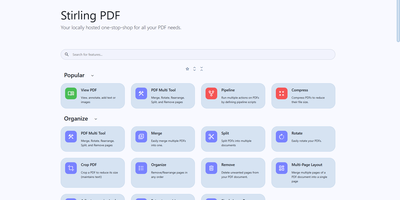
Adobe Acrobat and Smallpdf, answered by a self-hosted Java web application: Stirling PDF processes every file with its 60+ tools on your own server and deletes it after the task completes. Nothing is uploaded to a third party, which is the whole point for contracts, invoices, and medical records. The toolbox covers page operations (merge, split at page numbers or scanned dividers, rotate, reorder, crop, extract), conversion in both directions between PDF and Word, Excel, PowerPoint, images, HTML, and Markdown, OCR that turns scans into searchable PDFs via Tesseract/OCRmyPDF (including PDF/A archival conversion), and security tools for passwords, permissions, watermarks, signatures, and true UI-driven text redaction. A built-in viewer handles annotation, drawing, and text or image insertion, and V2 added stateful processing - upload once, chain multiple tools - plus undo/redo history. For automation, nearly every tool has a REST API endpoint, no-code pipelines combine operations into custom logic chains, and watched folders process files automatically. Enterprise deployments get SSO, user management, and audit logging; the interface ships in 40+ languages. With 84K+ GitHub stars it is the most popular PDF tool in self-hosting, replacing $20/month Acrobat subscriptions with flat infrastructure cost.
BentoPDF
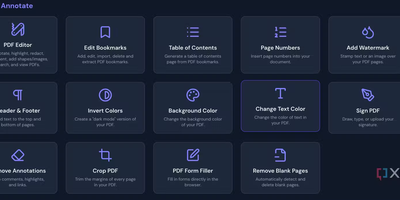
Merge, split, compress, convert, edit, annotate, redact, OCR, and sign PDFs - BentoPDF packs over 130 tools into a privacy-first toolkit that runs entirely in the browser through WebAssembly. Files are never uploaded - processing happens in browser memory on the user's machine and disappears when the tab closes, which makes the tool GDPR-clean by architecture and safe for financial, legal, and internal documents. The engine combines WASM builds of PyMuPDF, Ghostscript, and CoherentPDF; Tesseract handles OCR with searchable text-layer output; Office conversions cover Word, Excel, and PowerPoint; and digital signatures use X.509 certificates (PFX/PEM) with the private key staying on the client. Because there is no server-side processing, deployment is a static-file exercise: a single Docker container, or any static host. A dedicated self-hosted build strips the marketing pages while keeping every tool, and air-gapped deployments are first-class - an automated script bundles the WASM modules, OCR language data, and fonts for fully offline networks. No accounts, no limits, no watermarks; TypeScript and Vite under the hood.
Omni Tools
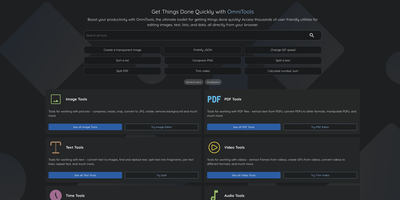
The ad-riddled "free online tools" sites people paste sensitive text into and upload confidential PDFs to - OmniTools replaces that whole ecosystem with one self-hosted app. It bundles 50+ utilities behind one clean React/TypeScript interface: image tools (resize, convert, crop, edit), video and audio tools (trim, reverse, convert), PDF tools (split, merge, edit), text and list utilities (case converters, formatters, shufflers), plus date/time, math, and data-format helpers for JSON, CSV, and XML. The architectural decision that makes it trustworthy is that all file processing happens entirely client-side in the browser - the server only serves static assets, and nothing you process ever leaves your device. That design has a pleasant side effect: the host needs almost no resources (people run it on a Raspberry Pi Zero), because your browser does the work while the server just delivers files. The Docker image is a remarkable 28 MB, making it one of the fastest apps to deploy and cheapest to keep running. There are no ads, no tracking, no accounts, and no upload limits. With multi-language support and an MIT license, it works equally well as a personal toolbox or a team-wide internal utility portal - one URL that replaces a bookmark folder full of questionable converters. Actively developed with 50 contributors and 9,500+ GitHub stars.