Dokploy VPS
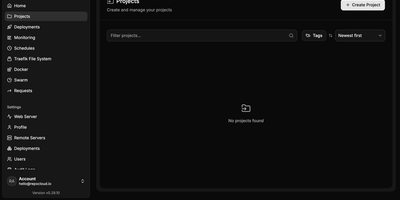
Your own Heroku or Vercel on a dedicated server — Dokploy is the open-source PaaS that replaces cloud platform subscriptions with a single dashboard you control. Point it at a Git repository or a Docker image, and it builds and deploys the application using Dockerfiles, Nixpacks, or Heroku/Paketo buildpacks. Traefik handles reverse proxying, routing, load balancing, automatic Let's Encrypt SSL, and HTTP/3. Databases — MySQL, PostgreSQL, MongoDB, MariaDB, libsql, and Redis — provision from the UI with automated backups to any S3-compatible destination. Complex multi-service applications deploy through native Docker Compose support, and multi-node scaling uses Docker Swarm. The web dashboard covers environment variables, volumes, resource limits, real-time CPU/memory/network monitoring, and deployment logs, with a CLI and REST API for automation. Deploy notifications go to Slack, Discord, Telegram, or email. One-click templates install common open-source tools, and a single control plane can manage deployments across multiple remote servers. Because everything is standard Docker, there is no lock-in: Dockerfiles, Compose files, and data volumes work anywhere else Docker runs. The push-to-deploy workflow of a $20/seat cloud PaaS, running on a dedicated VPS with guaranteed CPU, RAM, SSD, and full root access — no per-app, per-environment, or per-seat fees regardless of how many applications you deploy. 26,000+ GitHub stars.
Openship
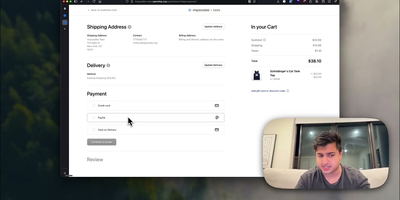
Point Openship at a GitHub repo, local folder, or prebuilt artifact and it detects your stack, builds a Docker container, provisions databases, configures domains with automatic Let's Encrypt TLS, and routes traffic through an OpenResty edge layer on ports 80 and 443. Already past 10,000 stars since launching in March 2026, it turns any Linux VPS into a managed application host. Language support covers Node.js, Python, Go, Rust, PHP, Ruby, Java, .NET, Docker, and monorepo projects with push-to-deploy CI/CD, pull request preview environments on unique subdomains, staging/production flows, and one-click rollbacks. Integrated backend services include managed Postgres, MySQL, MongoDB, Redis, persistent volumes, WebSocket proxying, object storage, and worker processes, all provisioned from the dashboard without compose files. A built-in SMTP server handles transactional email with automatic DKIM, SPF, and DMARC configuration, eliminating external email services. The edge layer serves HTTP/3 with Brotli compression, configurable cache rules, and instant purging. Real-time monitoring streams build logs, container metrics, visitor geography, and per-status-code analytics at 1.4 microsecond overhead with zero database writes. Scheduled backups cover databases and volumes with one-click restore and export. Three interfaces (web dashboard, desktop app for macOS/Windows/Linux, and the openship CLI) drive the same API, plus a Model Context Protocol endpoint for AI integration. Running on a dedicated VPS on RepoCloud with guaranteed CPU, RAM, and SSD, full root SSH access, and a browser serial console. Apache 2.0 licensed.
Coolify VPS
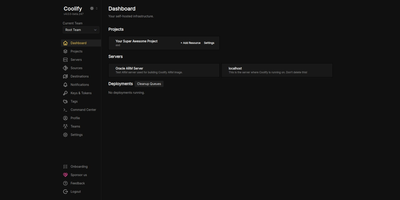
The open-source PaaS with 55,000+ GitHub stars and the largest one-click service catalog in its class — Coolify gives you the Vercel push-to-deploy workflow on a dedicated server you control. Connect a GitHub, GitLab, Bitbucket, or Gitea repository and every push builds and deploys automatically via Nixpacks, a Dockerfile, or Docker Compose, with Traefik or Caddy reverse proxying, automatic Let's Encrypt certificates, and per-branch preview deployments with their own URLs. Databases — PostgreSQL, MySQL, MariaDB, MongoDB, Redis — provision in a few clicks, and a catalog of 280+ one-click service templates covers WordPress, n8n, Grafana, MinIO, Plausible, Ollama, and more. One dashboard manages the entire server, with Docker Swarm available for clustering multiple nodes. Backups go to any S3-compatible storage with one-click restore, and a full API supports CI/CD integration. All configuration lives on your own server, so resources keep running even if you stop using Coolify — no vendor lock-in by design. Running on a dedicated VPS with guaranteed CPU, RAM, and SSD, full root access via SSH and browser console. Apache 2.0 licensed.
Bolt.diy
Prompt, run, edit, and deploy full-stack Node.js applications from a browser tab: Bolt.diy is the official open-source version of Bolt.new's AI coding agent. Its foundation is StackBlitz's WebContainer technology - a sandboxed in-browser Node.js environment where the AI controls the whole stack: filesystem, npm, dev servers, terminal, and browser console. That means the agent does not just generate code; it installs dependencies, runs Vite or Next.js, reads errors, and fixes them. The defining difference from Bolt.new is model choice per prompt: 19+ providers including OpenAI, Anthropic, Gemini, DeepSeek, Groq, Mistral, Amazon Bedrock, and local models via Ollama or LMStudio, extensible through the Vercel AI SDK. Development ergonomics include live preview, a diff view of AI changes, codebase search, file locking to prevent generation conflicts, 15+ starter templates (React, Vue, Next.js, Astro, Svelte, Expo), and MCP support for external tools. Projects integrate with Git and Supabase, and deploy in one click to Vercel, Netlify, or GitHub Pages.
InsForge
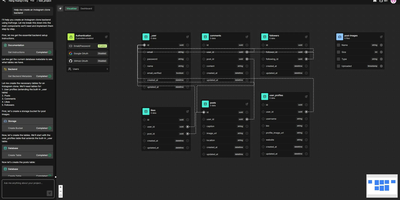
With 12,600 GitHub stars and 52 releases in under a year of development, InsForge is the fastest-growing open-source backend platform purpose-built for AI coding agents — giving Claude, Cursor, and any MCP-compatible tool direct access to database, authentication, storage, compute, and AI model infrastructure through a single self-hosted stack. The native MCP server exposes every InsForge operation as callable tools, letting coding agents autonomously create database tables, manage user authentication, upload files, deploy edge functions, and ship complete full-stack applications without human intervention. The Model Gateway provides an OpenAI-compatible API that routes requests across multiple LLM providers (OpenAI, Anthropic, Google, and open-source models) with unified billing, rate limiting, and fallback logic. PostgreSQL with pgvector handles both relational data and vector embeddings for RAG pipelines, while S3-compatible storage manages file uploads and static assets. Edge Functions run serverless TypeScript code on Deno with sub-millisecond cold starts for API endpoints, webhooks, and scheduled tasks. The authentication system provides user management, OAuth2 flows, sessions, and magic links with JWT token handling built in. Site Deployment builds and serves frontend applications with automatic SSL and custom domain configuration. The CLI paired with Agent Skills enables terminal-based workflows where agents invoke InsForge operations directly from the command line. Deploy via Docker with PostgreSQL as the only required external dependency. Running on a dedicated VPS on RepoCloud with guaranteed CPU, RAM, and SSD, full root SSH access, and a browser serial console. Apache-2.0 licensed.
dyrector.io
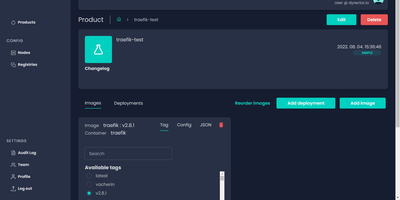
dyrector.io gives teams a visual web interface for deploying and managing containerized applications across Docker, Kubernetes, and Podman environments, replacing repetitive CLI commands and YAML editing with point-and-click configuration. Lightweight Go agents installed on target infrastructure communicate with the central TypeScript platform, enabling deployments to AWS, GCP, Azure, and on-premises servers without requiring infrastructure migration. Unified configuration screens eliminate redundant YAML editing across environments with support for all three container runtimes. Version management lets teams configure OCI-compatible container images once and deploy them as versioned releases with auto-generated changelogs and release notes. Multi-instance deployment enables simultaneous rollouts to multiple nodes with environment-specific configuration overrides, secret management, and instant test environment provisioning from any branch. The fine-grained RBAC system controls user access at project and environment levels, while audit logging tracks every deployment action. Registry integrations support Docker Hub, GitLab, GitHub, Google, and Azure container registries for image sourcing. ChatOps notifications integrate with Slack, Discord, and Microsoft Teams for deployment status alerts. Scheduled releases and workflow support enable automated deployment pipelines triggered by CI events via the REST API with JWT authentication. Running on a dedicated VPS on RepoCloud with guaranteed CPU, RAM, and SSD, full root SSH access, and a browser serial console. Apache 2.0 licensed.
OpenUI
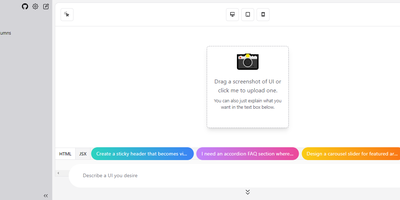
Describe a component in natural language and watch it render: OpenUI, from Weights & Biases, is an open alternative to Vercel's v0. Type a prompt like "a dark-themed dashboard with a sidebar and charts" and the LLM renders working HTML with Tailwind styling live in the browser. You then iterate conversationally, asking for changes until the design is right, and convert the result to React, Svelte, or Web Components for use in a real project. The backend is Python with LiteLLM routing, so it works with OpenAI, Anthropic, Gemini, Groq, and Mistral API keys, or fully offline against local Ollama models, including vision models like LLaVA that can generate UI from screenshot input - feed a screenshot and the model reproduces or riffs on an existing interface. Generated markup is inspectable at any point, with light and dark mode toggles, theme selection, and responsive previews across device sizes. The practical effect is compressing the mockup-review-revise loop from hours to minutes: a described layout renders in seconds and iterates through follow-up prompts, and because output converts to real framework code, prototypes feed directly into production codebases instead of staying trapped in a design tool. Self-hosting keeps unreleased product interfaces and prompts on your own server, and LiteLLM routing lets you pick the model per task - a cheap fast model for rough drafts, a stronger one for final passes, or free local models for unlimited experimentation.
Temps
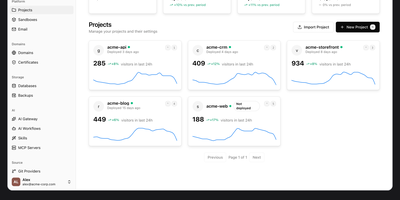
Consolidate application hosting, web analytics, error tracking, and performance monitoring into Temps, an open-source developer platform that replaces disparate SaaS subscriptions with a single compiled Rust binary. Engineering teams deploy full-stack web applications, background daemons, and microservices directly from Git repositories with automated TLS certificate provisioning powered by an embedded Cloudflare Pingora reverse proxy. The centralized web console unifies real-time visitor analytics, conversion funnels, and rrweb-powered session replay recordings without third-party tracking scripts. Integrated error monitoring ingests runtime exceptions with full stack traces and source map resolution, while continuous health checks evaluate container CPU utilization, memory thresholds, and network throughput across custom alerting rules. Developers manage infrastructure through an extensive command line interface containing over 440 operations across 69 command groups, or deploy drop-in skill files that allow AI coding assistants like Claude Code and Codex to provision preview environments autonomously. The platform also provides serverless key-value storage, S3-compatible blob buckets, and native transactional email routing with custom DKIM validation. Running on a dedicated VPS on RepoCloud with guaranteed CPU, RAM, and SSD, full root SSH access, and a browser serial console. Apache 2.0 licensed.
Stormkit
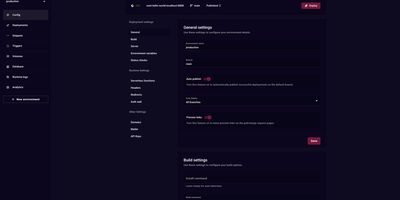
Stormkit delivers a self-hostable PaaS that eliminates vendor lock-in while providing Vercel-class deployment workflows. The Go backend handles build orchestration, hosting, and background job processing while the React frontend provides a complete management dashboard for applications, environments, and team collaboration. Git integration with GitHub, GitLab, and Bitbucket enables push-to-deploy workflows where every commit triggers automated builds with preview links posted directly to pull requests. Serverless functions use filesystem-based routing — each TypeScript or Node.js file in the API directory becomes an endpoint automatically, deploying to AWS Lambda with configurable timeouts. PostgreSQL database schemas ship with automatic migrations, isolated credentials per environment, and secure environment variable injection preventing credential leakage between staging and production. Custom domains provision TLS certificates automatically through Let's Encrypt with support for custom certificates and headers. The environment system creates isolated deployment contexts for production, staging, and development with independent variables, domain bindings, and auto-publish rules per branch. Privacy-respecting server-side analytics track visitors, referrers, and top paths without client cookies or third-party scripts. Role-based access control manages team permissions across applications. Docker Compose deployment provisions the full stack including the API server, hosting service, build runner, and worker server. Running on a dedicated VPS on RepoCloud with guaranteed CPU, RAM, and SSD, full root SSH access, and a browser serial console. AGPL-3.0 licensed.
Kubero
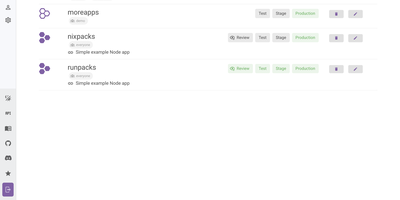
With over 4,300 GitHub stars and a v3 release adding built-in user management, team views, and multi-language support, Kubero has established itself as the most feature-complete open-source Heroku alternative running natively on Kubernetes. The platform operates as a Kubernetes operator with two containers — kubero-ui and the operator — storing all state in etcd without an external database. Developers push code via Git integration with GitHub, GitLab, Bitea, or Gitea, and Kubero automatically builds using Buildpacks, Nixpacks, Runpacks, or Dockerfiles, then deploys to the configured domain with SSL via cert-manager. CI/CD pipelines support up to four staging environments — review, test, staging, and production — with per-stage environment variable isolation and ephemeral review apps that spin up on pull request open and tear down on close. The template catalog includes over 170 pre-configured applications like WordPress, Grafana, and PostgreSQL deployable in one click, while managed add-ons provide highly available PostgreSQL, Redis, MySQL, Kafka, CouchDB, Elasticsearch, and MongoDB alongside your applications. Security features include Trivy vulnerability scanning, GitHub and OAuth2 single sign-on, basic auth, and a role-based permission system with API tokens. The NestJS backend with Vue.js and Vuetify frontend provides application metrics, real-time logs, a built-in web console for container access, scheduled cronjob management, and deployment notifications via Discord, Slack, or webhooks. Running on a dedicated VPS on RepoCloud with guaranteed CPU, RAM, and SSD, full root SSH access, and a browser serial console. GPL-3.0 licensed.
Tau
Tau delivers a complete self-hosted cloud platform where Git is the control plane and WebAssembly is the runtime. The Go binary deploys as interconnected nodes that form a P2P network using libp2p for automatic service discovery, eliminating Kubernetes entirely. Serverless functions compile to WebAssembly for secure multi-tenant execution with automatic horizontal scaling — write in Go, Rust, AssemblyScript, or C and deploy by pushing to Git. Branch-based environments map Git branches to isolated deployments, so staging and production run identical infrastructure from different refs. Static website hosting serves frontends with global distribution and automatic content-addressed deduplication via IPFS-derived storage. The built-in K/V database provides distributed storage with automatic replication across nodes, while object storage handles file management with content addressing. Pub/Sub messaging enables real-time communication between functions and external services including WebSocket support. Spore Drive automates multi-host deployment and rolling updates from a single command across bare metal or VMs running Ubuntu. The Dream CLI provides a complete local development environment that mirrors production exactly — same services, same routing, same deployment flow. Zero-configuration HTTPS provisions TLS certificates automatically for custom domains. The web console at console.taubyte.com provides visual project management, or use the tau CLI for Git-native workflows. Running on a dedicated VPS on RepoCloud with guaranteed CPU, RAM, and SSD, full root SSH access, and a browser serial console. BSD-3-Clause licensed.
ZaneOps
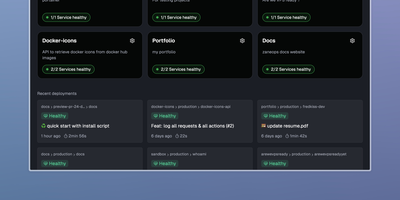
Shipping a Git repository to a live HTTPS URL takes one dashboard and one server with ZaneOps, an open-source alternative to Heroku, Railway, and Render. Linked GitHub or GitLab repositories build with a Dockerfile, Nixpacks, Railpack, or a static directory builder. Deploys start by hand, on git push, or from a CI webhook. Blue/green releases keep the previous version serving traffic while the new one starts. Each pull request or merge request can open its own preview environment, and the API can create one on demand. Configuration edits queue up as changes that you review before a new version deploys. A pasted docker-compose.yml or a ready-made template (Postgres, Redis, WordPress) deploys a whole stack with blue/green rollouts. Every domain gets a free SSL certificate that renews itself. Wildcard hosts, permanent or temporary redirects, and several services under one domain all work. Runtime logs, request logs, metrics, and health checks gather in the dashboard. Services get CPU and memory limits and volumes, and environment variables import or export as .env files. Viewer, Member, Admin, and Owner roles decide who can see and change what; the free tier allows one workspace and three users. A web terminal opens a shell inside any running deployment, and a second one reaches the server itself over SSH. Running on a dedicated VPS on RepoCloud with guaranteed CPU, RAM, and SSD, full root SSH access, and a browser serial console. MIT licensed.
Draw a UI
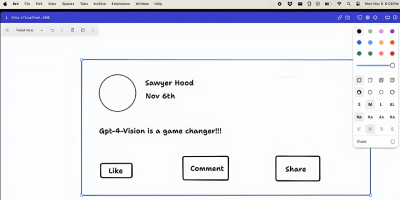
Sketch a wireframe, get working code: Draw a UI turns hand-drawn layouts into web interfaces. It pairs the open-source tldraw canvas with an OpenAI vision model: you sketch a layout - boxes, labels, buttons, arrows, whatever communicates the idea - select the drawing, and click Make Real. The app snapshots your selection as a PNG, sends it to the vision API with instructions to return a single HTML file styled with Tailwind CSS, and renders the result in an iframe directly on the canvas next to your sketch. The loop is iterative: annotate the generated prototype or redraw parts of it, select both the sketch and the previous result, and generate again - the model receives the earlier HTML as context and produces an updated version. Built by Figma engineer Sawyer Hood as one of the first viral GPT-4 Vision demos and the basis for tldraw's "Make Real", it is a Next.js app that runs against your own OpenAI API key. Self-hosting matters here: the upstream demo ships without authentication, so a private deployment keeps your API key from being drained by strangers. MIT-licensed.
Nixopus
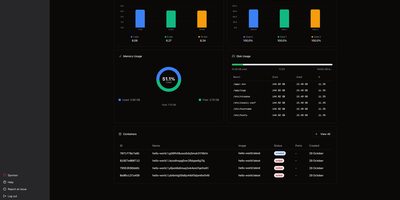
Tell an AI agent to deploy your app and watch it actually happen. Nixopus connects to your GitHub repo, analyzes the codebase to detect your framework, generates the right Docker configuration, resolves dependency conflicts, and ships the whole thing to your server with HTTPS enabled. When something breaks, the agent reads the logs, creates a pull request with a fix, and redeploys without waking you up. The chat interface lets you deploy, add custom domains, check logs, roll back, and troubleshoot in plain English from the web dashboard or directly from your VS Code or Cursor editor. Extensions bring one-click installs for 100+ self-hostable apps like Appwrite, Excalidraw, and Ollama, each showing you exactly what it runs on your server before installation. Connect multiple servers and monitor CPU, memory, disk, and running containers across your entire fleet from a single dashboard with draggable widget layouts. The built-in terminal opens SSH sessions right in the browser with split-pane support, so you can watch logs in one pane while running commands in another. Framework detection covers Next.js, Django, Rails, Go, FastAPI, and anything else that fits a container image. Every deployment gets automatic TLS via Caddy with Let's Encrypt certificates provisioned and renewed silently. Previous container images are retained so rollbacks skip the rebuild step entirely. Deploy on a dedicated VPS on RepoCloud with guaranteed CPU, RAM, and SSD, full root SSH access, and a browser serial console. AGPL-3.0 licensed.
QuickStack
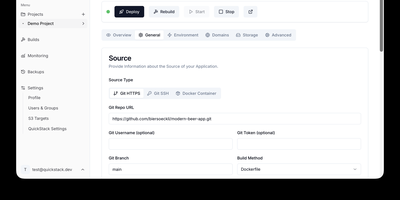
QuickStack transforms your standalone Linux server or cluster into a self-hosted platform-as-a-service that automatically compiles, deploys, and monitors full-stack applications and relational databases without vendor lock-in. Developers can trigger instant deployments directly from public or private Git repositories, upload custom Dockerfiles, or pull container images straight from private registries with automated webhook synchronization. The built-in application catalog enables one-click provisioning of production databases including PostgreSQL, MySQL, MariaDB, MongoDB, and Redis with preconfigured internal network isolation. Administrators can route traffic across custom domains with automated Let's Encrypt SSL certificate issuance, inspect real-time CPU and memory telemetry, stream container runtime logs, and launch in-browser web terminals. Teams can configure granular role-based access controls with single sign-on authentication, establish zero-trust ingress and egress network security policies, and orchestrate automated volume snapshots directly to S3 object storage. When infrastructure requirements expand, operators can attach additional worker nodes using lightweight join tokens to distribute workloads seamlessly across high-availability compute pools. Running on a dedicated VPS on RepoCloud with guaranteed CPU, RAM, and SSD, full root SSH access, and a browser serial console. GNU GPL v3.0 licensed.