Yep Anywhere
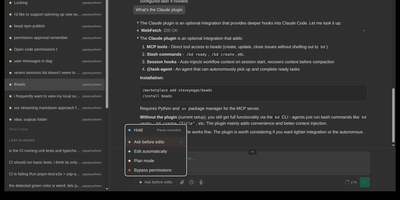
Designed for developers on the go, Yep Anywhere turns any smartphone browser into a full-featured control center for supervising, steering, and reviewing autonomous AI coding agents. Operators can monitor live execution across multiple active projects simultaneously without sitting at a desktop terminal. Real-time reasoning feeds. Instant push alerts for permission prompts. One-tap tool approvals. Developers can unblock pending tasks mid-turn, redirect active workflows, or queue sequential follow-up prompts for automatic delivery at the next safe milestone. An integrated source control viewer displays syntax-highlighted working-tree and commit diffs, allowing reviewers to attach line-level comment bundles directly back into the agent context. Mobile voice transcription lets users dictate instructions straight into running sessions, while photo library integration makes uploading bug screenshots effortless. All agent credentials, CLI configurations, and repository data remain private on the host server without requiring third-party cloud database accounts or proprietary device pairing. Running on a dedicated VPS on RepoCloud with guaranteed CPU, RAM, and SSD, full root SSH access, and a browser serial console. MIT licensed.
Coder
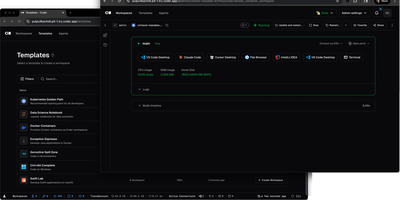
With over 14,000 GitHub stars and enterprise adoption by security-conscious organizations, Coder transforms how development teams provision, manage, and secure their coding environments. Every workspace is defined as a Terraform template, meaning infrastructure engineers can standardize development environments across EC2 instances, Kubernetes pods, Docker containers, or any combination, while developers get self-service provisioning that launches in seconds rather than days of manual setup. The WireGuard-based networking layer establishes encrypted tunnels between developer machines and remote workspaces, providing low-latency access without exposing ports or configuring VPN concentrators. Automatic idle detection shuts down unused workspaces after configurable periods, directly reducing cloud compute costs for organizations running hundreds of developer environments. The Coder Agents feature introduces native AI coding capabilities where the agent loop executes entirely within the control plane on self-hosted infrastructure, keeping LLM API credentials out of individual workspaces and eliminating credential exfiltration risks. Centralized model governance allows platform teams to approve specific AI providers and models, set per-user spend limits, and maintain complete audit logs of all prompts, tool calls, and agent activity. IDE integration supports VS Code through a dedicated extension, JetBrains IDEs via Gateway and Toolbox plugins, and browser-based code-server for web access. The template registry provides pre-built configurations for common development stacks. DevContainer support builds environments from standard devcontainer.json specifications. Deploy on a dedicated VPS on RepoCloud with guaranteed CPU, RAM, and SSD, full root SSH access, and a browser serial console. AGPL-3.0 licensed.
OpenCode Manager
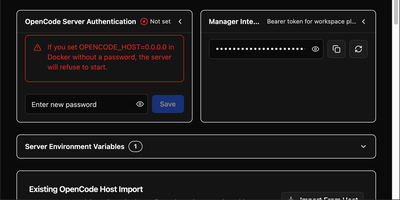
OpenCode Manager is a mobile-first command center for AI coding agents. Install the PWA on your phone or tablet and you get real-time streaming chat, multi-repository Git operations, and scheduled automation right in your pocket. Git integration handles SSH-authenticated repo cloning, worktree management, unified diffs, and branch operations across all your projects in one dashboard. Chat with coding agents through Server-Sent Events streaming that supports slash commands, @-mentions for files, Plan and Build modes, and Mermaid diagram rendering for architecture discussions. Schedule reusable prompts to run against any repository on intervals or cron expressions, with each run tracking history and linking to sessions so you can pick up exactly where automation left off. MCP server configuration adds local and remote HTTP servers with OAuth support, plugging into the broader Model Context Protocol ecosystem. A dedicated assistant workspace provides an isolated AI environment with auto-provisioned skills for managing schedules, notifications, and settings. Multiple AI providers are supported including Anthropic, GitHub Copilot, and OpenAI-compatible services, each configurable with custom system prompts and granular tool permissions. Push notifications alert you to session events, agent questions, errors, and task completions across all managed repositories.
code-server
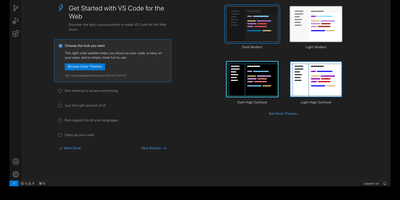
With over 78,000 GitHub stars, 270 contributors, and seven years of continuous development tracking upstream VS Code releases within days, code-server has become the definitive way to run a full Visual Studio Code IDE on any remote machine and access it from any browser on any device. The project applies a curated set of patches to Microsoft's VS Code codebase that add password authentication, sub-path hosting behind reverse proxies, self-contained web views that never call out to Microsoft servers, a built-in proxy for accessing ports on the remote machine directly through the VS Code ports panel, and on-disk settings persistence instead of browser storage. The extension ecosystem works with the Open VSX marketplace by default, giving access to thousands of extensions for Python, JavaScript, Go, Rust, Java, and every other language, along with themes, linters, formatters, and debuggers. The integrated terminal provides direct shell access to the server, Git integration handles version control without leaving the editor, and the debugger supports breakpoints, variable inspection, and step-through execution for Node.js, Python, Go, and other runtimes. DevContainer support enables reproducible development environments defined in JSON configuration files. Installation options include a one-line install script, manual package installation, Docker via the official codercom/code-server image, and DevContainer features. Minimum requirements are a Linux machine with 1GB RAM, 2 vCPUs, and WebSocket support. Running on a dedicated VPS on RepoCloud with guaranteed CPU, RAM, and SSD, full root SSH access, and a browser serial console. MIT licensed.
HolyClaude
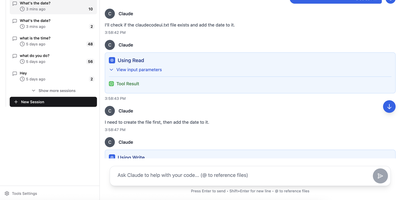
With 2,400+ GitHub stars, HolyClaude replaces a two-hour manual setup process with a single docker compose up command that launches a fully configured AI coding workstation. The container ships with Claude Code pre-installed alongside seven additional AI CLIs — Gemini CLI, OpenAI Codex, Cursor, TaskMaster AI, Junie, OpenCode with OpenRouter multi-provider support, and Pi Coding Agent — all accessible through the CloudCLI browser-based web interface on port 3001. A headless Chromium browser running on Xvfb display :99 comes pre-configured with Playwright 1.61 for automated screenshots, testing, and web scraping without additional setup. The development toolchain includes Node.js 26, Python 3, TypeScript, git, GitHub CLI, database clients for PostgreSQL, SQLite, and Redis, plus deployment CLIs for Vercel, Wrangler, Netlify, and Azure. Process management uses s6-overlay for automatic restarts and graceful shutdown, while bind mounts to ./data/claude and ./workspace ensure credentials, configuration, and project files persist across container rebuilds. The full image supports AMD64 and ARM64 architectures, running on Linux, macOS with Docker Desktop, Windows with WSL2, and Synology or QNAP NAS hardware. A slim tag at roughly 2GB omits the browser stack for environments that do not need it, while the full image at 4GB includes everything. Users authenticate with their existing Anthropic account directly through Claude Code with no credential relay or proxy involved. Running on a dedicated VPS on RepoCloud with guaranteed CPU, RAM, and SSD, full root SSH access, and a browser serial console. MIT licensed.
AMUX
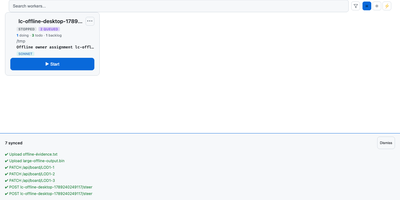
To coordinate swarms of autonomous coding agents across complex software projects, AMUX provides a concurrency-safe kanban workspace with real-time thought stream inspection and live steering controls. Engineers assign development tasks through an interactive board where autonomous worker processes claim cards using compare-and-swap mutexes to eliminate race conditions between parallel sessions. Operators monitor active reasoning streams, inspect streaming terminal outputs, and inject guidance commands mid-turn without interrupting background execution. A cryptographic origin router relays messages between agents, enabling workers to delegate sub-tasks, request automated peer code reviews, and share environment state safely. Built-in schedulers trigger recurring automated maintenance routines, dependency updates, and bug triage sweeps on cron-like timers or autonomous loop cadences. Teams can switch language models dynamically on active sessions to tackle complex architecture challenges with high-capability reasoning engines while conserving resources on routine tasks. An integrated self-healing supervisor watches over agent runtimes, automatically compacting context windows, restarting crashed terminal sessions, and resuming pending instructions seamlessly. Running on a dedicated VPS on RepoCloud with guaranteed CPU, RAM, and SSD, full root SSH access, and a browser serial console. MIT licensed.