Moocup
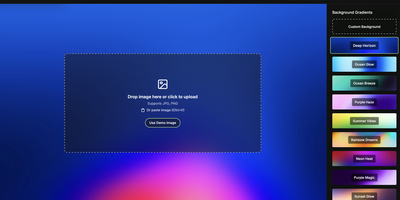
Drop your screenshot, a base style is applied, style it however you wish, and export - "that's
basically it," says Moocup's own author, and the description holds. The workflow is genuinely
seconds long. Drag an image in and it lands on an attractive backdrop immediately; from there
you adjust backgrounds, gradients, padding, borders, shadows, and framing with live preview
until it matches your taste, then export a high-quality image ready for a portfolio page,
README, blog post, tweet, or slide deck. There are no accounts, no watermarks, and no upload
to anyone's cloud - as a self-hosted static app, your screenshots never leave your
infrastructure, which matters when the screenshot shows a proprietary dashboard or unreleased
product. It runs entirely in the browser from a tiny nginx container, works on any device, and
requires zero design skill: the smart defaults do the heavy lifting, and everything else is
optional tinkering.
Deploy