Cozy Cloud
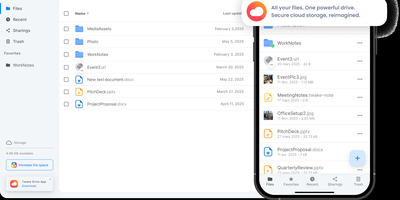
With over 1,200 GitHub stars, 12,000+ commits, and more than a decade of active development distributed under the AGPL-3.0 license, Cozy Cloud operates as a comprehensive personal data hub that goes far beyond file storage by connecting your documents, contacts, calendars, banking transactions, energy bills, and productivity tools into a single self-hosted platform where no third party profiles you. The cozy-stack Go binary handles file storage, CouchDB document management, job scheduling, app serving, and the REST API in a single process consuming approximately 150MB of RAM idle. Sandboxed konnectors import data from 50+ external services — banks, utility providers, telecom operators, cloud drives — running as isolated jobs via nsjail to prevent untrusted code from accessing other user data. The built-in app store serves web applications in subdomain-isolated environments with Content Security Policy headers, each app communicating exclusively through the documented REST API. Real-time synchronization via PouchDB replication and WebSocket keeps files, contacts, and documents consistent across desktop clients, mobile apps for iOS and Android with automatic photo backup, and the web interface. Security features include automatic Let's Encrypt TLS certificates, Argon2id password hashing, optional TOTP two-factor authentication, and GDPR-compliant data export via the CLI. Each user receives their own isolated instance with independent storage, database, and application configuration. Running on a dedicated VPS on RepoCloud with guaranteed CPU, RAM, and SSD, full root SSH access, and a browser serial console. AGPL-3.0 licensed.
Radicale
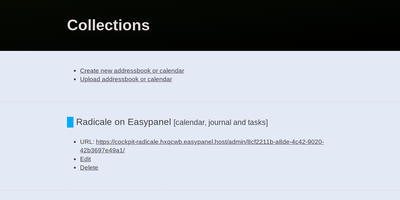
Calendars, to-do lists, journal entries, and contacts, synced over the open CalDAV and CardDAV standards nearly every client already speaks: Radicale is a small pure-Python server that works with Thunderbird, DAVx5 on Android, Apple Calendar and Contacts, GNOME, and many more. Its defining design choice is radical simplicity: there is no database. Events live as plain .ics files and contacts as .vcf files in an ordinary folder structure, which makes backup a copy command, migration a move, and disaster recovery a matter of reading text files. The server works out of the box with no complicated setup, then grows as needed: flexible authentication (htpasswd files among other methods), per-collection authorization rules, TLS-secured connections, and a plugin system for extending storage, auth, and rights handling. Built-in limits on parallel connections, file sizes, and failed authentication attempts harden it for network exposure behind a reverse proxy. A bundled web interface handles creating and managing calendars and address books - useful since many clients cannot create collections themselves. Maintained since 2011 with 140+ contributors, GPLv3-licensed, and light enough to run on the smallest VPS or a Raspberry Pi.
Nango
The integrations your SaaS product offers its own users - that is what Nango, an open-source product-integrations platform, exists to build. It solves the repetitive infrastructure work behind every third-party API connection: OAuth flows, API key handling, token refresh, encrypted credential storage, rate-limit backoff, retries, and multi-tenant connection management. It ships pre-built auth configurations for 800+ APIs. Your users connect their accounts through an embeddable, white-label Connect UI, and your backend then reads or writes data through Nango's proxy, SDKs, or REST API without ever touching raw credentials. Integration logic is written as TypeScript functions covering actions, scheduled data syncs, and webhook processing - all running on one runtime with retries, checkpointing, and per-connection logs built in. Syncs pull records incrementally on a schedule, one-way or two-way, which suits RAG pipelines, search indexing, and keeping local copies of external data current. Selected actions can also be exposed as tool schemas or through a built-in MCP server, so AI agents operate on user-connected accounts without ever handling provider credentials. Auth support spans OAuth 2.0, OAuth 1.0a, API keys, basic auth, and JWT, and observability - logs, metrics, failure detection, and a reconnect flow for expired credentials - is scoped per customer connection for easier support debugging. Works with any backend language. Self-hosting on RepoCloud keeps all customer credentials and synced data on infrastructure you control, which matters for data residency and compliance requirements.
Owncloud
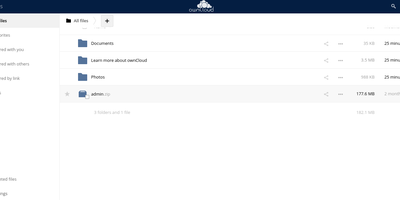
The project that proved organizations could have Dropbox-style convenience with complete data ownership: ownCloud is the original open-source file sync and share platform - the codebase Nextcloud later forked from. This deployment runs the classic ownCloud Server (PHP over PostgreSQL or MariaDB, with Redis caching), the battle-tested edition trusted across enterprises, universities, and public institutions worldwide. The core loop: store files on your server, sync them via desktop clients for Windows, macOS, and Linux plus iOS and Android apps, and access everything through the web interface or standard WebDAV. Sharing is granular - internal users and groups, external recipients via public links with passwords and expiration dates, and federated sharing that connects separate ownCloud instances into one network. Security controls include file firewall rules, multi-factor authentication, encryption, and detailed audit-friendly lifecycle management with versioning and trash-bin recovery. An app marketplace extends the platform, and Web Office integrations bring collaborative document editing through Collabora Online, OnlyOffice, or Microsoft Office Online directly into your files. LDAP and Active Directory integration slots it into existing identity infrastructure. For teams that need a proven, self-hosted alternative to Dropbox or Google Drive - where compliance demands knowing exactly which disk your data sits on - ownCloud remains a foundational choice.
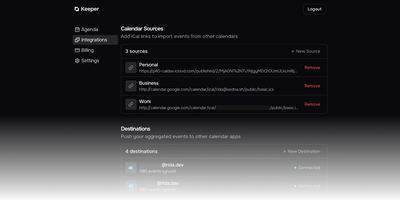
Keeper
Work, personal, business, and school calendars at different providers double-book because no one system sees your real availability - Keeper solves that multi-calendar collision problem. Its pull-compare-push sync engine aggregates events from Google Calendar, Outlook/Office 365, iCloud, FastMail, any CalDAV server, or read-only iCal/ICS feeds, and pushes blocking events to one or many destination calendars so time slots align everywhere. The design is deliberately content-agnostic - it syncs timeslots, not titles or descriptions, so a personal appointment shows as busy time on your work calendar without leaking details. Sync logic is clean: events Keeper creates carry a traceable UID suffix, deletions propagate, and orphaned entries are purged automatically. A token-authenticated aggregated iCal feed combines selected calendars into one subscribable URL for Apple Calendar or Thunderbird. An optional MCP server gives AI agents read-only calendar access over OAuth 2.1 - list calendars and query events by date range, with no write capability. Built with Next.js and Bun under AGPL-3.0, the standalone Docker image bundles web, API, cron, worker, Redis, and PostgreSQL in one container, and self-hosting unlocks every Pro feature - unlimited calendars and one-minute sync intervals - for free.
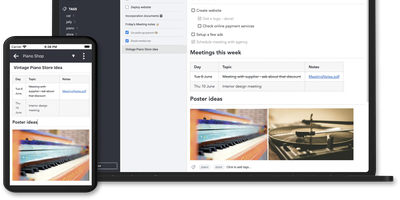
Joplin
Notes on Windows, macOS, Linux, Android, iOS, and the terminal, synced through your own server: Joplin pairs its open-source clients with Joplin Server, the official self-hosted backend that replaces Dropbox, OneDrive, or Nextcloud as the synchronization target. Notes are Markdown with inline attachments (images, PDFs, audio), organized into hierarchical notebooks and sub-notebooks with cross-cutting tags, alongside to-do lists with reminders and alarms. End-to-end encryption is the headline feature: enabled in the clients, it encrypts sync payloads on-device before upload, so the server stores blobs it cannot read - genuine protection even if the host is compromised. The desktop app offers both Rich Text and Markdown editors, extended by a plugin ecosystem, custom themes, and an Extension API for writing your own scripts; a Web Clipper for Chrome and Firefox captures full pages or screenshots straight into notebooks. Joplin Server ships as a Docker image with SQLite for evaluation and PostgreSQL for production, offers a filesystem storage driver for large content, and includes multi-user support and note sharing - all free under AGPL-3.0 when self-hosted. Notes stay in an open format, so the exit path always exists.
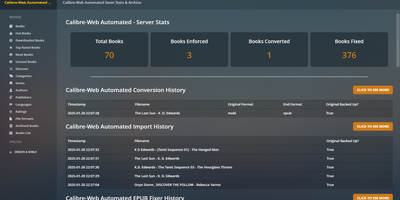
Calibre-Web Automated
Turn any chaotic digital book archive into an autonomous, self-organizing reading portal using Calibre-Web Automated, a digital library manager featuring hands-free format conversions, metadata fetching, and e-reader synchronization. Readers can drop raw ebook files into the automated intake directory and watch the system instantly convert between twenty-eight distinct file types, repair malformed EPUB internal markup, and fetch enriched metadata from Hardcover, Kobo, and ISBN databases. The responsive web reader lets you browse collections, read directly in any desktop or mobile browser, and organize titles into dynamic rules-based Magic Shelves that update automatically. Built-in KOReader sync harmonizes reading progress and bookmarks across mobile devices and e-ink readers, while native OPDS feeds connect seamlessly to your favorite external reader applications. Administrative tools empower you to run hybrid SQL and fuzzy duplicate detection scans, perform batch metadata editing across entire series, enforce cover art changes directly into source files, and auto-dispatch newly ingested books to Kindle or Kobo devices via scheduled email delivery. Granular multi-user controls allow administrators to assign folder permissions, restrict downloads, enforce dark mode themes, and authenticate readers securely through OAuth and OpenID Connect identity providers. Running on a dedicated VPS on RepoCloud with guaranteed CPU, RAM, and SSD, full root SSH access, and a browser serial console. GNU General Public License v3.0 licensed.
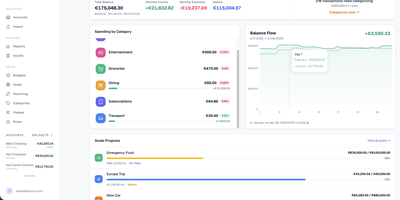
Securo
Securo is a privacy-first personal finance platform that keeps all your financial data in your own PostgreSQL instance while connecting to 2,500+ banks across three continents for automated transaction sync. The FastAPI backend with React/TypeScript frontend deploys via Docker Compose on ports 3000 and 8000, with Redis-backed Celery workers handling background synchronization. Bank connections span approximately 2,500 European PSD2 institutions through Enable Banking across 29 countries, US and international banks via SimpleFIN's open protocol, and Brazilian banks through Pluggy, all refreshing automatically every four hours. Multi-account management tracks checking, savings, credit cards, and investments with running balances. The auto-categorization rules engine applies pattern-matching across merchants and amounts. Goal tracking monitors savings targets with progress visualization, asset management handles stocks and custom instruments with configurable valuation growth rules, and reports generate Net Worth and Income vs Expenses charts with category sparklines. Optional AI Agents provide LLM chat with tool-use over your financial data through MCP, supporting OpenAI, Anthropic, Ollama, and compatible providers with per-agent RAG knowledge bases accessible via a global command palette. Multi-user support includes OIDC login, passkey authentication, TOTP two-factor, privacy mode, and multi-currency FX conversion via Open Exchange Rates. 1,500+ stars since March 2026. Running on a dedicated VPS on RepoCloud with guaranteed CPU, RAM, and SSD, full root SSH access, and a browser serial console. AGPL-3.0 licensed.
SOGo
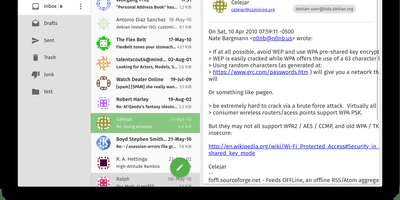
SOGo adds shared calendars, address books, and a modern webmail interface to your existing Dovecot, Postfix, or Cyrus mail setup, turning familiar infrastructure into a full Exchange competitor. Rather than replacing your IMAP and SMTP servers, SOGo layers collaboration on top of them, becoming the missing link between raw mail delivery and what users actually expect from a workplace communication platform. The ActiveSync implementation synchronizes email, contacts, calendars, and tasks natively with iPhones, Android devices, and Windows without requiring users to manually configure CalDAV endpoints. CalDAV and CardDAV compliance ensures Apple Calendar, Thunderbird (via the official SOGo Connector extension), GNOME Evolution, and Android via DAVx5 all connect without plugins or workarounds. The web interface uses AngularJS Material design with responsive layouts, offering folder management, drag-and-drop calendar scheduling, contact groups, resource booking, and delegation. Shared calendars support free-busy lookups, iMIP event invitations, and per-user ACL permissions for fine-grained access across organizational units. Built on Objective-C with the GNUstep foundation, SOGo delivers exceptional performance: hundreds of concurrent ActiveSync connections from mobile devices alongside webmail and calendar traffic with sub-second response times. With 2,095+ stars and 116 releases, the project has proven its stability in production environments supporting thousands of users. The Docker deployment runs alongside PostgreSQL and memcached.
Standard Notes
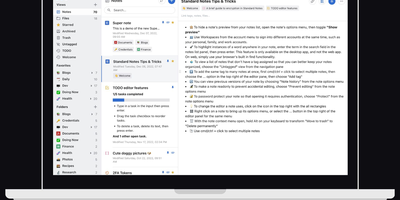
Standard Notes keeps your notes, files, and tags encrypted on your device before anything touches the network, meaning the server stores only ciphertext it cannot read. Cross-platform sync across desktop, mobile, and web delivers fast, conflict-free updates on unlimited devices with the same zero-knowledge guarantee that only your password can decrypt your content. The V2 server architecture condenses everything into four Docker containers consuming roughly 570MB RAM total (down from 13 containers and 1.7GB in the legacy setup), with startup under one minute. Revision history automatically preserves every version of every note, so recovering deleted text or reverting to a previous state never depends on manual backups. A nested tag system organizes thousands of notes with hierarchical categorization that goes well beyond flat folder structures, while search operates entirely on client-side decrypted content. File attachments of any type encrypt and sync alongside notes with identical end-to-end protection. Multiple editor options span plain text, Markdown with preview, and rich formatting to fit different writing workflows. Two-factor authentication via TOTP with email backup codes adds a second barrier beyond your password. An optional separate container serves the web frontend, providing browser access to your encrypted vault without depending on standardnotes.com infrastructure. With 5,500+ GitHub stars and active development, the project continues expanding editor plugins and sync improvements.