Prowlarr
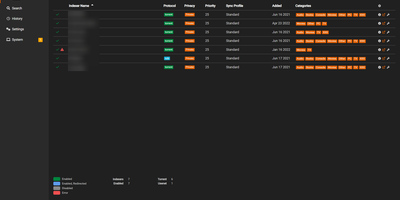
Configure each indexer once, not five times: Prowlarr is the indexer hub of the *arr stack, removing the most tedious duplication in a media automation setup. Instead of configuring the same torrent trackers and Usenet indexers separately in Sonarr, Radarr, Lidarr, Readarr, and Mylar3, you add each one once in Prowlarr and it syncs them to every connected app automatically, complete with category mappings; with Full Sync enabled, adding or removing an indexer propagates everywhere, and a tracker URL change is a one-place fix. Coverage is the deepest available: 500+ torrent trackers with definitions added constantly, 24 native Usenet indexers, generic Newznab and Torznab support for anything else, and custom Cardigann YML definitions with JSON and XML parsing for obscure sources. Built on the same .NET/React base as its siblings, it also earns a place as a search tool in its own right: unified manual search queries every indexer simultaneously at a category level, and you can push multiple releases straight to your download clients without touching Sonarr or Radarr. Health checks and status notifications flag failing indexers, per-indexer statistics track success rates and response times so you can cull unreliable sources, and per-indexer proxy support (SOCKS4/5, HTTP, FlareSolverr) handles trackers behind Cloudflare.
Amplication
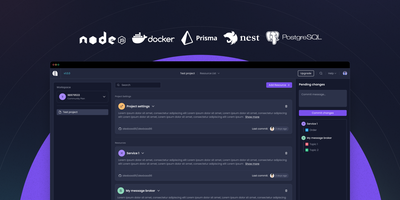
Amplication turns entity definitions into production-ready backend services, generating NestJS with Prisma and Apollo GraphQL for Node.js or ASP.NET Core for .NET, eliminating months of boilerplate. The plugin-driven Data Service Generator hooks into code generation lifecycle events, enabling teams to inject CI/CD manifests, proprietary authentication schemes, testing configurations, and cloud-specific deployment targets for AWS, Azure, and GCP without forking the core generator. Blueprint templates encode organizational architecture standards, security policies, and coding conventions into reusable foundations that keep every generated service consistent across the engineering organization. Jovu AI translates natural language requests into entities, relationships, fields, modules, DTOs, and custom API actions, automatically aligning each resource with predefined standards. Generated services include full CRUD operations with input validation, Swagger/OpenAPI documentation, authentication middleware, database-agnostic ORM via Prisma, optional React Admin interfaces, and Jest test scaffolding. Code output syncs to Git repositories as pull requests, preserving standard review workflows while letting developers edit every generated line and add custom business logic. Supports PostgreSQL, MySQL, and MongoDB as database targets. Over 16,000 GitHub stars with enterprise adoption. Apache 2.0 licensed.
CapRover
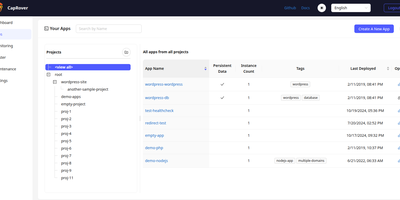
With over 15,000 GitHub stars and nearly nine years of active development, CapRover is the self-hosted PaaS that replaces Heroku's pricing with your own infrastructure while keeping the deploy-and-forget simplicity. The web dashboard manages application lifecycle from deploy through scaling — configure custom domains, environment variables, persistent volumes, instance counts, and nginx templates without touching config files or SSH. The CLI tool enables scriptable deployments with a single command from your terminal or CI/CD pipeline, while webhook-based deployment triggers automated builds from Git pushes. The one-click app marketplace provides over 100 pre-configured services including WordPress, Ghost, PostgreSQL, MySQL, MongoDB, Redis, Grafana, Portainer, and dozens more, each deployed as a Docker container with volumes and environment variables preconfigured. Automatic HTTPS provisions and renews Let's Encrypt certificates for every custom domain with one-click HTTP-to-HTTPS redirects. Under the hood, Docker Swarm orchestrates containers across multiple nodes for horizontal scaling and load balancing, while nginx handles routing with fully customizable EJS-generated configuration templates per application. Deployment supports four methods: CLI push, tarball upload through the web UI, Docker image reference, and Git repository connection. The build system supports Dockerfiles, captain-definition files with build packs, and direct Docker image pulls. NetData integration provides real-time server monitoring dashboards. Running on a dedicated VPS on RepoCloud with guaranteed CPU, RAM, and SSD, full root SSH access, and a browser serial console. Apache 2.0 licensed.
Kanboard
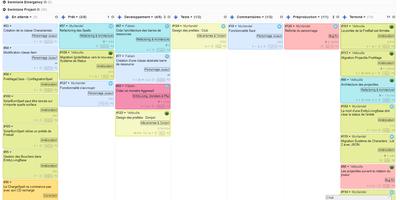
"Less is more" is Kanboard's stated philosophy, and the free, MIT-licensed PHP application lives it: drag tasks between customizable columns, enforce work-in-progress limits per column, and slice boards horizontally with swimlanes for releases, teams, or priorities. Tasks carry what matters - colors, categories, subtasks with time estimates, Markdown descriptions, comments, attachments, internal links, and due dates - and move or duplicate across projects in one click. A concise query language filters any board dynamically (assignee, category, due date, description), and saved filters become custom views. The automatic-actions engine kills repetitive triage: on events like column moves or task creation, Kanboard reassigns, recolors, recategorizes, or closes tasks by rule. Around the board sit a calendar, per-project analytics (cumulative flow, lead and cycle time), Gantt view, and time tracking. Authentication spans LDAP/Active Directory, Google, GitHub, GitLab, and reverse-proxy headers; a JSON-RPC API, webhooks for creating tasks from external systems, and a CLI cover integration. A large community plugin catalog adds what core deliberately omits. With no external dependencies, it runs happily on anything from a Raspberry Pi up - translated into 30+ languages.
Ackee
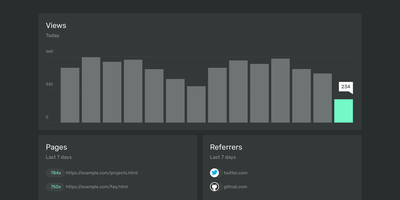
Page views, referrers, browsers, and screen sizes - Ackee delivers the analytics developers actually check, from a deliberately minimal Node.js and MongoDB stack that skips both Matomo's weight and Google Analytics' cloud dependency. Its defining constraint is anonymization: no cookies, no unique user tracking, and a multi-step anonymization process that keeps visitors unidentifiable while the aggregate numbers stay useful. In its default anonymous mode Ackee collects no personally identifiable information at all, which means GDPR and CCPA compliance out of the box and no cookie consent banner on your sites. A detailed mode adds screen size, language, and per-visit referrers - still without cookies or fingerprinting. Integration mirrors the Google Analytics pattern: create a domain in settings, drop the generated ackee-tracker snippet into your pages, and data appears in a clean single-page dashboard. One instance tracks multiple domains, and custom events capture button clicks, signups, and conversions. The distinctive engineering choice is the fully documented GraphQL API: everything the dashboard shows comes from that API, so you can query active visitors, average duration, and view statistics programmatically, feed data in from apps and services beyond websites, or build an entirely custom interface on top. If you want bare-minimum analytics with a real API and zero privacy anxiety, this is the tool.
Maintenant
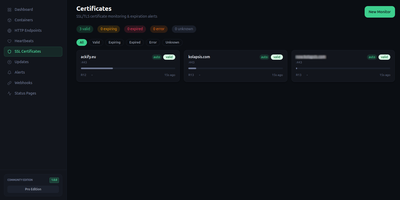
Maintenant replaces three to five separate monitoring tools with a single Go binary that consolidates container discovery, endpoint monitoring, SSL tracking, resource metrics, and public status pages without requiring any external database. The embedded Vue 3 frontend serves on port 8080 immediately after deployment, auto-discovering Docker containers and Kubernetes pods through direct socket and API access without configuration. HTTP and TCP endpoint monitoring validates availability with configurable intervals, while TLS certificate tracking alerts before expiration across all monitored domains. Resource metrics collect CPU, RAM, network throughput, and disk usage per container with real-time Server-Sent Events streaming to the dashboard. Heartbeat and cron monitoring accepts pings from external scheduled jobs, triggering alerts on missed check-ins via webhook callbacks and Discord notifications. The built-in alert engine supports escalation rules and notification batching. Public status pages expose component health to end users without authentication, customizable per monitored service. Network security insights analyze exposed ports, container privilege levels, and host configuration to produce a posture score. Update intelligence scans OCI registries to detect available container image updates with digest comparison. The REST API with SSE broker enables automation, and the integrated MCP server provides tooling for AI assistant integration. SQLite in WAL mode stores all data with zero operational overhead. Running on a dedicated VPS on RepoCloud with guaranteed CPU, RAM, and SSD, full root SSH access, and a browser serial console. AGPL-3.0 licensed.
Kubero
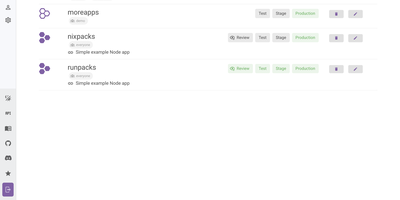
With over 4,300 GitHub stars and a v3 release adding built-in user management, team views, and multi-language support, Kubero has established itself as the most feature-complete open-source Heroku alternative running natively on Kubernetes. The platform operates as a Kubernetes operator with two containers — kubero-ui and the operator — storing all state in etcd without an external database. Developers push code via Git integration with GitHub, GitLab, Bitea, or Gitea, and Kubero automatically builds using Buildpacks, Nixpacks, Runpacks, or Dockerfiles, then deploys to the configured domain with SSL via cert-manager. CI/CD pipelines support up to four staging environments — review, test, staging, and production — with per-stage environment variable isolation and ephemeral review apps that spin up on pull request open and tear down on close. The template catalog includes over 170 pre-configured applications like WordPress, Grafana, and PostgreSQL deployable in one click, while managed add-ons provide highly available PostgreSQL, Redis, MySQL, Kafka, CouchDB, Elasticsearch, and MongoDB alongside your applications. Security features include Trivy vulnerability scanning, GitHub and OAuth2 single sign-on, basic auth, and a role-based permission system with API tokens. The NestJS backend with Vue.js and Vuetify frontend provides application metrics, real-time logs, a built-in web console for container access, scheduled cronjob management, and deployment notifications via Discord, Slack, or webhooks. Running on a dedicated VPS on RepoCloud with guaranteed CPU, RAM, and SSD, full root SSH access, and a browser serial console. GPL-3.0 licensed.
CloudBeaver
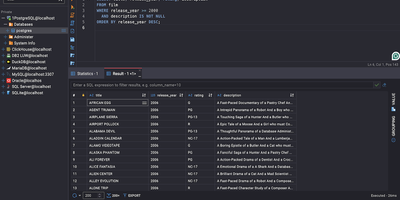
CloudBeaver puts a full-featured database management environment in your browser, connecting to PostgreSQL, MySQL, SQL Server, Oracle, ClickHouse, and over 100 additional engines through one unified interface that requires no desktop client installation. The Java server exposes a TypeScript/React frontend through a GraphQL API where teams can browse schemas, edit data, visualize relationships, and execute queries across all connected databases in a single workspace. The SQL Editor provides syntax highlighting, auto-completion with fuzzy search, AI-assisted SQL generation from natural language prompts, script management with save/download/upload capabilities, execution plan visualization, and multi-tab result display. The Data Editor enables direct cell editing, filtering, sorting, and bulk data modification with support for spatial GIS data rendering. Database administrators access a Navigator panel for browsing schemas, tables, views, foreign tables, triggers, dependencies, and stored procedures across all connected databases. ER Diagrams visualize table relationships and schema structure, while the Visual Query Builder constructs queries without hand-writing SQL. Multi-user administration provides role-based access control, connection sharing with configurable permissions, and session management. SSH tunneling secures remote database connections, and data can be exported or imported in multiple formats. Query History tracks all executed statements with timestamps and execution statistics. Running on a dedicated VPS on RepoCloud with guaranteed CPU, RAM, and SSD, full root SSH access, and a browser serial console. Apache 2.0 licensed.
Carbone
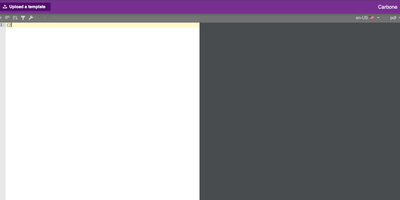
Document-generation code is the worst kind of code in your backlog - Carbone kills it. Its insight is separating design from data - templates are ordinary office documents (DOCX, ODT, XLSX, PPTX, HTML, even custom XML) built in LibreOffice, Microsoft Office, or Google Docs, with mustache-like markers such as {d.companyName} typed directly into the text. Send a template plus JSON from your existing APIs to the HTTP API, and Carbone returns the finished document - exported as-is or converted to PDF, XLSX, CSV, HTML, PNG, EPUB, and more via its integrated LibreOffice converter (Chromium and OnlyOffice engines are also supported for HTML-fidelity and office-format conversions). The template language goes well beyond substitution: loops over arrays render dynamic table rows, filters and aggregations run inside the document, and built-in formatters handle dates, numbers, currencies, timezones, and locales, with custom JavaScript formatters when needed. One template serves multiple languages through translation markers with auto-maintained translation files. The XML-agnostic engine means anything your document editor can design - pagination, headers, footers, nested tables, charts - survives generation intact, and Carbone guarantees no breaking changes in template syntax. Node.js-based, fast via multi-threaded LibreOffice conversion. The invoices, contracts, and reports your product owes its users become template edits, not sprints.
Shaarli
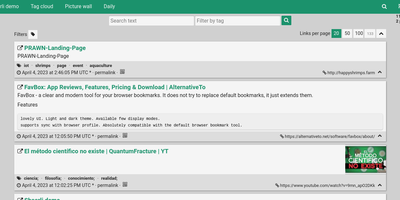
Personal, minimalist, database-free bookmarking - Shaarli is a philosophy as much as an app. Everything lives in a single compressed datastore file inside data/: no MySQL, no PostgreSQL, backup by copying one directory. That write-once/read-many file is usually served straight from OS disk caches, which is why a decade-old Shaarli instance with tens of thousands of links still responds instantly. Designed deliberately single-user, it saves URL, title, unlimited-length description, and tags (with autocomplete, renaming, and merging), marks entries public or private, and automatically strips utm_source and fb tracking parameters from saved URLs. That description field is why the community uses Shaarli as far more than bookmarks: a microblog, read-it-later queue, code-snippet base, pastebin, and shared clipboard between machines. Sharing is one click via bookmarklet or Android apps; consumption is per-tag RSS/Atom feeds plus a daily digest feed; search is full-text with tag filtering. A REST API opens it to any client, a plugin and theme system extends the PHP core (Markdown rendering, thumbnails), and import/export uses browser-standard Netscape HTML - your data enters and leaves freely. LDAP login is supported, no telemetry is sent anywhere, and the UI degrades gracefully without JavaScript. The anti-cloud Delicious.
Securo
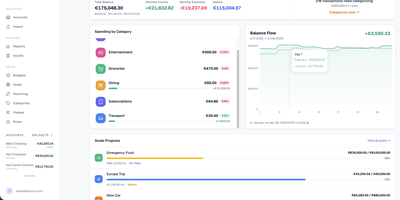
Securo is a privacy-first personal finance platform that keeps all your financial data in your own PostgreSQL instance while connecting to 2,500+ banks across three continents for automated transaction sync. The FastAPI backend with React/TypeScript frontend deploys via Docker Compose on ports 3000 and 8000, with Redis-backed Celery workers handling background synchronization. Bank connections span approximately 2,500 European PSD2 institutions through Enable Banking across 29 countries, US and international banks via SimpleFIN's open protocol, and Brazilian banks through Pluggy, all refreshing automatically every four hours. Multi-account management tracks checking, savings, credit cards, and investments with running balances. The auto-categorization rules engine applies pattern-matching across merchants and amounts. Goal tracking monitors savings targets with progress visualization, asset management handles stocks and custom instruments with configurable valuation growth rules, and reports generate Net Worth and Income vs Expenses charts with category sparklines. Optional AI Agents provide LLM chat with tool-use over your financial data through MCP, supporting OpenAI, Anthropic, Ollama, and compatible providers with per-agent RAG knowledge bases accessible via a global command palette. Multi-user support includes OIDC login, passkey authentication, TOTP two-factor, privacy mode, and multi-currency FX conversion via Open Exchange Rates. 1,500+ stars since March 2026. Running on a dedicated VPS on RepoCloud with guaranteed CPU, RAM, and SSD, full root SSH access, and a browser serial console. AGPL-3.0 licensed.
Moocup
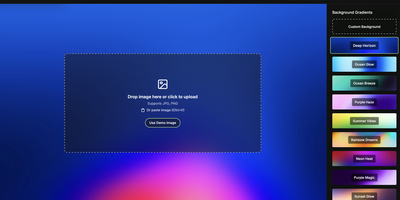
Drop your screenshot, a base style is applied, style it however you wish, and export - "that's basically it," says Moocup's own author, and the description holds. The workflow is genuinely seconds long. Drag an image in and it lands on an attractive backdrop immediately; from there you adjust backgrounds, gradients, padding, borders, shadows, and framing with live preview until it matches your taste, then export a high-quality image ready for a portfolio page, README, blog post, tweet, or slide deck. There are no accounts, no watermarks, and no upload to anyone's cloud - as a self-hosted static app, your screenshots never leave your infrastructure, which matters when the screenshot shows a proprietary dashboard or unreleased product. It runs entirely in the browser from a tiny nginx container, works on any device, and requires zero design skill: the smart defaults do the heavy lifting, and everything else is optional tinkering.

Colanode
With nearly 5,000 GitHub stars and a Hacker News launch that garnered 147 points, Colanode delivers the first genuinely local-first alternative to both Slack and Notion in a single self-hosted workspace — writing every operation to a client-side SQLite database before syncing to your server, so teams work at full speed offline, on planes, or through intermittent connections without ever losing a draft. The real-time chat system provides channels and direct messages with instant delivery via WebSocket, while the rich text editor offers Notion-style block-based pages for documents, wikis, meeting notes, and knowledge bases with headings, code blocks, embeds, and nested hierarchies. Customizable databases organize structured data with custom fields and three dynamic views — table for spreadsheet-style browsing, kanban for visual workflow boards, and calendar for time-based planning. Conflict-free Replicated Data Types powered by Yjs handle concurrent editing across pages and database records: multiple users modify the same document simultaneously and the system merges changes automatically without manual conflict resolution. File management supports upload, sharing, and organization within workspaces using pluggable storage backends including local filesystem, S3-compatible services, Google Cloud Storage, and Azure Blob Storage with TUS resumable uploads for large files. The server runs Fastify with Zod validation on Node.js 20+, persists to PostgreSQL with pgvector extension, uses Redis for event broadcasting, and deploys via a single Docker image. Running on a dedicated VPS on RepoCloud with guaranteed CPU, RAM, and SSD, full root SSH access, and a browser serial console. Apache-2.0 licensed.
Kima
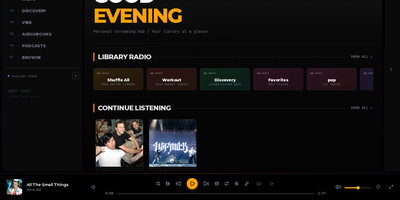
Streaming personal music collections with neural discovery and intelligent playlist curation is what Kima accomplishes as a modern self-hosted audio server that replaces Spotify and Apple Music. Listeners organize their FLAC, MP3, and AAC audio files into responsive grid layouts that scale up to eight columns on ultra-wide displays while automatically fetching album covers, artist biographies, and synchronized line-by-line lyrics. The built-in Vibe System utilizes CLAP neural network audio embeddings to map an entire music collection across two-dimensional clusters and three-dimensional interactive galaxy views, enabling users to explore acoustic relationships or queue smooth sonic paths between distant tracks. Music fans can import playlists directly from Spotify, Deezer, and YouTube using deterministic ISRC matching, while automated Made For You mixes generate era-specific playlists, workout stations, and discovery queues based on individual listening habits. Integrated podcast search pulls subscriptions from iTunes with automatic episode tracking across devices, while native Audiobookshelf connectors synchronize spoken-word chapter positions and playback progress directly into the unified web player. OpenSubsonic API endpoints allow mobile users to stream libraries through native clients like Symfonium and DSub using scoped authentication tokens, while administrators manage multi-user accounts with time-based two-factor authentication. Running on a dedicated VPS on RepoCloud with guaranteed CPU, RAM, and SSD, full root SSH access, and a browser serial console. GPL-3.0 licensed.
Operately
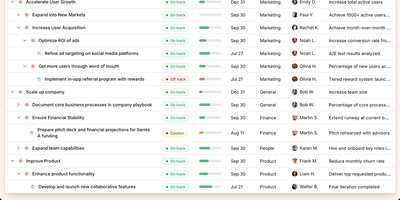
Operately is an opinionated operating system for growing companies that connects strategic goals directly to execution without the overhead of assembling separate tools. The OKR module tracks company-wide, team-level, and individual goals with measurable success conditions showing progress bars against numeric targets, timeframe deadlines, and automated progress aggregation from linked projects. Project management includes champion ownership, milestone tracking, Kanban task boards with TODO, In Progress, and Done columns, and scheduled check-ins that generate async progress updates on a configurable cadence. Team Spaces give departments organized homes for their goals, projects, documents, and discussions with configurable access controls at the space, goal, and project level. Message boards replace scattered email threads with focused project conversations, while the document and file system provides centralized content management. The Review screen aggregates everything requiring attention or approval into a single actionable view. The Elixir Phoenix backend uses Absinthe for GraphQL queries and mutations, Oban for background job processing, and Swoosh for email notifications. The React TypeScript frontend leverages Apollo Client for GraphQL state management. Full CLI and API access enables programmatic interaction, and MCP tools added in version 1.7 allow AI agents to create goals, update projects, manage tasks, and post check-ins. On RepoCloud, deploy Operately on a dedicated VPS with PostgreSQL persistence, root SSH access, and complete control over your organizational data, all under the Apache 2.0 license.
OctoPrint
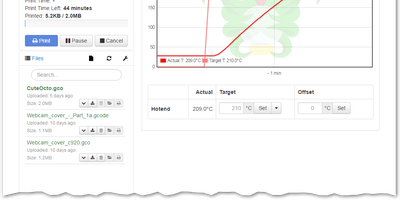
Over a million active instances make OctoPrint the standard web interface for consumer 3D printers - Gina Häußge's Python application, the center of the printing world since 2012. It talks to your printer over USB serial and turns every browser into a control panel: upload, organize, and start G-code prints; watch hotend and bed temperature graphs in real time; drive the print head manually; adjust feed rate, flow, and fan speed mid-print; and hit an emergency stop if things go wrong. The G-code visualizer renders the current layer in sync with the job, and a connected webcam adds a live feed plus automatic timelapse recording of every build. What keeps OctoPrint ahead is its plugin ecosystem - 300+ community plugins installable from the built-in manager. Highlights include Obico's AI spaghetti detection that pauses failed prints automatically, OctoEverywhere for tunnel-based remote access, Bed Level Visualizer's 3D mesh of your bed surface, PrintTimeGenius for accurate time estimates, Exclude Region to abandon one failed object mid-print while others continue, and Firmware Updater to flash Marlin or Klipper without SD-card shuffling. Event hooks fire notifications when prints finish or fail, and a full REST API supports slicer integration and custom automation. AGPL-licensed.
Hasura
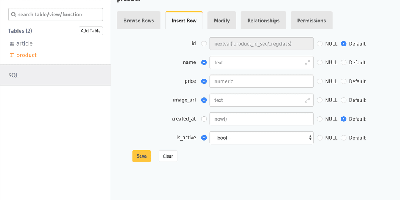
A PostgreSQL database becomes a production-grade GraphQL API the moment Hasura GraphQL Engine points at it: track tables and relationships - existing schemas included - and full query, mutation, and subscription types appear with where, order_by, limit, offset, and on_conflict arguments, no resolvers or boilerplate written. Its Haskell core compiles GraphQL to efficient SQL, and any query becomes a real-time live query with a single keyword, powering dashboards and collaborative UIs over standard GraphQL subscriptions. Authorization is where Hasura earns its enterprise reputation: role-based access control with row- and column-level permission policies driven by session variables from JWTs, auth webhooks, or headers - each role effectively sees its own GraphQL schema containing only what it may touch, integrating cleanly with Auth0, Firebase, or homegrown auth. Event triggers fire webhooks on inserts, updates, and deletes for asynchronous business logic; Actions extend the schema with custom REST handlers; remote schema stitching merges external GraphQL services into one endpoint; and auto-generated REST endpoints serve clients that skip GraphQL. A browser console handles data modeling and API exploration, the CLI manages migrations and metadata as code, and deployment is a single stateless Docker container beside Postgres.
Tiledesk
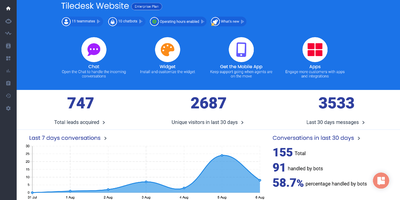
Tiledesk lets you build AI-powered conversational agents with a visual drag-and-drop designer, then deploy them simultaneously across web chat, WhatsApp, Telegram, Facebook Messenger, Instagram, email, and Slack without rebuilding per channel. The no-code Design Studio combines LLM-powered conversations with conditional logic, external API calls, and branching dialogue trees that work identically everywhere. Multi-RAG knowledge management separates content into isolated repositories with hybrid search combining traditional full-text retrieval and semantic understanding via Qdrant vector embeddings, enabling accurate answers even when users phrase queries in unexpected ways. LLM integration supports GPT-4, GPT-4o, Anthropic Claude, and any model exposing an OpenAI-compatible API including locally hosted models via Ollama for complete data sovereignty. The human-in-the-loop system provides seamless escalation from AI agents to live support staff with full conversation context preserved, while multi-agent workflows enable complex orchestration where specialized bots collaborate on different aspects of a customer interaction. REST and MQTT APIs power integration with external systems and webhook-triggered automations, and pre-designed templates accelerate common scenarios. Docker Compose deployment starts the full stack including server, dashboard, messaging engine, and widget. Running on a dedicated VPS on RepoCloud with guaranteed CPU, RAM, and SSD, full root SSH access, and a browser serial console. MIT licensed.