MeshCentral
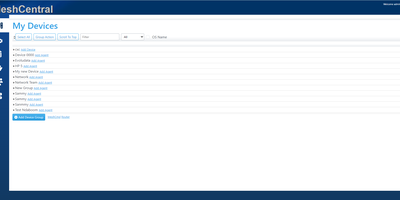
With over 7,000 GitHub stars and continuous development since 2017 by former Intel engineer Ylian Saint-Hilaire, MeshCentral has become the go-to self-hosted alternative to ConnectWise Control and Splashtop for managing devices remotely without per-seat licensing fees. The Node.js server installs via a single npm command and manages Windows, macOS, Linux, and FreeBSD endpoints through lightweight agents that maintain persistent WebSocket connections for real-time remote desktop, terminal access, and file transfer directly in the browser. Intel AMT integration provides out-of-band hardware management including power control and BIOS access even when the operating system is unresponsive. Device groups organize endpoints by location, customer, or function with granular role-based access control for multi-technician environments. Session recording captures remote desktop interactions for compliance auditing, while Wake-on-LAN powers on machines remotely across subnets. The server supports MongoDB for production deployments handling thousands of agents or the embedded NeDB for smaller setups under 200 devices, with a single 8GB VPS comfortably managing 1,500 concurrent agents. Security features include mandatory TLS with automatic Let's Encrypt certificate provisioning, multi-factor authentication via TOTP and FIDO2, SAML-based single sign-on, IP filtering, and HashiCorp Vault integration for secrets management. The web console provides real-time device monitoring with hardware and software inventory, network topology visualization, and customizable branding. TacticalRMM uses MeshCentral as its remote access layer. Running on a dedicated VPS on RepoCloud with guaranteed CPU, RAM, and SSD, full root SSH access, and a browser serial console. Apache-2.0 licensed.
Nexterm
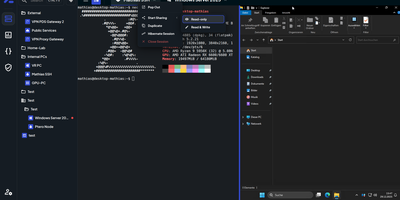
Terminals, remote desktops, and file browsers for every server you run: Nexterm opens them over SSH, VNC, RDP, Telnet, or SFTP from a self-hosted web page. Servers live in folders with tags and custom icons. Connections open as tabs or split views, keep running across browsers and devices, and can hibernate and resume later. The file manager handles SFTP and FTP: drag files in, upload whole folders, search, and edit in place with syntax highlighting. Live metrics track CPU, memory, disk, network, and processes for each host. Snippets store the commands you retype most. Scripts run whole maintenance jobs. Git repositories added as sources bring ready-made ones filtered by operating system. Organizations share servers through role-based permissions, and every action is logged. Record full terminal sessions for audits and training, or send a shared-session link so a colleague can join, read-only or writable. Authentication covers local accounts with TOTP and passkeys, OIDC providers such as Keycloak, Authentik, and Microsoft Entra ID, and LDAP or Active Directory. Saved passwords, SSH keys, and passphrases stay encrypted at rest. A Proxmox integration lists LXC containers and QEMU virtual machines and can start or stop them. An opt-in AI assistant drafts shell commands from plain-language requests. Running on a dedicated VPS on RepoCloud with guaranteed CPU, RAM, and SSD, full root SSH access, and a browser serial console. MIT licensed.
CortenDesk
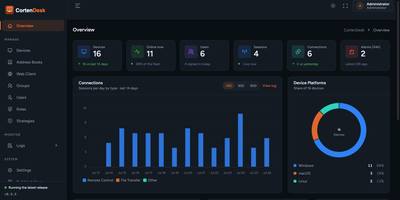
Point your RustDesk clients at CortenDesk and the bare open-source server turns into a managed fleet console with a real address book, real access control, and a remote client that lives in the browser. One container runs the ID server, the relay, and the console together, and existing key pairs and device IDs move in unchanged, so migration is a hostname change rather than a rebuild. The fleet view shows live presence, platform, aliases, owners, and last-seen for every machine, organized into folders that double as the unit of access control. People see only their own devices plus the groups granted to them, and the same scoping is enforced in the RustDesk client API, not just the web pages. Policies push client settings over the heartbeat, covering permissions, password rules, and capture behavior, and enforced policies revert local changes automatically. Five audit logs record connections, file transfers, sign-ins, security alarms, and console actions, all filterable and exportable to CSV. When a browser is all you have, the built-in web client views and controls machines with file transfer, clipboard, audio, and multi-monitor switching, no installer required. Running on a dedicated VPS on RepoCloud with guaranteed CPU, RAM, and SSD, full root SSH access, and a browser serial console. AGPL-3.0 licensed.
PhreshOS
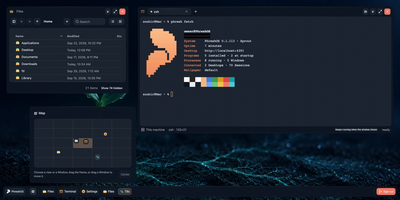
Your server already runs your apps; PhreshOS gives it a desktop. Install the System once and every Program you add gets a window on a real browser desktop, complete with taskbar, start menu, and a plane of views you can spread work across. Close the browser and nothing stops: each Program's server keeps running on the machine, holding its data and state, and when you open the Desktop again the windows are exactly where you left them. The System handles the groundwork every small web tool normally rebuilds for itself: one sign-in for the owner, permissions that decide what each Program may reach, storage and uploads, logs, and messaging between Programs, so a new tool only brings its own logic. Everyday pieces like the file manager, Settings, and even the wallpaper are Programs too, and an appearance changes colors and motion across the whole desktop at once. The same Desktop opens in several browsers simultaneously, each with its own view and scale, and AI agents work alongside you through the same Programs and APIs you use. When you want another tool, you create it as a small web project and its window appears on your desktop. Running on a dedicated VPS on RepoCloud with guaranteed CPU, RAM, and SSD, full root SSH access, and a browser serial console. MIT licensed.
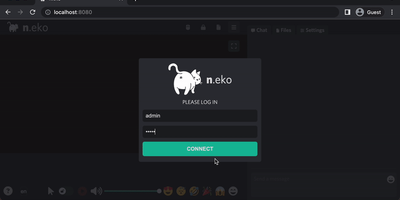
Neko
With over 21,000 GitHub stars and six years of steady development through version 3.1.0, Neko transforms any Docker container into a fully interactive browser or desktop environment streamed to web browsers via WebRTC with sub-300-millisecond glass-to-glass latency. The Go backend captures X server display frames using the Pion WebRTC library while the Vue.js frontend renders the remote session with native audio synchronization, delivering a significantly smoother experience than Apache Guacamole or noVNC which rely on image-over-WebSocket approaches. Multiple users simultaneously view and collaboratively control the same session with real-time input synchronization and host-managed control passing between participants. Pre-built Docker images cover Firefox, Chromium, Google Chrome, Tor Browser, Brave, Vivaldi, and Microsoft Edge alongside full desktop environments including XFCE and KDE for running any Linux application. Neko Rooms provides multi-tenant deployment with a REST API for programmatic room provisioning, while Neko Apps extends the platform with additional containerized applications beyond browsers. Sessions persist on the server independently of client connections — close your laptop, reconnect from your phone, and resume exactly where you left off. Optional VPN and Tor integration routes traffic through encrypted tunnels for privacy-sensitive browsing. RTMP broadcasting streams sessions to external platforms. The embeddable client supports iframe integration for custom portals and applications. Running on a dedicated VPS on RepoCloud with guaranteed CPU, RAM, and SSD, full root SSH access, and a browser serial console. Apache-2.0 licensed.