BookHeaven Server
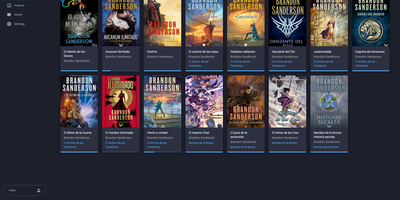
BookHeaven Server turns a scattered folder of EPUB files into a proper library you can browse, organize and read from anywhere, with your progress following you between devices. Import books by copying them into a watched folder or uploading them, and the server reads metadata straight from each file, grouping everything by author, series, collection and tag. When a title, author or cover is wrong, you fix it in the browser and the correction is written back into the EPUB itself, so edits survive even if the file moves elsewhere; missing covers can be fetched from the internet. Each person gets a profile with its own reading progress, including start date, last read date, percentage, elapsed time and finished date, and progress can also be corrected manually. Any OPDS reader app can browse and download from the built-in catalog at /opds/v1, while KOReader devices sync progress by pointing at your server and signing in with a profile name. Upload your favorite fonts once and every connected device can download them, with styles and weights mapped per file or split from a single font. The companion Android reader, built for e-ink screens, discovers the server automatically on your network and downloads books for offline reading. Running on a dedicated VPS on RepoCloud with guaranteed CPU, RAM, and SSD, full root SSH access, and a browser serial console. GPL-3.0 licensed.
BookWyrm
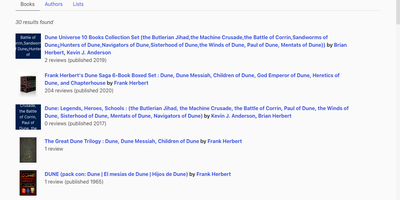
Instead of handing your reading history to a retail platform and letting an algorithm decide what you read next, BookWyrm lets a self-hosted community of readers make the recommendations. Shelve every book as to-read, currently reading, stopped, or finished, record start and finish dates with progress updates along the way, and set an annual reading goal to keep the habit honest. Rate and review finished books, drop a comment while you are mid-chapter, or save a quotation worth keeping, and all of it can appear on the book page alongside reviews aggregated from other connected instances. Follow friends to see their shelves fill up, join a group to build a shared reading list, or create your own list and choose whether it stays closed, accepts suggestions for approval, opens to everyone, or belongs to the group. Posts, shelves, and lists each carry their own privacy level, public, unlisted, followers-only, or private, and you can approve followers by hand before they see anything. Because instances federate over ActivityPub, your readers can follow you from another BookWyrm community or straight from Mastodon, and book metadata is shared between servers so small instances do not catalog alone. Running on a dedicated VPS on RepoCloud with guaranteed CPU, RAM, and SSD, full root SSH access, and a browser serial console. Anti-Capitalist Software License licensed.
Freshrss
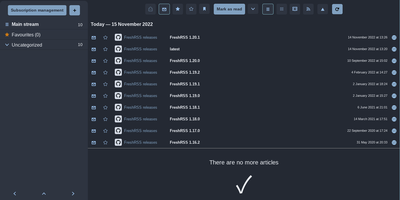
Where Miniflux strips reading down, FreshRSS gives you knobs - the feature-rich pole of self-hosted RSS, comfortable with thousands of feeds. It's a multi-user PHP aggregator (host family and friends on one instance, with an anonymous reading mode) with the reading workflow refined over a decade: favorites, custom tags, powerful filter and search queries, three reading views, and statistics that reveal each site's publishing frequency - useful for pruning subscriptions. Two properties make it the standard choice. First, the Google Reader-compatible API (plus a Fever API) syncs with virtually every serious RSS client - Reeder, NetNewsWire, ReadYou, FeedMe, Fluent Reader - so your phone reads from your server. Second, native WebSub support means compatible sources (WordPress, Blogger, Medium, Friendica) push new articles instantly instead of waiting for polling. A 50+ extension ecosystem adds what truncated feeds omit - full-text content fetching, reading-time estimates, trending views, auto-unsubscribe for dead feeds - alongside community themes and custom CSS. OPML import/export keeps subscriptions portable, a CLI handles administration, and article sharing posts to many services. AGPL-licensed, running on SQLite, MySQL, or PostgreSQL. Feedly Pro's feature set, minus Feedly's subscription and its algorithms.
Sake
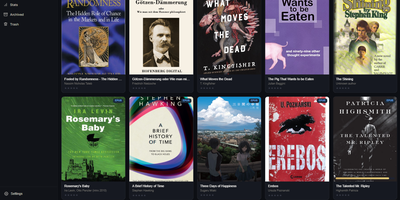
Your e-reader knows exactly where you stopped reading, and Sake makes your whole library know it too, with a self-hosted web library that syncs KOReader progress, notes, and highlights across every device you own. Browse your collection in a clean web app with covers, metadata, shelves, ratings, and reading state, and organize it with rule-based shelves that file new books automatically according to conditions you define. Pair a KOReader device once and progress uploads in the background when the reader sleeps, new books download on request, and highlights land in a searchable annotations hub where you can edit notes inline and export them as Markdown or JSON. An existing on-device library can be exported back into the web app complete with its sidecar data, so years of reading history move with you. Search providers including Open Library, Project Gutenberg, and Anna's Archive (through Libgen mirrors) put new books one query away from your shelves, and metadata lookups enrich them from Google Books, Open Library, or Hardcover. OPDS and WebDAV endpoints serve any compatible reader app with optional separate Basic-auth passwords, the built-in plugin updater keeps the KOReader plugin current without manual file copying, and reading statistics chart your habits across the library. The installable progressive web app keeps the library one tap away on phones and tablets. Running on a dedicated VPS on RepoCloud with guaranteed CPU, RAM, and SSD, full root SSH access, and a browser serial console. AGPL-3.0 licensed.
PdfDing
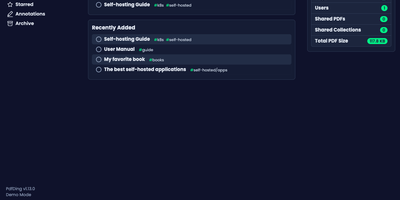
PdfDing turns a scattered folder of PDFs into a proper library you can read, annotate, sign, and share from any browser. The viewer remembers exactly where you stopped in every document, so a manual opened on your desktop resumes mid-page on your phone, and progress bars in the library show how far you have read at a glance. Workspaces and collections group related documents, multi-level tags classify them, and starring, archiving, and bulk actions keep even a large archive tidy. Inside the viewer you can add text, highlights, and freehand drawings, then review and export your highlights and comments from dedicated sections and attach Markdown notes to a document. A signature you create once is stored on your server and waits for you on every device, ready to drop onto contracts and forms. Sharing a collection or a single PDF takes a link or a QR code, with optional access control over who can open it and for how long. Accounts are protected by OIDC single sign-on and two-factor authentication with TOTP or WebAuthn, and dark mode, an inverted color mode, and multiple layouts keep long reading sessions comfortable. Running on a dedicated VPS on RepoCloud with guaranteed CPU, RAM, and SSD, full root SSH access, and a browser serial console. AGPL-3.0 licensed.
Comigo
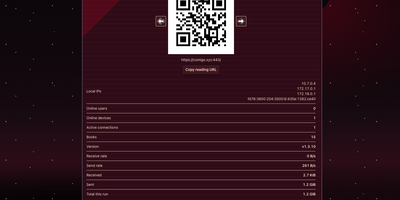
Your comic and manga collection becomes one tidy library with Comigo, readable in any browser on any device in the house. Point it at a folder and it indexes image folders plus zip, rar, tar, cbz, cbr, and epub archives, then serves pages in scroll or page-turning layouts. Pages arrive cropped and compressed for the screen in front of you, and modern heic and avif files read beside plain jpg and png. A QR code on the server screen brings phones and tablets straight into the same library, and reading position follows you between devices mid-chapter. Your history is tracked automatically, so a series paused last month reopens at the exact page where you stopped. The built-in player handles audio and video stored beside your books, which covers drama CDs and anime extras in the same shelves. Plugins add automatic page turning and an on-screen clock, and you can write your own to change how reading sessions behave. Libraries can live on another Comigo server across the network, whole image folders download in batches, and epub files convert for dedicated e-readers. The offline mode reads archives directly inside the browser with nothing uploaded, which suits borrowed machines and locked-down networks. Running on a dedicated VPS on RepoCloud with guaranteed CPU, RAM, and SSD, full root SSH access, and a browser serial console. MIT licensed.

MuckScraper
Reading the news should not mean opening twelve tabs about the same event, so MuckScraper folds every outlet's version into one story and shows you how the coverage differs. A scheduler fetches RSS feeds several times a day, with optional NewsAPI and GNews keys adding more sources, and each article is embedded and matched against recent stories so wire copies and follow-ups land together instead of flooding your feed. Every story carries a bias balance: how many left, center, and right outlets covered it, with each outlet rated from AllSides data or scored by the model where no rating exists. Local language models write the story summary and a deeper report comparing how each side frames the event, what is contested, and what nobody is mentioning, while guardrails reject cut-off summaries and figures that never appeared in the sources. Opinion columns stay in their own lane, linked to the stories they argue about and rounded up separately, never counted as news coverage. Twice a day the system publishes a balanced edition of twenty stories, and every past edition stays readable alongside full-text search across your whole archive. Reader, scraper, and admin roles decide who can simply read, who can trigger fetches, and who manages feeds, prompts, and users. Running on a dedicated VPS on RepoCloud with guaranteed CPU, RAM, and SSD, full root SSH access, and a browser serial console. MIT licensed.
Atsumeru
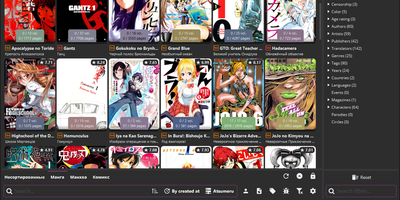
Atsumeru is the bookshelf server for people whose manga and comic collection lives in CBZ files scattered across drives: point it at the folders and it becomes a tidy library you can read from anywhere. Series organize themselves into auto categories, custom categories, and metacategories, and metadata edits are painless, with automatic import from ComicInfo.xml and book_info.json files and parsing from supported catalogs when you want richer records. Reading happens in native apps for Windows, Linux, Mac, and Android, or in the built-in WebUI, and two-way history synchronization keeps your place when you move from desk to phone. Whole series download inside supported apps for offline reading, which turns a commute into a chapter backlog clearing session. Multiple users get separate histories and powerful access controls, so a household shares one server without sharing reading progress or seeing each other's shelves. A documented REST API with Swagger on board covers automation and custom clients. The server runs as a single jar or a Docker container on port 31337, small enough for the spare machine already holding the files. Running on a dedicated VPS on RepoCloud with guaranteed CPU, RAM, and SSD, full root SSH access, and a browser serial console. MIT licensed.
KoShelf
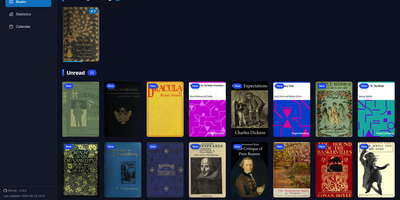
Your e-reader already knows everything about your reading life, and KoShelf turns that KOReader metadata into a beautiful dashboard you can browse from any browser. The library overview gathers currently reading, completed, and unread books and comics, while each item's page collects your highlights, annotations, ratings, and review notes in one place. Reading statistics chart your time and pages with customizable activity heatmaps and weekly breakdowns, and per-item statistics reveal session counts, average session length, and reading speed for every book. A monthly calendar shows what you read on each day, and the yearly recap celebrates completions with monthly summaries of finished items and hours read. Supported books open right inside KoShelf's own reader, with keyboard navigation, a progress scrubber, and inline highlight notes. Metadata entries survive even when the original document disappears, because library archives preserve covers and reading data until the source returns. With writeback enabled in server mode, you can edit annotations, ratings, status, and covers from the browser, protected by revision checks and recoverable backups so external changes are never overwritten blindly. Search by title, author, or series, filter by reading status, and download original files whenever you need them. Running on a dedicated VPS on RepoCloud with guaranteed CPU, RAM, and SSD, full root SSH access, and a browser serial console. EUPL-1.2 licensed.

QMReader
QMReader is a self-hosted reading workbench that treats RSS as raw material for knowledge you keep, not a pile of unread badges waiting to be cleared. Subscribe to RSSHub routes, direct feeds, sitemaps, Hacker News, Product Hunt, GitHub Trending, and Hugging Face Papers, and new items land in the article list immediately while translation and rewriting finish in the background. English headlines gain Chinese translations automatically, and full articles can be read as the original, a Chinese translation, or a plain-language rewrite, all kept side by side on the same page. Highlight passages, attach your own commentary, and open an AI conversation scoped to the article in front of you instead of starting from a blank chat box. Work you produce becomes a public reading asset with a stable link: translations, rewrites, comments, and dialogues collect on contributor pages and flow out through asset catalogs and RSS feeds for the next reader. Split background workers keep fast feed fetching separate from slower AI processing, and search, unread, popular, favorites, and history views keep a heavy reading habit navigable. Running on a dedicated VPS on RepoCloud with guaranteed CPU, RAM, and SSD, full root SSH access, and a browser serial console. MIT licensed.