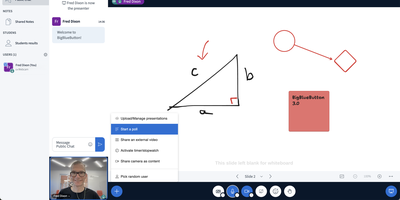
BigBlueButton
Used daily by millions of educators and learners in over 65 languages and embedded as the default virtual classroom in Moodle Cloud, Canvas, Sakai, D2L, Jenzabar, and Schoology — together comprising more than 75% of the worldwide learning management system market — BigBlueButton has been the leading open-source web conferencing platform for education since its creation at Carleton University in 2007. The platform delivers WebRTC-based real-time audio, video, and screen sharing with a tldraw v2-powered multi-user whiteboard featuring infinite canvas support, allowing multiple participants to annotate slides and draw simultaneously. Breakout rooms support up to eight concurrent groups with collaborative whiteboards enabled by default, and polling with customizable response types lets instructors assess understanding in real time. The built-in Learning Analytics Dashboard answers three questions at a glance: who is attending, who is participating, and who is learning based on poll responses, providing actionable engagement metrics without requiring webcam surveillance. Session recording captures audio, video, slides, chat, and whiteboard annotations for asynchronous playback on any device. The plugin architecture introduced in version 3.0 enables custom extensions, while IMS LTI 1.0 compliance allows integration with Blackboard, Desire2Learn, Pearson Learning Studio, and any conformant platform without custom code. The REST API enables programmatic session management, user authentication, and recording access for custom frontends like the included Greenlight application. Version 4.0 introduces LiveKit-based media and a redesigned interface. Running on a dedicated VPS on RepoCloud with guaranteed CPU, RAM, and SSD, full root SSH access, and a browser serial console. LGPL-3.0 licensed.
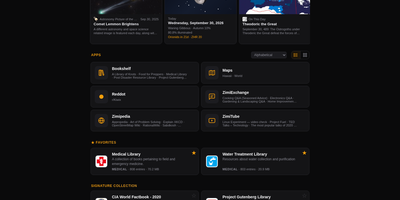
Zimi
When the internet goes away, your library does not have to: Zimi serves Kiwix ZIM archives of Wikipedia, books, videos and forums through a rich web interface, with one search box querying every archive across more than 100 million articles. Each content type gets its own app: Zimipedia for wikis, the Dictionary for Wiktionary, Bookshelf for books, ZimiTube for video, ZimiExchange for Q&A, Reddot for subreddits and offline street Maps. Bookmarks, lists, likes and highlights live in every app and sync across devices when you sign in, and any article can switch into whichever language edition you hold. The library manages itself: browse the Kiwix catalog of over 1,000 archives, download with one click, let auto-updates keep editions fresh, and seed downloads over BitTorrent with a ratio cap you set. Zimi servers on the same network find each other and pass archives at LAN speed, and one offline switch turns off every internet-bound feature for air-gapped rooms. You can also make your own ZIMs from a web page, a whole site, a video playlist or a folder of files. Access ranges from public to sign-in only with per-archive allowlists, and the JSON API plus MCP server let AI agents search the same library. Docker runs Zimi on port 8899 with your ZIM files and config mounted as volumes. Running on a dedicated VPS on RepoCloud with guaranteed CPU, RAM, and SSD, full root SSH access, and a browser serial console. GPL-3.0 licensed.
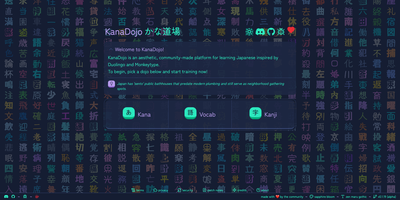
KanaDojo
Pick a dojo, pick a few characters, and start drilling Japanese in seconds with KanaDojo, a clean practice app inspired by Duolingo and Monkeytype. The Kana dojo covers hiragana and katakana, with base, dakuon, and yoon sets that can be selected group by group. The Kanji dojo follows JLPT levels from N5 to N1 and shows on and kun readings with meanings beside each character, and the Vocabulary dojo drills common everyday words grouped into the same five units. Four game modes keep practice varied: pick the answer, reverse pick, type the answer, or type it in reverse. Instant feedback, running scores, and streak counters make each session feel like a game. Progress pages track statistics, daily streaks, and more than eighty achievements, and pronunciation buttons read the readings aloud. Preferences control furigana, sound effects, and visual effects, and over one hundred themes plus a collection of Japanese fonts let learners set the mood. The layout adapts to desktop, tablet, and phone screens. Use it as a personal study companion, a classroom or club practice site, or a quick daily warm-up before reading manga or watching anime. Running on a dedicated VPS on RepoCloud with guaranteed CPU, RAM, and SSD, full root SSH access, and a browser serial console. AGPL-3.0 licensed.
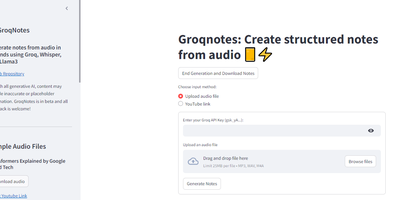
ScribeWizard
Audio lectures become structured, Markdown-formatted notes in about a minute with ScribeWizard (also known as GroqNotes). Upload an MP3, WAV, or M4A file - or paste a YouTube link - and the app runs a three-stage pipeline on Groq's LPU inference hardware: Whisper Large v3 transcribes the audio, a larger Llama model drafts a comprehensive outline of the material, and a faster Llama model fills each section with detailed content. This scaffolded prompting strategy is the core idea: the strong model handles structure where quality matters most, the fast model handles volume, and Groq's 1200+ tokens-per-second inference keeps the whole process near real time. Output renders as clean Markdown with support for tables and code blocks, and finished notes download as text or PDF. Model selection is configurable - swap in other Groq-hosted open models like Mixtral or Gemma to trade speed against quality or work around rate limits. Built as a single Streamlit app by Benjamin Klieger at Groq, it needs only a Groq API key to run, making it one of the simplest self-hosted AI tools to operate.

LearnHouse
LearnHouse delivers a modern open-source learning platform that replaces proprietary course builders with a self-hosted alternative shipping a rich feature set out of the box. The Tiptap-powered block editor supports videos, documents, embeds, quizzes, and file uploads in a Notion-like interface with real-time co-editing powered by Hocuspocus and Yjs CRDT synchronization over WebSocket. AI tutoring integrates Google Gemini and LlamaIndex for RAG-powered context-aware assistance that adapts to course content, while interactive Playgrounds use AI to generate simulations, diagrams, and learning exercises. The platform handles the full course lifecycle: chapters and activities organize into collections and learning paths, assignments support automated and manual grading, and code blocks execute student submissions in 30+ languages with auto-grading. Analytics dashboards track learner engagement, progress, and completion rates in real time. The backend runs on FastAPI with SQLModel and Alembic migrations against PostgreSQL 16 with pgvector for AI embeddings, while Redis handles caching and session management. The frontend builds on Next.js 16 with React 19 and Tailwind CSS v4. Deployment uses an interactive CLI wizard that configures domain, database, admin account, SSL via Let's Encrypt, and optional features like email via Resend, S3 storage, and Google OAuth, then generates a Docker Compose stack ready to start. On RepoCloud, deploy LearnHouse on a dedicated VPS with root SSH access, persistent PostgreSQL storage for your course data, and complete control over AI provider keys and branding customization, all under the AGPL v3 license.
DOMjudge
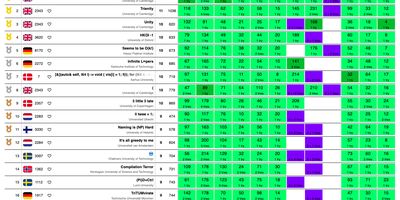
Built for ICPC-style programming contests, DOMjudge takes team submissions, judges them in a restricted sandbox, and posts a live scoreboard. Each team gets its own page. There they read the problem set, submit source code from the browser or a command line client, follow verdicts, and send clarification requests. Judges see every submission, judging run, and output diff. They verify results and rejudge a single submission or everything for a language, problem, team, or judgehost. Administrators schedule activation, start, freeze, end, and unfreeze times, import teams, categories, affiliations, and problems in bulk, and watch a traffic-light status for every team. The public scoreboard freezes for the final stretch and exports as a static HTML page. Judgehosts compile and run each solution with time and memory limits in languages such as C, C++, Java, Python, Kotlin, Go, and Haskell, with custom validators and interactive problems when a task calls for them. Balloon runners get a delivery queue. Clarifications sort into categories. Open contests accept self-registration. The Contest API and event feed connect external scoreboards, and a shadow mode compares results against another system. Running on a dedicated VPS on RepoCloud with guaranteed CPU, RAM, and SSD, full root SSH access, and a browser serial console. GPL-2.0 licensed.
ClassroomIO
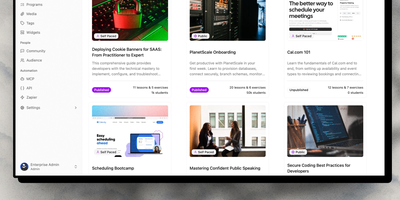
Turn company knowledge into structured courses in minutes: ClassroomIO's AI course builder takes your documents, policies, or topic outlines and generates complete lessons with exercises using Gemini, GPT-4o, or Claude — then an in-lesson AI tutor helps employees study the material at their own pace. The SvelteKit 5 and Hono API architecture backs a platform purpose-built for employee compliance training, customer education, and partner certification programs. Programs group courses into cohorts with team management, progress tracking, and goal setting. Live Kahoot-style quizzes drive real-time engagement during training sessions with automatic scoring and leaderboards. Exercises support multiple question types with automatic grading for multiple choice and AI-assisted evaluation for open-ended responses — teachers review and override all AI decisions. Branded certificates with custom IDs reward course completion. Custom domain mapping through Cloudflare lets organizations serve their learning portal under their own brand. MinIO provides S3-compatible storage for documents and video uploads. The REST API and signed webhooks enable programmatic enrollment and completion tracking, while an MCP server on npm supports AI-native authoring workflows. An embeddable widget drops the course catalog onto any website. Better Auth handles sessions and OAuth with optional SSO. Running on a dedicated VPS on RepoCloud with guaranteed CPU, RAM, and SSD, full root SSH access, and a browser serial console. AGPL-3.0 licensed.
Judge0
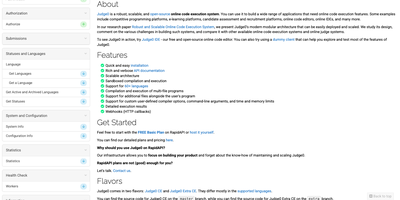
Judge0 is a code execution service that takes source code over a simple HTTP API, compiles and runs it inside a locked-down sandbox, and hands back exactly what the program printed, how long it took, and how much memory it used. Send a snippet in any of more than 90 languages, from Python, JavaScript, Rust, and Go to C, Java, and Haskell, and pick the compiler or interpreter variant you need. Each run accepts standard input, command-line arguments, and custom compiler flags, then reports standard output, errors, and a precise verdict covering accepted, wrong answer, time limit, compilation error, or runtime failure. Per-submission controls cap CPU time, memory, stack size, and output file size, so a fork bomb or an infinite loop dies inside its fence instead of disturbing the host. Submissions run one at a time or in batches, and a synchronous mode answers in the same request for snippets that finish fast. Webhooks call your application the moment a long job completes, which keeps polling loops out of worker queues and classrooms alike. Coding platforms grade student work with it, hiring tools run candidate solutions against hidden tests, and AI agents execute the code they generate before trusting it. Official Python and JavaScript SDKs wrap the raw requests, so most integrations shrink to choosing a language and reading the result fields. Running on a dedicated VPS on RepoCloud with guaranteed CPU, RAM, and SSD, full root SSH access, and a browser serial console. GPL-3.0 licensed.
SocialCoach
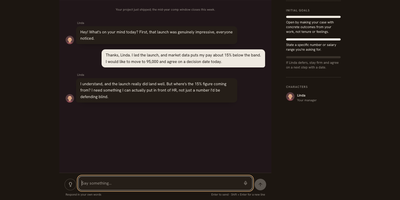
Asking for a raise, declining extra hours, or setting a boundary with a friend can all be rehearsed first in SocialCoach, an AI coach built for the conversations people dread. Pick one of 63 scenarios across seven areas of life, or describe your own situation, and talk to a character who has real goals, doubts, and limits, so politeness alone does not win the argument. A stance meter shows how firmly the other person holds their position as you speak, and optional timed replies add pressure for readiness practice. The debrief quotes what you actually said before judging it, separates communication quality from the outcome, and suggests one thing to change on the next attempt. A Today page recommends a daily scene from your goals, Growth tracks practice history against five competencies, and a Learn library offers short videos, theories, and cases with sources. Step into 3D dinners, elevator lobbies, and offices to answer by typing or speaking. Practice history stays in the browser and can be exported, with no sign-up needed, and the mobile-first layout installs as an app on a phone. Settings accept your own Anthropic or OpenAI-compatible model, or a server key, so a self-hosted copy runs on any gateway. English and Simplified Chinese are both built in. Rehearse a hard conversation three times here and the real one feels smaller. Running on a dedicated VPS on RepoCloud with guaranteed CPU, RAM, and SSD, full root SSH access, and a browser serial console. Apache-2.0 licensed.
ILIAS
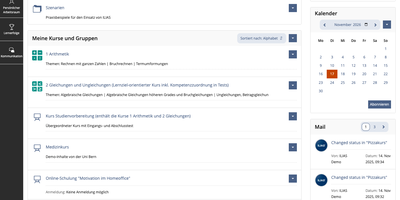
ILIAS is an open-source learning management system that puts courses, SCORM modules, online exams, surveys, wikis, and portfolios on one platform for universities, schools, and companies. Content lives in a repository where categories and courses hold files, learning modules, and tests, and a fine-grained permission system decides who may read, edit, or administer each object. Authors write learning modules, glossaries, and wikis in the browser, import SCORM 1.2 and SCORM 2004 packages, and connect external tools through IMS LTI. The Test and Assessment tool covers everything from self-check quizzes to complete e-exams, and the Scoring tab lets markers work participant by participant or question by question, anonymously if needed, with Markdown feedback. Preconditions unlock the next activity from a test result, so a score of 0 to 30 percent can open one follow-up test while 31 to 50 percent opens another. Study Programmes map whole study and training courses, and an optional progress bar shows learners their completion percentage. Every learner gets a personal workspace for portfolios and blogs, drag-and-drop file upload, profiles, contacts, mail, and chat. Administrators can add guided tours that point at tabs and buttons, assign short links to categories, and export data as XML, CSV, or Excel. The OER Harvester spots Creative Commons material and publishes it in a dedicated category. Running on a dedicated VPS on RepoCloud with guaranteed CPU, RAM, and SSD, full root SSH access, and a browser serial console. GPL-3.0 licensed.
Whiteboard
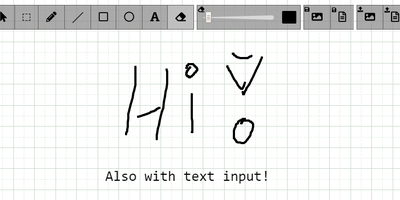
The drawing surface inside WebRTC conference tools like Meetzi and the LAMS online-learning platform is Whiteboard (by cracker0dks) - a lightweight Node.js collaborative sketchboard built to be embedded and customized, which also slots into Nextcloud via the External Sites app. Everyone opening the same whiteboardid URL parameter draws on the same board, with remote user cursors visible live, per-user undo/redo, and an indicator showing the smallest participating screen so nobody draws outside a colleague's view. Content handling goes beyond pen strokes: drag-and-drop or paste images and PDFs from any PC or browser, then resize, rotate, and draw over them on canvas or background; add text and sticky notes; hold Shift for angle-snapped lines and perfect squares. Every function has a keybinding - deliberately friendly to pen displays like Wacom and XP-Pen whose hardware buttons map to shortcuts. Boards save to image or JSON (with reload), export directly to Nextcloud via WebDAV, and persist across restarts with the file-database option. A REST API with bundled interactive docs allows full programmatic control, an optional access token locks down uploads, and YAML configuration tunes behavior and performance. MIT-licensed and reverse-proxy friendly.
TutorLoom
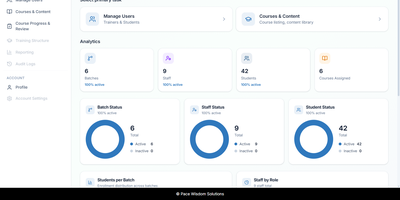
A training institute can run its courses, batches, trainers, and students from a single self-hosted TutorLoom installation it fully controls. One deployment serves many organizations at once, and every query is scoped to the organization, so trainers and learners only ever see their own data. Institute admins manage people and time-boxed batches, inviting trainers and students one by one or in bulk from CSV and Excel files. Courses are built as levels, chapters, and steps mixing videos, documents, tasks, and quizzes, with prerequisites and sequential unlocking so learners follow the path you designed instead of wandering. Students work through a guided step-by-step roadmap on the web or in the mobile app, watching completion fill in as they go and earning points and levels along the way. When learners submit work, trainers review everything in a single grading queue, approving or rejecting with a score and written feedback, then export progress to Excel when management asks for a report. Finishing a course produces a PDF completion certificate automatically. One account can hold several roles at once, so a trainer who also administers an institute switches portals without signing out. Branded email notifications keep learners informed under your own institute's name, and a documented REST API with interactive documentation powers the web app, the mobile app, and your own integrations. Running on a dedicated VPS on RepoCloud with guaranteed CPU, RAM, and SSD, full root SSH access, and a browser serial console. Apache-2.0 licensed.
UniTime
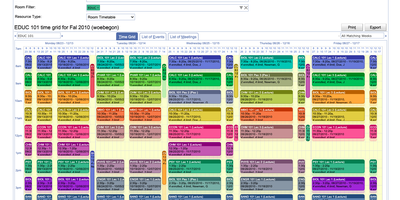
Building a conflict-free class and exam schedule for an entire campus is the problem UniTime solves, covering rooms, meeting times, and the placement of each student in sections. Course timetabling balances student conflicts against instructor preferences, room preferences, and links between classes, and managers can test scenarios with fewer classrooms. A published timetable can still change: an interactive solver proposes new times and rooms for a class that must move and shows each option's student conflicts. Midterms and finals receive periods and rooms through examination timetabling, which minimizes direct conflicts and back-to-back exams and respects rules like Same Period or Precedence. One events calendar holds every class meeting and exam, and staff and students request guest talks and club meetings in free rooms. Students enter prioritized course requests with wait-list and substitute choices, and online scheduling assigns open sections and holds seats that later students need. The scheduling dashboard tracks availability, projected demand, enrollments, reservations, and consent requests for every course. Instructor scheduling assigns teaching assistants to classes after the timetable is set, honoring each person's maximum load and teaching preferences. Timetables display by room, instructor, department, curriculum, subject area, or student group, with CSV, XLS, and PDF exports. UniTime runs alone for a school's classes and exams or connects to an existing student information system through documented import and export interfaces. Running on a dedicated VPS on RepoCloud with guaranteed CPU, RAM, and SSD, full root SSH access, and a browser serial console. Apache-2.0 licensed.
Gibbon
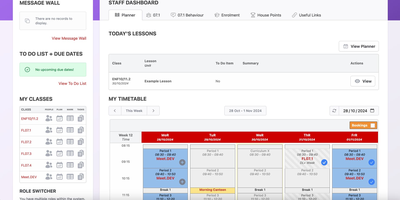
Running a school means juggling lesson plans, timetables, attendance, behaviour notes, and grades all at once; Gibbon gives teachers, students, parents, and administrators one shared web system for that daily work. Teachers build lessons from reusable Smart Blocks, assemble them into units with learning outcomes, set and collect homework online, and grade the results in a colour-coded markbook that stays linked to every class. The timetabling engine builds schedules from reusable day structures, ties them to real calendar dates, handles exceptions, books rooms and facilities, and shows every student and teacher exactly where they should be. Attendance can be taken by form group, class, or individual student, with future absences recorded ahead of time and reports ready for emergencies or truancy follow-up. Behaviour records log the good alongside the bad using your school's own descriptors and severity levels, notify form tutors when something needs attention, and surface patterns across a student's history. Each student's profile pulls timetable, attendance, behaviour, library, and assessment information into one page, while activities sign-ups, a school-wide resource library, and departmental scope-and-sequence views keep the wider community connected. Because every module can be switched on or off per role and extended with community modules, the same platform fits a small primary school and a large secondary school in 26 languages. Running on a dedicated VPS on RepoCloud with guaranteed CPU, RAM, and SSD, full root SSH access, and a browser serial console. GPL-3.0 licensed.

Light-Interview
Light-Interview is a practice room for job interviews where you answer out loud and get a scored report afterwards. Fill in a target role, company, job description, and resume, and the app writes a question set to match. A digital interviewer reads each question, listens, and asks a follow-up when an answer is thin, and the browser records every answer on its own. Reports show relevance, completeness, professionalism, STAR structure, logic, speaking pace, pauses, and filler words, with the transcript beside the recording so you can jump to the moment that cost points. Rewrite a weak answer, record it again, and compare the two takes. Answers below the pass line land in a mistake book for retries, and each job goal gets a daily three question plan and a weekly review. Coding assessments run in a web editor with Java, Python, C++, JavaScript, and Go, judged in disposable containers with no network access. A resume library, spoken English and Japanese practice, and study groups with peer review round out the toolkit. Running on a dedicated VPS on RepoCloud with guaranteed CPU, RAM, and SSD, full root SSH access, and a browser serial console. Apache-2.0 licensed.

FoJin
Ask a question about Buddhist scripture in plain language and get an answer that points to the exact passage it came from. FoJin brings thousands of texts from hundreds of digital libraries into one search box, so a reader no longer jumps between a dozen archives with different layouts. The AI assistant, called XiaoJin, answers with clickable citations that open the original text, and it can also reply in the voice of historical masters scoped to their own tradition. Search covers classics, translators, and catalog numbers, with filters by country and collection. Reading pages show full text, and parallel views line up translations in many languages, with Chinese, Pali, and Tibetan versions of the same sutra side by side. Thirty-nine dictionaries answer term lookups, a knowledge graph maps people, lineages, and places, and a data source directory shows what each collection offers. Readers can save collections, bookmarks, and annotations, then export citations in BibTeX, RIS, or APA. A read-aloud mode highlights each sentence in sync with audio. Quote verification confirms that a sentence really exists in the canon, and where. Running on a dedicated VPS on RepoCloud with guaranteed CPU, RAM, and SSD, full root SSH access, and a browser serial console. Apache-2.0 licensed.

WBO
A Node.js server, a large shared canvas, and a URL - WBO (Whiteboard Ophir) is collaborative whiteboarding reduced to its essence. There are no accounts and no setup - to collaborate, you send someone the board's link, and every stroke appears for all connected users in real time over WebSockets, with cursor positions shared so you can see where collaborators are working. Board state persists automatically and continuously, so a diagram drawn in today's lesson is still there next week at the same URL. Boards come in three flavors: a public free-for-all, private boards with random unguessable names, and named boards with custom URLs shared by anyone who knows the name. The tools cover teaching and brainstorming needs - pencil, straight lines, rectangles, ellipses, text annotations, eraser, a full color palette with brush sizes - and boards export as SVG or PNG. Despite the simplicity, the server is production-minded: JWT authentication gates board access with granular capabilities (open, edit, and clear as separate permissions), rate limiting caps per-client message volume, reverse-proxy and subpath deployment are supported, and OpenTelemetry provides metrics, logs, and traces. It works on tablets and touch devices, speaks multiple languages, and consumes minimal resources. AGPL-licensed.
JupyterHub
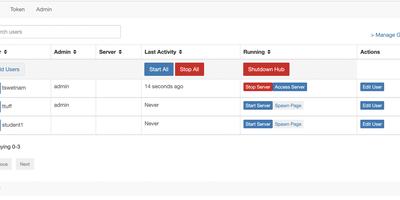
One server, a login for everyone, and a private JupyterLab in every browser tab: that is the whole pitch, and for classrooms and research teams it is transformative. JupyterHub authenticates each user against your existing identity system (campus OAuth, GitHub, Google, LDAP, or local accounts), then spawns a dedicated single-user server just for them, with their files, their kernels, and their compute allocation. Users open notebooks, terminals, and extensions in JupyterLab without installing anything, and their environment is identical whether they log in from a lab workstation or a laptop at home. The Spawner decides where those servers live: plain processes on one machine for a small class, Docker containers for isolation, or Kubernetes pods that scale across a cluster for a whole university. Administrators manage users, groups, and named servers from the admin panel, grant precise permissions through roles and scopes, and watch start times and profiles for every running server. External services plug into the Hub API, so dashboards, autograders, and portals can authenticate through the same OAuth machinery. When a user disappears for the semester break, culling stops their idle server and frees the resources. Running on a dedicated VPS on RepoCloud with guaranteed CPU, RAM, and SSD, full root SSH access, and a browser serial console. BSD-3-Clause licensed.