Stars
Forks
Watchers
Developer links
JupyterHub
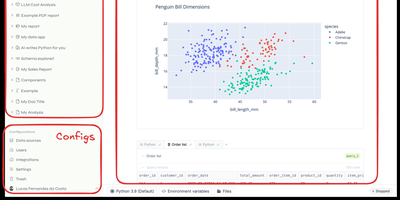
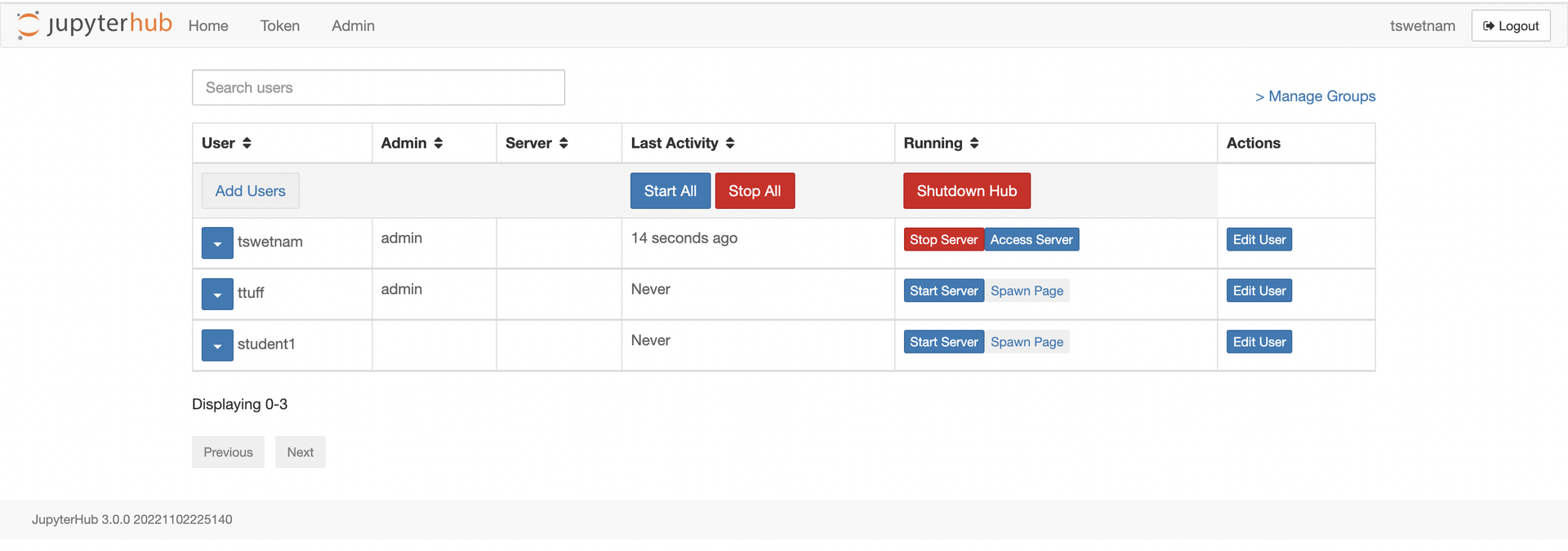
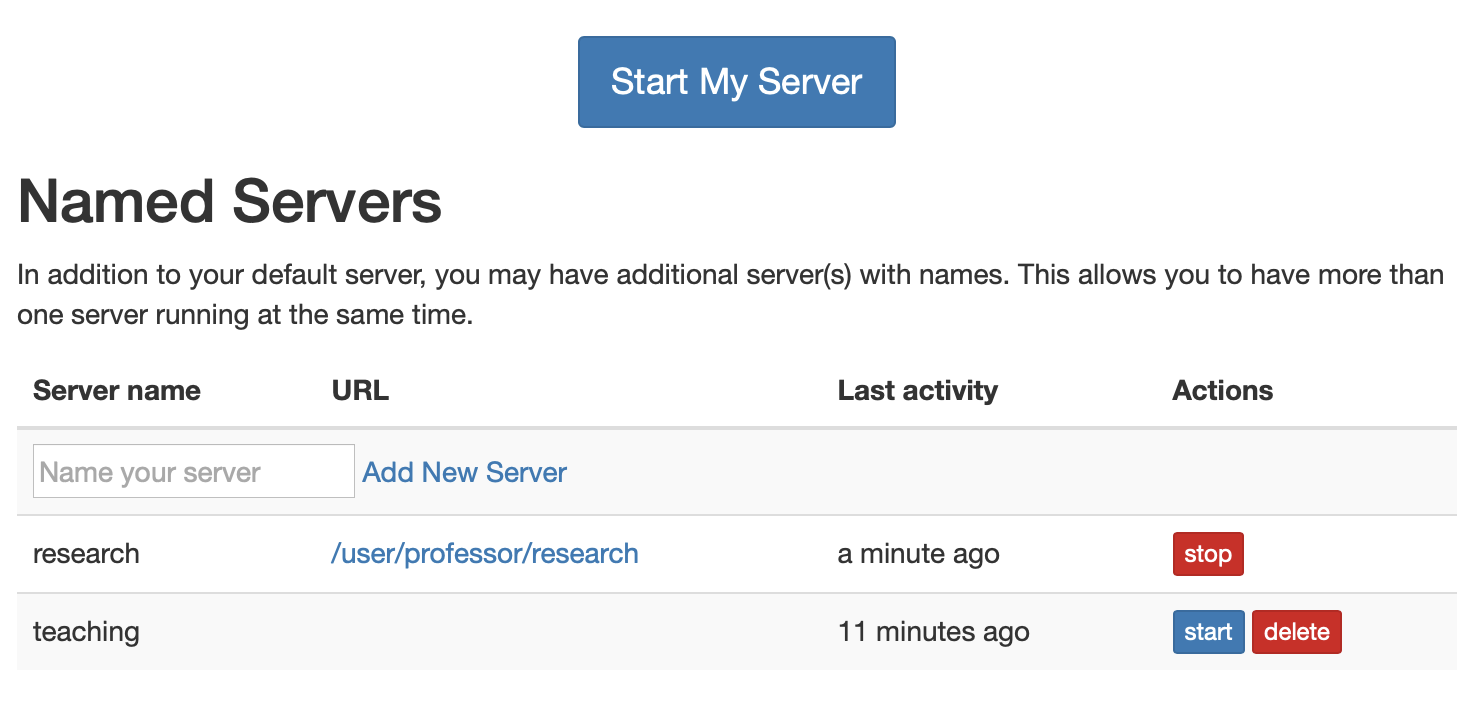
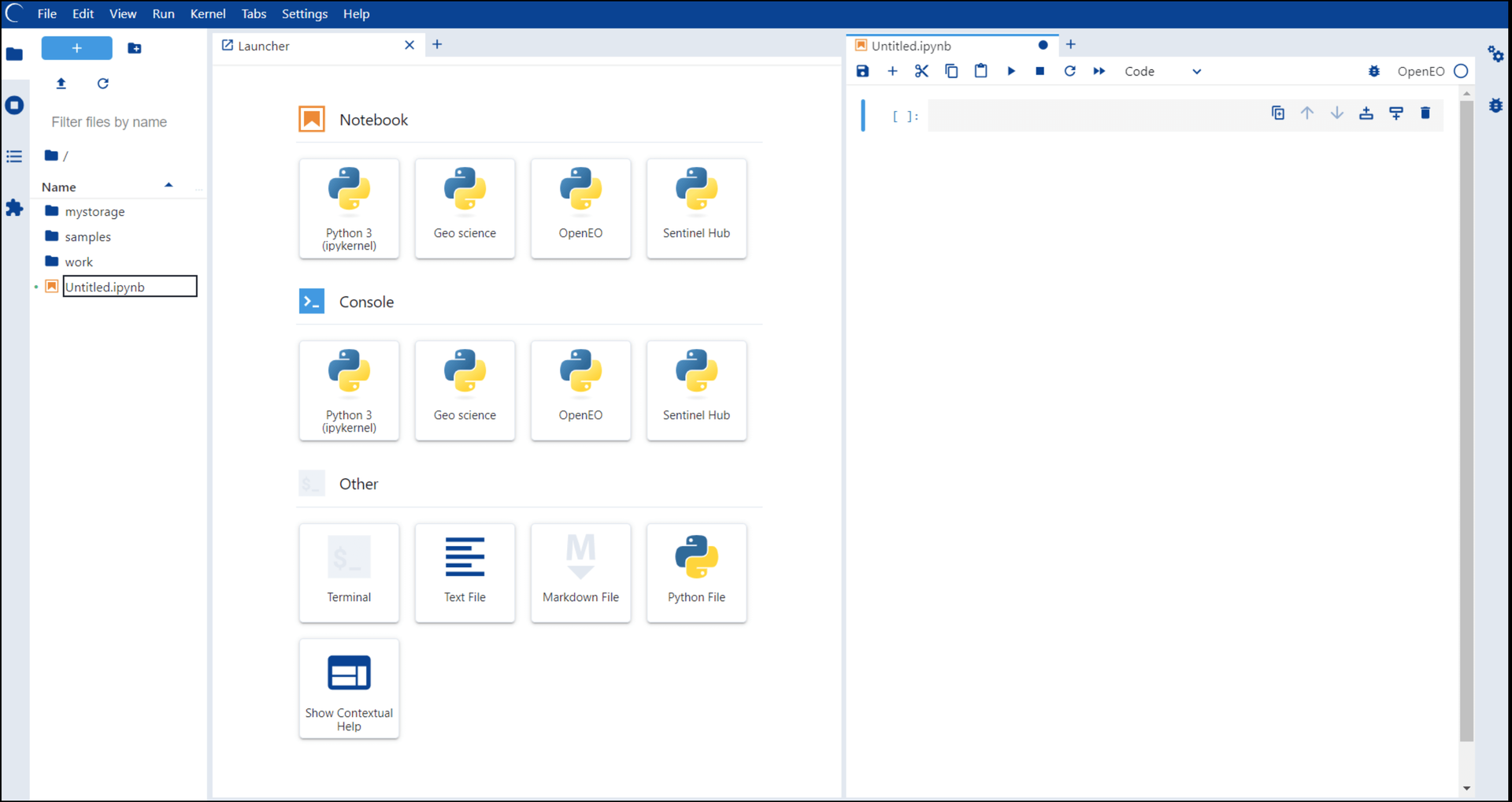
One server, a login for everyone, and a private JupyterLab in every browser tab: that is the whole pitch, and for classrooms and research teams it is transformative. JupyterHub authenticates each user against your existing identity system (campus OAuth, GitHub, Google, LDAP, or local accounts), then spawns a dedicated single-user server just for them, with their files, their kernels, and their compute allocation. Users open notebooks, terminals, and extensions in JupyterLab without installing anything, and their environment is identical whether they log in from a lab workstation or a laptop at home. The Spawner decides where those servers live: plain processes on one machine for a small class, Docker containers for isolation, or Kubernetes pods that scale across a cluster for a whole university. Administrators manage users, groups, and named servers from the admin panel, grant precise permissions through roles and scopes, and watch start times and profiles for every running server. External services plug into the Hub API, so dashboards, autograders, and portals can authenticate through the same OAuth machinery. When a user disappears for the semester break, culling stops their idle server and frees the resources. Running on a dedicated VPS on RepoCloud with guaranteed CPU, RAM, and SSD, full root SSH access, and a browser serial console. BSD-3-Clause licensed.
Benefits
- Notebooks For Everyone, Installed Once
- Students and researchers open JupyterLab in a browser with nothing to install locally, while the instructor or platform team maintains one server image instead of debugging Python environments on fifty laptops.
- A Private Server Per User
- Each login spawns an isolated single-user server with dedicated files, kernels, and resource limits, so one user's runaway computation or broken package cannot disturb classmates or colleagues.
- Identity You Already Have
- Authenticators plug into OAuth providers such as GitHub and Google, LDAP directories, PAM accounts, and more, with groups, roles, and scopes mapping institutional membership to Hub permissions.
- Spawning That Scales With You
- Start with local processes on one VPS, then move the same Hub configuration to DockerSpawner or KubeSpawner containers and pods as enrollment or team size outgrows a single machine.
Features
- Hub, Proxy, Spawner Architecture
- The Hub authenticates users and instructs a Spawner to launch each single-user server, while the configurable HTTP proxy routes every browser request to the right server securely.
- Admin Panel And Named Servers
- Administrators list users, start and stop servers, and grant access from /hub/admin, and users can run multiple named servers with different profiles or resource allocations.
- Roles, Scopes, And Tokens
- Fine-grained roles and scopes delegate precise permissions to users, groups, services, and API tokens, replacing all-or-nothing admin rights with auditable least-privilege access.
- Spawn Options And Profiles
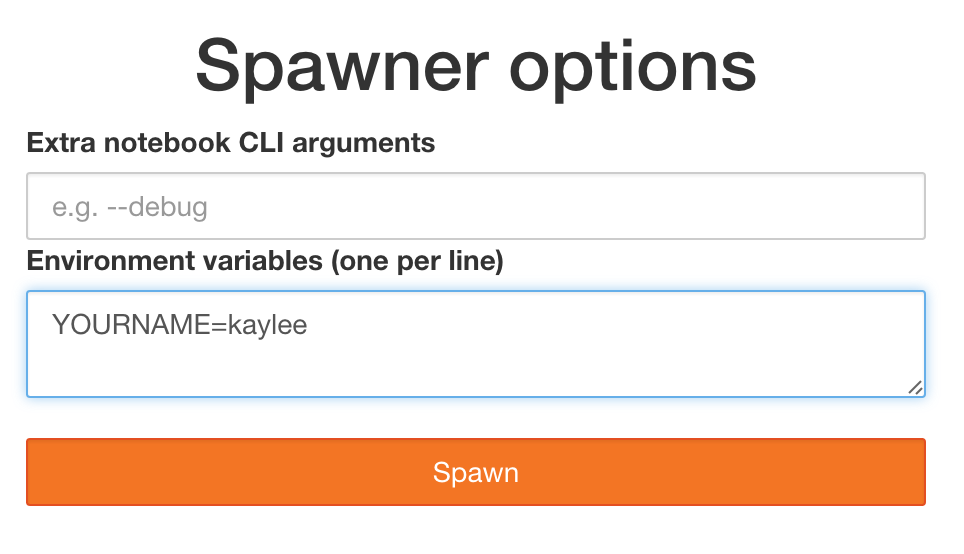
- A spawn form can offer image, cluster, or resource profiles, letting users pick a GPU environment or a lightweight one while the Hub validates and records each choice.
- Services And REST API
- External services authenticate through the Hub and call its REST API to manage users and servers, enabling portals, autograders, and dashboards alongside the notebook experience.