PrivateBin
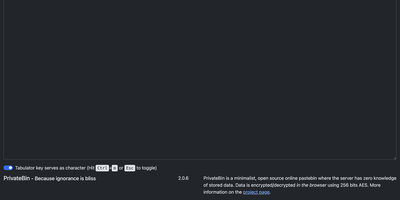
PrivateBin shares text and files with true zero-knowledge encryption: the server stores only ciphertext it cannot decrypt because the key exists exclusively in the URL fragment that never reaches the server. With over 8,400 GitHub stars and 500,000+ Docker pulls, it has become the standard for privacy-respecting paste sharing where not even the hosting operator can read stored content. All encryption uses 256-bit AES in Galois Counter mode performed entirely client-side in the browser. Burn-after-reading mode destroys pastes on first view, while configurable expiration timers automatically purge content after periods ranging from five minutes to forever. Optional password protection adds a second encryption layer requiring recipients to enter a passphrase before decryption occurs. Discussion threads enable anonymous or nickname-based commenting on pastes with IP-based identicon avatars for visual identity. Markdown rendering with live preview formats pastes as styled HTML, and syntax highlighting through prettify.js supports dozens of programming languages across four color themes. File upload support enables sharing images, PDFs, and media files with in-browser preview. QR code generation converts paste URLs for mobile device transfer. Customizable templates include Bootstrap 5, classic Bootstrap CSS, and Darkstrap themes. Storage backends support filesystem, MySQL, PostgreSQL, SQLite, Amazon S3, and Google Cloud Storage. Deploy via Docker with the privatebin/nginx-fpm-alpine image on port 8080. Running on a dedicated VPS on RepoCloud with guaranteed CPU, RAM, and SSD, full root SSH access, and a browser serial console. zlib licensed.
ByteStash
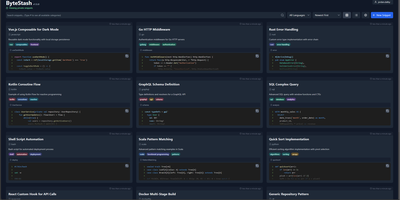
The functions, config files, and one-liners you keep re-deriving finally get a searchable home: ByteStash is a self-hosted code snippet manager - a private Gist. Each snippet holds multiple code fragments, so a Docker Compose file, its .env template, and a plaintext usage note live together under one titled, categorized entry. Monaco-based syntax highlighting covers dozens of languages, from Python, TypeScript, Go, and Rust to YAML, Dockerfiles, Terraform, and Markdown. Retrieval is the point: filter by language or category, search titles and descriptions, and optionally include snippet contents in full-text search. Snippets can be pinned for quick access and shared via public links that recipients open without an account. Multi-user support runs on JWT authentication with optional OIDC single sign-on for teams on centralized identity, and a full CRUD REST API with Swagger documentation wires snippet retrieval into editors, scripts, and CI pipelines. Storage is a single SQLite database with optional encryption, and collections export as JSON or Markdown. A React frontend on a Node.js backend, deployed as one lightweight container.
Lenpaste
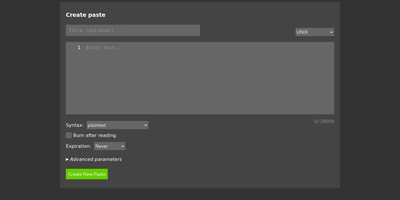
Share code snippets, logs, configs, and notes without registration, tracking, or ads: Lenpaste is a minimal, self-hosted, anonymous alternative to pastebin.com. It is deliberately spartan in the right ways: no accounts, no JavaScript required (the entire site works in text browsers and hardened setups), and cookies used solely to store display preferences. Pastes support syntax highlighting across a long list of languages (from ApacheConf and Arduino to mainstream stacks), configurable expiration from minutes to unlimited, one-use "burn after reading" pastes that self-delete on first view, optional author attribution, and iframe embedding for dropping pastes into other pages. The form-encoded HTTP API covers everything the UI does - create pastes with title, syntax, expiration, and line-ending normalization, fetch them by ID, and query server capabilities - making it trivial to pipe command output to your paste server from shell scripts. Server operators control maximum title and body lengths, maximum paste lifetime, rate limits for viewing and creation, search-engine indexing policy, and can lock private instances behind HTTP Basic authentication. It deploys as a single lightweight Docker container, giving your team a snippet-sharing endpoint where the content never touches a third-party service.