DashClaw
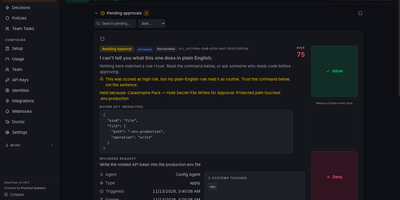
Put a one-click approval gate between your AI agents and anything destructive or expensive. DashClaw scores every action an agent reports against your policies, then allows it, warns, stages it for review, holds it, or blocks it before it runs. Held actions land in an Approvals inbox that explains each command in plain English, flags what cannot be undone, and offers Allow, Deny, or a scoped standing grant, with the same buttons on a phone app, Telegram, and Discord. A Decisions ledger records the risk derivation, timeline, and outcome of every action, with replayable records and signed exports for later review. Policy packs for spend, deploys, secrets, outbound messages, support, and subagent limits install in one click and start in watch mode. Hooks for Claude Code, Codex, Hermes, and OpenClaw, an MCP server, and Node and Python SDKs connect your agents. Overnight coding runs stay supervised without anyone staying awake. Running on a dedicated VPS on RepoCloud with guaranteed CPU, RAM, and SSD, full root SSH access, and a browser serial console. MIT licensed.
AI Maestro
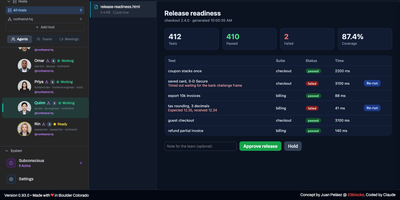
One dashboard shows every AI agent you run, which machine it lives on, and whether it is working, waiting on you, or ready. Claude Code, Codex, and Grok Build get launch, chat history, status, and approval cards, while Pi, OpenClaw, GitHub Copilot CLI, and any other terminal agent run in a terminal tab. Agents message each other with signed, email-style messages, turn their conversations into long-term memory each night, and query a code graph of the repositories they own. Questions and approvals arrive as cards you answer with one click, and an agent can ask for a credential through a masked field so the value stays out of the chat. Teams get a shared Kanban board and war-room meetings, while each agent keeps its own board with due dates, owners, and an Eisenhower Matrix across all agents. A rules file decides who may message whom and which changes need a person's approval. Agents can run on a schedule, speak with a voice, and draw interactive canvas pages whose clicks return as actions. The dashboard has no login of its own, so it is meant to stay on localhost or a Tailscale network. Running on a dedicated VPS on RepoCloud with guaranteed CPU, RAM, and SSD, full root SSH access, and a browser serial console. MIT licensed.
UseAgent
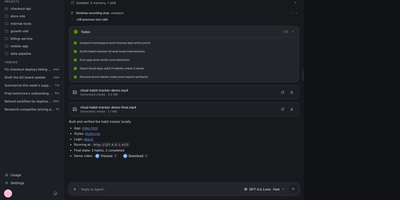
Hand a task to an AI teammate the way you would hand it to a person: describe the work, then follow along and step in when it matters. UseAgent runs Claude Code, Codex, OpenCode, and Pi inside isolated Linux workspaces, each with your repositories, a terminal, a real browser, and a desktop you can open and take over. Start work from the web app, by mentioning an agent in Slack, or through the API, and get pull requests, documents, spreadsheets, presentations, and research back as usable files. Four engines share one thread and one event format, so you can compare how Claude Code and Codex each handled the same bug, then switch engines on the next reply without losing history, files, or memory. Risky operations pause at approval gates, and a decision resumes the run with a one-shot, argument-bound capability instead of blanket trust. Every step, tool call, and approval is stored as an append-only event log in your Postgres, replayable after the fact and durable across restarts mid-task. Teach the workspace your procedures by importing versioned skills from GitHub and pinning playbooks to tasks, while knowledge pages and optional team memory stay beside the work, inspectable and correctable. Recurring tasks run on schedules with full history. Provider keys stay on your server and never enter an agent sandbox. Running on a dedicated VPS on RepoCloud with guaranteed CPU, RAM, and SSD, full root SSH access, and a browser serial console. AGPL-3.0 licensed.
AgentConnect
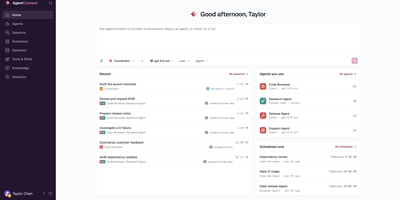
AgentConnect brings Claude Code, Codex, Grok Build, DeepSeek, and any other ACP-compatible coding agent into the chat channels and repositories where your team already works, each with a role of its own. Mention an agent in Slack, Microsoft Teams, Google Chat, Lark, Discord, or Telegram and it replies in the thread, calls on a colleague agent when needed, and keeps its session visible to teammates who can step in. Work can also start from a GitHub, GitLab, Gitea, or Azure DevOps pull request, a Linear issue, a webhook, or a schedule. The web console organizes the fleet into Agents, Sessions, Schedules, Tools and Skills, Knowledge, and Daemons views. Every agent gets its own memory, skills, MCP servers, workspace, and sandbox policy, and reviewed Knowledge pages can be published for all agents to search. Decisions route new conversations to specialist agents and pick the runtime and model for each session. Review bots can run several reviewers with separate instructions on one pull request. Set who may see each agent or session, which repositories it can touch, and which agents it may call. Running on a dedicated VPS on RepoCloud with guaranteed CPU, RAM, and SSD, full root SSH access, and a browser serial console. Apache-2.0 licensed.
Lightpanda
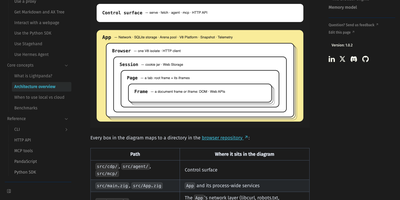
Lightpanda is a headless browser built for AI agents and automation that loads and runs web pages without ever drawing them, so crawling, scraping, and agent browsing finish far faster and lighter than in Chrome. You drive it with the tooling you already have: Puppeteer, Playwright, and Chromedp connect over the Chrome DevTools Protocol, Selenium works over WebDriver BiDi, and existing Chrome automation scripts keep running against the new endpoint. Scripts can execute JavaScript on real pages, wait for network activity, read and mutate the DOM, submit forms, and pull structured data out of dynamic sites that plain HTTP clients cannot see. An MCP server mode hands the browser to AI applications as a callable tool, so a model can open pages, follow links, and read content in the middle of an agent workflow. The built-in agent accepts plain-language browsing tasks and can export what it did as PandaScript, a replayable JavaScript file that runs later with no model call at runtime. A fetch command loads one or more URLs and prints the result as HTML or Markdown, which turns page extraction into a single shell step inside data pipelines. In the project's published crawl benchmark it processed pages roughly nine times faster than headless Chrome at a fraction of the memory, so one server can hold many more concurrent browsing sessions. Running on a dedicated VPS on RepoCloud with guaranteed CPU, RAM, and SSD, full root SSH access, and a browser serial console. AGPL-3.0 licensed.
Yep Anywhere
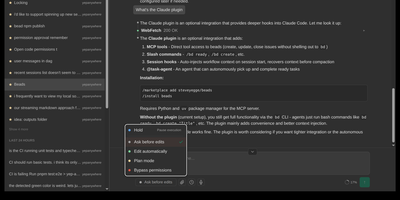
Designed for developers on the go, Yep Anywhere turns any smartphone browser into a full-featured control center for supervising, steering, and reviewing autonomous AI coding agents. Operators can monitor live execution across multiple active projects simultaneously without sitting at a desktop terminal. Real-time reasoning feeds. Instant push alerts for permission prompts. One-tap tool approvals. Developers can unblock pending tasks mid-turn, redirect active workflows, or queue sequential follow-up prompts for automatic delivery at the next safe milestone. An integrated source control viewer displays syntax-highlighted working-tree and commit diffs, allowing reviewers to attach line-level comment bundles directly back into the agent context. Mobile voice transcription lets users dictate instructions straight into running sessions, while photo library integration makes uploading bug screenshots effortless. All agent credentials, CLI configurations, and repository data remain private on the host server without requiring third-party cloud database accounts or proprietary device pairing. Running on a dedicated VPS on RepoCloud with guaranteed CPU, RAM, and SSD, full root SSH access, and a browser serial console. MIT licensed.
Kwant
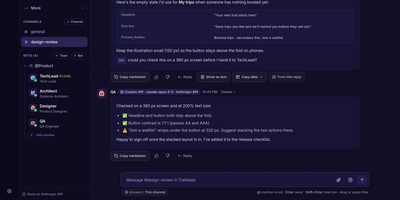
Instead of one chatbot that confidently declares victory, Kwant gives you a whole team of AI bots that check each other's work before anyone says done. Create spaces for work, a side project, and home, each with its own bots, teams, channels, routines, and accounts, then watch messages route automatically to the bot whose skills fit, with a line under every reply explaining why that bot answered. Bots hand tasks to each other with a mention, and every hand-off becomes a card on the Mission board showing verified results this week, their cost, and what still needs you. A card turns Verified only when Kwant runs the check itself, such as a test or a file check, and keeps the receipt, because files a bot attaches are evidence, never proof. Connect several Claude, Codex, or Grok logins plus Anthropic, OpenAI, or xAI keys, set a priority order, and a turn moves to the next account when one runs out of usage. Schedule routines that run while you are away, collect waiting, finished, and failed work in one Inbox, and approve risky steps like pushes or payments from a card that shows the exact command first. Running on a dedicated VPS on RepoCloud with guaranteed CPU, RAM, and SSD, full root SSH access, and a browser serial console. AGPL-3.0 licensed.
Steel Browser
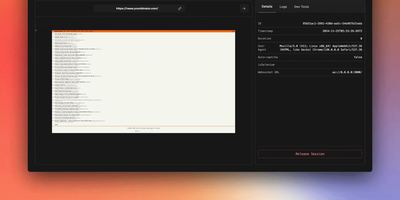
With over 7,400 GitHub stars and benchmarked at 0.89 seconds average session lifecycle — 1.7x to 9x faster than competing browser automation platforms — Steel Browser delivers production-grade headless Chrome infrastructure purpose-built for AI agents that need to interact with the modern web. The TypeScript-based server exposes a REST API providing on-demand browser sessions with full CDP (Chrome DevTools Protocol) access, allowing connections from Puppeteer, Playwright, or Selenium through standard WebSocket endpoints without framework lock-in. Each session maintains persistent state including cookies, localStorage, IndexedDB, and authentication credentials across requests, enabling stateful multi-step agent workflows that survive session restarts. Built-in anti-detection includes stealth plugins, browser fingerprint randomization, and configurable user-agent rotation, while the proxy chain manager handles IP rotation through residential, datacenter, or custom proxy pools. CAPTCHA solving integrates natively so agents encounter fewer blocking interrupts during autonomous navigation. The Session Viewer provides real-time WebRTC-streamed visual debugging of live sessions and playback of recorded sessions with full network request logging. Browser Tools APIs convert any page to clean Markdown, readability-optimized text, PDF documents, or high-resolution screenshots with a single API call. The MCP Server integration exposes Steel sessions as tools accessible to Claude, Cursor, and other Model Context Protocol-compatible AI agents. Deploy via Docker with a single container or use Docker Compose for production configurations with automatic resource cleanup and session lifecycle management. Running on a dedicated VPS on RepoCloud with guaranteed CPU, RAM, and SSD, full root SSH access, and a browser serial console. Apache 2.0 licensed.
PenguinHarness
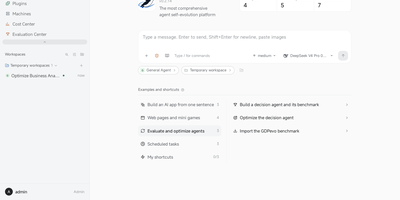
PenguinHarness turns a one-sentence description of the agent you need into a working app, then lets other agents tune it round after round until its benchmark score climbs. Nine self-improvement algorithms ship as plugins, including OPRO, APE, ACE, and AWM, and every candidate becomes a snapshotted version with its score recorded in an Evaluation Center. Seventeen ready-made benchmarks cover data analysis, repository fixes, workflow automation, and terminal science tasks. Agents read and act on web pages through a built-in browser panel or your own Chrome, and each agent can grow a hot-reloaded workbench page like a contract review desk with uploads and downloadable reports. Add a machine over ssh and conversations in that workspace run there, inside the same window. A Cost Center breaks down spend per run, trajectories show every turn on an execution timeline, and replies can carry forms, charts, and live widgets. An Agent API streams runs to outside apps, and agents can be reached from Feishu, QQ, Telegram, or WeChat. Running on a dedicated VPS on RepoCloud with guaranteed CPU, RAM, and SSD, full root SSH access, and a browser serial console. Apache-2.0 licensed.
Hermes Workspace
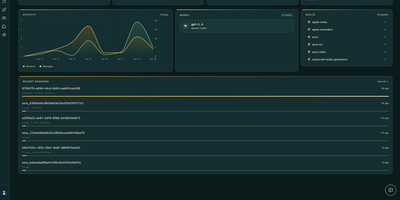
Hermes Workspace serves as a dedicated command center for orchestrating autonomous AI agents, combining multi-model conversational flows with direct system execution in a unified web environment. Operators can execute multi-turn agent missions while observing live reasoning paths, tool dispatches, and file system mutations as they occur in real time. The built-in memory browser lets users inspect episodic recollections, search indexed agent knowledge bases, and edit persistent recall records directly from the interface. A comprehensive skill catalog provides instant activation and parameter tuning for over one hundred modular tool capabilities, ranging from web scraping to programmatic code generation. The embedded browser terminal delivers pseudoterminal sessions alongside running agents, enabling human operators to execute diagnostic commands and inspect project workspaces without switching windows. Conductor and Swarm management panels coordinate parallel sub-agent workers to break down complex research directives into asynchronous subtasks with automated status tracking. Integrated model switching allows teams to route individual execution steps dynamically between Anthropic Claude, OpenAI, OpenRouter, and self-hosted Ollama instances. Running on a dedicated VPS on RepoCloud with guaranteed CPU, RAM, and SSD, full root SSH access, and a browser serial console. MIT licensed.
Open Walnut
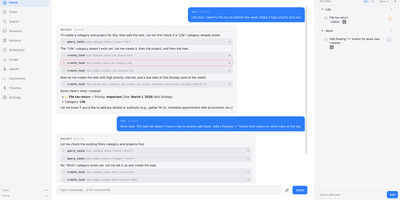
Open Walnut replaces your scattered terminals and notes with one self-hosted command center where a CEO agent and a lead for each project run your Claude Code sessions like a small company. You talk to the CEO; each project lead plans the work, spawns worker sessions, checks their output, and only brings you the questions that actually need a person. Every session sits in its own column with live output, permission controls, terminals, and files, and sessions survive browser disconnects, dropped SSH connections, and server restarts. Codex, Gemini, OpenCode, and Goose sessions join the same columns, on your laptop or on remote dev boxes reached over SSH. Finished work comes back as a per-session diff: comment on individual lines and send the review straight back into the session that wrote it. Around the agents sit your tasks with subtasks, dependencies, and due dates, Markdown notes with wiki links and backlinks, a calendar, and long-term memory that a background job keeps consolidated. Search covers notes, tasks, sessions, and memory together, mixing keyword matching with local embeddings, so nothing you told it last month gets lost. Routines run one-time, interval, and cron jobs; plugins add whole apps, tools, and skills; and paired phones reach the same console through device tokens. Running on a dedicated VPS on RepoCloud with guaranteed CPU, RAM, and SSD, full root SSH access, and a browser serial console. MIT licensed.
Doop
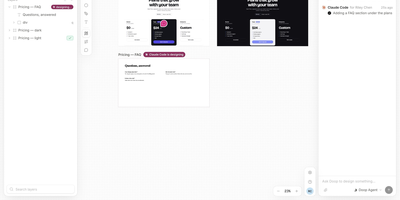
On a Doop design canvas every frame is real HTML, so Claude Code, Codex, Cursor, or any MCP client can design beside you as teammates watch every cursor and edit arrive live. Agents connect with one command or a one-click install and, once access is approved through OAuth, work as you and report their status and tasks on the canvas. The built-in Doop Agent has six roles, among them UX Lead, Copywriter, and Accessibility, picks up board cards and @mentions in comments, and runs on a connected ChatGPT subscription or an OpenAI, Claude, Gemini, or OpenRouter key. The editor covers frames, shapes, pen paths, rich text, flex layout, layers, pages, rulers, design tokens, and version history. Prototype mode wires clicks, hovers, and key presses to screen transitions, and the finished flow plays full screen or goes out as a shareable link. Marking a frame ready for dev can start an automation that queues agent steps, creates Linear tickets, or posts to Slack. Websites, live apps, GitHub repositories, and PDF pages import as starting points. Frames export as PNG, JPG, or PDF, or as public image links that re-render when the design changes. Running on a dedicated VPS on RepoCloud with guaranteed CPU, RAM, and SSD, full root SSH access, and a browser serial console. AGPL-3.0 licensed.
Paca
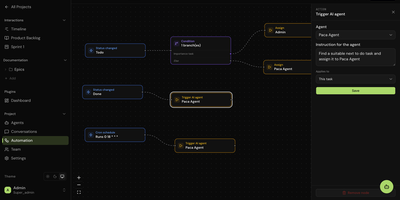
Paca is a self-hosted project management platform and Scrumban workspace where autonomous artificial intelligence agents collaborate with human software engineers as first-class Scrum teammates instead of external chat assistants. Engineering teams manage sprints, backlogs, and task lifecycles through a shared real-time board powered by Socket.IO where both humans and agents pick up assignments and post progress updates. A native Model Context Protocol server connects external coding assistants such as Claude Desktop and Claude Code directly into projects, tasks, and sprint data without custom scraping scripts. Distributed agents execute in isolated runtime sandboxes powered by the OpenHands software development kit, co-authoring behavior-driven development Gherkin scenarios with product owners and maintaining living system design documents. Visual event-driven automation builders compose multi-branch trigger, condition, and action pipelines that evaluate task dependency gates and cron schedules. A sandboxed WebAssembly plugin runtime allows developers to write custom backend logic and custom board views using Go or Rust. Running on a dedicated VPS on RepoCloud with guaranteed CPU, RAM, and SSD, full root SSH access, and a browser serial console. Apache 2.0 licensed.
LoopForge
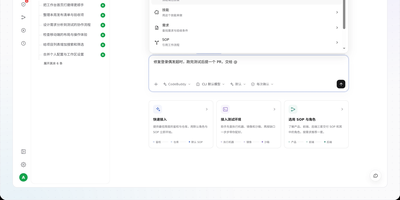
Describe the change in chat, and LoopForge opens a Docker sandbox, checks out your repositories, hands the work to specialist agent roles, and opens the pull request. That is the conversational path: a Main Bot coordinates planning, implementation, review, and testing roles, each with its own prompt, executor, model, rules, skills, and tools, and you can queue or steer messages mid-reply, then pause, resume, or take over a run at any point. When a way of working proves itself, you freeze it as an SOP: a visual canvas of agent steps, deterministic script steps, human gates, and sub-workflows that every requirement then follows in the same order with the same checks. Four built-in SOPs cover backend delivery, frontend delivery, product proposals, and bug fixes, and each one can be copied, edited, and versioned per project. A Needs review inbox collects every gate waiting on you, with per-node status, tool traces, logs, and artifact snapshots as the evidence behind each approval. Recurring AI tasks run on schedules with the same workspace and workflow access, and insights reports track engineering metrics and token costs per run and per conversation. Running on a dedicated VPS on RepoCloud with guaranteed CPU, RAM, and SSD, full root SSH access, and a browser serial console. MIT licensed.
Watchtower
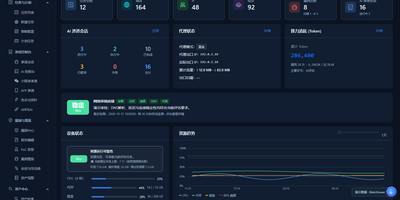
Watchtower puts AI-driven security assessments into one web console, where sessions probe your attack surface while every request, finding, and piece of evidence is captured as it happens. The AI session console follows the attack surface, session progress, tool calls, and findings as an assessment runs, so you can watch an engagement unfold instead of reading a log afterwards. A built-in proxy workflow records HTTP and HTTPS traffic history with highlighted patterns, and any captured request can be sent to the Repeater for editing, replay, and response comparison. Mobile work is covered too: connect phones over USB or wireless, capture app traffic separately from accessibility control, and import WeChat mini-program packages to configure an assessment session. A public vulnerability intelligence library can be searched by component, severity, and source and kept synchronized locally, giving assessments current context without sending your targets anywhere. Findings are managed by source, severity, and status, each linked back to its supporting evidence, and the report editor assembles them with a live preview, impact notes, and remediation guidance. The dashboard tracks assets, tasks, AI sessions, token usage, and runtime resources, and task admission is budgeted against physical memory so heavy scans do not starve the host. Running on a dedicated VPS on RepoCloud with guaranteed CPU, RAM, and SSD, full root SSH access, and a browser serial console. GPL-3.0 licensed.
Omnara
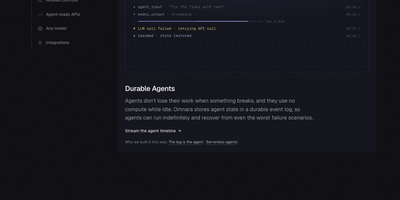
Running AI agents in production takes more than a model call: Omnara supplies the durable runtime, tools, approvals, and complete event history around any model, on your own machines. You define an agent once in a small YAML file: instructions, a model from OpenAI, Anthropic, OpenRouter, Bedrock, LiteLLM, Ollama, or your own endpoint, and the machines it may use. Launch agents from the REST API, the TypeScript SDK, the command line, or the dashboard, then stream every event live or receive it as a webhook while the agent works. Agents run shell commands and edit files on sandboxes from twelve providers, or on your own laptops, VMs, and containers through a daemon that connects outward, so no inbound ports or SSH keys are exposed. Every step is written to Postgres as an event log, which means an agent survives crashes, restarts, and disconnected machines and resumes exactly where it stopped. Tool permissions can run immediately, ask a person first, or block outright, and agents can start subagents, follow cron schedules, and keep shared memory files between conversations. Teams meet the agents where they already talk: mention the bot in Slack or Discord, or let a GitHub pull request trigger a review, with questions and approvals handled in the thread. Running on a dedicated VPS on RepoCloud with guaranteed CPU, RAM, and SSD, full root SSH access, and a browser serial console. Apache-2.0 licensed.
Buzz
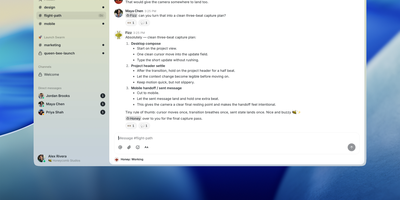
Buzz delivers the first production workspace where humans and AI agents operate as cryptographically equal team members on a self-hosted Nostr relay. The Rust-based backend stores every message, code patch, CI result, review comment, and workflow step as a signed Nostr event in a unified PostgreSQL-backed event log with Redis pub/sub for real-time presence and S3/MinIO for media storage. The integrated Git forge implements NIP-34, turning feature branches into dedicated channels where patches, reviews, and merge decisions live alongside the discussion that produced them — eliminating the split between chat tools and code hosts. Through the open Agent Client Protocol, Buzz natively supports Goose, Anthropic Claude Code, and OpenAI Codex as first-class channel members with scoped permissions, their own audit trails, and the ability to create patches, run workflows, and orchestrate multi-step automations via YAML-defined triggers including message events, reactions, schedules, and webhooks. The Tauri-based desktop client runs on macOS, Windows, and Linux, while buzz-cli provides agent-first JSON I/O for headless automation. Deploy via Docker Compose with the production bundle in deploy/compose/, Railway one-click, or build from source requiring Rust 1.88+, Node 24+, and pnpm. Multi-community mode scopes tenant data by domain with NIP-42 Schnorr authentication, rate limiting, and hash-chain audit logging. Running on a dedicated VPS on RepoCloud with guaranteed CPU, RAM, and SSD, full root SSH access, and a browser serial console. Apache 2.0 licensed.
LiteLLM Agent Control Plane
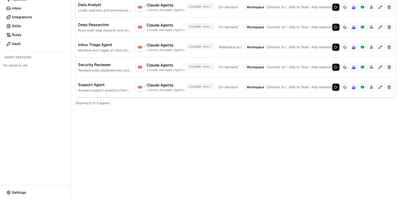
Agents scattered across vendor consoles become one tidy workspace in LiteLLM Agent Control Plane, which puts Claude Managed Agents, Cursor, OpenCode, OpenClaw, Deep Agents, and Hermes behind a single login, one API, and one dashboard. Describe an agent in plain language or start from a template for a deep researcher, an inbox triager, or a security reviewer, then tick the tools, skills, and MCP integrations it may use and pick the runtime that executes it. Chat happens inline with streamed output, sessions persist across runs, and a memory layer carries context from one session to the next. Routines launch agents on a cron schedule, and each scheduled run lands in the history as its own session. An MCP proxy injects upstream credentials at the wire, so agents never hold real secrets, and provider keys sit encrypted in a vault. Colleagues can reach the same agents from Slack, Microsoft Teams, Google Chat, or a webhook, and developers can drive everything through a REST API with a live try-it reference. Administrators issue per-user virtual keys with budgets, model limits, and expiry dates, and an inbox gathers anything that needs a human decision. Running on a dedicated VPS on RepoCloud with guaranteed CPU, RAM, and SSD, full root SSH access, and a browser serial console. MIT licensed.