Quant-UX
Most design tools stop at prototyping; Quant-UX also measures how real users actually perform
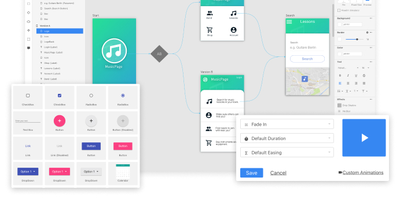
with the prototype. The visual editor creates prototypes that behave like real apps -
functional input widgets, animations, form validation, data binding across screens, and
business logic modeled with REST requests and decision elements. Design systems are
first-class, with components, design tokens, and master screens; if you design elsewhere, drop
in image files or import from Figma. Testing is a shared link or QR code - no installs on the
tester's side. Define user tasks up front, and Quant-UX records every session: click heatmaps
show where users found (or missed) actionable elements, user journey graphs expose lost users,
drop-off charts reveal where tasks stall, and success rates and task KPIs are extracted
automatically into a dashboard. An A/B test operator wires two design variants into one
prototype and compares task duration, success rate, and interaction counts. In-prototype
surveys collect qualitative feedback alongside the numbers, and an AI assistant generates
prototype fragments like styled forms on request. The RepoCloud deployment runs the full stack
- frontend, backend, and WebSocket server containers over MongoDB - so all test recordings and
research data stay on your infrastructure.
Deploy