WBO
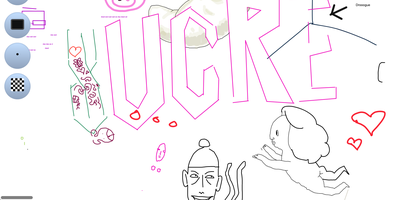
A Node.js server, a large shared canvas, and a URL - WBO (Whiteboard Ophir) is collaborative whiteboarding reduced to its essence. There are no accounts and no setup - to collaborate, you send someone the board's link, and every stroke appears for all connected users in real time over WebSockets, with cursor positions shared so you can see where collaborators are working. Board state persists automatically and continuously, so a diagram drawn in today's lesson is still there next week at the same URL. Boards come in three flavors: a public free-for-all, private boards with random unguessable names, and named boards with custom URLs shared by anyone who knows the name. The tools cover teaching and brainstorming needs - pencil, straight lines, rectangles, ellipses, text annotations, eraser, a full color palette with brush sizes - and boards export as SVG or PNG. Despite the simplicity, the server is production-minded: JWT authentication gates board access with granular capabilities (open, edit, and clear as separate permissions), rate limiting caps per-client message volume, reverse-proxy and subpath deployment are supported, and OpenTelemetry provides metrics, logs, and traces. It works on tablets and touch devices, speaks multiple languages, and consumes minimal resources. AGPL-licensed.
ExcaliDash
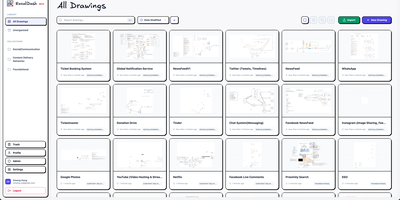
ExcaliDash adds persistent storage, access control, version history, and real-time collaboration to Excalidraw, transforming ephemeral whiteboarding sessions into a managed drawing library your team can rely on. The Node.js/Express backend with React/TypeScript frontend deploys via Docker Compose on port 6767, using Prisma ORM on SQLite for all drawings, users, and metadata. WebSocket-powered collaboration lets multiple users edit the same canvas simultaneously with live cursor presence. Drawing snapshots preserve every revision with visual preview and one-click restore to any previous state. Three authentication modes handle different deployment needs: local email/password for personal use, hybrid mode mixing native credentials with OIDC for gradual enterprise adoption, and enforced OIDC-only for organizations requiring SSO through providers like Authentik or Keycloak. Scoped sharing controls determine whether drawings stay private, shared internally with team members, or accessible via external links without authentication. Collections organize drawings through drag-and-drop grouping, full-text search locates any diagram instantly, and exports use the non-proprietary .excalidraw format ensuring complete data portability. 1,350+ stars since November 2025. Running on a dedicated VPS on RepoCloud with guaranteed CPU, RAM, and SSD, full root SSH access, and a browser serial console. AGPL-3.0 licensed.
Whiteboard
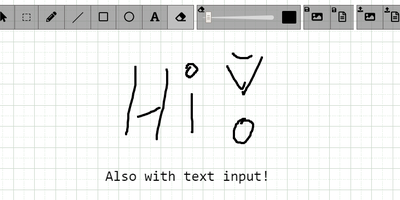
The drawing surface inside WebRTC conference tools like Meetzi and the LAMS online-learning platform is Whiteboard (by cracker0dks) - a lightweight Node.js collaborative sketchboard built to be embedded and customized, which also slots into Nextcloud via the External Sites app. Everyone opening the same whiteboardid URL parameter draws on the same board, with remote user cursors visible live, per-user undo/redo, and an indicator showing the smallest participating screen so nobody draws outside a colleague's view. Content handling goes beyond pen strokes: drag-and-drop or paste images and PDFs from any PC or browser, then resize, rotate, and draw over them on canvas or background; add text and sticky notes; hold Shift for angle-snapped lines and perfect squares. Every function has a keybinding - deliberately friendly to pen displays like Wacom and XP-Pen whose hardware buttons map to shortcuts. Boards save to image or JSON (with reload), export directly to Nextcloud via WebDAV, and persist across restarts with the file-database option. A REST API with bundled interactive docs allows full programmatic control, an optional access token locks down uploads, and YAML configuration tunes behavior and performance. MIT-licensed and reverse-proxy friendly.