Pluton
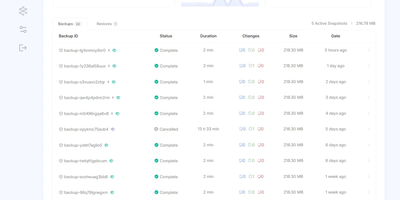
On a schedule you choose, Pluton backs up your folders to cloud storage and other disks, then lets you verify and restore every snapshot and see exactly what happened in a clean, self-hosted web dashboard. Three copies: every plan writes to a primary storage and can replicate to up to two more, so the 3-2-1 rule is a toggle in the plan wizard rather than a weekend project. Two kinds of media: pair a local disk or mounted drive with Backblaze B2, Cloudflare R2, Google Drive, Dropbox, pCloud, SFTP, S3-compatible buckets, or any of 70+ connectors, and press Verify to test a connection before trusting it. One place to look: the plan page charts file counts and sizes over a selectable range, a health strip colors recent runs, and a live panel counts files, bytes, and time remaining while each mirror initializes and replicates. Zero mysteries: every backup keeps a timestamped event timeline from dry run to pruning, and plan logs filter by level and task, search messages, and download as a file. Schedules run from every few minutes to monthly, including chosen weekdays; retention keeps daily, weekly, and monthly snapshots; and scripts can run before or after a job. Alerts reach you by email, Slack, Discord, or ntfy, and optional two-factor sign-in guards the dashboard. Running on a dedicated VPS on RepoCloud with guaranteed CPU, RAM, and SSD, full root SSH access, and a browser serial console. Apache-2.0 licensed.
Zomboid Control Panel
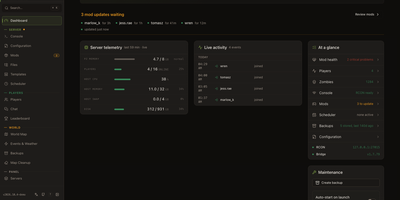
Friends are joining your Project Zomboid server, a mod just broke, and the log is scrolling faster than anyone can read. Zomboid Control Panel puts the fix in a browser tab. Start, stop, restart, and save the server from a dashboard that shows status, uptime, players online, host memory and CPU, disk space, and mods waiting for updates. A setup wizard installs a fresh Build 41 or Build 42 server through SteamCMD, or connects to one that already exists locally or over RCON. The mod manager tracks Workshop items, flags updates, imports Steam collections, scans for file conflicts, duplicate mod IDs, and missing dependencies, and sorts the load order. A structured INI editor covers server settings, sandbox options, spawn points, and regions, with a raw view for power users. Player pages handle kicks, bans, whitelists, access levels, and notes, and the live world map shows who is where. Events and weather controls trigger storms, hordes, and sounds. A scheduler runs timed restarts with countdown warnings, backups keep restorable world snapshots, and a Discord bot relays chat and answers slash commands. Admin, technician, moderator, and custom roles, plus OpenID Connect sign-in, decide who touches what. Community servers with several moderators, friends-only worlds, and hosts managing multiple servers from one panel all fit. Running on a dedicated VPS on RepoCloud with guaranteed CPU, RAM, and SSD, full root SSH access, and a browser serial console. MIT licensed.
Minecraft Server Manager
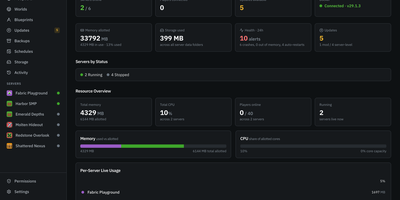
One Minecraft server is easy, but a Fabric test world, a Paper survival realm, and a Forge modpack on the same machine need a proper control room. Minecraft Server Manager runs every server as its own resource-capped container and offers create, start, stop, restart, rebuild, and delete from the browser, with a graceful RCON stop and crash detection. A guided wizard offers Simple and Advanced modes with plain-English help. Modpacks stay pinned to an exact version, and upgrades come with a preview, an automatic backup, health monitoring, and one-click rollback. Search Modrinth, CurseForge, Hangar, SpigotMC, and GitHub Releases from one browser, add mods by link, or import .mrpack files and zips, with checksum-verified downloads. A live console streams logs with filters and an RCON command bar, and player tools cover whitelists, ops, bans, IP bans, and teleports. Cron schedules run restarts, backups, and RCON commands, backups follow retention rules, and storage analytics enforce disk quotas. Crash reports are parsed and can be shared to mclo.gs for automated insights, and blueprints export a server as a recipe. A one-click BlueMap live map and an optional public status page show the world off. Admin, operator, and viewer roles with per-server permissions keep helpers in their lane. Friends-only survival worlds, modded community realms, and hosts running many test servers are what it was built for. Running on a dedicated VPS on RepoCloud with guaranteed CPU, RAM, and SSD, full root SSH access, and a browser serial console. MIT licensed.
GoCron
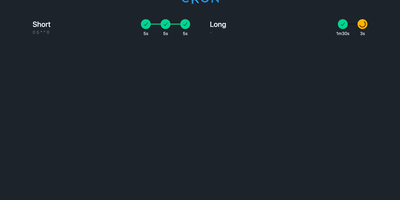
Configuring recurring cron jobs via version-controlled YAML manifests becomes seamless with GoCron, giving systems engineers and DevOps administrators a responsive web console to orchestrate scheduled commands with hot-reloading and sandboxed execution. Administrators can declare schedules using standard five-field cron syntax, establish global default configurations, and inherit execution timeouts, retry policies, and environment variable expansions across individual tasks. The interactive web interface provides immediate visibility into upcoming runs, past execution durations, status badges, and expandable terminal output logs stored in local SQLite databases. Operators can trigger ad-hoc job runs on demand, cancel stalled processes, and utilize a built-in sandboxed terminal utility governed by strict command whitelists. Automated health check webhooks dispatch HTTP notifications to external monitoring services upon job initiation, successful completion, or unexpected execution failure. The container environment bundles common server utilities including Restic, BorgBackup, and Rclone, streamlining automated offsite database backups and cloud storage synchronization routines without additional dependencies. Dynamic configuration reloading automatically detects filesystem modifications to YAML manifests without restarting the daemon, ensuring zero-downtime schedule updates. Running on a dedicated VPS on RepoCloud with guaranteed CPU, RAM, and SSD, full root SSH access, and a browser serial console. MIT licensed.
BorgWarehouse
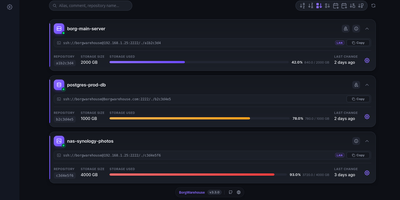
Centralizing BorgBackup usually means hand-creating Unix users, wiring SSH keys, and remembering which machine stopped backing up three weeks ago; BorgWarehouse replaces that terminal work with a dashboard built for exactly this job. Add a repository and it provisions the dedicated user, authorized key, and storage quota for you, then hands back ready-to-paste client commands so a new machine is backing up in minutes. Every repository carries a freshness threshold: when no modification lands within the window you set, its status dot turns red and an alert goes out by SMTP email, through Apprise to Discord, Telegram, Slack, Gotify, or ntfy, or as a signed webhook POST to tools like n8n and Uptime Kuma, rate-limited to one alert per repository per day. Append-only mode is enforced on the server, so even a fully compromised client can add archives but never destroy existing ones, which is the property that keeps ransomware from eating your backup history. The monitoring view tracks storage consumption against each quota, a setup wizard walks new clients through onboarding (with a LAN variant for local transfers), and sign-in can delegate to GitHub, Google, Microsoft, GitLab, or any OIDC provider. A versioned REST API automates provisioning, and your passphrase never reaches the server: backups stay end-to-end encrypted on the clients. Running on a dedicated VPS on RepoCloud with guaranteed CPU, RAM, and SSD, full root SSH access, and a browser serial console. AGPL-3.0 licensed.