Categories
Self-Hosted Developer Tools Generative AI LLM Tools REST API Local AI Hardware Planning Model BenchmarkingStars
Forks
Watchers
Developer links
llmfit
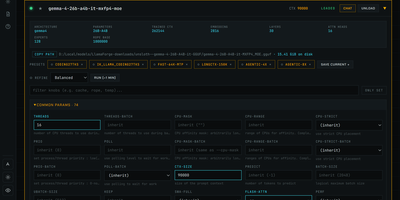
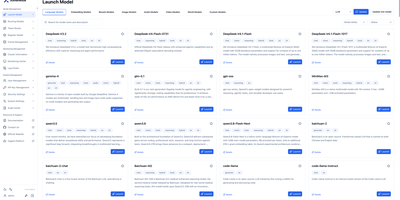
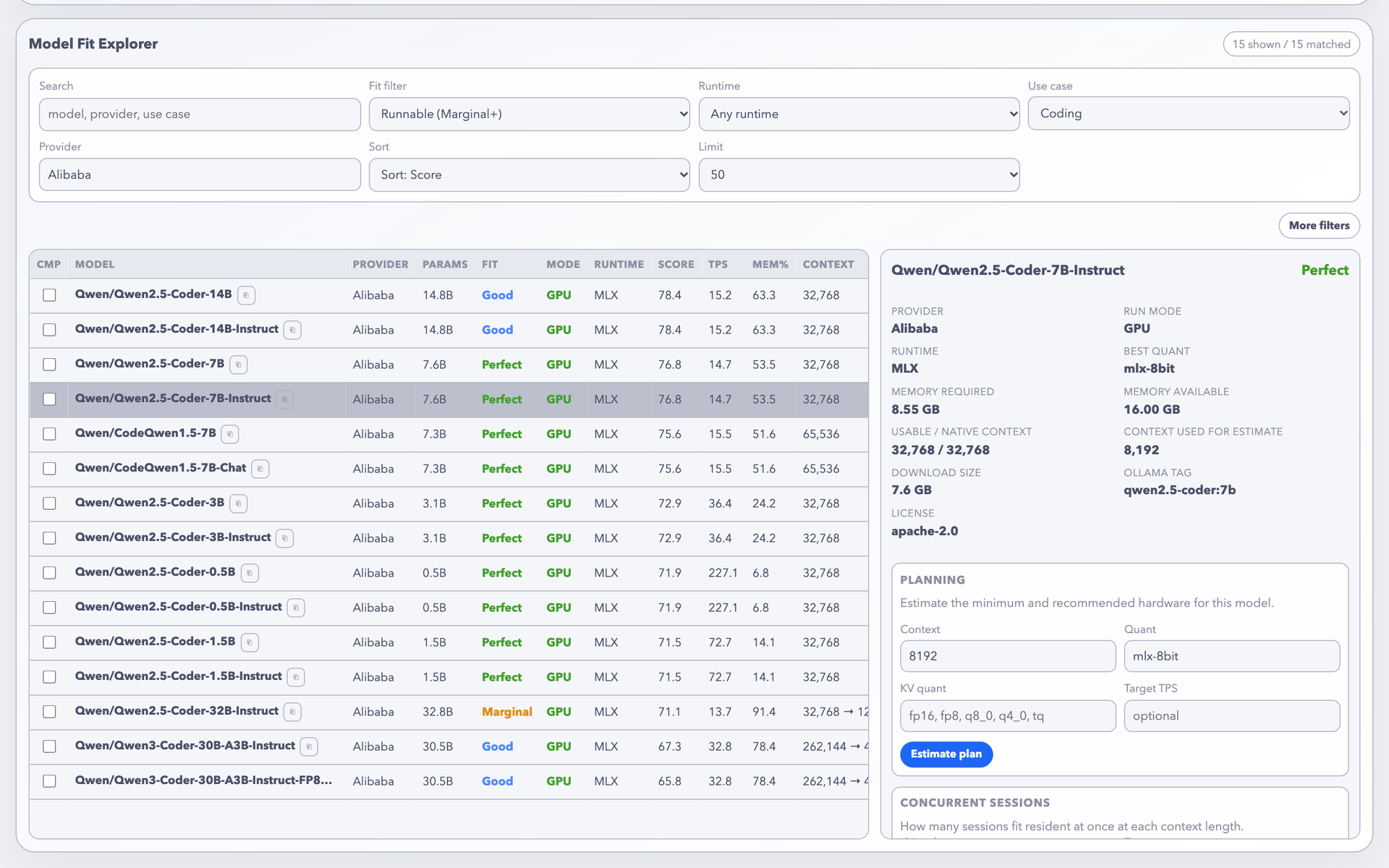
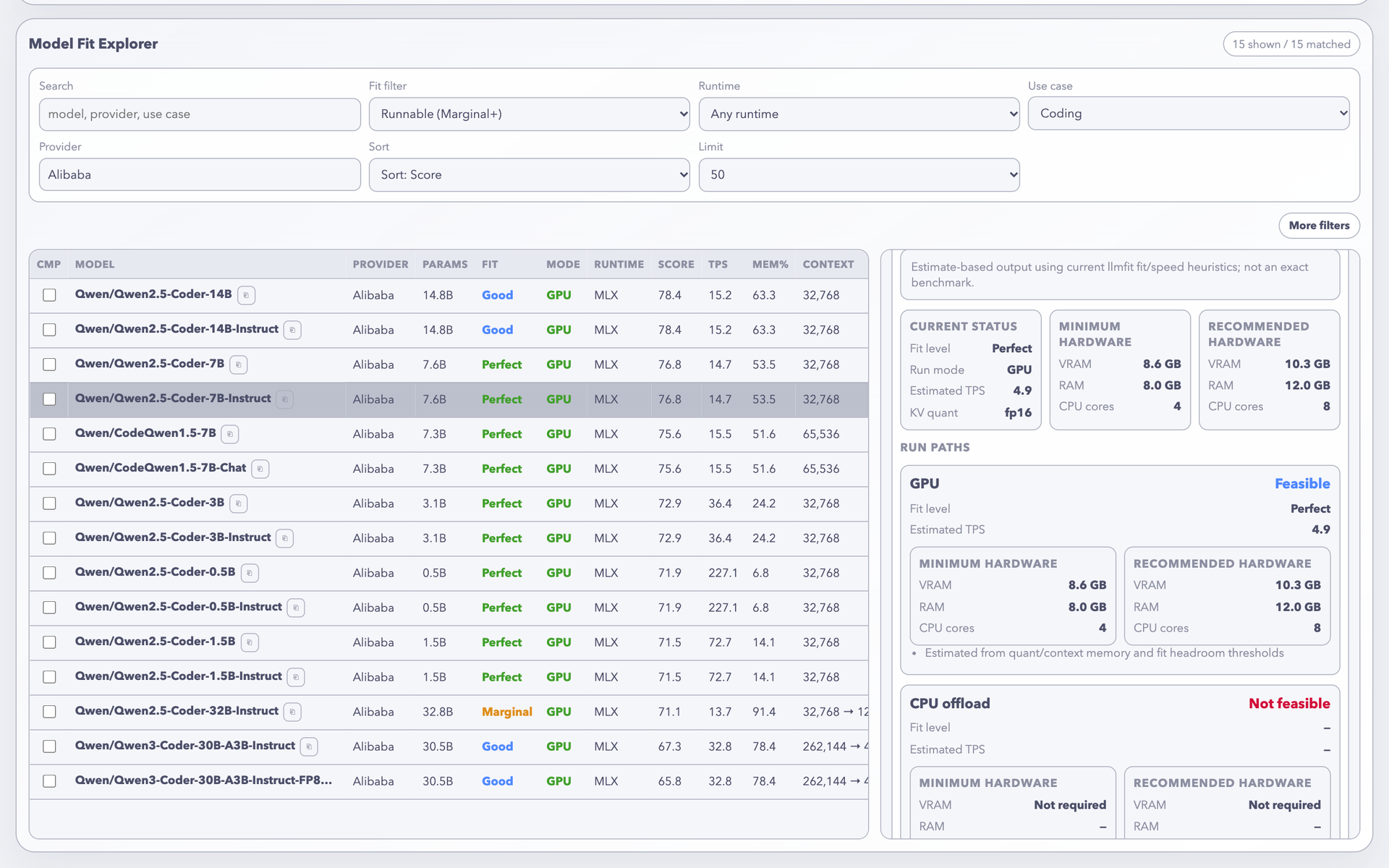
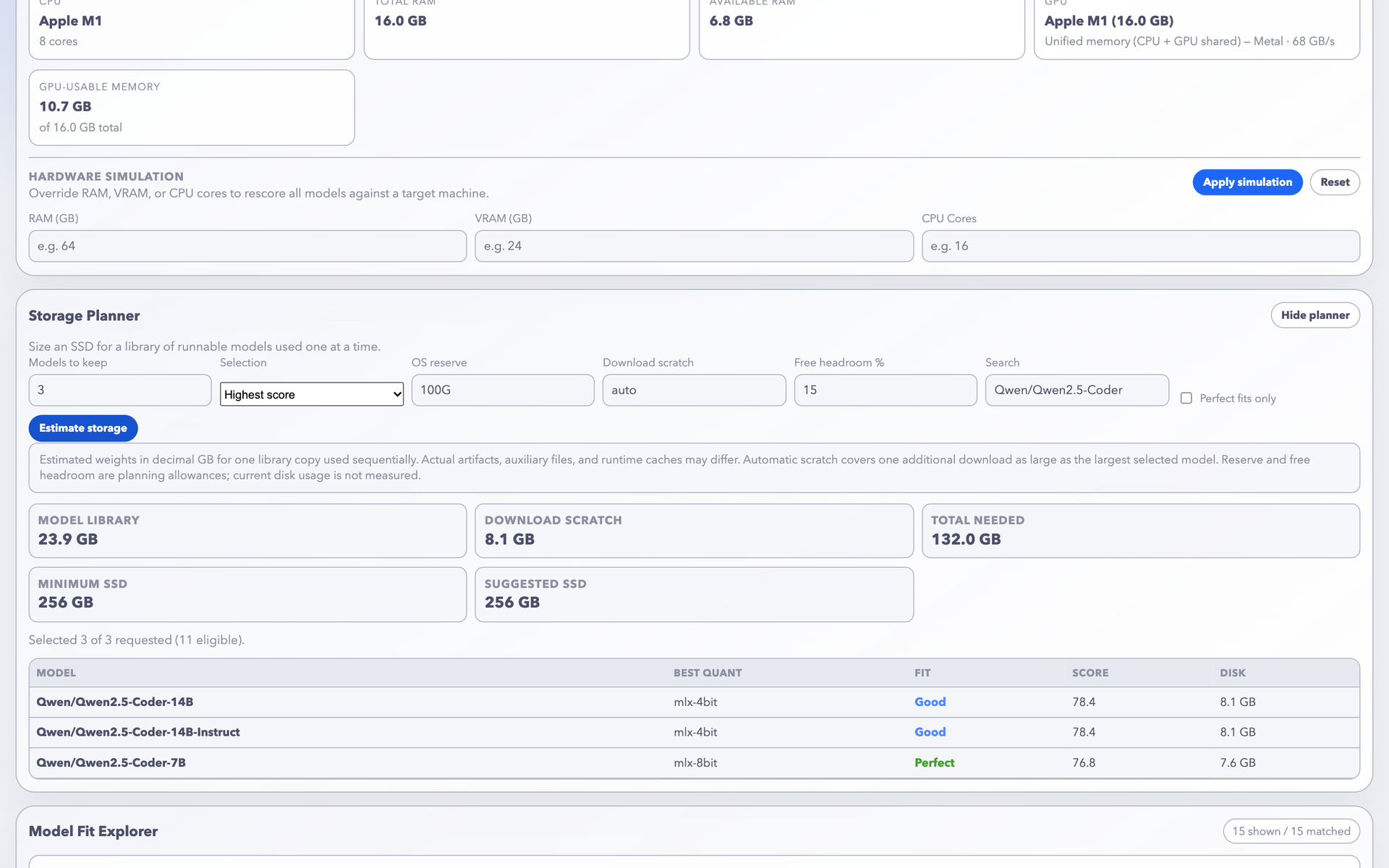
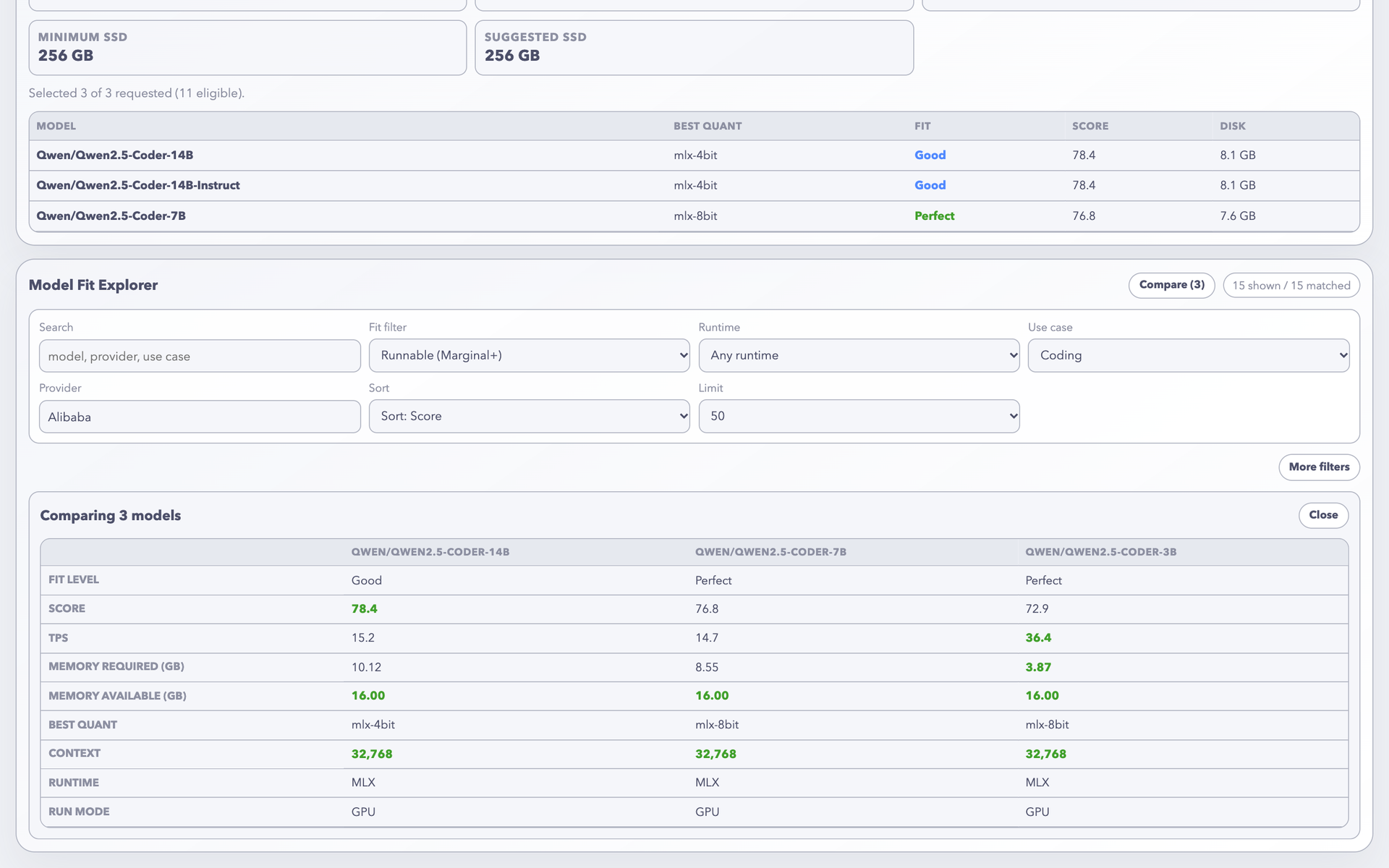
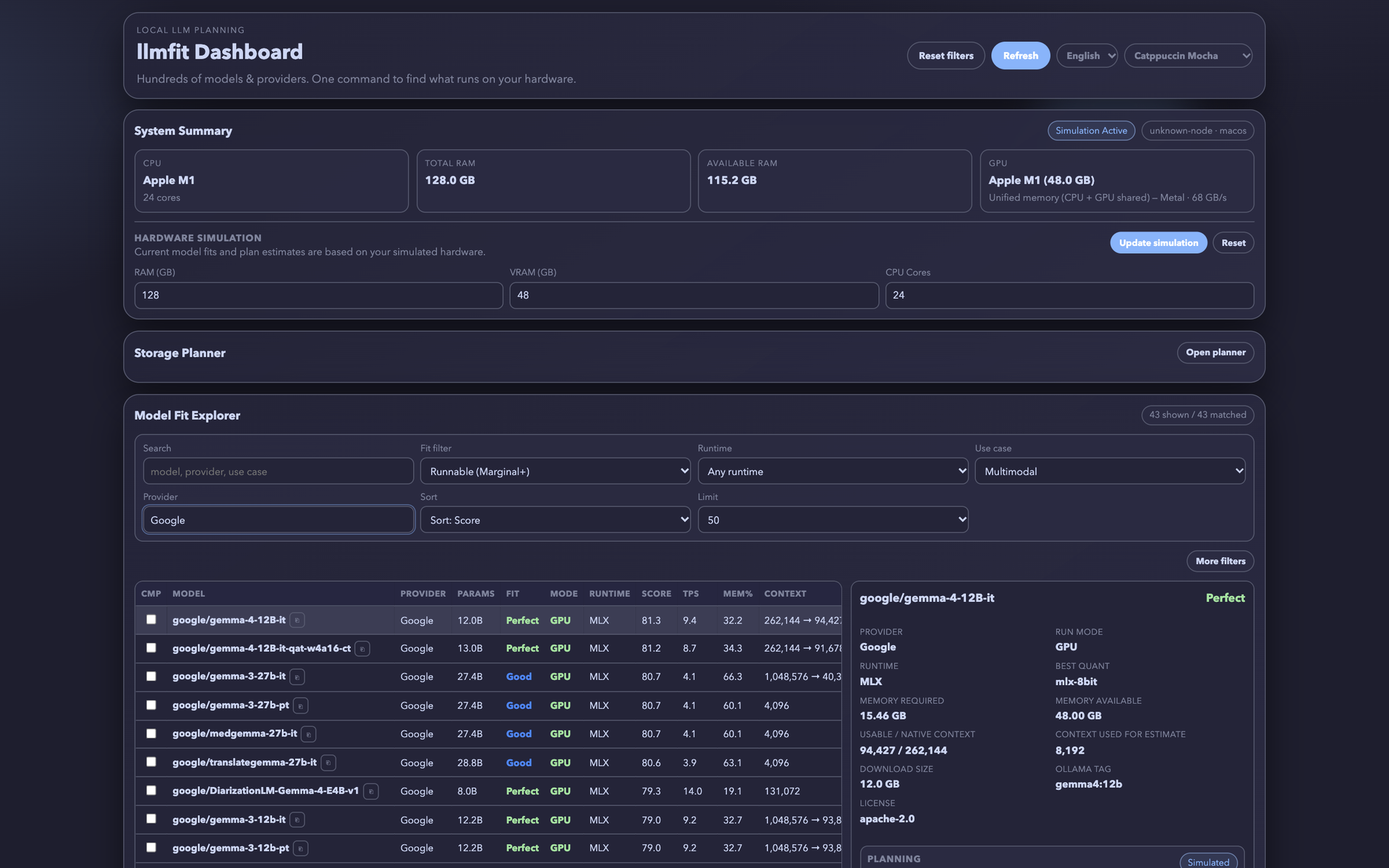
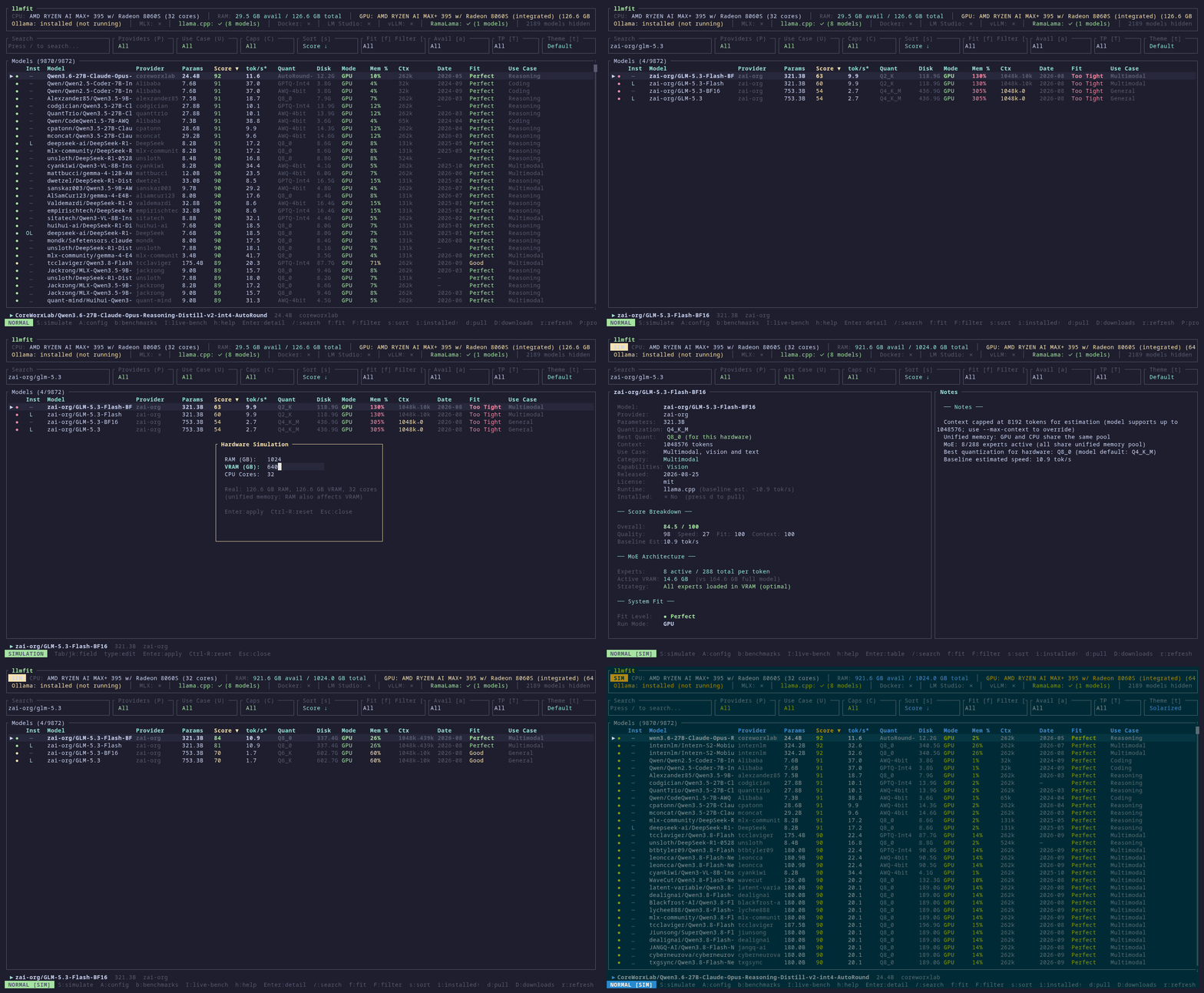
llmfit tells you which open LLMs will actually run on your machine, and how fast, before you download a single gigabyte. Guessing wrong means a huge download that crawls or never loads, so it reads your CPU, RAM, and GPU and scores thousands of models on memory fit, estimated tokens per second, quality, and context length. Start llmfit serve and a browser dashboard opens on port 8787, with a sortable fit table, filters for runtime, use case, and provider, and a detail panel that names the best quantization, the memory required, and the download size. Thinking of renting a bigger box? Type a RAM, VRAM, and core count and every score recalculates for that imaginary machine. The planner estimates minimum and recommended hardware for a chosen context and quantization, shows how many concurrent sessions fit at each context length, and sizes the SSD for a whole library of models. Tick a few rows to compare them side by side. Scripts can pull system info and ranked models from JSON endpoints, and cluster mode checks whether a model splits across several Ray nodes before you launch vLLM. The bench command measures real speed against Ollama, llama.cpp, MLX, or LM Studio, and the interface offers ten themes and a Chinese translation. Running on a dedicated VPS on RepoCloud with guaranteed CPU, RAM, and SSD, full root SSH access, and a browser serial console. MIT licensed.
Benefits
- Know Fit Before Downloading
- Memory required, best quantization, estimated tokens per second, and usable context appear for every model before you spend an evening pulling a multi-gigabyte file that will not load.
- Plan Hardware Before Buying
- Simulate any RAM, VRAM, and core count, then compare minimum and recommended specs for a context length, so GPU purchases and VPS sizes match the models you want.
- One Process, Three Interfaces
- The same fit engine powers a terminal browser, a web dashboard, and JSON endpoints, so developers and teammates read identical numbers from whichever front end they prefer.
- Estimates Backed By Measurement
- Benchmark real tokens per second against your running provider, and measured results replace estimates in the fit table, which keeps recommendations honest on your own hardware.
Features
- Hardware Auto-Detection
- Reads CPU cores, system RAM, discrete and integrated GPUs, VRAM, and unified memory across NVIDIA CUDA, Apple Metal, AMD ROCm, and Intel oneAPI.
- Web Dashboard And REST API
- llmfit serve serves a browser dashboard plus health, system, and model endpoints on port 8787, with an official multi-architecture Docker image.
- Storage And Session Planner
- Estimate SSD size for a model library, and see how many concurrent sessions fit in memory at each context length for a chosen KV cache type.
- Side By Side Comparison
- Select several models and compare fit level, score, speed, memory required, best quantization, context, runtime, and run mode in one table.
- Ray Cluster Mode
- Describe several machines in a cluster file, or discover them from a Ray dashboard, and check which models split across nodes before launching vLLM.
- Runtime Provider Support
- Works with Ollama, llama.cpp, MLX, Docker Model Runner, and LM Studio, and scores GGUF, AWQ, GPTQ, and EXL2 quantization formats.