Categories
Self-Hosted Healthcare Web Application Research Tools Medical Imaging DICOM Viewer RadiologyStars
Forks
Watchers
Developer links
OHIF Viewer
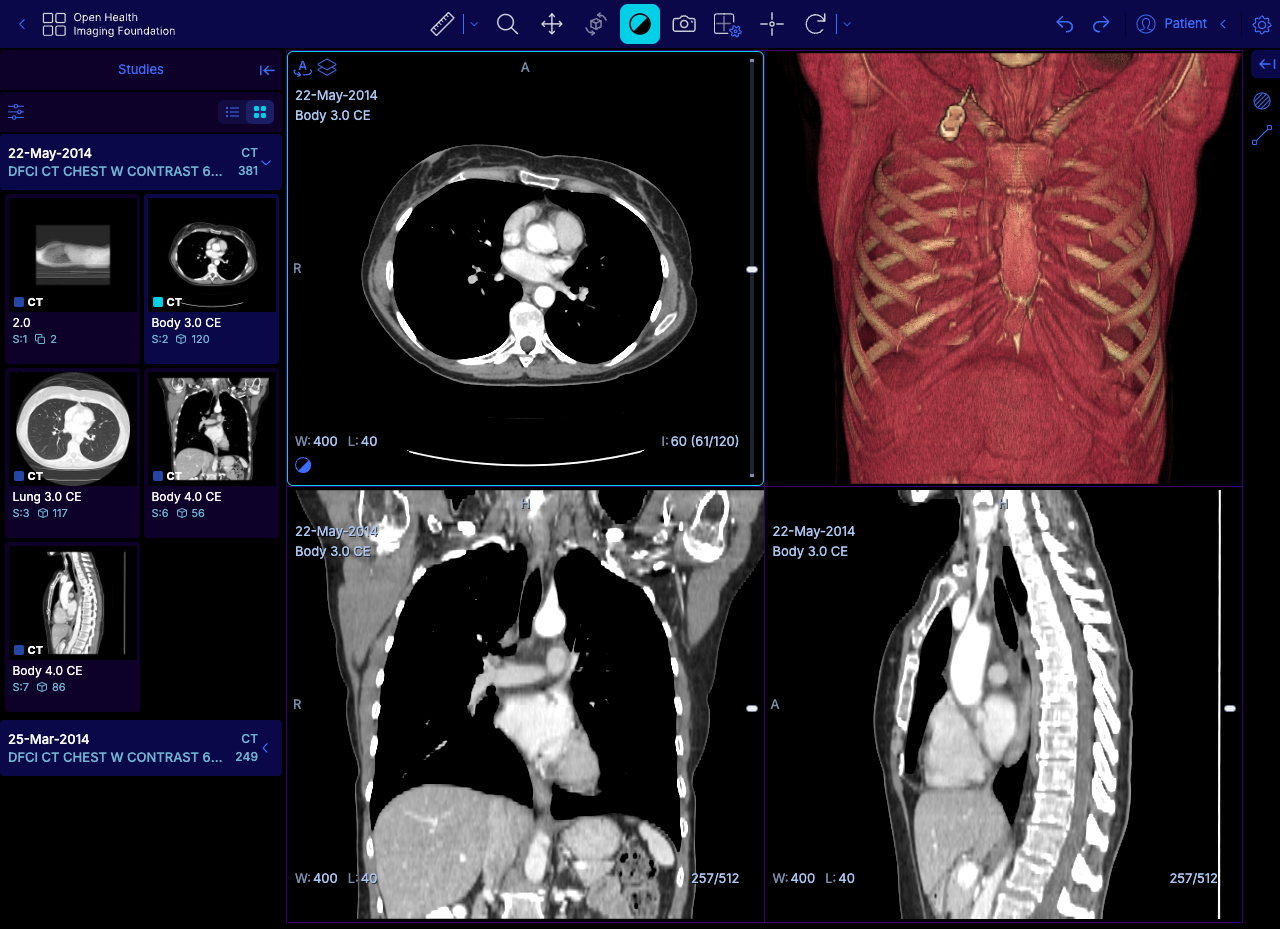
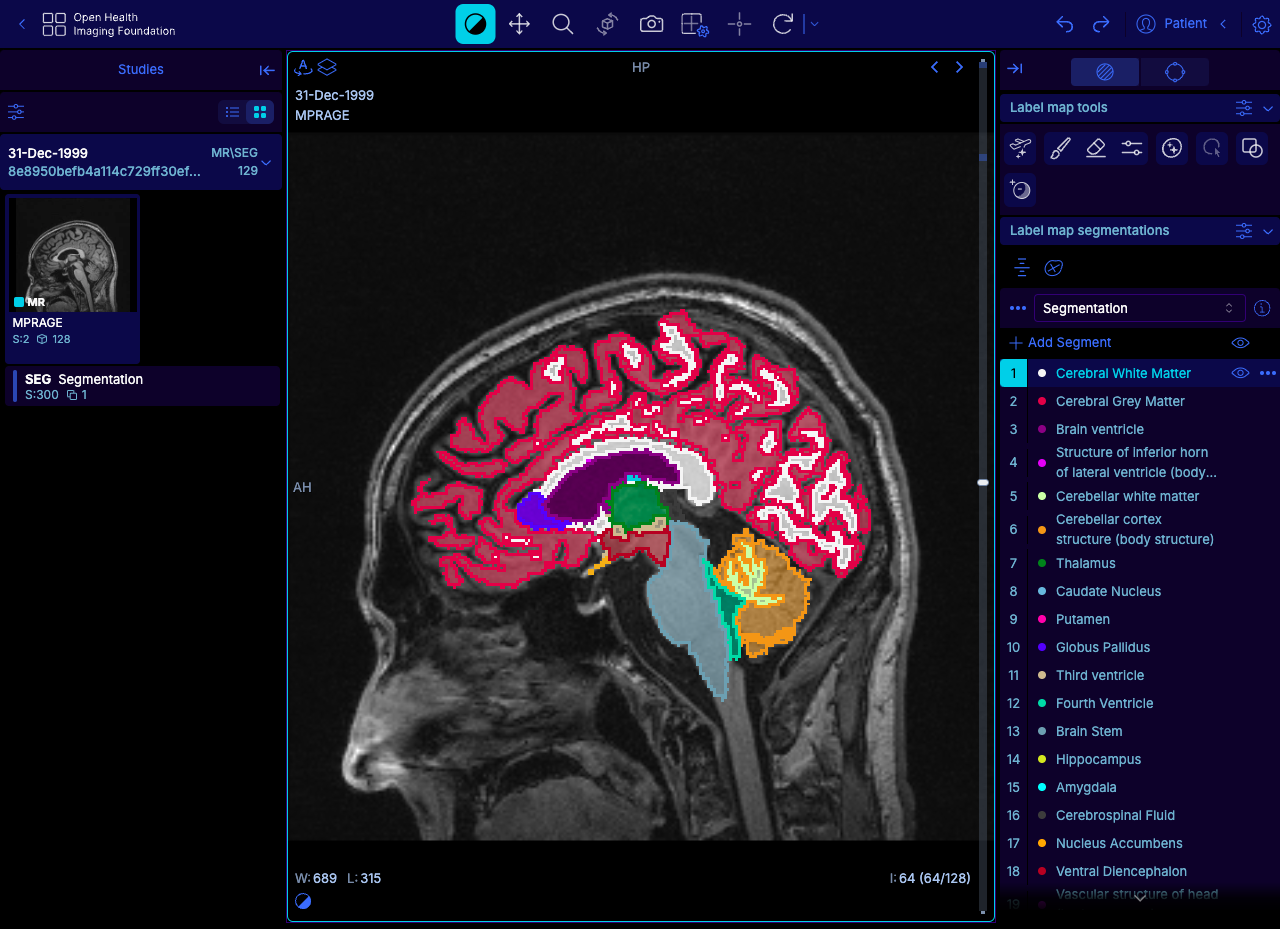
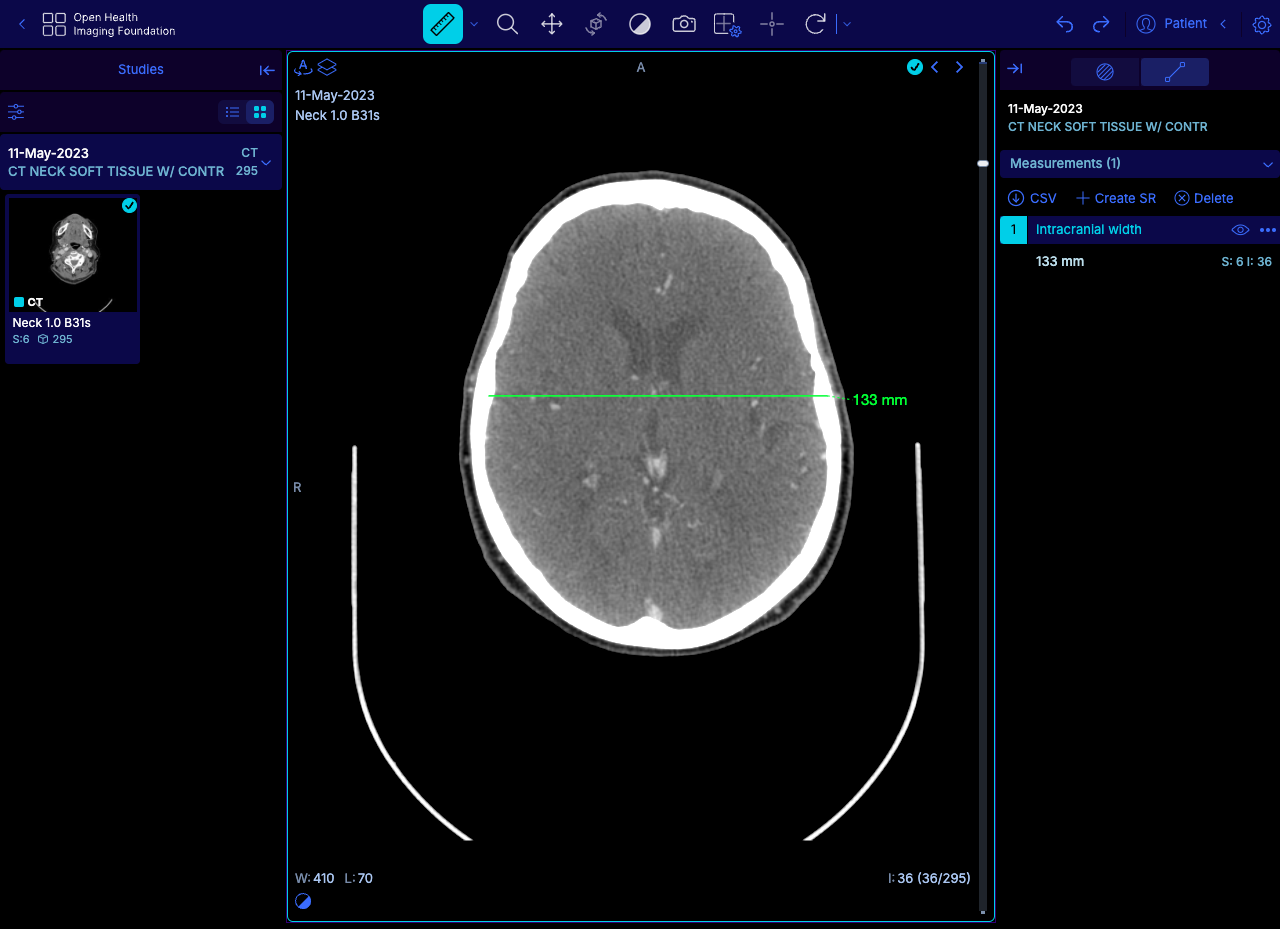
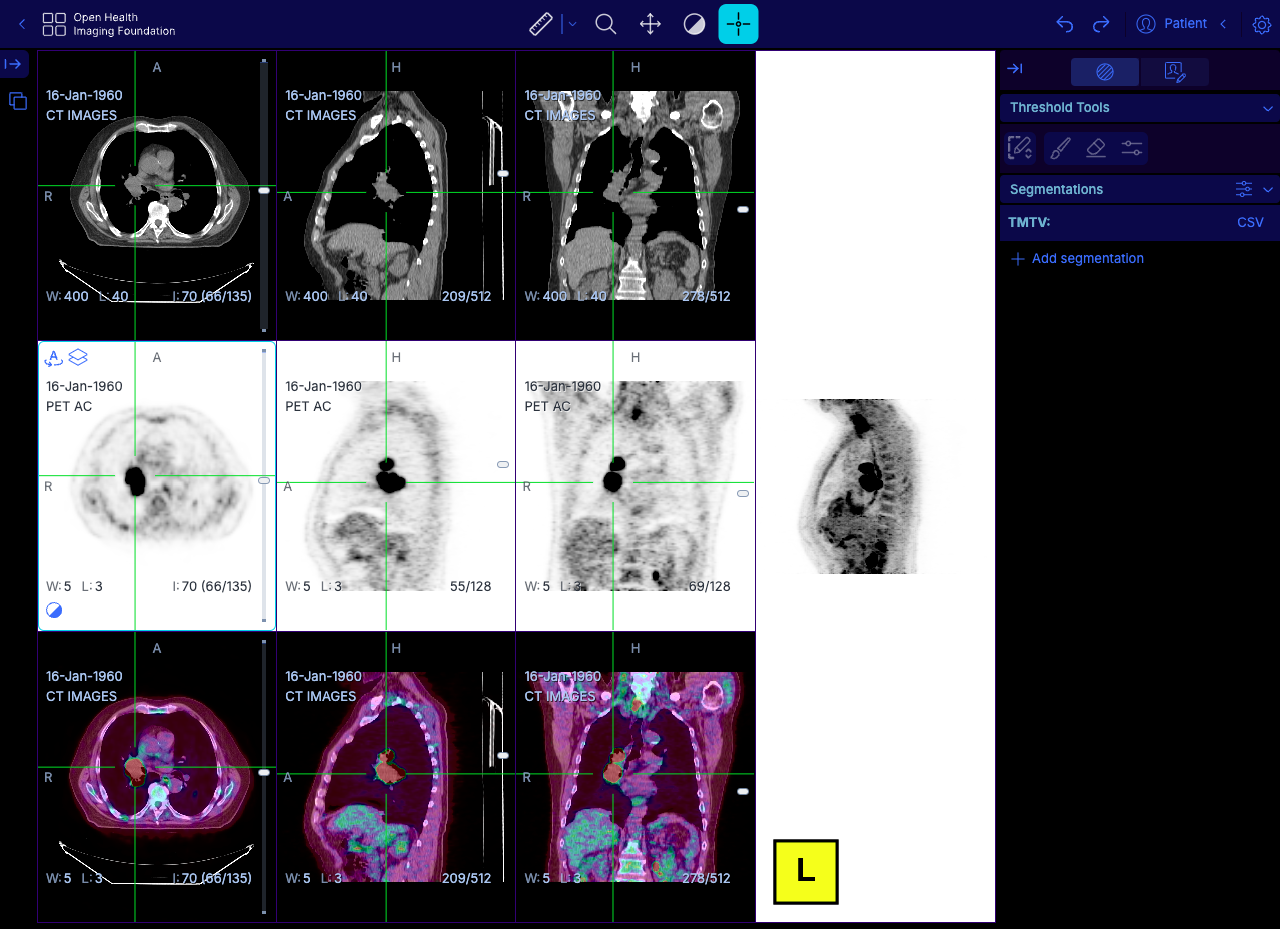
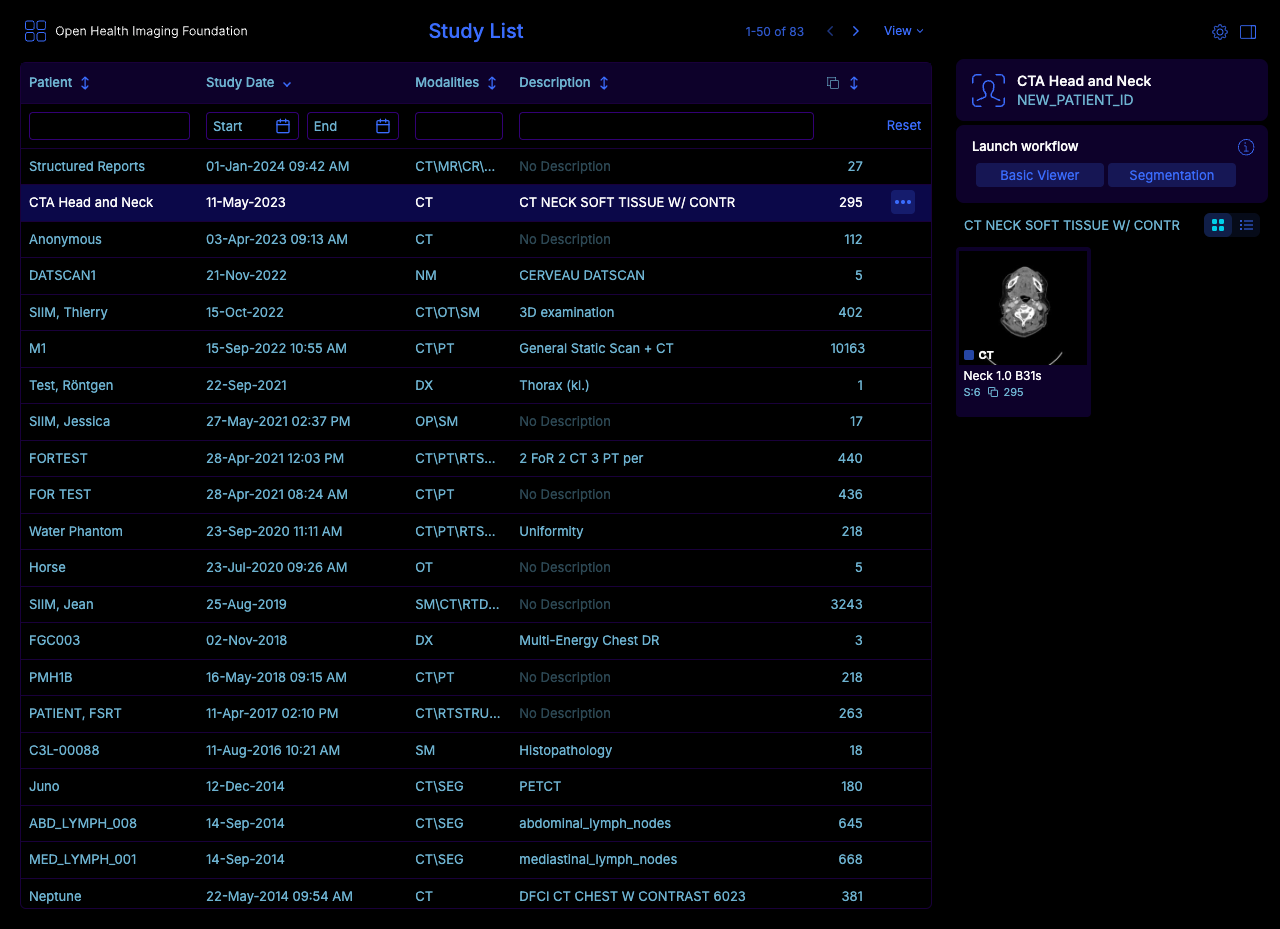
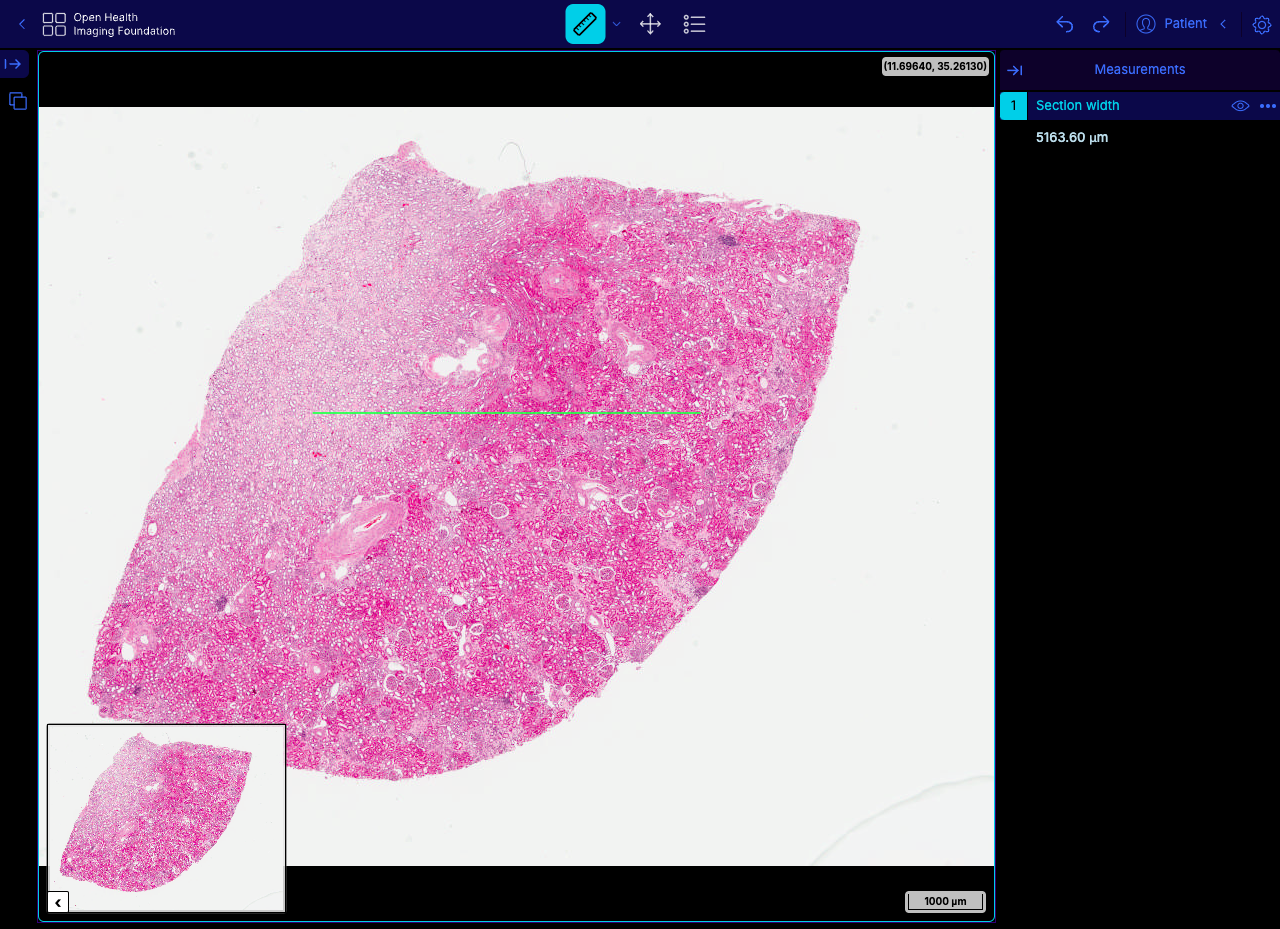
The OHIF Viewer reads CT, MR, PET, and slide microscopy studies straight from a DICOMweb archive and shows them in any browser tab, with no workstation software to install. The study list filters by patient name, MRN, study date, description, modality, and accession number. Each study launches into the workflow mode that fits its modalities. Basic Viewer mode tracks the measurements drawn on images and gathers them in a side panel for review. Layouts include MPR, four-up 3D, volume rendering, and PET/CT fusion with maximum intensity projection. Labelmap tools offer brush, eraser, threshold, and shape segmentation, and DICOM segmentation, RT Structure, and structured report objects display alongside the pixels. PDFs, video clips, ECG waveforms, 4D series, and whole slide microscopy open in the same interface. Hanging protocols arrange series the way each workflow expects. An iframe embed drops the viewer into a portal or research app. Pair it with Orthanc or DCM4CHEE for storage and Keycloak for sign-in. Oncology trial reads, imaging research, and web front ends for a PACS are the usual jobs. Running on a dedicated VPS on RepoCloud with guaranteed CPU, RAM, and SSD, full root SSH access, and a browser serial console. MIT licensed.
Benefits
- Read Studies Without Installing Software
- Anyone with a modern browser can open CT, MR, and PET studies from your archive, so reviewers on any laptop skip workstation installs and per-seat client licensing.
- Connect To Existing Imaging Archives
- Out-of-the-box DICOMweb support lets the viewer sit in front of Orthanc, DCM4CHEE, or another compliant archive, while a Data Source API handles proprietary systems.
- Launch Task-Specific Workflow Modes
- Study summaries offer modes such as Basic Viewer, Segmentation, and PET/CT tumor volume, so each reader lands in a layout and toolset built for the job.
- Adapt The Viewer To Your Workflow
- Extensions and modes add panels, tools, and hanging protocols, while configuration files and an iframe embed let teams tailor the viewer and embed it in their own portals.
Features
- Measurement Tracking
- Measurements drawn in Basic Viewer mode are tracked, flagged in the study browser, and gathered in a side panel, so follow-up reads can revisit each finding.
- MPR And 3D Rendering
- The layout menu offers MPR, 3D four-up, 3D main, axial primary, and 3D only views that combine orthogonal slices with volume rendering of CT data.
- Segmentation Tools
- Brush, eraser, threshold, shape, and click-to-segment tools edit labelmap segments, which are listed by name and color in a right-hand panel.
- PET/CT Fusion And TMTV
- A 3x3 layout stacks CT, PET, and fusion rows in axial, sagittal, and coronal planes beside a maximum intensity projection, with threshold tools for tumor volume.
- Multi-Format Image Support
- Beyond CT and MR, the viewer displays PDFs, video clips, ECG waveforms, RT Structure sets, 4D series, DICOM structured reports, and whole slide microscopy.
- Official Docker Image
- The ohif/app image bundles nginx to serve the viewer on a port you choose, with its configuration supplied by a mounted file or an environment variable.