Categories
AI Agents Self-Hosted AI Workflow Automation Agent Orchestration Multi-Agent Systems Ollama No-Code AI CrewAIStars
Forks
Watchers
Developer links
CrewAI Studio
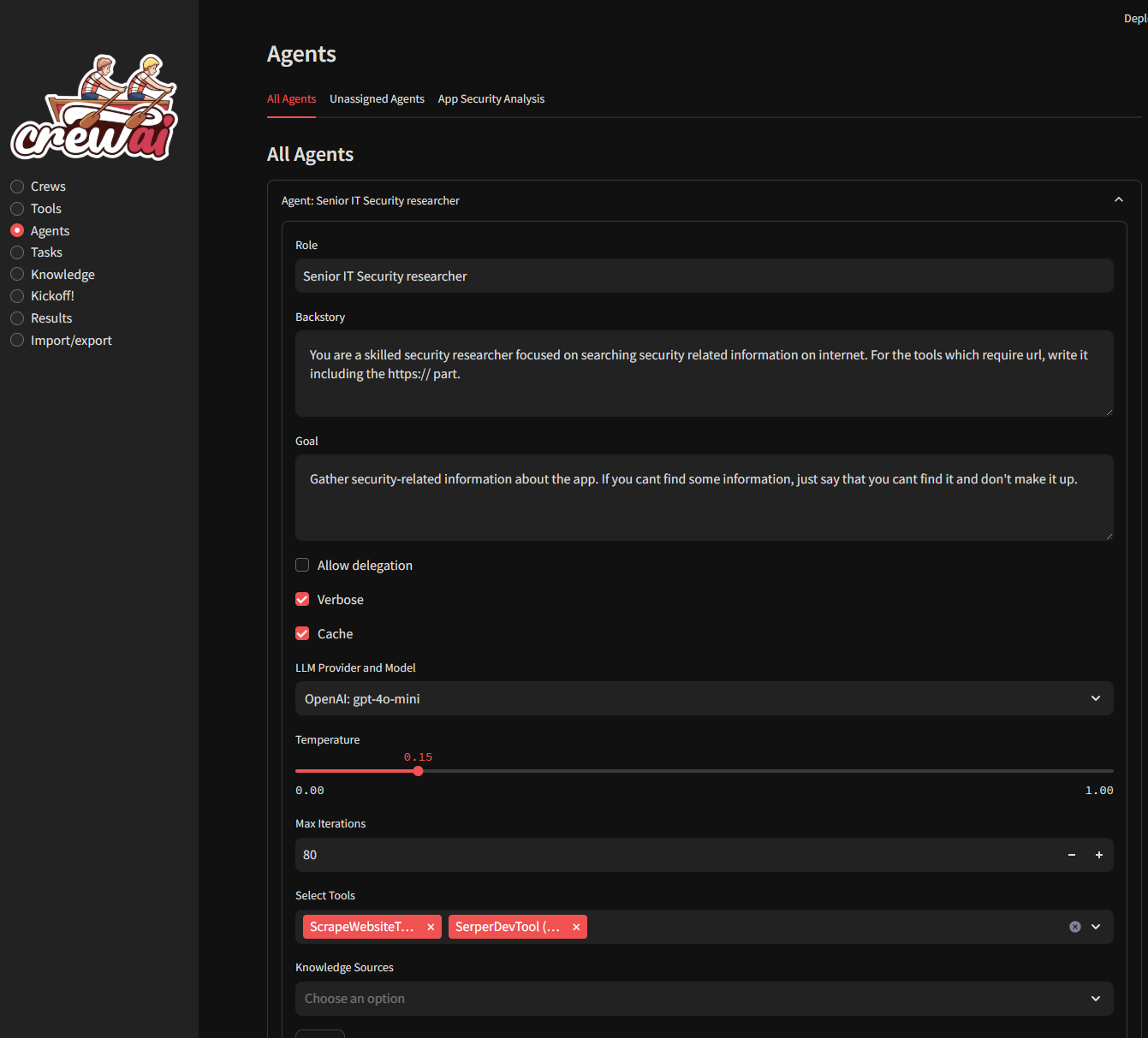
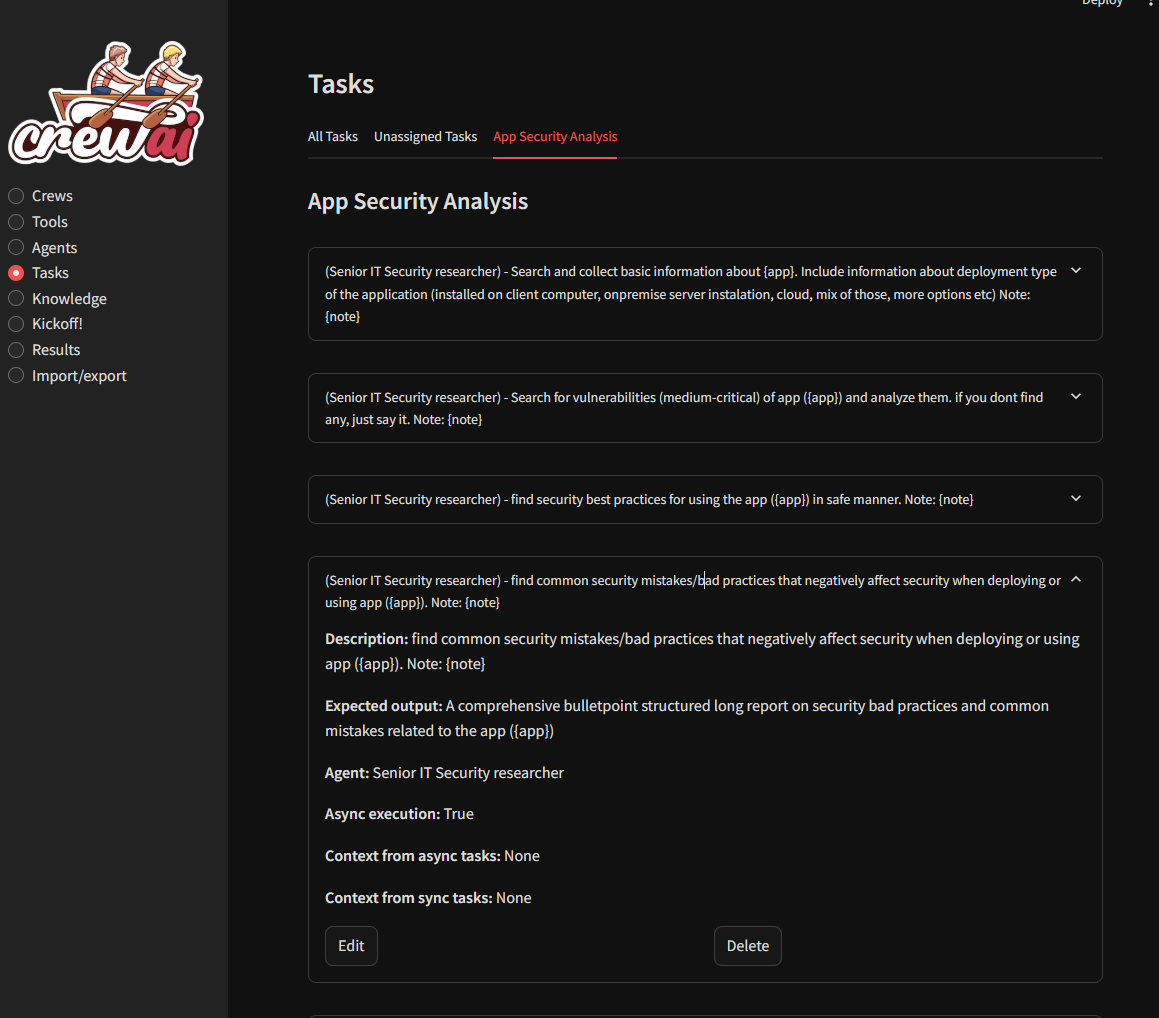
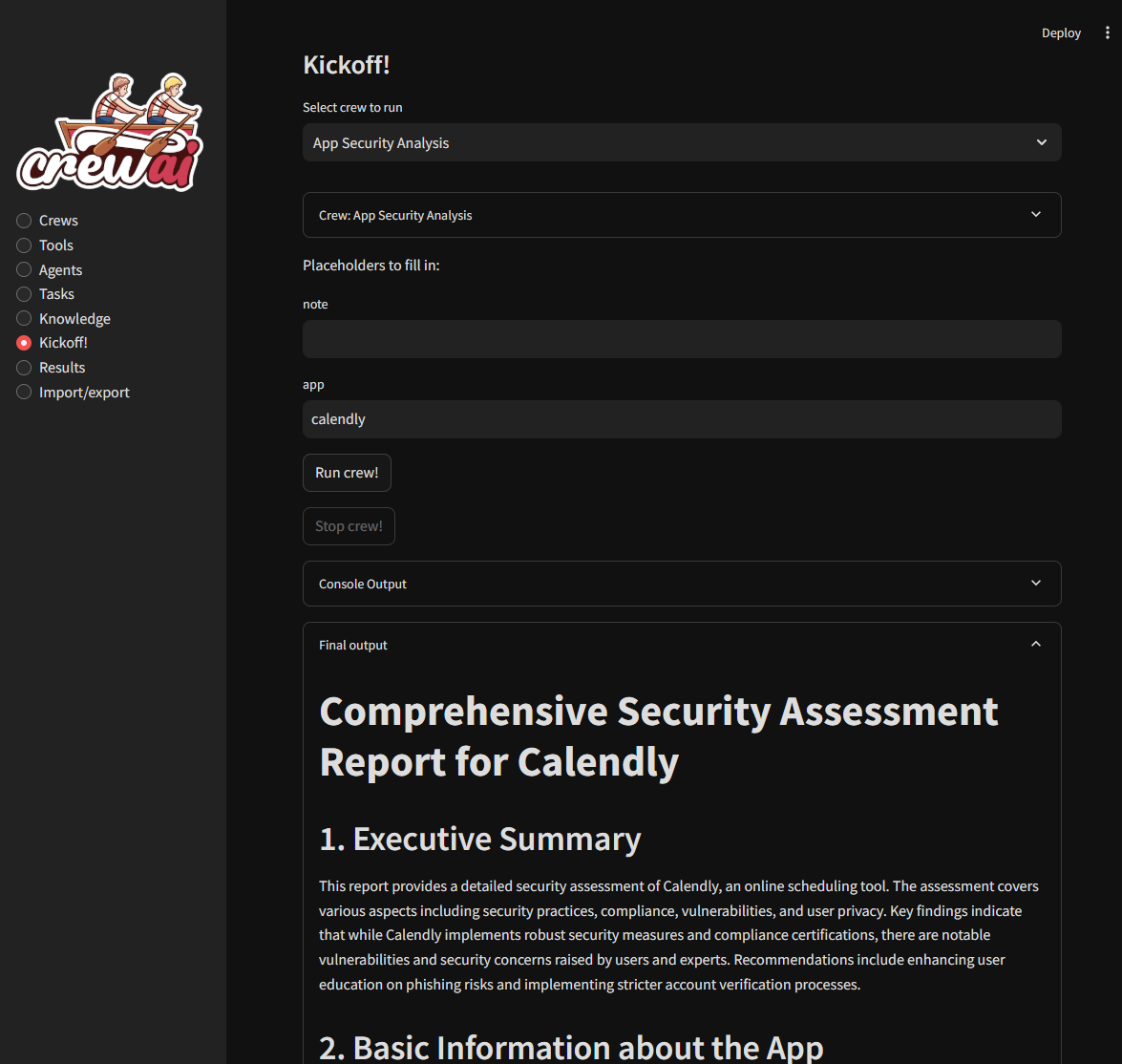
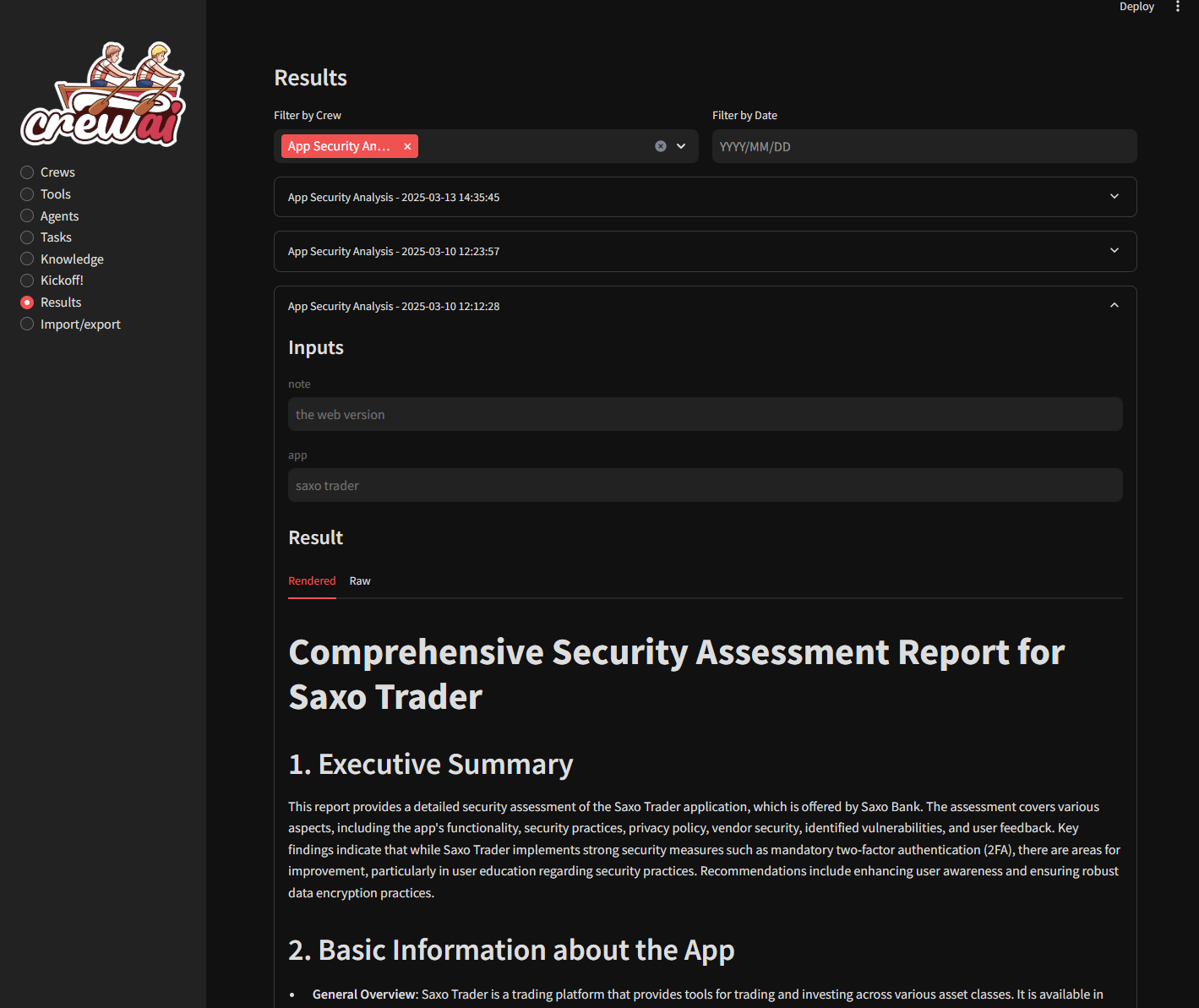
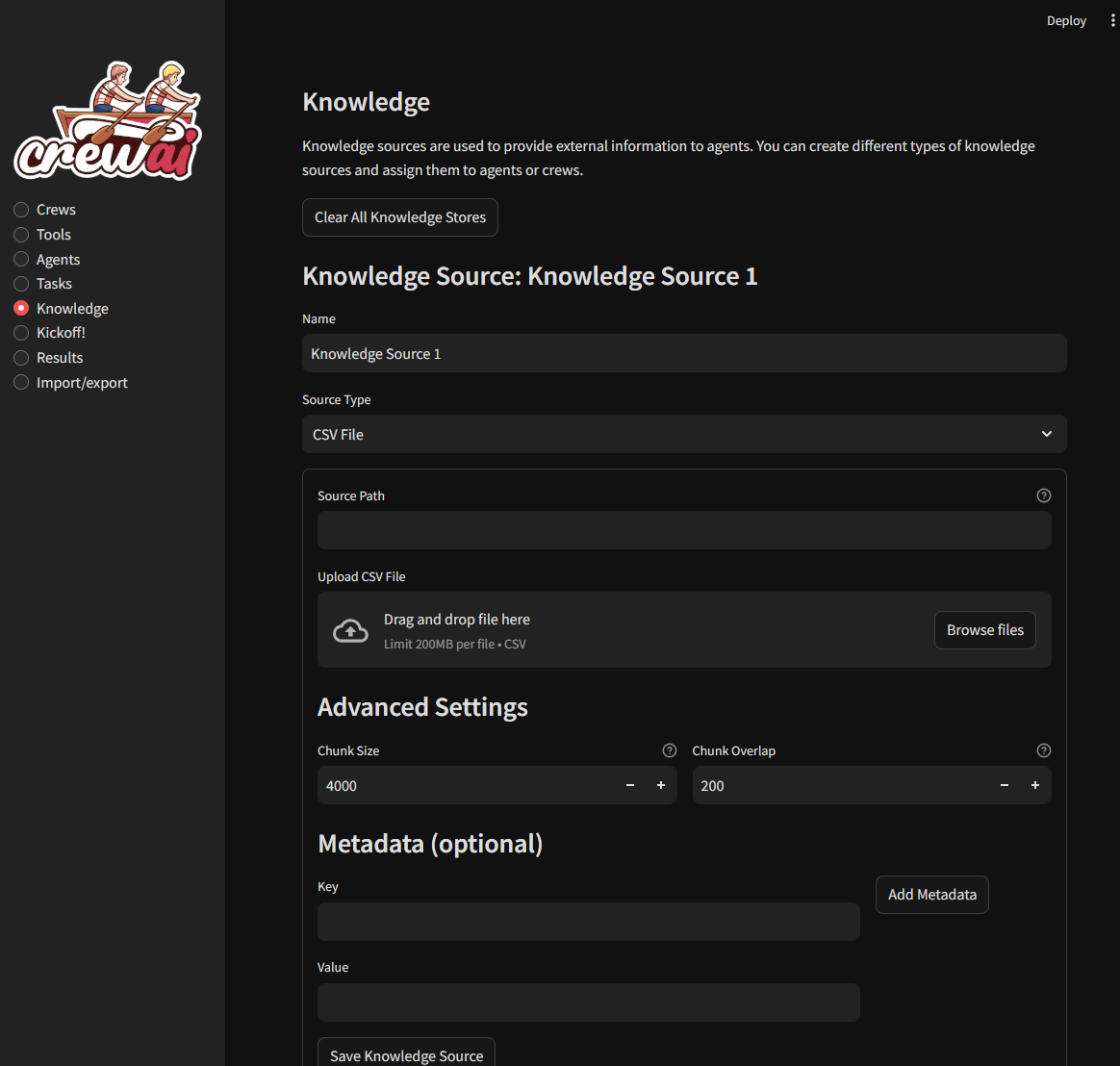
Anyone who can fill in a form can run a crew of AI agents in CrewAI Studio, from defining roles to reading results, with no code to write. Each agent gets a role, backstory, goal, delegation switch, iteration limit, and temperature. Pick a provider and model per agent: OpenAI, Anthropic, Groq, xAI Grok, Ollama, or LM Studio. Tasks carry an expected output, can run asynchronously, and can take context from other tasks. Agents can search the web, scrape pages, run code, and query GitHub, YouTube, or Yahoo Finance news. Search tools also read your own PDF, CSV, DOCX, JSON, MDX, and text files. Custom tools call HTTP APIs and write files into a folder you choose. Knowledge sources accept text, PDF, CSV, Excel, JSON, or Docling files, with adjustable chunk size and overlap. Crews run tasks in sequence or under a hierarchical manager, with memory, cache, planning, and rate-limit options. Kickoff turns placeholders in agent and task text into input boxes and runs the crew in the background. A console panel shows the crew's output while it works, and a Stop button halts a run. Every run is saved, filterable by crew and date, and readable rendered, raw, or printable. Export one crew or everything as JSON, import it elsewhere, or generate a standalone single-page app. Running on a dedicated VPS on RepoCloud with guaranteed CPU, RAM, and SSD, full root SSH access, and a browser serial console. MIT licensed.

Benefits
- Build Agent Teams Without Code
- Roles, backstories, goals, tasks, and tools are filled in through forms, so people who never touch Python can design a crew, tune each agent's temperature and iteration limit, and rerun it.
- Mix Cloud and Local Models
- Every agent picks its own provider and model, from OpenAI-compatible endpoints, Anthropic, Groq, and xAI to Ollama and LM Studio on your own hardware, so each role can match its cost and privacy needs.
- Move Crews Between Servers Easily
- Export every crew, or just one, as JSON and import the file on another server, or generate a standalone single-page app so teammates can run a crew without the full studio.
- Keep a History of Every Run
- Crews run in the background and can be stopped, console output is captured, and every result is saved to a history you can filter by crew and date, then view rendered or raw.
Features
- Agents, Tasks, and Crews
- Forms define agent roles, goals, and tools; tasks with expected outputs and context from earlier tasks; and crews that run sequentially or hierarchically with memory, cache, and planning options.
- Built-In and Custom Tools
- More than two dozen tools cover Serper, DuckDuckGo, and EXA search, website scraping, PDF, CSV, DOCX, JSON, and MDX search, a code interpreter, plus custom API-call and file-write tools.
- Knowledge Sources
- Give agents or crews text, TXT, PDF, CSV, Excel, JSON, or DocLing files and URLs as knowledge, with chunk size, overlap, and metadata settings plus a clear-all reset.
- Multi-Provider LLM Support
- Agents run on OpenAI-compatible endpoints, Anthropic Claude, Groq, xAI Grok, Ollama, or LM Studio, configured through environment variables, with per-agent model choice and temperature.
- Kickoff and Results History
- Fill task placeholders, start or stop a background run, read console output and per-task results, then reopen saved runs by crew and date in rendered, raw, or printable form.
- JSON and Single-Page Export
- Export all crews or one crew as JSON, import files back in, or generate a standalone single-page app; data is stored in SQLite by default or PostgreSQL through DB_URL.